PRODUCT RESEARCH / PUBLIC UI EVIDENCE
SymphonyAI × Ethon
Product UI Research & Screen Atlas
Giao diện công khai, interaction model, bằng chứng UI và design implications cho industrial AI.
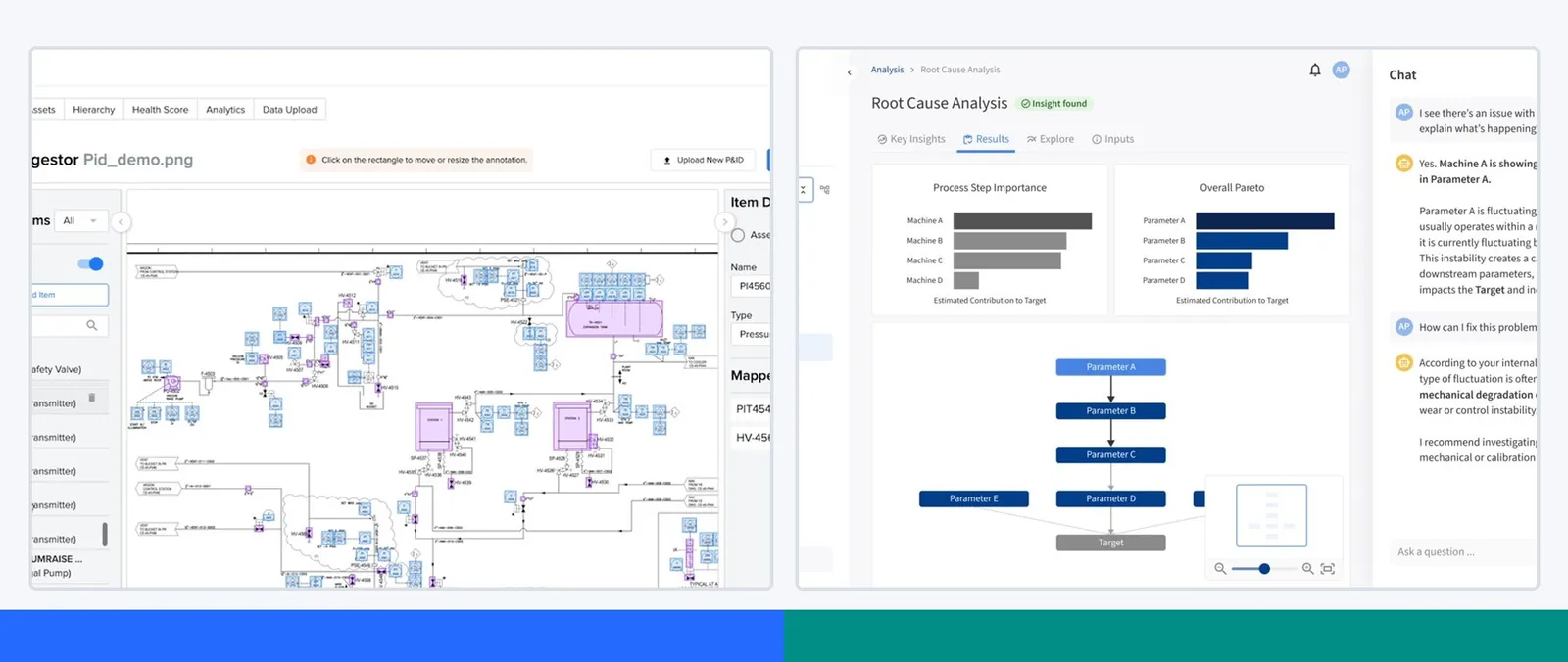
304 SCREEN / UI FRAGMENT · NGUỒN FIRST-PARTY · TRUY CẬP 13/07/2026
Phạm vi so sánh chính: SymphonyAI Industrial ↔ Ethon Industrial AI Platform. Các vertical khác của SymphonyAI được đưa vào atlas để thấy độ rộng và mức nhất quán của portfolio.
01 · EXECUTIVE SYNTHESIS
Kết luận nhanh
SymphonyAI tổ chức trải nghiệm quanh một hệ thống công nghiệp có thể cấu hình; Ethon tổ chức quanh một vấn đề sản xuất cần được phát hiện, giải thích và xử lý.
- SymphonyAI Industrial: platform-first: data/context → workspace/dashboard → app/agent builder → operation. Điểm mạnh là breadth và extensibility; đổi lại UI thay đổi đáng kể giữa module và thế hệ.
- Ethon: workflow-first: detect deviation → causal diagnosis → recommendation/setpoint → monitor/control. Shell hẹp hơn nhưng decision loop rõ, cohesive và dễ hiểu ở first use.
- Apples-to-apples: nên so SymphonyAI Industrial với Ethon, không so toàn bộ SymphonyAI portfolio với một platform sản xuất chuyên biệt.
- Bằng chứng: không có public tenant. Screens là tài sản first-party trên site, GIF/video demo và ảnh chụp sản phẩm với sample/sanitized data; một số là marketing composite.
Hai mental model
TRỤC | SYMPHONYAI INDUSTRIAL | ETHON |
|---|---|---|
Object chính | Asset, KPI, workspace, app, agent flow | Deviation, incident, causal driver, setpoint |
AI placement | Copilot drawer, agent canvas, prompt-to-app | AI chat cạnh graph và recommendation |
Customization | Cao: canvas, Forge, Flows, KPI builder | Cấu hình trong workflow định sẵn |
Explainability | Trace từng agent step, alert detail, graph | Causal chain + operational impact |
Consistency | Heterogeneous theo module/vertical | Cohesive hơn nhờ product surface hẹp |
02 · RESEARCH METHOD
Cách đọc tài liệu
Atlas gom các UI asset công khai có ý nghĩa từ website chính thức của hai công ty tại thời điểm truy cập. Ảnh lặp gần như giống hệt, ảnh nhân sự/nhà máy, brand art và architecture graphic không có product UI được loại khỏi gallery chính.
Evidence legend
A · FULL PRODUCT UI Full product UI — Màn hình sản phẩm/demo toàn cảnh; tốt nhất để đọc IA, navigation và object model.
B · OFFICIAL DEMO/GIF Official demo/GIF — Frame lấy từ GIF/video demo chính thức; tốt để đọc state change và interaction sequence.
C · UI FRAGMENT/COMPOSITE UI fragment/composite — Crop, device mockup hoặc marketing composite; dùng để đọc pattern, không suy diễn full shell.
D · LEGACY/HISTORICAL Legacy/historical — Giao diện đời trước hoặc currentness không rõ; dùng để đọc lineage, không coi là UI hiện hành.
Nguyên tắc diễn giải
- Screen ≠ tenant: mọi dữ liệu hiển thị có thể là sample hoặc sanitized; tài liệu không khẳng định đây là ảnh khách hàng production.
- Portfolio ≠ một shell: SymphonyAI có nhiều vertical. Không mặc định tất cả screen dùng chung navigation, component hoặc design system.
- Version caveat: asset SymphonyAI trải từ khoảng 2023–2026; Ethon hiện tại cohesive hơn nhưng vẫn là public product rendering.
- Completeness: “tất cả” trong tài liệu nghĩa là tất cả UI evidence công khai hữu ích đã thu thập được từ các trang chính thức đã rà soát, không bao gồm nội dung sau login.
03 · PRODUCT STACK
Taxonomy so sánh
LỚP | SYMPHONYAI INDUSTRIAL | ETHON |
|---|---|---|
Data foundation | IRIS Foundry, UNS, connectors | Data layer, multi-system connection |
Context model | P&ID, asset hierarchy, digital twin, knowledge graph | Process knowledge graph, causal model |
Analytics | Plant Insights, PAI, ML Studio, Vision AI | RCA, Optimization, Fault Detection, Quality |
Execution | Workspace, Connected Worker, alerts/advisories | Setpoint recommendation, Centerlining, Frontline action |
Build/extend | IRIS Forge, IRIS Flows, Copilots | Agentic workflow và Python/custom model access |
Interaction loop
SymphonyAI: connect & contextualize → compose workspace/app/agent → monitor → act.
Ethon: detect → diagnose causally → recommend/steer → verify stability.
Hàm ý khi benchmark
Nếu mục tiêu là thiết kế một industrial AI product mới, baseline tốt nhất là data/context breadth của SymphonyAI kết hợp outcome-first IA và causal decision loop của Ethon. Product nên cho người mới một đường đi ngắn, nhưng giữ lối mở cho power user xây app, workflow và model.
04 · SYMPHONYAI INDUSTRIAL · CORE
P&ID ingestion workbench
B · OFFICIAL DEMO/GIF SymphonyAI Industrial / P&ID ingestion
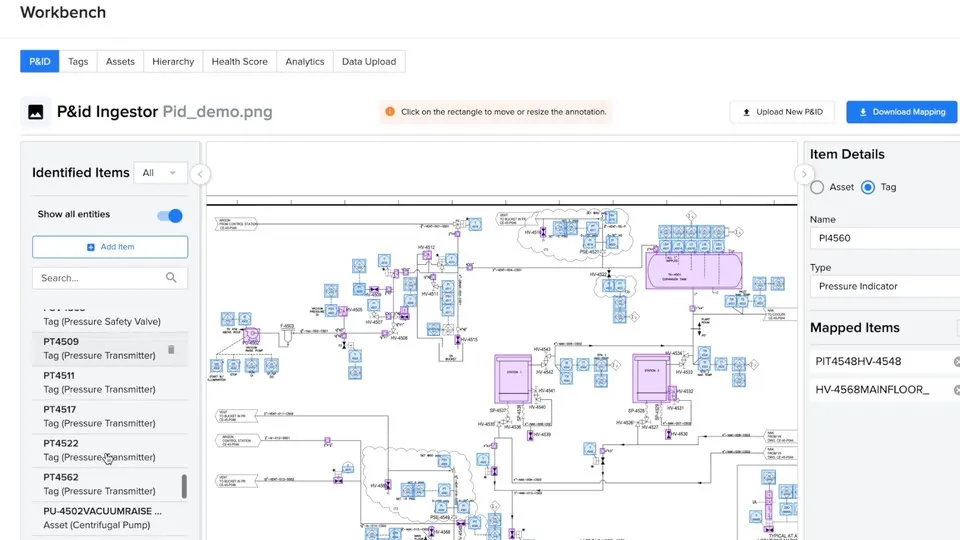
Nguồn: Trang nguồn chính thức
- Mục đích: Nhận dạng tag/thiết bị trong sơ đồ kỹ thuật và map chúng vào asset model có thể truy vấn.
- Layout: Ba cột: Identified Items bên trái, P&ID canvas ở giữa, Item Details/Mapped Items bên phải; module tabs ở phía trên.
- AI / interaction: Computer vision/extraction nằm trong flow làm việc, nhưng UI giữ provenance bằng việc cho người dùng kiểm tra từng item và mapping.
- Điểm đáng học: Tách detection, evidence và confirmation thành ba vùng giúp xử lý automation có rủi ro sai mapping.
Lưu ý bằng chứng: Frame lấy từ GIF/demo chính thức; dữ liệu và asset là sample.
04 · SYMPHONYAI INDUSTRIAL · CORE
Plant Insights dashboard
C · UI FRAGMENT/COMPOSITE SymphonyAI Industrial / Plant Insights
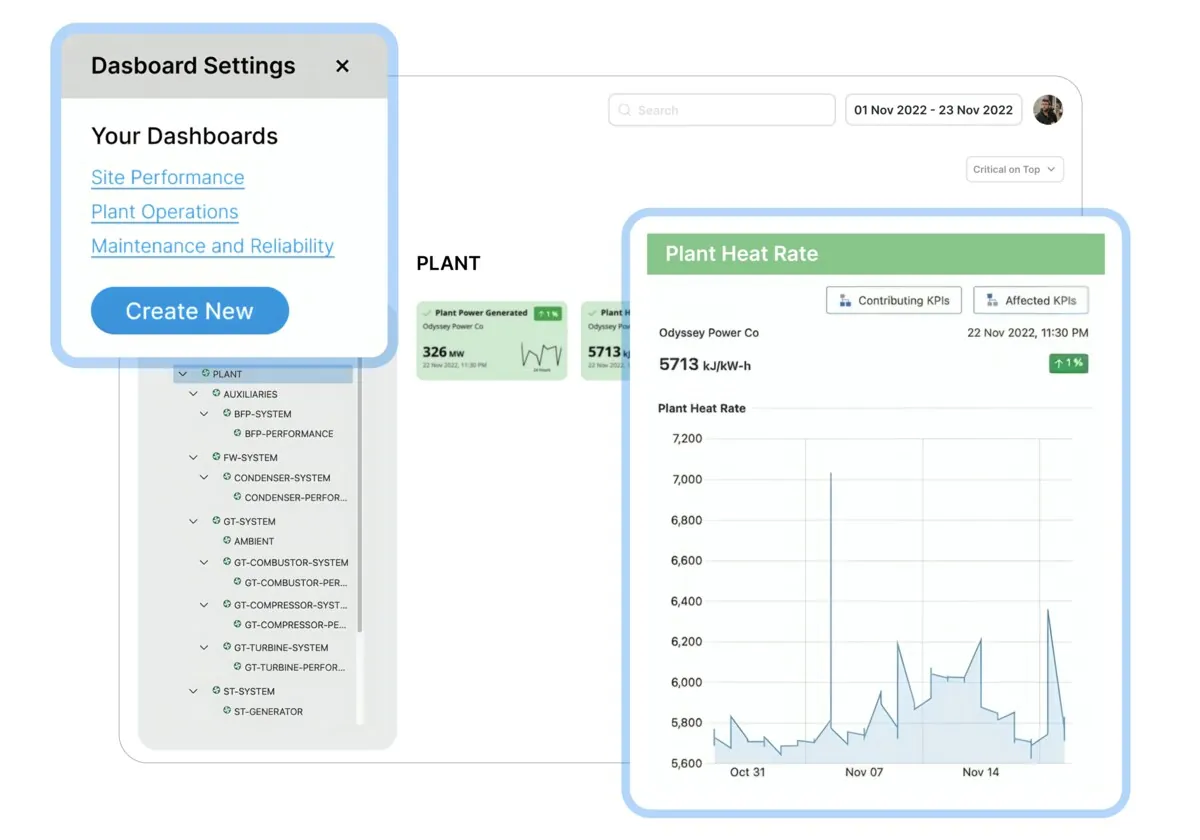
Nguồn: Trang nguồn chính thức
- Mục đích: Theo dõi hiệu suất nhà máy và drill down tới asset/process gây mất hiệu quả.
- Layout: Global shell tối; asset hierarchy và context ở trái, KPI cards ở đầu trang, time-series và panel chẩn đoán ở vùng chính.
- AI / interaction: AI xuất hiện qua insight/diagnostic state hơn là chat-first; người dùng có thể chuyển từ metric sang probable cause.
- Điểm đáng học: Một dashboard tốt cần cho thấy hierarchy + metric + diagnosis, không chỉ KPI tiles.
Lưu ý bằng chứng: Official composite dựng từ UI; phù hợp đọc cấu trúc, không xác nhận đây là một raw tenant capture.
04 · SYMPHONYAI INDUSTRIAL · CORE
Predictive Asset Intelligence — alerts & advisories
A · FULL PRODUCT UI SymphonyAI Industrial / Predictive Asset Intelligence
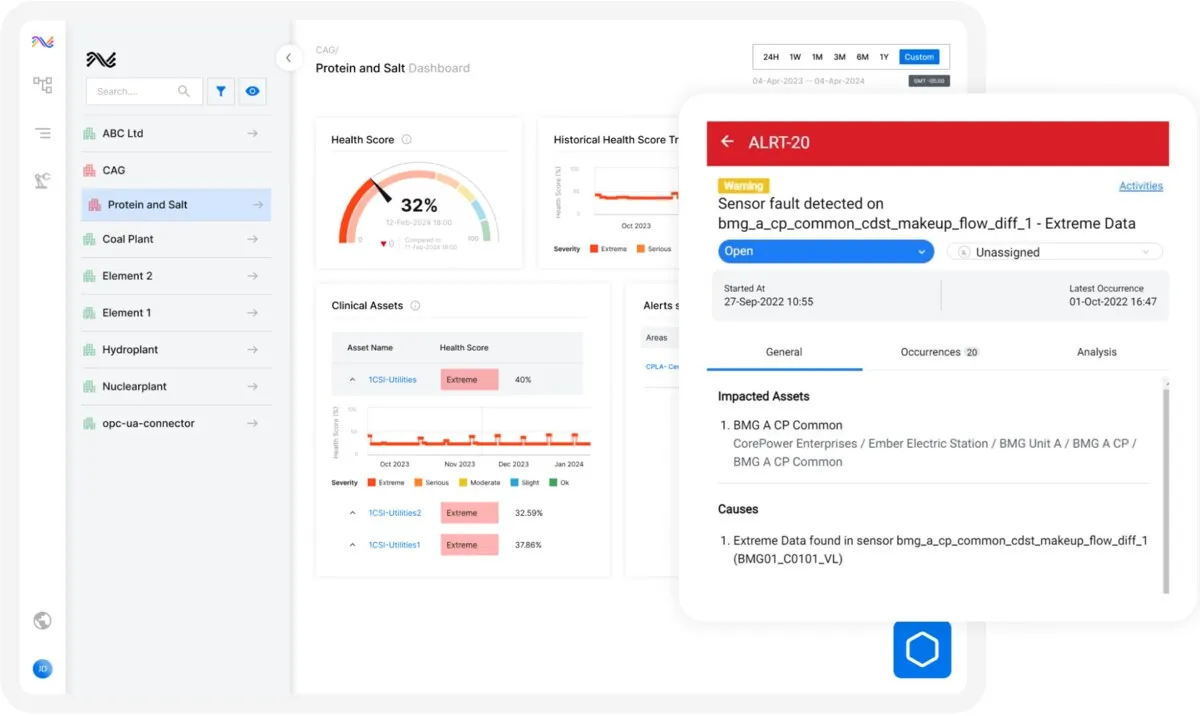
Nguồn: Trang nguồn chính thức
- Mục đích: Triage thiết bị có nguy cơ, hiểu mức độ nghiêm trọng và quyết định maintenance action.
- Layout: Hierarchy/filter định phạm vi; danh sách alert và asset state tạo hàng đợi; detail/recommendation là vùng quyết định.
- AI / interaction: Prediction chỉ hữu ích khi gắn với asset context, severity và next action; UI cố gắng nối ba lớp này.
- Điểm đáng học: Thiết kế alert như work queue có ownership/action sẽ mạnh hơn alert feed thuần thông báo.
04 · SYMPHONYAI INDUSTRIAL · CORE
IRIS Workspace — spatial analysis canvas
B · OFFICIAL DEMO/GIF SymphonyAI Industrial / IRIS Workspace
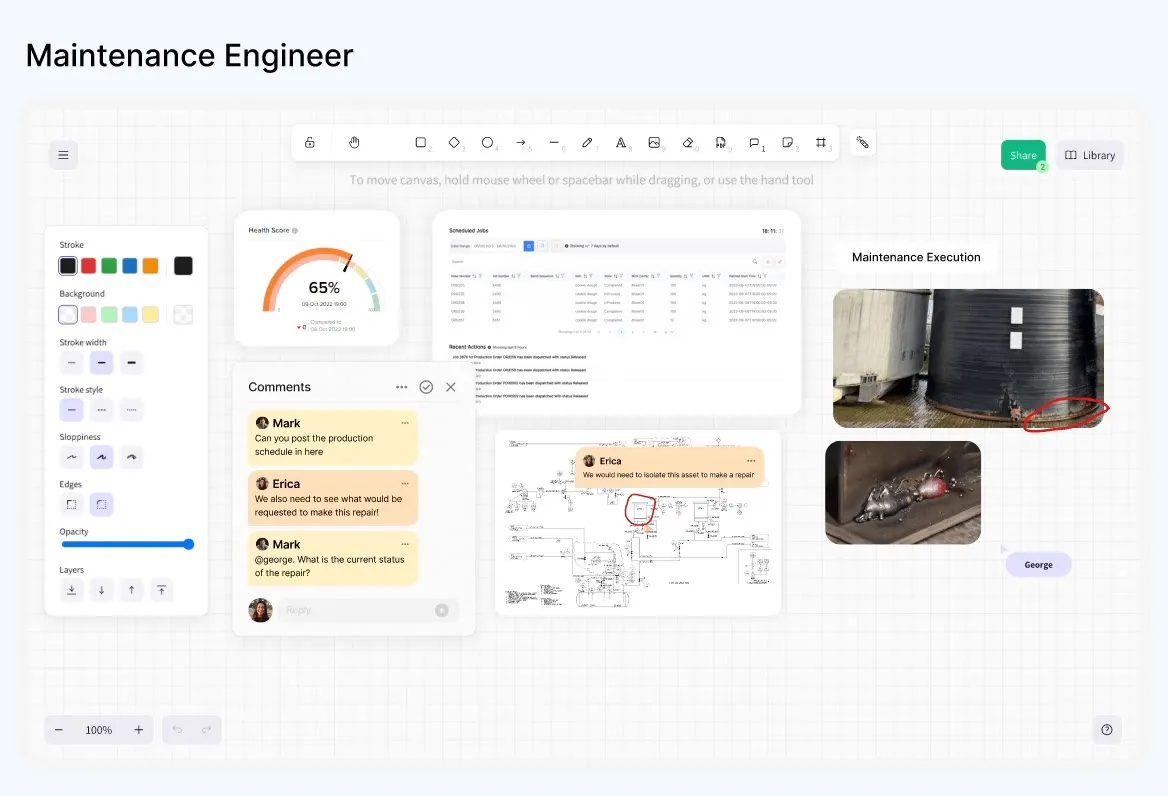
Nguồn: Trang nguồn chính thức
- Mục đích: Tổng hợp nhiều bằng chứng vận hành trên một canvas để phân tích và cộng tác đa vai trò.
- Layout: Canvas lớn ở trung tâm; toolbar và object palette bao quanh; các artefact có thể di chuyển, chú thích và chia sẻ.
- AI / interaction: Copilot là launcher/drawer trợ giúp context; interaction chính vẫn là thao tác trực tiếp với artefact trên canvas.
- Điểm đáng học: Spatial canvas phù hợp sensemaking phức tạp, nhưng cần template/default view để tránh blank-canvas anxiety.
Lưu ý bằng chứng: Frame từ animation chính thức, thể hiện một state/role trong chuỗi demo.
04 · SYMPHONYAI INDUSTRIAL · CORE
IRIS Flows — agent workflow canvas
B · OFFICIAL DEMO/GIF SymphonyAI Industrial / IRIS Flows
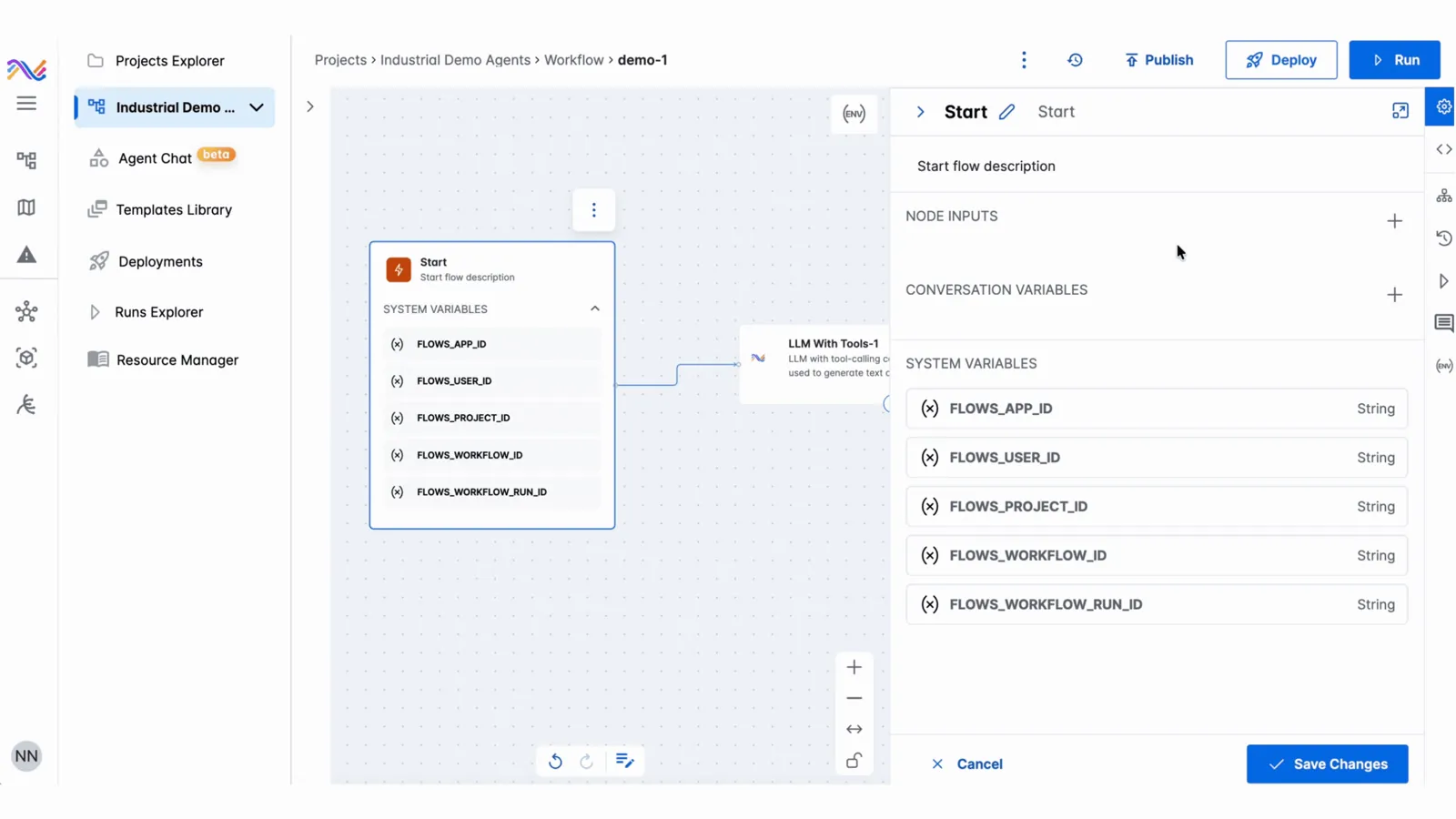
Nguồn: Trang nguồn chính thức
- Mục đích: Compose và kiểm tra một agentic workflow có nhiều tool/data step trước khi publish/deploy/run.
- Layout: Project navigation bên trái, node graph ở giữa, status/action trên top bar; node configuration mở thành panel cạnh canvas.
- AI / interaction: Agent được thể hiện như một graph có thể trace, cho người dùng thấy thứ tự và ranh giới giữa các bước.
- Điểm đáng học: Industrial agent cần visible plan, node state và run evidence; chat là một input, không phải toàn bộ UX.
Lưu ý bằng chứng: Frame từ GIF chính thức; workflow được dựng để minh họa.
04 · SYMPHONYAI INDUSTRIAL · CORE
IRIS Flows — agent configuration
B · OFFICIAL DEMO/GIF SymphonyAI Industrial / IRIS Flows
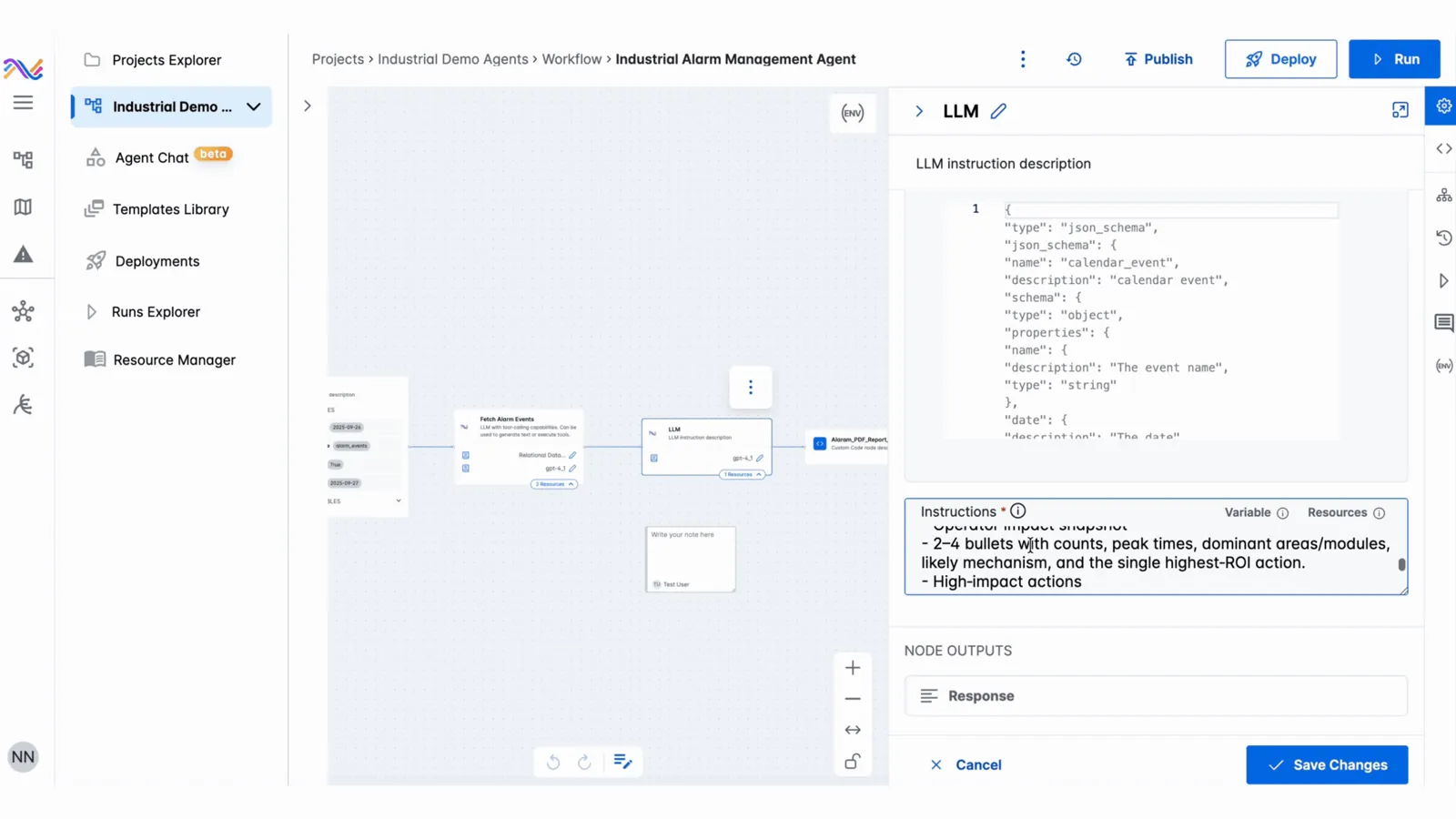
Nguồn: Trang nguồn chính thức
- Mục đích: Chọn model/tool/parameter và xác định runtime behavior cho agent hoặc workflow step.
- Layout: Danh sách project/agent dẫn vào editor; configuration panel dùng form pattern, giữ canvas/context ở nền.
- AI / interaction: Model configuration được product hóa thành object có tên, parameter và lifecycle, thay vì một prompt rời.
- Điểm đáng học: Tách agent definition khỏi run history giúp governance và reuse tốt hơn.
Lưu ý bằng chứng: Frame từ GIF; nội dung cấu hình là demo data.
04 · SYMPHONYAI INDUSTRIAL · CORE
IRIS Forge — prompt-to-app editor
A · FULL PRODUCT UI SymphonyAI Industrial / IRIS Forge
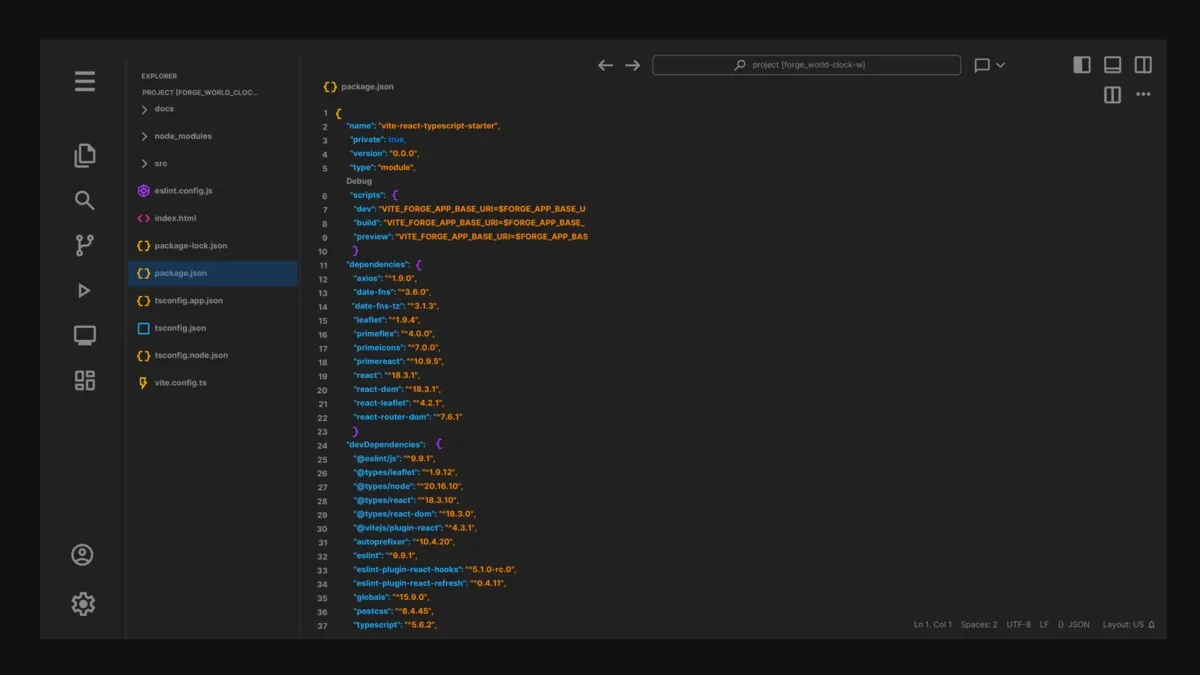
Nguồn: Trang nguồn chính thức
- Mục đích: Biến mô tả nhu cầu nghiệp vụ thành ứng dụng vận hành rồi tinh chỉnh trước khi phát hành.
- Layout: Prompt/intent dẫn vào workspace có preview/config/code; deployment là bước riêng và app catalog quản lý output.
- AI / interaction: Generative AI giảm time-to-first-app, nhưng UI vẫn giữ manual editing và deploy checkpoint.
- Điểm đáng học: AI builder an toàn hơn khi tạo draft có thể inspect, sửa và approve trước publication.
04 · SYMPHONYAI INDUSTRIAL · CORE
Industrial Knowledge Graph
B · OFFICIAL DEMO/GIF SymphonyAI Industrial / Knowledge Graph
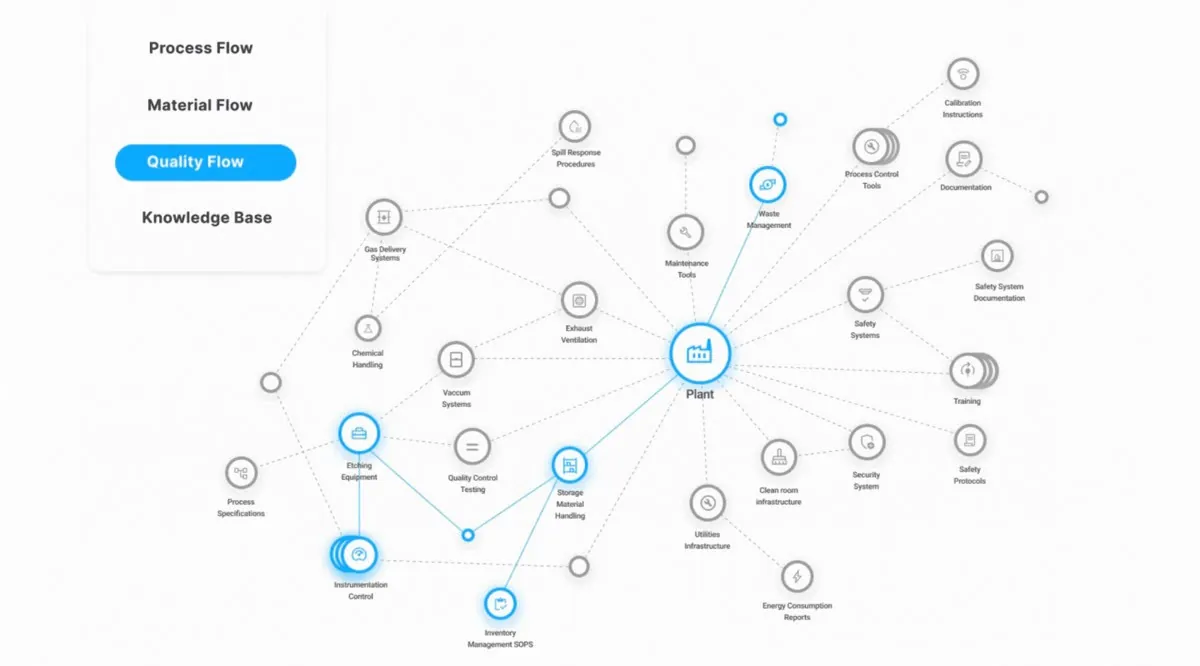
Nguồn: Trang nguồn chính thức
- Mục đích: Khám phá quan hệ giữa asset, signal, event và process để tạo context cho analytics/agent.
- Layout: Graph là canvas chính; filter/navigation thu hẹp phạm vi; selected node mở details ở cạnh.
- AI / interaction: Graph đóng vai trò grounding layer — giúp Copilot/analytics truy xuất quan hệ thay vì chỉ semantic text.
- Điểm đáng học: Graph UI cần path focus, search và progressive detail; full network chỉ nên là điểm khởi đầu.
04 · SYMPHONYAI INDUSTRIAL · CORE
Vision AI — data modeling & annotation
A · FULL PRODUCT UI SymphonyAI Industrial / Vision AI
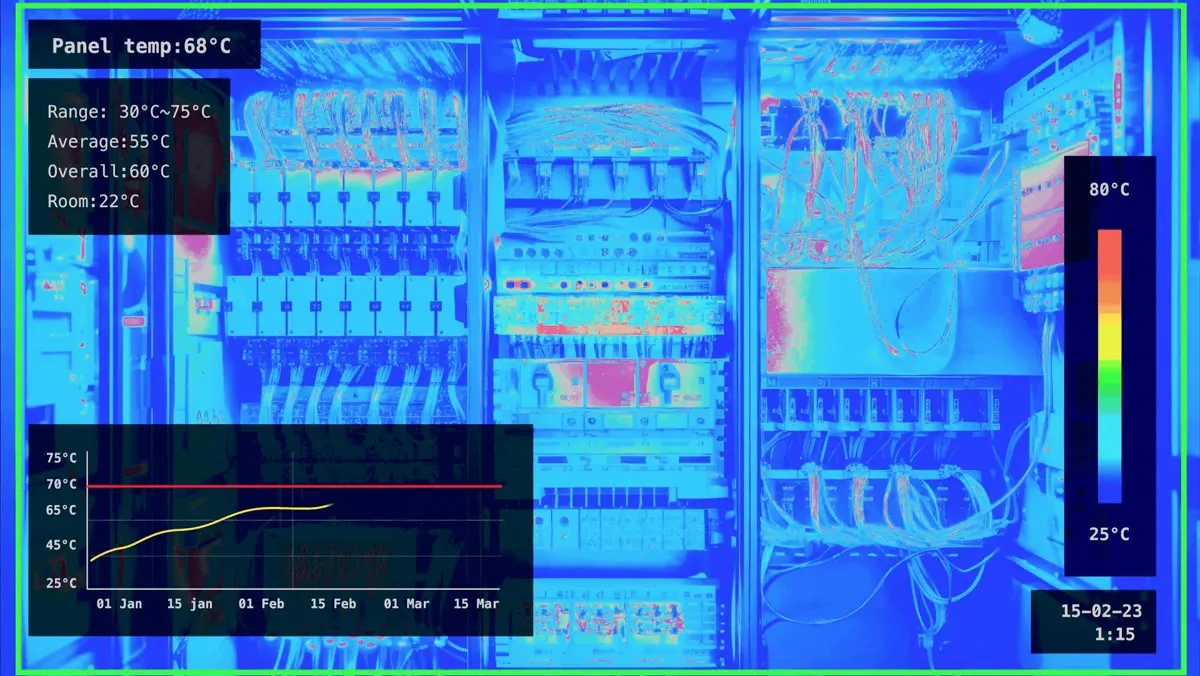
Nguồn: Trang nguồn chính thức
- Mục đích: Chuẩn bị dữ liệu hình ảnh, định nghĩa lớp/đối tượng và đưa model vào kiểm tra production.
- Layout: Image canvas và annotation overlay là vùng chính; class/tool controls và dataset/model context bao quanh.
- AI / interaction: AI prediction được hiển thị trực tiếp trên visual evidence, cho phép human validation trước automation.
- Điểm đáng học: Trong computer vision, confidence và evidence phải nằm trên cùng ảnh; đừng giấu detection sau một KPI tổng hợp.
04 · SYMPHONYAI INDUSTRIAL · CORE
Plant Performance Copilot
A · FULL PRODUCT UI SymphonyAI Industrial / Industrial Copilots
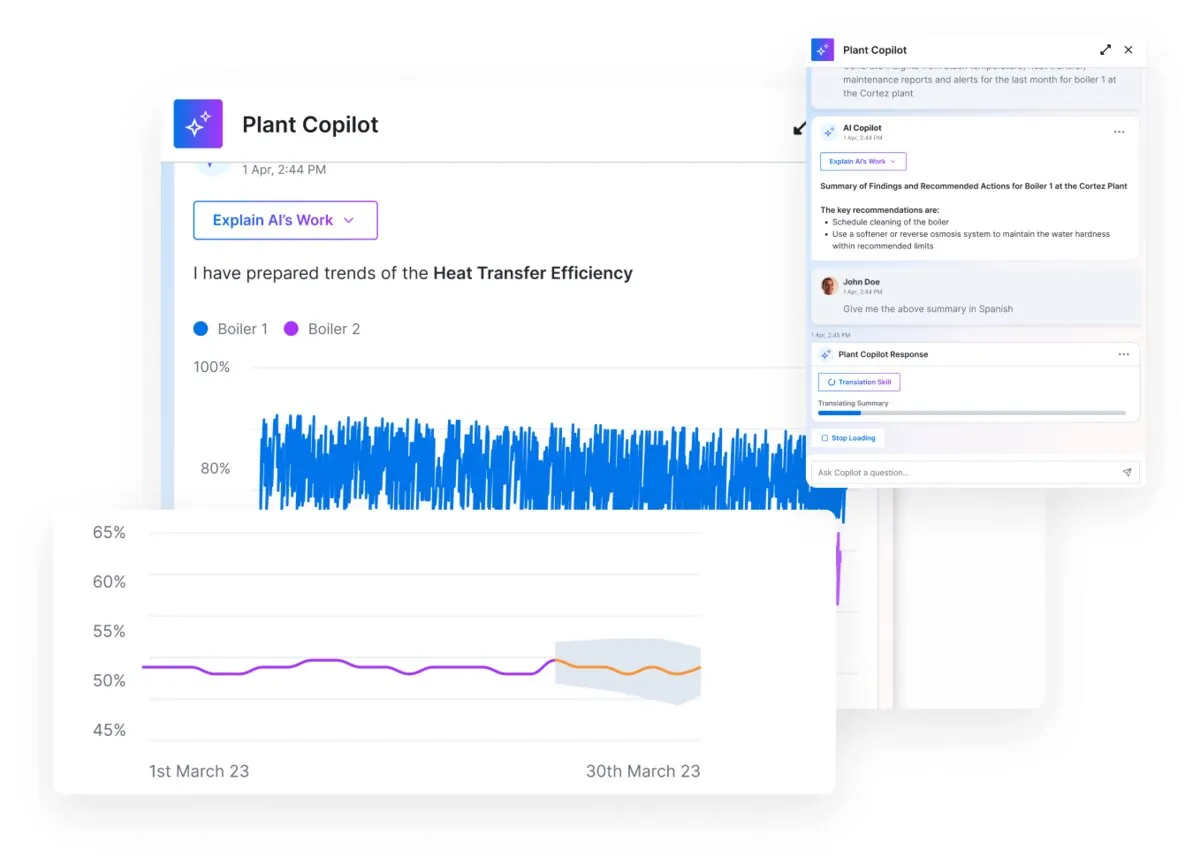
Nguồn: Trang nguồn chính thức
- Mục đích: Hỏi về biến động KPI, nhận giải thích và đề xuất mà không rời dashboard đang phân tích.
- Layout: Dashboard/chart giữ vai trò evidence surface; Copilot chiếm panel phải, bảo toàn context của màn hình.
- AI / interaction: Chat có giá trị nhờ scope theo plant/asset/time range hiện tại và trích dẫn context trong UI.
- Điểm đáng học: Cách đặt Copilot cạnh evidence tốt hơn một chat page độc lập; cần link response về metric/source cụ thể.
04 · SYMPHONYAI INDUSTRIAL · CORE
Connected Worker — digital work instruction
C · UI FRAGMENT/COMPOSITE SymphonyAI Industrial / Connected Worker
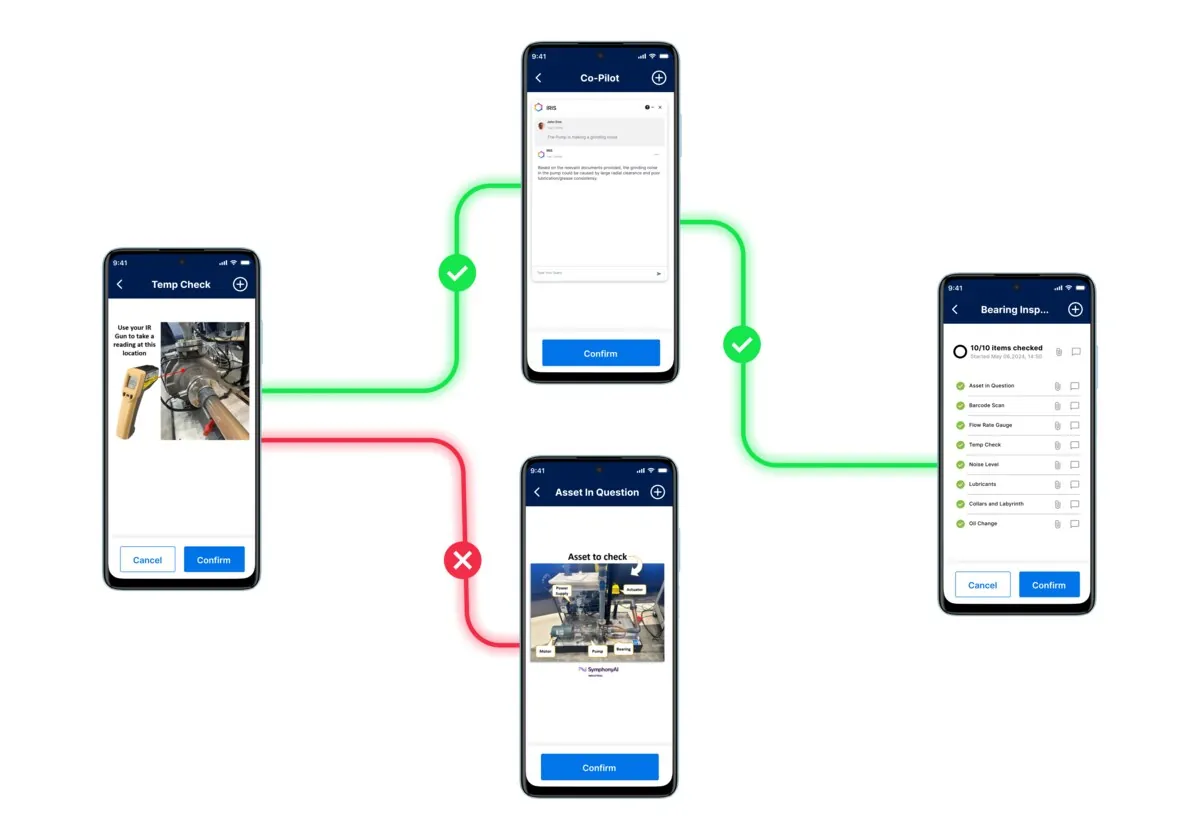
Nguồn: Trang nguồn chính thức
- Mục đích: Đưa SOP/work instruction đến tuyến đầu, ghi nhận hoàn thành và giảm sai sót trong field execution.
- Layout: Step list/progress, nội dung hướng dẫn và action xác nhận được tối ưu cho tablet/mobile.
- AI / interaction: AI/Copilot hỗ trợ giải thích và truy xuất knowledge; interaction cốt lõi là guided execution có audit trail.
- Điểm đáng học: Frontline UX cần một primary action rõ, large touch targets và offline/error recovery hơn dashboard density.
Lưu ý bằng chứng: Marketing composite/device crop; đọc workflow pattern, không coi là full desktop shell.
04A · SYMPHONYAI INDUSTRIAL · ATLAS
IRIS Workspace — canvas states
Các state bổ sung cho thấy Workspace chuyển giữa unified analysis, collaboration, no-code composition và AI-assisted analysis.
C · UI FRAGMENT/COMPOSITE Workspace — unified analysis
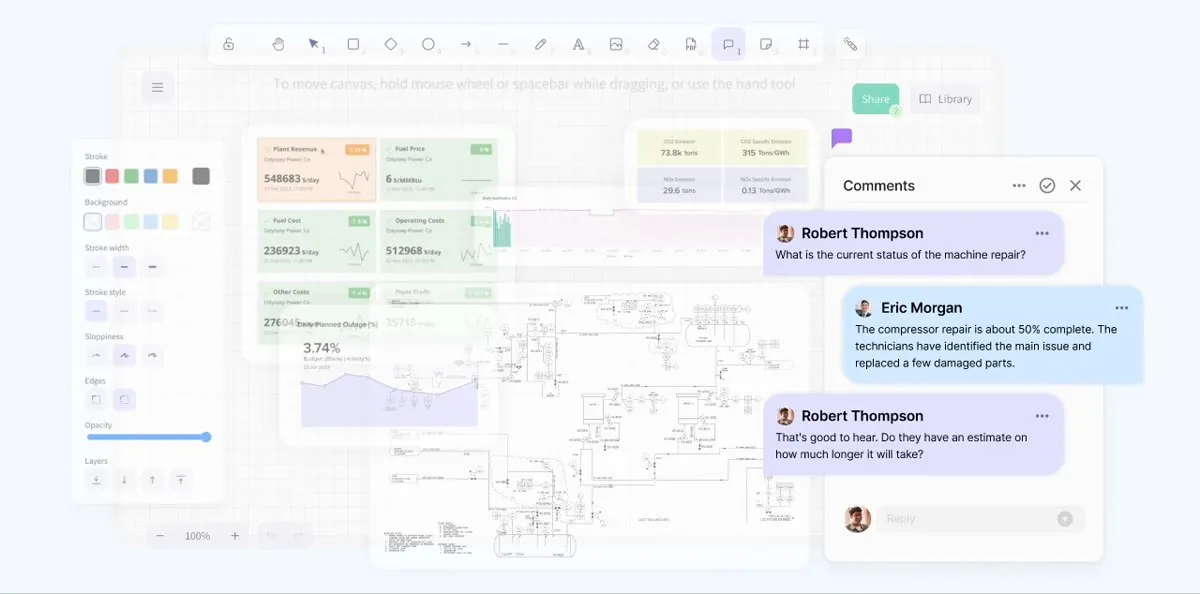
State “Workspace — unified analysis” của IRIS Workspace cho thấy cách canvas ghép KPI, chart, P&ID, note và collaboration control. Đây là spatial analysis surface; mỗi ảnh đại diện một interaction state khác nhau.
Nguồn: Trang nguồn chính thức
C · UI FRAGMENT/COMPOSITE Workspace — simultaneous collaboration
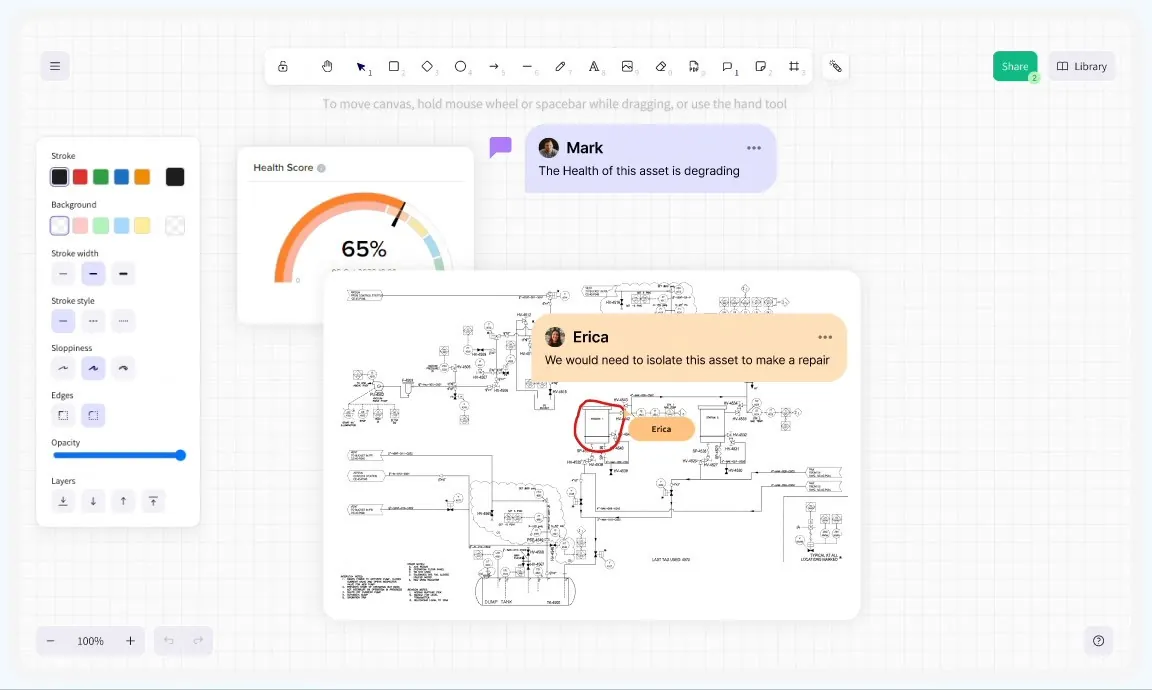
State “Workspace — simultaneous collaboration” của IRIS Workspace cho thấy cách canvas ghép KPI, chart, P&ID, note và collaboration control. Đây là spatial analysis surface; mỗi ảnh đại diện một interaction state khác nhau.
Nguồn: Trang nguồn chính thức
04A · SYMPHONYAI INDUSTRIAL · ATLAS
IRIS Workspace — canvas states · tiếp
C · UI FRAGMENT/COMPOSITE Workspace — no-code composition
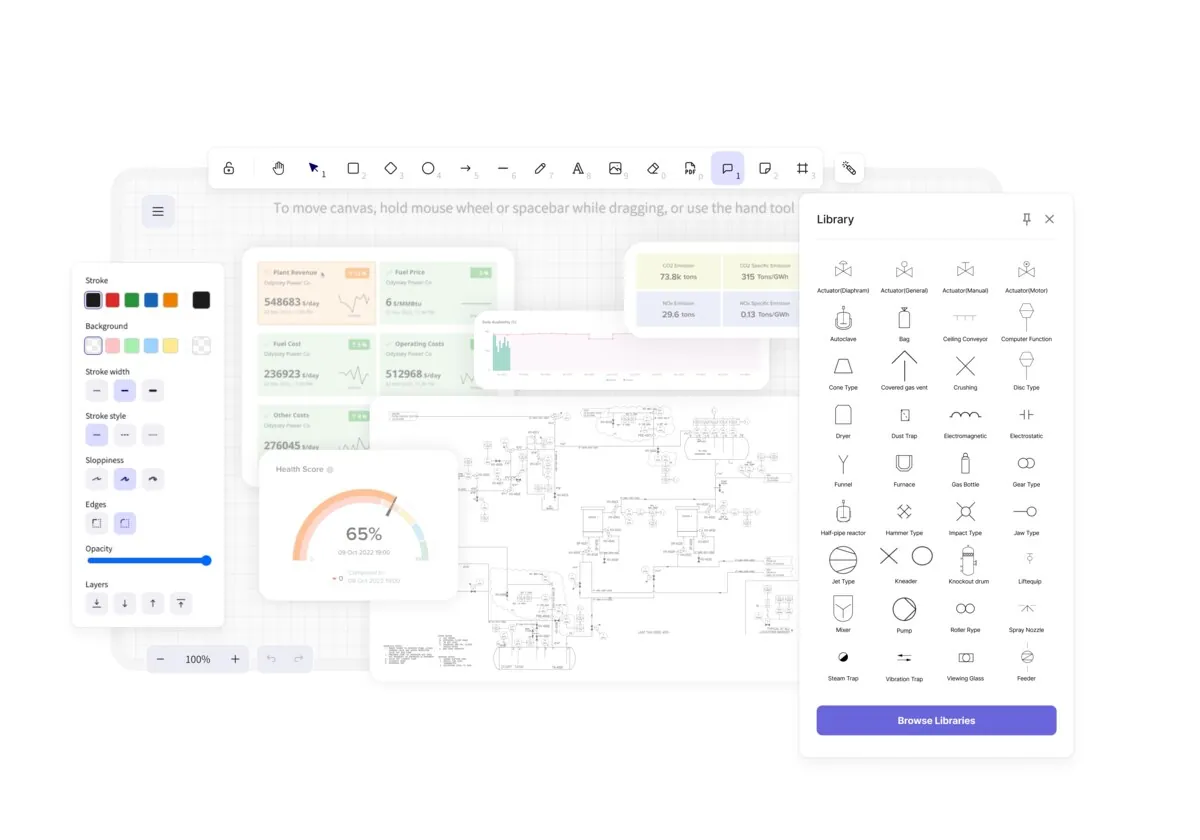
State “Workspace — no-code composition” của IRIS Workspace cho thấy cách canvas ghép KPI, chart, P&ID, note và collaboration control. Đây là spatial analysis surface; mỗi ảnh đại diện một interaction state khác nhau.
Nguồn: Trang nguồn chính thức
C · UI FRAGMENT/COMPOSITE Workspace — AI-assisted analysis
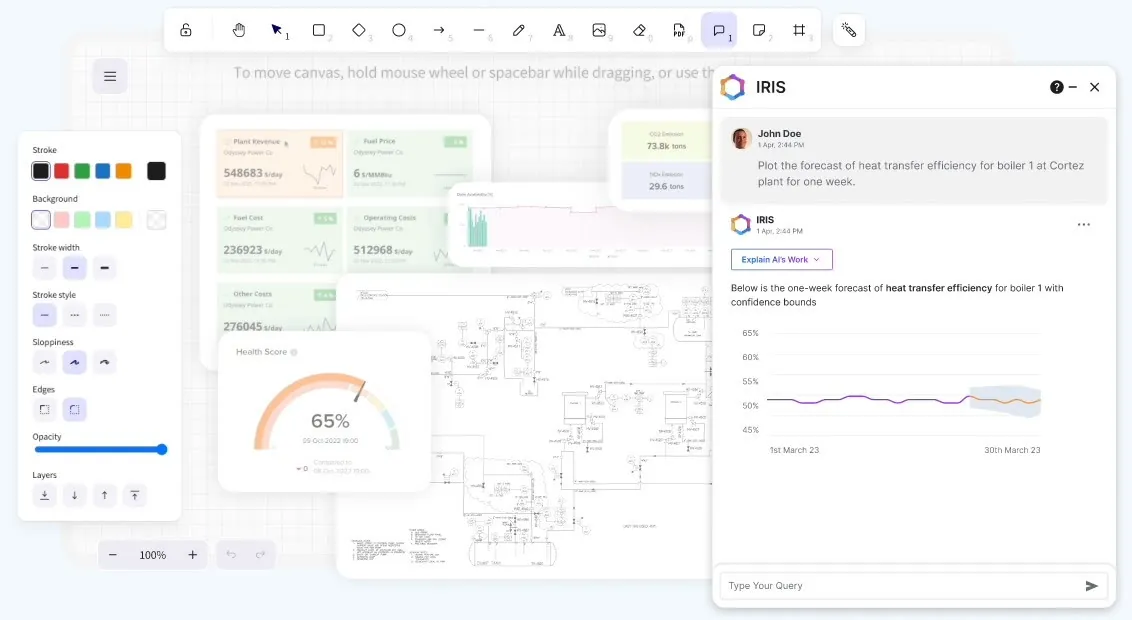
State “Workspace — AI-assisted analysis” của IRIS Workspace cho thấy cách canvas ghép KPI, chart, P&ID, note và collaboration control. Đây là spatial analysis surface; mỗi ảnh đại diện một interaction state khác nhau.
Nguồn: Trang nguồn chính thức
04A · SYMPHONYAI INDUSTRIAL · ATLAS
IRIS Workspace — canvas states · tiếp
C · UI FRAGMENT/COMPOSITE Workspace — governance & object locking
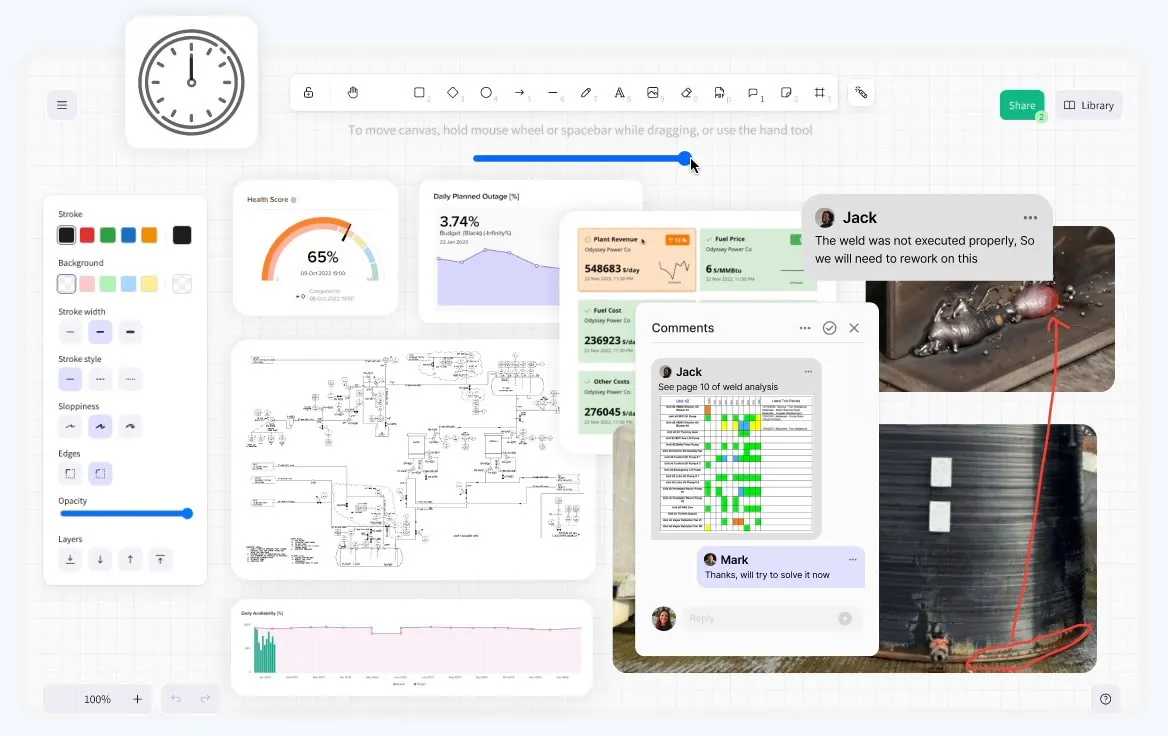
State “Workspace — governance & object locking” của IRIS Workspace cho thấy cách canvas ghép KPI, chart, P&ID, note và collaboration control. Đây là spatial analysis surface; mỗi ảnh đại diện một interaction state khác nhau.
Nguồn: Trang nguồn chính thức
C · UI FRAGMENT/COMPOSITE IRIS Workspace — hero canvas
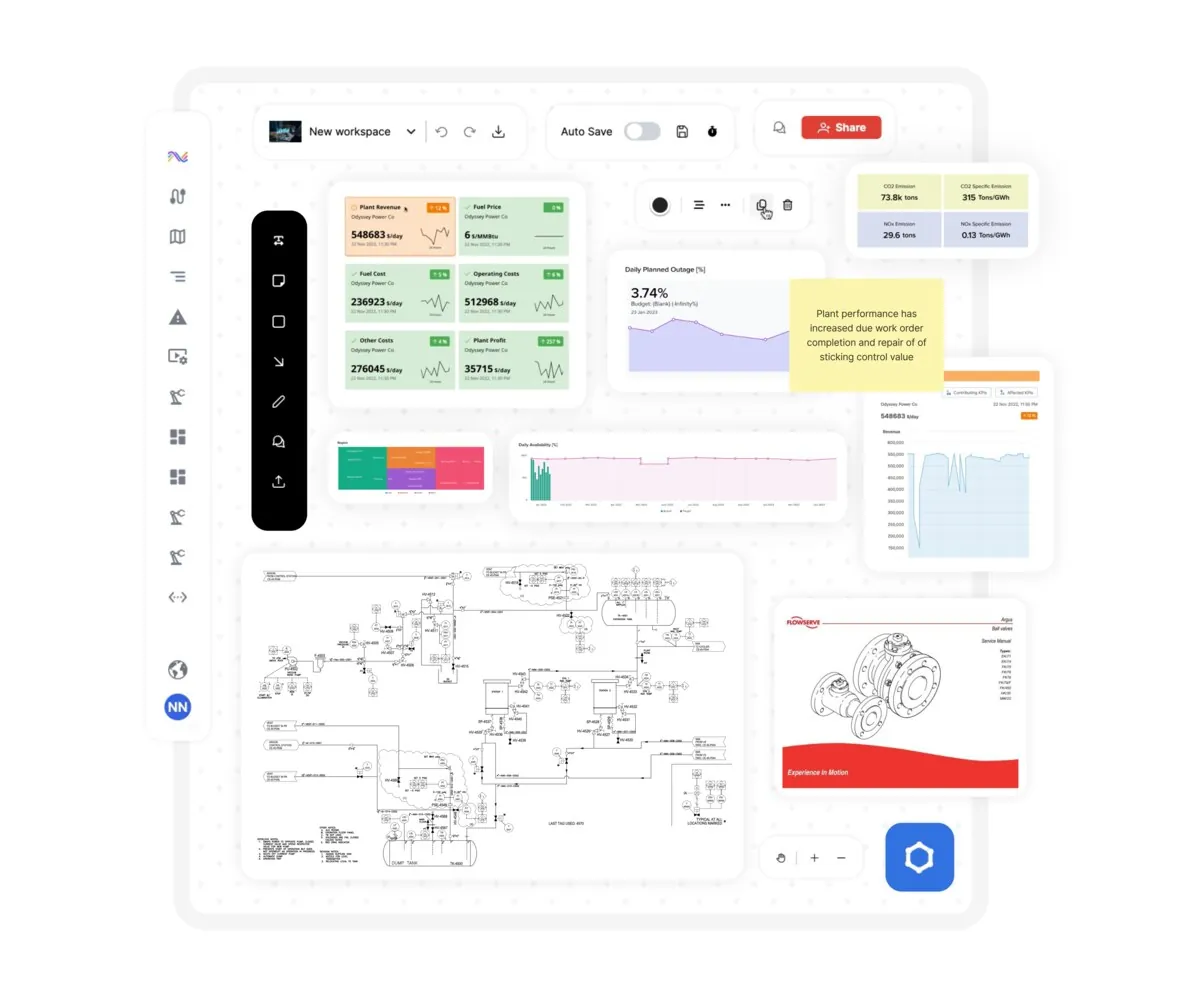
State “IRIS Workspace — hero canvas” của IRIS Workspace cho thấy cách canvas ghép KPI, chart, P&ID, note và collaboration control. Đây là spatial analysis surface; mỗi ảnh đại diện một interaction state khác nhau.
Nguồn: Trang nguồn chính thức
04A · SYMPHONYAI INDUSTRIAL · ATLAS
IRIS Workspace — canvas states · tiếp
C · UI FRAGMENT/COMPOSITE Workspace — role-based canvas
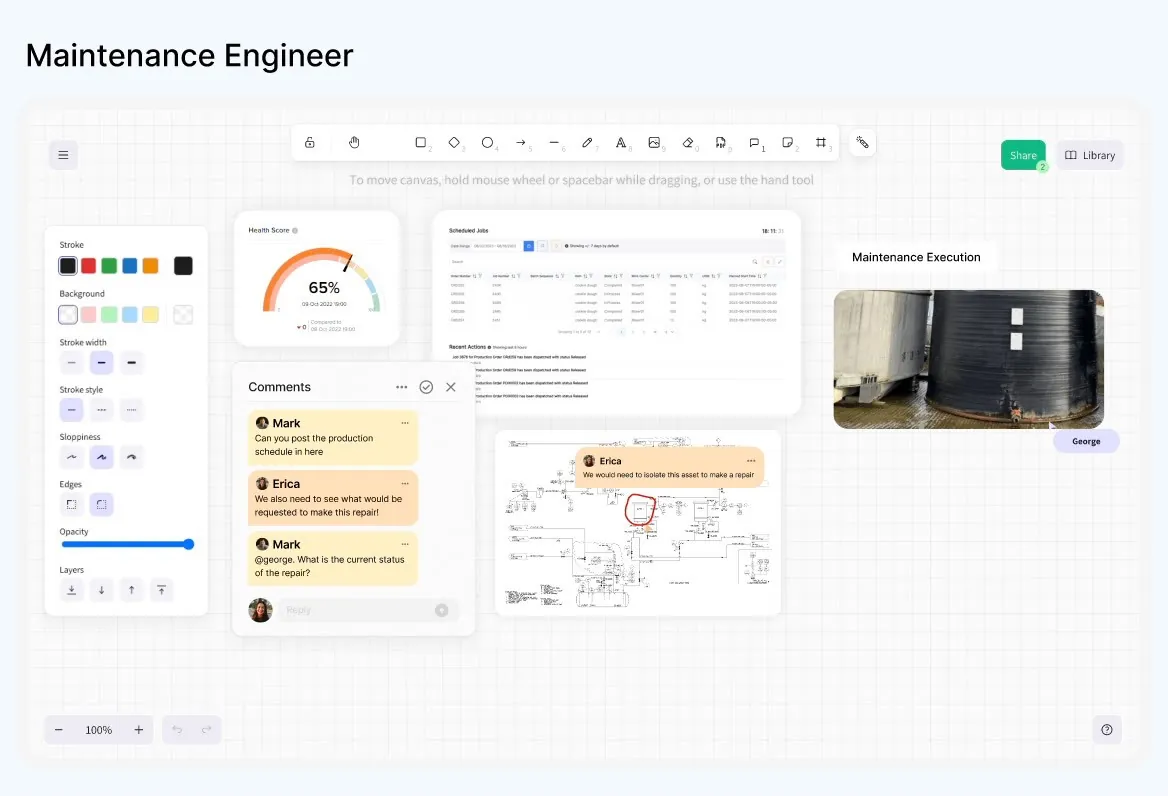
State “Workspace — role-based canvas” của IRIS Workspace cho thấy cách canvas ghép KPI, chart, P&ID, note và collaboration control. Đây là spatial analysis surface; mỗi ảnh đại diện một interaction state khác nhau.
Nguồn: Trang nguồn chính thức
C · UI FRAGMENT/COMPOSITE IRIS Workspace — full canvas
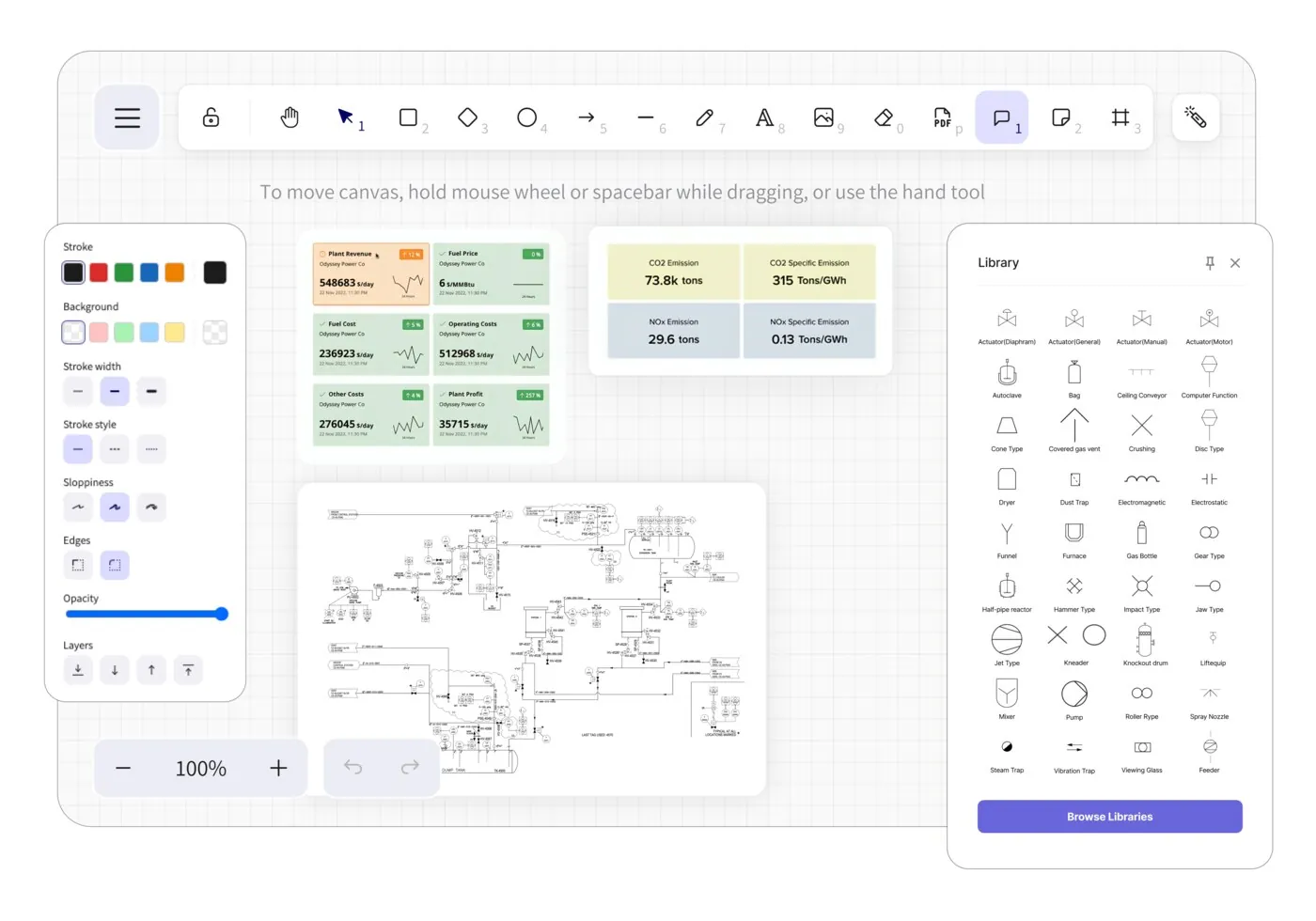
State “IRIS Workspace — full canvas” của IRIS Workspace cho thấy cách canvas ghép KPI, chart, P&ID, note và collaboration control. Đây là spatial analysis surface; mỗi ảnh đại diện một interaction state khác nhau.
Nguồn: Trang nguồn chính thức
04A · SYMPHONYAI INDUSTRIAL · ATLAS
IRIS Workspace — canvas states · tiếp
B · OFFICIAL DEMO/GIF Workspace animation — overview state
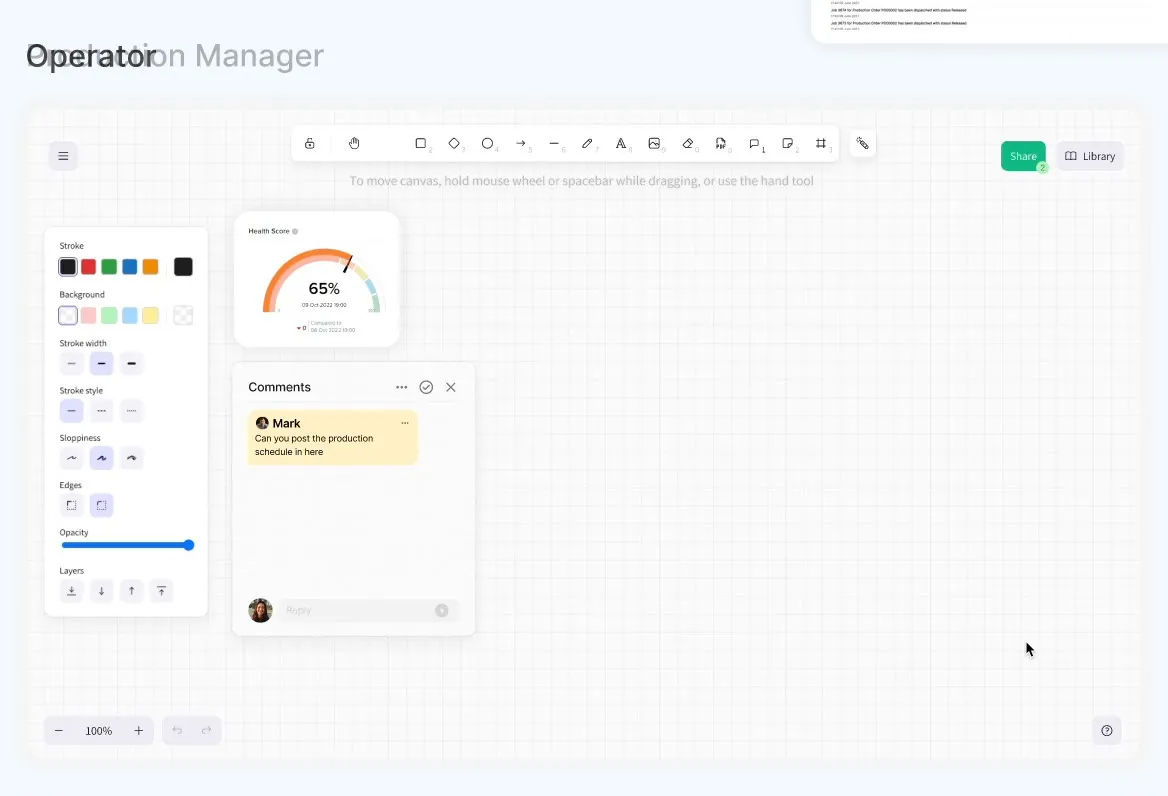
State “Workspace animation — overview state” của IRIS Workspace cho thấy cách canvas ghép KPI, chart, P&ID, note và collaboration control. Đây là spatial analysis surface; mỗi ảnh đại diện một interaction state khác nhau.
Nguồn: Trang nguồn chính thức
B · OFFICIAL DEMO/GIF Workspace animation — evidence state
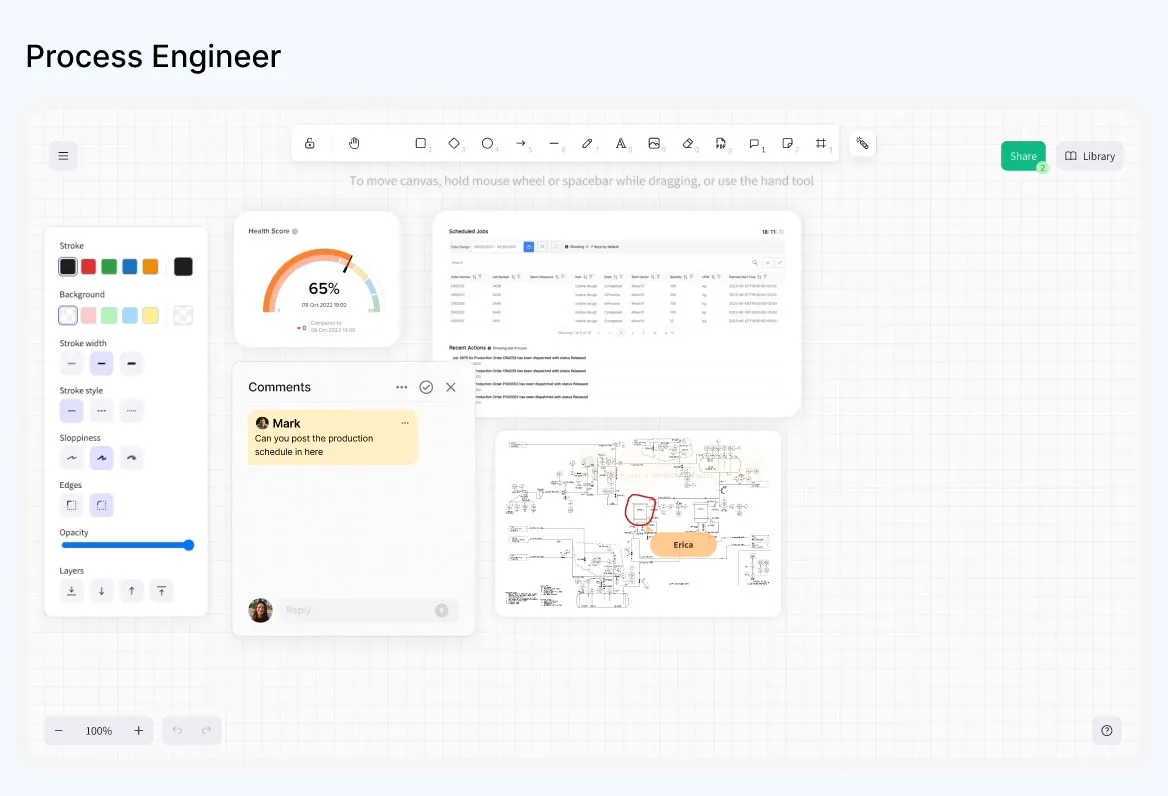
State “Workspace animation — evidence state” của IRIS Workspace cho thấy cách canvas ghép KPI, chart, P&ID, note và collaboration control. Đây là spatial analysis surface; mỗi ảnh đại diện một interaction state khác nhau.
Nguồn: Trang nguồn chính thức
04A · SYMPHONYAI INDUSTRIAL · ATLAS
IRIS Workspace — canvas states · tiếp
B · OFFICIAL DEMO/GIF Workspace animation — collaboration state
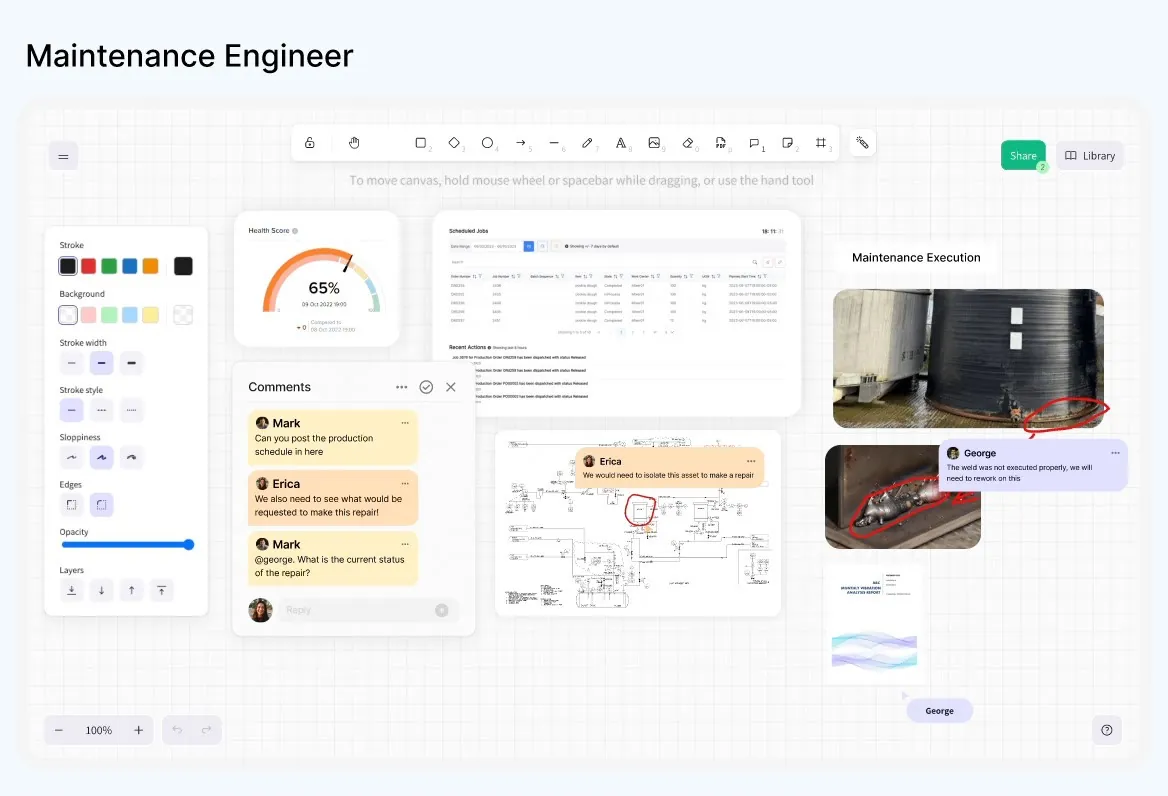
State “Workspace animation — collaboration state” của IRIS Workspace cho thấy cách canvas ghép KPI, chart, P&ID, note và collaboration control. Đây là spatial analysis surface; mỗi ảnh đại diện một interaction state khác nhau.
Nguồn: Trang nguồn chính thức
04B · SYMPHONYAI INDUSTRIAL · ATLAS
IRIS Flows & Forge — build surfaces
Các state create/configure/run của Flows và prompt/edit/deploy/manage của Forge.
B · OFFICIAL DEMO/GIF IRIS Flows — agent catalog
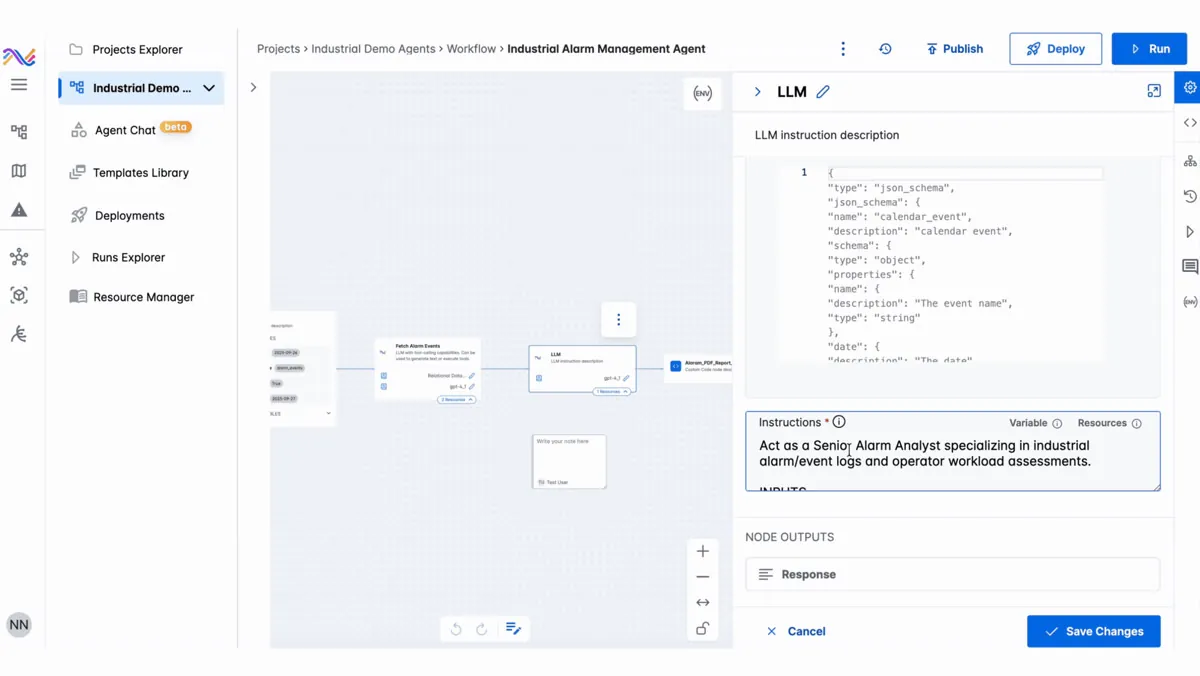
State “IRIS Flows — agent catalog” trong IRIS Flows: project/agent object, node sequence hoặc configuration được biểu diễn tường minh để người dùng compose và trace agentic workflow.
Nguồn: Trang nguồn chính thức
B · OFFICIAL DEMO/GIF IRIS Flows — workflow canvas
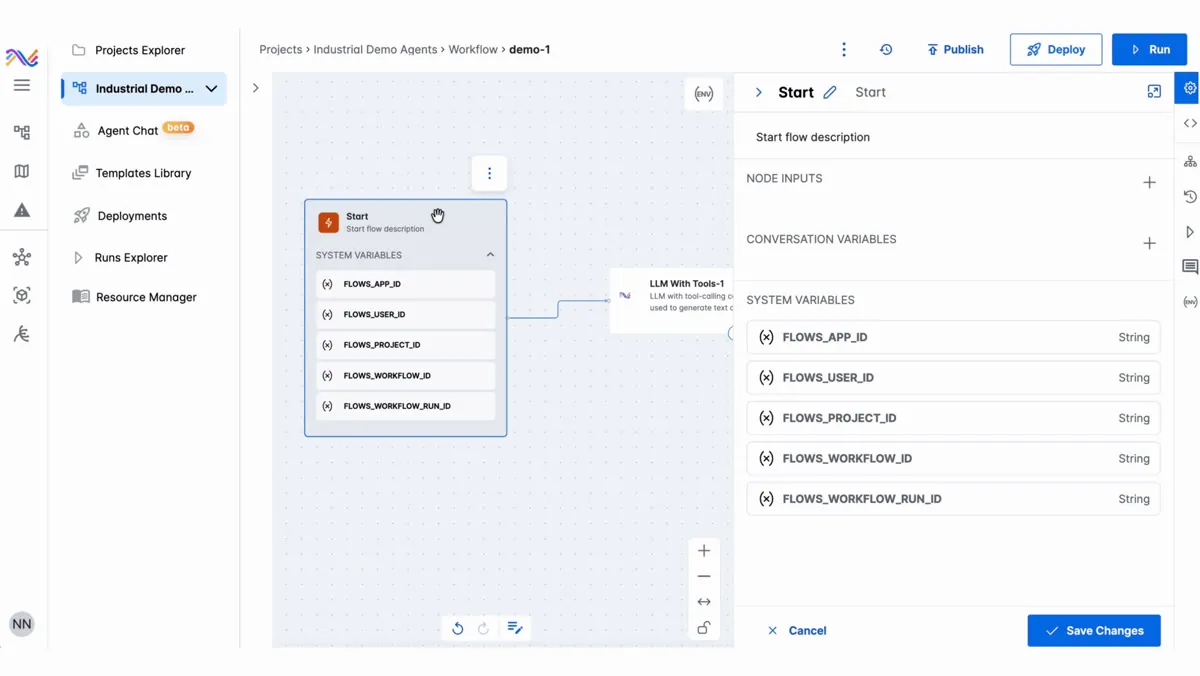
State “IRIS Flows — workflow canvas” trong IRIS Flows: project/agent object, node sequence hoặc configuration được biểu diễn tường minh để người dùng compose và trace agentic workflow.
Nguồn: Trang nguồn chính thức
04B · SYMPHONYAI INDUSTRIAL · ATLAS
IRIS Flows & Forge — build surfaces · tiếp
B · OFFICIAL DEMO/GIF IRIS Flows — create workflow
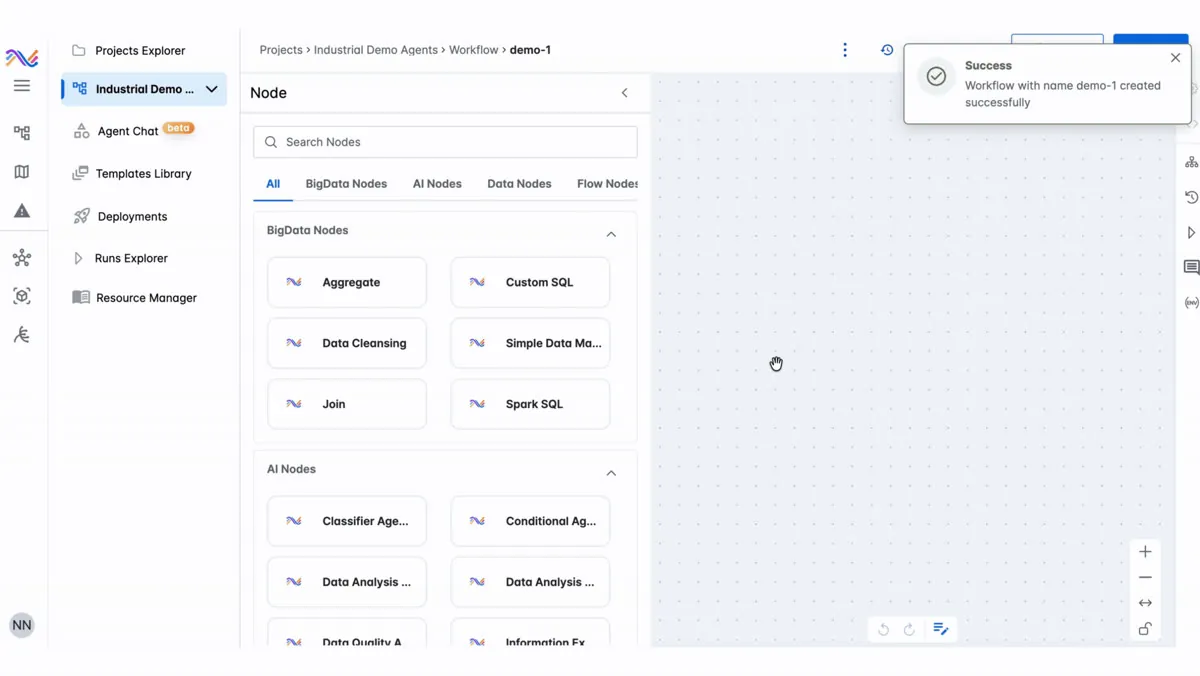
State “IRIS Flows — create workflow” trong IRIS Flows: project/agent object, node sequence hoặc configuration được biểu diễn tường minh để người dùng compose và trace agentic workflow.
Nguồn: Trang nguồn chính thức
B · OFFICIAL DEMO/GIF IRIS Flows — workflow concept
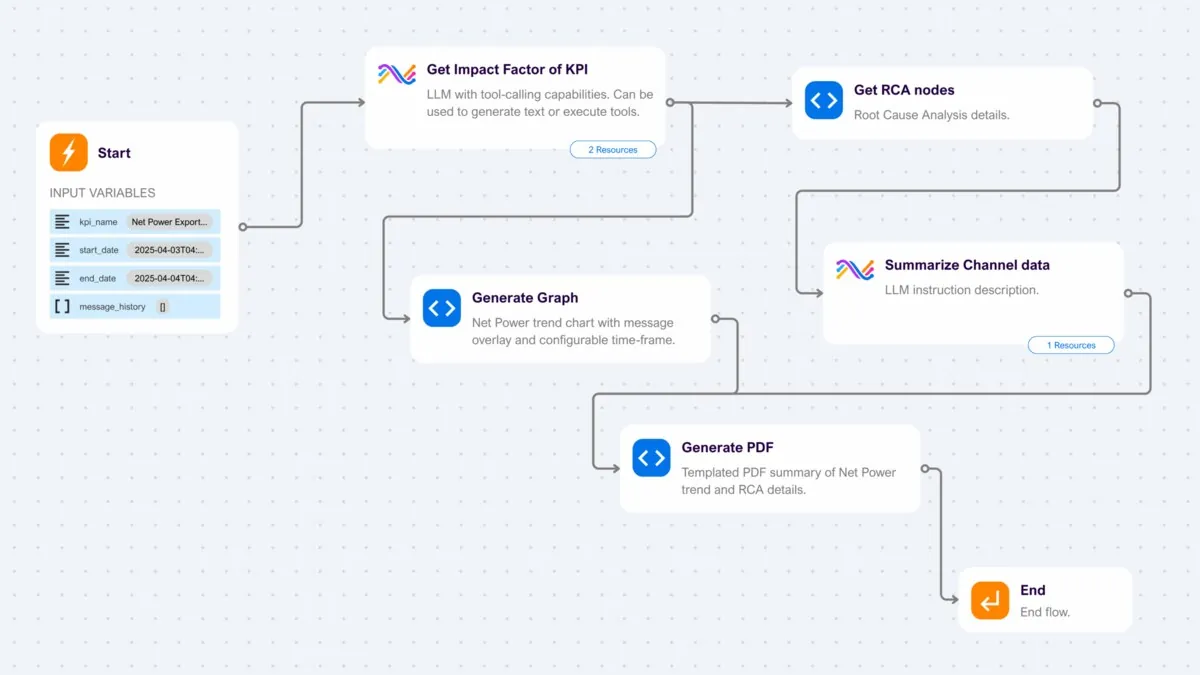
State “IRIS Flows — workflow concept” trong IRIS Flows: project/agent object, node sequence hoặc configuration được biểu diễn tường minh để người dùng compose và trace agentic workflow.
Nguồn: Trang nguồn chính thức
04B · SYMPHONYAI INDUSTRIAL · ATLAS
IRIS Flows & Forge — build surfaces · tiếp
B · OFFICIAL DEMO/GIF IRIS Flows — project & agent cards
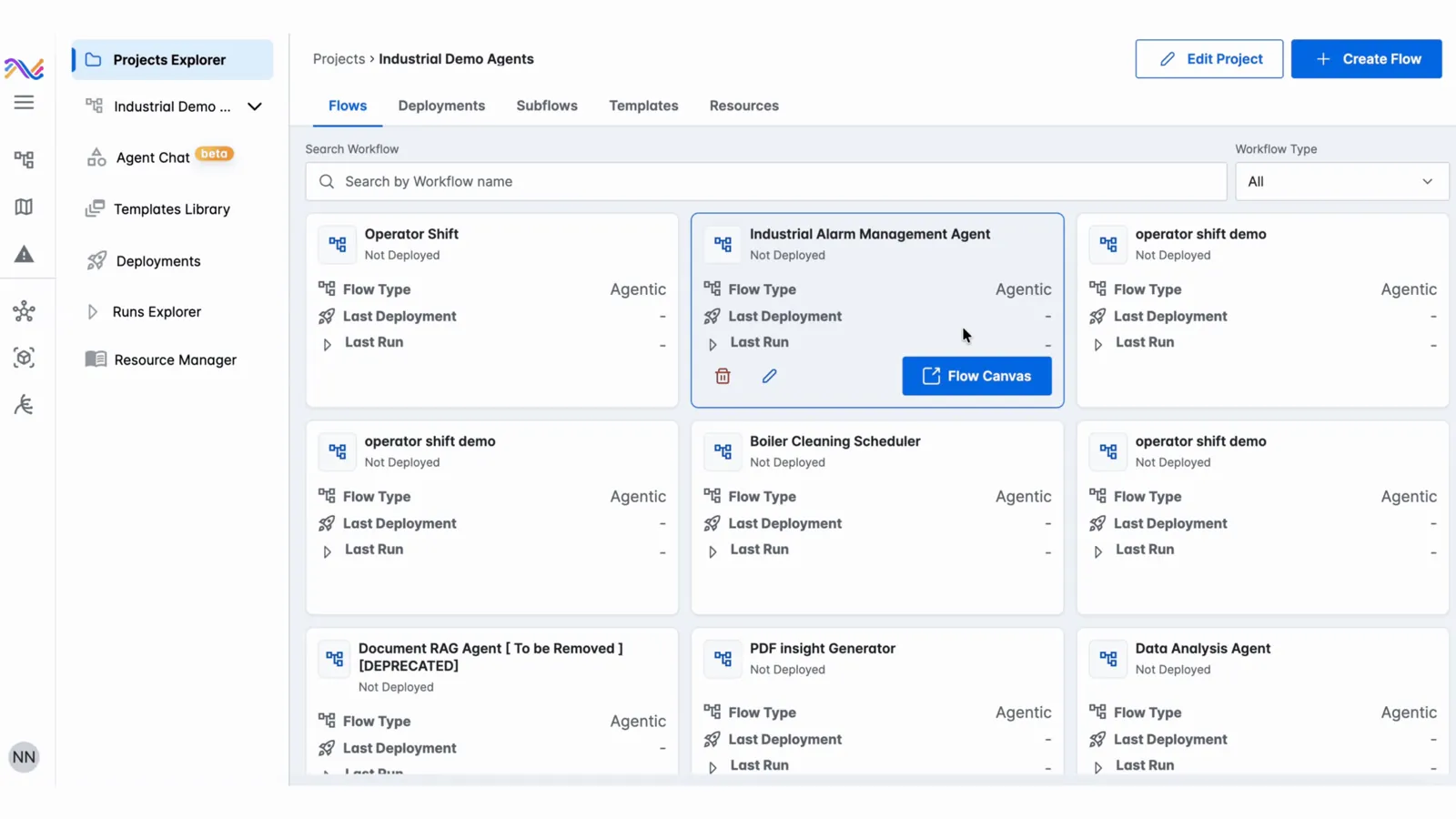
State “IRIS Flows — project & agent cards” trong IRIS Flows: project/agent object, node sequence hoặc configuration được biểu diễn tường minh để người dùng compose và trace agentic workflow.
Nguồn: Trang nguồn chính thức
B · OFFICIAL DEMO/GIF IRIS Flows — select agent state
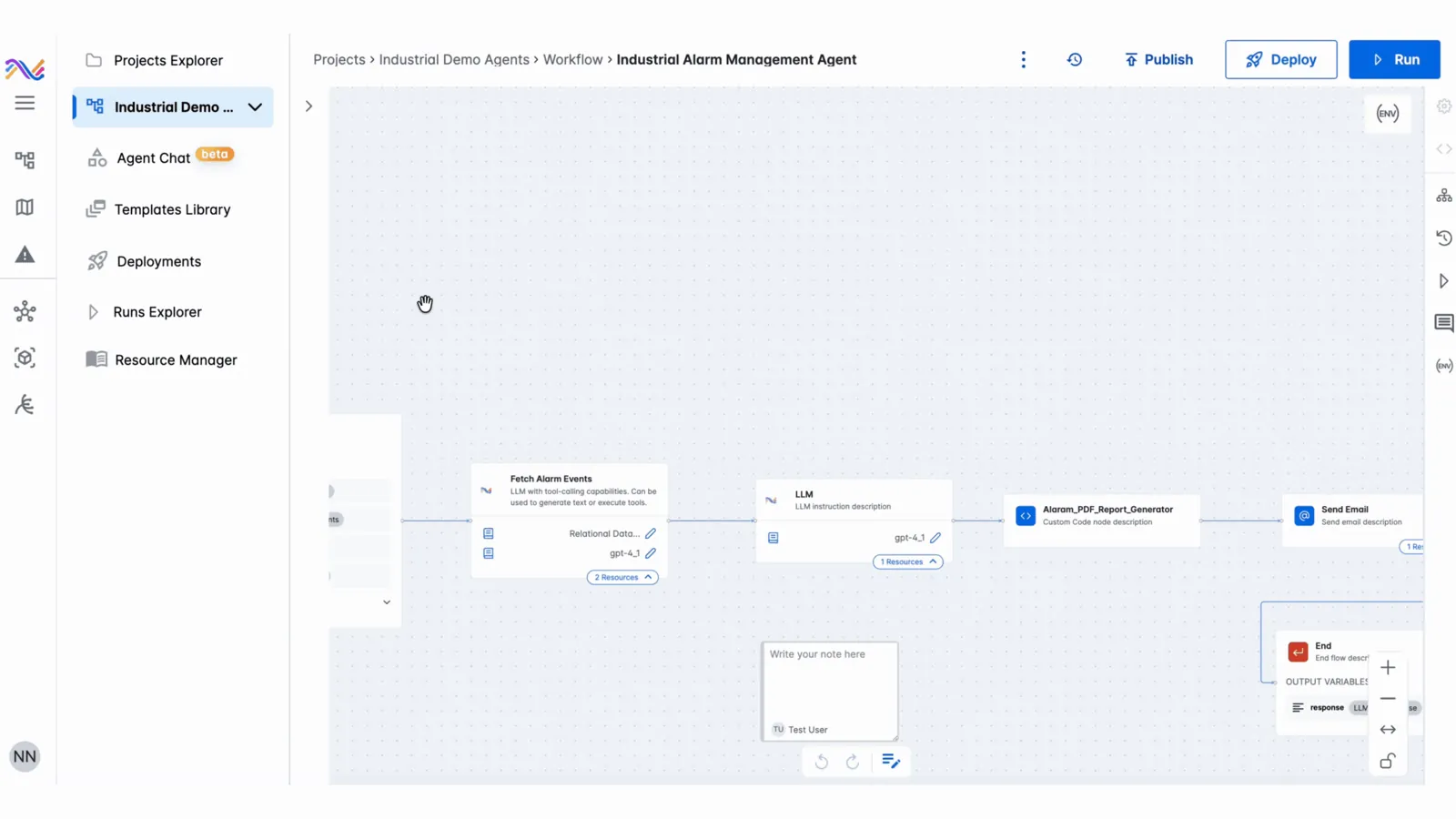
State “IRIS Flows — select agent state” trong IRIS Flows: project/agent object, node sequence hoặc configuration được biểu diễn tường minh để người dùng compose và trace agentic workflow.
Nguồn: Trang nguồn chính thức
04B · SYMPHONYAI INDUSTRIAL · ATLAS
IRIS Flows & Forge — build surfaces · tiếp
B · OFFICIAL DEMO/GIF IRIS Flows — runtime parameters
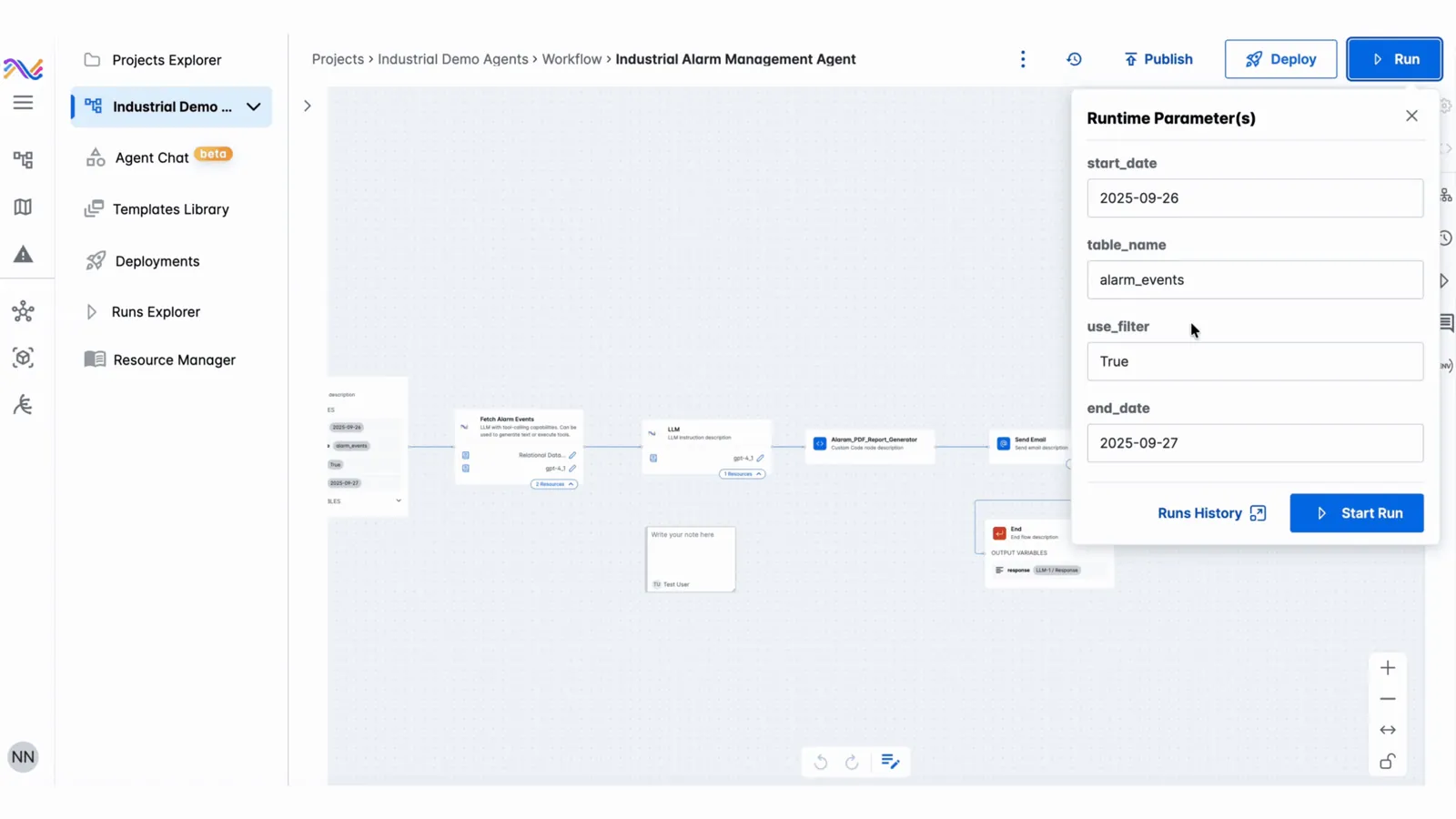
State “IRIS Flows — runtime parameters” trong IRIS Flows: project/agent object, node sequence hoặc configuration được biểu diễn tường minh để người dùng compose và trace agentic workflow.
Nguồn: Trang nguồn chính thức
B · OFFICIAL DEMO/GIF IRIS Flows — start state
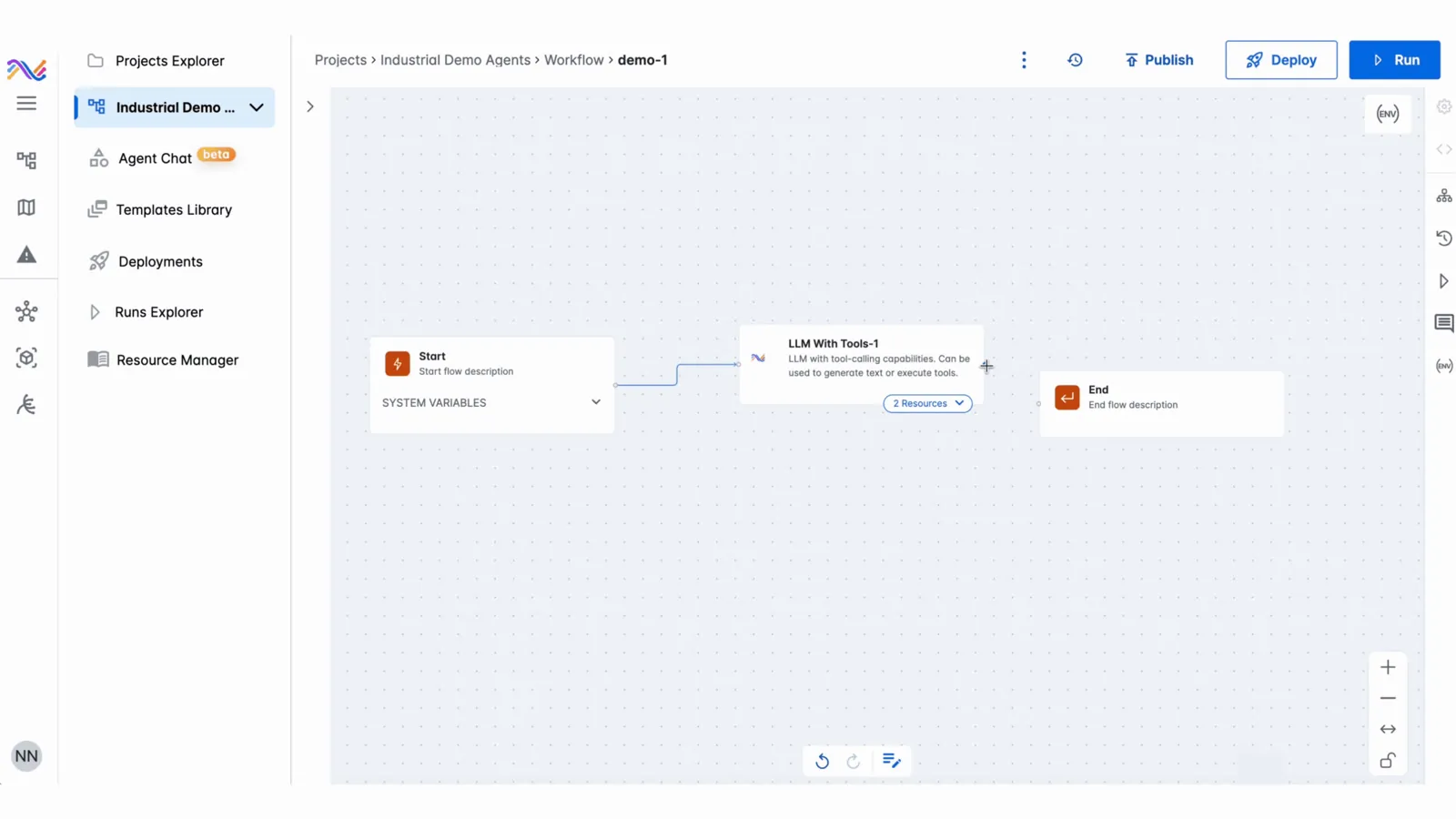
State “IRIS Flows — start state” trong IRIS Flows: project/agent object, node sequence hoặc configuration được biểu diễn tường minh để người dùng compose và trace agentic workflow.
Nguồn: Trang nguồn chính thức
04B · SYMPHONYAI INDUSTRIAL · ATLAS
IRIS Flows & Forge — build surfaces · tiếp
B · OFFICIAL DEMO/GIF IRIS Flows — node sequence
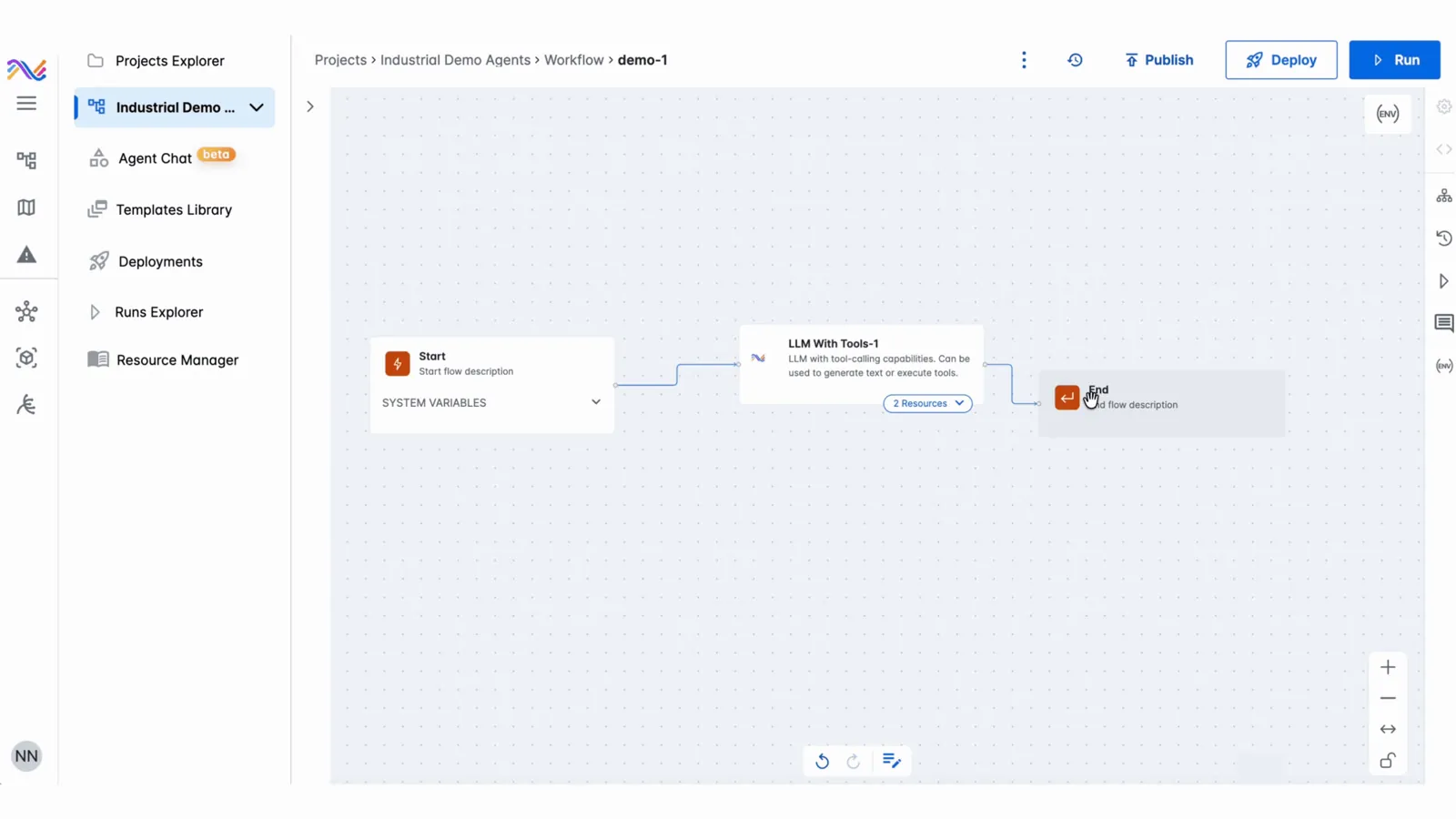
State “IRIS Flows — node sequence” trong IRIS Flows: project/agent object, node sequence hoặc configuration được biểu diễn tường minh để người dùng compose và trace agentic workflow.
Nguồn: Trang nguồn chính thức
B · OFFICIAL DEMO/GIF IRIS Flows — completed flow
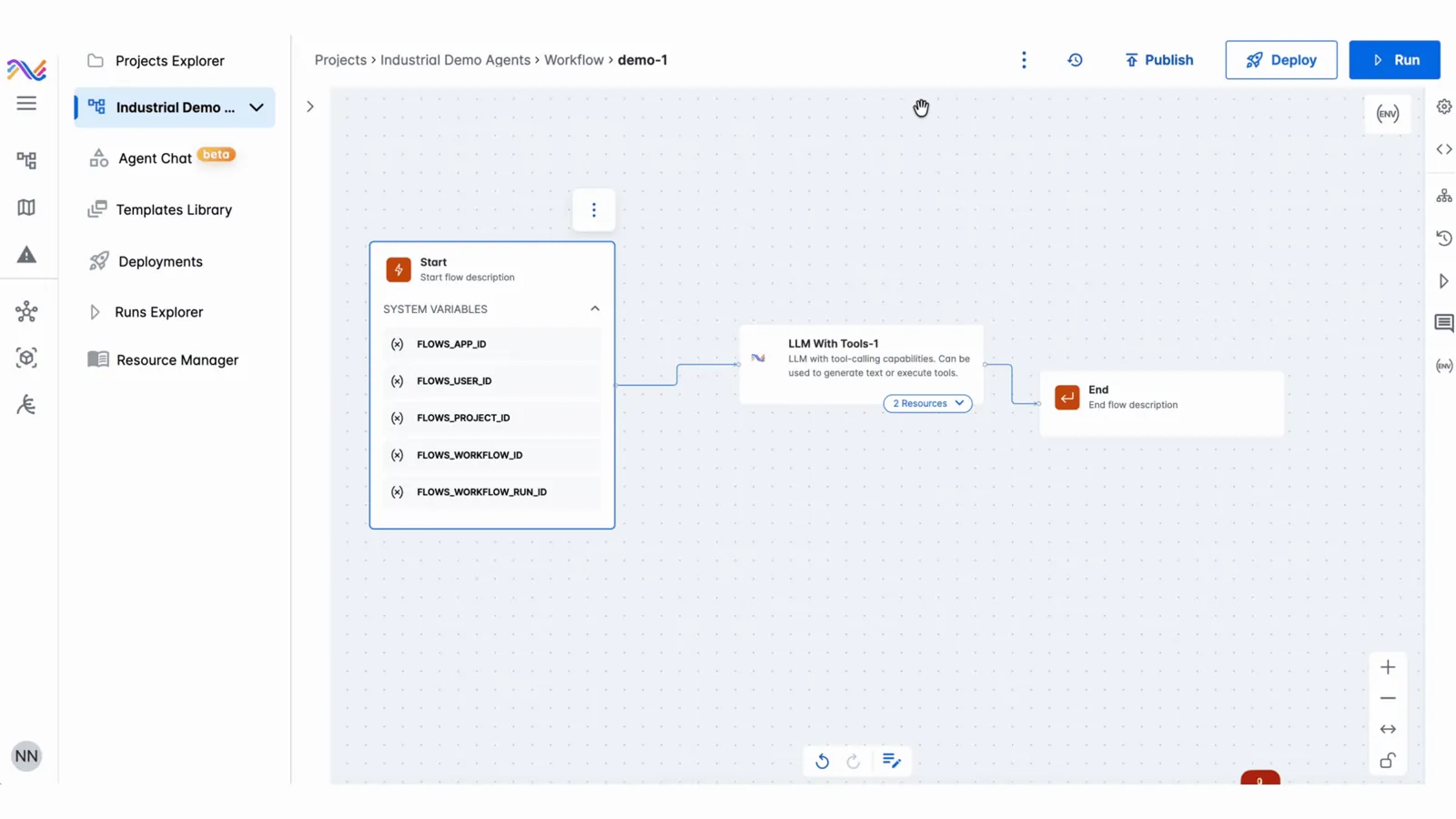
State “IRIS Flows — completed flow” trong IRIS Flows: project/agent object, node sequence hoặc configuration được biểu diễn tường minh để người dùng compose và trace agentic workflow.
Nguồn: Trang nguồn chính thức
04B · SYMPHONYAI INDUSTRIAL · ATLAS
IRIS Flows & Forge — build surfaces · tiếp
B · OFFICIAL DEMO/GIF IRIS Forge — build/deploy demo
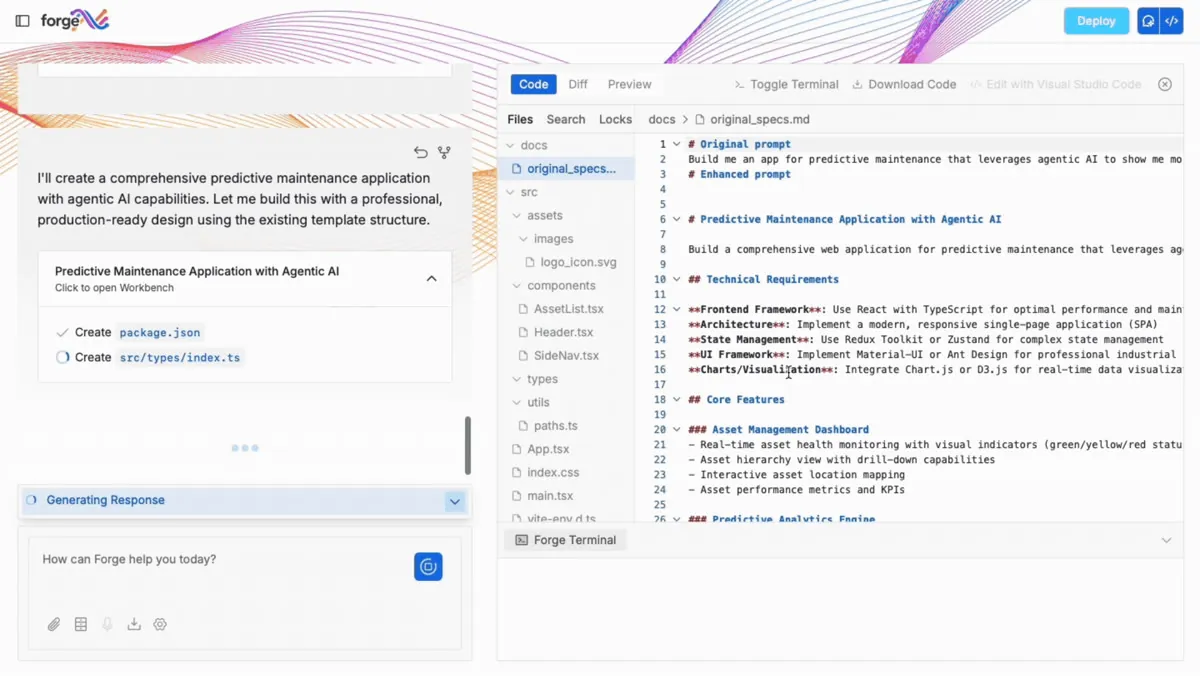
State “IRIS Forge — build/deploy demo” trong IRIS Forge, thuộc chuỗi describe → edit → deploy → manage app. Checkpoint rõ giúp power user kiểm tra output do AI tạo trước khi phát hành.
Nguồn: Trang nguồn chính thức
B · OFFICIAL DEMO/GIF IRIS Forge — prompt-to-app demo
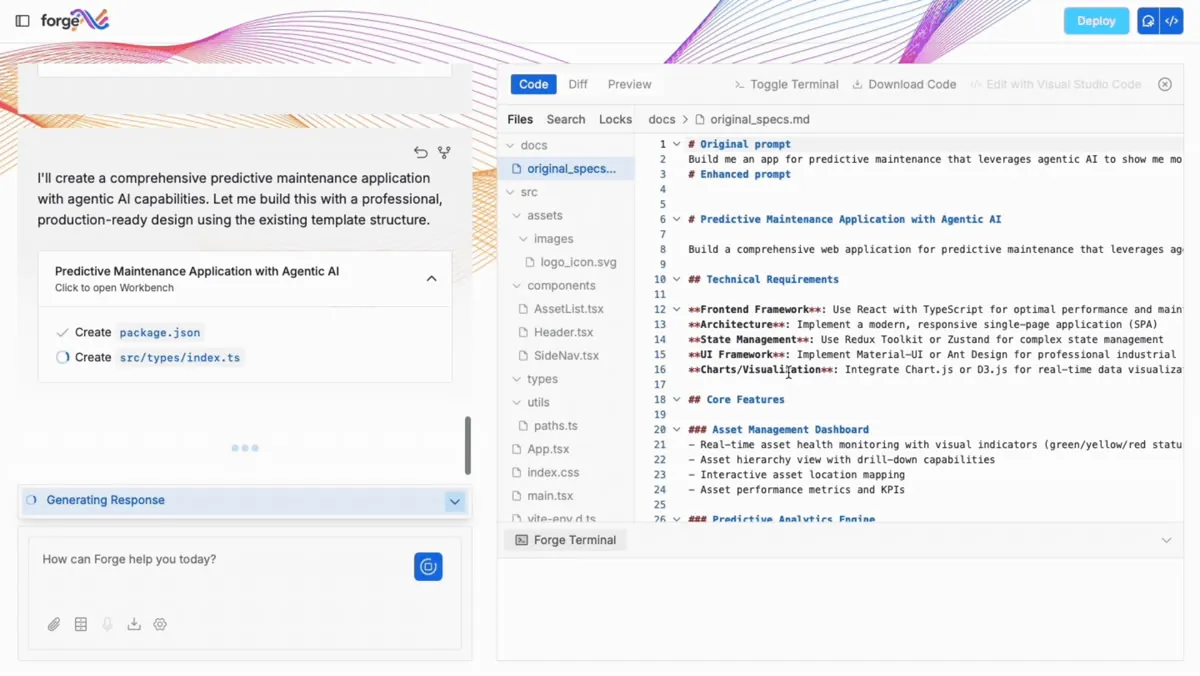
State “IRIS Forge — prompt-to-app demo” trong IRIS Forge, thuộc chuỗi describe → edit → deploy → manage app. Checkpoint rõ giúp power user kiểm tra output do AI tạo trước khi phát hành.
Nguồn: Trang nguồn chính thức
04B · SYMPHONYAI INDUSTRIAL · ATLAS
IRIS Flows & Forge — build surfaces · tiếp
B · OFFICIAL DEMO/GIF IRIS Forge — describe an app
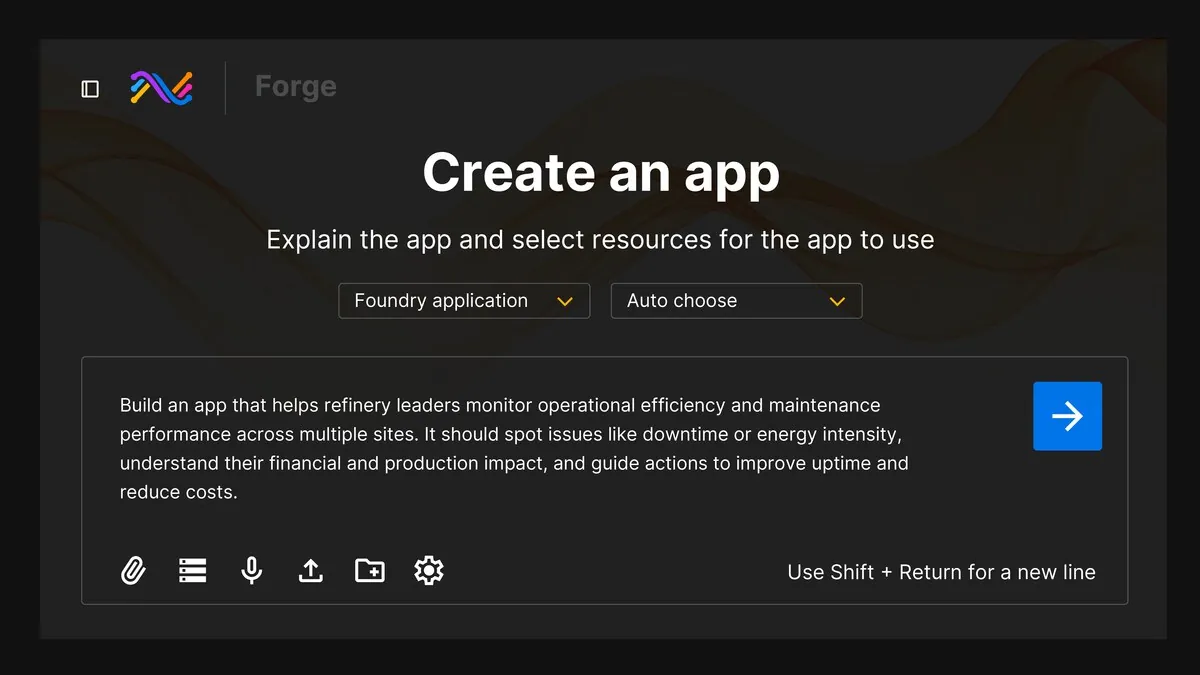
State “IRIS Forge — describe an app” trong IRIS Forge, thuộc chuỗi describe → edit → deploy → manage app. Checkpoint rõ giúp power user kiểm tra output do AI tạo trước khi phát hành.
Nguồn: Trang nguồn chính thức
B · OFFICIAL DEMO/GIF IRIS Forge — deploy dialog
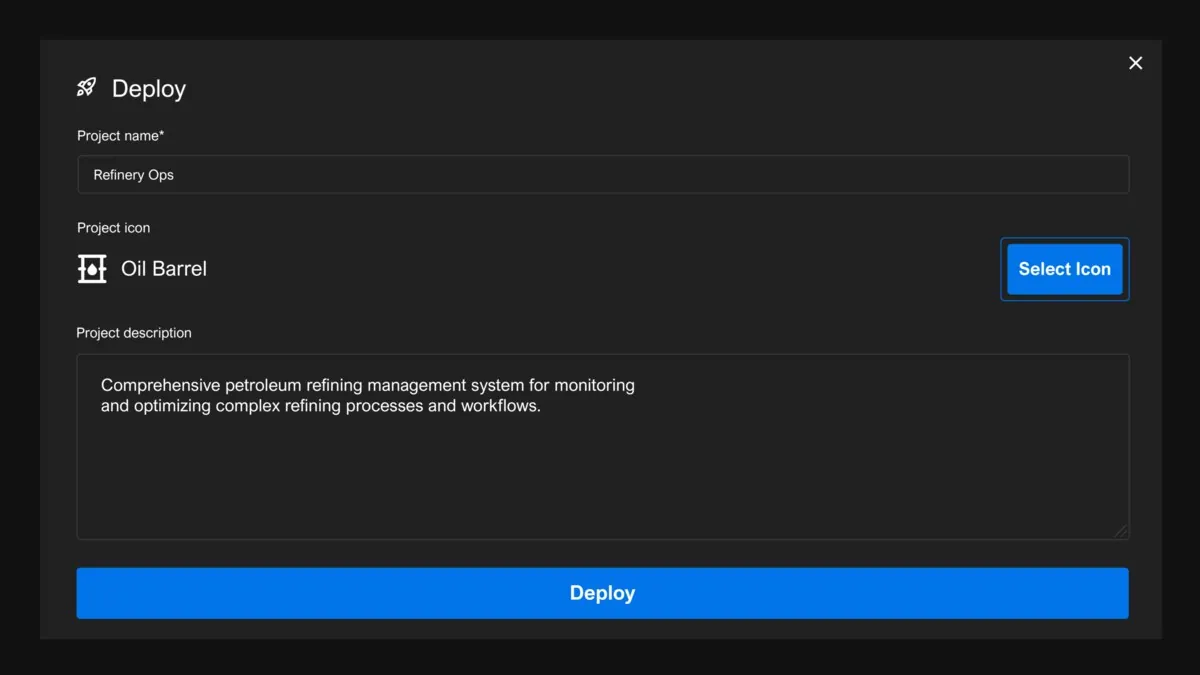
State “IRIS Forge — deploy dialog” trong IRIS Forge, thuộc chuỗi describe → edit → deploy → manage app. Checkpoint rõ giúp power user kiểm tra output do AI tạo trước khi phát hành.
Nguồn: Trang nguồn chính thức
04B · SYMPHONYAI INDUSTRIAL · ATLAS
IRIS Flows & Forge — build surfaces · tiếp
B · OFFICIAL DEMO/GIF IRIS Forge — application catalog
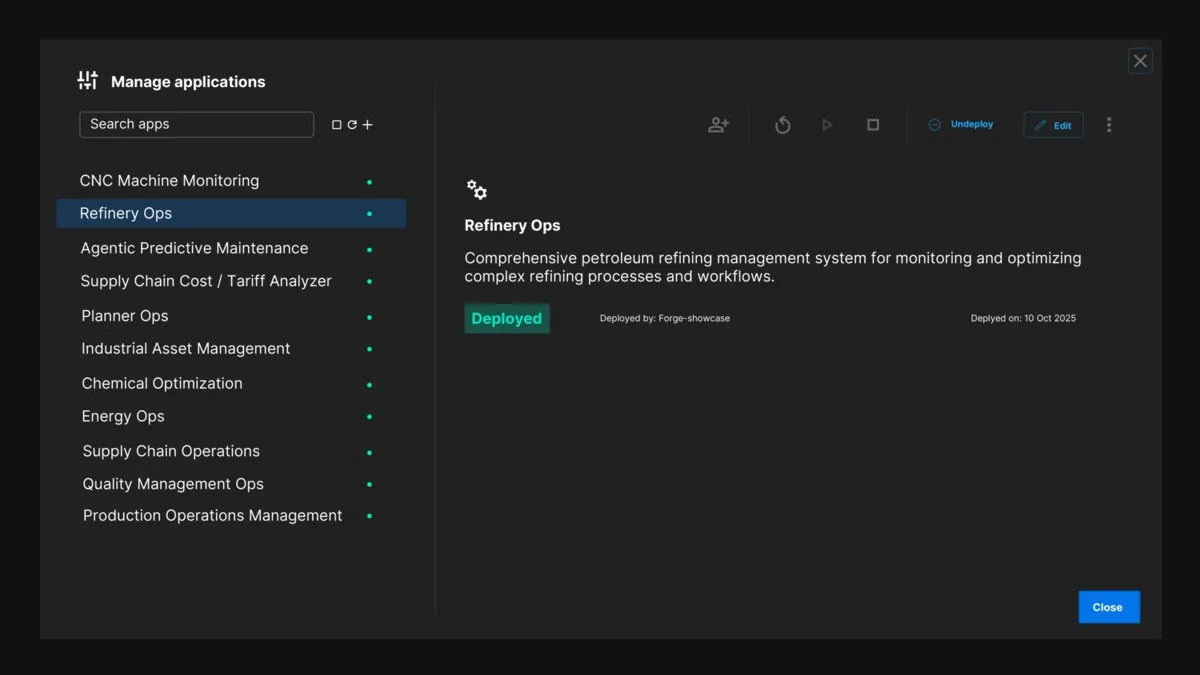
State “IRIS Forge — application catalog” trong IRIS Forge, thuộc chuỗi describe → edit → deploy → manage app. Checkpoint rõ giúp power user kiểm tra output do AI tạo trước khi phát hành.
Nguồn: Trang nguồn chính thức
04C · SYMPHONYAI INDUSTRIAL · ATLAS
Plant, asset & P&ID intelligence
Hierarchy, asset health, plant diagnostic và các state của P&ID workbench/library.
C · UI FRAGMENT/COMPOSITE UNS application — Predictive Asset Intelligence
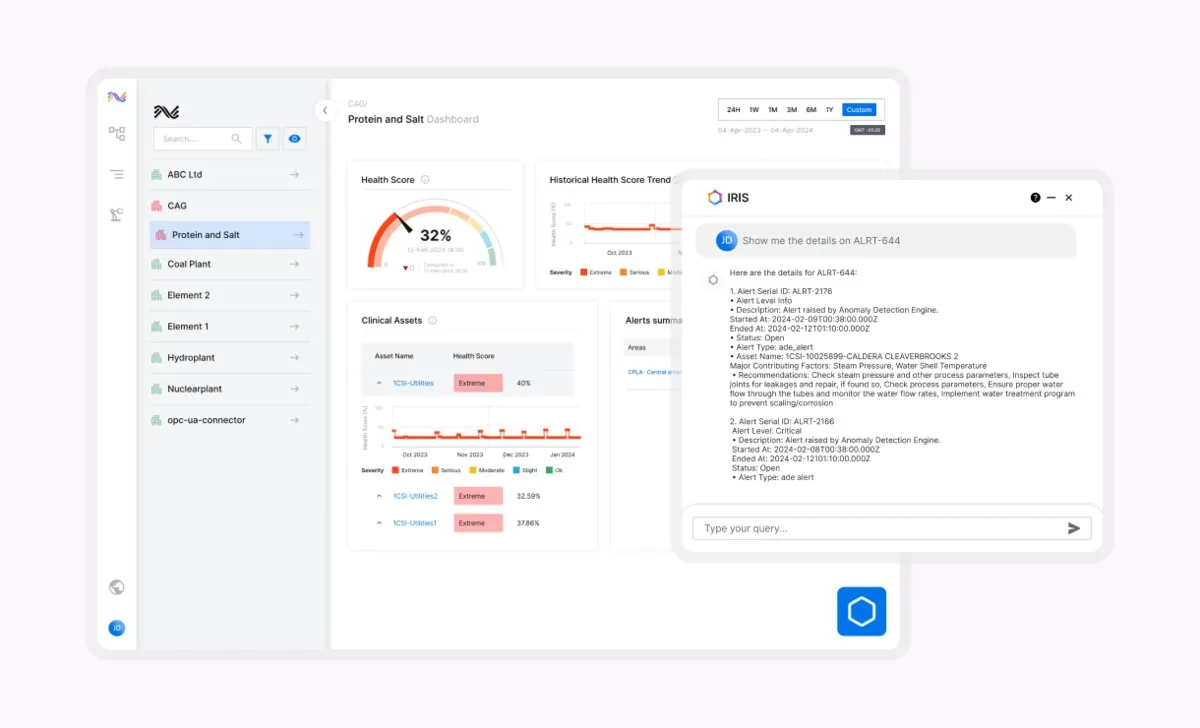
View “UNS application — Predictive Asset Intelligence” nối hierarchy, asset/plant KPI, alert hoặc diagnostic context để người dùng đi từ tổng quan vận hành tới thiết bị/process cần xử lý.
Nguồn: Trang nguồn chính thức
C · UI FRAGMENT/COMPOSITE UNS application — Plant Insights
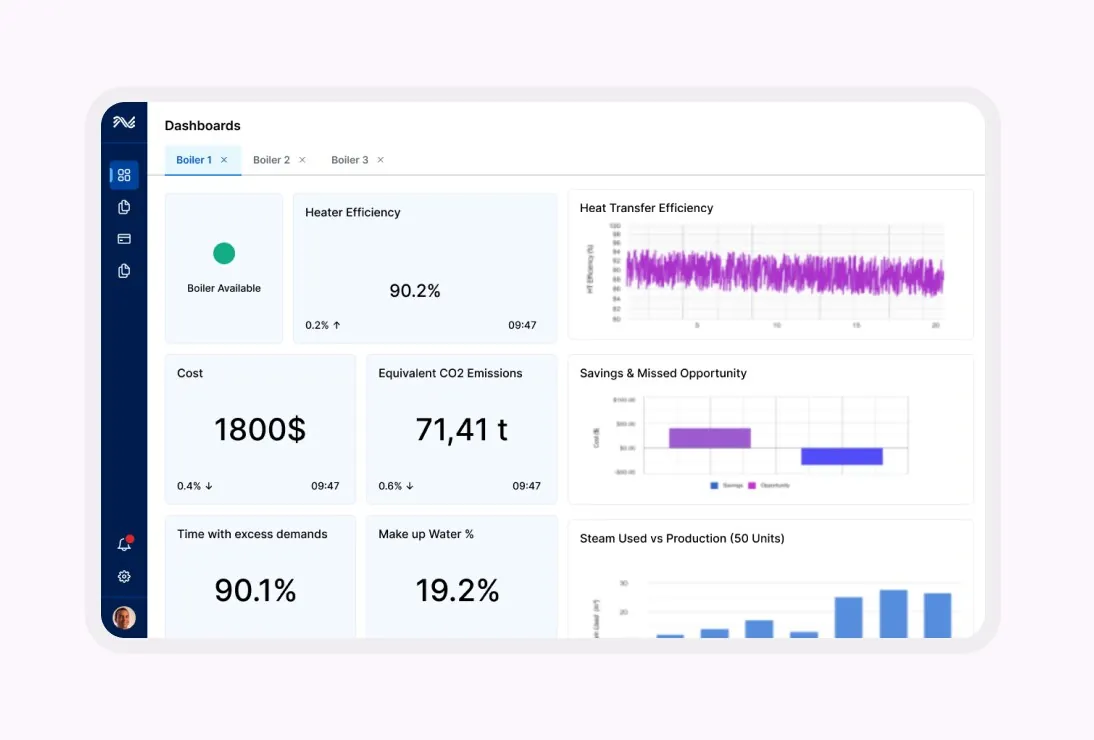
View “UNS application — Plant Insights” nối hierarchy, asset/plant KPI, alert hoặc diagnostic context để người dùng đi từ tổng quan vận hành tới thiết bị/process cần xử lý.
Nguồn: Trang nguồn chính thức
04C · SYMPHONYAI INDUSTRIAL · ATLAS
Plant, asset & P&ID intelligence · tiếp
C · UI FRAGMENT/COMPOSITE Asset hierarchy — drag/drop state
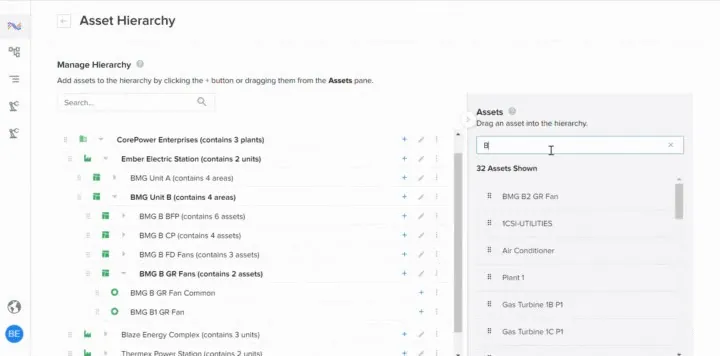
View “Asset hierarchy — drag/drop state” nối hierarchy, asset/plant KPI, alert hoặc diagnostic context để người dùng đi từ tổng quan vận hành tới thiết bị/process cần xử lý.
Nguồn: Trang nguồn chính thức
C · UI FRAGMENT/COMPOSITE Predictive Asset Intelligence
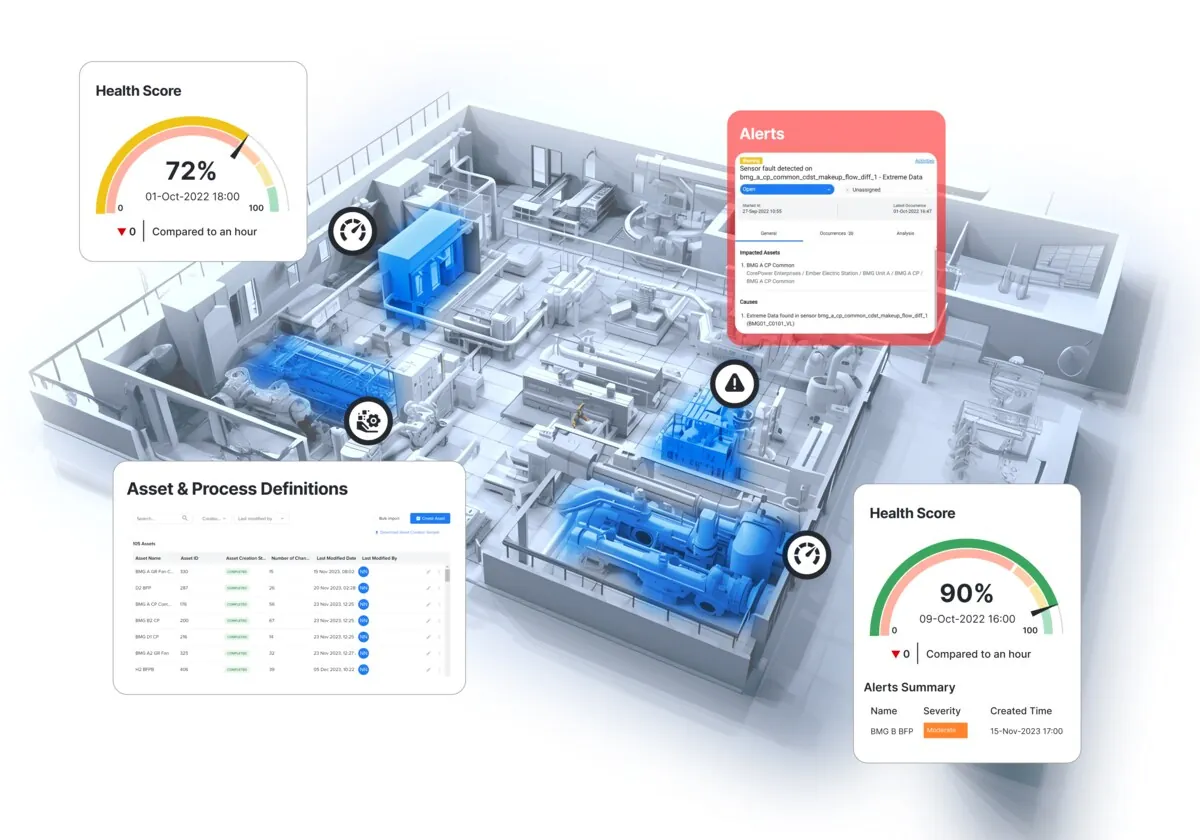
Tổng quan asset health dùng hierarchy, health score và các bảng tình trạng để ưu tiên thiết bị cần chú ý.
Nguồn: Trang nguồn chính thức
04C · SYMPHONYAI INDUSTRIAL · ATLAS
Plant, asset & P&ID intelligence · tiếp
C · UI FRAGMENT/COMPOSITE Monitoring and alerting industrial
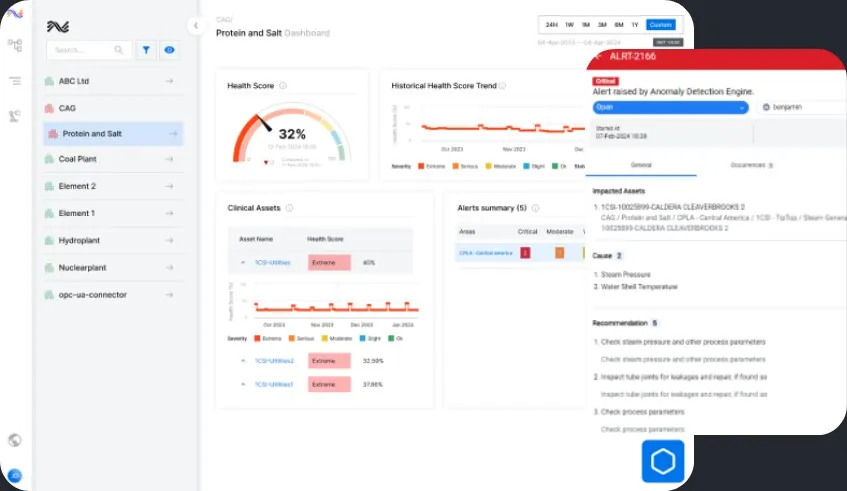
View “Monitoring and alerting industrial” nối hierarchy, asset/plant KPI, alert hoặc diagnostic context để người dùng đi từ tổng quan vận hành tới thiết bị/process cần xử lý.
Nguồn: Trang nguồn chính thức
C · UI FRAGMENT/COMPOSITE Plant Insights — diagnostic KPI collage
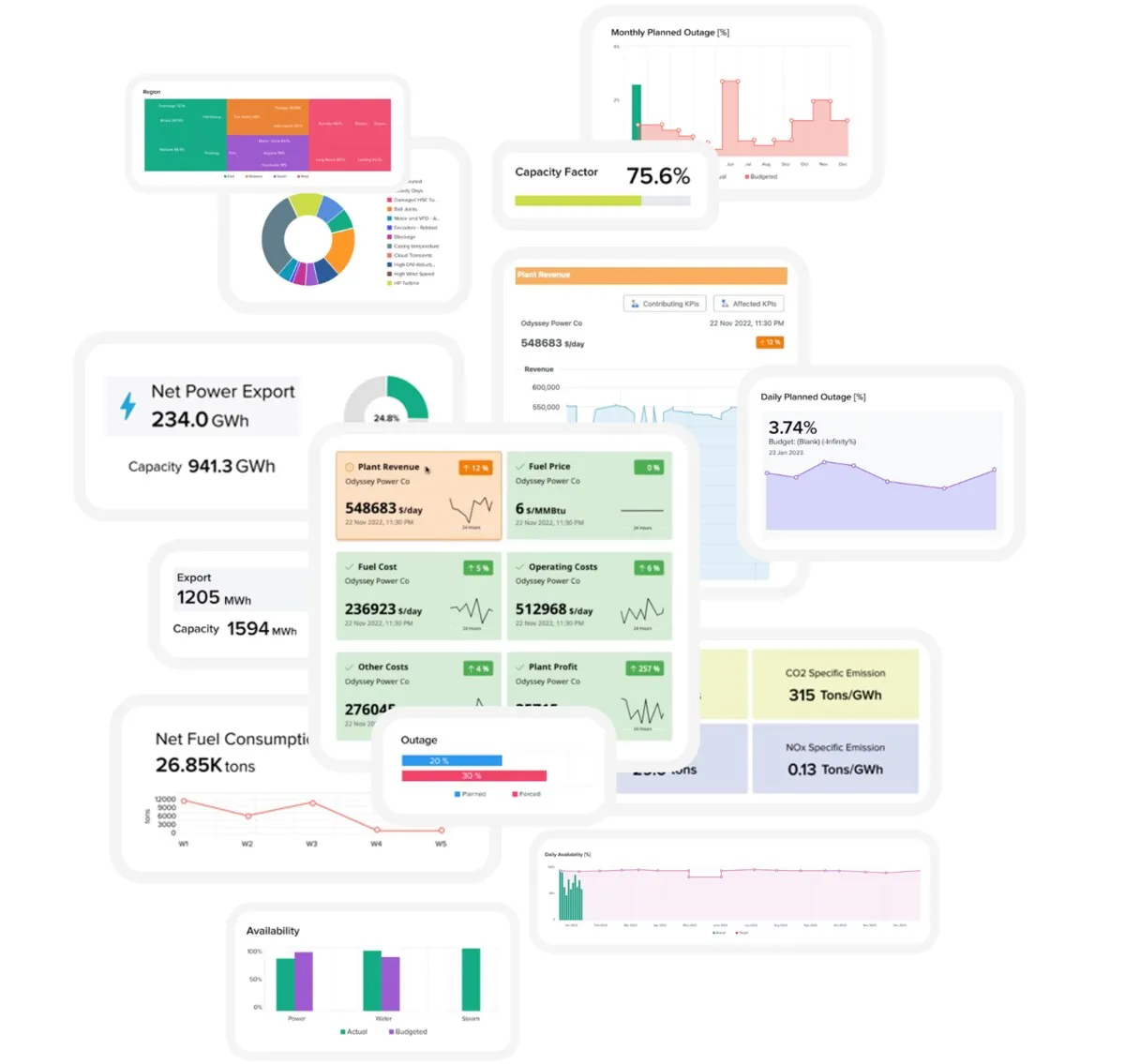
View “Plant Insights — diagnostic KPI collage” nối hierarchy, asset/plant KPI, alert hoặc diagnostic context để người dùng đi từ tổng quan vận hành tới thiết bị/process cần xử lý.
Nguồn: Trang nguồn chính thức
04C · SYMPHONYAI INDUSTRIAL · ATLAS
Plant, asset & P&ID intelligence · tiếp
C · UI FRAGMENT/COMPOSITE Industrial Asset and Process Templates 2
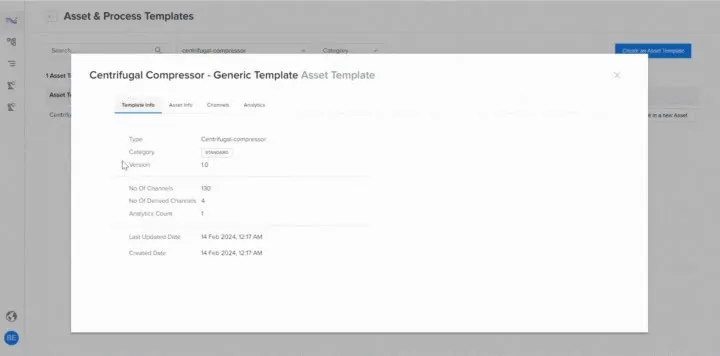
View “Industrial Asset and Process Templates 2” nối hierarchy, asset/plant KPI, alert hoặc diagnostic context để người dùng đi từ tổng quan vận hành tới thiết bị/process cần xử lý.
Nguồn: Trang nguồn chính thức
B · OFFICIAL DEMO/GIF P&ID workbench — identified items
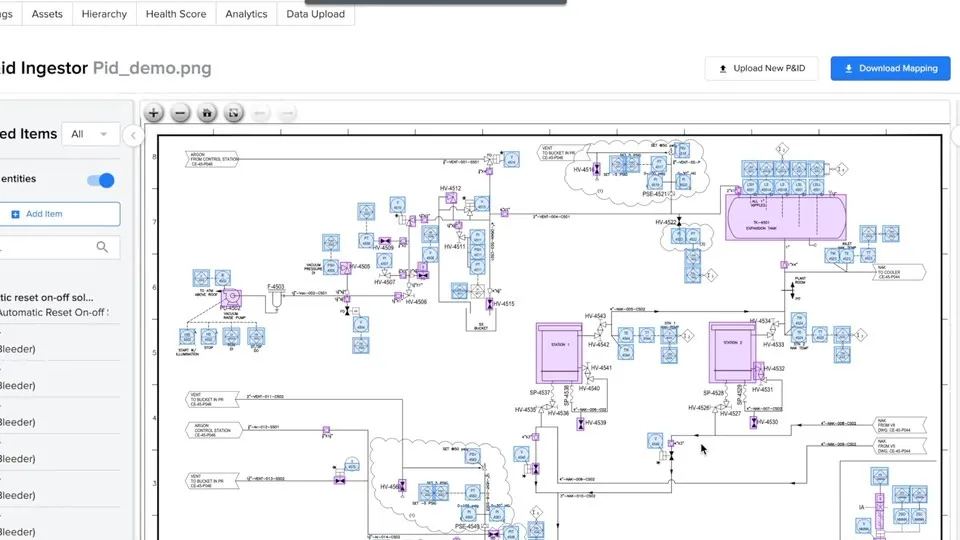
State “P&ID workbench — identified items” của P&ID ingestion đặt detection/mapping cạnh sơ đồ kỹ thuật và item detail, hỗ trợ human validation trước khi ghi vào asset context.
Nguồn: Trang nguồn chính thức
04C · SYMPHONYAI INDUSTRIAL · ATLAS
Plant, asset & P&ID intelligence · tiếp
B · OFFICIAL DEMO/GIF P&ID workbench — item details
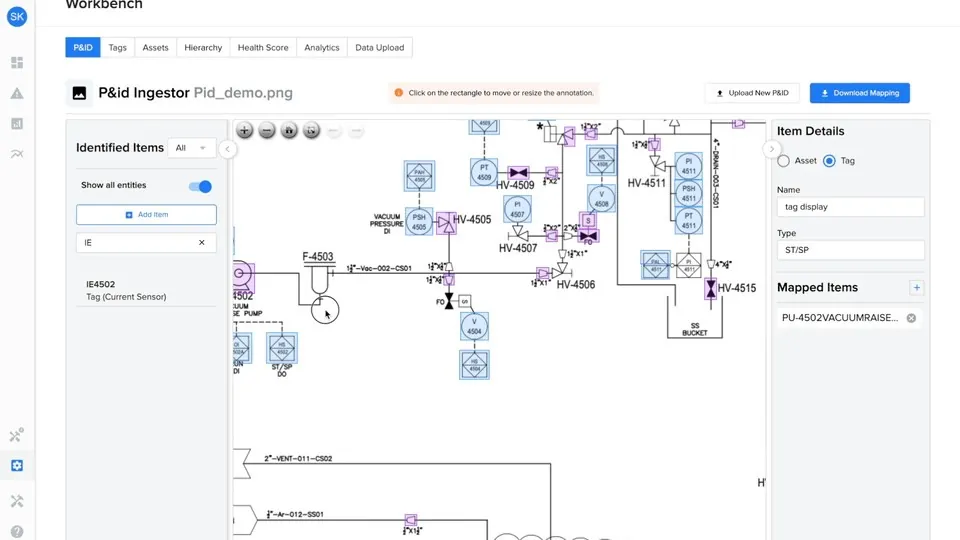
State “P&ID workbench — item details” của P&ID ingestion đặt detection/mapping cạnh sơ đồ kỹ thuật và item detail, hỗ trợ human validation trước khi ghi vào asset context.
Nguồn: Trang nguồn chính thức
B · OFFICIAL DEMO/GIF P&ID workbench — contextualized diagram
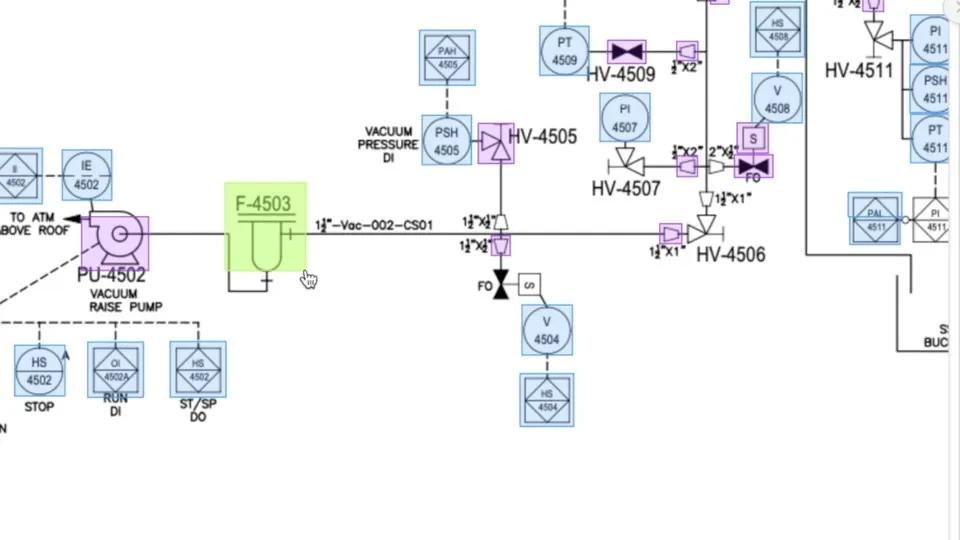
State “P&ID workbench — contextualized diagram” của P&ID ingestion đặt detection/mapping cạnh sơ đồ kỹ thuật và item detail, hỗ trợ human validation trước khi ghi vào asset context.
Nguồn: Trang nguồn chính thức
04C · SYMPHONYAI INDUSTRIAL · ATLAS
Plant, asset & P&ID intelligence · tiếp
C · UI FRAGMENT/COMPOSITE P&ID — contextualized diagram library
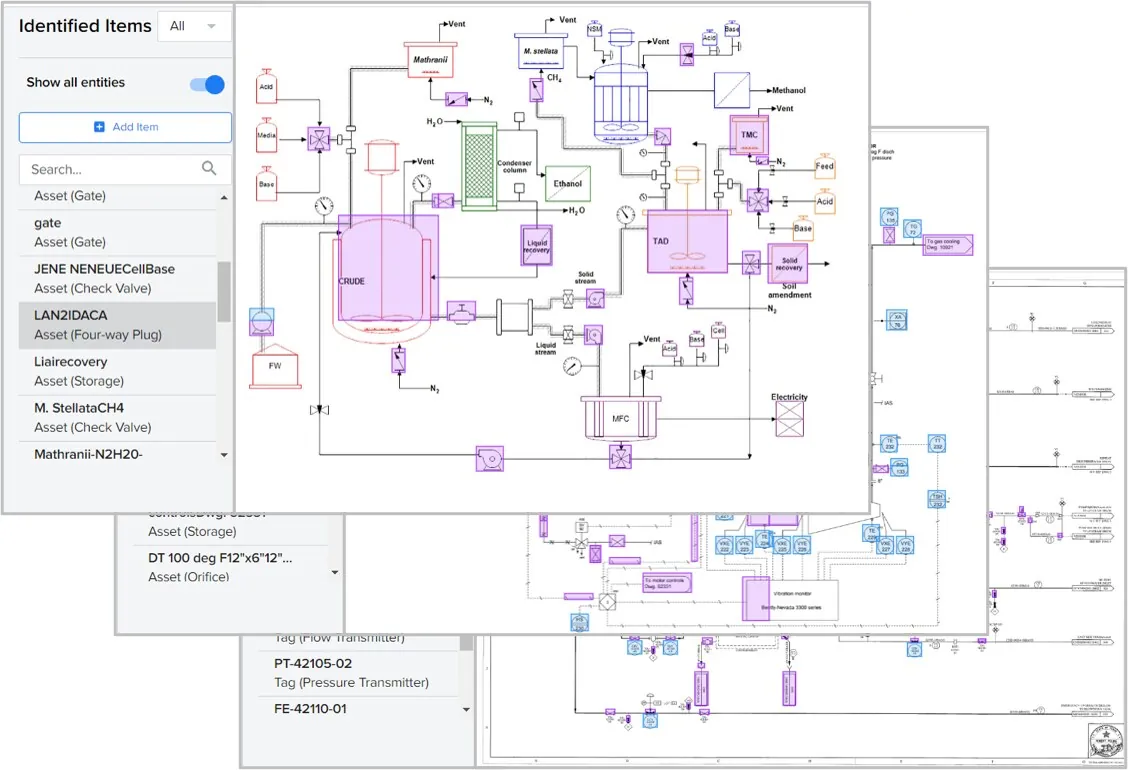
State “P&ID — contextualized diagram library” của P&ID ingestion đặt detection/mapping cạnh sơ đồ kỹ thuật và item detail, hỗ trợ human validation trước khi ghi vào asset context.
Nguồn: Trang nguồn chính thức
C · UI FRAGMENT/COMPOSITE P&ID — contextualized extraction result
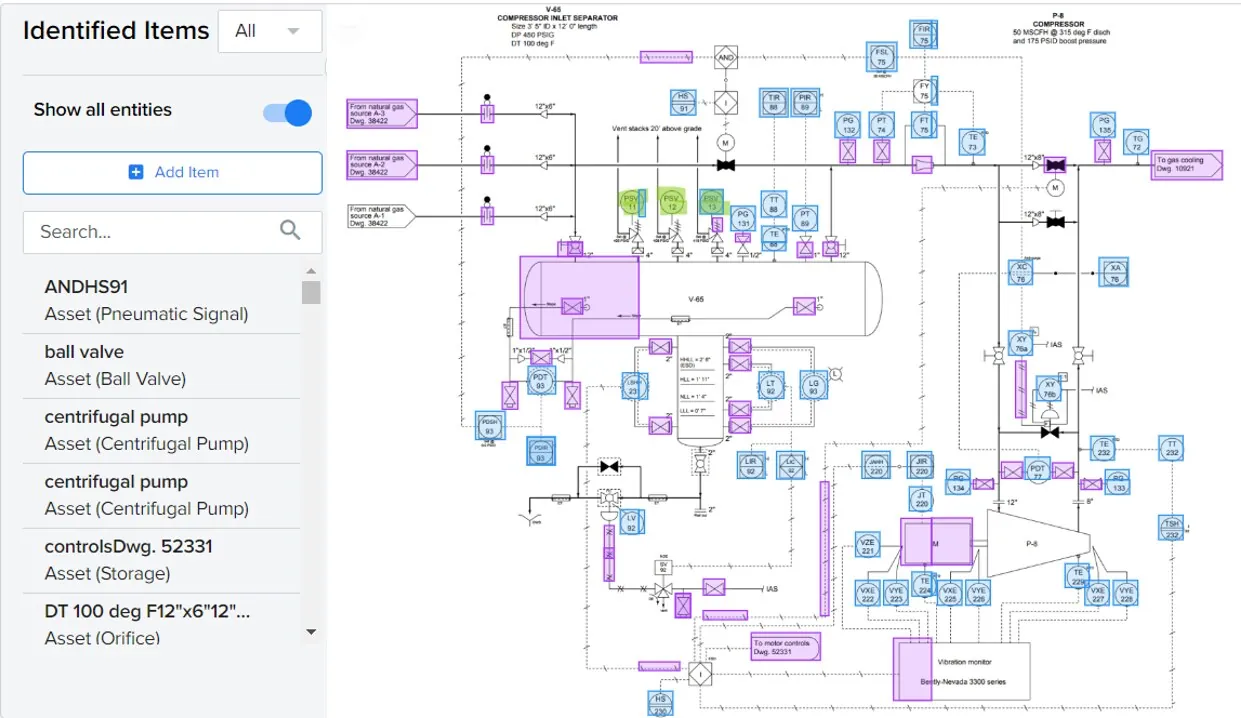
State “P&ID — contextualized extraction result” của P&ID ingestion đặt detection/mapping cạnh sơ đồ kỹ thuật và item detail, hỗ trợ human validation trước khi ghi vào asset context.
Nguồn: Trang nguồn chính thức
04D · SYMPHONYAI INDUSTRIAL · ATLAS
ML Studio — model lifecycle
Data exploration, preprocessing, registry, evaluation và deployment trong ML Studio.
A · FULL PRODUCT UI ML Studio — load & explore data
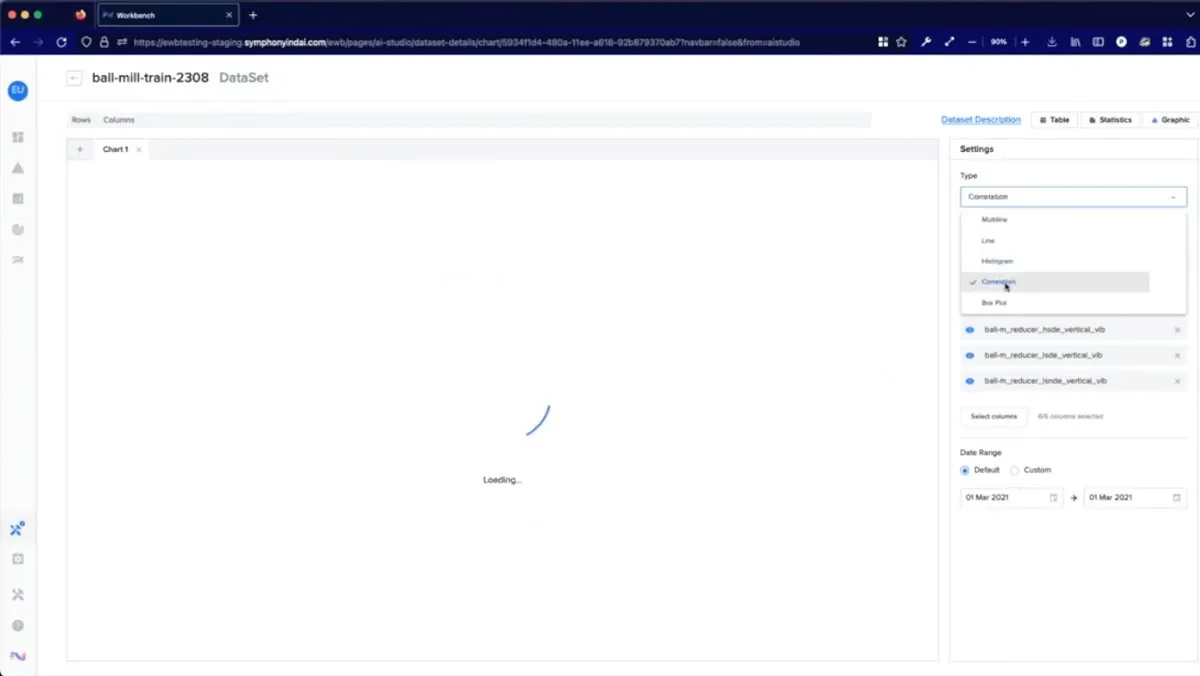
ML Studio — “ML Studio — load & explore data” là một bước trong vòng đời data/model: explore, preprocess, evaluate, register hoặc deploy với trạng thái và cấu hình có thể kiểm soát.
Nguồn: Trang nguồn chính thức
A · FULL PRODUCT UI ML Studio — model registry
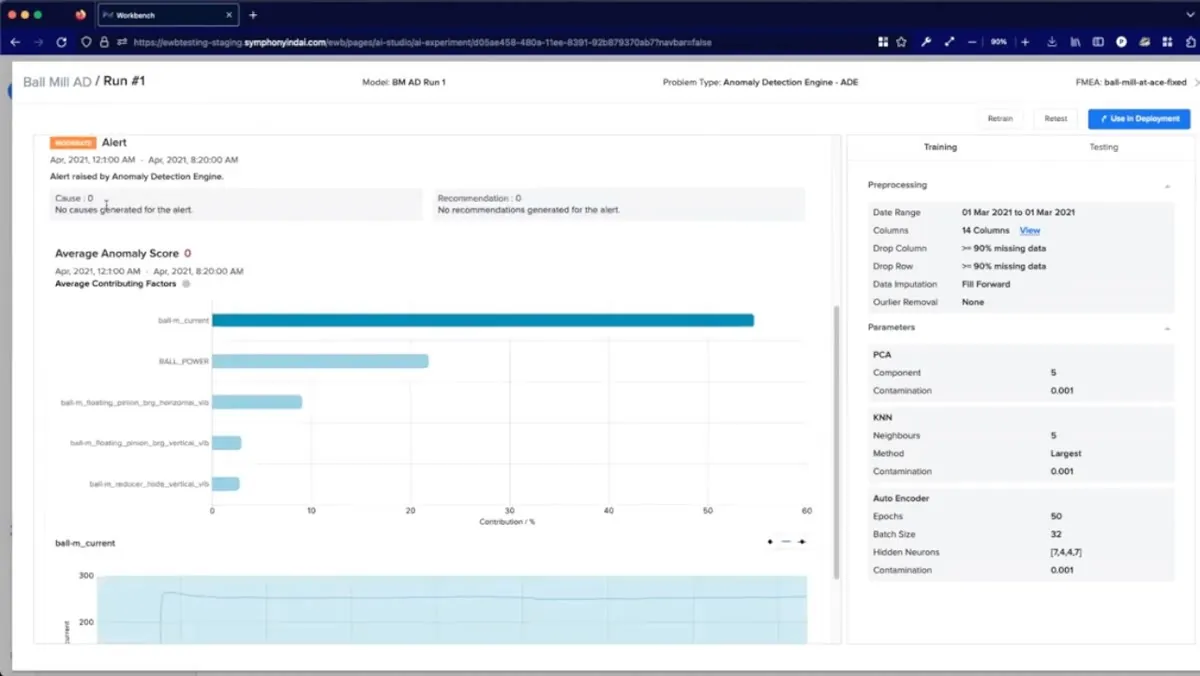
ML Studio — “ML Studio — model registry” là một bước trong vòng đời data/model: explore, preprocess, evaluate, register hoặc deploy với trạng thái và cấu hình có thể kiểm soát.
Nguồn: Trang nguồn chính thức
04D · SYMPHONYAI INDUSTRIAL · ATLAS
ML Studio — model lifecycle · tiếp
A · FULL PRODUCT UI Deploy trained model
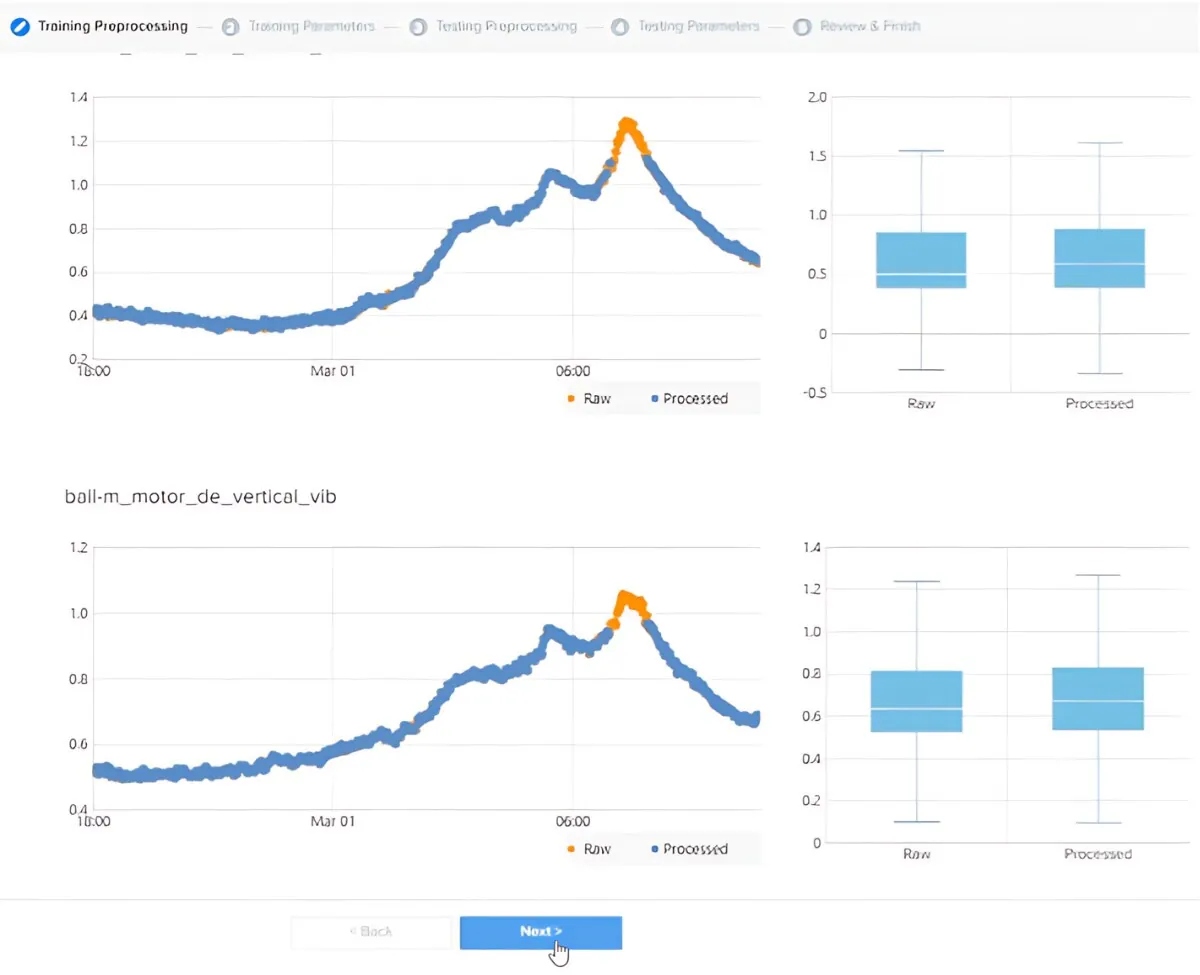
ML Studio — “Deploy trained model” là một bước trong vòng đời data/model: explore, preprocess, evaluate, register hoặc deploy với trạng thái và cấu hình có thể kiểm soát.
Nguồn: Trang nguồn chính thức
A · FULL PRODUCT UI One click model build 3
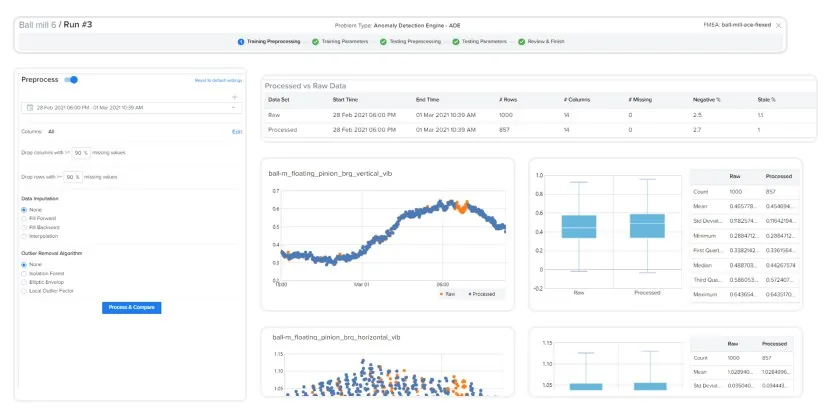
ML Studio — “One click model build 3” là một bước trong vòng đời data/model: explore, preprocess, evaluate, register hoặc deploy với trạng thái và cấu hình có thể kiểm soát.
Nguồn: Trang nguồn chính thức
04D · SYMPHONYAI INDUSTRIAL · ATLAS
ML Studio — model lifecycle · tiếp
A · FULL PRODUCT UI Tab data exploration
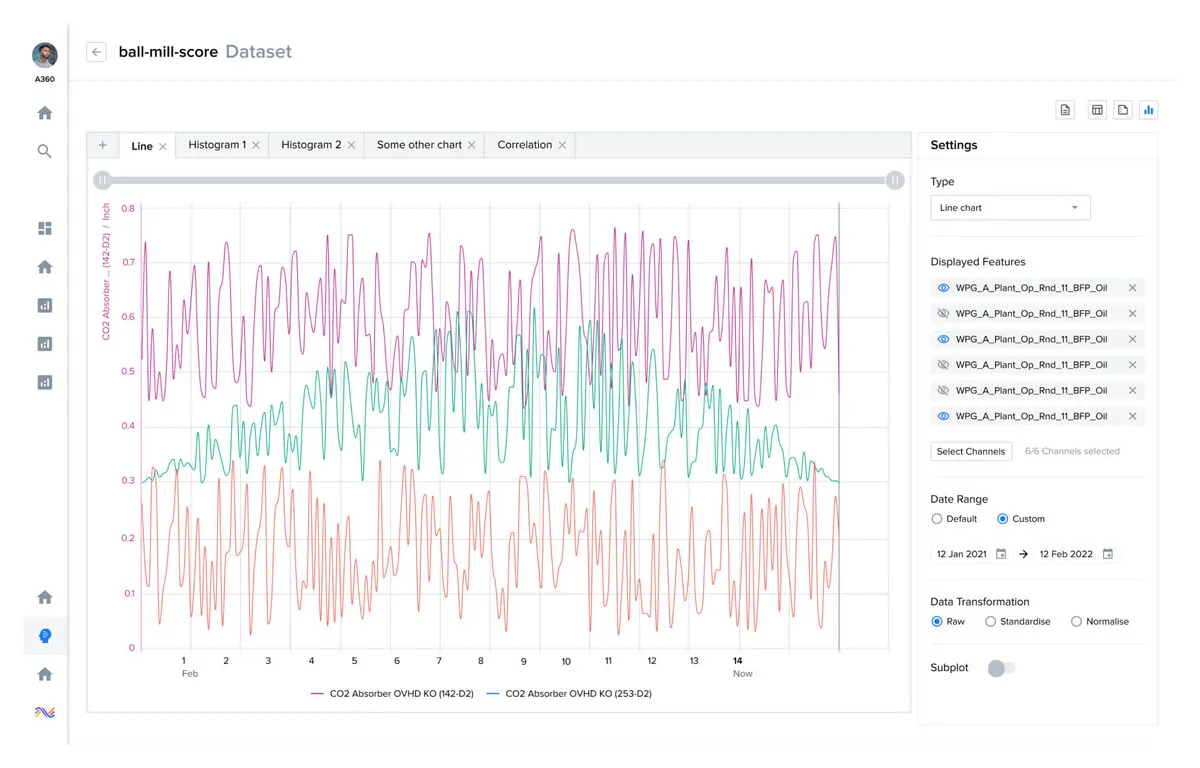
ML Studio — “Tab data exploration” là một bước trong vòng đời data/model: explore, preprocess, evaluate, register hoặc deploy với trạng thái và cấu hình có thể kiểm soát.
Nguồn: Trang nguồn chính thức
A · FULL PRODUCT UI Tab data pre processing
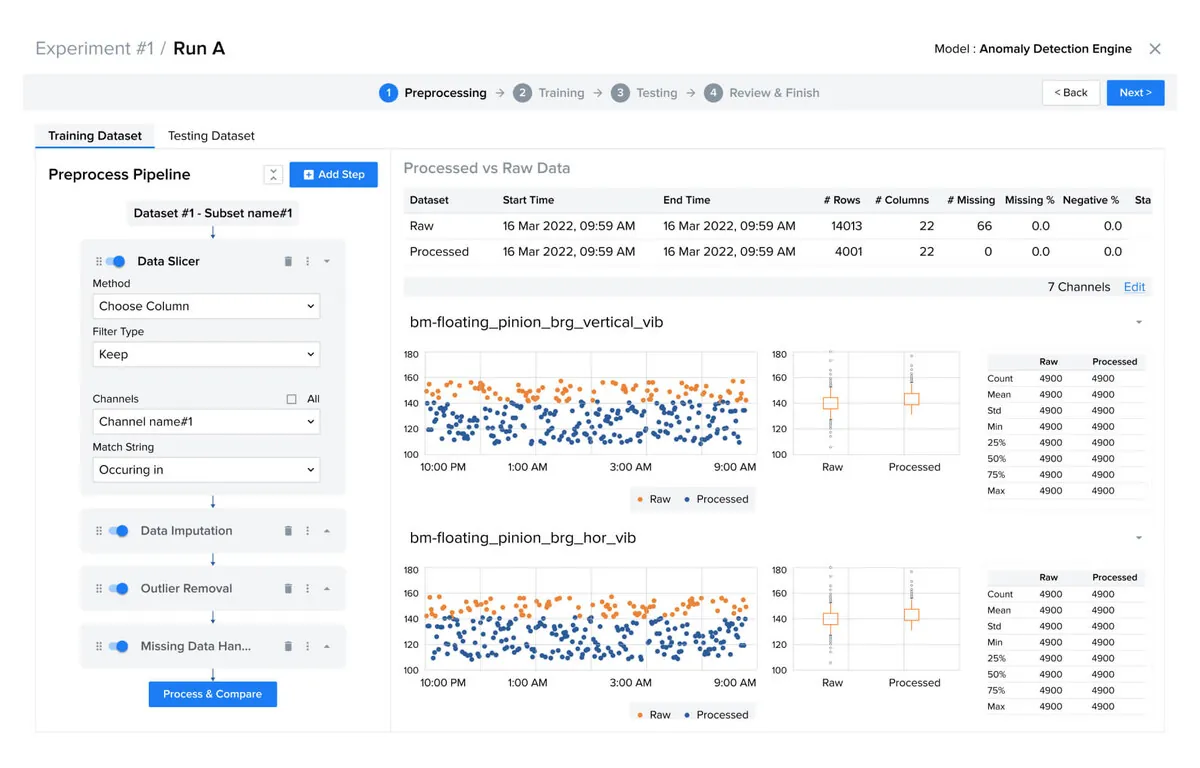
ML Studio — “Tab data pre processing” là một bước trong vòng đời data/model: explore, preprocess, evaluate, register hoặc deploy với trạng thái và cấu hình có thể kiểm soát.
Nguồn: Trang nguồn chính thức
04D · SYMPHONYAI INDUSTRIAL · ATLAS
ML Studio — model lifecycle · tiếp
A · FULL PRODUCT UI ML Studio — model evaluation
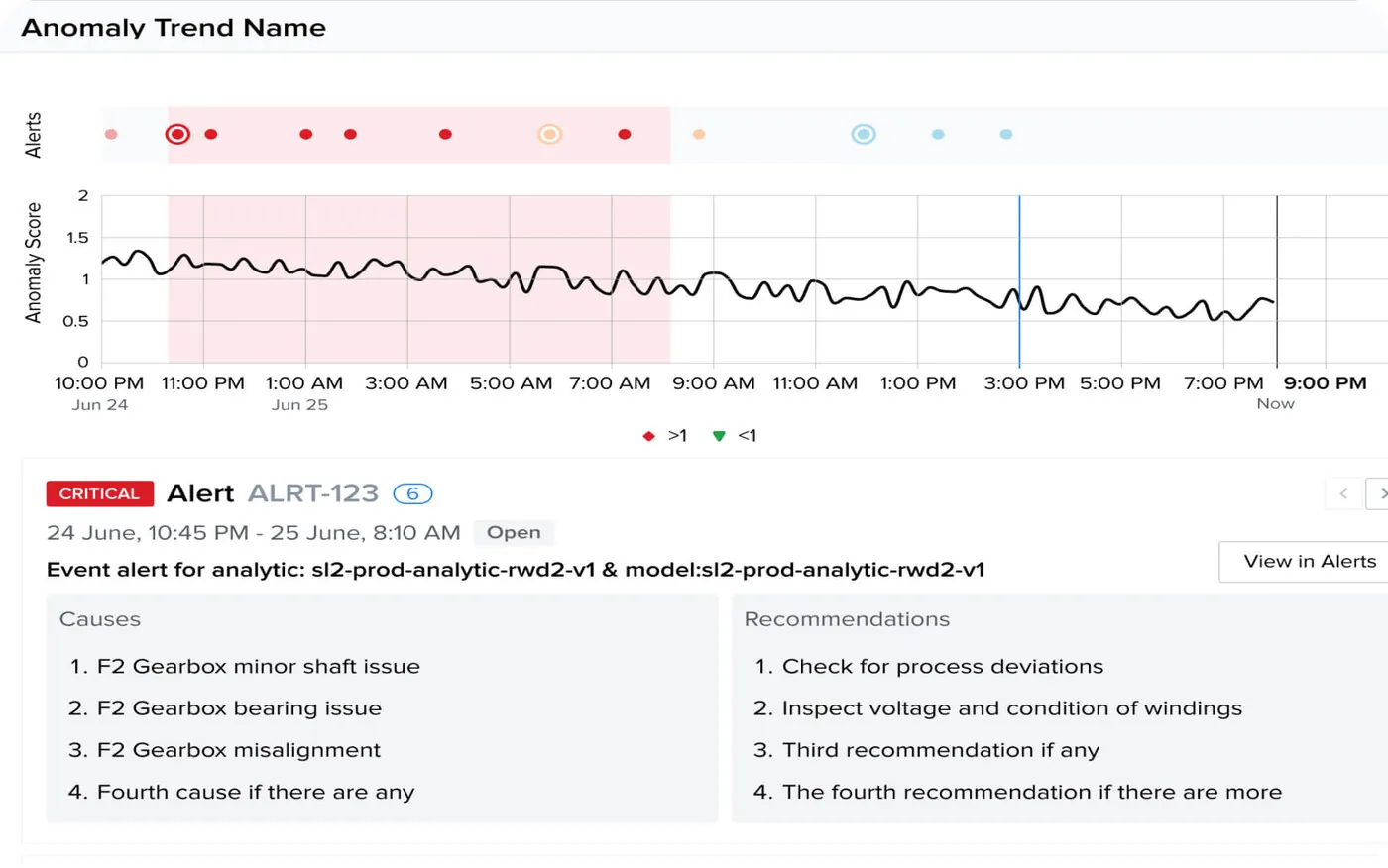
ML Studio — “ML Studio — model evaluation” là một bước trong vòng đời data/model: explore, preprocess, evaluate, register hoặc deploy với trạng thái và cấu hình có thể kiểm soát.
Nguồn: Trang nguồn chính thức
A · FULL PRODUCT UI ML Studio — model deployment
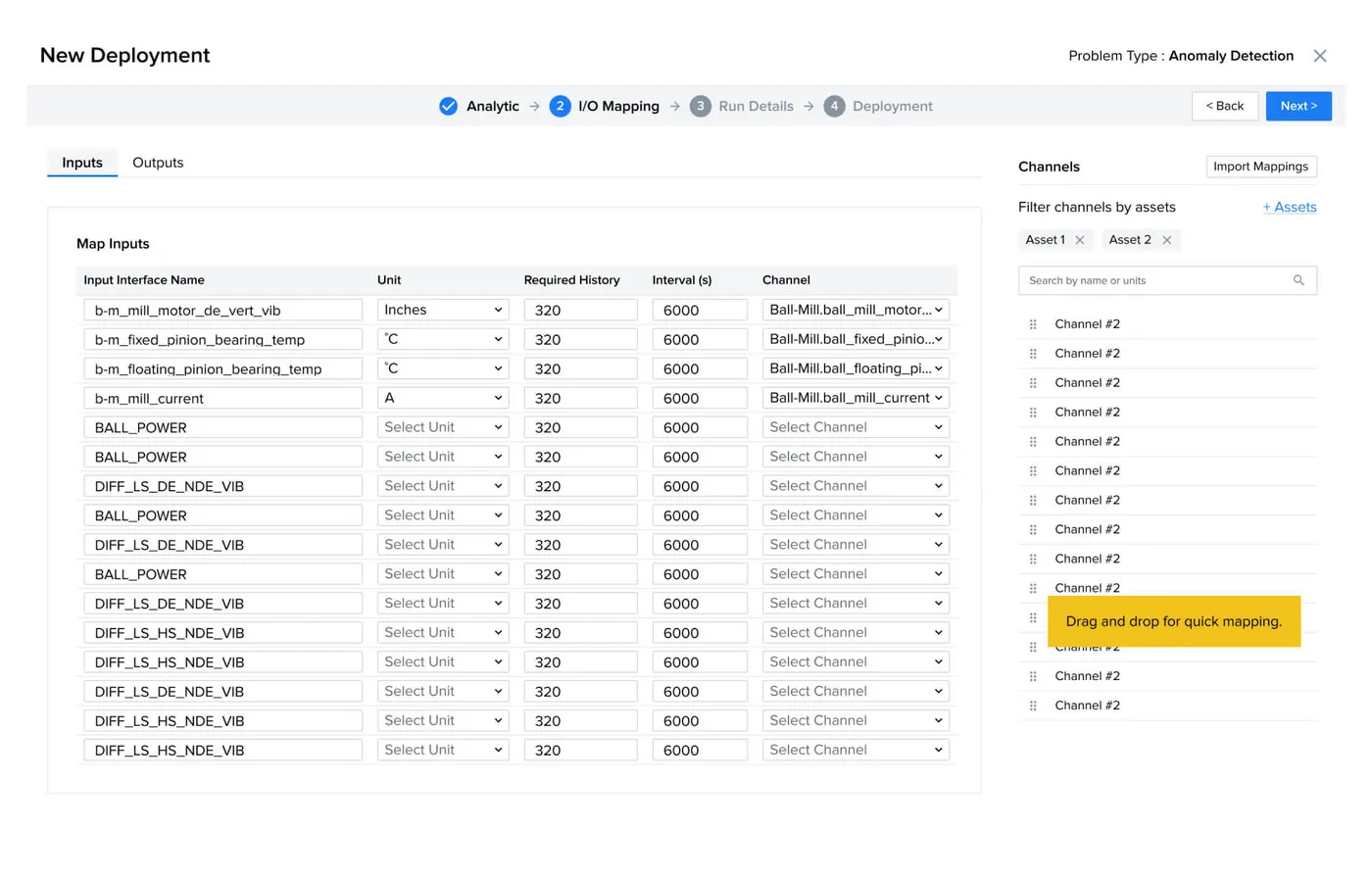
ML Studio — “ML Studio — model deployment” là một bước trong vòng đời data/model: explore, preprocess, evaluate, register hoặc deploy với trạng thái và cấu hình có thể kiểm soát.
Nguồn: Trang nguồn chính thức
04E · SYMPHONYAI INDUSTRIAL · ATLAS
Digital Twin — explorer & asset states
3D/asset explorer, inspection, recommendation, KPI dashboard và Teams agent surfaces.
A · FULL PRODUCT UI Data Modelling
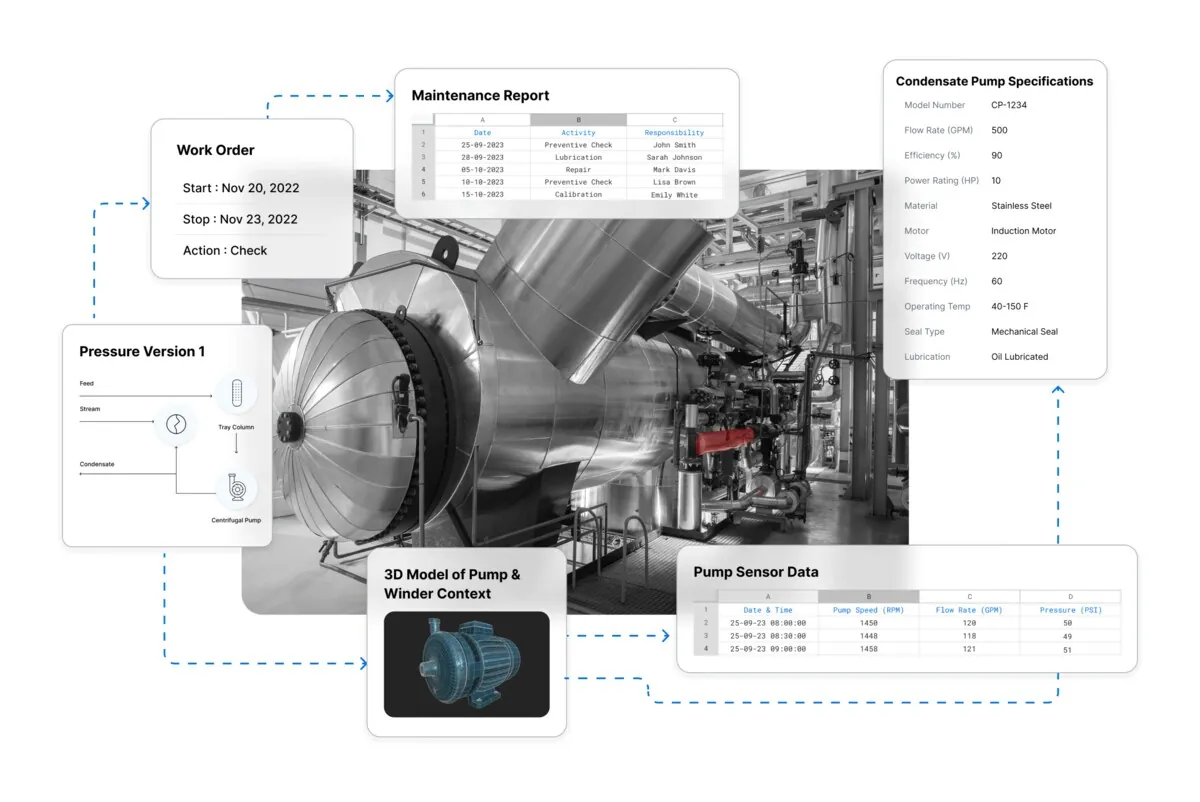
Digital Twin — “Data Modelling” ghép 3D/asset hierarchy với KPI, inspection hoặc recommendation để drill down từ cấu trúc vật lý đến trạng thái vận hành.
Nguồn: Trang nguồn chính thức
A · FULL PRODUCT UI Digital Twin — 3D asset overlay
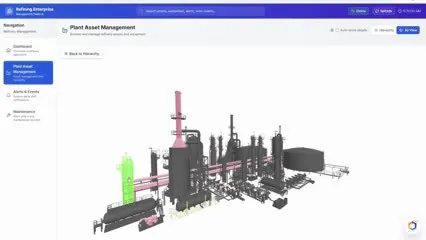
Digital Twin — “Digital Twin — 3D asset overlay” ghép 3D/asset hierarchy với KPI, inspection hoặc recommendation để drill down từ cấu trúc vật lý đến trạng thái vận hành.
Nguồn: Trang nguồn chính thức
04E · SYMPHONYAI INDUSTRIAL · ATLAS
Digital Twin — explorer & asset states · tiếp
B · OFFICIAL DEMO/GIF Digital Twin — refinery KPI explorer
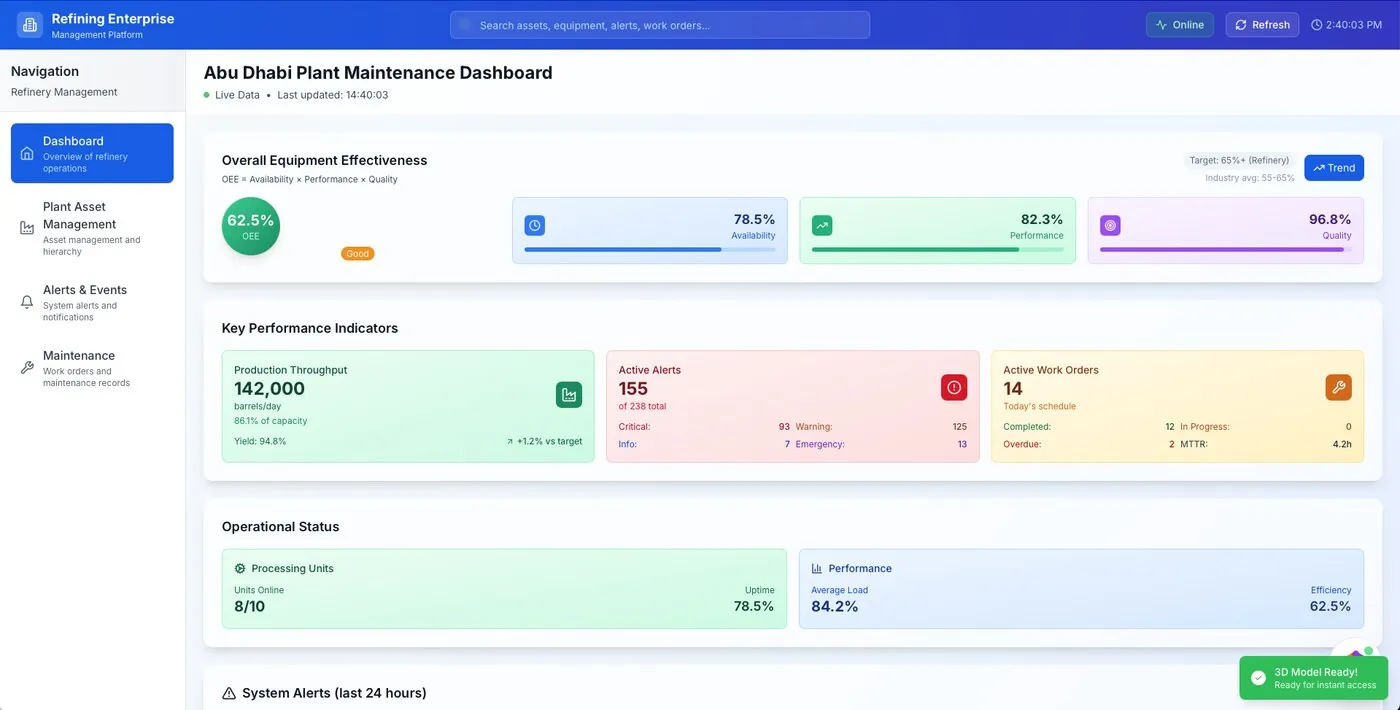
Digital Twin — “Digital Twin — refinery KPI explorer” ghép 3D/asset hierarchy với KPI, inspection hoặc recommendation để drill down từ cấu trúc vật lý đến trạng thái vận hành.
Nguồn: Trang nguồn chính thức
B · OFFICIAL DEMO/GIF Digital Twin — 3D plant overview
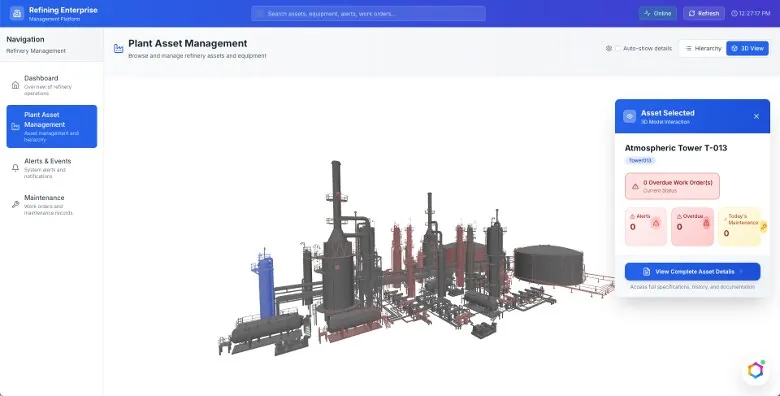
Digital Twin — “Digital Twin — 3D plant overview” ghép 3D/asset hierarchy với KPI, inspection hoặc recommendation để drill down từ cấu trúc vật lý đến trạng thái vận hành.
Nguồn: Trang nguồn chính thức
04E · SYMPHONYAI INDUSTRIAL · ATLAS
Digital Twin — explorer & asset states · tiếp
B · OFFICIAL DEMO/GIF Digital Twin — selected asset
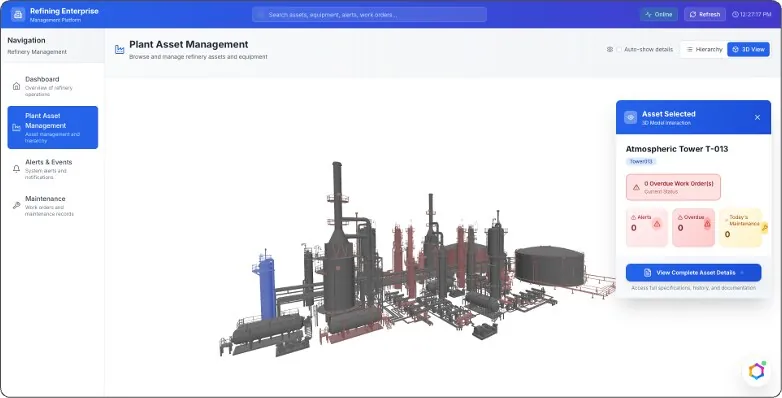
Digital Twin — “Digital Twin — selected asset” ghép 3D/asset hierarchy với KPI, inspection hoặc recommendation để drill down từ cấu trúc vật lý đến trạng thái vận hành.
Nguồn: Trang nguồn chính thức
B · OFFICIAL DEMO/GIF Digital Twin — inspection state
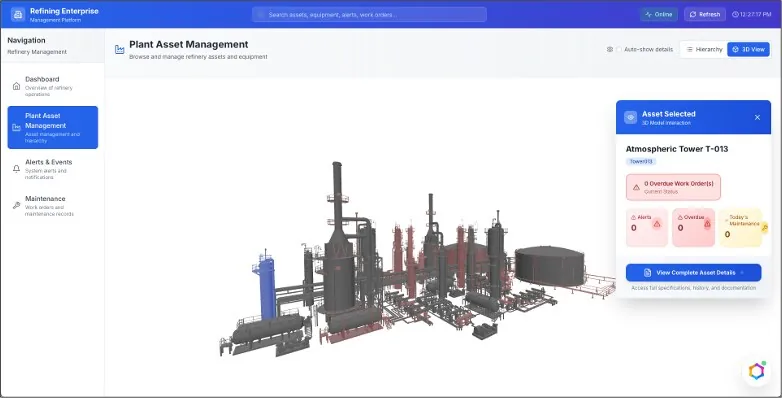
Digital Twin — “Digital Twin — inspection state” ghép 3D/asset hierarchy với KPI, inspection hoặc recommendation để drill down từ cấu trúc vật lý đến trạng thái vận hành.
Nguồn: Trang nguồn chính thức
04E · SYMPHONYAI INDUSTRIAL · ATLAS
Digital Twin — explorer & asset states · tiếp
B · OFFICIAL DEMO/GIF Digital Twin — AI recommendation
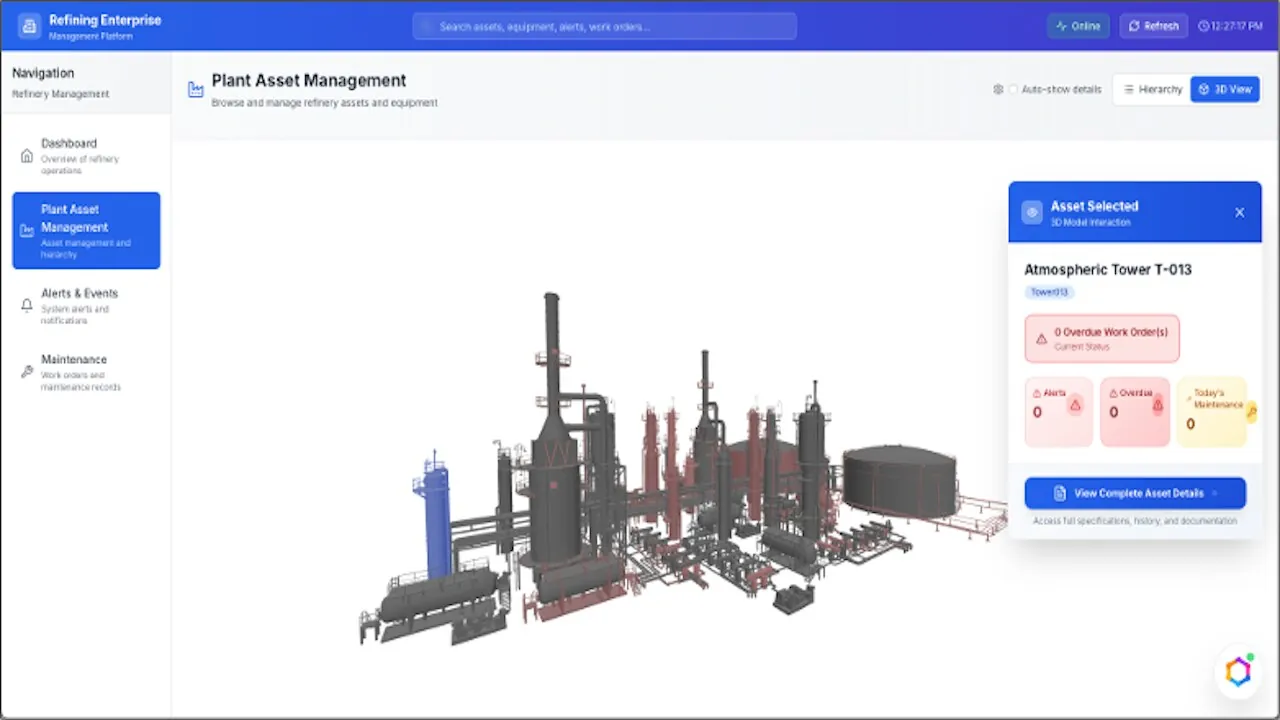
Digital Twin — “Digital Twin — AI recommendation” ghép 3D/asset hierarchy với KPI, inspection hoặc recommendation để drill down từ cấu trúc vật lý đến trạng thái vận hành.
Nguồn: Trang nguồn chính thức
B · OFFICIAL DEMO/GIF Digital Twin — current full explorer
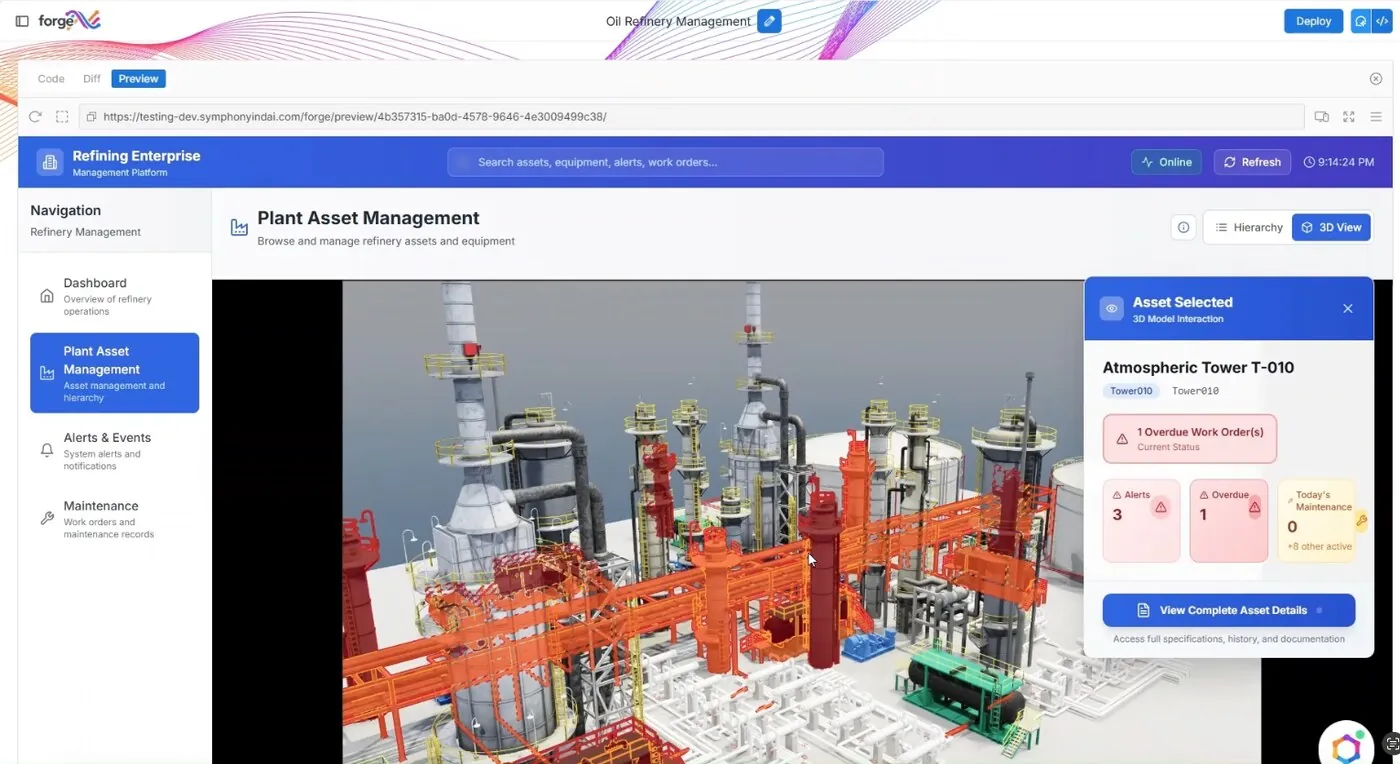
Digital Twin — “Digital Twin — current full explorer” ghép 3D/asset hierarchy với KPI, inspection hoặc recommendation để drill down từ cấu trúc vật lý đến trạng thái vận hành.
Nguồn: Trang nguồn chính thức
04E · SYMPHONYAI INDUSTRIAL · ATLAS
Digital Twin — explorer & asset states · tiếp
B · OFFICIAL DEMO/GIF Digital Twin agent — Microsoft Teams
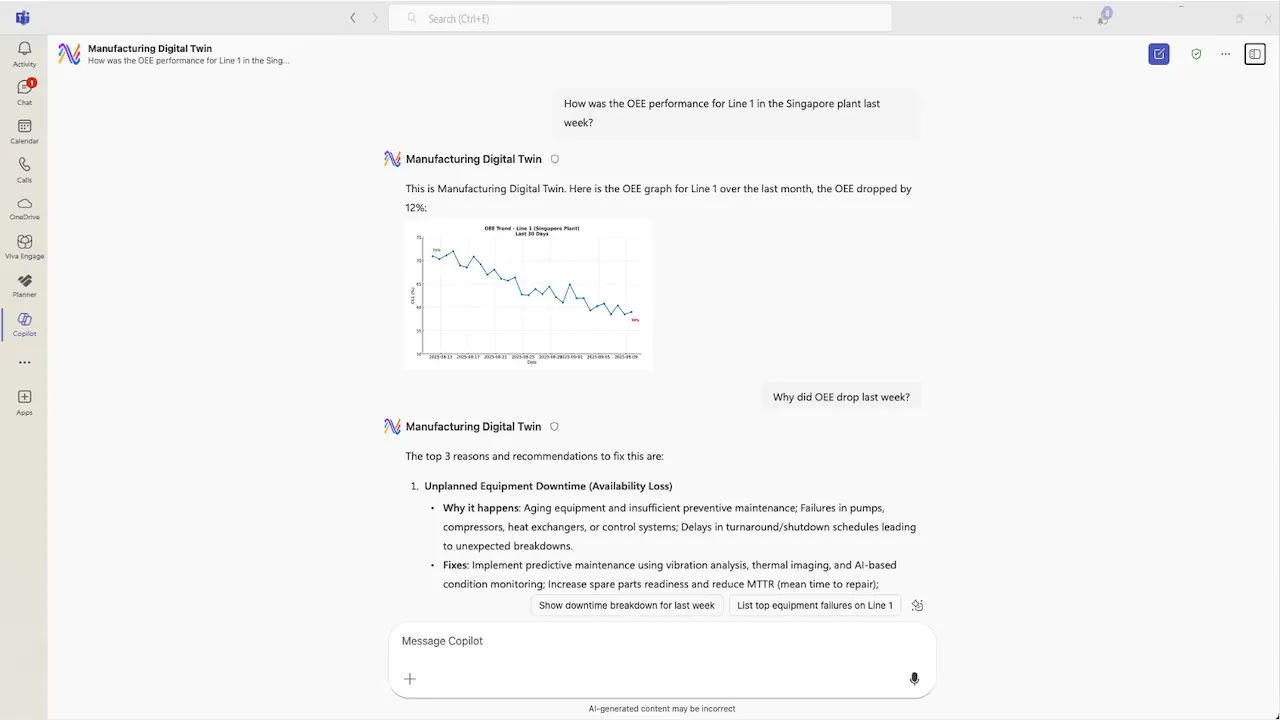
Digital Twin — “Digital Twin agent — Microsoft Teams” ghép 3D/asset hierarchy với KPI, inspection hoặc recommendation để drill down từ cấu trúc vật lý đến trạng thái vận hành.
Nguồn: Trang nguồn chính thức
B · OFFICIAL DEMO/GIF Digital Twin agent in Teams
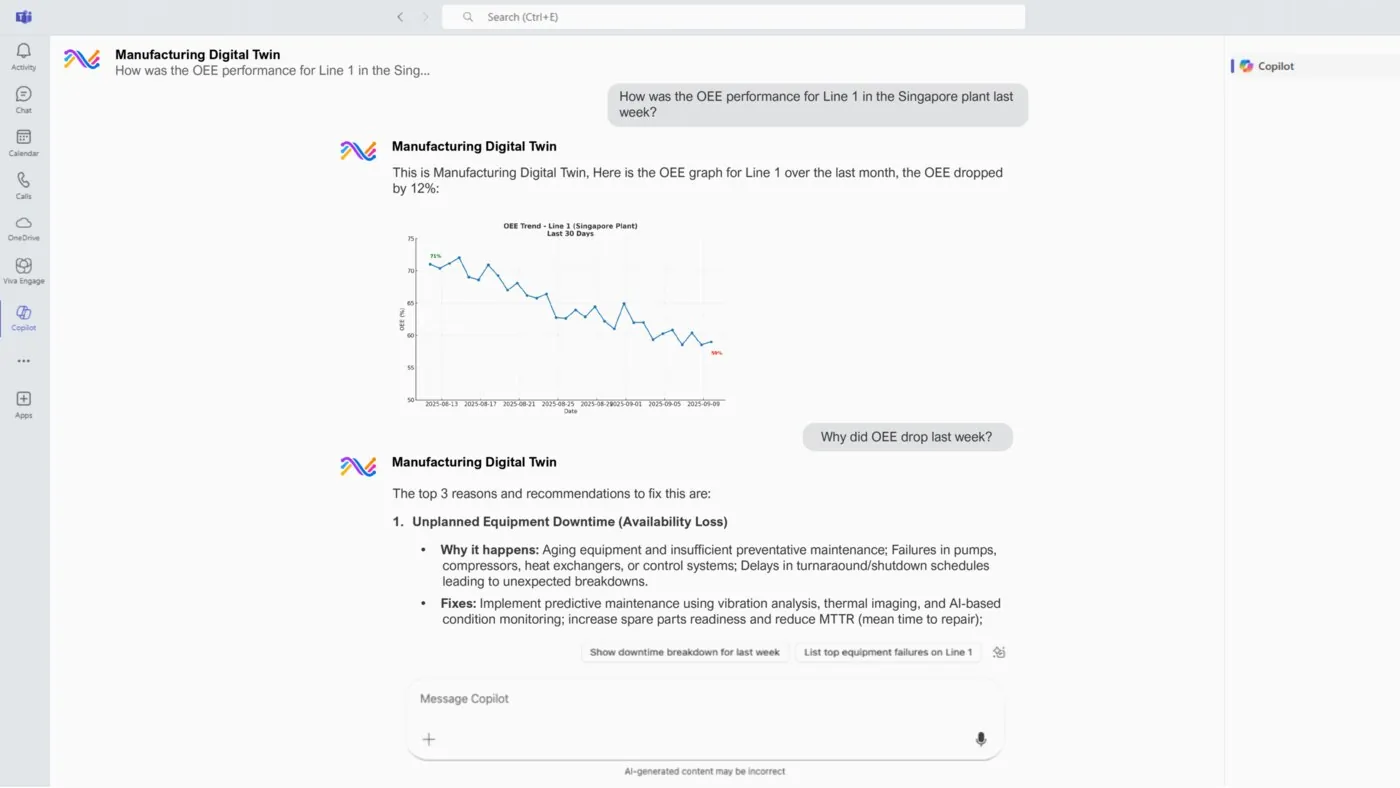
Digital Twin — “Digital Twin agent in Teams” ghép 3D/asset hierarchy với KPI, inspection hoặc recommendation để drill down từ cấu trúc vật lý đến trạng thái vận hành.
Nguồn: Trang nguồn chính thức
04F · SYMPHONYAI INDUSTRIAL · ATLAS
Industrial Knowledge Graph
Relationship views và graph context bổ sung cho asset/process intelligence.
C · UI FRAGMENT/COMPOSITE Knowledge graph
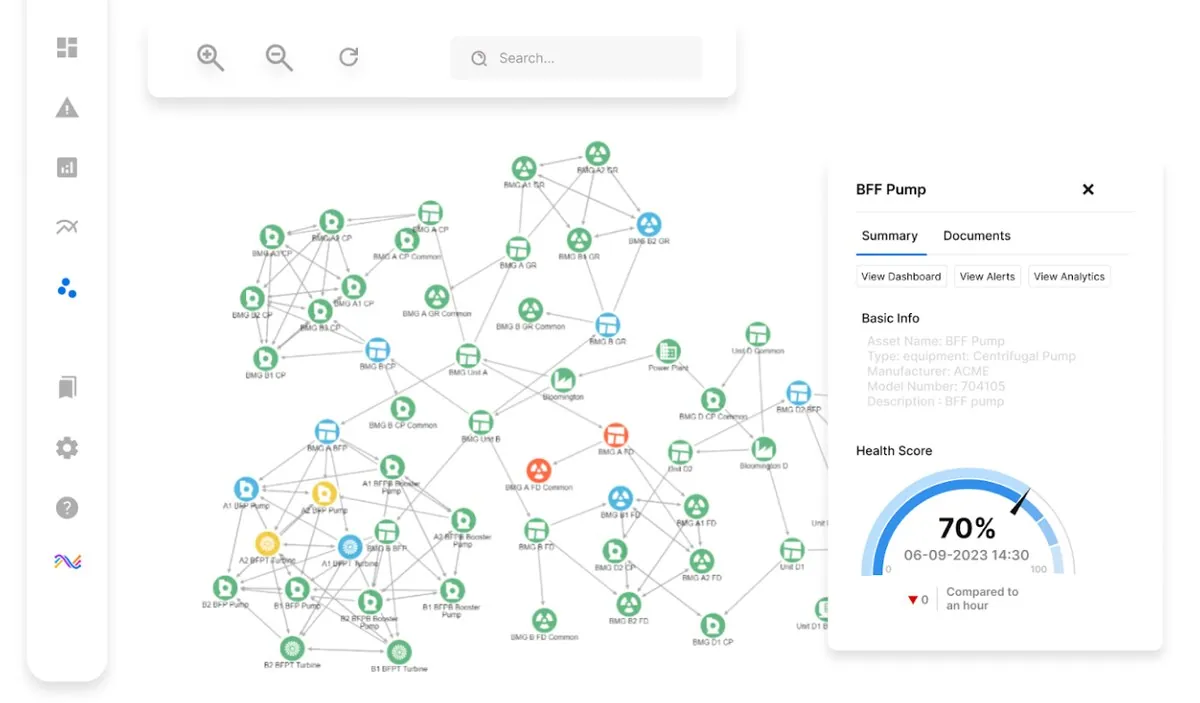
Knowledge Graph — “Knowledge graph” dùng relationship view và selected-node detail để tạo context liên asset, signal, event và process.
Nguồn: Trang nguồn chính thức
04G · SYMPHONYAI INDUSTRIAL · ATLAS
Vision AI & industrial copilots
Các state cho vision workflow/detection và Copilot đặt cạnh operational evidence. Ảnh bottle demo có Adobe Stock watermark đã bị loại.
A · FULL PRODUCT UI Vision AI — manufacturing workflow
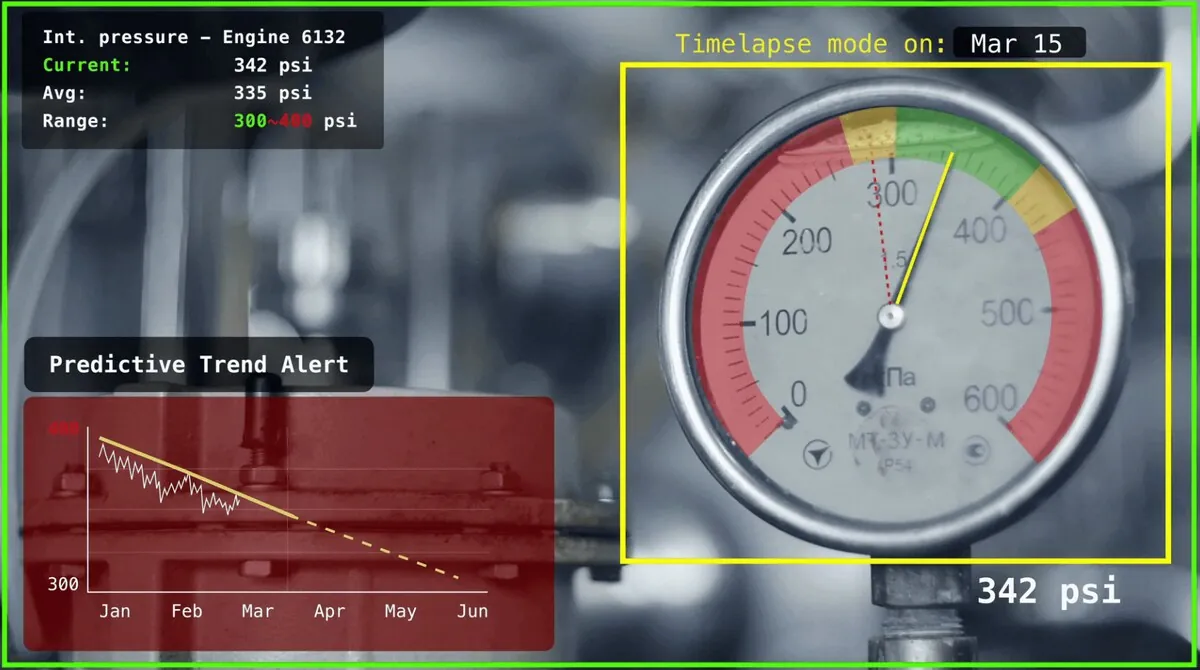
Vision AI — “Vision AI — manufacturing workflow” hiển thị image/video evidence, detection overlay hoặc workflow state để người dùng xác nhận output của model trên line.
Nguồn: Trang nguồn chính thức
A · FULL PRODUCT UI Vision AI — production workflow demo
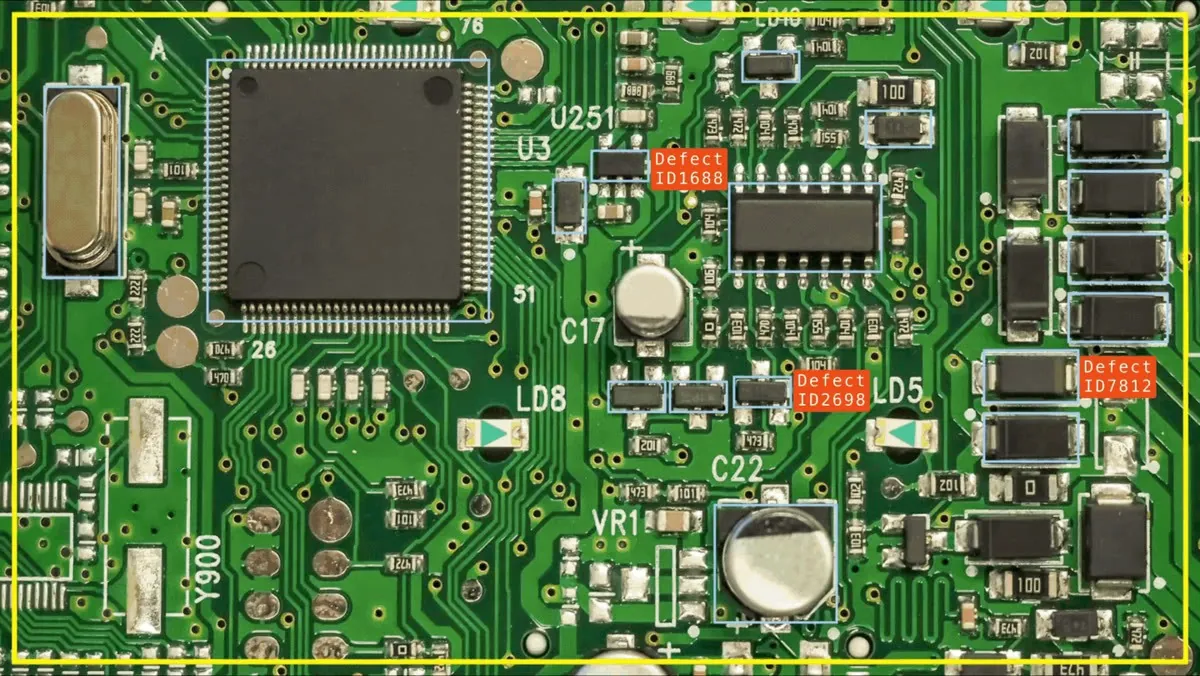
Vision AI — “Vision AI — production workflow demo” hiển thị image/video evidence, detection overlay hoặc workflow state để người dùng xác nhận output của model trên line.
Nguồn: Trang nguồn chính thức
04G · SYMPHONYAI INDUSTRIAL · ATLAS
Vision AI & industrial copilots · tiếp
A · FULL PRODUCT UI Vision AI — pipe counting & missing-item detection
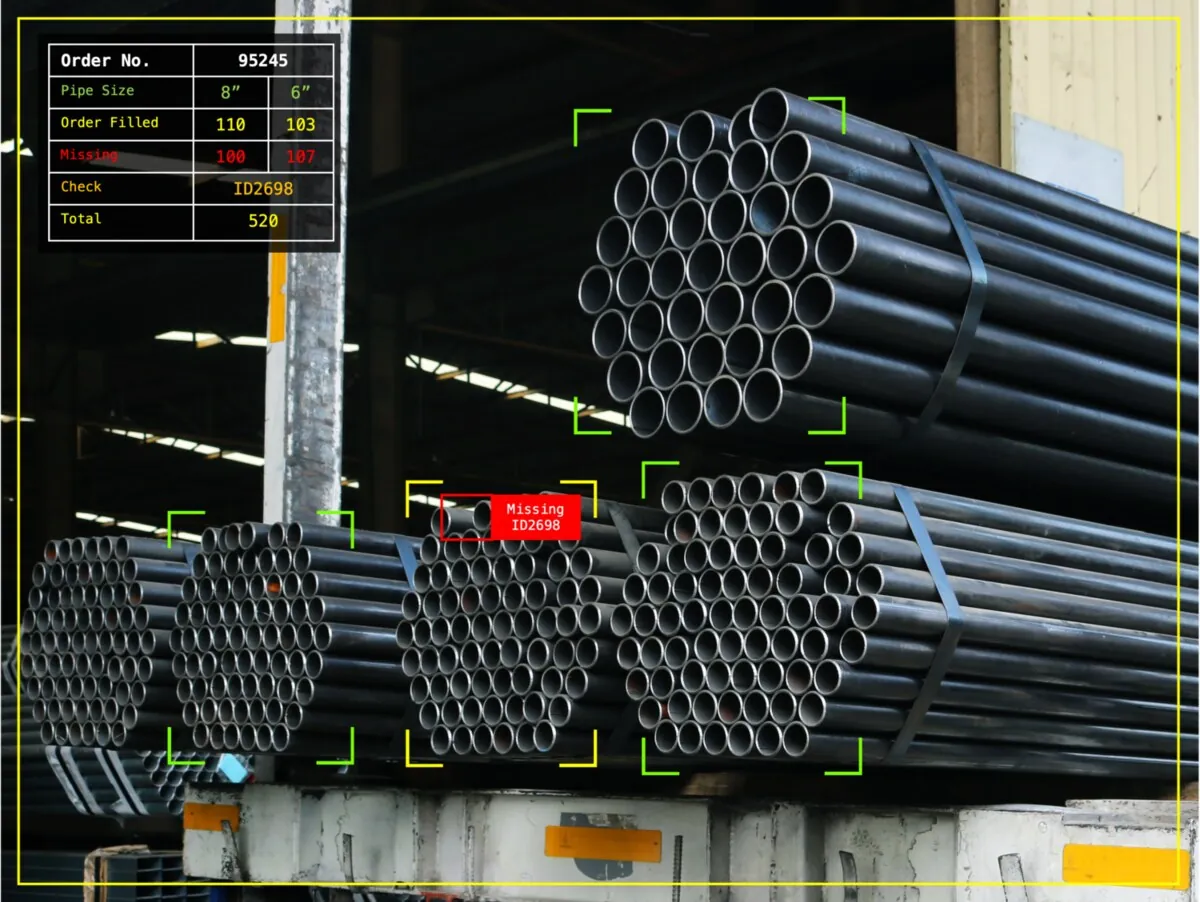
Vision AI — “Vision AI — pipe counting & missing-item detection” hiển thị image/video evidence, detection overlay hoặc workflow state để người dùng xác nhận output của model trên line.
Nguồn: Trang nguồn chính thức
C · UI FRAGMENT/COMPOSITE Connected Worker Copilot 1
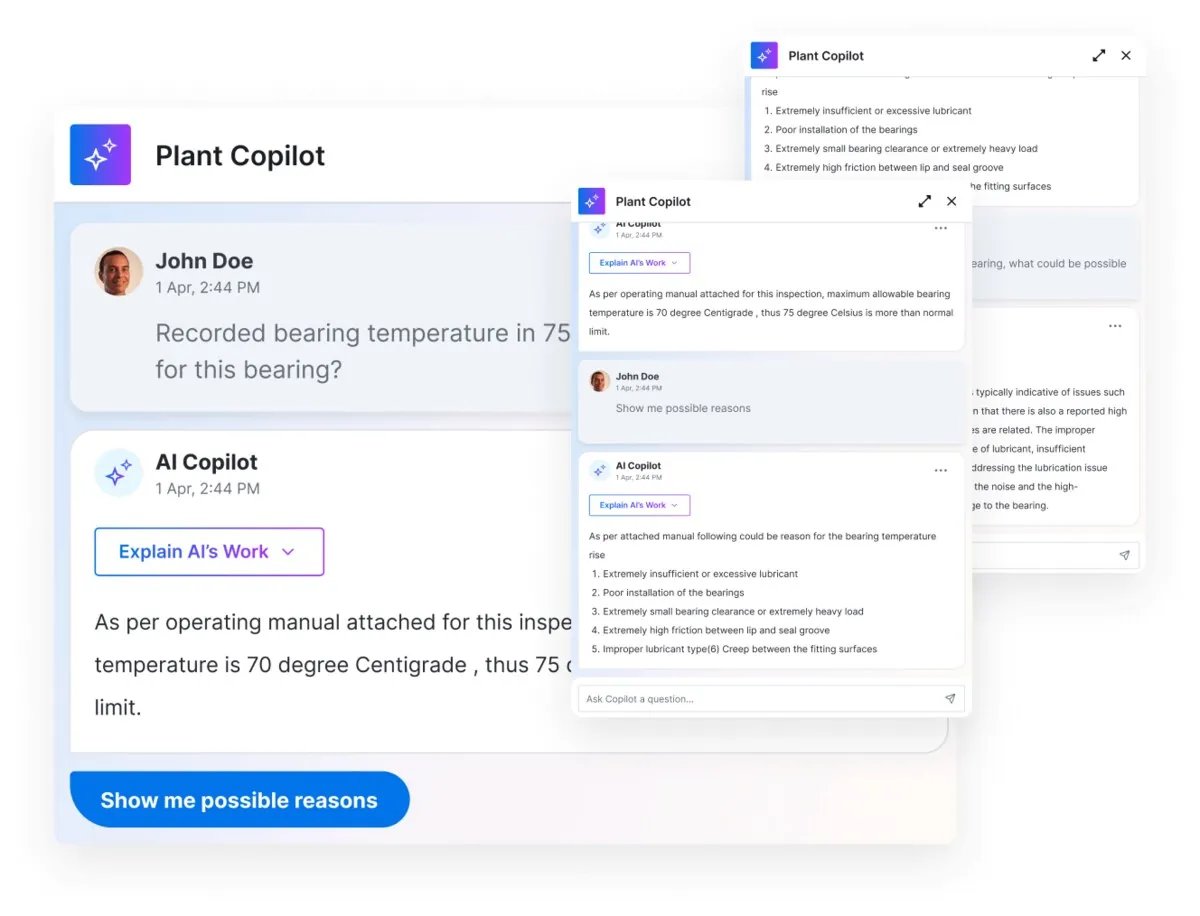
Industrial Copilot — “Connected Worker Copilot 1” đặt explanation/recommendation cạnh operational evidence; chat là một panel theo context, không phải một sản phẩm tách rời.
Nguồn: Trang nguồn chính thức
04G · SYMPHONYAI INDUSTRIAL · ATLAS
Vision AI & industrial copilots · tiếp
C · UI FRAGMENT/COMPOSITE Industrial Copilot — persona states
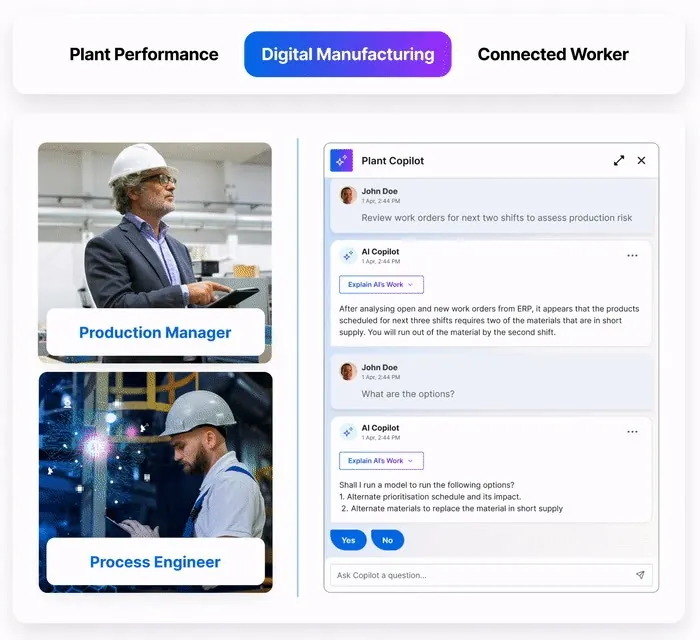
Industrial Copilot — “Industrial Copilot — persona states” đặt explanation/recommendation cạnh operational evidence; chat là một panel theo context, không phải một sản phẩm tách rời.
Nguồn: Trang nguồn chính thức
04H · SYMPHONYAI INDUSTRIAL · ATLAS
Connected Worker — work execution
Checklist, DWI, inspection, photo/video, compliance, full Plant Copilot và frontline work list.
C · UI FRAGMENT/COMPOSITE UNS application — manufacturing workflow intelligence
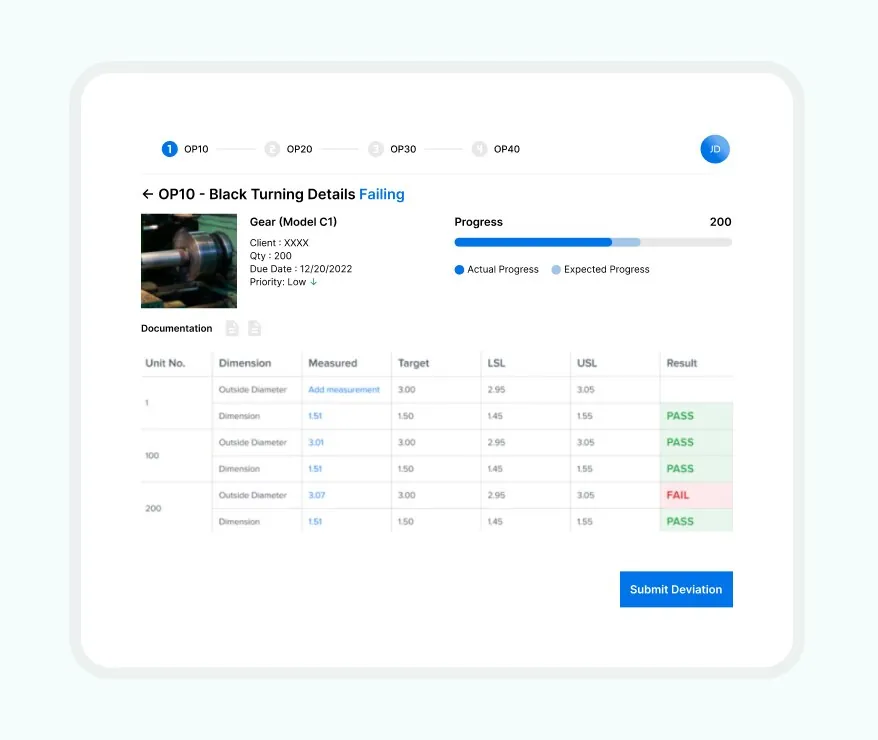
Connected Worker — “UNS application — manufacturing workflow intelligence” chuyển SOP, checklist, alert, media capture hoặc Copilot guidance thành task execution có trạng thái và audit trail tại hiện trường.
Nguồn: Trang nguồn chính thức
C · UI FRAGMENT/COMPOSITE UNS application — Connected Worker
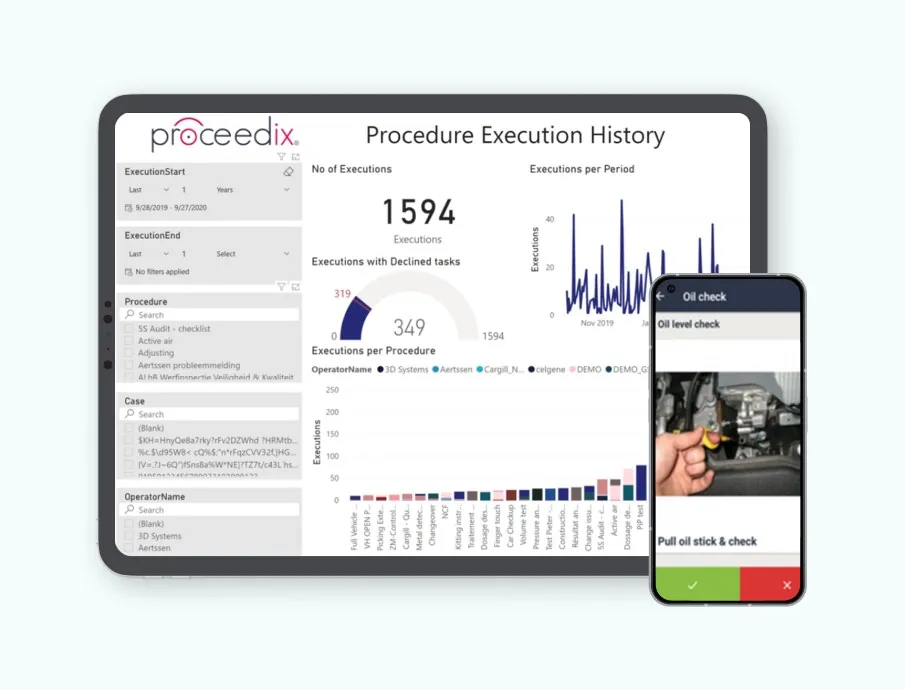
Connected Worker — “UNS application — Connected Worker” chuyển SOP, checklist, alert, media capture hoặc Copilot guidance thành task execution có trạng thái và audit trail tại hiện trường.
Nguồn: Trang nguồn chính thức
04H · SYMPHONYAI INDUSTRIAL · ATLAS
Connected Worker — work execution · tiếp
C · UI FRAGMENT/COMPOSITE Connected Worker — execution history
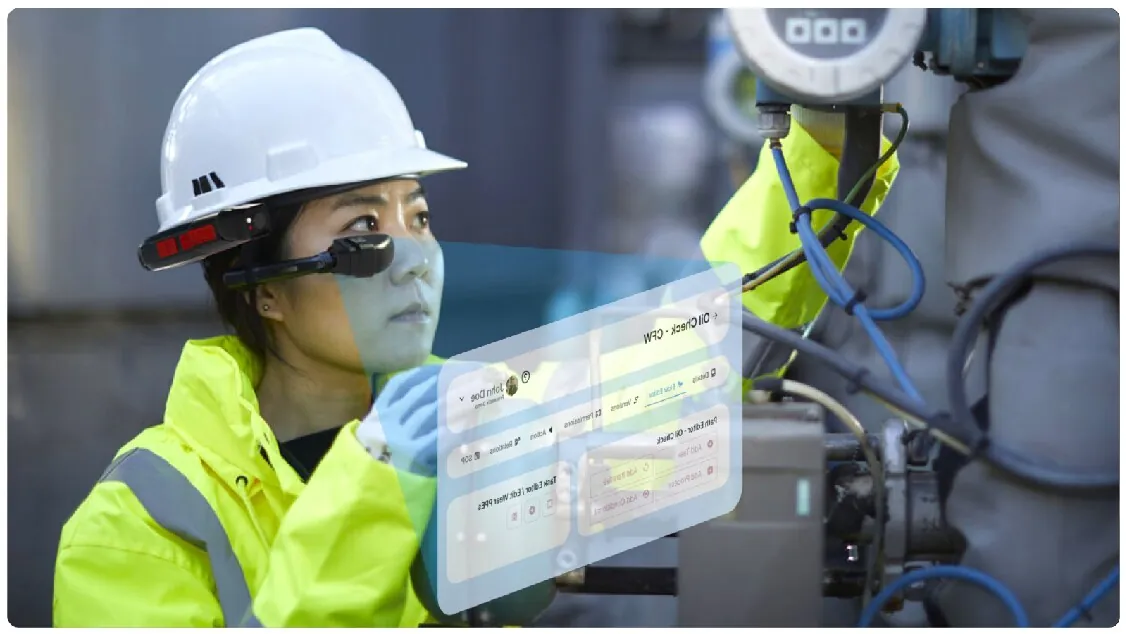
Connected Worker — “Connected Worker — execution history” chuyển SOP, checklist, alert, media capture hoặc Copilot guidance thành task execution có trạng thái và audit trail tại hiện trường.
Nguồn: Trang nguồn chính thức
C · UI FRAGMENT/COMPOSITE Connected Worker — bearing inspection
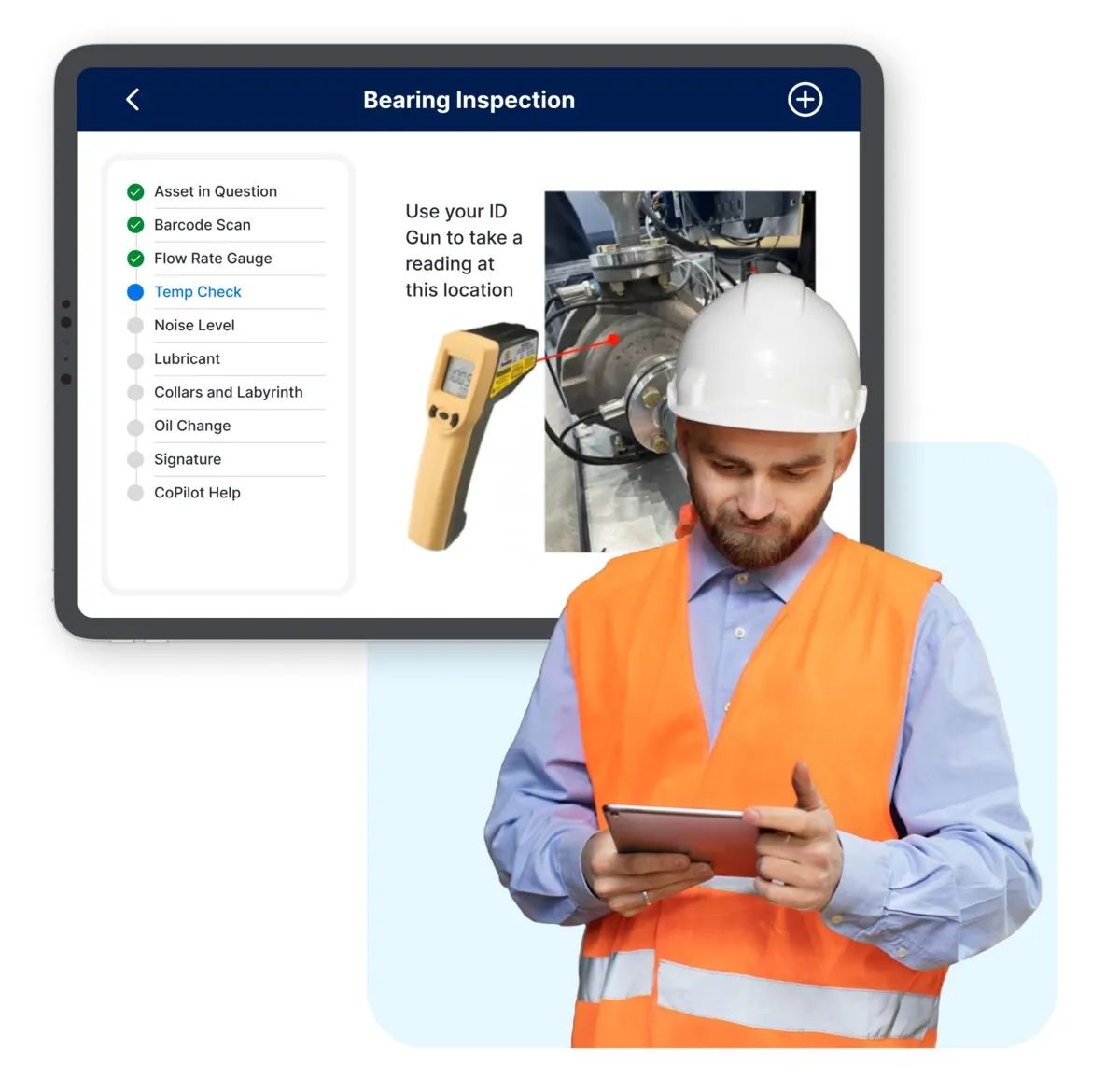
Connected Worker — “Connected Worker — bearing inspection” chuyển SOP, checklist, alert, media capture hoặc Copilot guidance thành task execution có trạng thái và audit trail tại hiện trường.
Nguồn: Trang nguồn chính thức
04H · SYMPHONYAI INDUSTRIAL · ATLAS
Connected Worker — work execution · tiếp
C · UI FRAGMENT/COMPOSITE Connected Worker — photo & video evidence
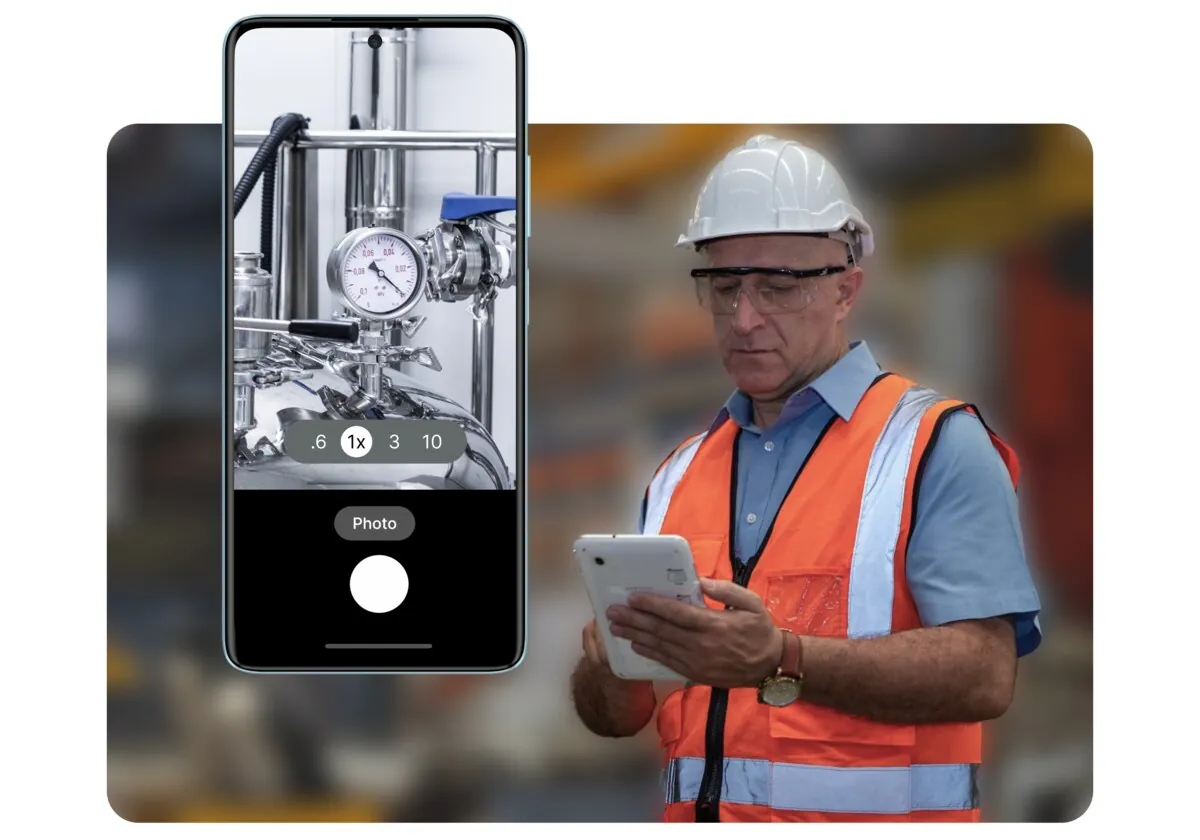
Connected Worker — “Connected Worker — photo & video evidence” chuyển SOP, checklist, alert, media capture hoặc Copilot guidance thành task execution có trạng thái và audit trail tại hiện trường.
Nguồn: Trang nguồn chính thức
C · UI FRAGMENT/COMPOSITE Digital inspection — automated checklists
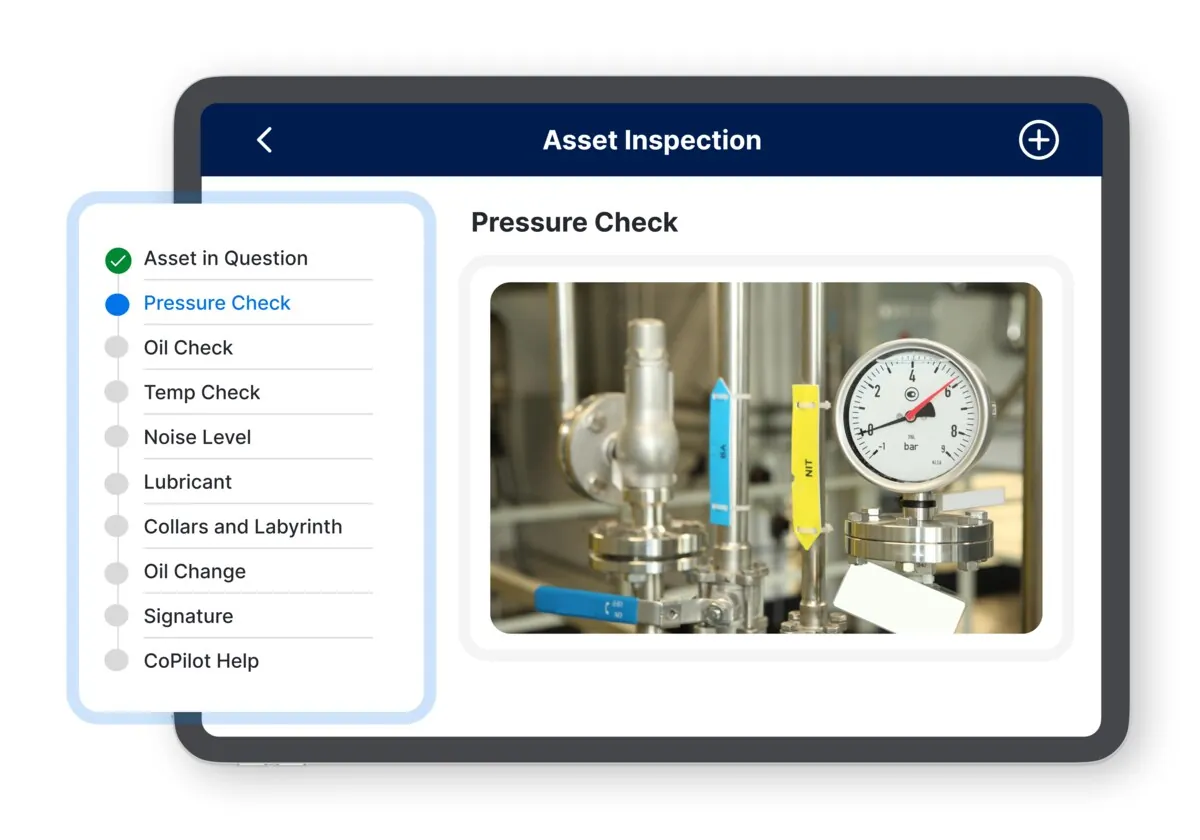
Connected Worker — “Digital inspection — automated checklists” chuyển SOP, checklist, alert, media capture hoặc Copilot guidance thành task execution có trạng thái và audit trail tại hiện trường.
Nguồn: Trang nguồn chính thức
04H · SYMPHONYAI INDUSTRIAL · ATLAS
Connected Worker — work execution · tiếp
C · UI FRAGMENT/COMPOSITE Digital inspection — compliance state
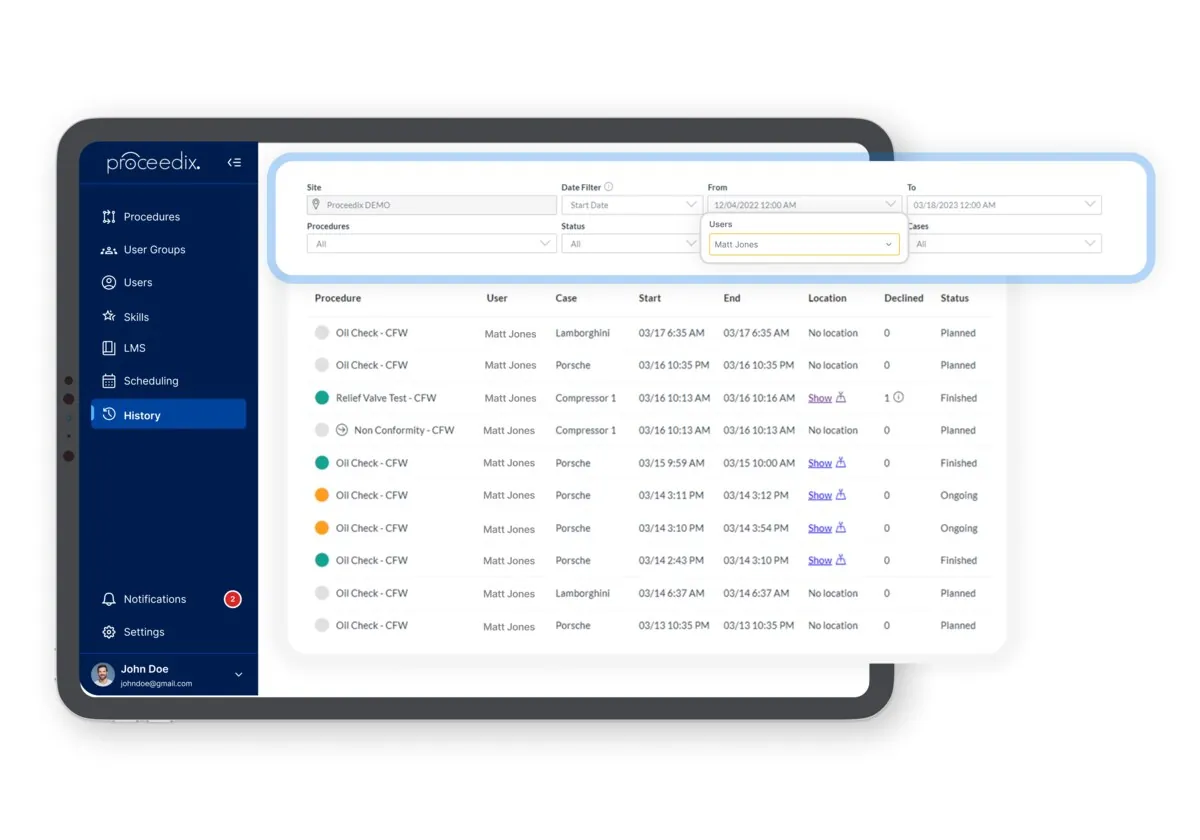
Connected Worker — “Digital inspection — compliance state” chuyển SOP, checklist, alert, media capture hoặc Copilot guidance thành task execution có trạng thái và audit trail tại hiện trường.
Nguồn: Trang nguồn chính thức
C · UI FRAGMENT/COMPOSITE Digital inspection — data analysis
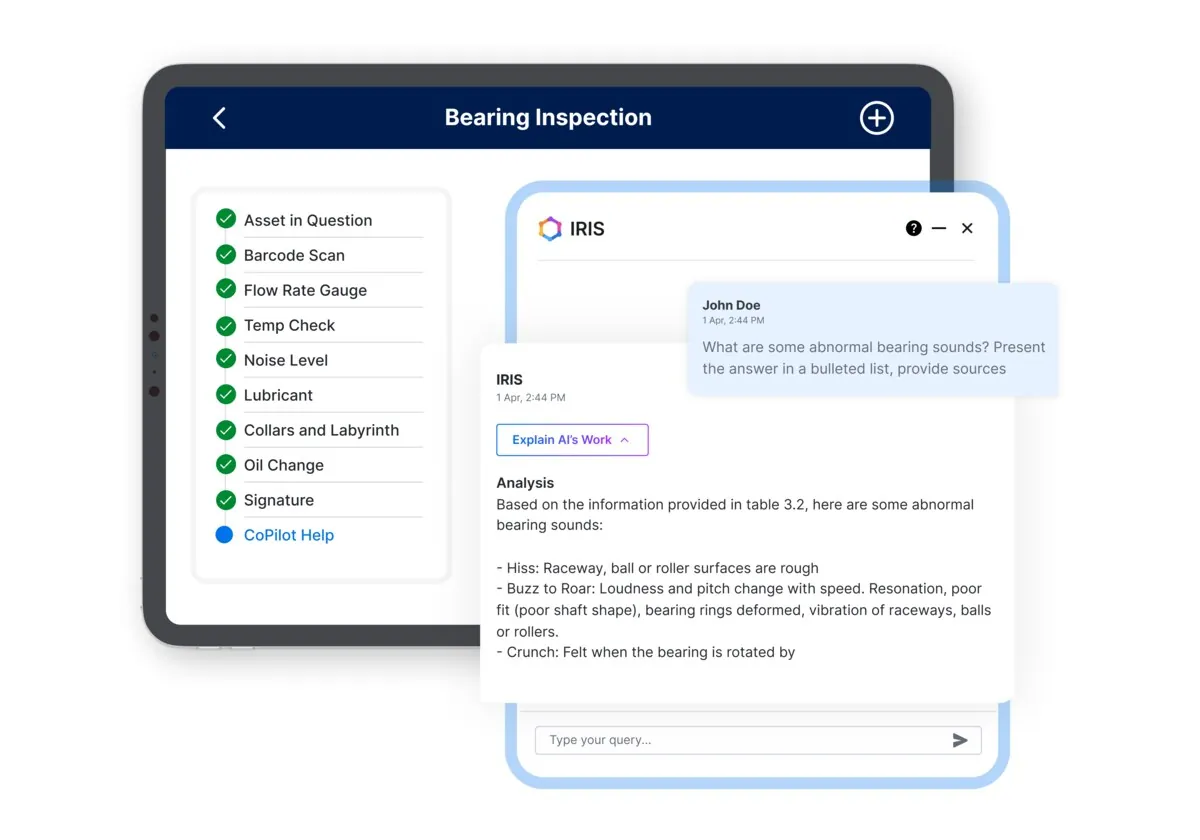
Connected Worker — “Digital inspection — data analysis” chuyển SOP, checklist, alert, media capture hoặc Copilot guidance thành task execution có trạng thái và audit trail tại hiện trường.
Nguồn: Trang nguồn chính thức
04H · SYMPHONYAI INDUSTRIAL · ATLAS
Connected Worker — work execution · tiếp
C · UI FRAGMENT/COMPOSITE Digital inspection — hands-free mode
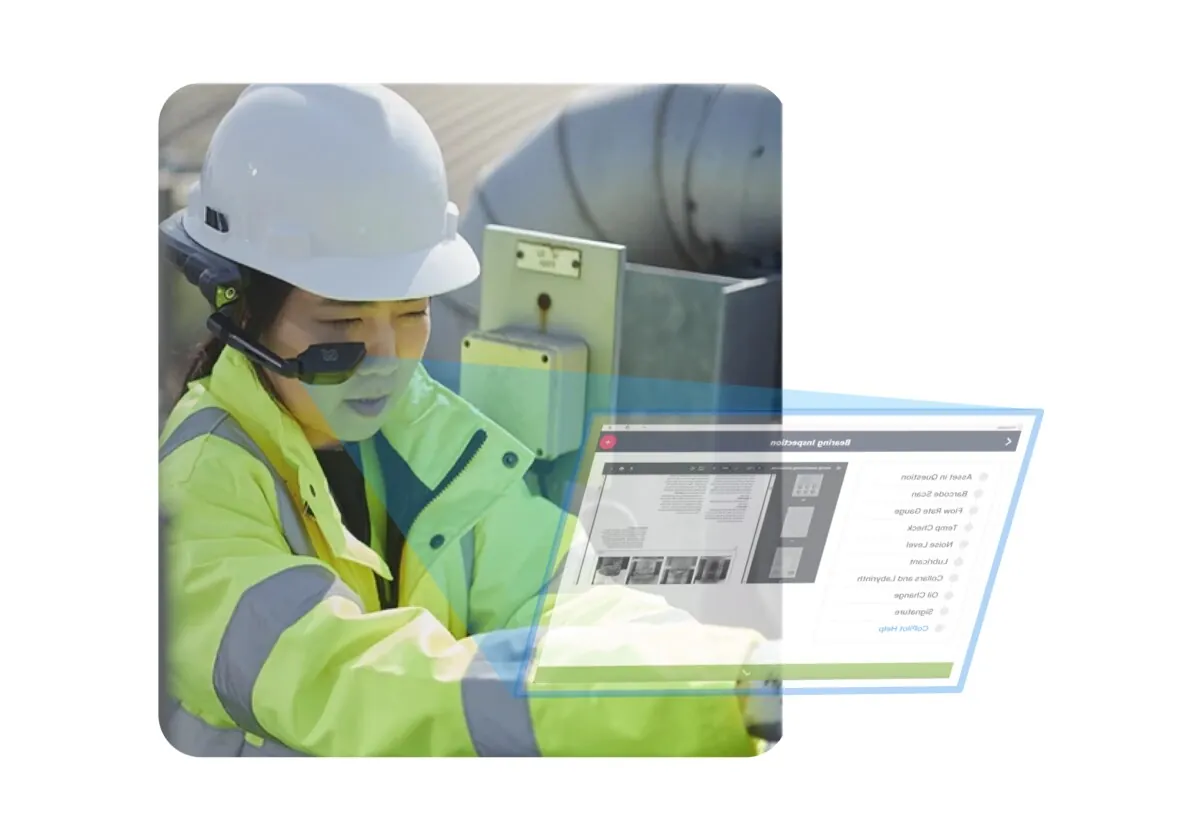
Connected Worker — “Digital inspection — hands-free mode” chuyển SOP, checklist, alert, media capture hoặc Copilot guidance thành task execution có trạng thái và audit trail tại hiện trường.
Nguồn: Trang nguồn chính thức
C · UI FRAGMENT/COMPOSITE Digital inspection — modernized process
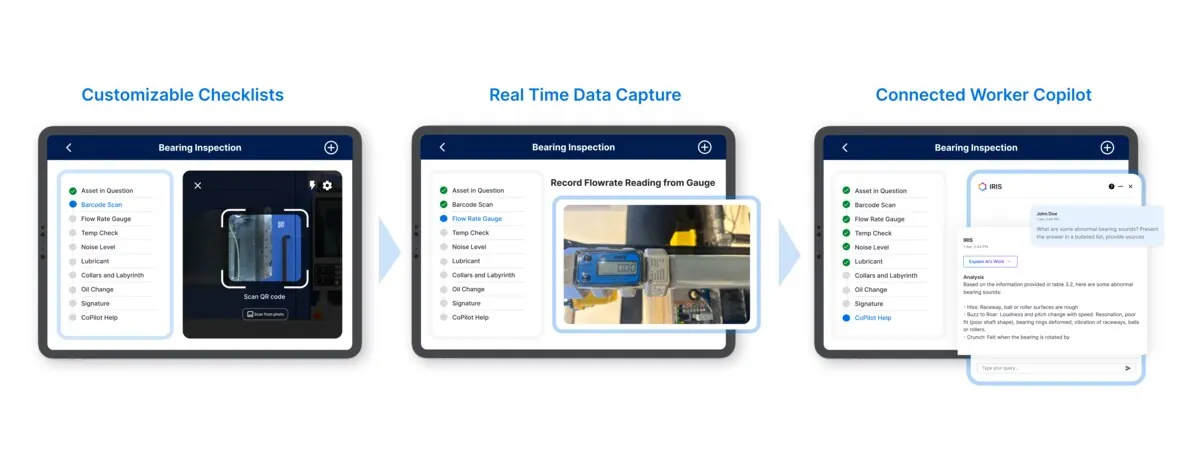
Connected Worker — “Digital inspection — modernized process” chuyển SOP, checklist, alert, media capture hoặc Copilot guidance thành task execution có trạng thái và audit trail tại hiện trường.
Nguồn: Trang nguồn chính thức
04H · SYMPHONYAI INDUSTRIAL · ATLAS
Connected Worker — work execution · tiếp
C · UI FRAGMENT/COMPOSITE Digital work instruction — paper-to-digital
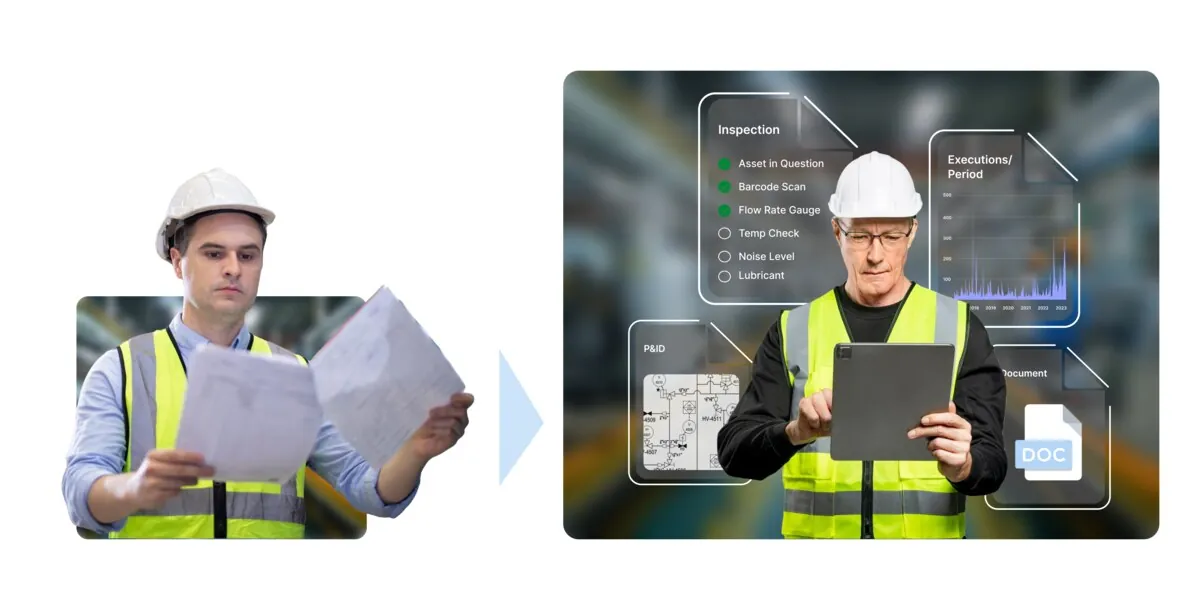
Connected Worker — “Digital work instruction — paper-to-digital” chuyển SOP, checklist, alert, media capture hoặc Copilot guidance thành task execution có trạng thái và audit trail tại hiện trường.
Nguồn: Trang nguồn chính thức
C · UI FRAGMENT/COMPOSITE Digital work instruction — self-service templates
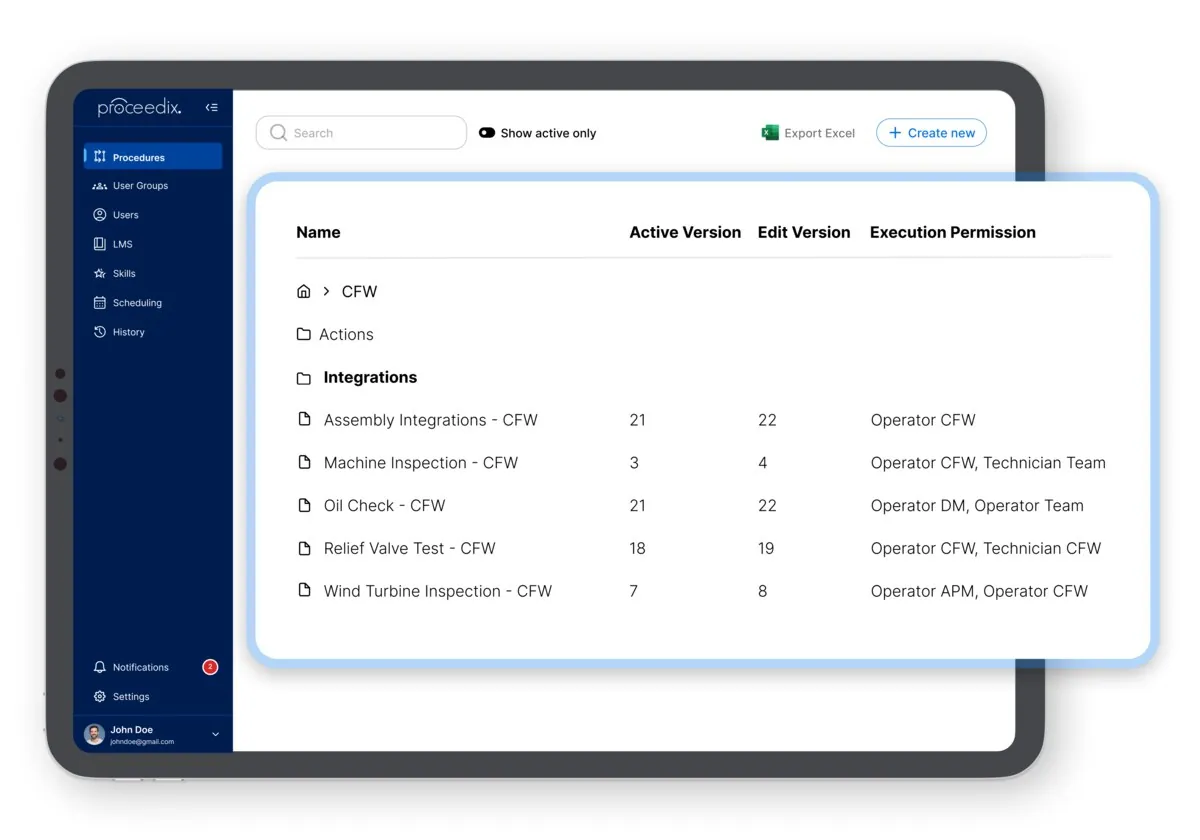
Connected Worker — “Digital work instruction — self-service templates” chuyển SOP, checklist, alert, media capture hoặc Copilot guidance thành task execution có trạng thái và audit trail tại hiện trường.
Nguồn: Trang nguồn chính thức
04H · SYMPHONYAI INDUSTRIAL · ATLAS
Connected Worker — work execution · tiếp
C · UI FRAGMENT/COMPOSITE Digital work instruction — real-time updates
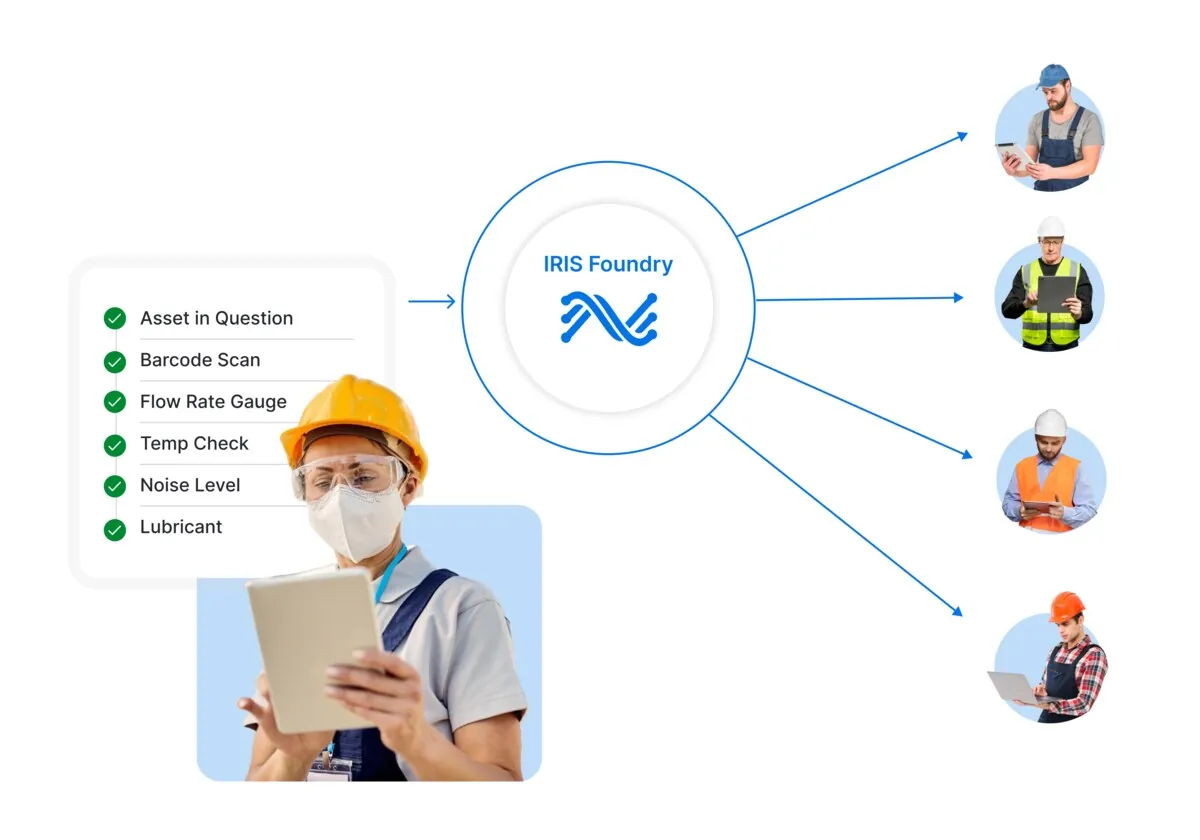
Connected Worker — “Digital work instruction — real-time updates” chuyển SOP, checklist, alert, media capture hoặc Copilot guidance thành task execution có trạng thái và audit trail tại hiện trường.
Nguồn: Trang nguồn chính thức
C · UI FRAGMENT/COMPOSITE Digital work instruction — integration layer
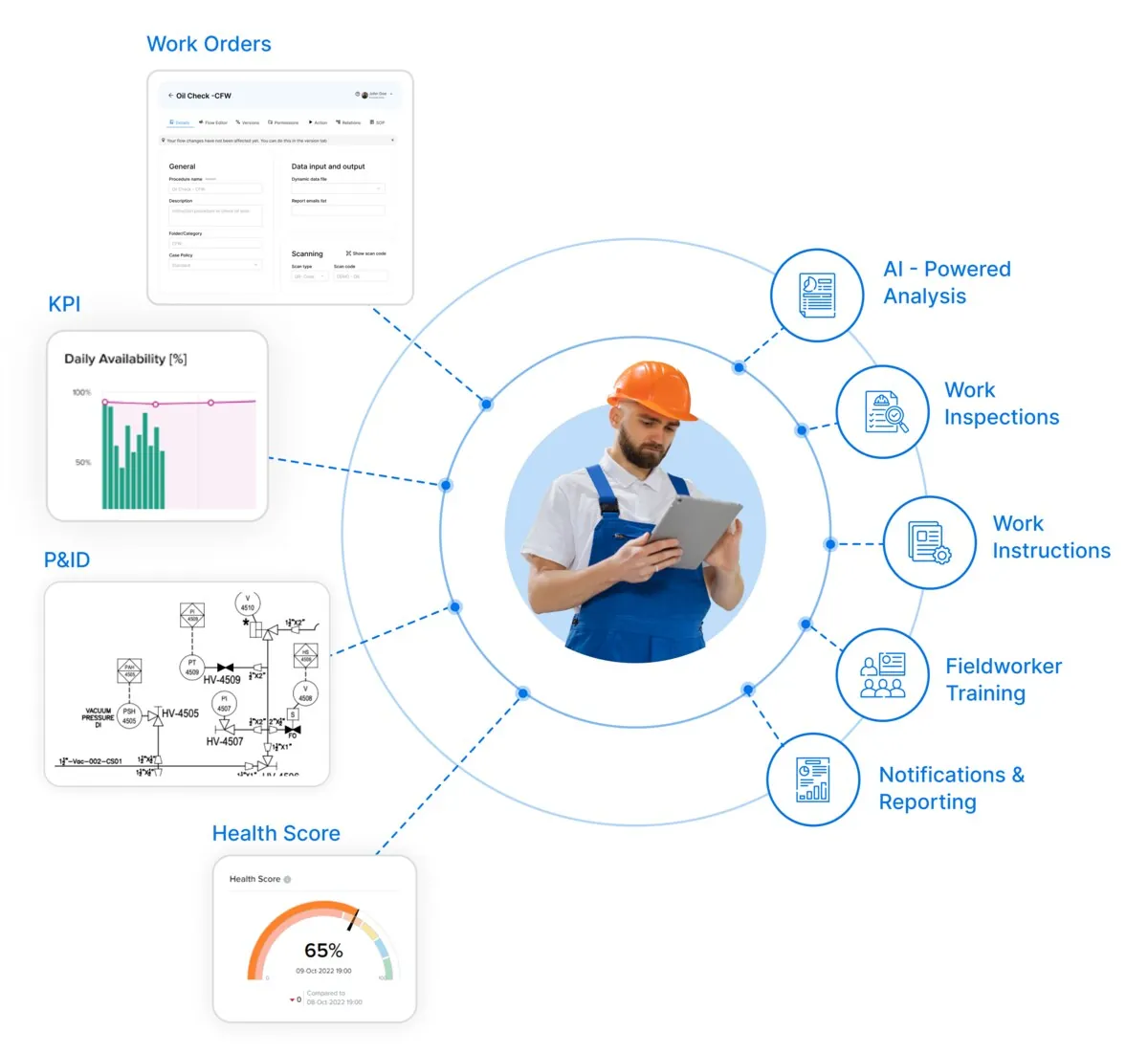
Connected Worker — “Digital work instruction — integration layer” chuyển SOP, checklist, alert, media capture hoặc Copilot guidance thành task execution có trạng thái và audit trail tại hiện trường.
Nguồn: Trang nguồn chính thức
04H · SYMPHONYAI INDUSTRIAL · ATLAS
Connected Worker — work execution · tiếp
C · UI FRAGMENT/COMPOSITE Connected Worker — procedure audit report
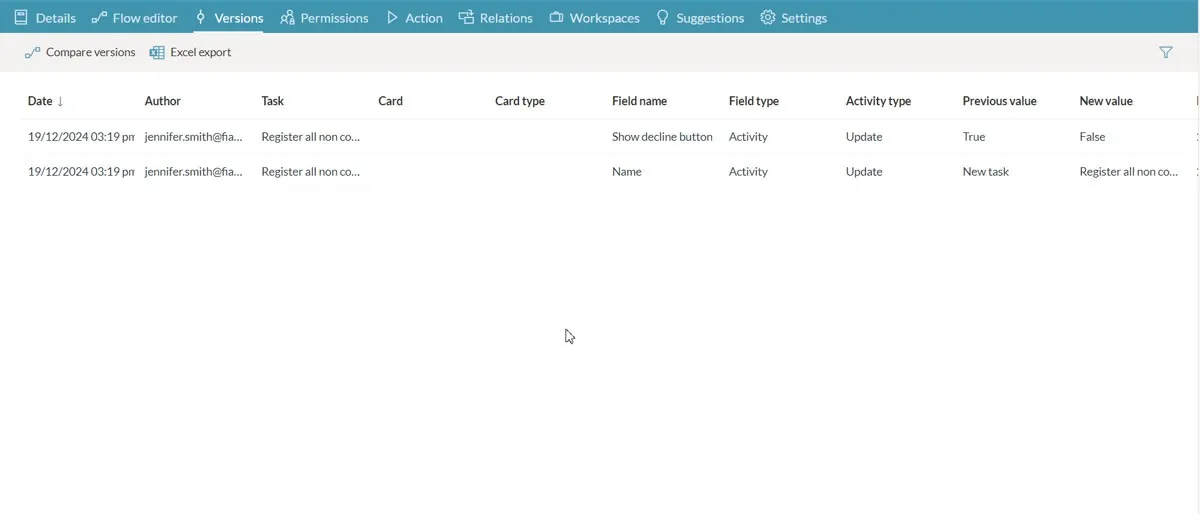
Connected Worker — “Connected Worker — procedure audit report” chuyển SOP, checklist, alert, media capture hoặc Copilot guidance thành task execution có trạng thái và audit trail tại hiện trường.
Nguồn: Trang nguồn chính thức
C · UI FRAGMENT/COMPOSITE Connected Worker — operator feedback
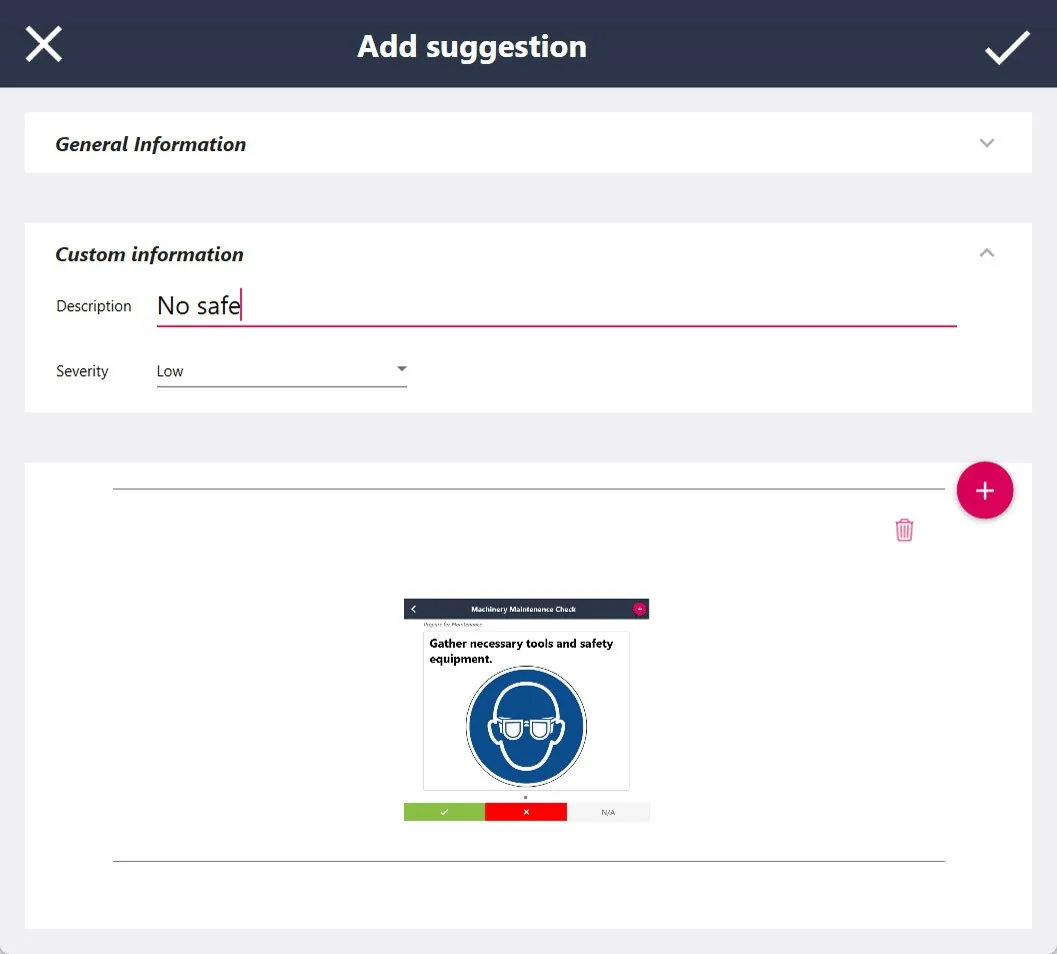
Connected Worker — “Connected Worker — operator feedback” chuyển SOP, checklist, alert, media capture hoặc Copilot guidance thành task execution có trạng thái và audit trail tại hiện trường.
Nguồn: Trang nguồn chính thức
04H · SYMPHONYAI INDUSTRIAL · ATLAS
Connected Worker — work execution · tiếp
C · UI FRAGMENT/COMPOSITE Digital work instruction — execution composite
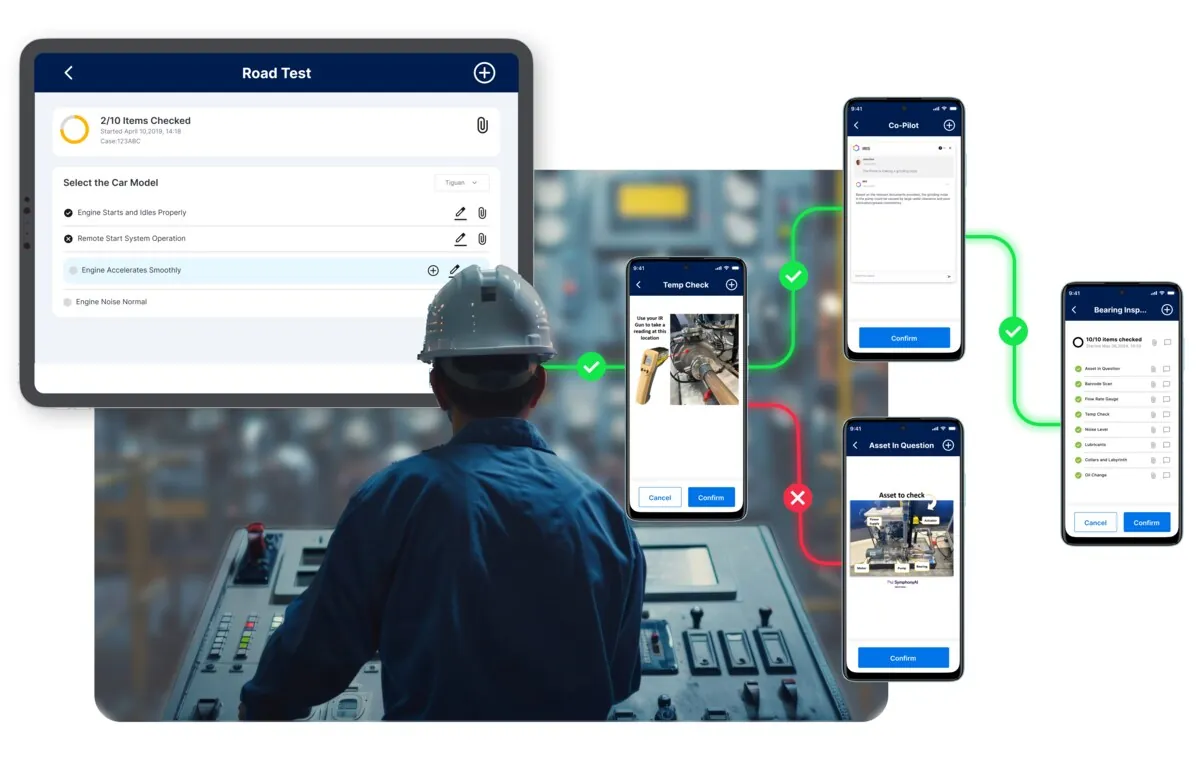
Connected Worker — “Digital work instruction — execution composite” chuyển SOP, checklist, alert, media capture hoặc Copilot guidance thành task execution có trạng thái và audit trail tại hiện trường.
Nguồn: Trang nguồn chính thức
C · UI FRAGMENT/COMPOSITE Connected Worker — device workflow composite
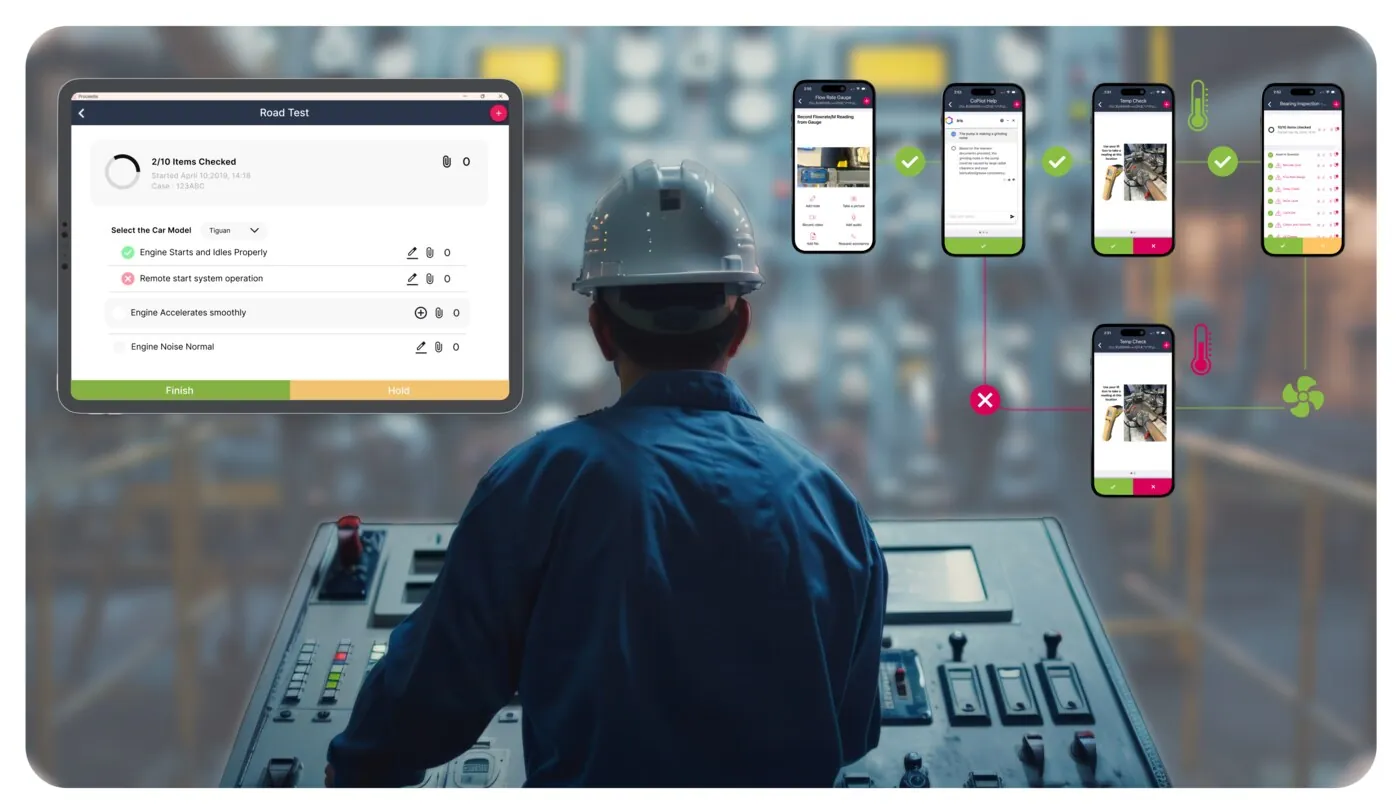
Connected Worker — “Connected Worker — device workflow composite” chuyển SOP, checklist, alert, media capture hoặc Copilot guidance thành task execution có trạng thái và audit trail tại hiện trường.
Nguồn: Trang nguồn chính thức
04H · SYMPHONYAI INDUSTRIAL · ATLAS
Connected Worker — work execution · tiếp
A · FULL PRODUCT UI Connected Worker — Plant Copilot chat
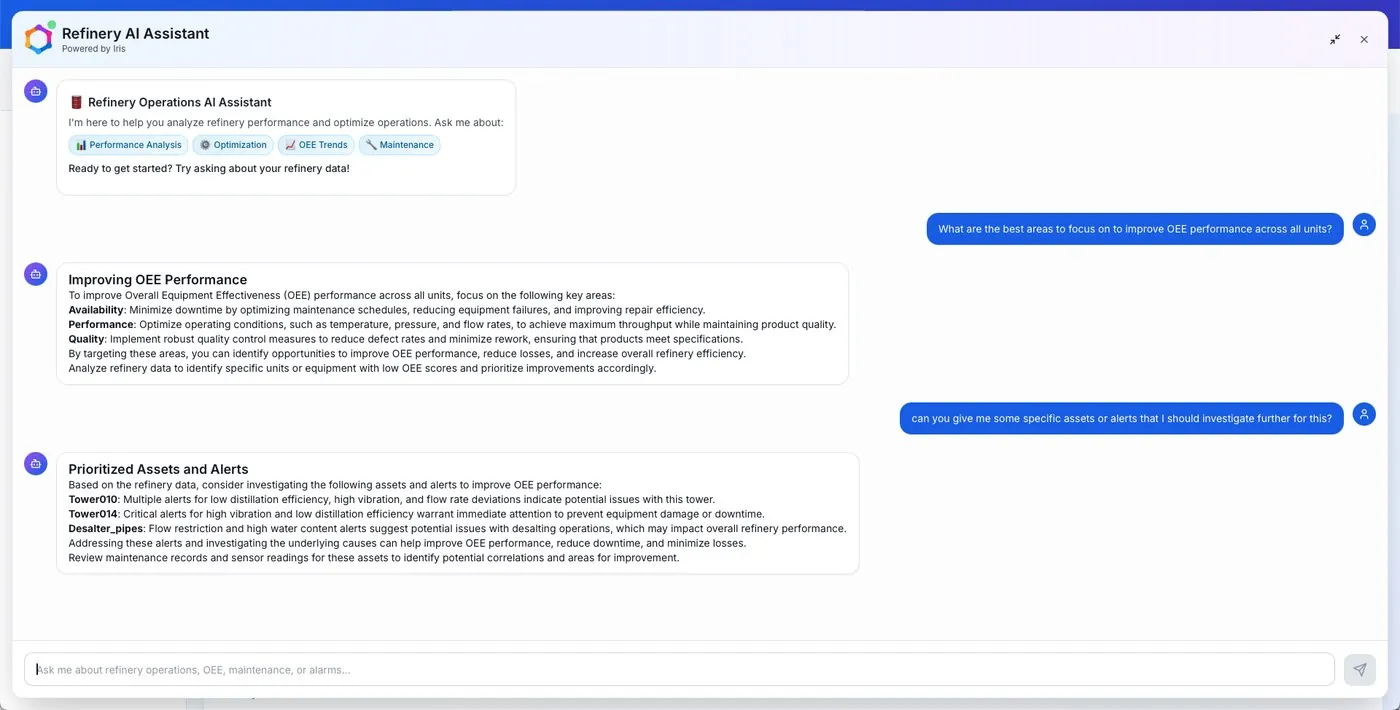
Connected Worker — “Connected Worker — Plant Copilot chat” chuyển SOP, checklist, alert, media capture hoặc Copilot guidance thành task execution có trạng thái và audit trail tại hiện trường.
Nguồn: Trang nguồn chính thức
A · FULL PRODUCT UI Connected Worker — work list, alerts & Copilot
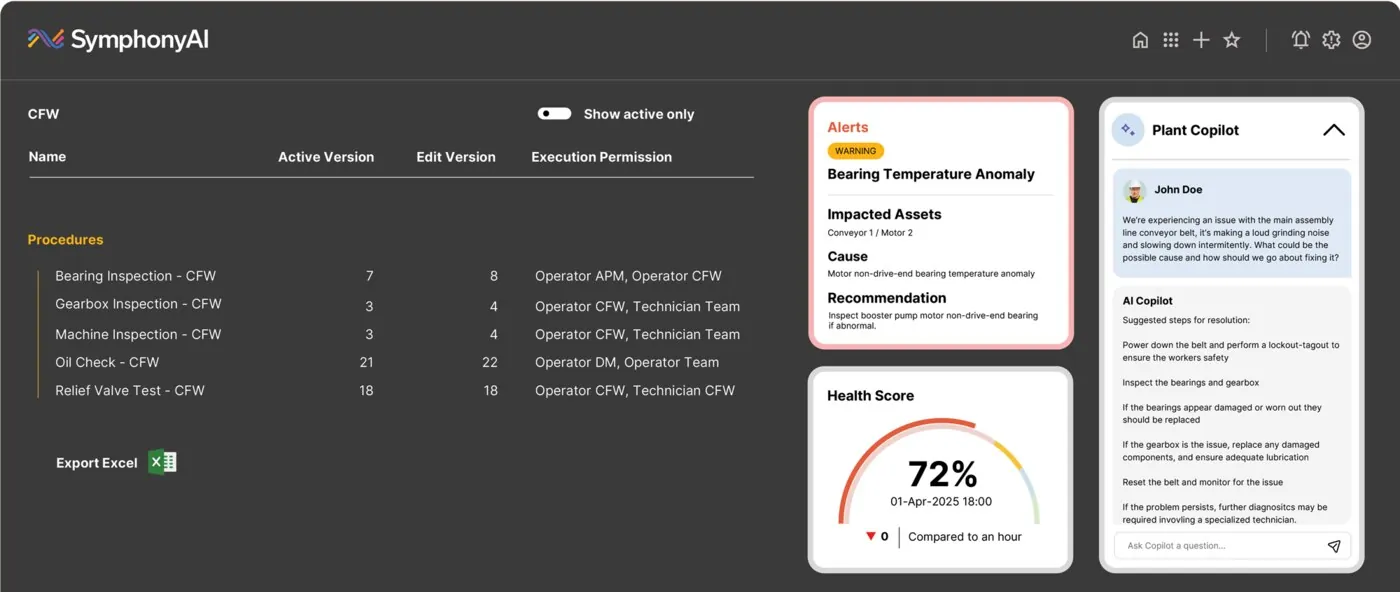
Connected Worker — “Connected Worker — work list, alerts & Copilot” chuyển SOP, checklist, alert, media capture hoặc Copilot guidance thành task execution có trạng thái và audit trail tại hiện trường.
Nguồn: Trang nguồn chính thức
04I · SYMPHONYAI INDUSTRIAL · ATLAS
Connected Worker — skills & learning
LMS/skills surfaces nối task execution với workforce readiness. Ảnh worker stock không có UI đã bị loại.
C · UI FRAGMENT/COMPOSITE Skills — course assignment
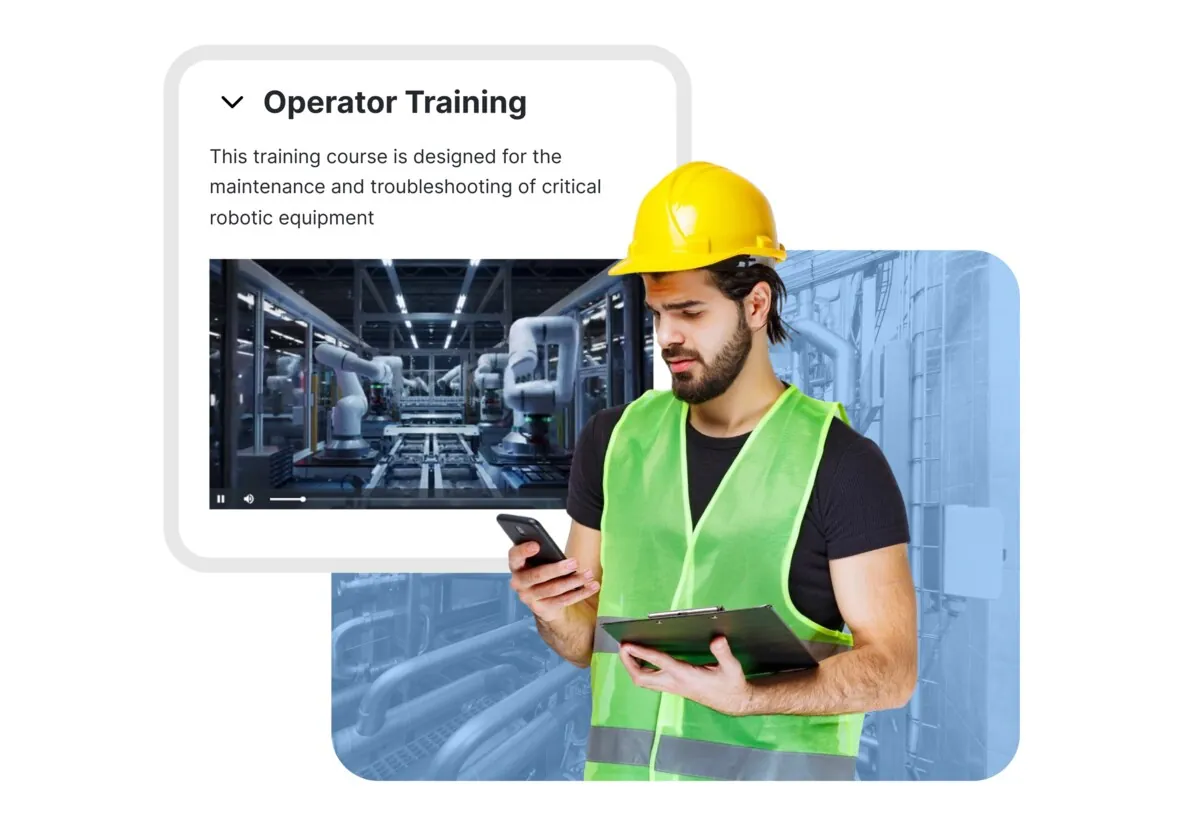
Skills/LMS view “Skills — course assignment” nối course, competency và role coverage để quản lý readiness của workforce; một số ảnh là marketing composite chứa UI crop.
Nguồn: Trang nguồn chính thức
C · UI FRAGMENT/COMPOSITE Skills matrix — role coverage
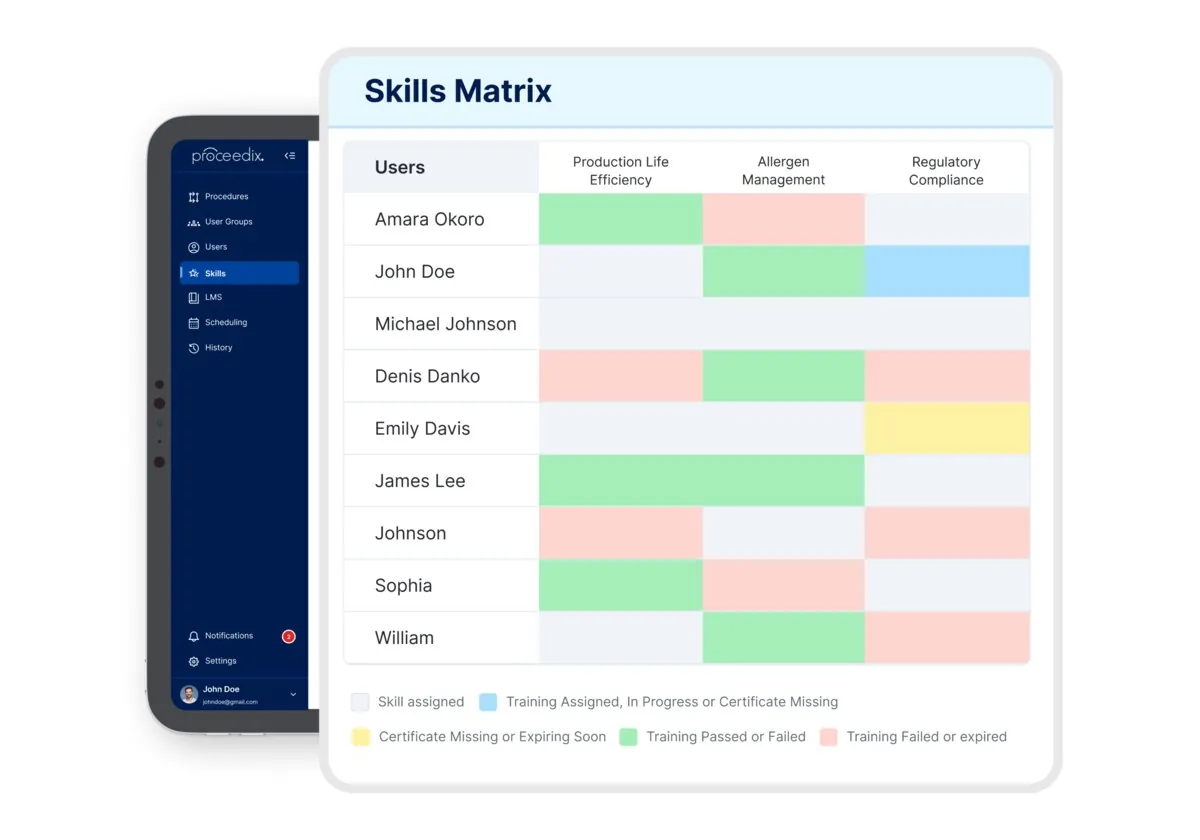
Skills/LMS view “Skills matrix — role coverage” nối course, competency và role coverage để quản lý readiness của workforce; một số ảnh là marketing composite chứa UI crop.
Nguồn: Trang nguồn chính thức
04I · SYMPHONYAI INDUSTRIAL · ATLAS
Connected Worker — skills & learning · tiếp
C · UI FRAGMENT/COMPOSITE LMS — course catalog
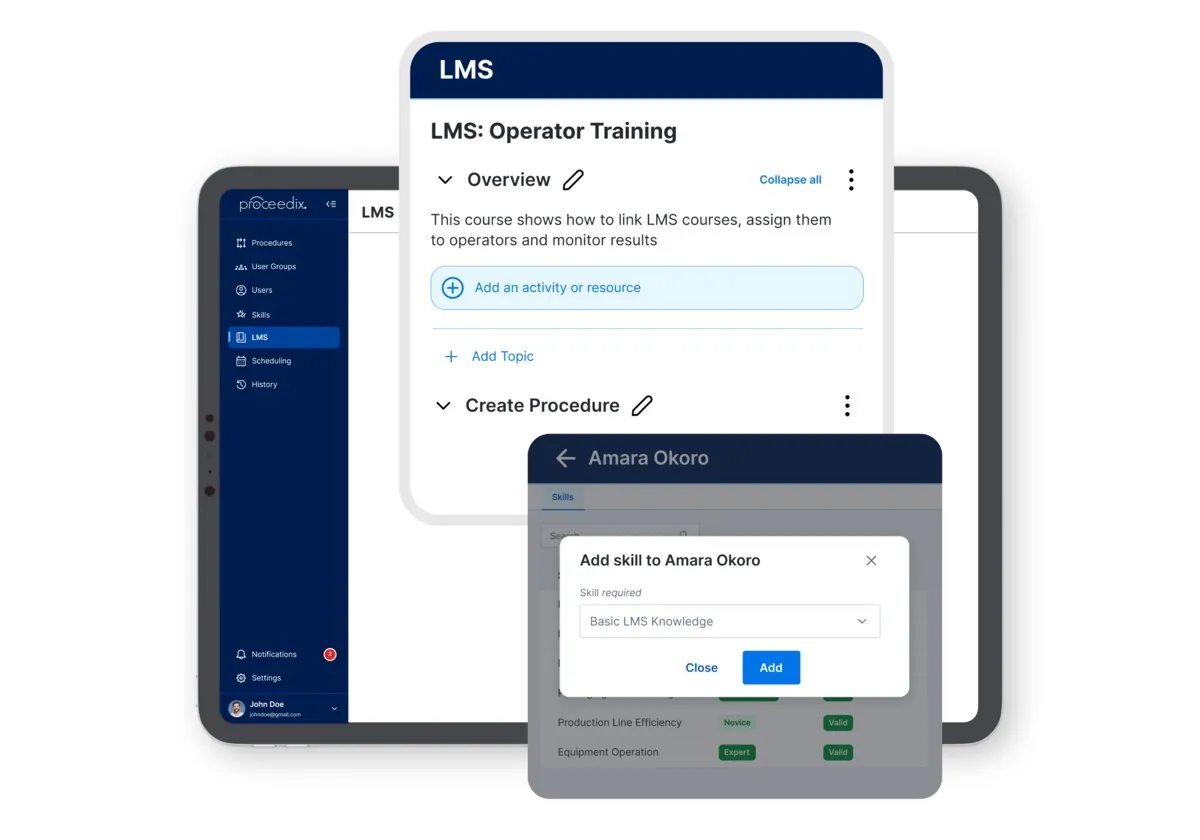
Skills/LMS view “LMS — course catalog” nối course, competency và role coverage để quản lý readiness của workforce; một số ảnh là marketing composite chứa UI crop.
Nguồn: Trang nguồn chính thức
C · UI FRAGMENT/COMPOSITE Skills — retention workflow
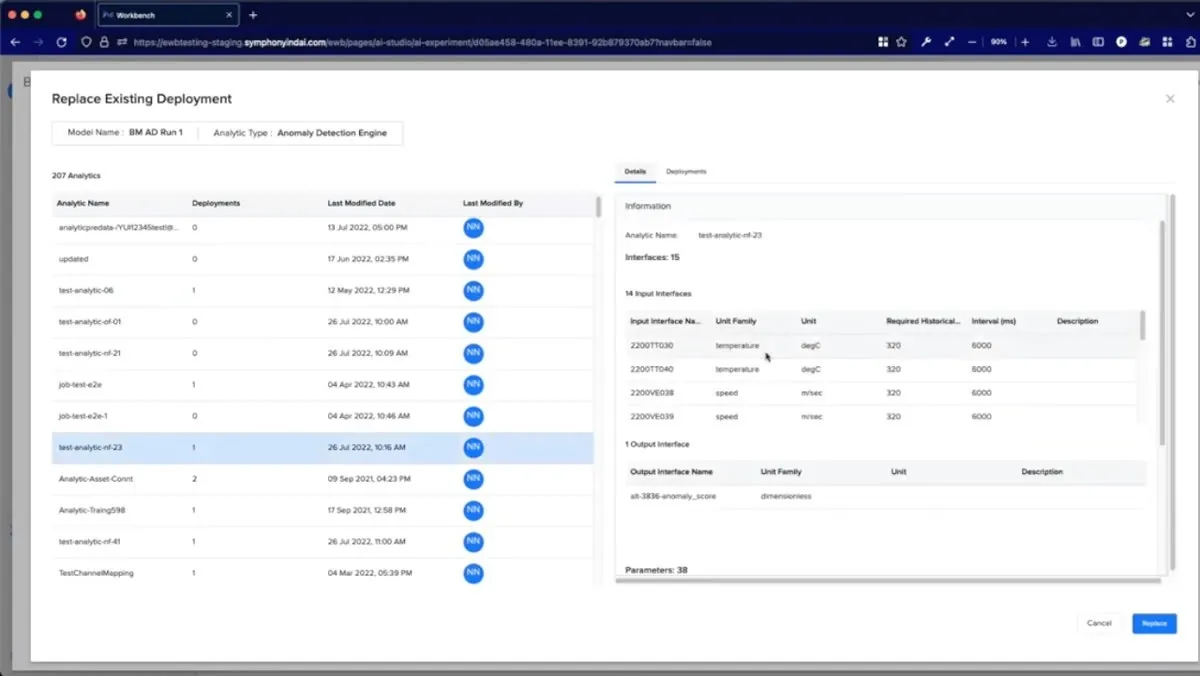
Skills/LMS view “Skills — retention workflow” nối course, competency và role coverage để quản lý readiness của workforce; một số ảnh là marketing composite chứa UI crop.
Nguồn: Trang nguồn chính thức
04I · SYMPHONYAI INDUSTRIAL · ATLAS
Connected Worker — skills & learning · tiếp
C · UI FRAGMENT/COMPOSITE LMS → training → skills matrix
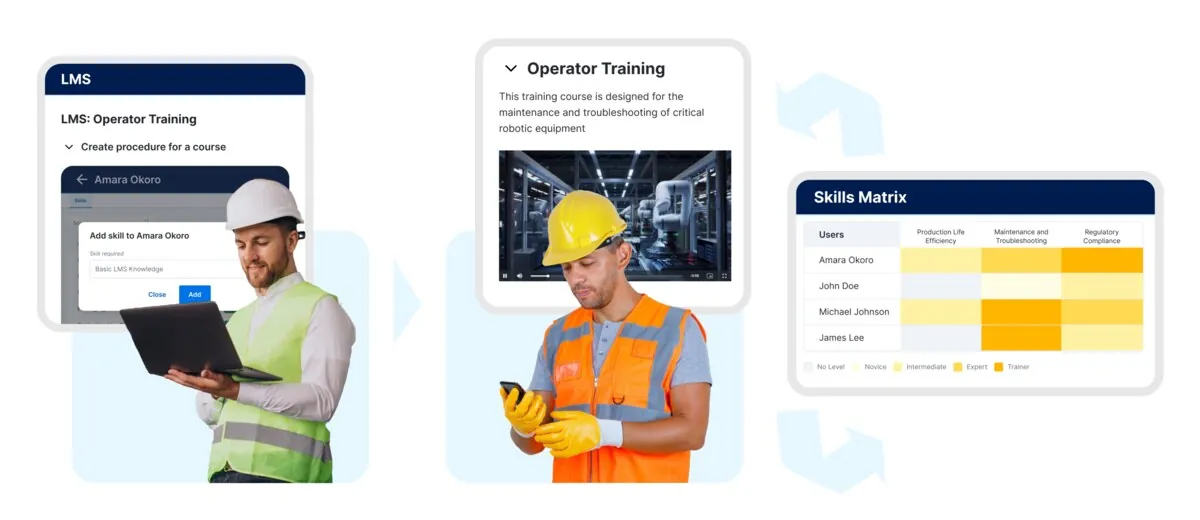
Skills/LMS view “LMS → training → skills matrix” nối course, competency và role coverage để quản lý readiness của workforce; một số ảnh là marketing composite chứa UI crop.
Nguồn: Trang nguồn chính thức
C · UI FRAGMENT/COMPOSITE Skills — competency overview
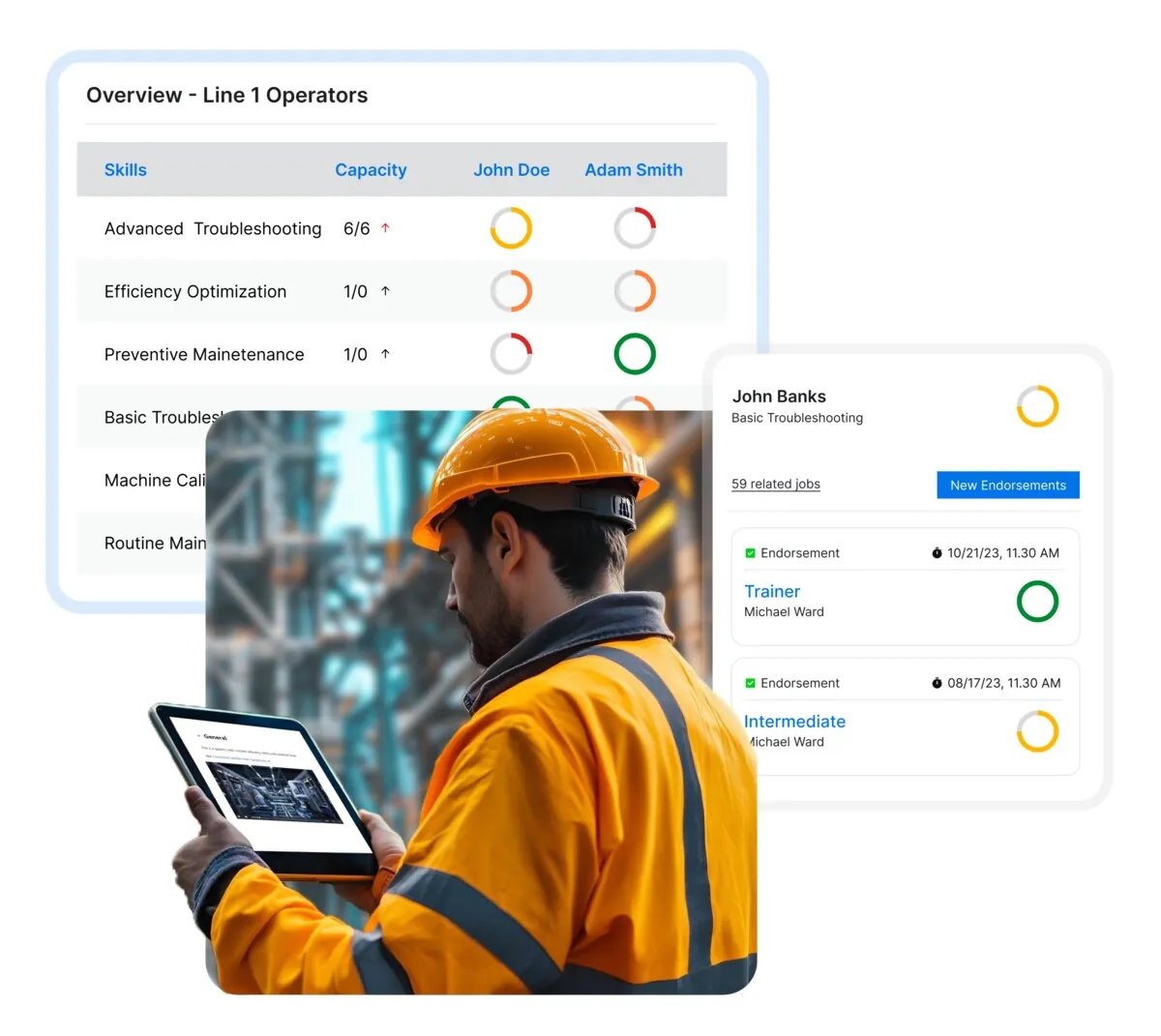
Skills/LMS view “Skills — competency overview” nối course, competency và role coverage để quản lý readiness của workforce; một số ảnh là marketing composite chứa UI crop.
Nguồn: Trang nguồn chính thức
04I · SYMPHONYAI INDUSTRIAL · ATLAS
Connected Worker — skills & learning · tiếp
C · UI FRAGMENT/COMPOSITE Skills Copilot — next-course guidance
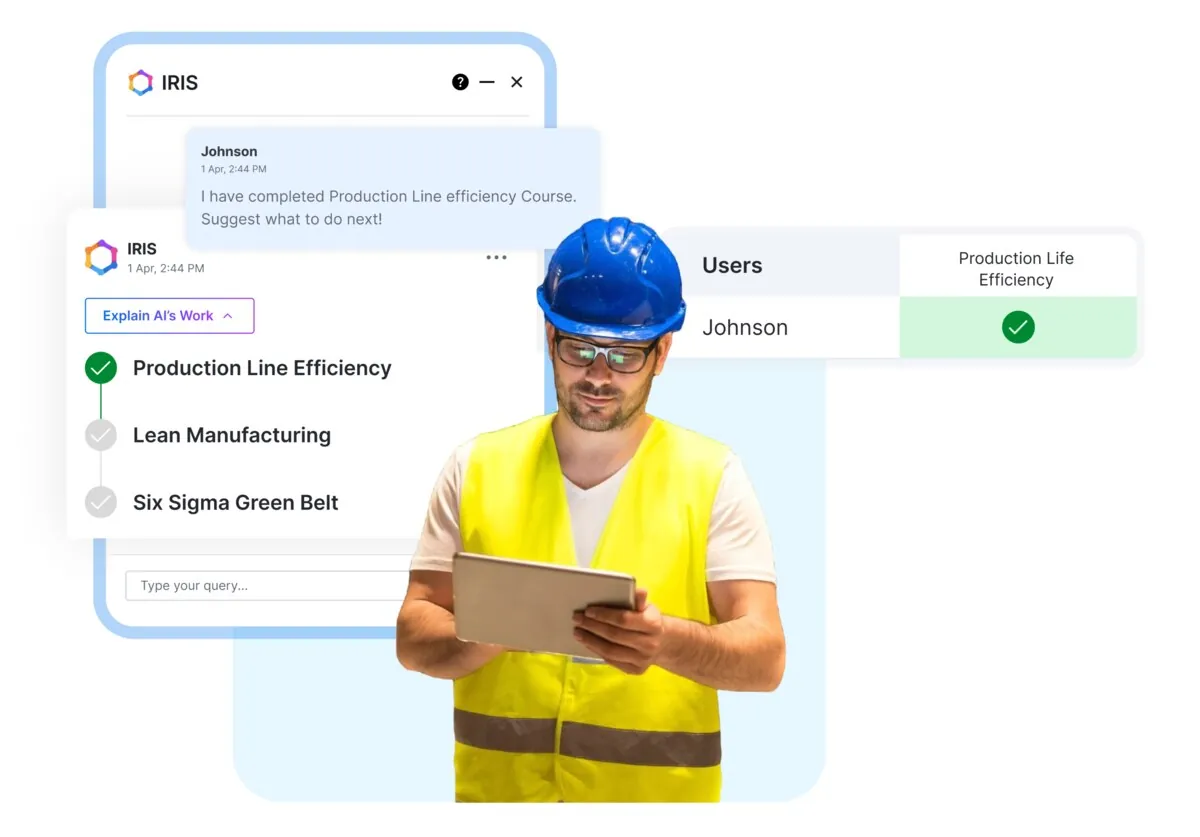
Skills/LMS view “Skills Copilot — next-course guidance” nối course, competency và role coverage để quản lý readiness của workforce; một số ảnh là marketing composite chứa UI crop.
Nguồn: Trang nguồn chính thức
04J · SYMPHONYAI INDUSTRIAL · AGENT SURFACES
Industrial agent demos & concepts
Role-specific dashboards/agents. Demo và concept được tách bằng evidence label; không suy diễn tất cả là shipping UI.
B · OFFICIAL DEMO/GIF Energy optimization agent
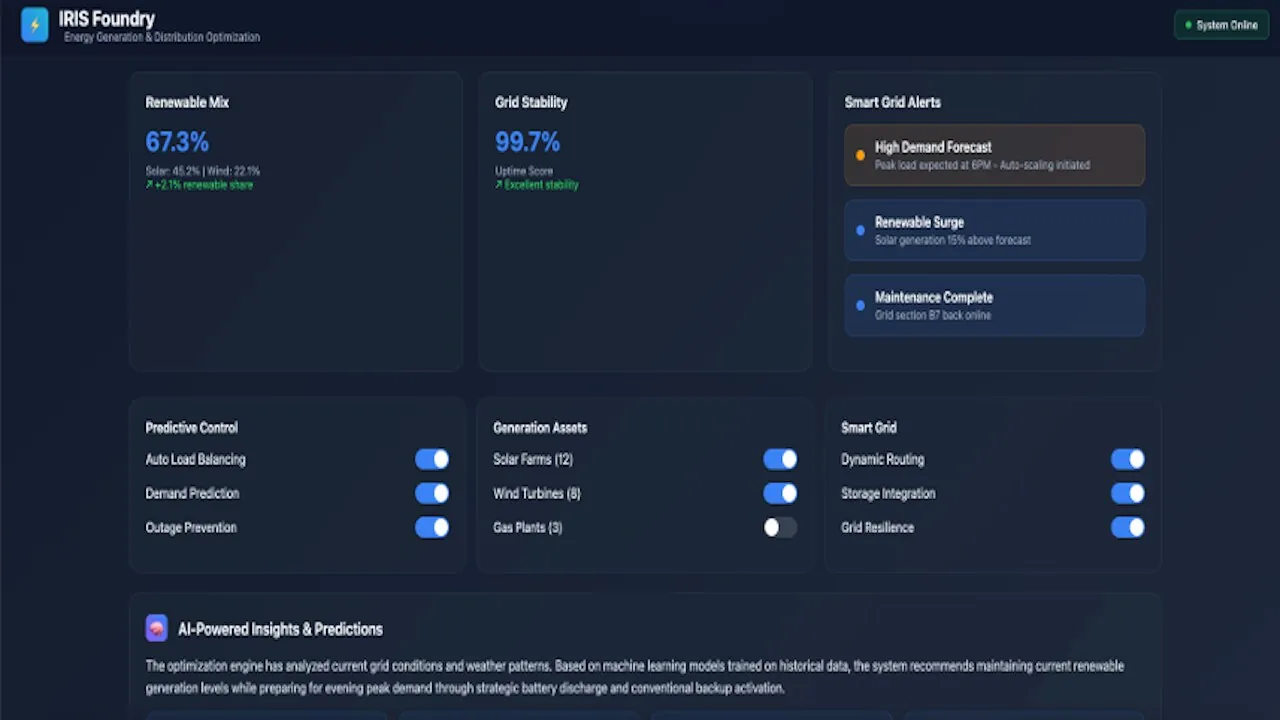
Agent surface “Energy optimization agent” đóng gói KPI, work queue, recommendation hoặc domain workflow vào một role-specific UI. Nhãn evidence cho biết đây là demo hay concept.
Nguồn: Trang nguồn chính thức
B · OFFICIAL DEMO/GIF Oil & Gas Operations Advisor
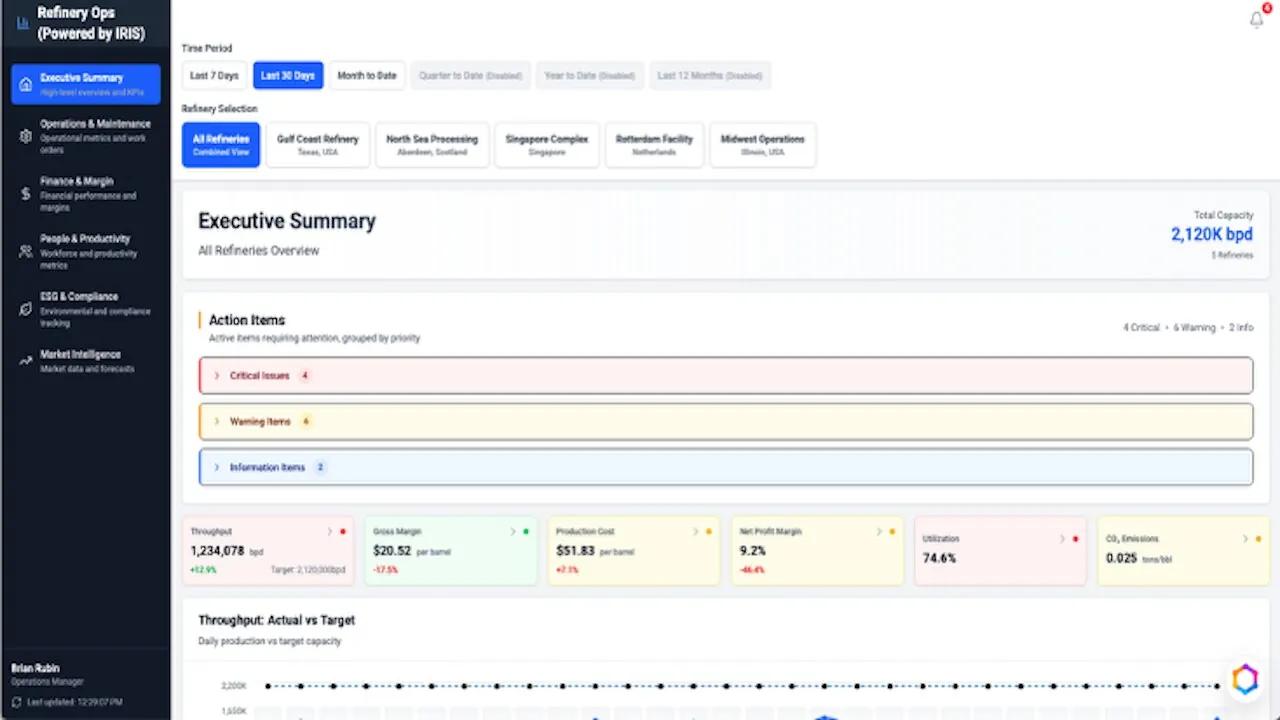
Agent surface “Oil & Gas Operations Advisor” đóng gói KPI, work queue, recommendation hoặc domain workflow vào một role-specific UI. Nhãn evidence cho biết đây là demo hay concept.
Nguồn: Trang nguồn chính thức
04J · SYMPHONYAI INDUSTRIAL · AGENT SURFACES
Industrial agent demos & concepts · tiếp
C · UI FRAGMENT/COMPOSITE Intelligent Factory AI Agent
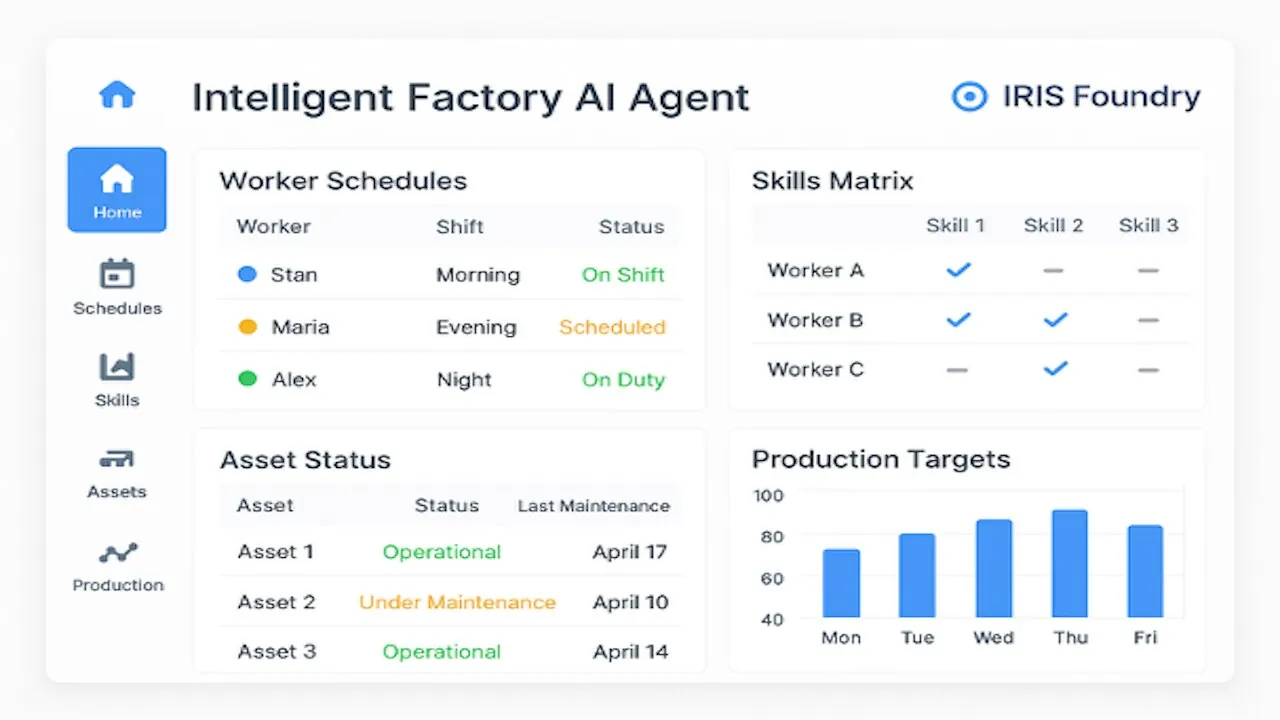
Agent surface “Intelligent Factory AI Agent” đóng gói KPI, work queue, recommendation hoặc domain workflow vào một role-specific UI. Nhãn evidence cho biết đây là demo hay concept.
Nguồn: Trang nguồn chính thức
C · UI FRAGMENT/COMPOSITE Frontline Worker AI Agent
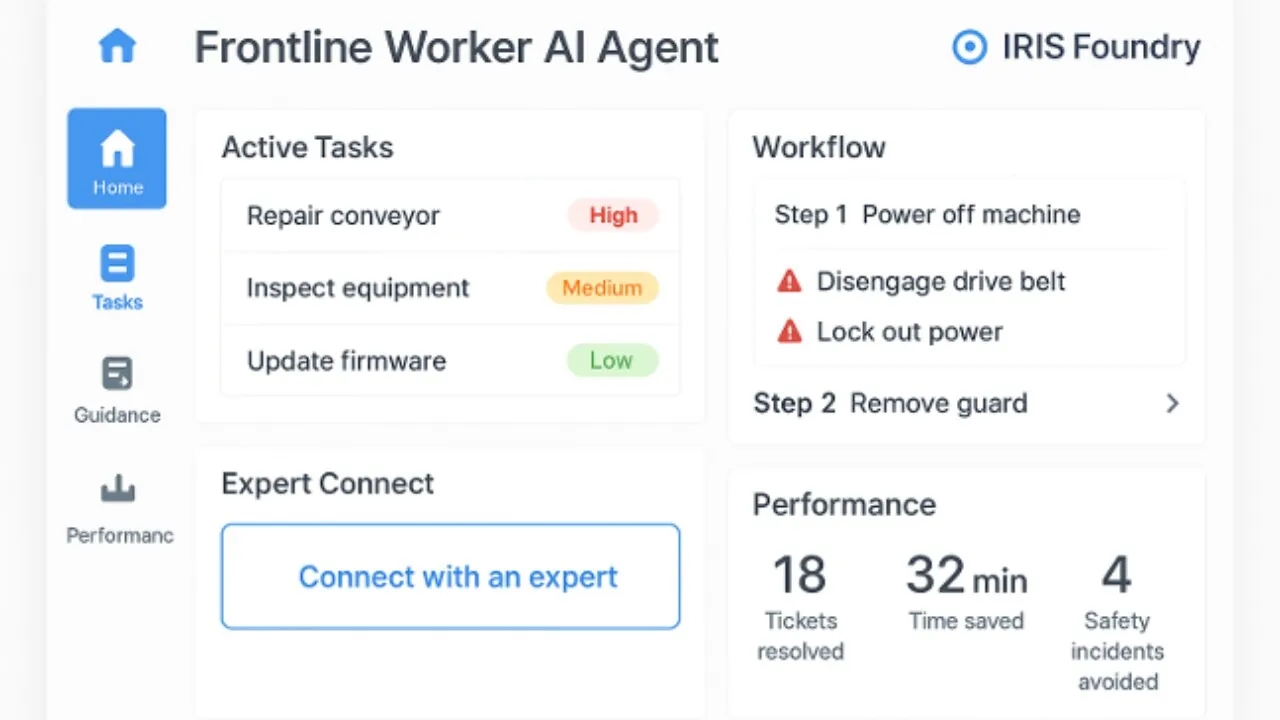
Agent surface “Frontline Worker AI Agent” đóng gói KPI, work queue, recommendation hoặc domain workflow vào một role-specific UI. Nhãn evidence cho biết đây là demo hay concept.
Nguồn: Trang nguồn chính thức
04J · SYMPHONYAI INDUSTRIAL · AGENT SURFACES
Industrial agent demos & concepts · tiếp
C · UI FRAGMENT/COMPOSITE Industrial Data Exploration Agent
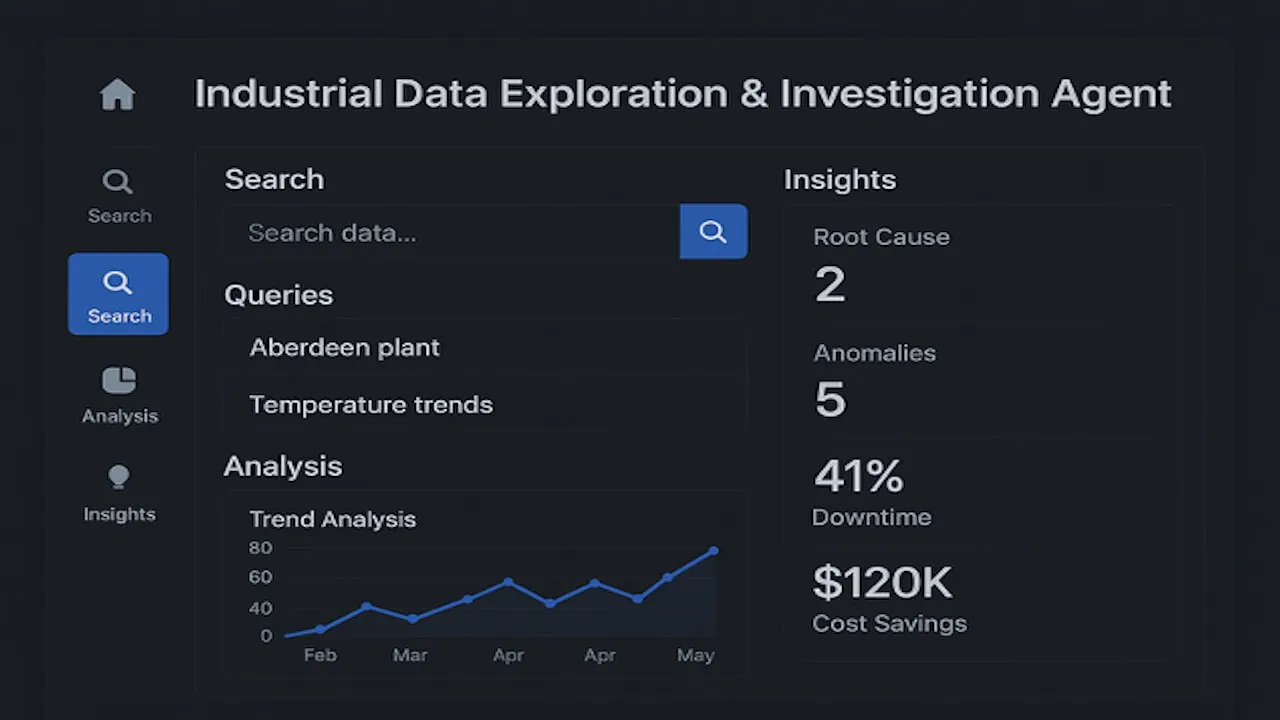
Agent surface “Industrial Data Exploration Agent” đóng gói KPI, work queue, recommendation hoặc domain workflow vào một role-specific UI. Nhãn evidence cho biết đây là demo hay concept.
Nguồn: Trang nguồn chính thức
B · OFFICIAL DEMO/GIF Smart Utilities dashboard
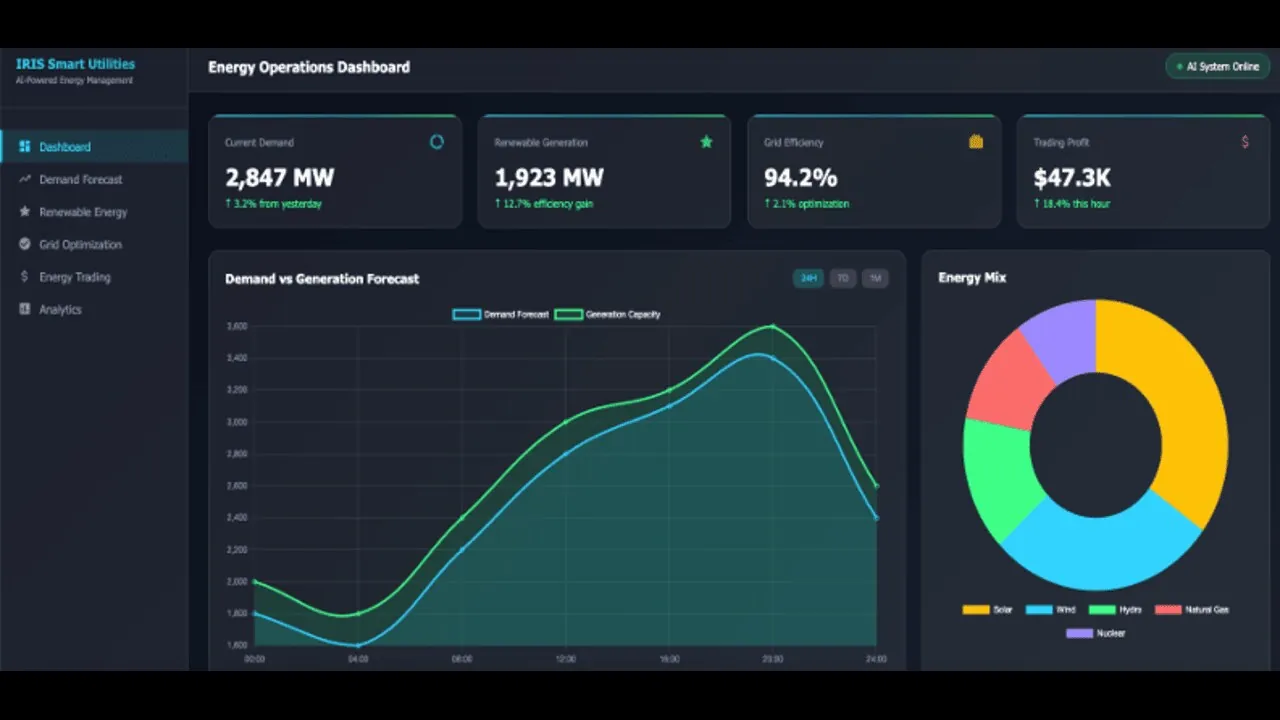
Agent surface “Smart Utilities dashboard” đóng gói KPI, work queue, recommendation hoặc domain workflow vào một role-specific UI. Nhãn evidence cho biết đây là demo hay concept.
Nguồn: Trang nguồn chính thức
04J · SYMPHONYAI INDUSTRIAL · AGENT SURFACES
Industrial agent demos & concepts · tiếp
B · OFFICIAL DEMO/GIF Warranty Claims analytics
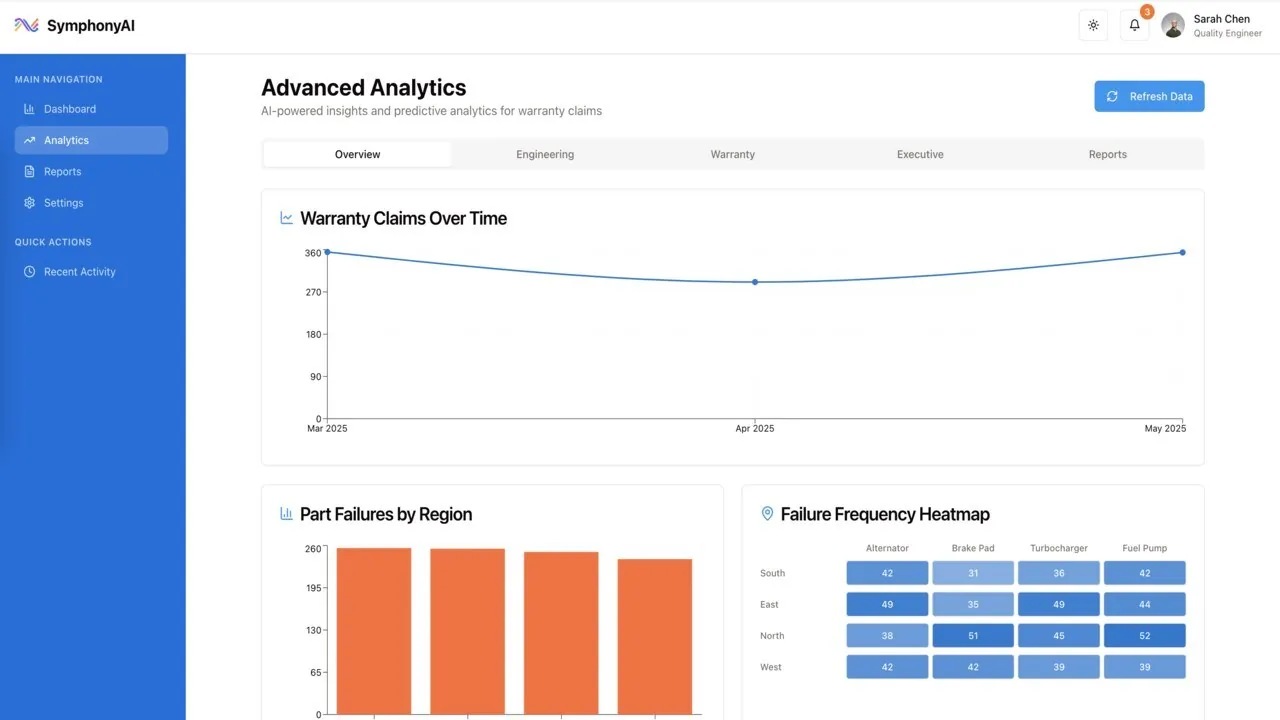
Agent surface “Warranty Claims analytics” đóng gói KPI, work queue, recommendation hoặc domain workflow vào một role-specific UI. Nhãn evidence cho biết đây là demo hay concept.
Nguồn: Trang nguồn chính thức
C · UI FRAGMENT/COMPOSITE Operations Command Center
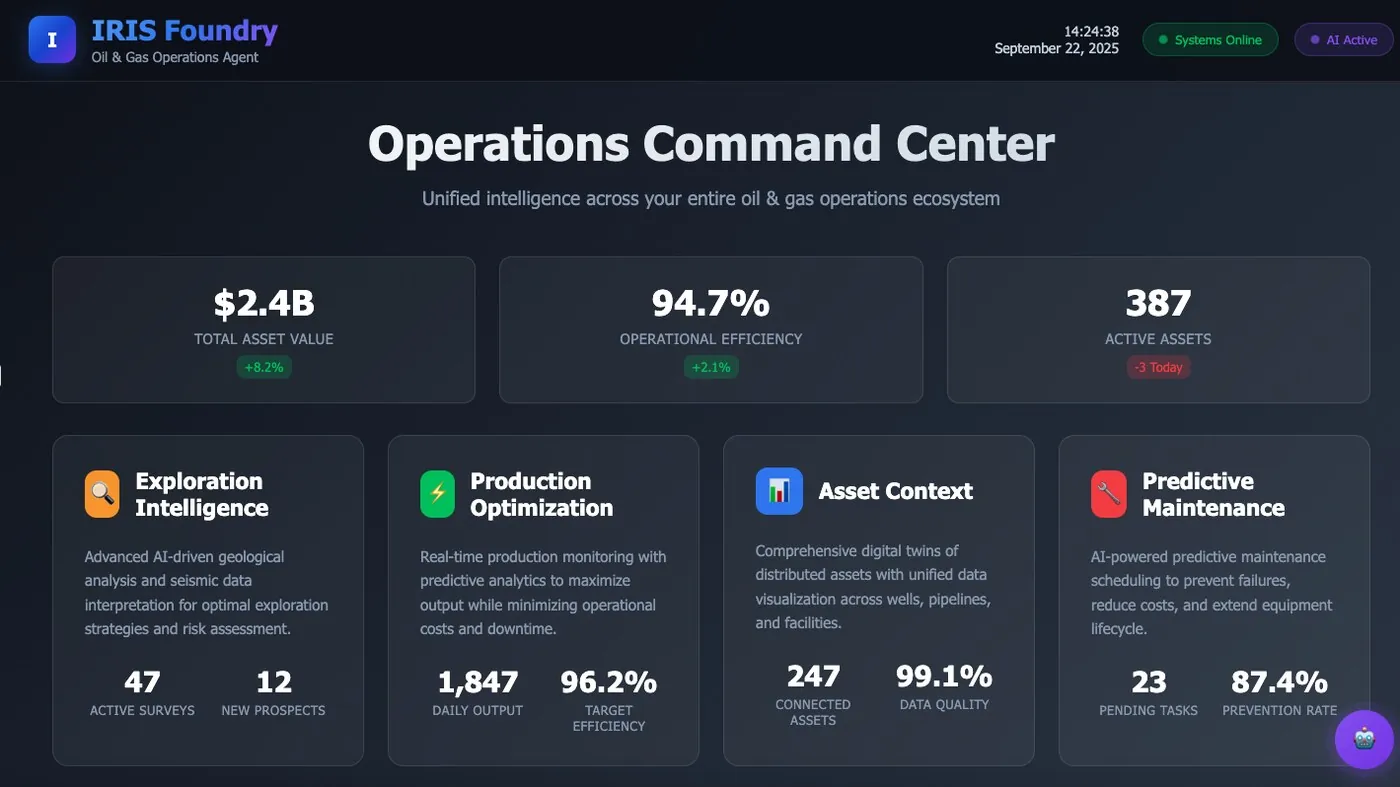
Agent surface “Operations Command Center” đóng gói KPI, work queue, recommendation hoặc domain workflow vào một role-specific UI. Nhãn evidence cho biết đây là demo hay concept.
Nguồn: Trang nguồn chính thức
04J · SYMPHONYAI INDUSTRIAL · AGENT SURFACES
Industrial agent demos & concepts · tiếp
D · LEGACY/HISTORICAL IRIS Forge — earlier create-app concept
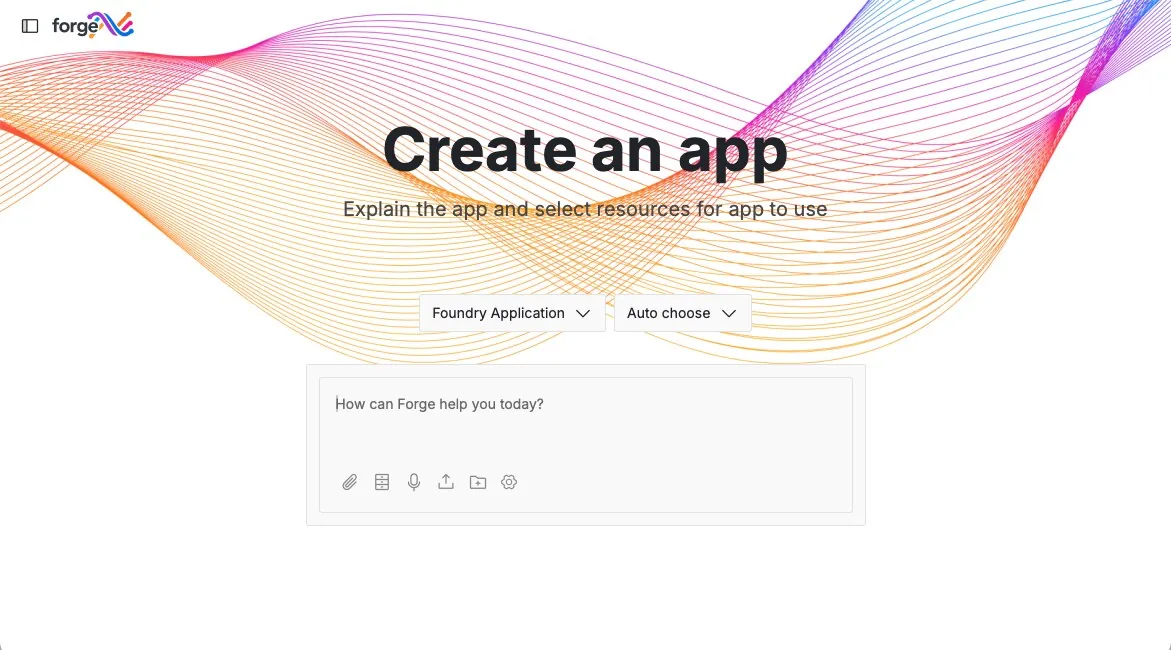
State “IRIS Forge — earlier create-app concept” trong IRIS Forge, thuộc chuỗi describe → edit → deploy → manage app. Checkpoint rõ giúp power user kiểm tra output do AI tạo trước khi phát hành.
Nguồn: Trang nguồn chính thức
05A · SYMPHONYAI PORTFOLIO · ENTERPRISE IT
Enterprise IT / APEX — current service & agent UI
Ticket, SLA, portal, analytics, admin automation và agent consoles của APEX/current ITSM.
A · FULL PRODUCT UI APEX — incident with AI assistant
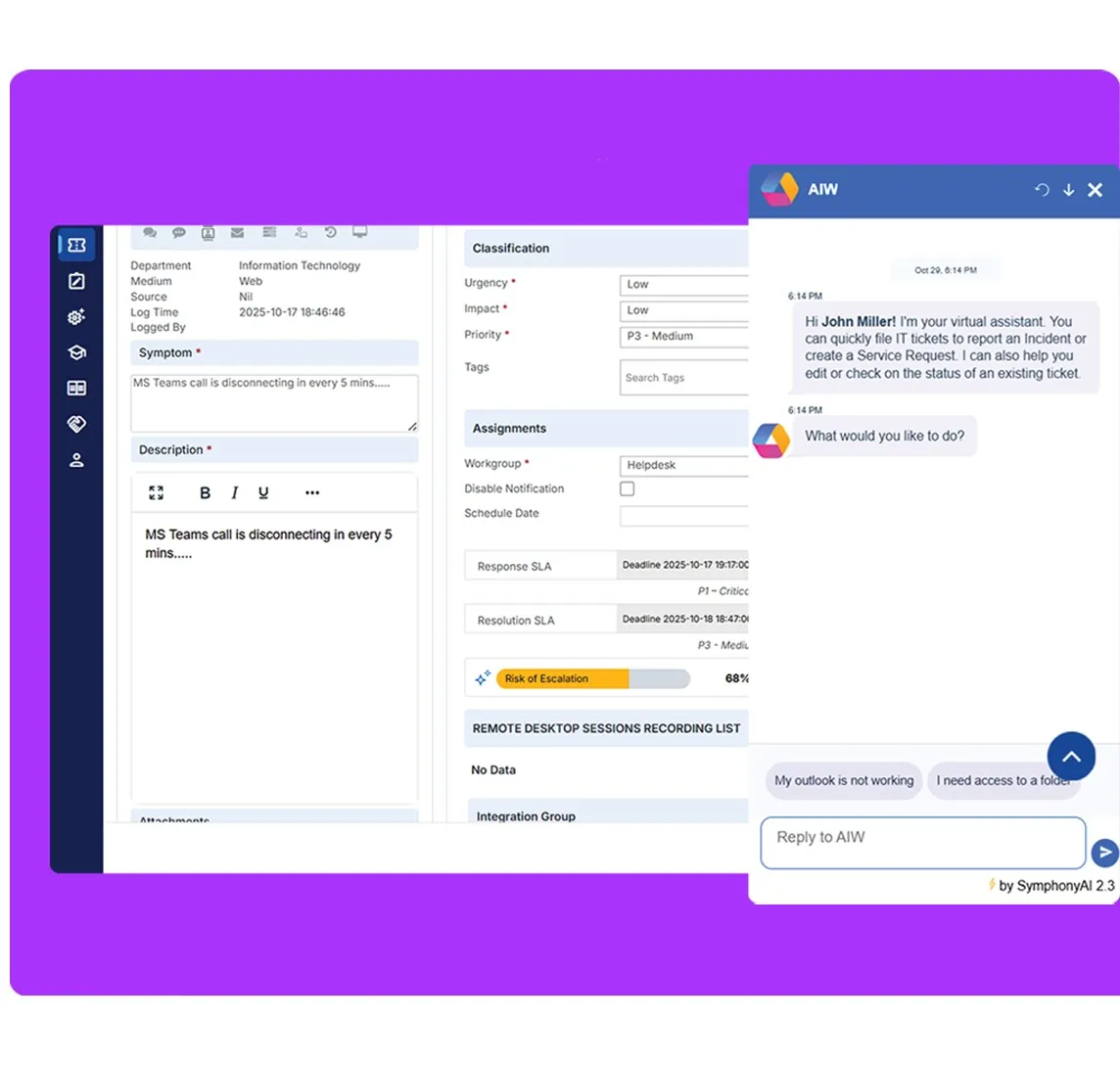
Enterprise IT view “APEX — incident with AI assistant” tập trung vào request/ticket, SLA, user context hoặc AI assistance. Một số ảnh 2026 là official demo concept có placeholder content.
Nguồn: Trang nguồn chính thức
A · FULL PRODUCT UI APEX — service navigation
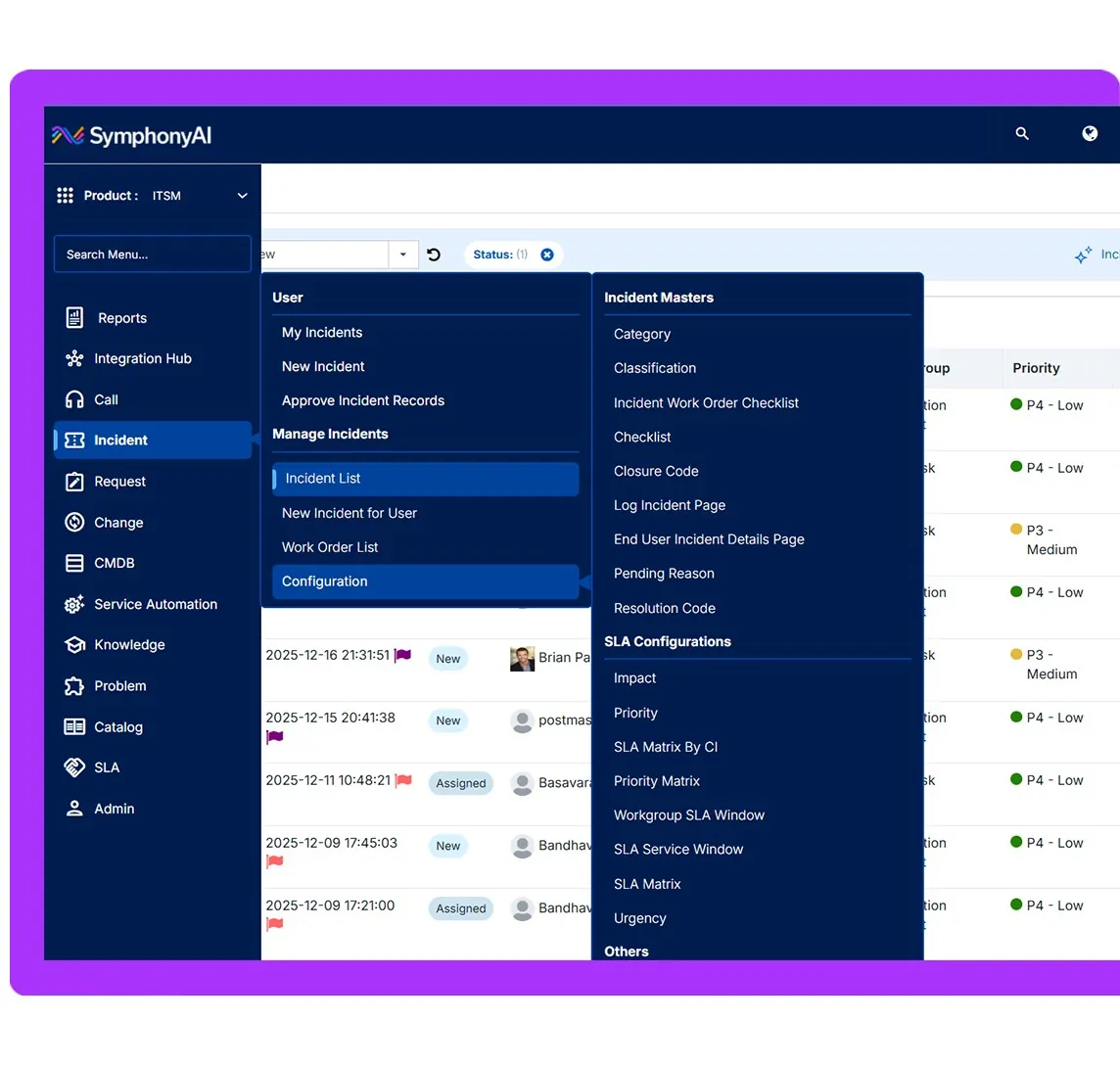
Enterprise IT view “APEX — service navigation” tập trung vào request/ticket, SLA, user context hoặc AI assistance. Một số ảnh 2026 là official demo concept có placeholder content.
Nguồn: Trang nguồn chính thức
05A · SYMPHONYAI PORTFOLIO · ENTERPRISE IT
Enterprise IT / APEX — current service & agent UI · tiếp
A · FULL PRODUCT UI APEX — analyst SLA dashboard
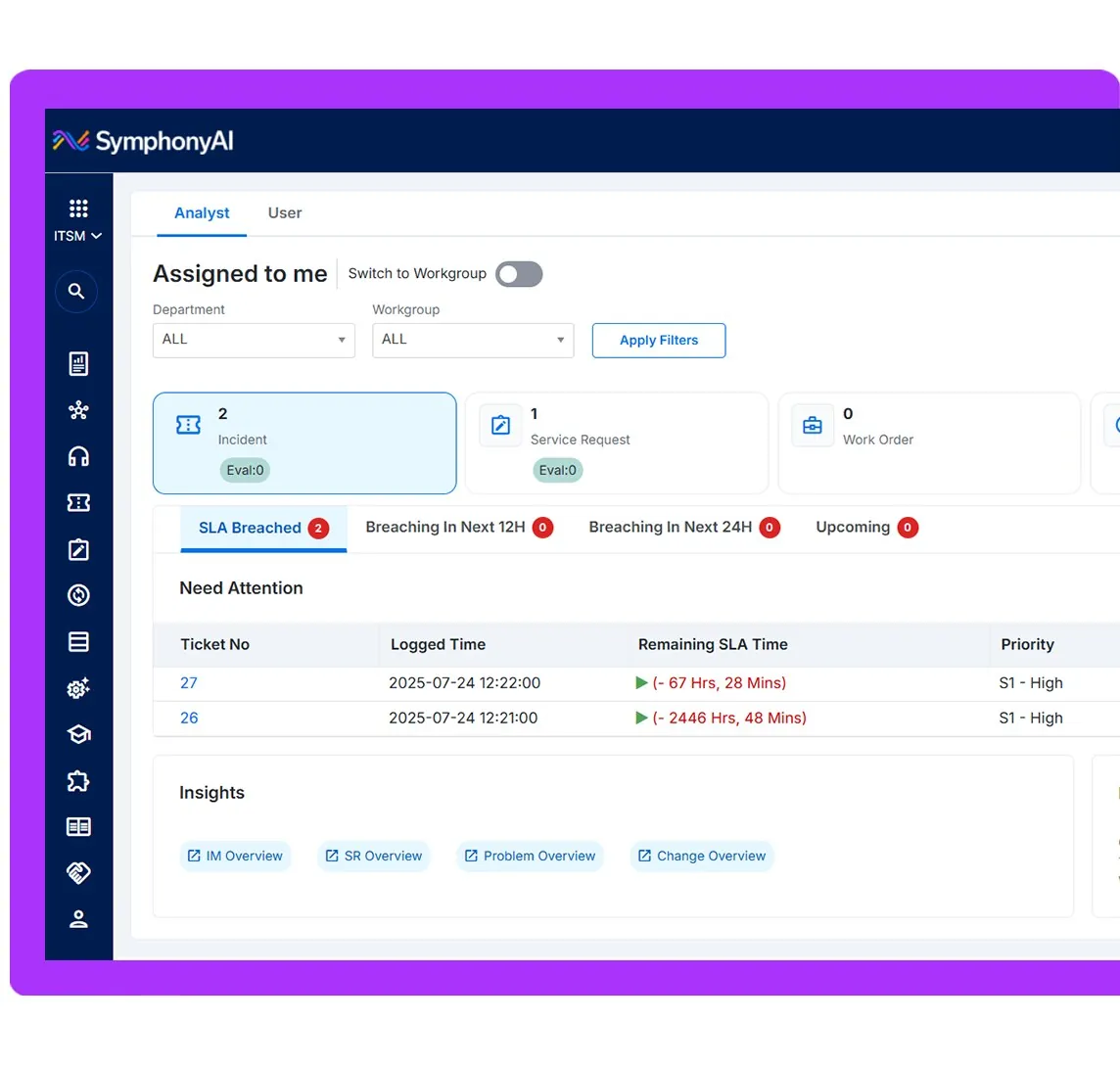
Enterprise IT view “APEX — analyst SLA dashboard” tập trung vào request/ticket, SLA, user context hoặc AI assistance. Một số ảnh 2026 là official demo concept có placeholder content.
Nguồn: Trang nguồn chính thức
A · FULL PRODUCT UI APEX — bulk administrator permissions
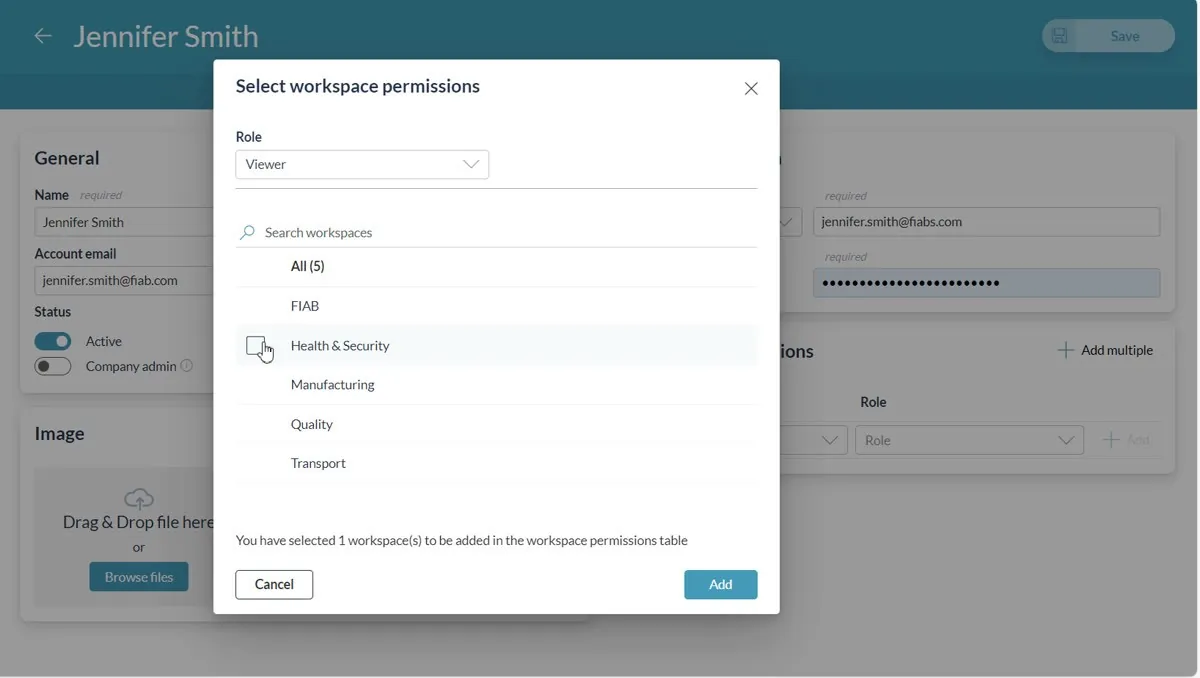
Enterprise IT view “APEX — bulk administrator permissions” tập trung vào request/ticket, SLA, user context hoặc AI assistance. Một số ảnh 2026 là official demo concept có placeholder content.
Nguồn: Trang nguồn chính thức
05A · SYMPHONYAI PORTFOLIO · ENTERPRISE IT
Enterprise IT / APEX — current service & agent UI · tiếp
A · FULL PRODUCT UI APEX — self-service surfaces
Enterprise IT view “APEX — self-service surfaces” tập trung vào request/ticket, SLA, user context hoặc AI assistance. Một số ảnh 2026 là official demo concept có placeholder content.
Nguồn: Trang nguồn chính thức
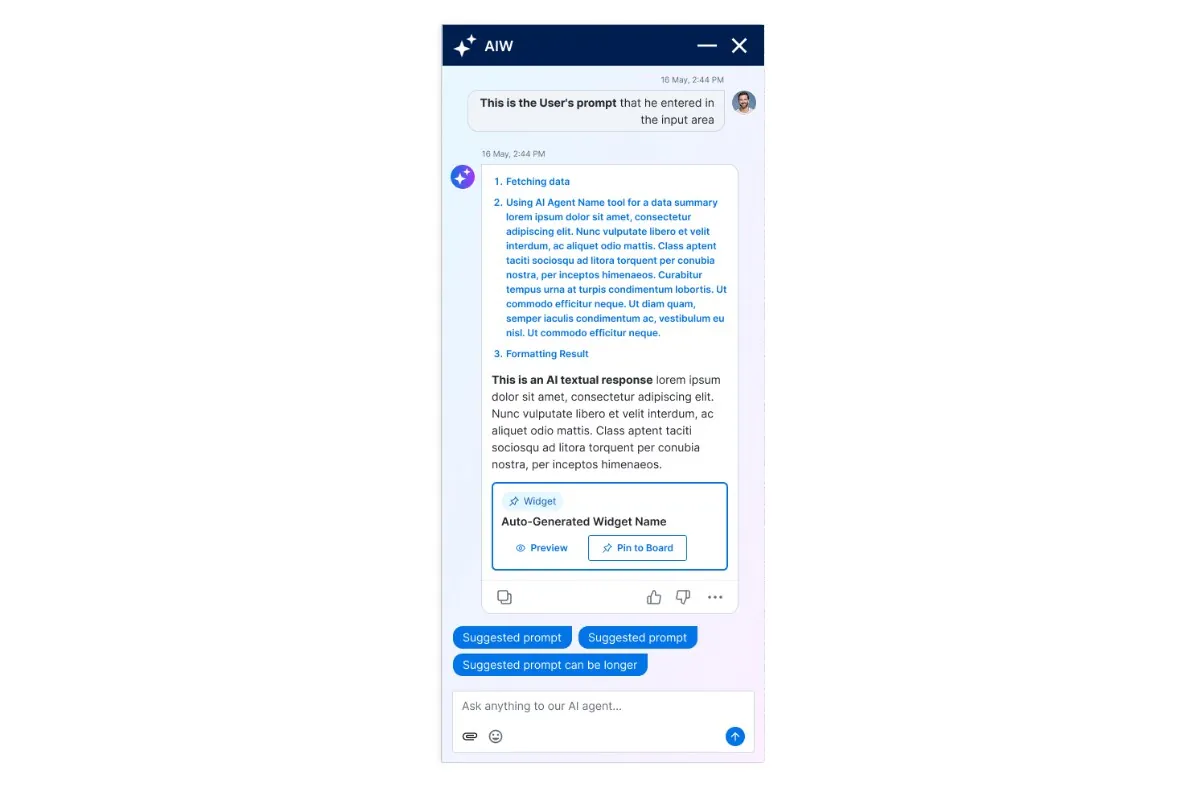
A · FULL PRODUCT UI APEX — integrated AI workflow
Enterprise IT view “APEX — integrated AI workflow” tập trung vào request/ticket, SLA, user context hoặc AI assistance. Một số ảnh 2026 là official demo concept có placeholder content.
Nguồn: Trang nguồn chính thức
05A · SYMPHONYAI PORTFOLIO · ENTERPRISE IT
Enterprise IT / APEX — current service & agent UI · tiếp
A · FULL PRODUCT UI APEX — analyst AI suggestions
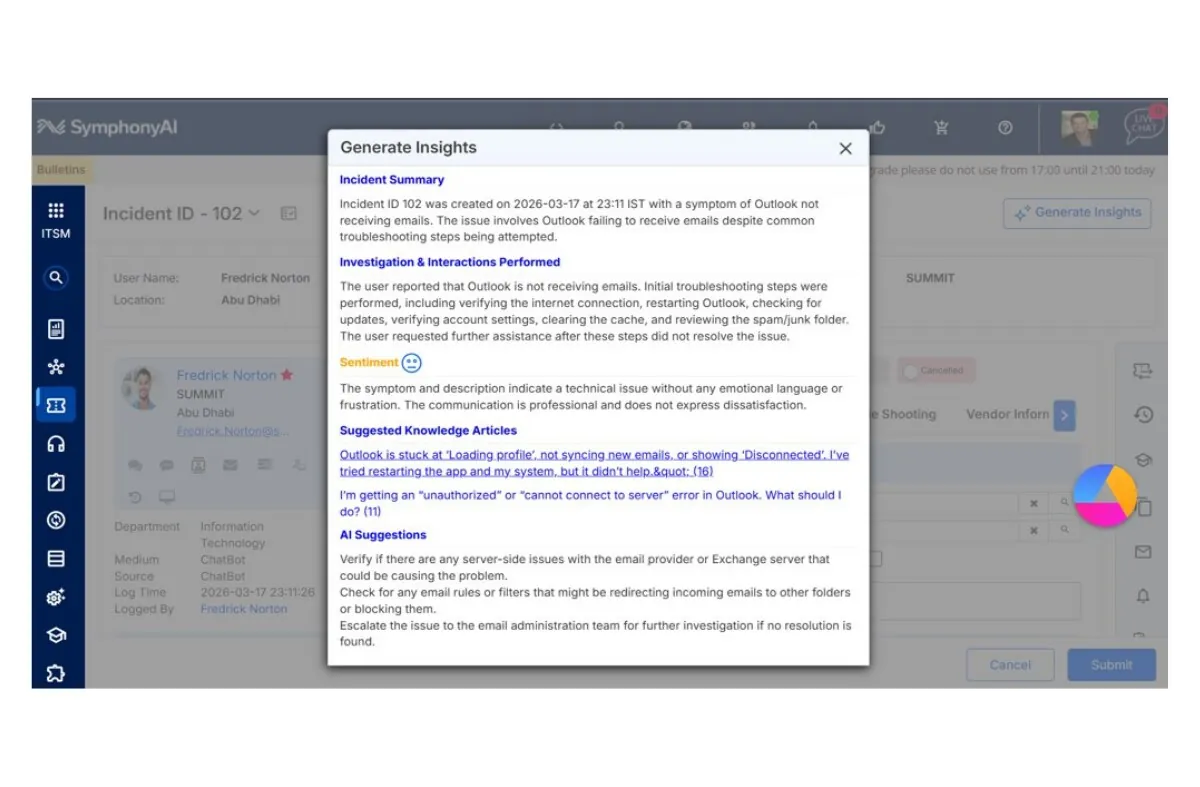
Enterprise IT view “APEX — analyst AI suggestions” tập trung vào request/ticket, SLA, user context hoặc AI assistance. Một số ảnh 2026 là official demo concept có placeholder content.
Nguồn: Trang nguồn chính thức
A · FULL PRODUCT UI Enterprise IT — AIW assistant
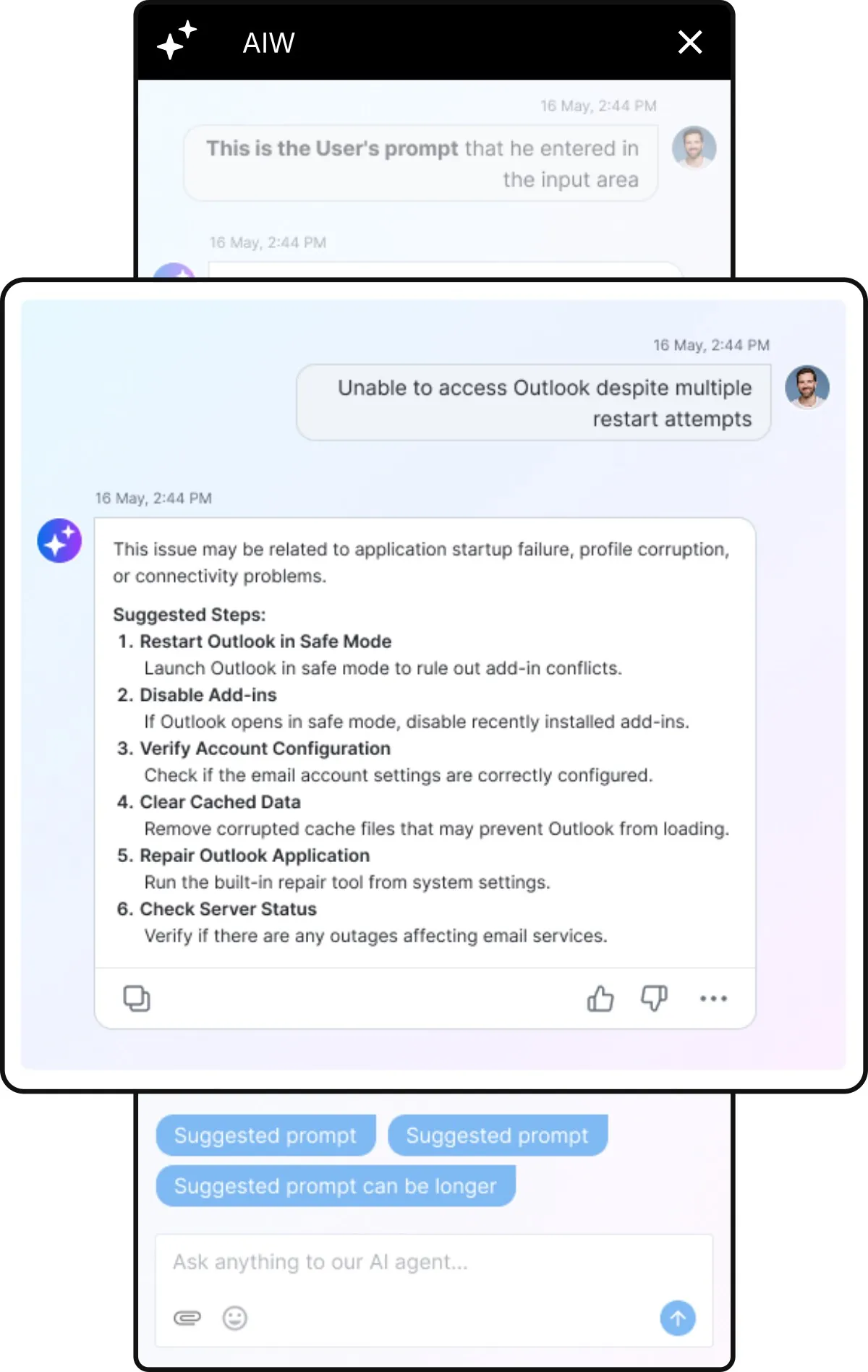
Enterprise IT view “Enterprise IT — AIW assistant” tập trung vào request/ticket, SLA, user context hoặc AI assistance. Một số ảnh 2026 là official demo concept có placeholder content.
Nguồn: Trang nguồn chính thức
05A · SYMPHONYAI PORTFOLIO · ENTERPRISE IT
Enterprise IT / APEX — current service & agent UI · tiếp
A · FULL PRODUCT UI Enterprise IT — admin & automation
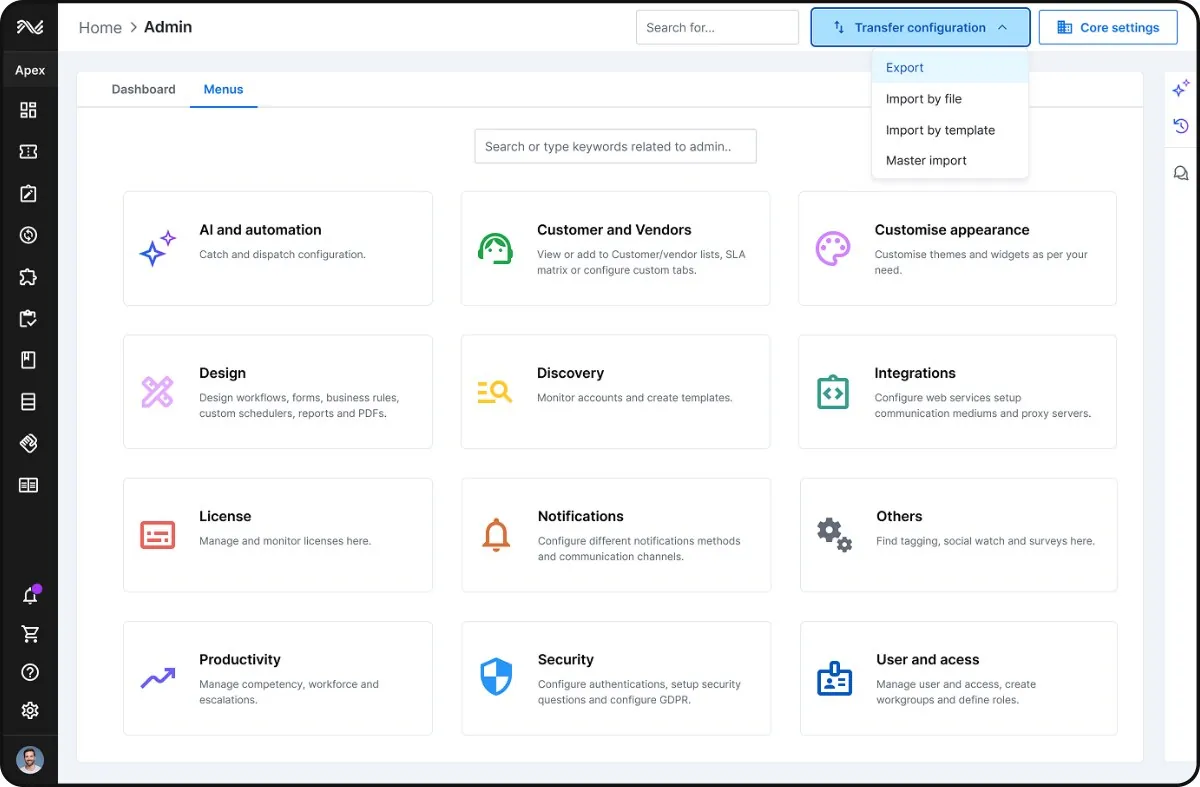
Enterprise IT view “Enterprise IT — admin & automation” tập trung vào request/ticket, SLA, user context hoặc AI assistance. Một số ảnh 2026 là official demo concept có placeholder content.
Nguồn: Trang nguồn chính thức
A · FULL PRODUCT UI Enterprise IT — employee service portal
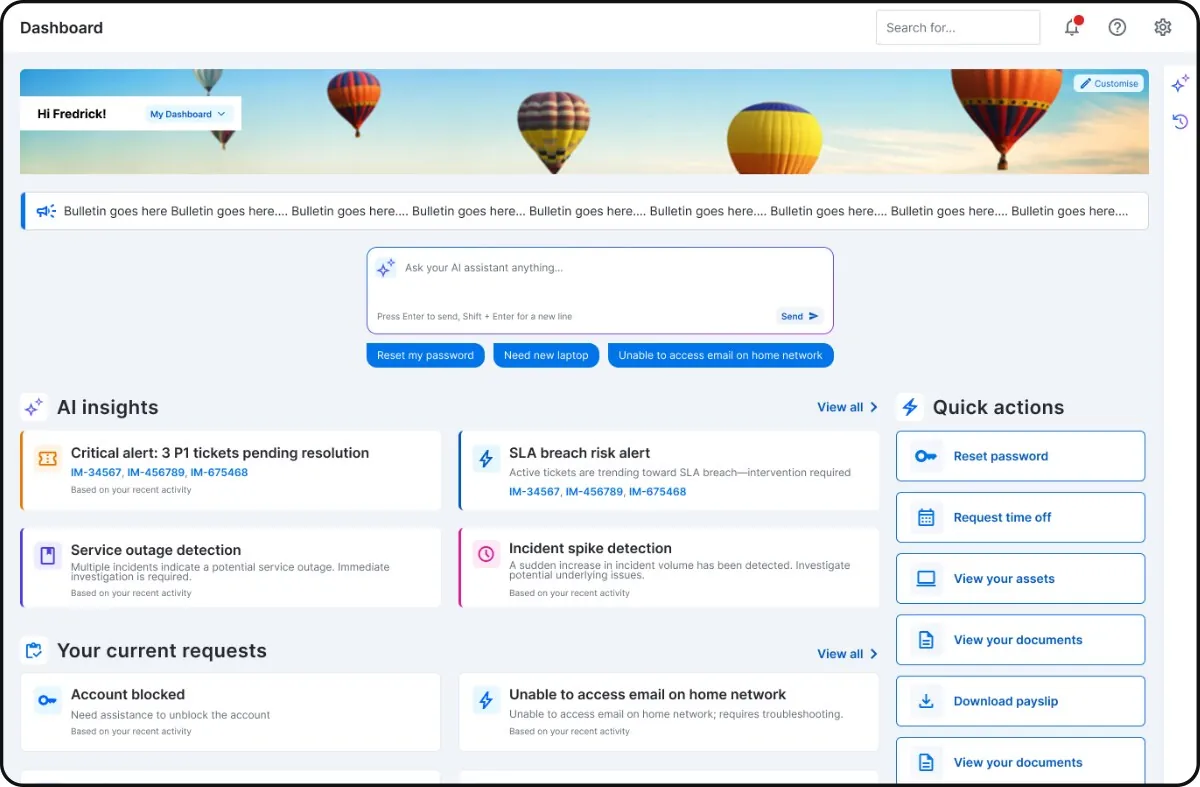
Enterprise IT view “Enterprise IT — employee service portal” tập trung vào request/ticket, SLA, user context hoặc AI assistance. Một số ảnh 2026 là official demo concept có placeholder content.
Nguồn: Trang nguồn chính thức
05A · SYMPHONYAI PORTFOLIO · ENTERPRISE IT
Enterprise IT / APEX — current service & agent UI · tiếp
A · FULL PRODUCT UI Enterprise IT — AI agent console
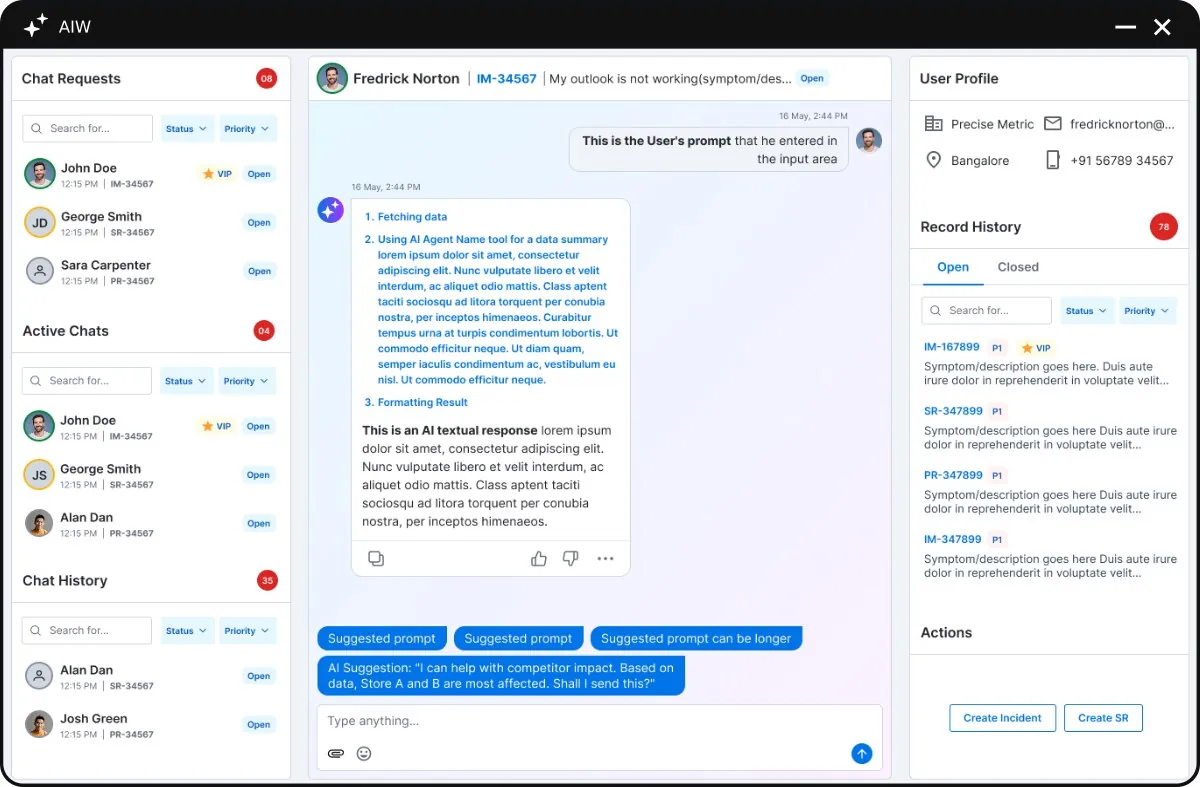
Enterprise IT view “Enterprise IT — AI agent console” tập trung vào request/ticket, SLA, user context hoặc AI assistance. Một số ảnh 2026 là official demo concept có placeholder content.
Nguồn: Trang nguồn chính thức
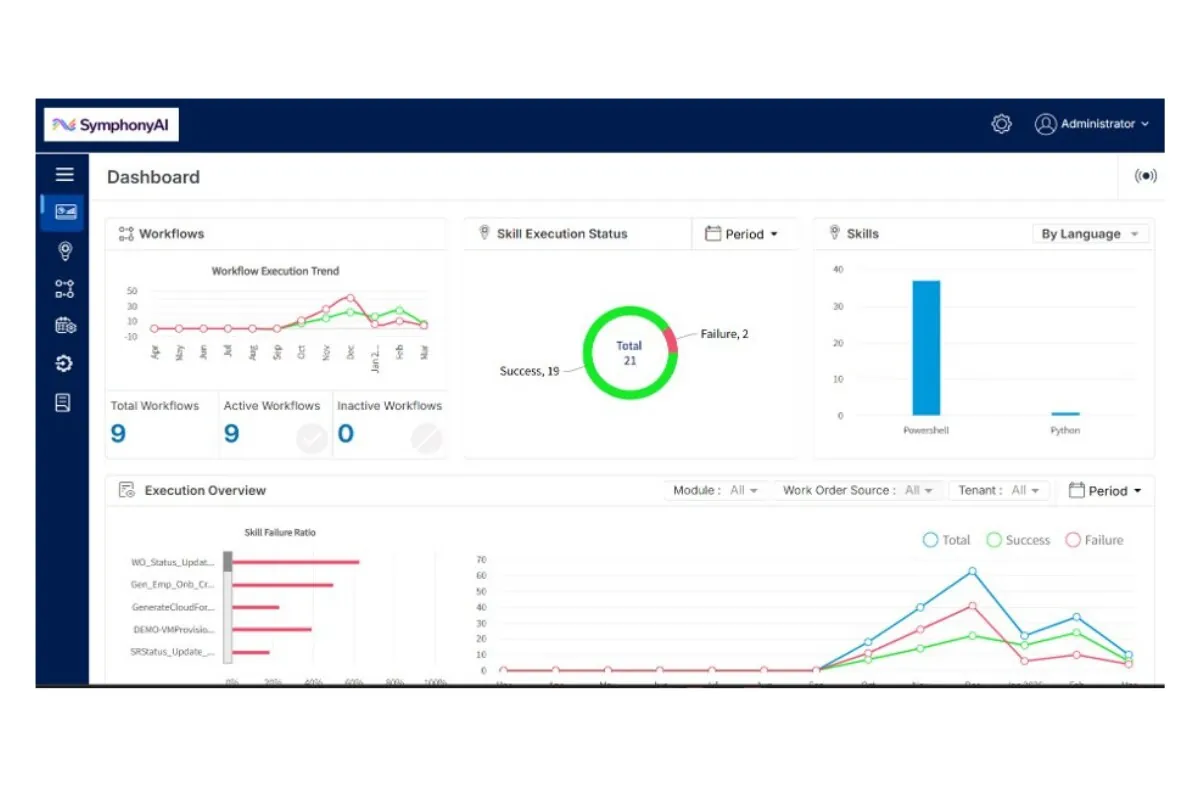
A · FULL PRODUCT UI APEX 2.0 — incident analytics
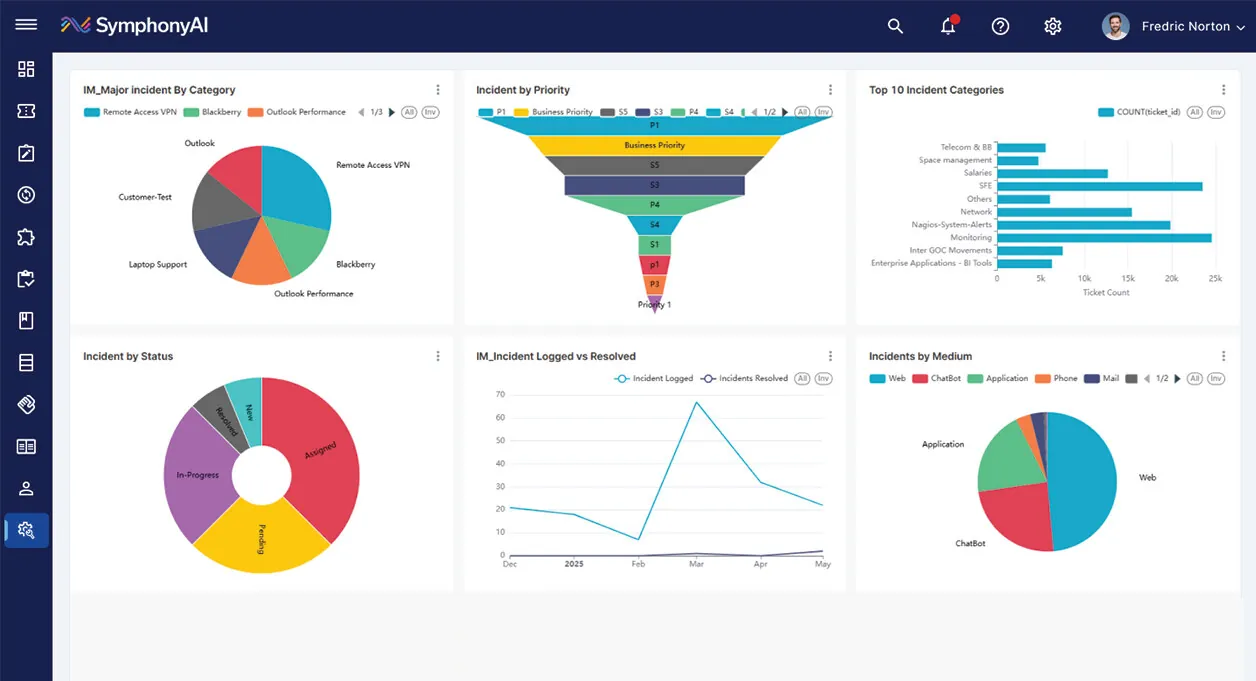
APEX 2.0 surface “APEX 2.0 — incident analytics” kết hợp portal, ticket/SLA, analytics, admin hoặc AI help trong service-management shell hiện tại; SVG hero có tính composite.
Nguồn: Trang nguồn chính thức
05A · SYMPHONYAI PORTFOLIO · ENTERPRISE IT
Enterprise IT / APEX — current service & agent UI · tiếp
C · UI FRAGMENT/COMPOSITE APEX 2.0 — analytics hero
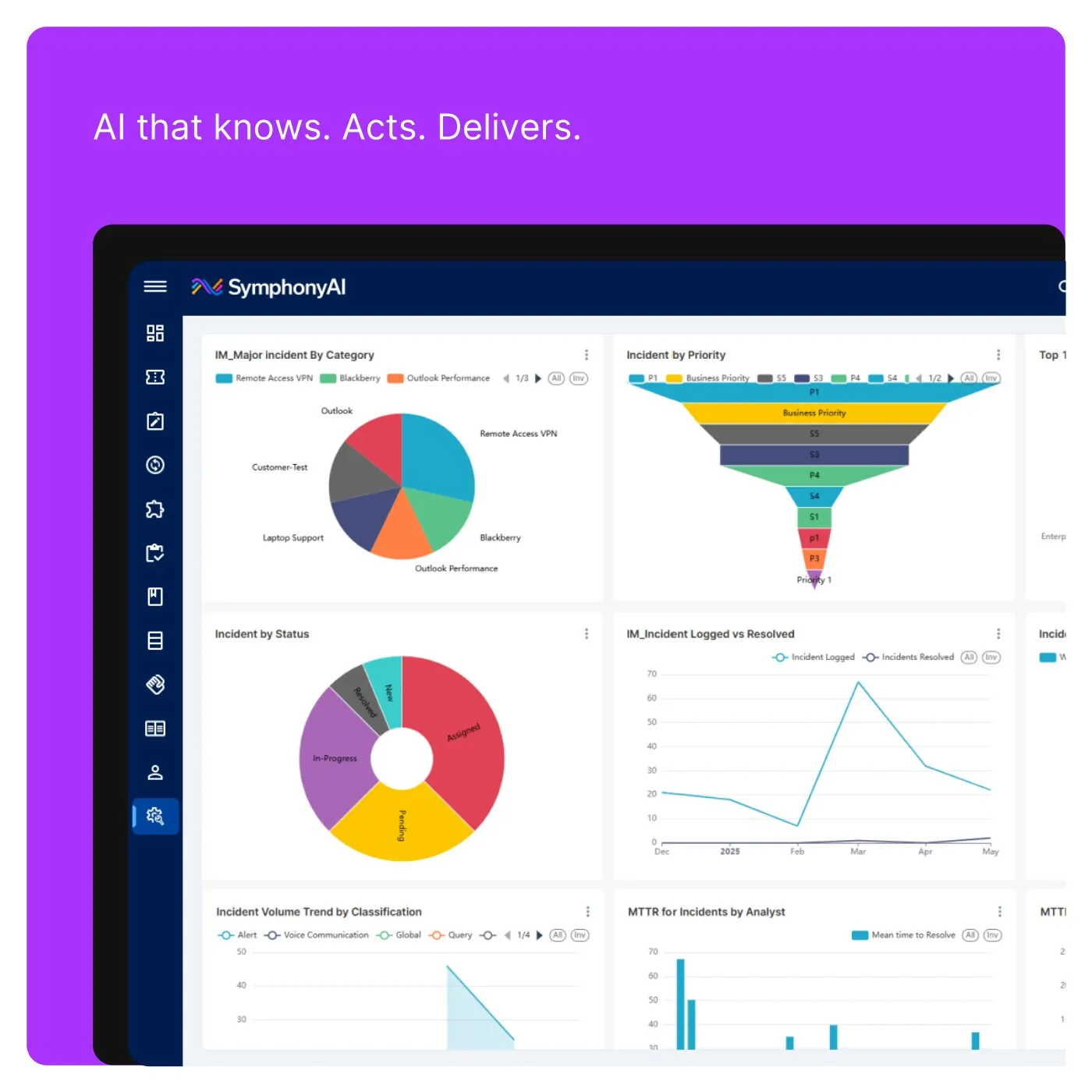
APEX 2.0 surface “APEX 2.0 — analytics hero” kết hợp portal, ticket/SLA, analytics, admin hoặc AI help trong service-management shell hiện tại; SVG hero có tính composite.
Nguồn: Trang nguồn chính thức
C · UI FRAGMENT/COMPOSITE APEX 2.0 — unified service portal
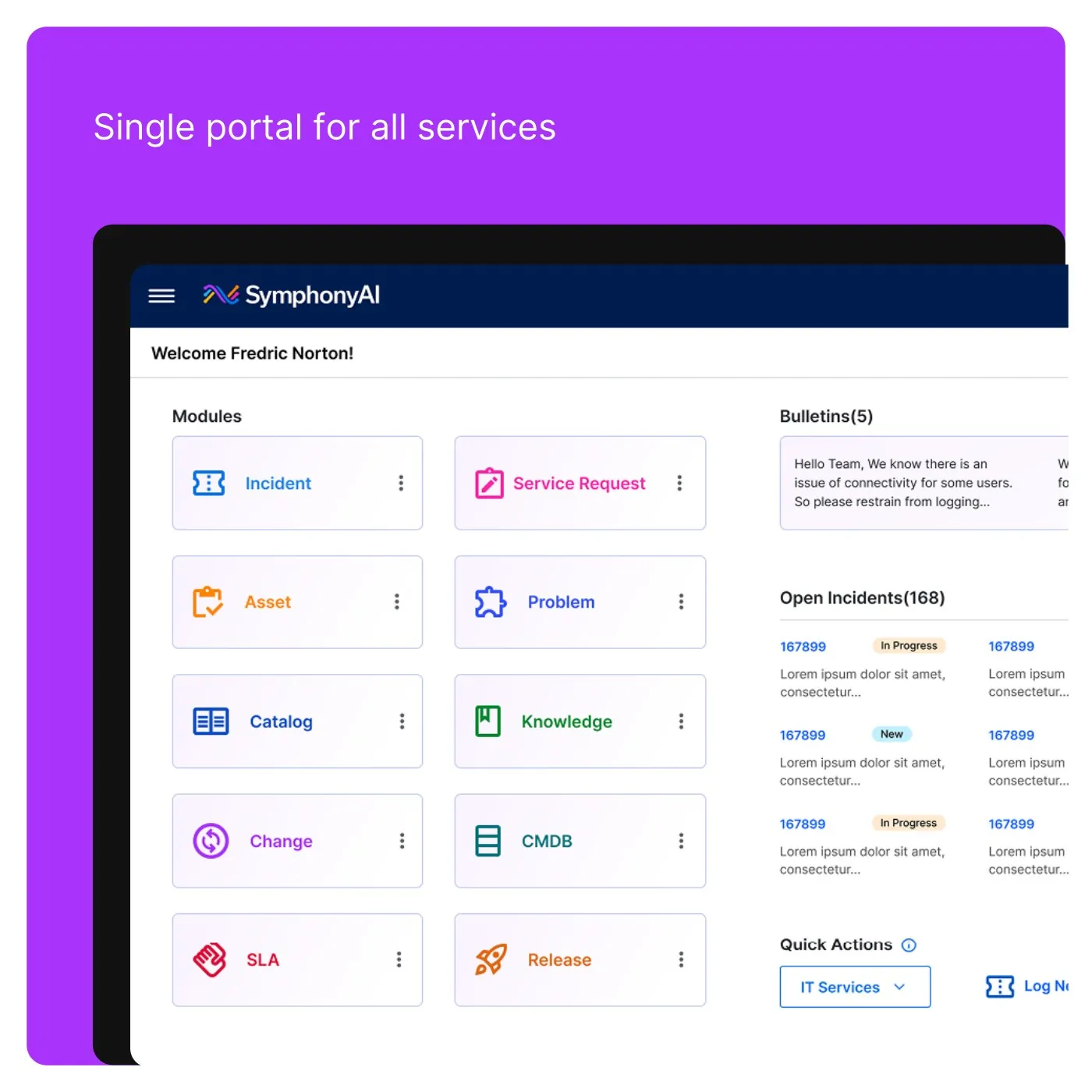
APEX 2.0 surface “APEX 2.0 — unified service portal” kết hợp portal, ticket/SLA, analytics, admin hoặc AI help trong service-management shell hiện tại; SVG hero có tính composite.
Nguồn: Trang nguồn chính thức
05A · SYMPHONYAI PORTFOLIO · ENTERPRISE IT
Enterprise IT / APEX — current service & agent UI · tiếp
C · UI FRAGMENT/COMPOSITE APEX 2.0 — analyst module grid
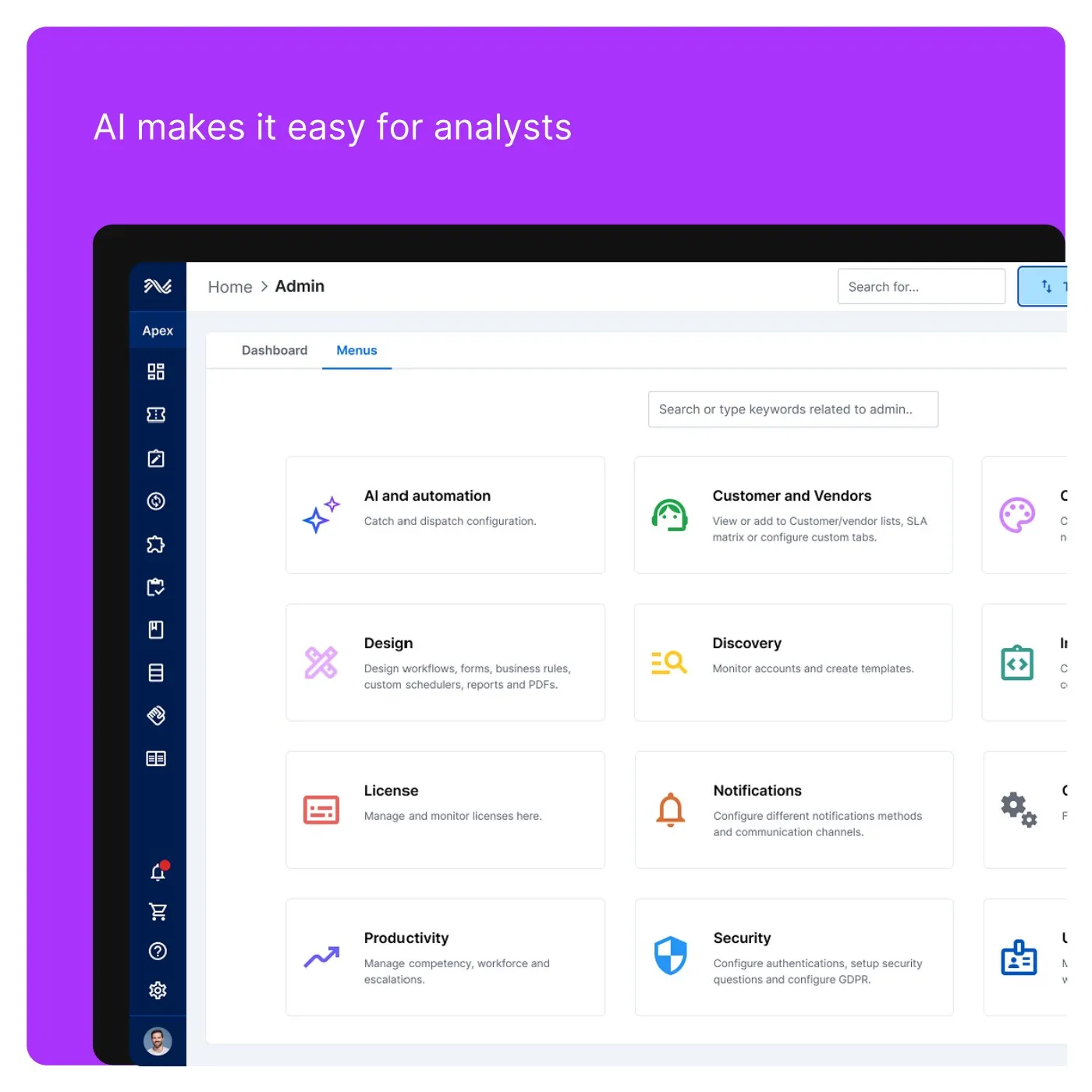
APEX 2.0 surface “APEX 2.0 — analyst module grid” kết hợp portal, ticket/SLA, analytics, admin hoặc AI help trong service-management shell hiện tại; SVG hero có tính composite.
Nguồn: Trang nguồn chính thức
C · UI FRAGMENT/COMPOSITE APEX 2.0 — admin/service dashboard
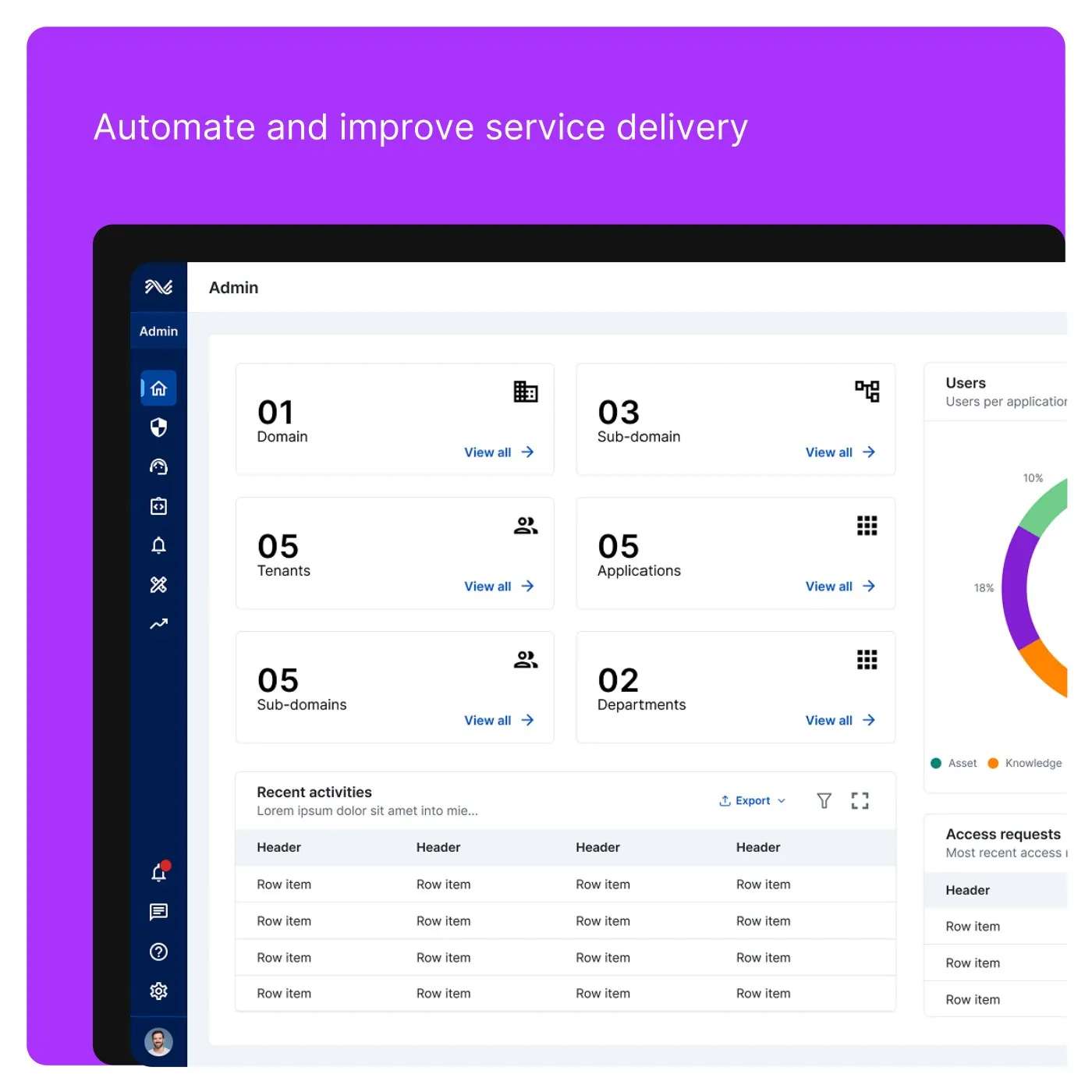
APEX 2.0 surface “APEX 2.0 — admin/service dashboard” kết hợp portal, ticket/SLA, analytics, admin hoặc AI help trong service-management shell hiện tại; SVG hero có tính composite.
Nguồn: Trang nguồn chính thức
05A · SYMPHONYAI PORTFOLIO · ENTERPRISE IT
Enterprise IT / APEX — current service & agent UI · tiếp
C · UI FRAGMENT/COMPOSITE APEX 2.0 — automation analytics
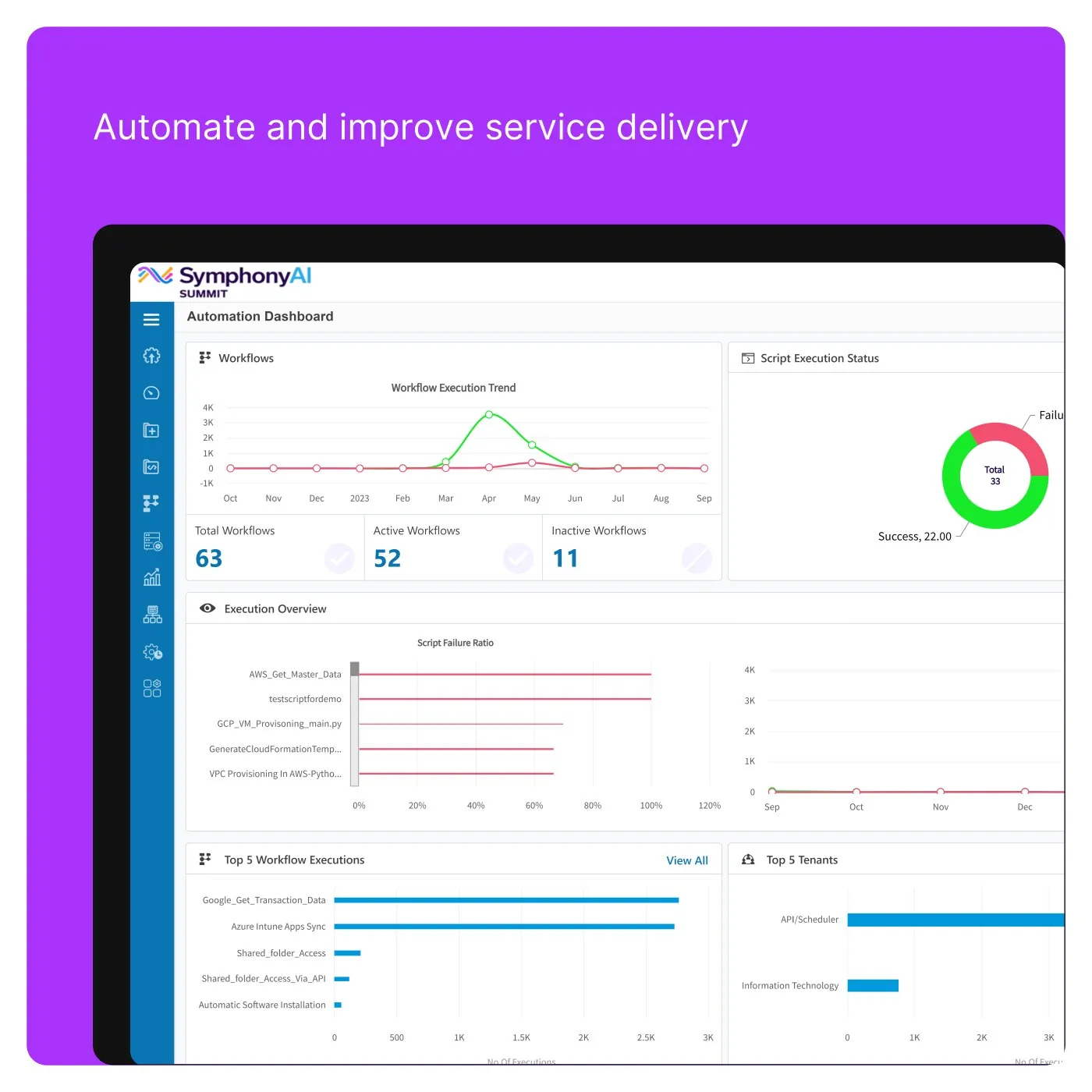
APEX 2.0 surface “APEX 2.0 — automation analytics” kết hợp portal, ticket/SLA, analytics, admin hoặc AI help trong service-management shell hiện tại; SVG hero có tính composite.
Nguồn: Trang nguồn chính thức
C · UI FRAGMENT/COMPOSITE APEX 2.0 — self-service Copilot
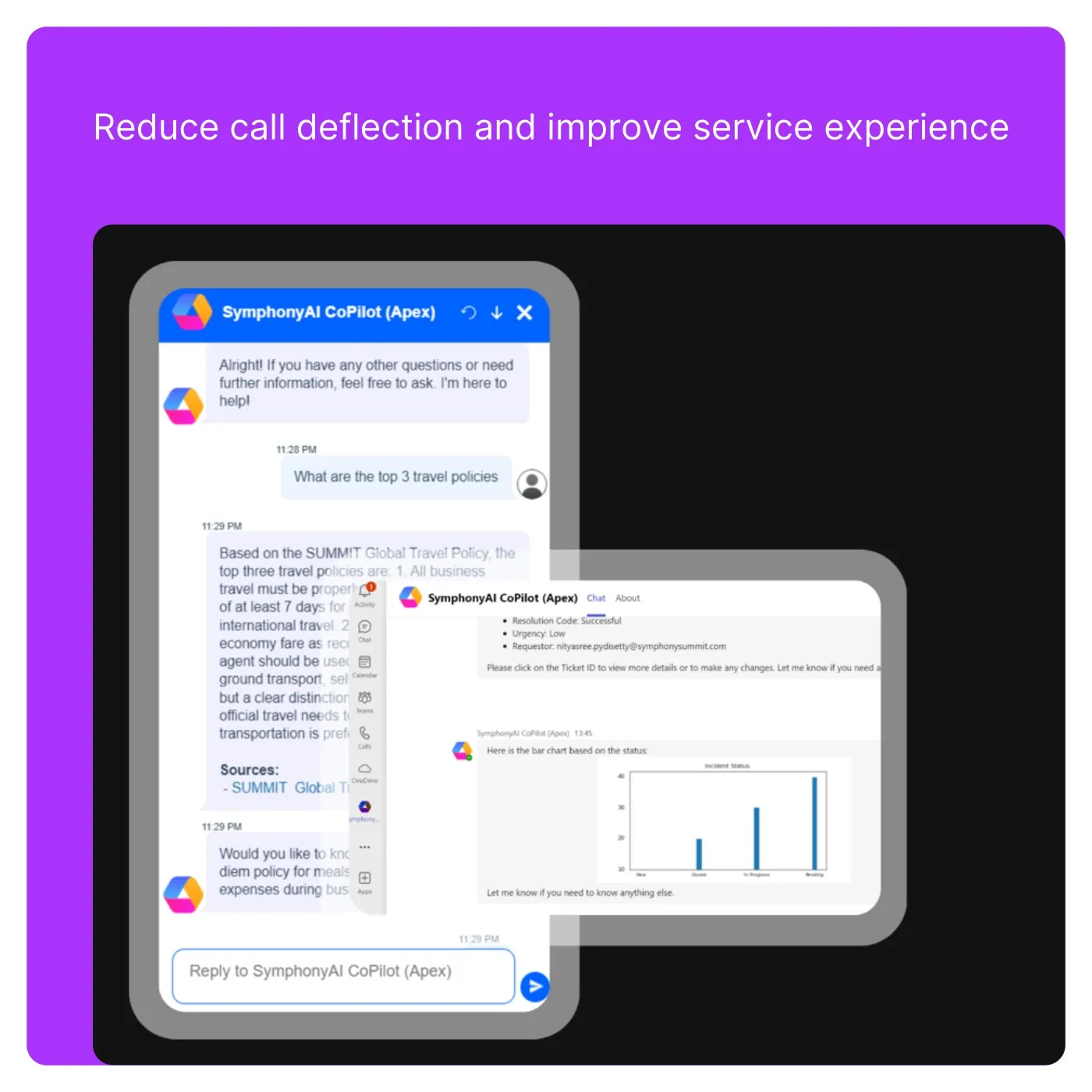
APEX 2.0 surface “APEX 2.0 — self-service Copilot” kết hợp portal, ticket/SLA, analytics, admin hoặc AI help trong service-management shell hiện tại; SVG hero có tính composite.
Nguồn: Trang nguồn chính thức
05A · SYMPHONYAI PORTFOLIO · ENTERPRISE IT
Enterprise IT / APEX — current service & agent UI · tiếp
C · UI FRAGMENT/COMPOSITE APEX 2.0 — incident + knowledge recommendations
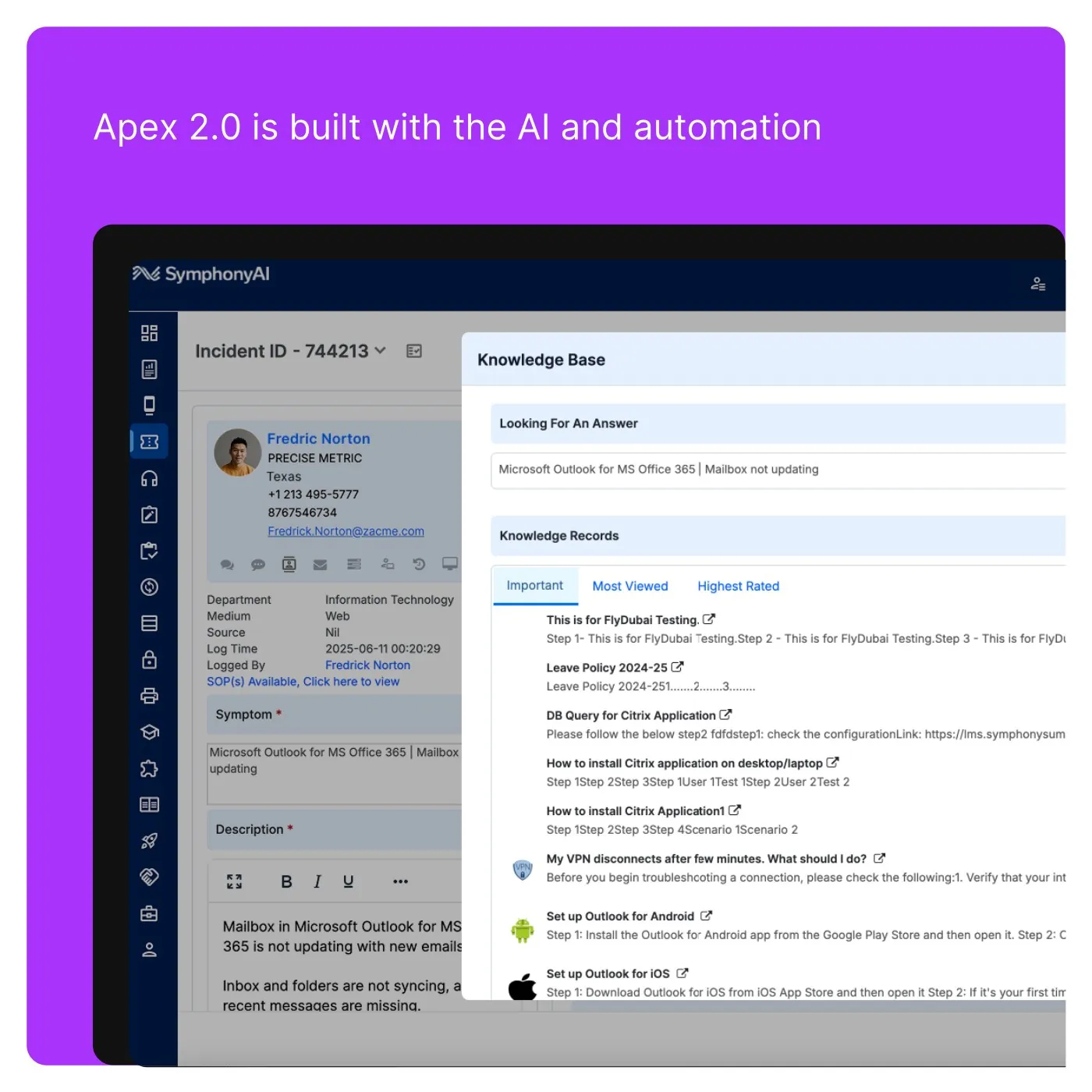
APEX 2.0 surface “APEX 2.0 — incident + knowledge recommendations” kết hợp portal, ticket/SLA, analytics, admin hoặc AI help trong service-management shell hiện tại; SVG hero có tính composite.
Nguồn: Trang nguồn chính thức
C · UI FRAGMENT/COMPOSITE APEX 2.0 — incident intelligence
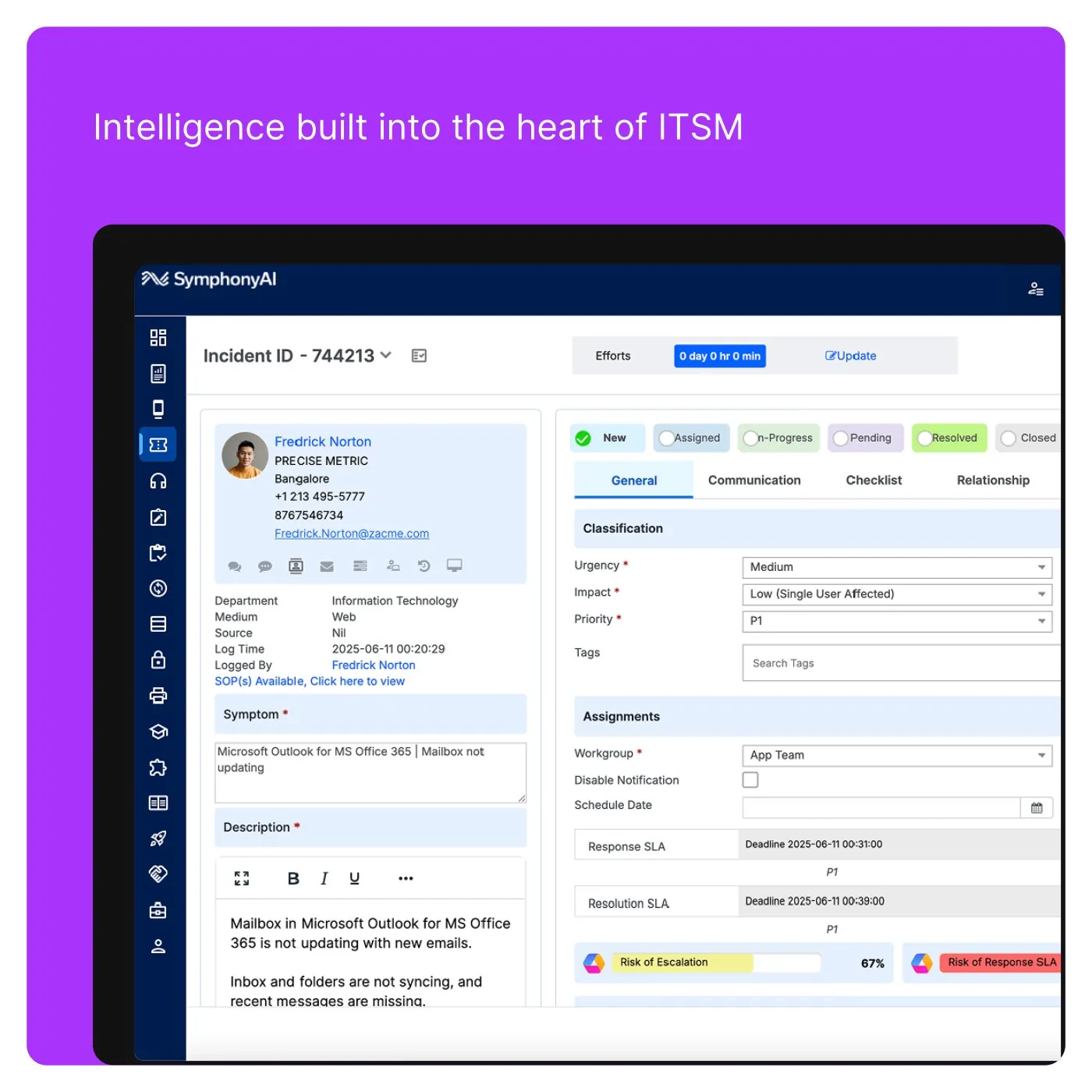
APEX 2.0 surface “APEX 2.0 — incident intelligence” kết hợp portal, ticket/SLA, analytics, admin hoặc AI help trong service-management shell hiện tại; SVG hero có tính composite.
Nguồn: Trang nguồn chính thức
05A · SYMPHONYAI PORTFOLIO · ENTERPRISE IT
Enterprise IT / APEX — current service & agent UI · tiếp
C · UI FRAGMENT/COMPOSITE APEX 2.0 — integration configuration
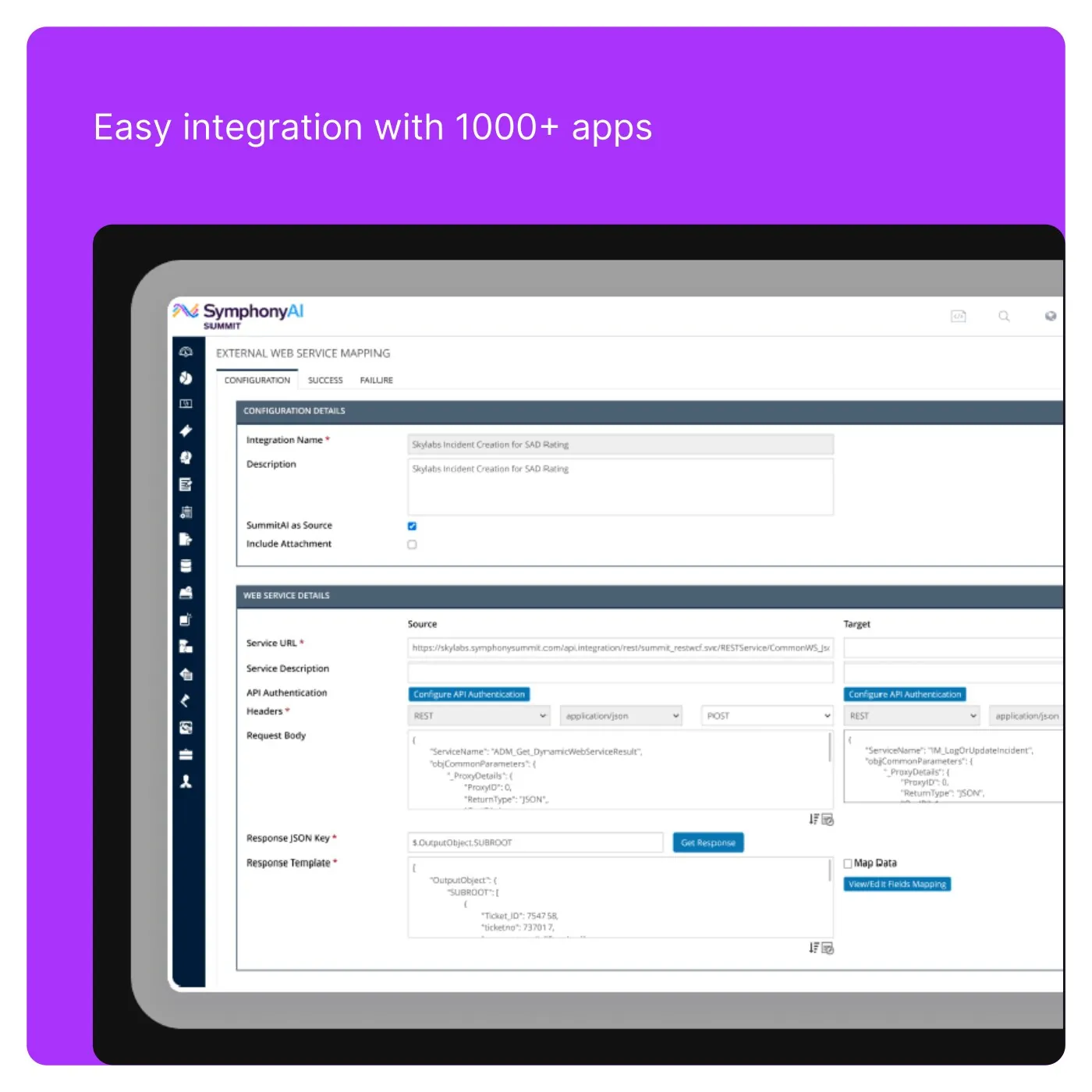
APEX 2.0 surface “APEX 2.0 — integration configuration” kết hợp portal, ticket/SLA, analytics, admin hoặc AI help trong service-management shell hiện tại; SVG hero có tính composite.
Nguồn: Trang nguồn chính thức
C · UI FRAGMENT/COMPOSITE APEX 2.0 — multi-channel Copilot
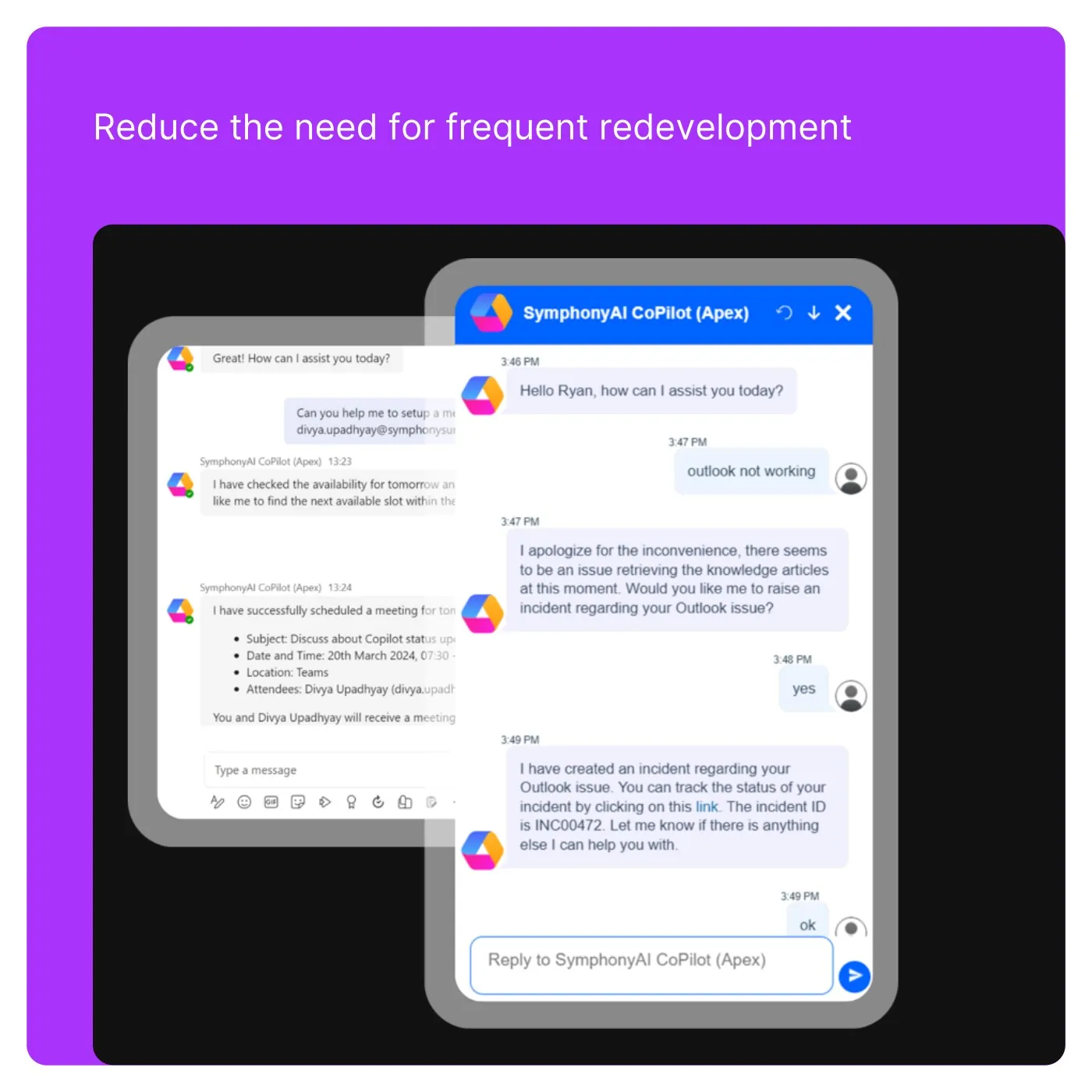
APEX 2.0 surface “APEX 2.0 — multi-channel Copilot” kết hợp portal, ticket/SLA, analytics, admin hoặc AI help trong service-management shell hiện tại; SVG hero có tính composite.
Nguồn: Trang nguồn chính thức
05A · SYMPHONYAI PORTFOLIO · ENTERPRISE IT
Enterprise IT / APEX — current service & agent UI · tiếp
C · UI FRAGMENT/COMPOSITE APEX 2.0 — admin simplicity
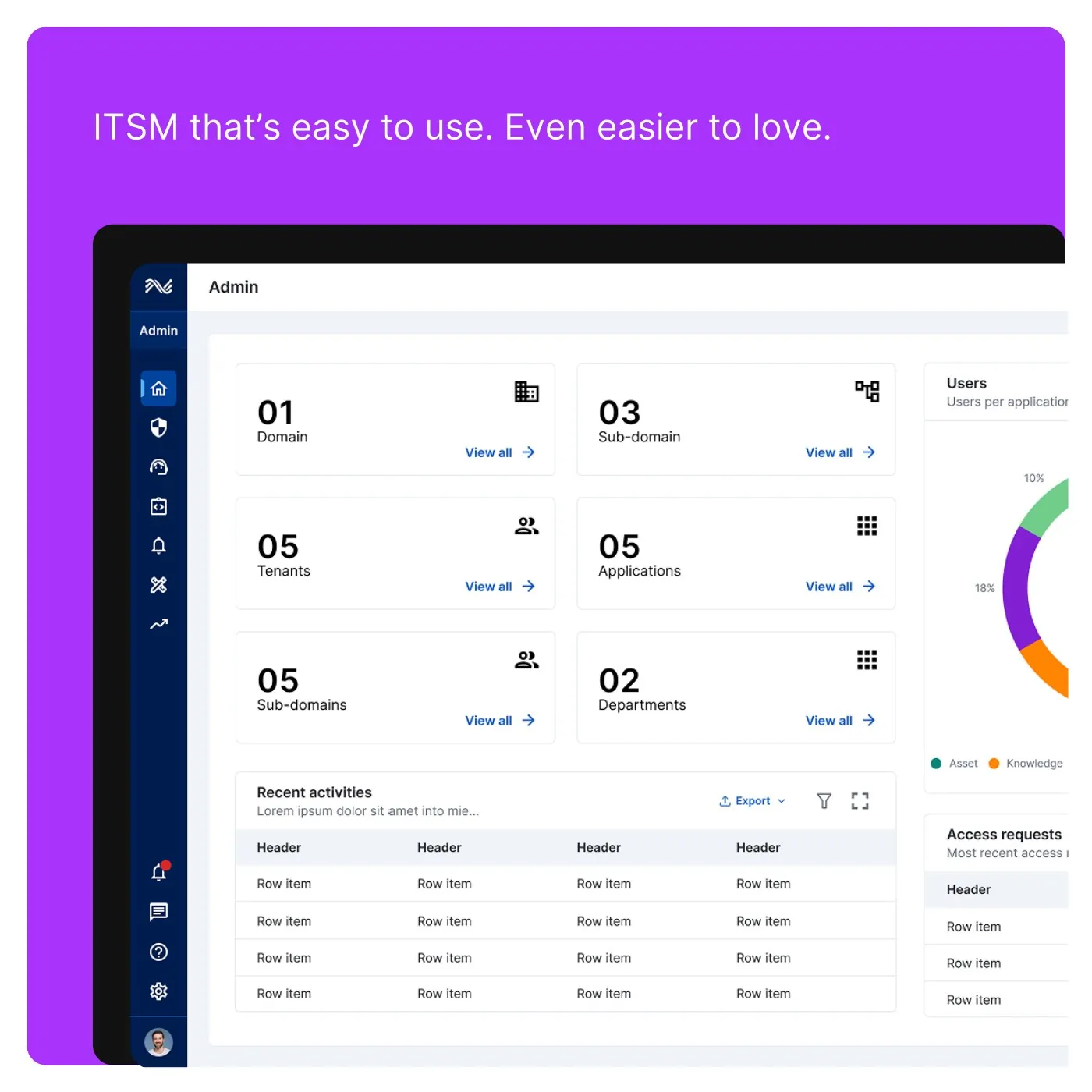
APEX 2.0 surface “APEX 2.0 — admin simplicity” kết hợp portal, ticket/SLA, analytics, admin hoặc AI help trong service-management shell hiện tại; SVG hero có tính composite.
Nguồn: Trang nguồn chính thức
05B · SYMPHONYAI PORTFOLIO · ENTERPRISE IT
Enterprise IT — agentic AI concept states
Phone/tablet animation frames minh họa task/chat interaction; đây là concept layer, không phải full application shell.
C · UI FRAGMENT/COMPOSITE Agentic AI — mobile task state
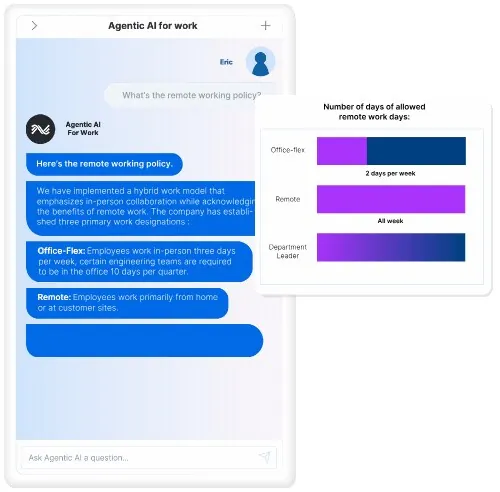
Agentic-AI animation “Agentic AI — mobile task state” minh họa một task/chat state trên phone hoặc tablet. Đây là concept surface; dùng để đọc interaction pattern, không xem như full APEX shell.
Nguồn: Trang nguồn chính thức
C · UI FRAGMENT/COMPOSITE Agentic AI — mobile productivity state
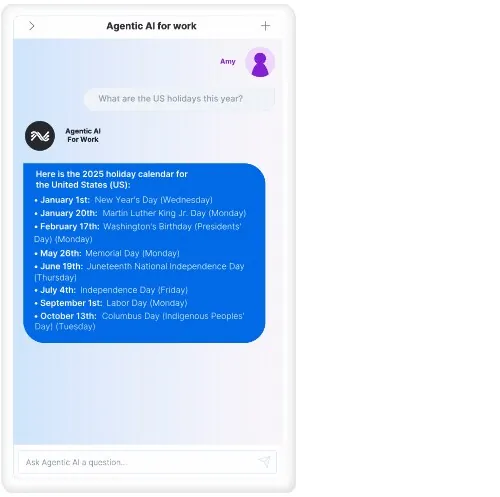
Agentic-AI animation “Agentic AI — mobile productivity state” minh họa một task/chat state trên phone hoặc tablet. Đây là concept surface; dùng để đọc interaction pattern, không xem như full APEX shell.
Nguồn: Trang nguồn chính thức
05B · SYMPHONYAI PORTFOLIO · ENTERPRISE IT
Enterprise IT — agentic AI concept states · tiếp
C · UI FRAGMENT/COMPOSITE Agentic AI — mobile search state
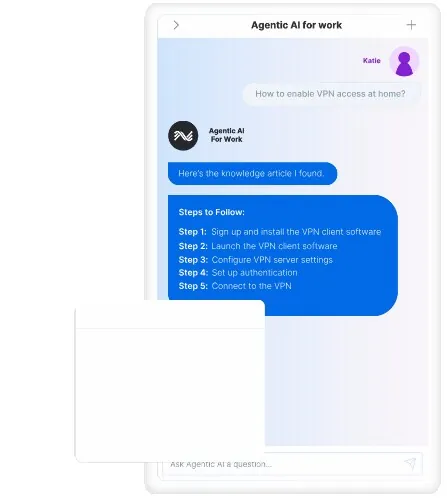
Agentic-AI animation “Agentic AI — mobile search state” minh họa một task/chat state trên phone hoặc tablet. Đây là concept surface; dùng để đọc interaction pattern, không xem như full APEX shell.
Nguồn: Trang nguồn chính thức
C · UI FRAGMENT/COMPOSITE Agentic AI — mobile scale state
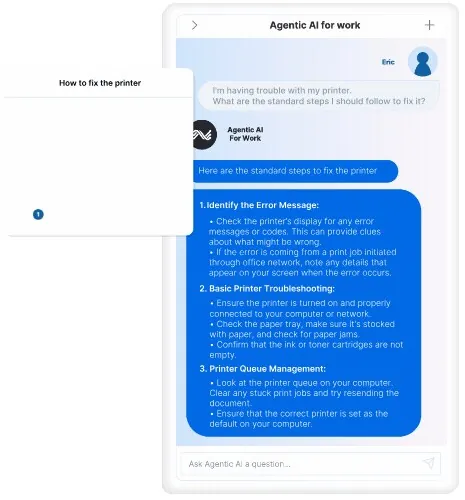
Agentic-AI animation “Agentic AI — mobile scale state” minh họa một task/chat state trên phone hoặc tablet. Đây là concept surface; dùng để đọc interaction pattern, không xem như full APEX shell.
Nguồn: Trang nguồn chính thức
05B · SYMPHONYAI PORTFOLIO · ENTERPRISE IT
Enterprise IT — agentic AI concept states · tiếp
C · UI FRAGMENT/COMPOSITE Agentic AI — tablet governance state
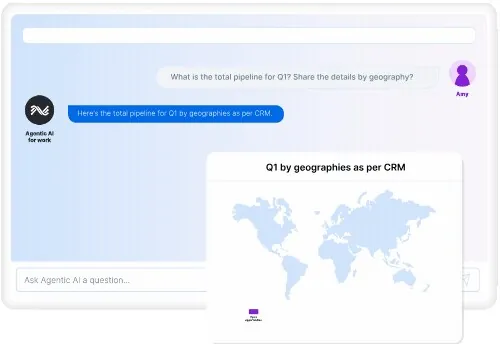
Agentic-AI animation “Agentic AI — tablet governance state” minh họa một task/chat state trên phone hoặc tablet. Đây là concept surface; dùng để đọc interaction pattern, không xem như full APEX shell.
Nguồn: Trang nguồn chính thức
C · UI FRAGMENT/COMPOSITE Agentic AI — tablet automation state
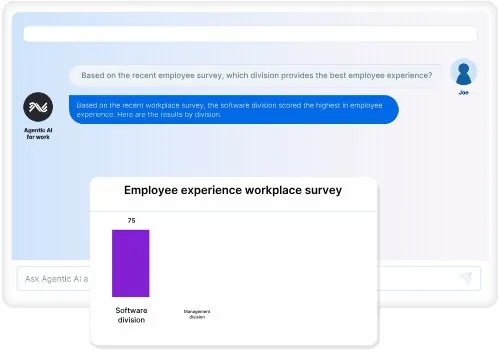
Agentic-AI animation “Agentic AI — tablet automation state” minh họa một task/chat state trên phone hoặc tablet. Đây là concept surface; dùng để đọc interaction pattern, không xem như full APEX shell.
Nguồn: Trang nguồn chính thức
05C · SYMPHONYAI PORTFOLIO · LEGACY ITSM
Enterprise IT — legacy builders, automation & ITAM
Authentic UI đời trước cho form/rule/workflow designer, service automation và asset management.
D · LEGACY/HISTORICAL Legacy ITSM — form designer
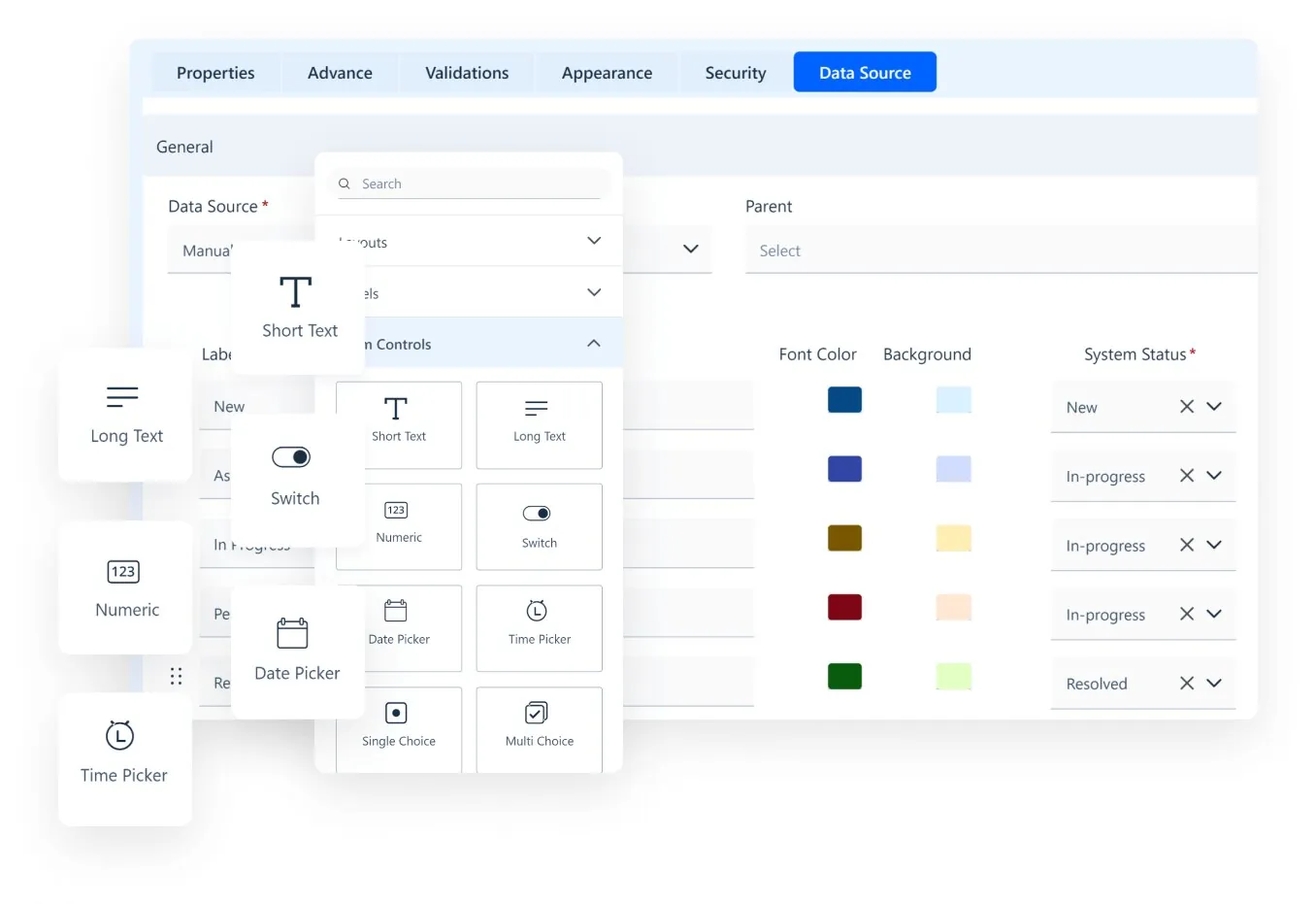
Legacy ITSM view “Legacy ITSM — form designer” cho thấy form, rule, workflow, asset hoặc automation builder của thế hệ trước. Hữu ích để đọc capability lineage, không đại diện visual system hiện tại.
Nguồn: Trang nguồn chính thức
D · LEGACY/HISTORICAL Legacy ITSM — form administration
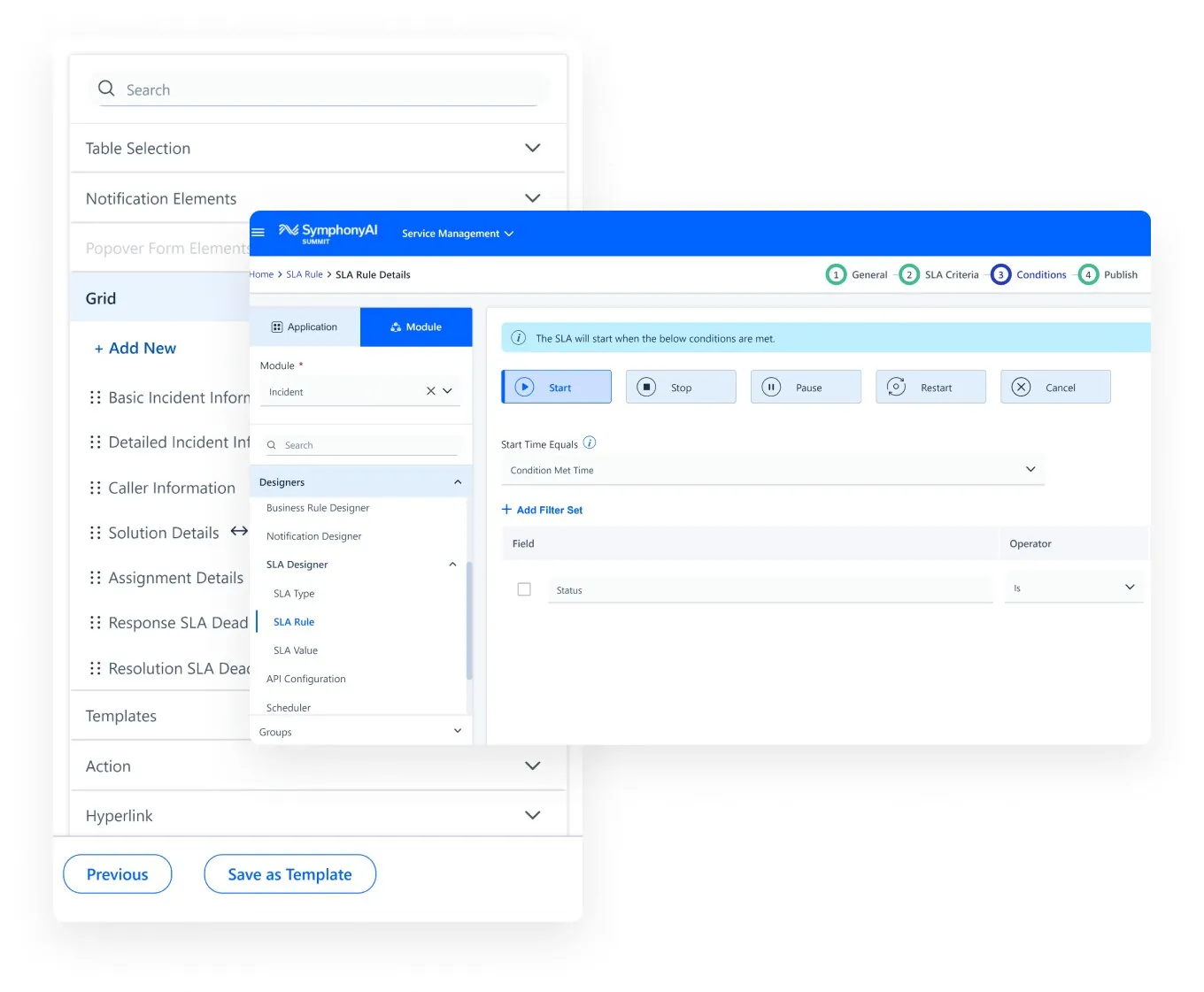
Legacy ITSM view “Legacy ITSM — form administration” cho thấy form, rule, workflow, asset hoặc automation builder của thế hệ trước. Hữu ích để đọc capability lineage, không đại diện visual system hiện tại.
Nguồn: Trang nguồn chính thức
05C · SYMPHONYAI PORTFOLIO · LEGACY ITSM
Enterprise IT — legacy builders, automation & ITAM · tiếp
D · LEGACY/HISTORICAL Legacy ITSM — business-rule flow
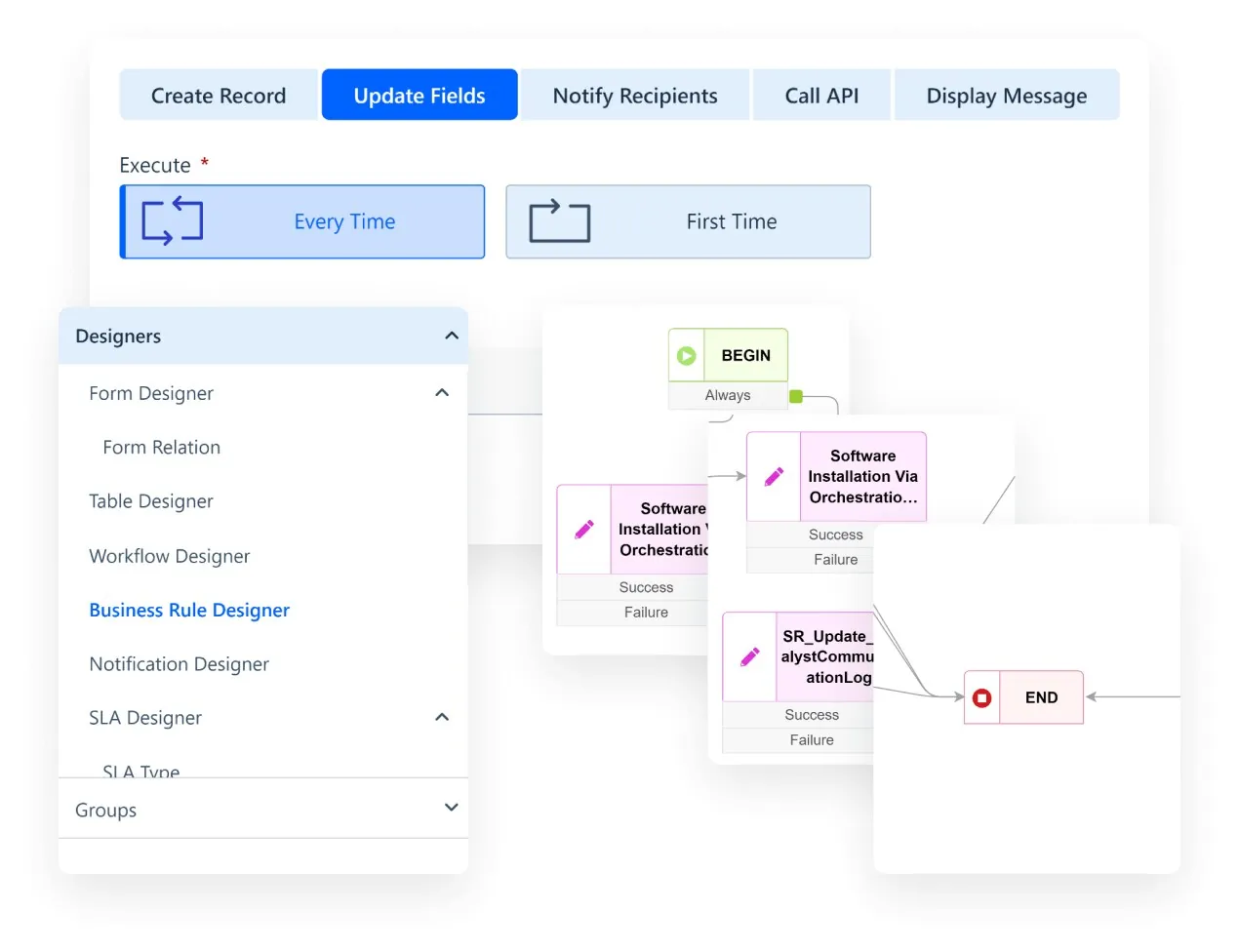
Legacy ITSM view “Legacy ITSM — business-rule flow” cho thấy form, rule, workflow, asset hoặc automation builder của thế hệ trước. Hữu ích để đọc capability lineage, không đại diện visual system hiện tại.
Nguồn: Trang nguồn chính thức
D · LEGACY/HISTORICAL Legacy ITSM — omnichannel service
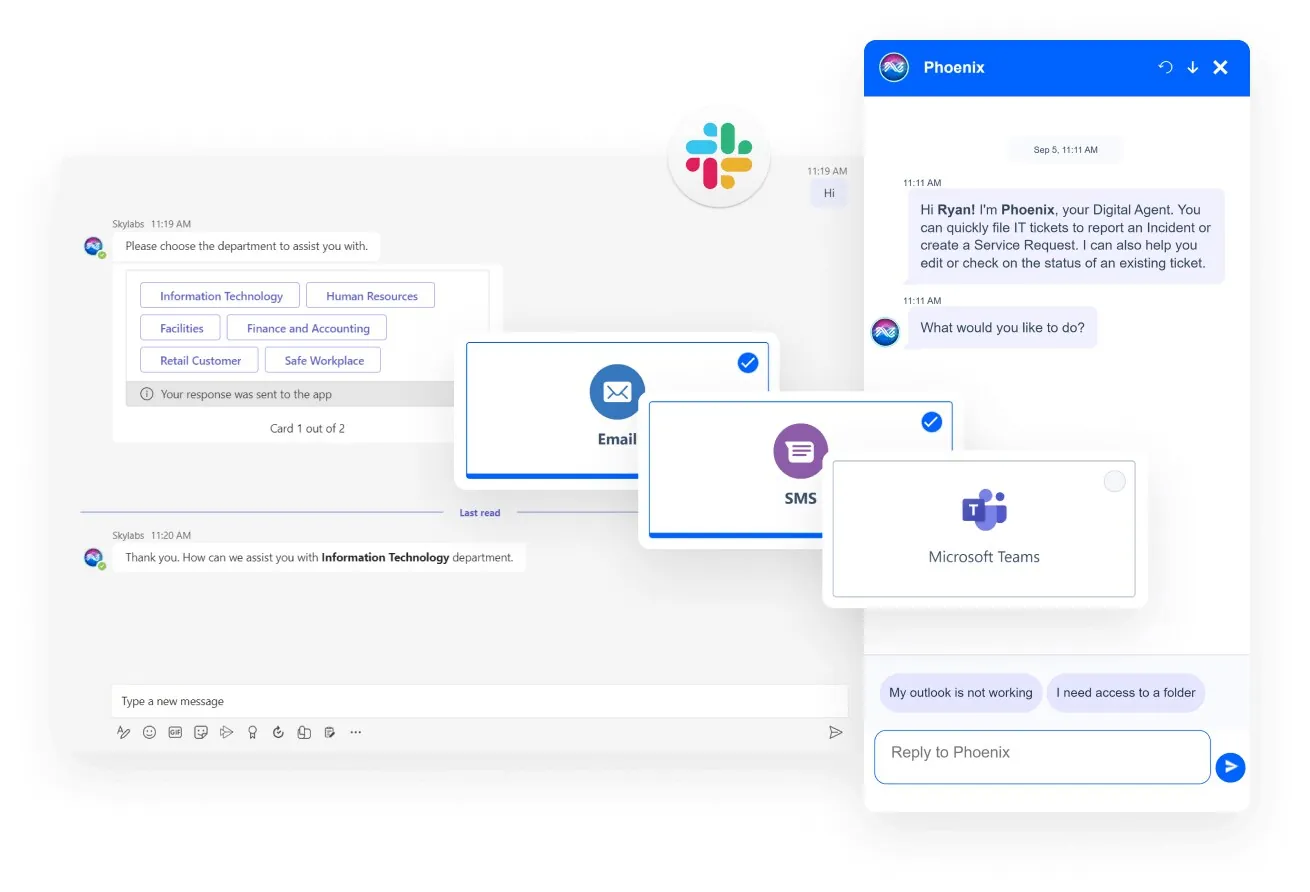
Legacy ITSM view “Legacy ITSM — omnichannel service” cho thấy form, rule, workflow, asset hoặc automation builder của thế hệ trước. Hữu ích để đọc capability lineage, không đại diện visual system hiện tại.
Nguồn: Trang nguồn chính thức
05C · SYMPHONYAI PORTFOLIO · LEGACY ITSM
Enterprise IT — legacy builders, automation & ITAM · tiếp
D · LEGACY/HISTORICAL Service Automation — onboarding request
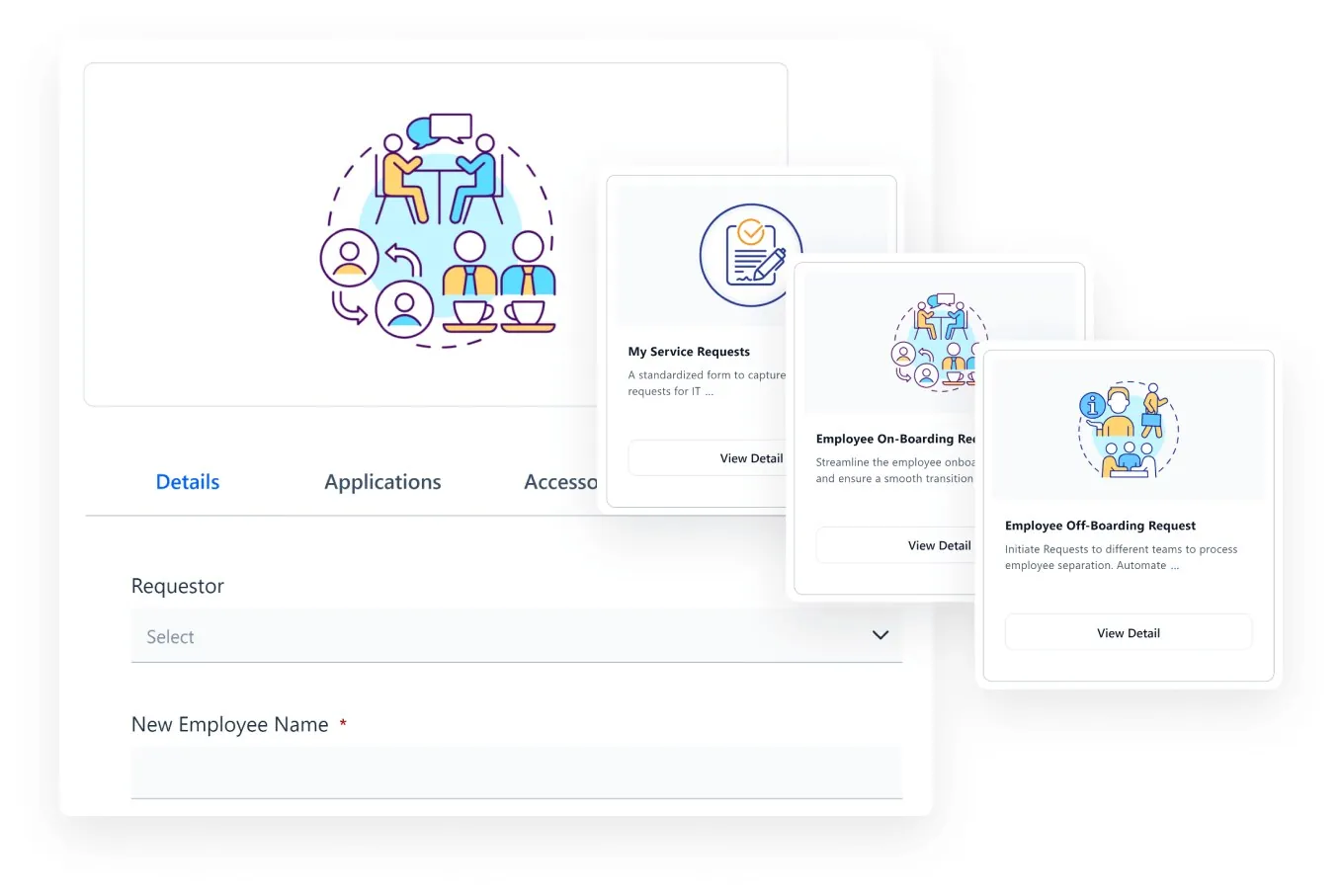
Legacy ITSM view “Service Automation — onboarding request” cho thấy form, rule, workflow, asset hoặc automation builder của thế hệ trước. Hữu ích để đọc capability lineage, không đại diện visual system hiện tại.
Nguồn: Trang nguồn chính thức
D · LEGACY/HISTORICAL Service Automation — task execution
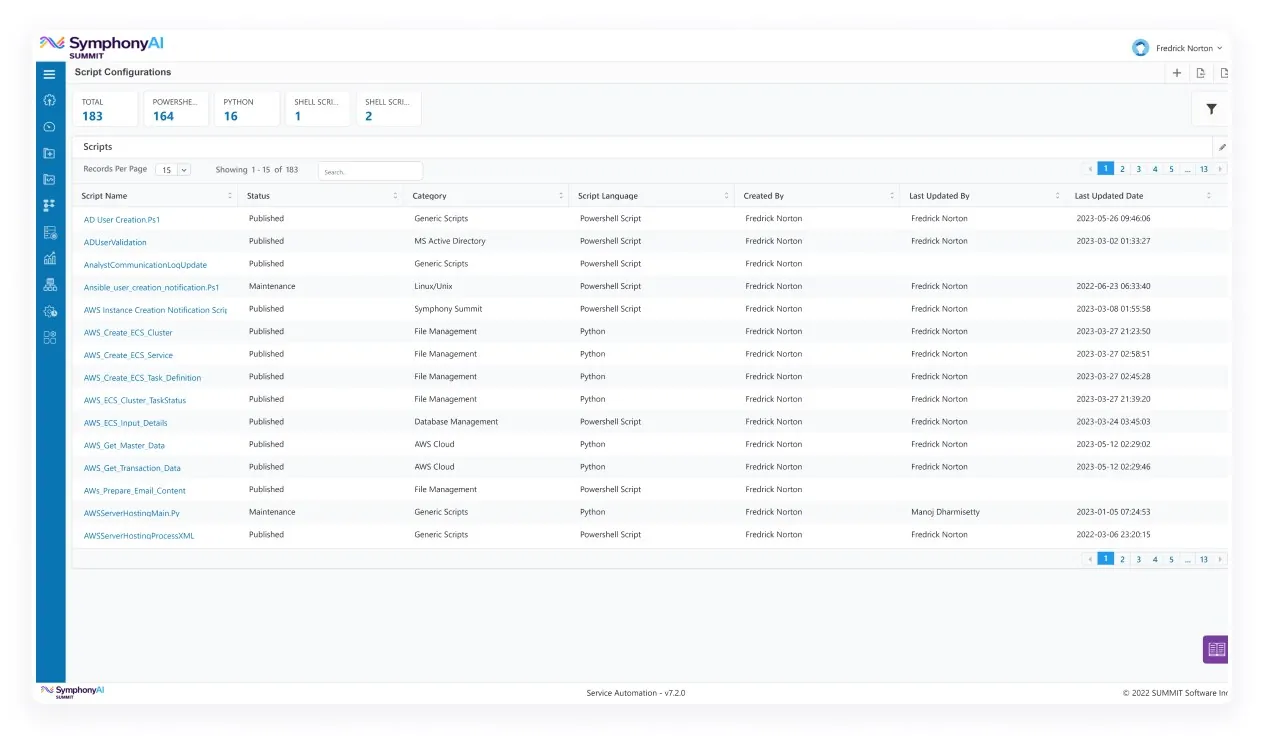
Legacy ITSM view “Service Automation — task execution” cho thấy form, rule, workflow, asset hoặc automation builder của thế hệ trước. Hữu ích để đọc capability lineage, không đại diện visual system hiện tại.
Nguồn: Trang nguồn chính thức
05C · SYMPHONYAI PORTFOLIO · LEGACY ITSM
Enterprise IT — legacy builders, automation & ITAM · tiếp
D · LEGACY/HISTORICAL Service Automation — request workflow
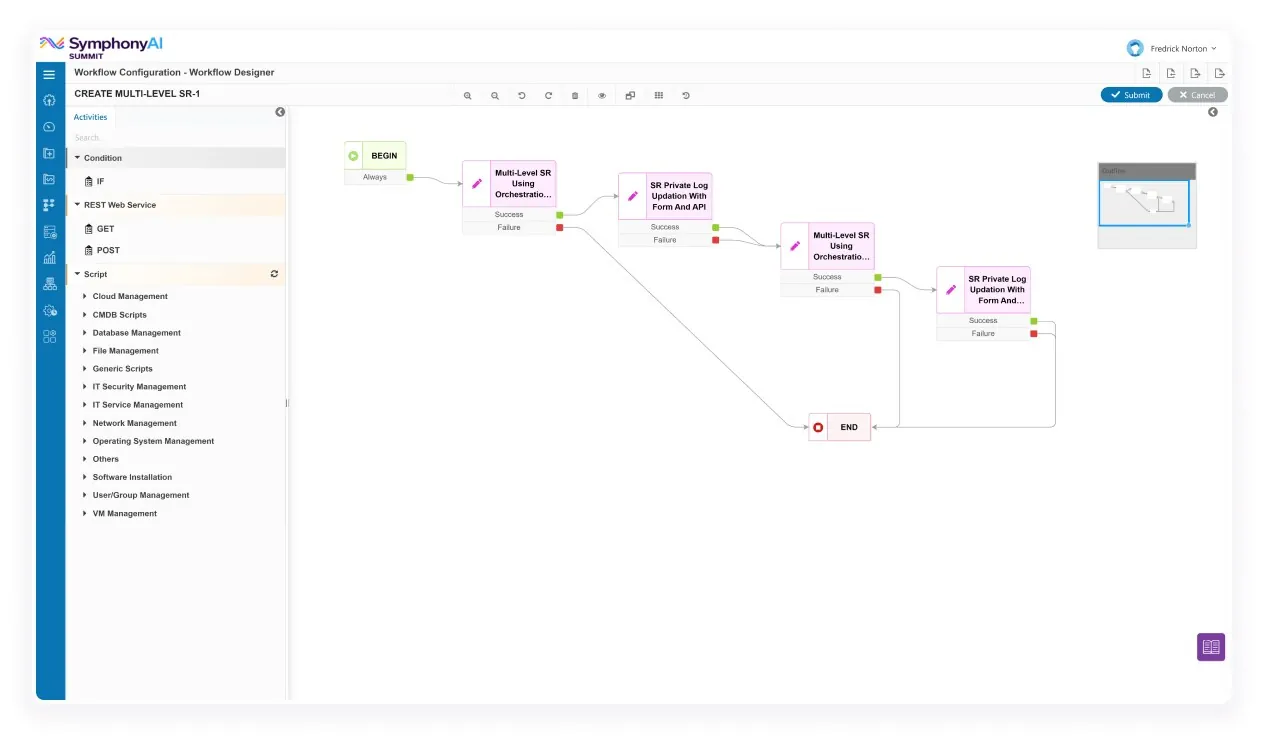
Legacy ITSM view “Service Automation — request workflow” cho thấy form, rule, workflow, asset hoặc automation builder của thế hệ trước. Hữu ích để đọc capability lineage, không đại diện visual system hiện tại.
Nguồn: Trang nguồn chính thức
D · LEGACY/HISTORICAL Service Automation — remediation mapping
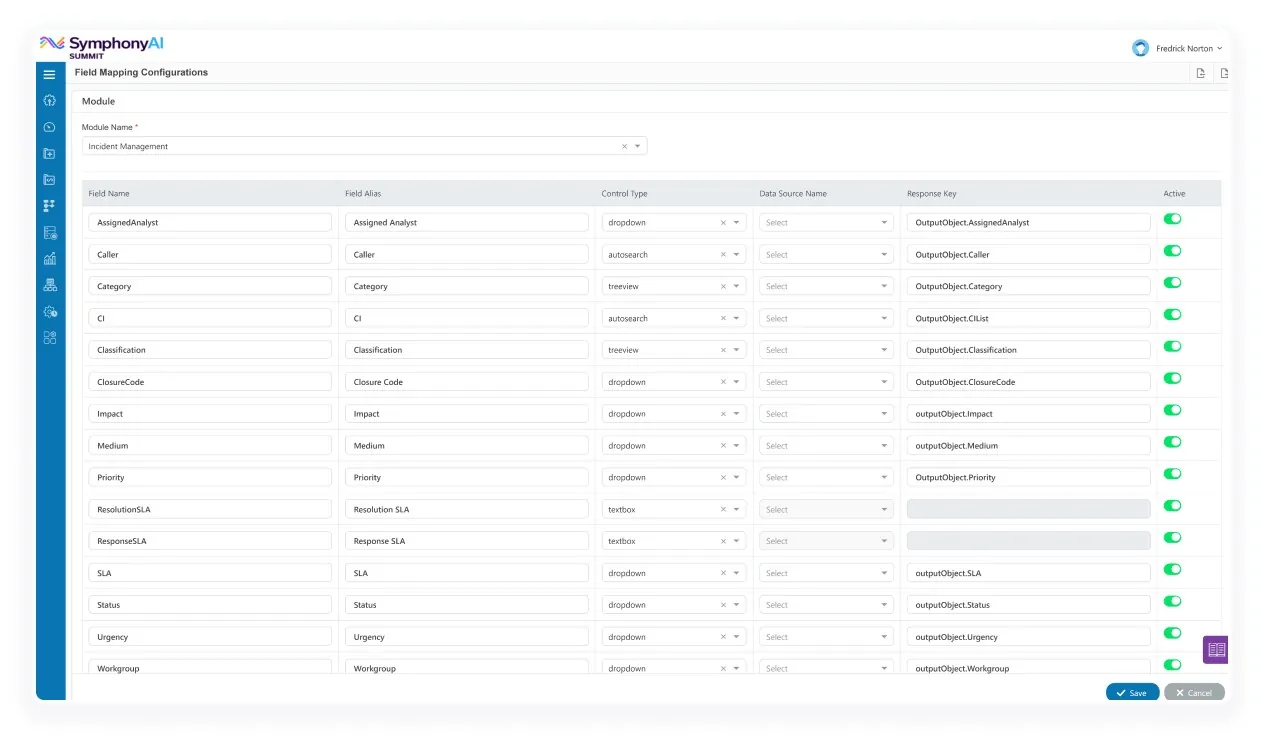
Legacy ITSM view “Service Automation — remediation mapping” cho thấy form, rule, workflow, asset hoặc automation builder của thế hệ trước. Hữu ích để đọc capability lineage, không đại diện visual system hiện tại.
Nguồn: Trang nguồn chính thức
05C · SYMPHONYAI PORTFOLIO · LEGACY ITSM
Enterprise IT — legacy builders, automation & ITAM · tiếp
D · LEGACY/HISTORICAL Service Automation — provisioning script
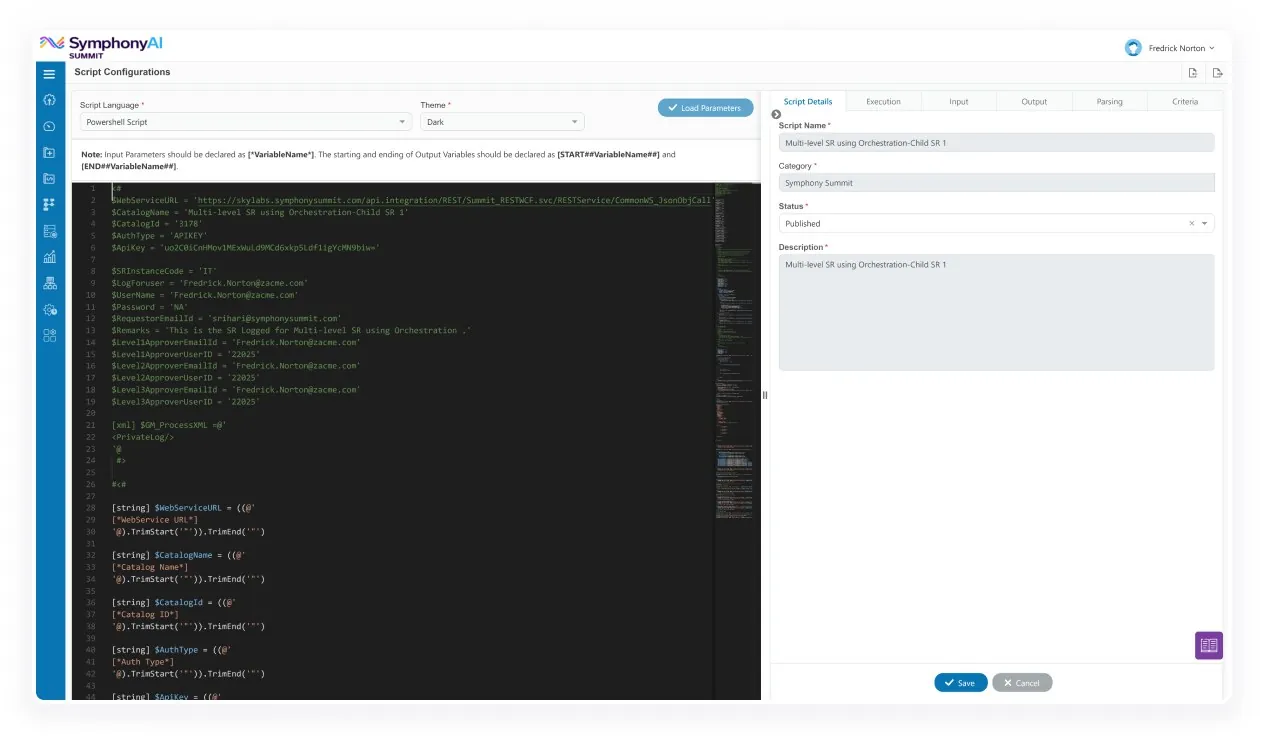
Legacy ITSM view “Service Automation — provisioning script” cho thấy form, rule, workflow, asset hoặc automation builder của thế hệ trước. Hữu ích để đọc capability lineage, không đại diện visual system hiện tại.
Nguồn: Trang nguồn chính thức
D · LEGACY/HISTORICAL Design Studio — application builder
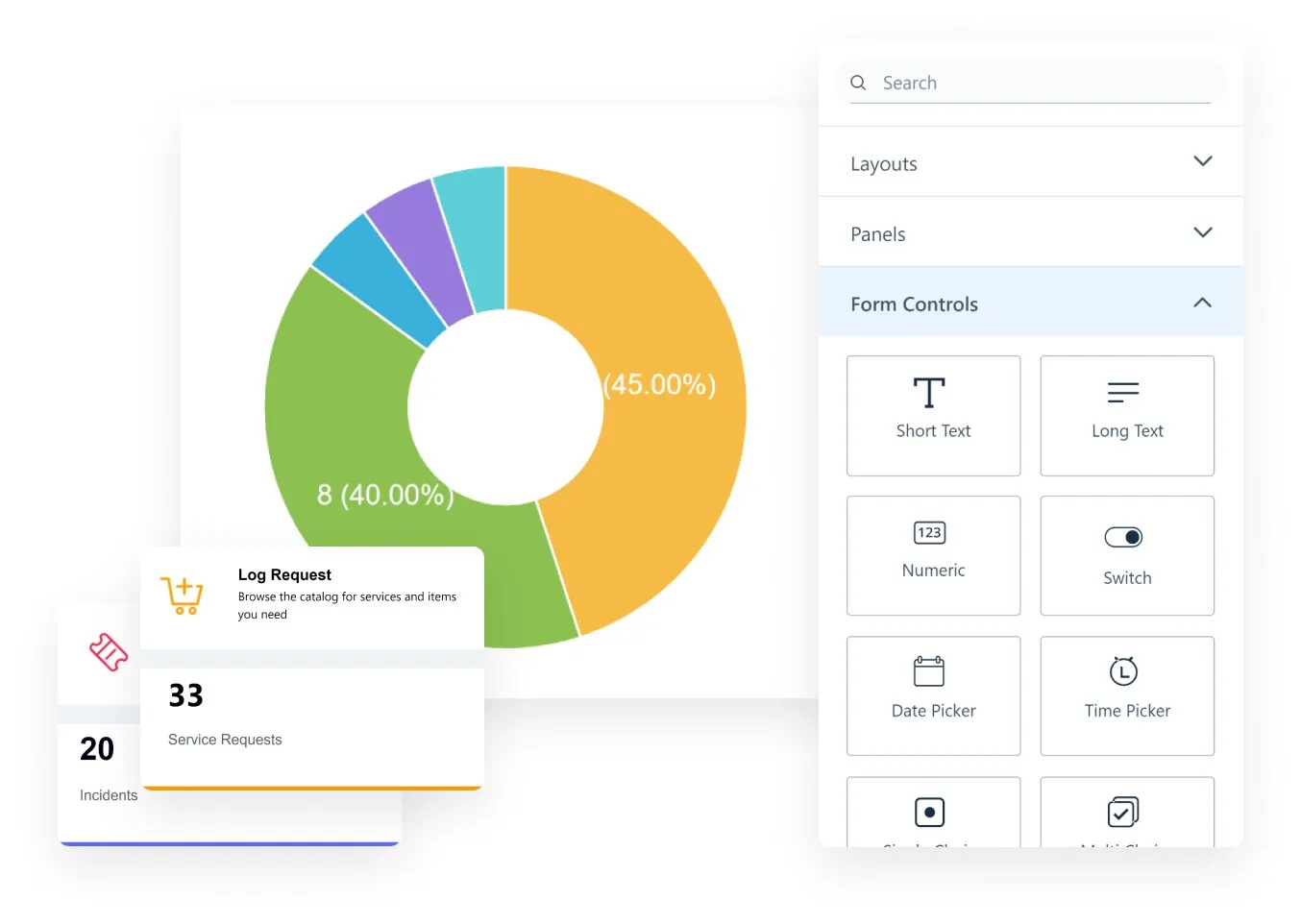
Legacy ITSM view “Design Studio — application builder” cho thấy form, rule, workflow, asset hoặc automation builder của thế hệ trước. Hữu ích để đọc capability lineage, không đại diện visual system hiện tại.
Nguồn: Trang nguồn chính thức
05C · SYMPHONYAI PORTFOLIO · LEGACY ITSM
Enterprise IT — legacy builders, automation & ITAM · tiếp
D · LEGACY/HISTORICAL Design Studio — analytics surface
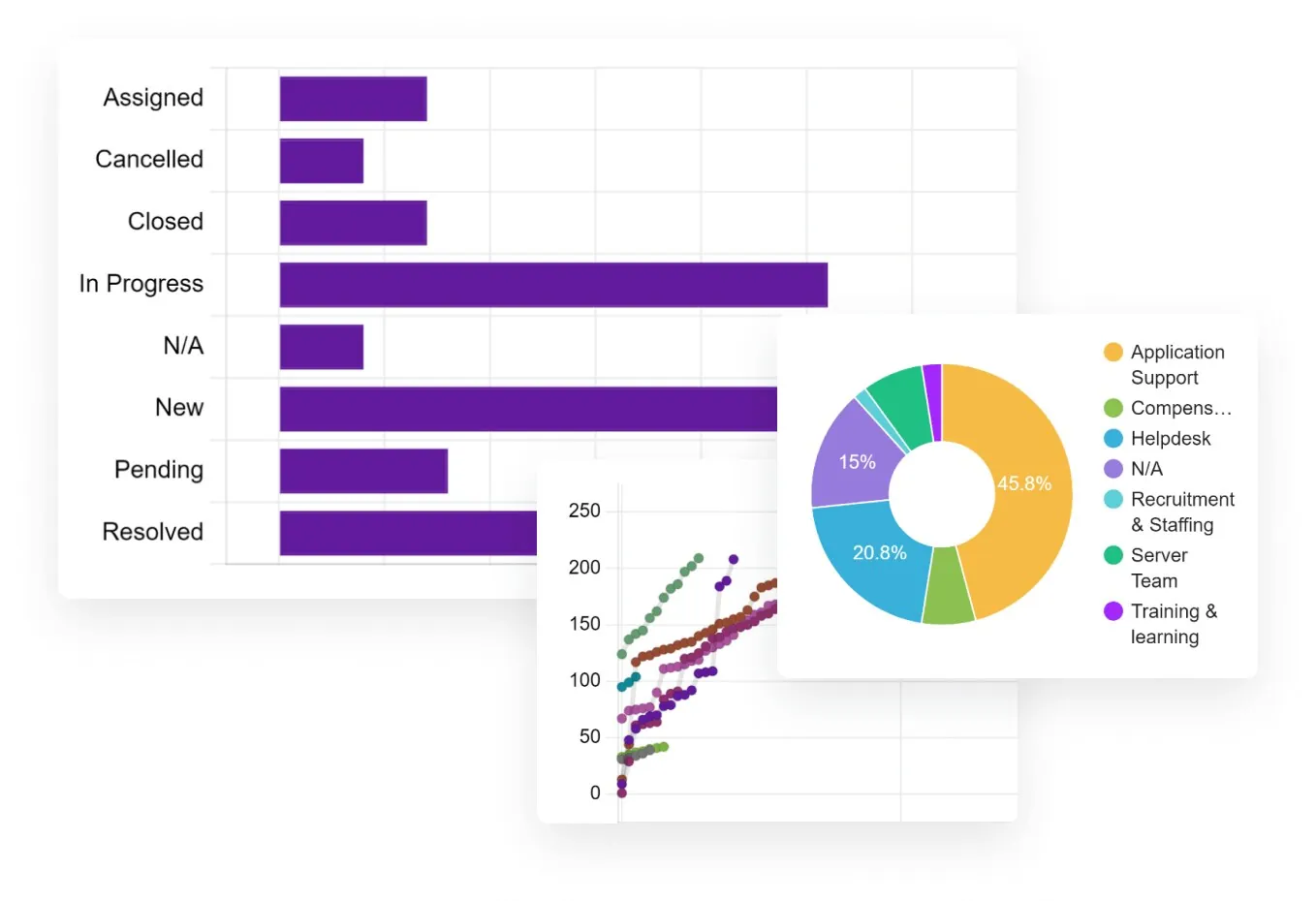
Legacy ITSM view “Design Studio — analytics surface” cho thấy form, rule, workflow, asset hoặc automation builder của thế hệ trước. Hữu ích để đọc capability lineage, không đại diện visual system hiện tại.
Nguồn: Trang nguồn chính thức
D · LEGACY/HISTORICAL Design Studio — business-rule canvas
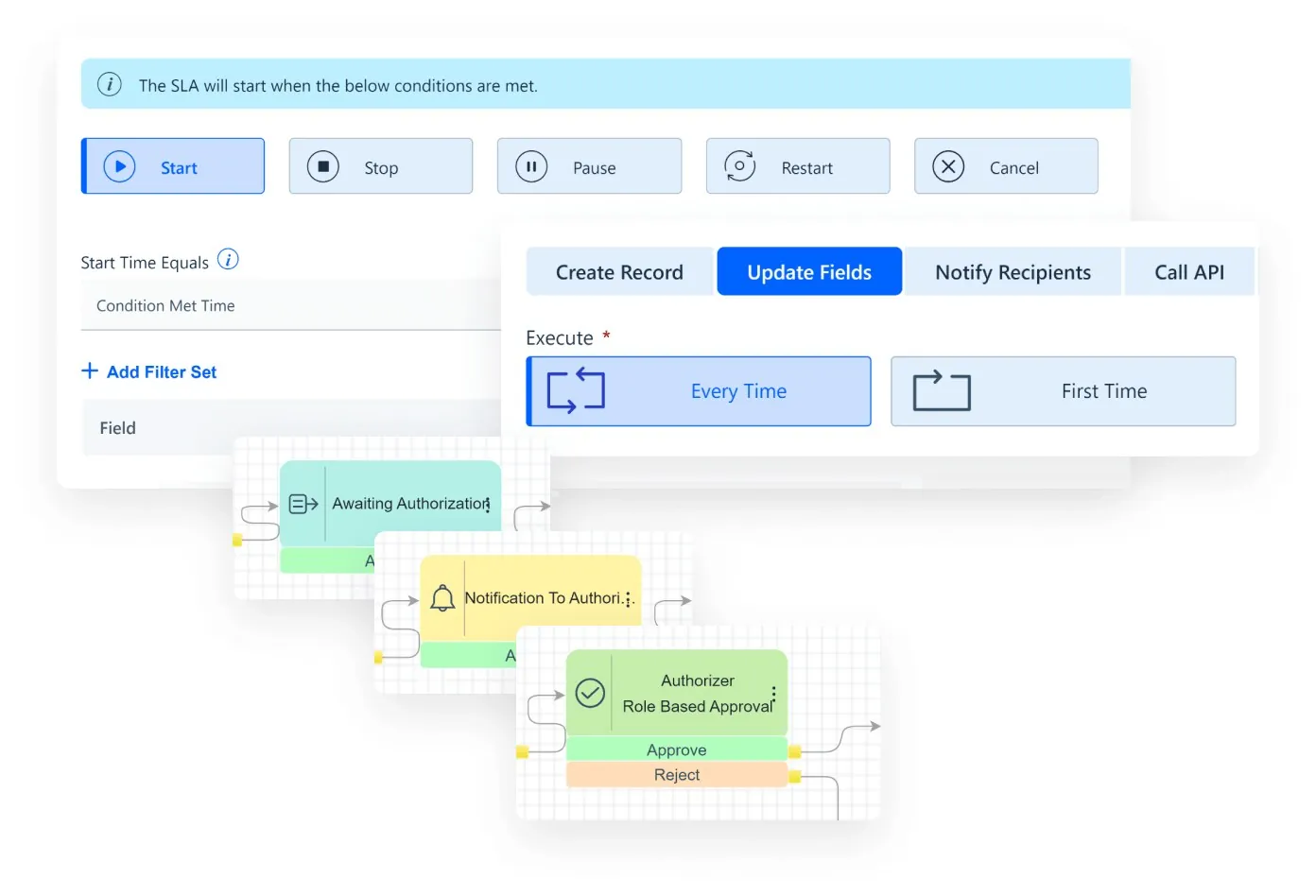
Legacy ITSM view “Design Studio — business-rule canvas” cho thấy form, rule, workflow, asset hoặc automation builder của thế hệ trước. Hữu ích để đọc capability lineage, không đại diện visual system hiện tại.
Nguồn: Trang nguồn chính thức
05C · SYMPHONYAI PORTFOLIO · LEGACY ITSM
Enterprise IT — legacy builders, automation & ITAM · tiếp
D · LEGACY/HISTORICAL Design Studio — workflow designer
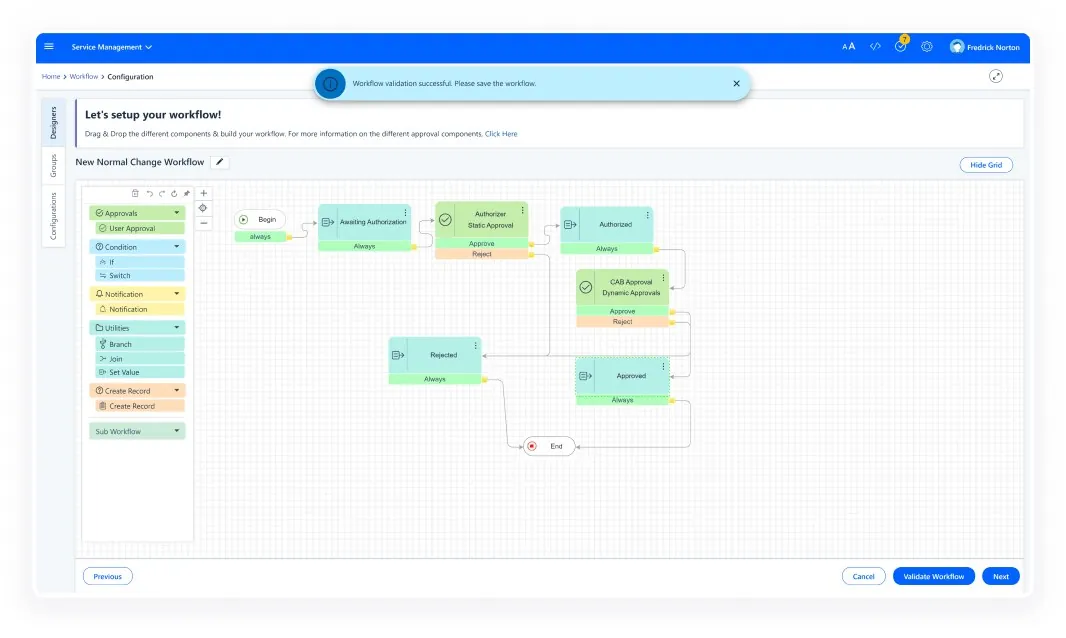
Legacy ITSM view “Design Studio — workflow designer” cho thấy form, rule, workflow, asset hoặc automation builder của thế hệ trước. Hữu ích để đọc capability lineage, không đại diện visual system hiện tại.
Nguồn: Trang nguồn chính thức
D · LEGACY/HISTORICAL Design Studio — application portfolio
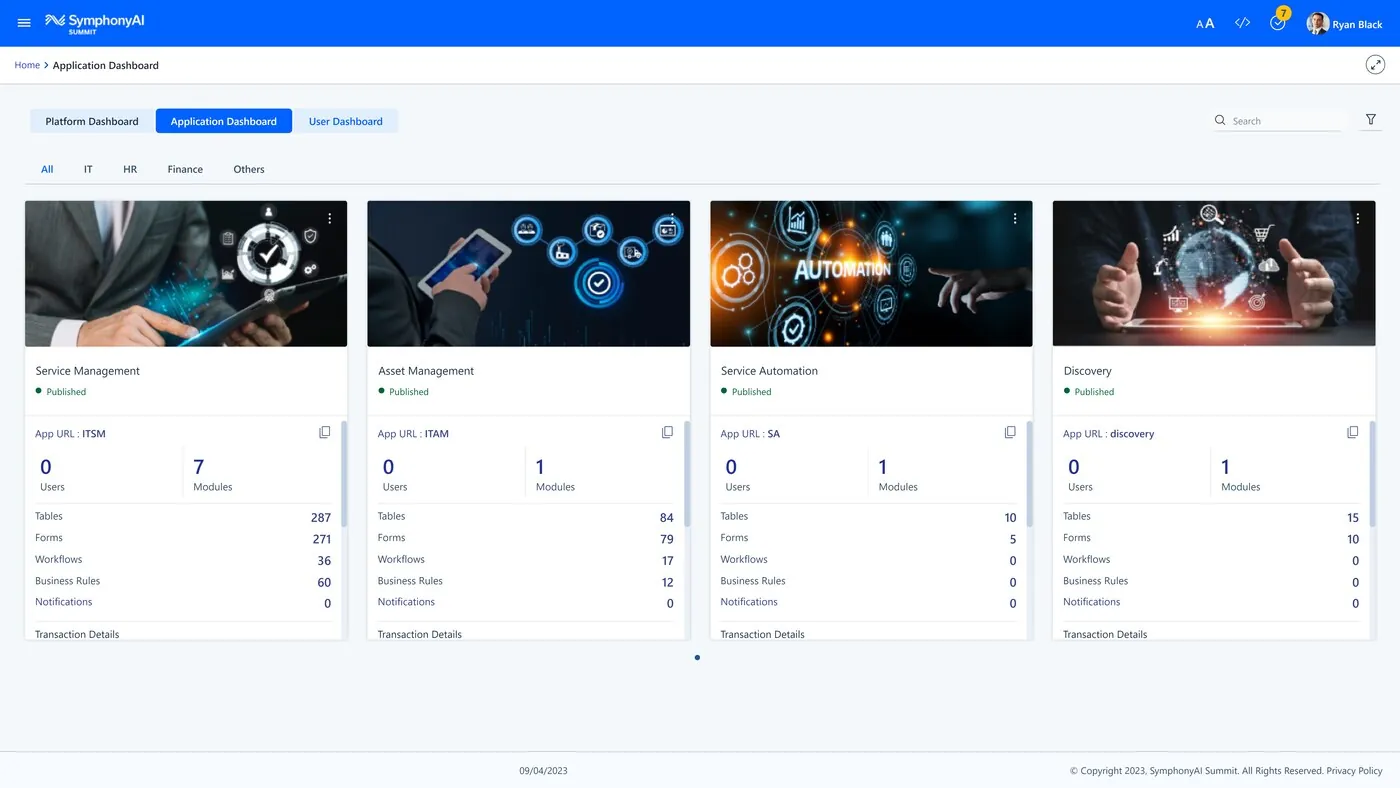
Legacy ITSM view “Design Studio — application portfolio” cho thấy form, rule, workflow, asset hoặc automation builder của thế hệ trước. Hữu ích để đọc capability lineage, không đại diện visual system hiện tại.
Nguồn: Trang nguồn chính thức
05C · SYMPHONYAI PORTFOLIO · LEGACY ITSM
Enterprise IT — legacy builders, automation & ITAM · tiếp
D · LEGACY/HISTORICAL ITSM — business-rule editor
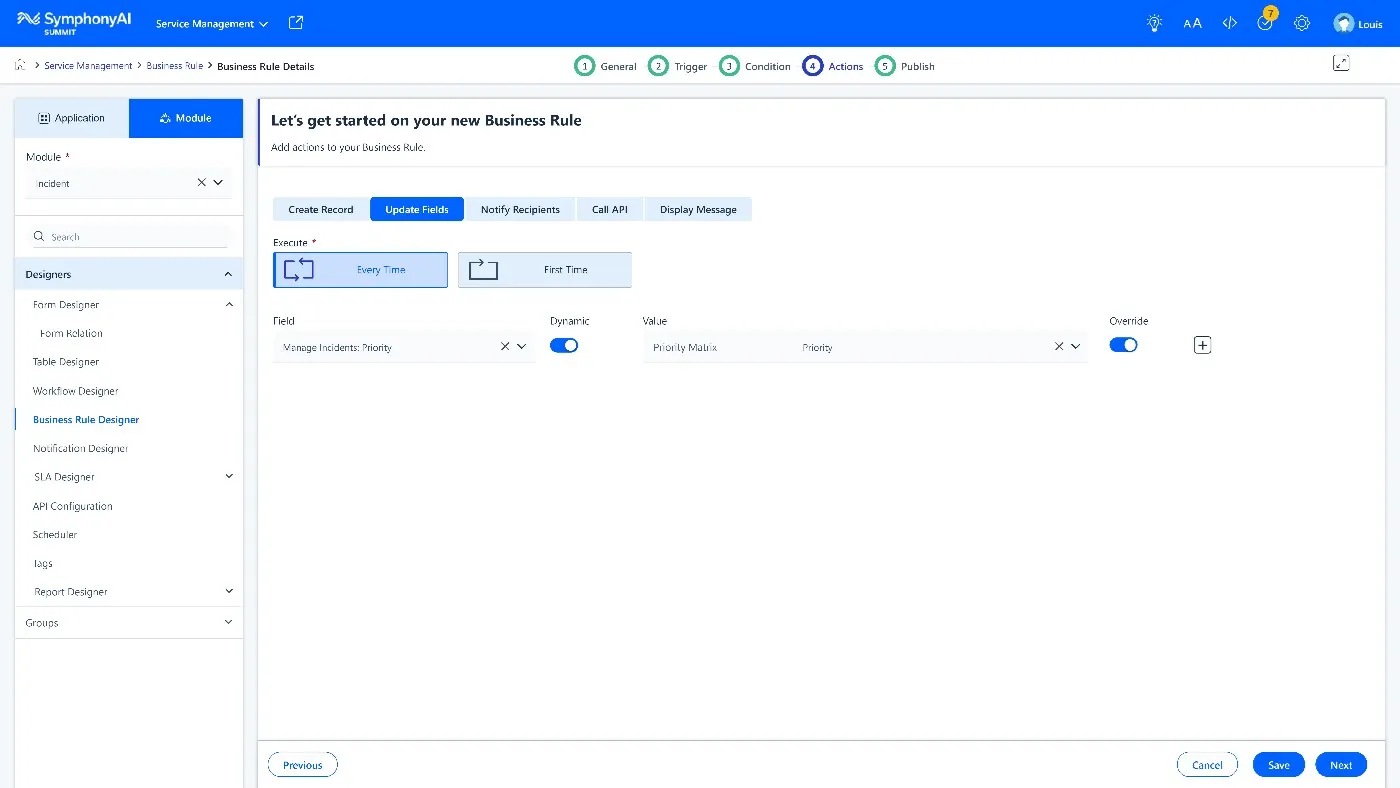
Legacy ITSM view “ITSM — business-rule editor” cho thấy form, rule, workflow, asset hoặc automation builder của thế hệ trước. Hữu ích để đọc capability lineage, không đại diện visual system hiện tại.
Nguồn: Trang nguồn chính thức
D · LEGACY/HISTORICAL ITAM — audit & repair history
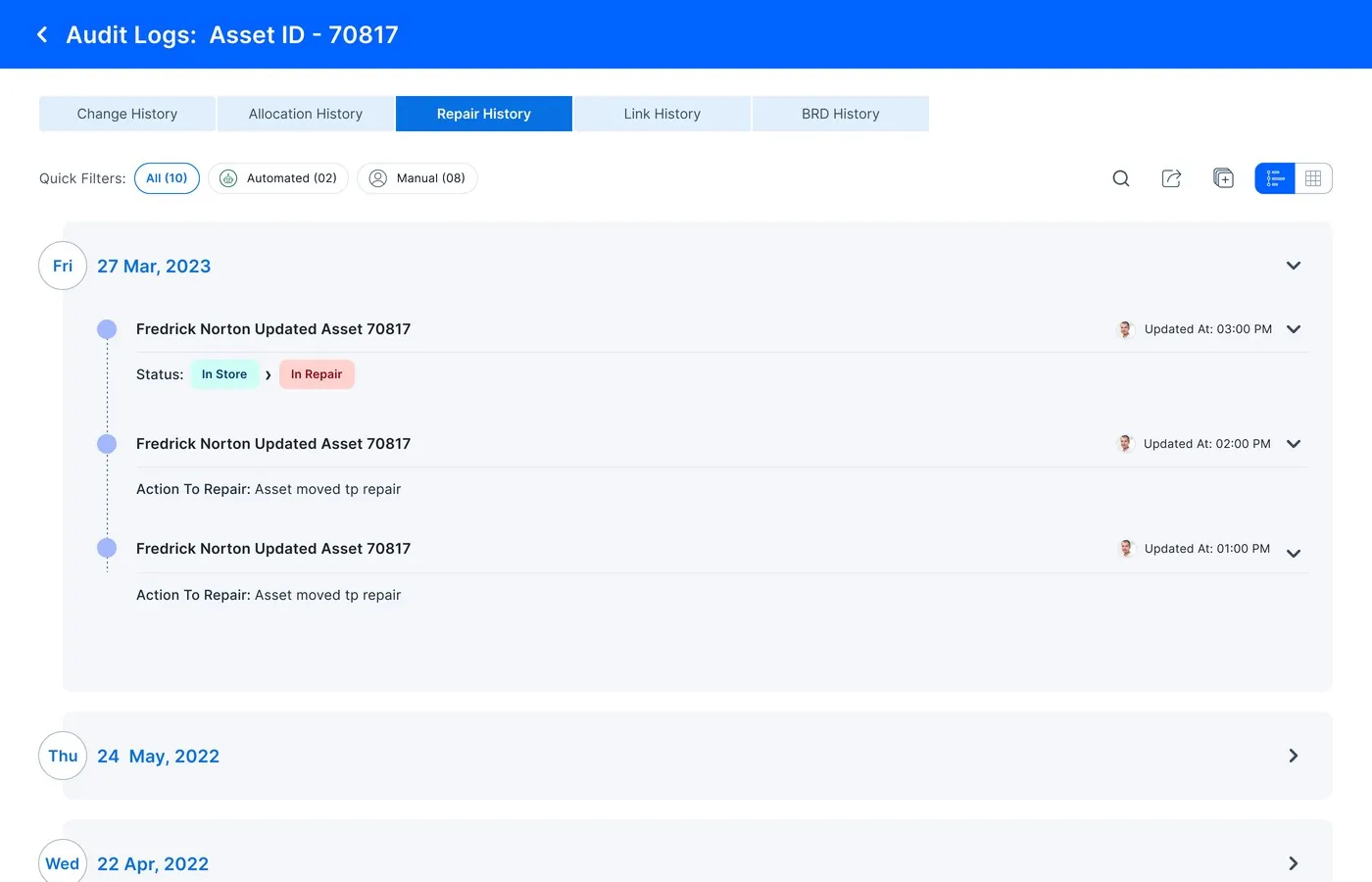
Legacy ITSM view “ITAM — audit & repair history” cho thấy form, rule, workflow, asset hoặc automation builder của thế hệ trước. Hữu ích để đọc capability lineage, không đại diện visual system hiện tại.
Nguồn: Trang nguồn chính thức
05C · SYMPHONYAI PORTFOLIO · LEGACY ITSM
Enterprise IT — legacy builders, automation & ITAM · tiếp
D · LEGACY/HISTORICAL ITAM — executive dashboard
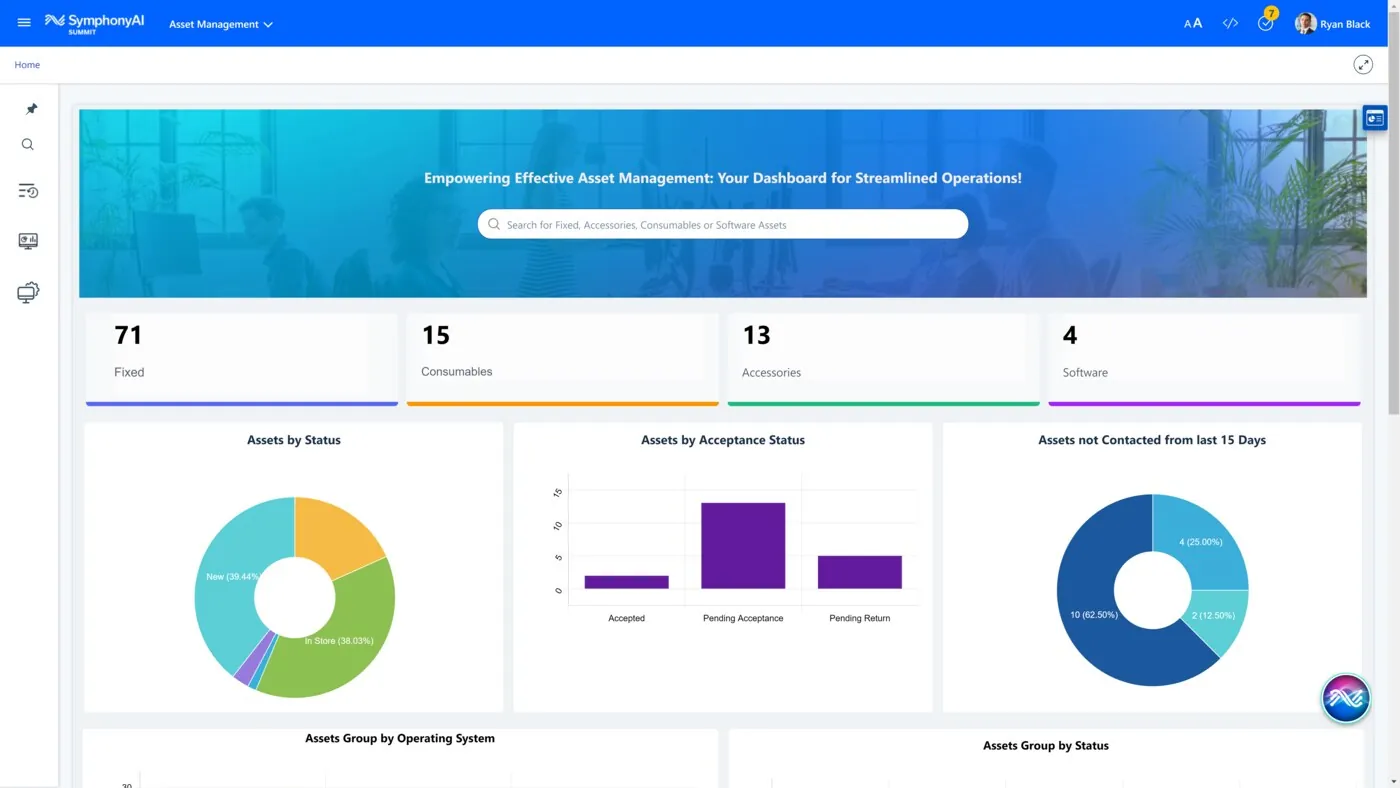
Legacy ITSM view “ITAM — executive dashboard” cho thấy form, rule, workflow, asset hoặc automation builder của thế hệ trước. Hữu ích để đọc capability lineage, không đại diện visual system hiện tại.
Nguồn: Trang nguồn chính thức
D · LEGACY/HISTORICAL ITAM — inventory management
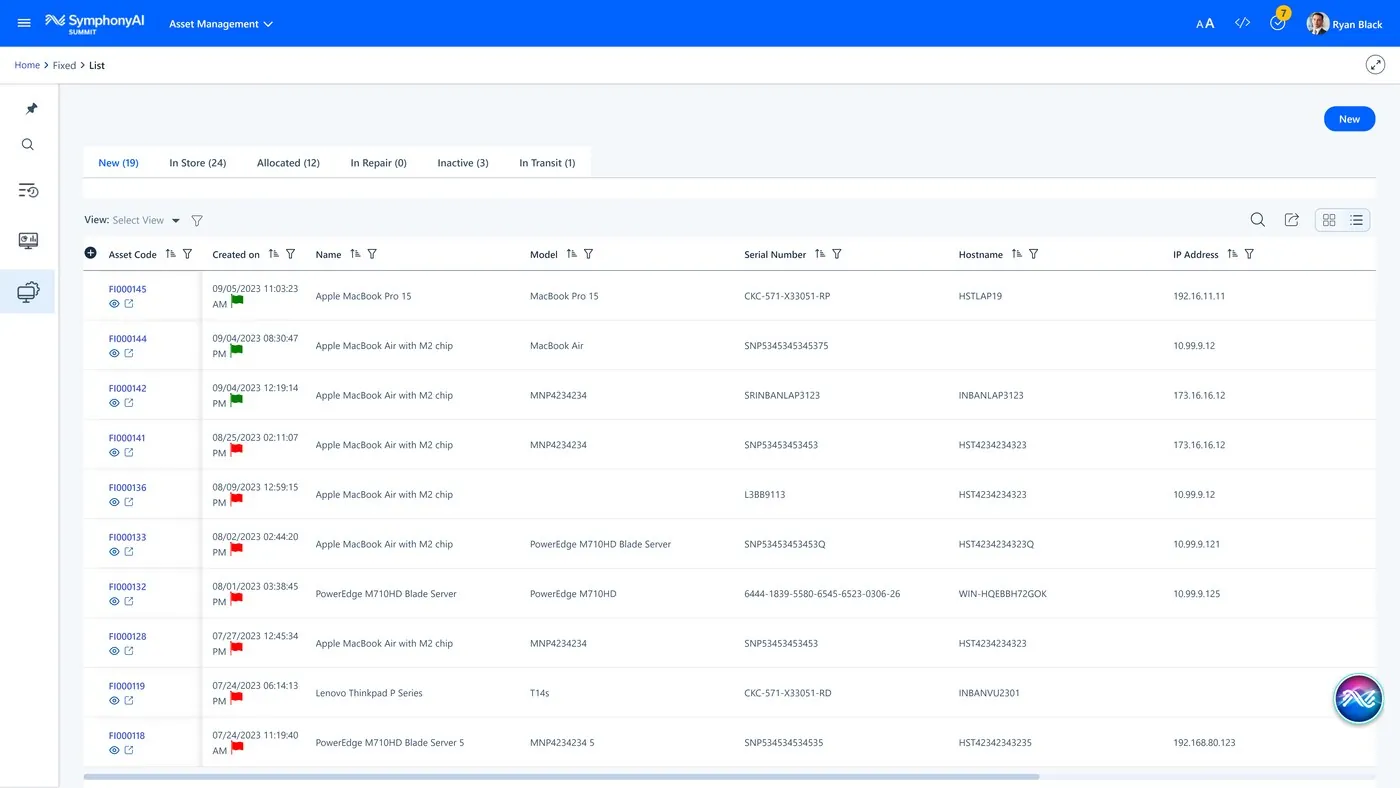
Legacy ITSM view “ITAM — inventory management” cho thấy form, rule, workflow, asset hoặc automation builder của thế hệ trước. Hữu ích để đọc capability lineage, không đại diện visual system hiện tại.
Nguồn: Trang nguồn chính thức
05C · SYMPHONYAI PORTFOLIO · LEGACY ITSM
Enterprise IT — legacy builders, automation & ITAM · tiếp
D · LEGACY/HISTORICAL ITAM — utilization analytics
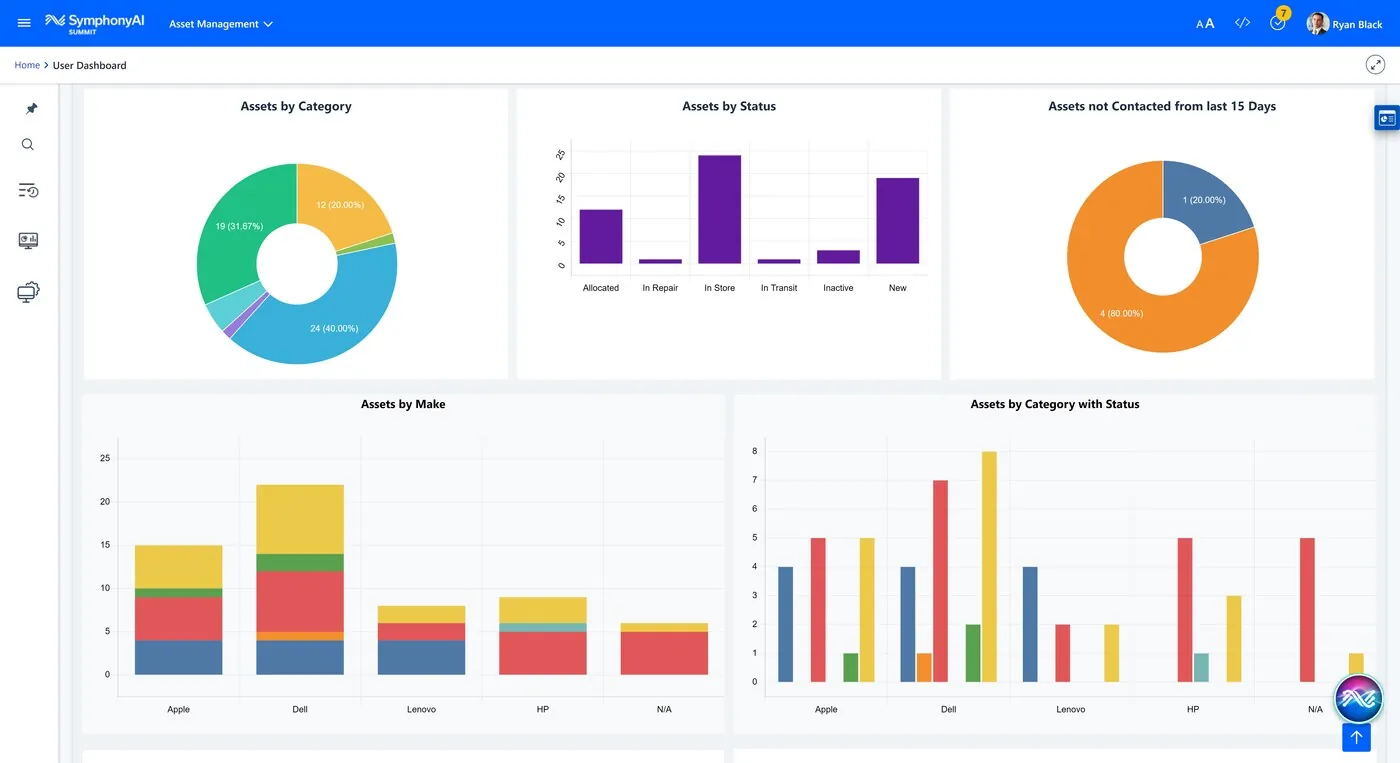
Legacy ITSM view “ITAM — utilization analytics” cho thấy form, rule, workflow, asset hoặc automation builder của thế hệ trước. Hữu ích để đọc capability lineage, không đại diện visual system hiện tại.
Nguồn: Trang nguồn chính thức
D · LEGACY/HISTORICAL ITAM — asset lifecycle flow
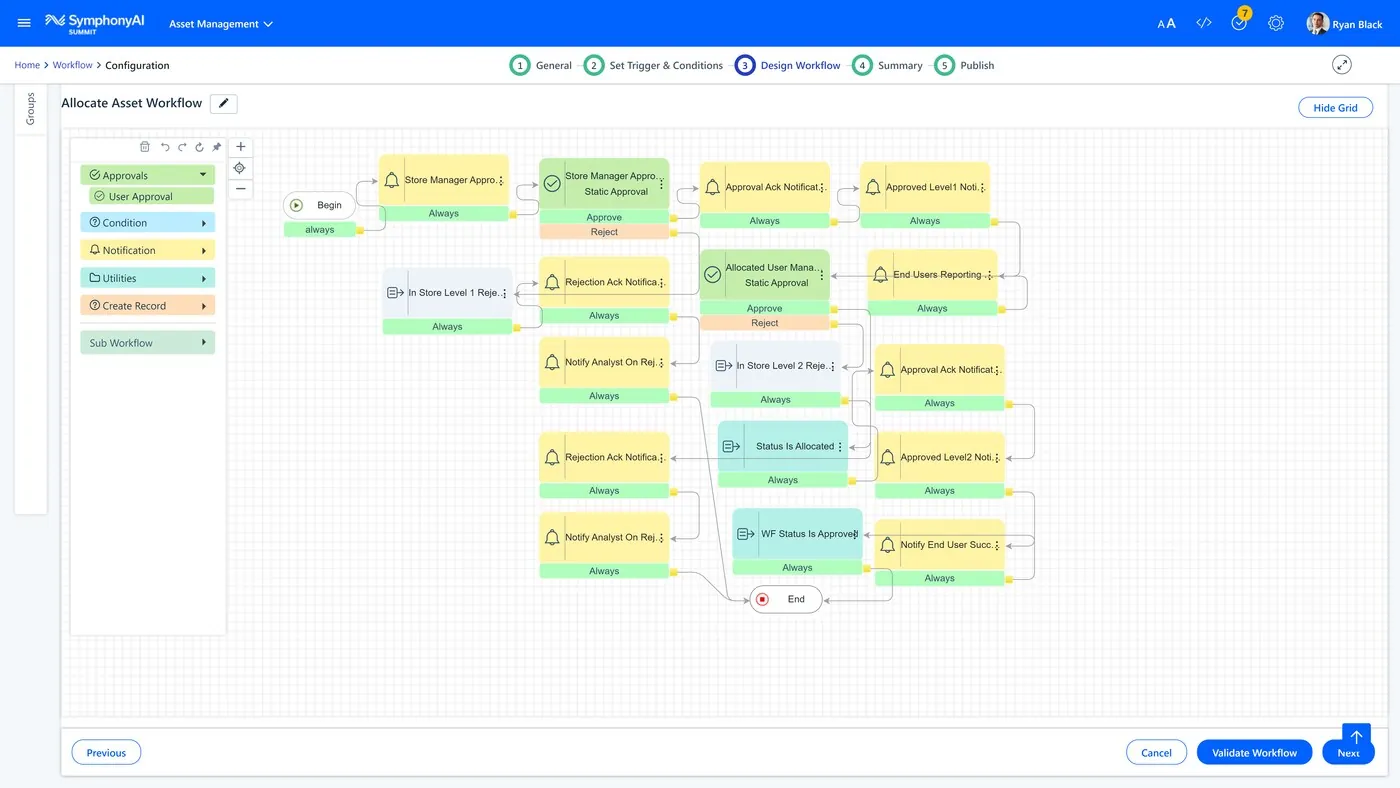
Legacy ITSM view “ITAM — asset lifecycle flow” cho thấy form, rule, workflow, asset hoặc automation builder của thế hệ trước. Hữu ích để đọc capability lineage, không đại diện visual system hiện tại.
Nguồn: Trang nguồn chính thức
05C · SYMPHONYAI PORTFOLIO · LEGACY ITSM
Enterprise IT — legacy builders, automation & ITAM · tiếp
D · LEGACY/HISTORICAL ITAM — asset dashboard
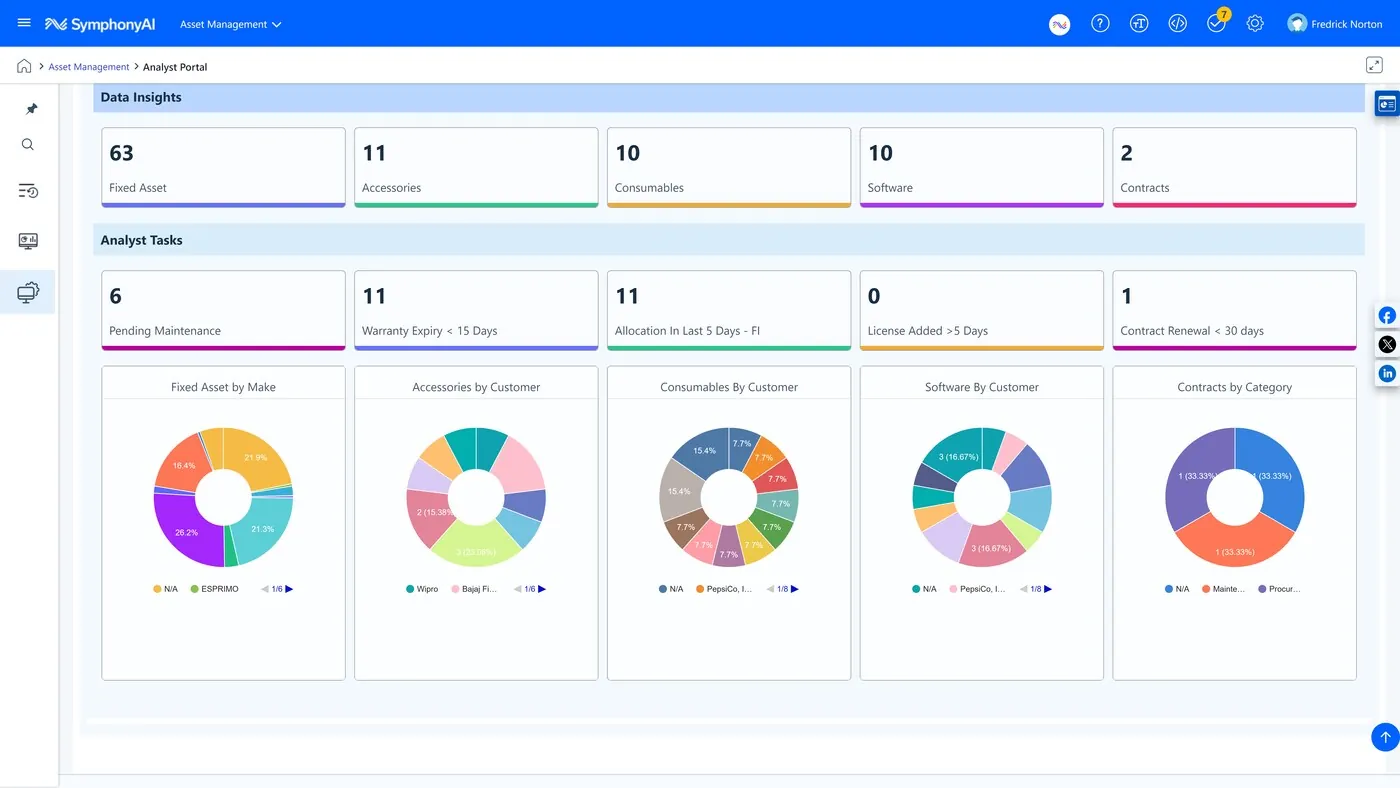
Legacy ITSM view “ITAM — asset dashboard” cho thấy form, rule, workflow, asset hoặc automation builder của thế hệ trước. Hữu ích để đọc capability lineage, không đại diện visual system hiện tại.
Nguồn: Trang nguồn chính thức
05D · SYMPHONYAI PORTFOLIO · FINANCIAL SERVICES
Financial Services — Sensa investigation surfaces
Case/subject/transaction, graph, Copilot, disclosure và generated-report surfaces của Sensa.
A · FULL PRODUCT UI Sensa — subject & detection view
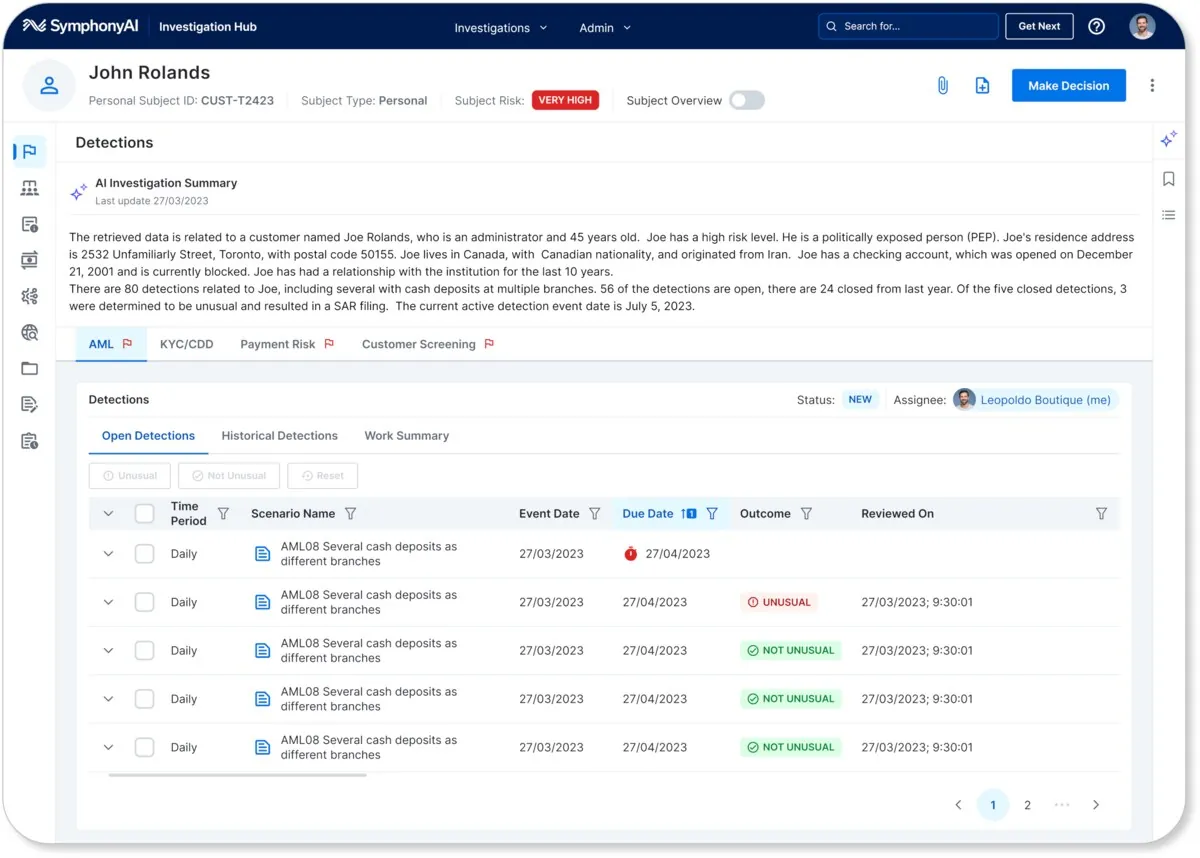
Sensa view “Sensa — subject & detection view” gom subject/case/transaction evidence, risk state và analyst action; Copilot hoặc graph chỉ xuất hiện khi phục vụ investigation task cụ thể.
Nguồn: Trang nguồn chính thức
A · FULL PRODUCT UI Sensa — investigations worklist
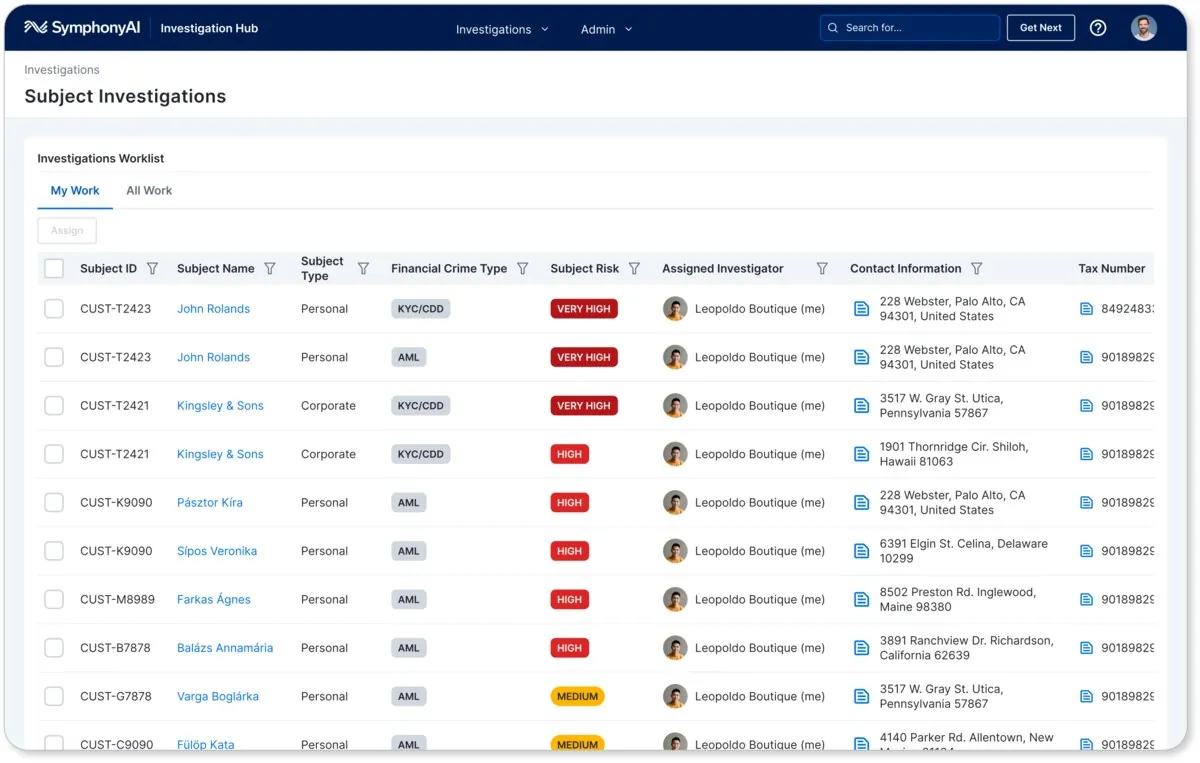
Sensa view “Sensa — investigations worklist” gom subject/case/transaction evidence, risk state và analyst action; Copilot hoặc graph chỉ xuất hiện khi phục vụ investigation task cụ thể.
Nguồn: Trang nguồn chính thức
05D · SYMPHONYAI PORTFOLIO · FINANCIAL SERVICES
Financial Services — Sensa investigation surfaces · tiếp
A · FULL PRODUCT UI Sensa — transactions with Copilot
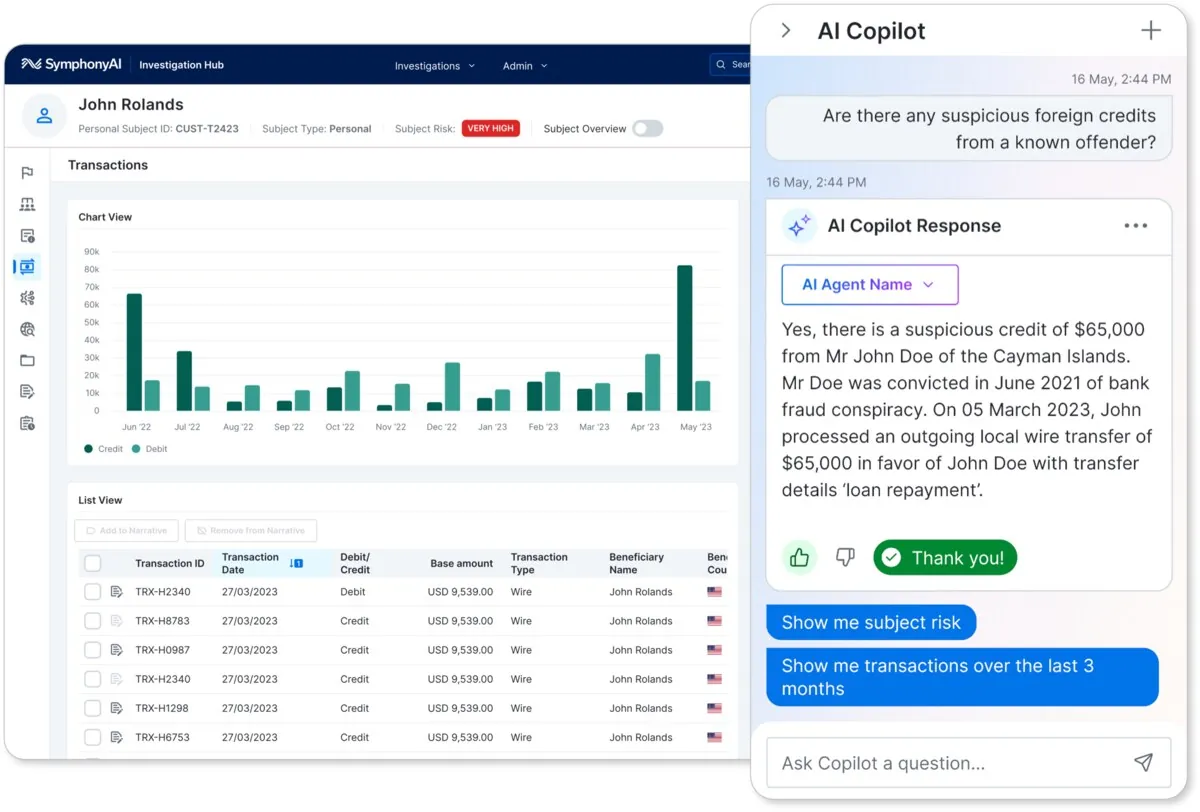
Sensa view “Sensa — transactions with Copilot” gom subject/case/transaction evidence, risk state và analyst action; Copilot hoặc graph chỉ xuất hiện khi phục vụ investigation task cụ thể.
Nguồn: Trang nguồn chính thức
A · FULL PRODUCT UI Sensa — disclosure framework
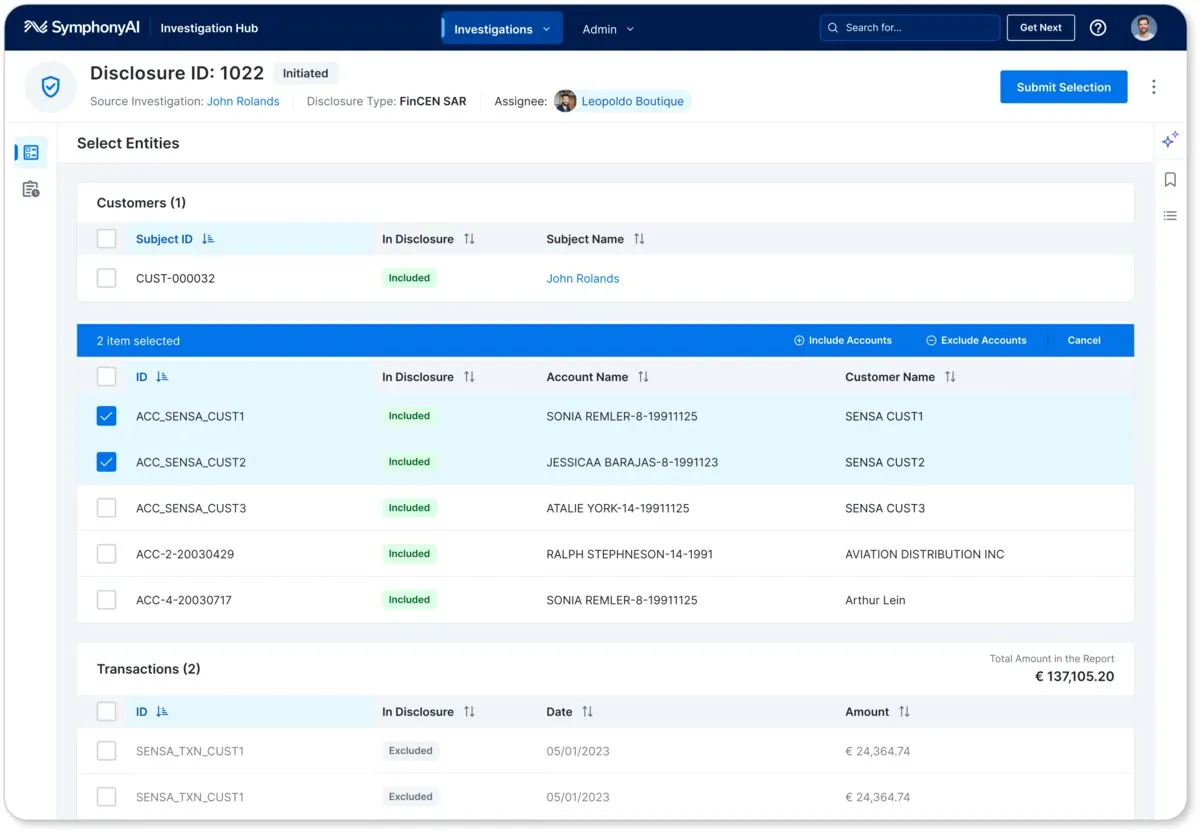
Sensa view “Sensa — disclosure framework” gom subject/case/transaction evidence, risk state và analyst action; Copilot hoặc graph chỉ xuất hiện khi phục vụ investigation task cụ thể.
Nguồn: Trang nguồn chính thức
05D · SYMPHONYAI PORTFOLIO · FINANCIAL SERVICES
Financial Services — Sensa investigation surfaces · tiếp
A · FULL PRODUCT UI Sensa — generated report & actions
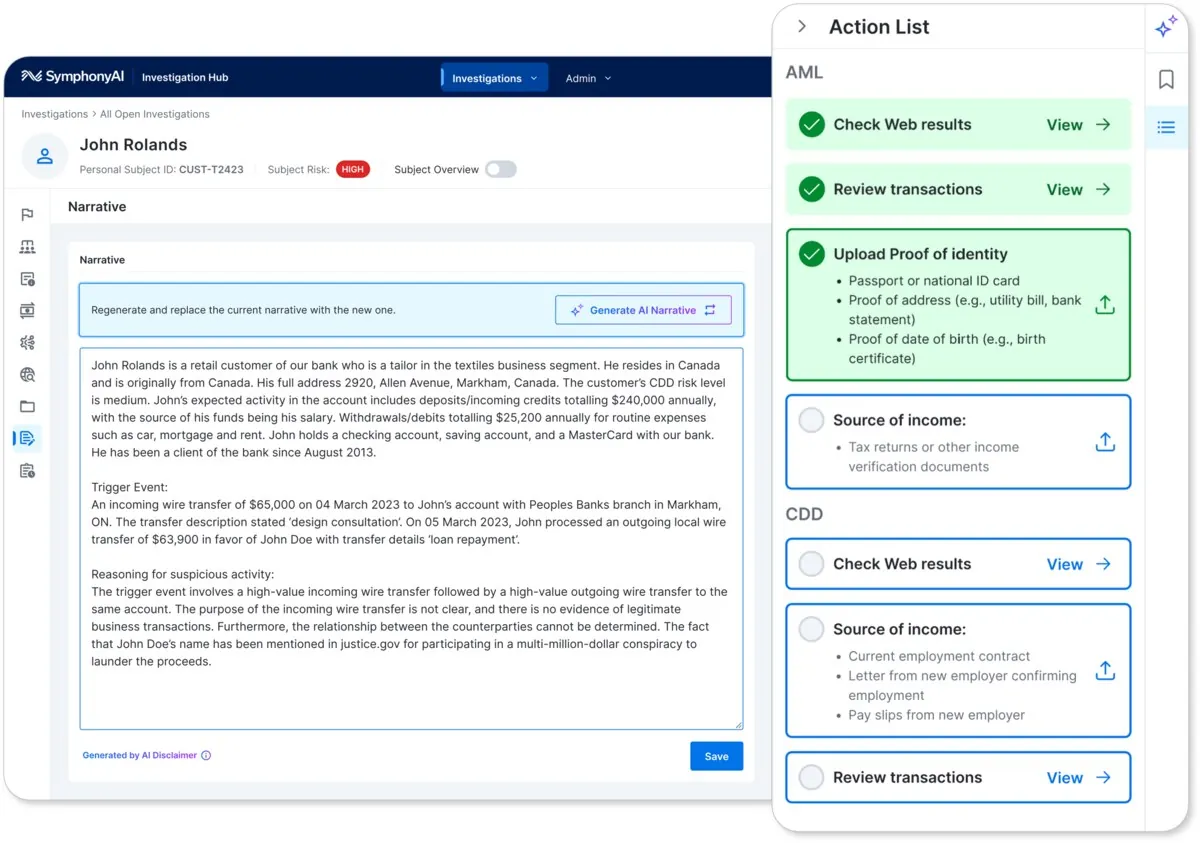
Sensa view “Sensa — generated report & actions” gom subject/case/transaction evidence, risk state và analyst action; Copilot hoặc graph chỉ xuất hiện khi phục vụ investigation task cụ thể.
Nguồn: Trang nguồn chính thức
A · FULL PRODUCT UI Sensa Links Explorer
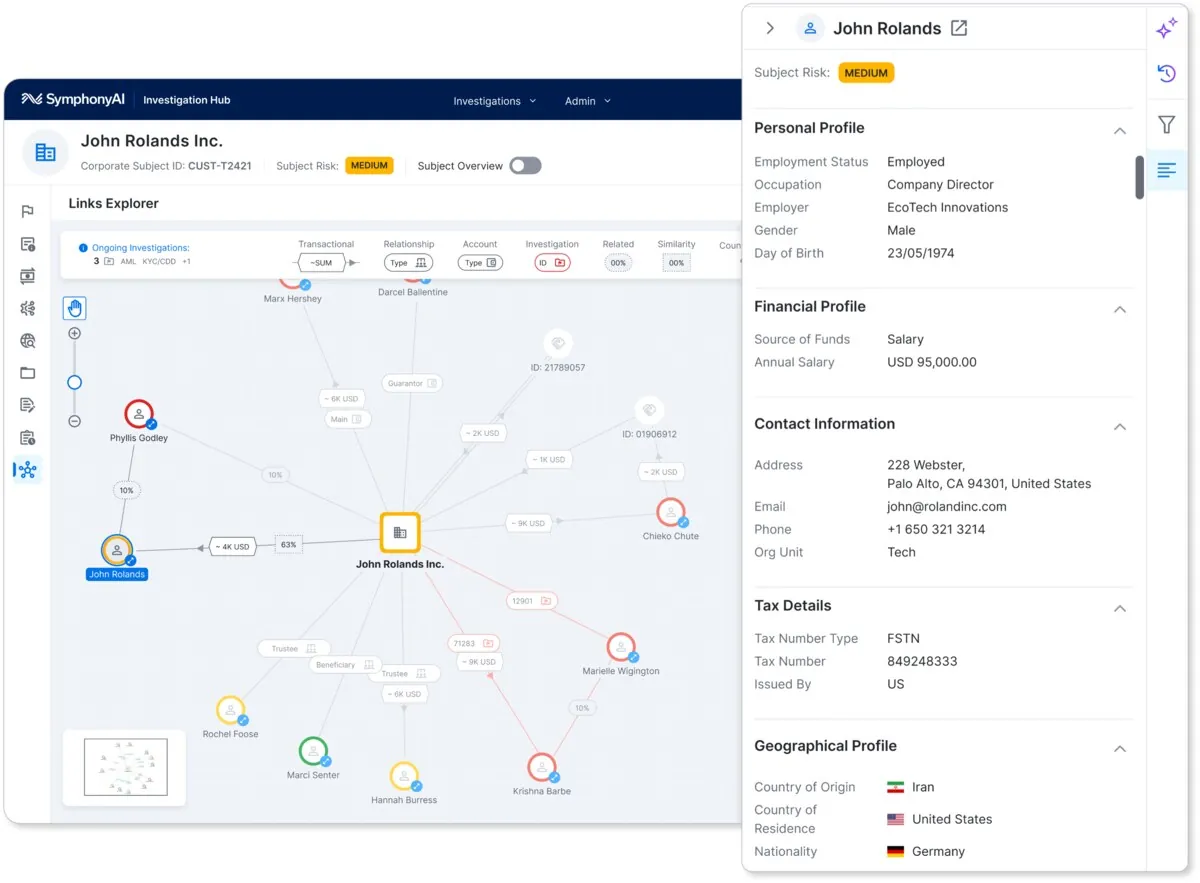
Network graph hỗ trợ điều tra quan hệ giữa subject, account, transaction và case; người dùng khám phá bằng node-link model.
Nguồn: Trang nguồn chính thức
05D · SYMPHONYAI PORTFOLIO · FINANCIAL SERVICES
Financial Services — Sensa investigation surfaces · tiếp
A · FULL PRODUCT UI Sensa — AI-curated web search
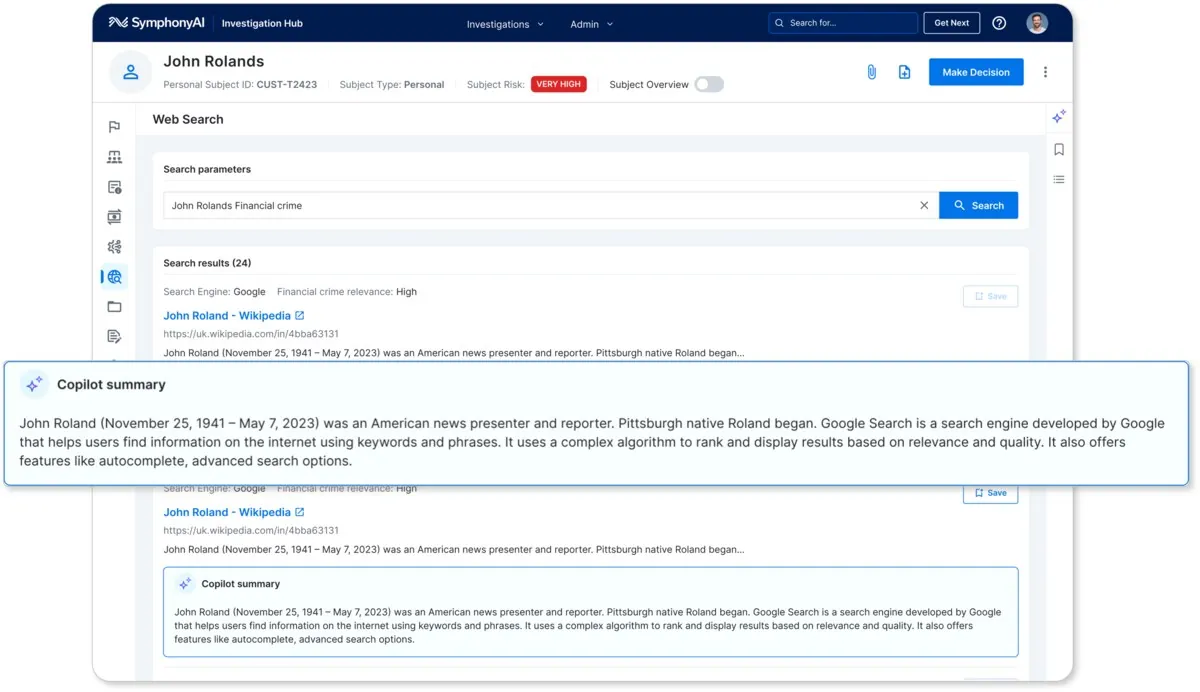
Sensa view “Sensa — AI-curated web search” gom subject/case/transaction evidence, risk state và analyst action; Copilot hoặc graph chỉ xuất hiện khi phục vụ investigation task cụ thể.
Nguồn: Trang nguồn chính thức
A · FULL PRODUCT UI Sensa — guided demo overview
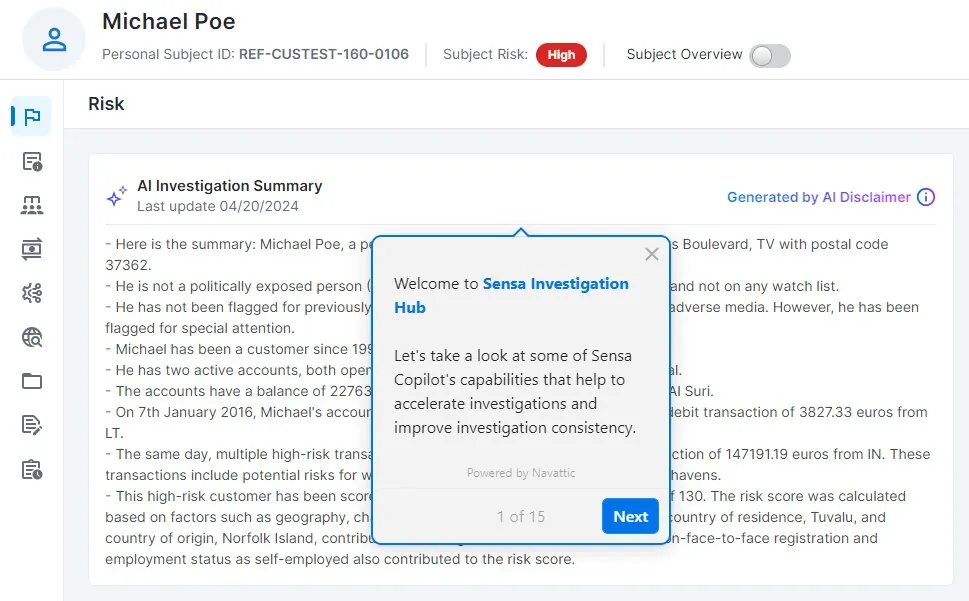
Sensa view “Sensa — guided demo overview” gom subject/case/transaction evidence, risk state và analyst action; Copilot hoặc graph chỉ xuất hiện khi phục vụ investigation task cụ thể.
Nguồn: Trang nguồn chính thức
05E · SYMPHONYAI PORTFOLIO · FINANCIAL SERVICES
Financial Services — NetReveal detection & investigation
Model/rule validation, risk checks, relationship views và investigation worklists.
A · FULL PRODUCT UI NetReveal Detection — model leaderboard
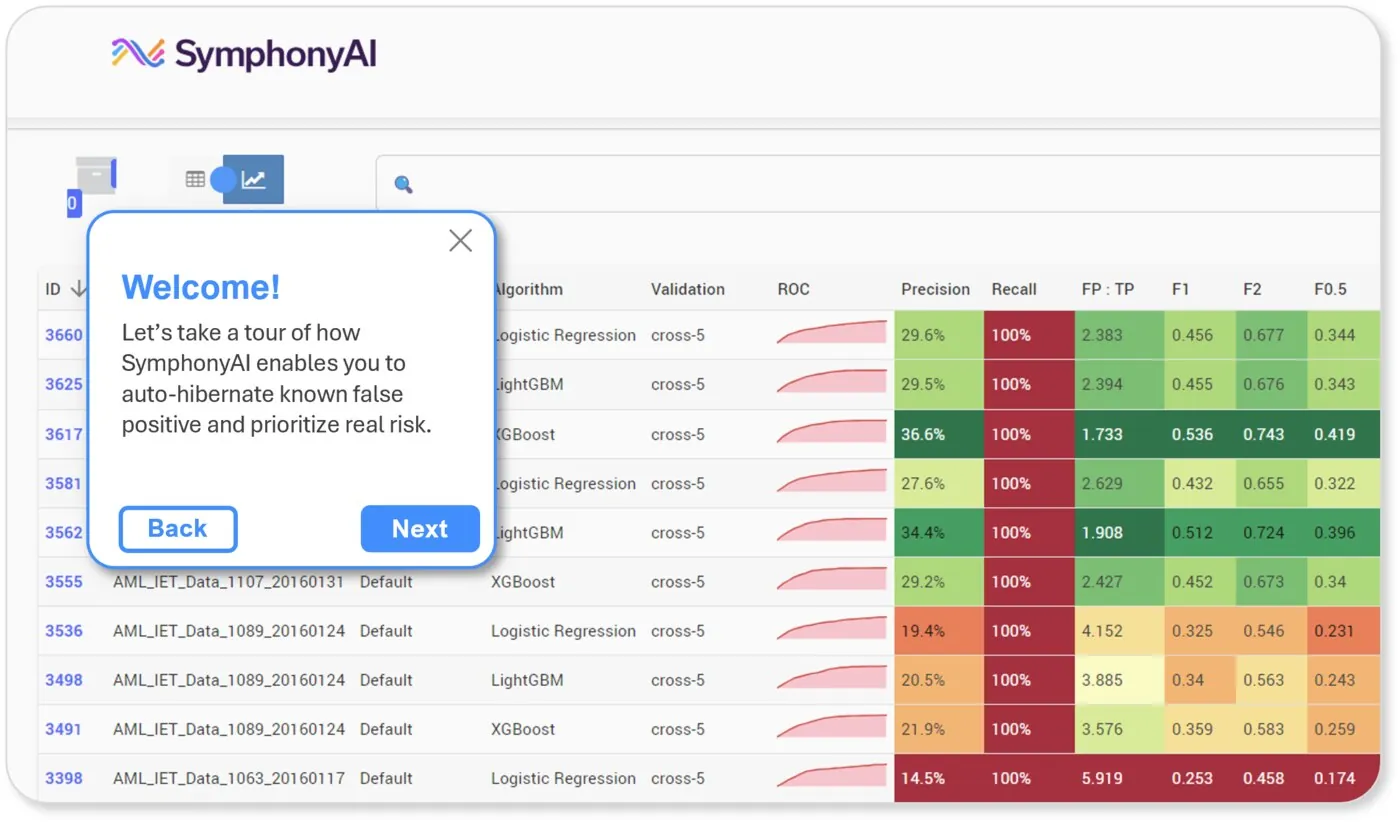
Detection view “NetReveal Detection — model leaderboard” cho phép đánh giá model/rule bằng leaderboard, ROC/confusion matrix, risk check hoặc entity relationship trước khi đưa vào production.
Nguồn: Trang nguồn chính thức
A · FULL PRODUCT UI NetReveal Detection — hyperparameters
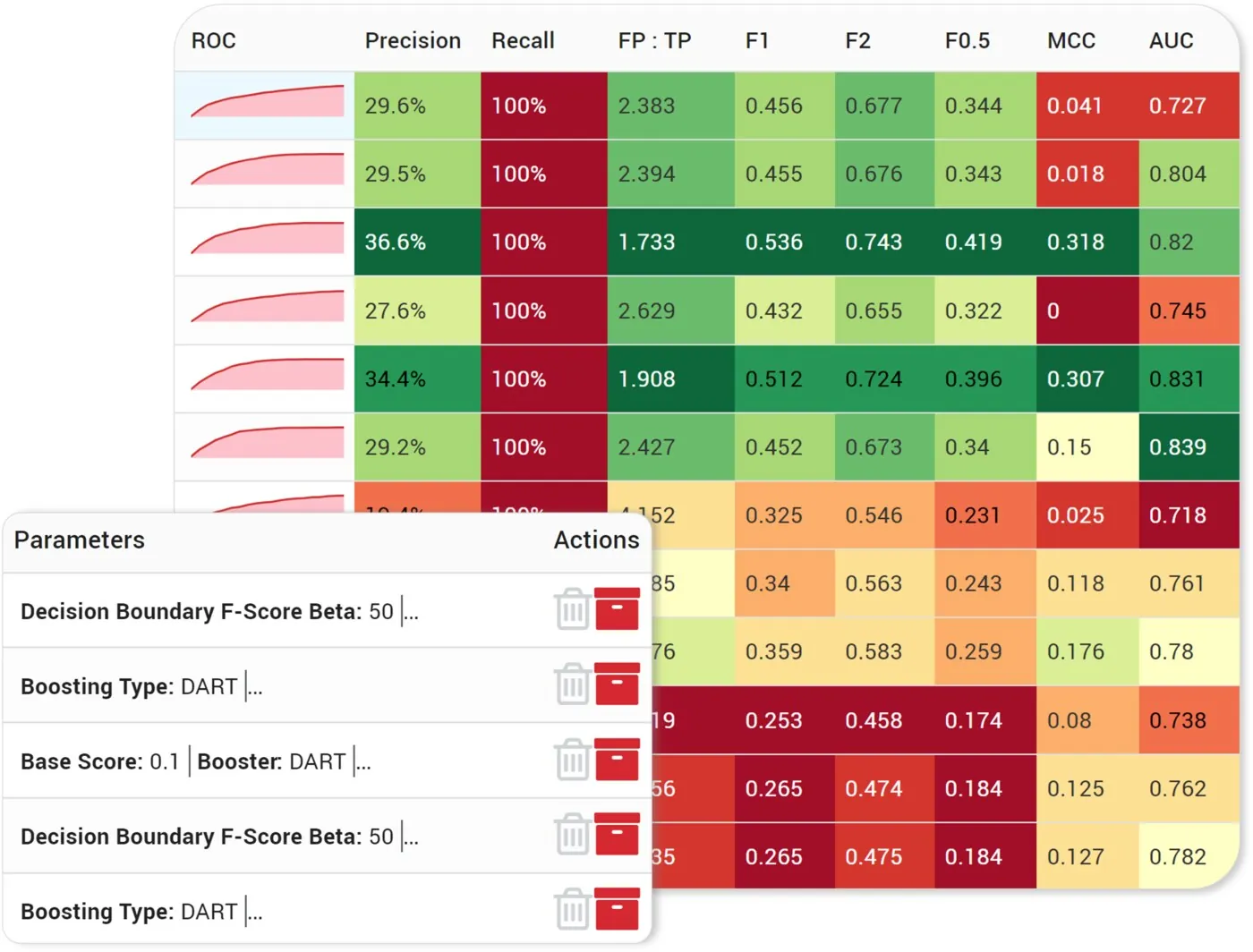
Detection view “NetReveal Detection — hyperparameters” cho phép đánh giá model/rule bằng leaderboard, ROC/confusion matrix, risk check hoặc entity relationship trước khi đưa vào production.
Nguồn: Trang nguồn chính thức
05E · SYMPHONYAI PORTFOLIO · FINANCIAL SERVICES
Financial Services — NetReveal detection & investigation · tiếp
A · FULL PRODUCT UI NetReveal Detection — ROC & confusion matrix
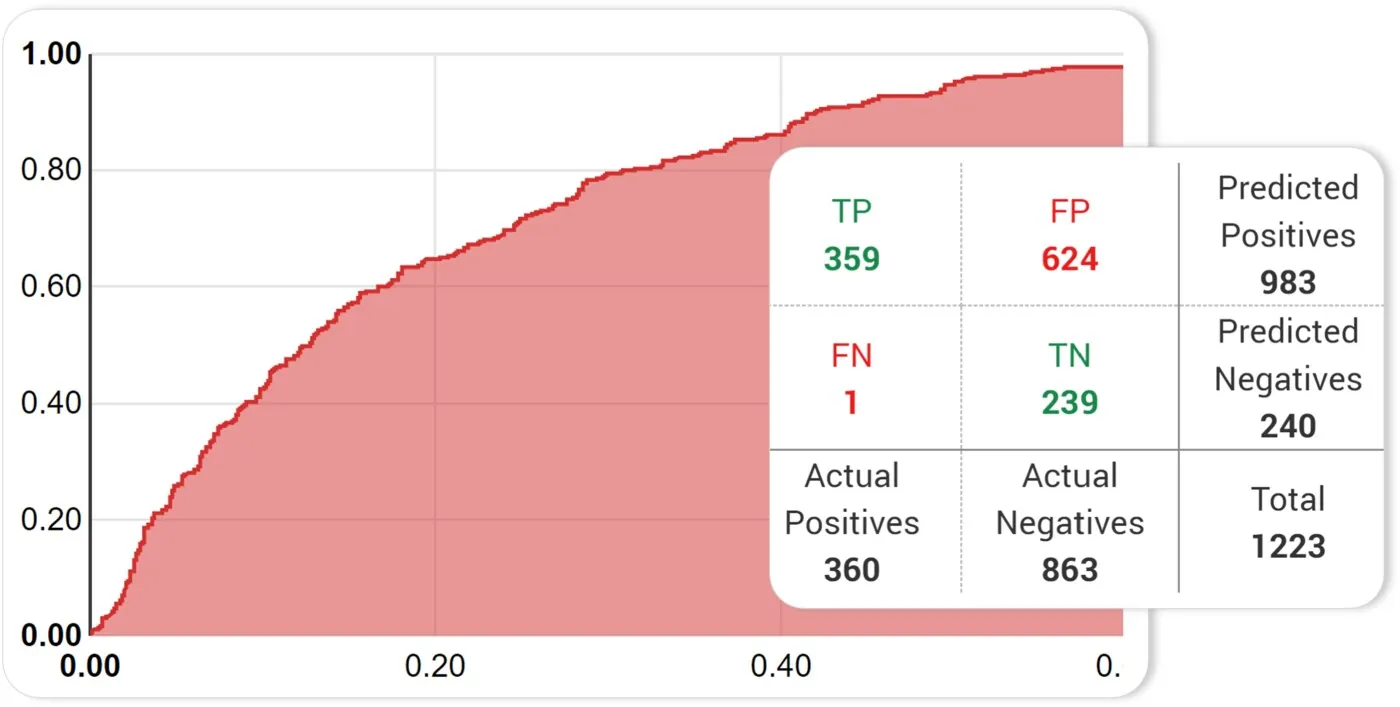
Detection view “NetReveal Detection — ROC & confusion matrix” cho phép đánh giá model/rule bằng leaderboard, ROC/confusion matrix, risk check hoặc entity relationship trước khi đưa vào production.
Nguồn: Trang nguồn chính thức
A · FULL PRODUCT UI NetReveal Detection — transaction/risk checks
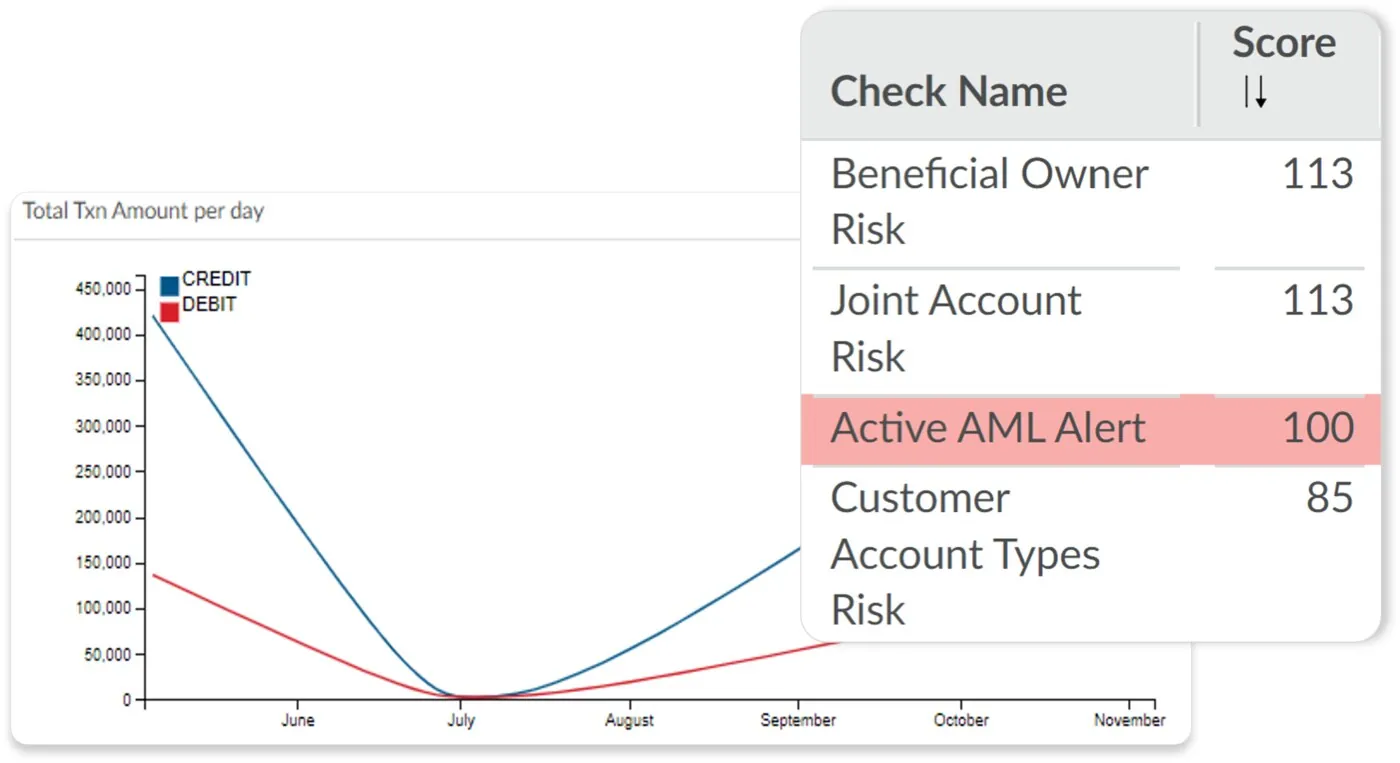
Detection view “NetReveal Detection — transaction/risk checks” cho phép đánh giá model/rule bằng leaderboard, ROC/confusion matrix, risk check hoặc entity relationship trước khi đưa vào production.
Nguồn: Trang nguồn chính thức
05E · SYMPHONYAI PORTFOLIO · FINANCIAL SERVICES
Financial Services — NetReveal detection & investigation · tiếp
A · FULL PRODUCT UI NetReveal Detection — rule/query builder
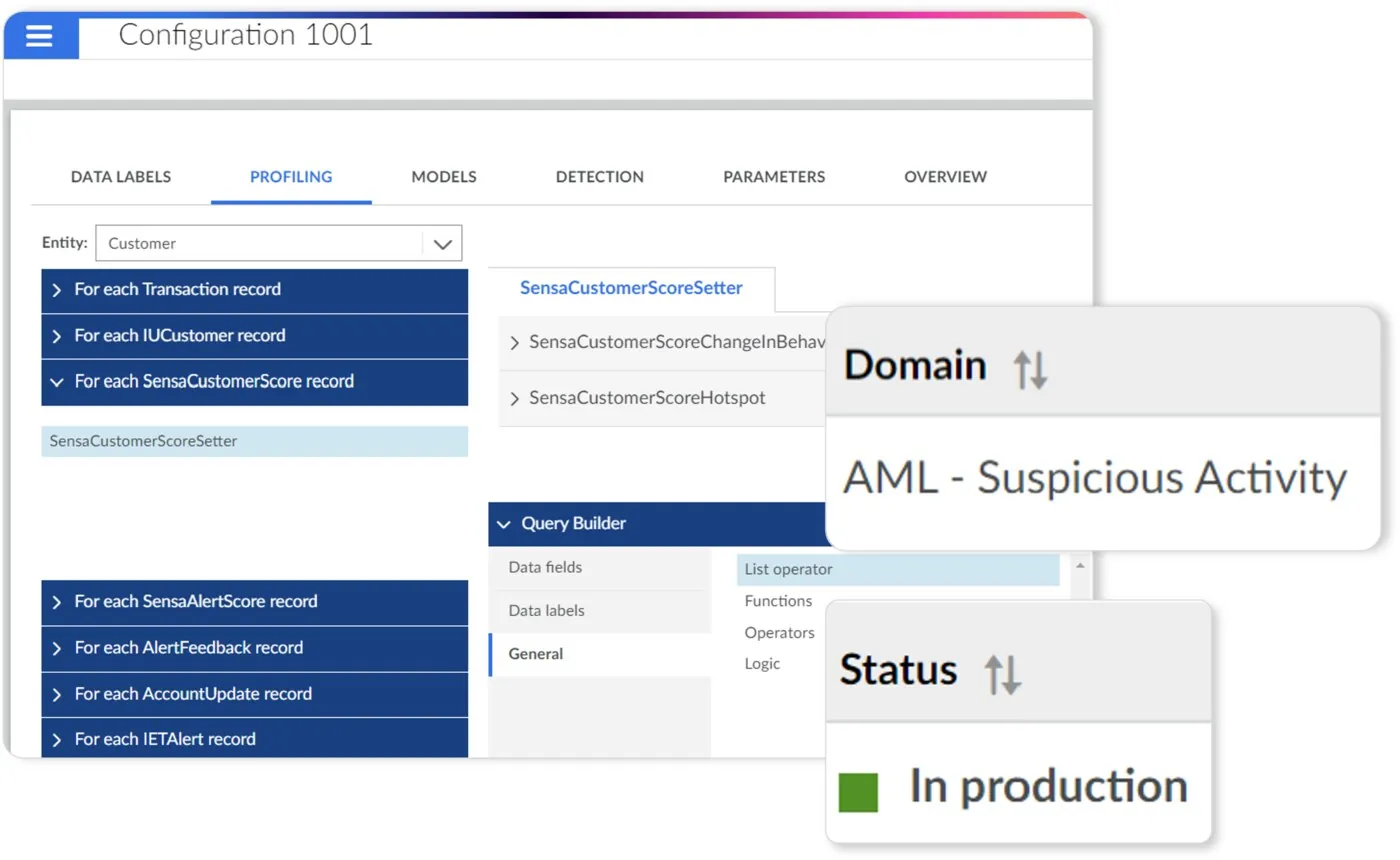
Detection view “NetReveal Detection — rule/query builder” cho phép đánh giá model/rule bằng leaderboard, ROC/confusion matrix, risk check hoặc entity relationship trước khi đưa vào production.
Nguồn: Trang nguồn chính thức
A · FULL PRODUCT UI NetReveal Detection — entity relationship graph
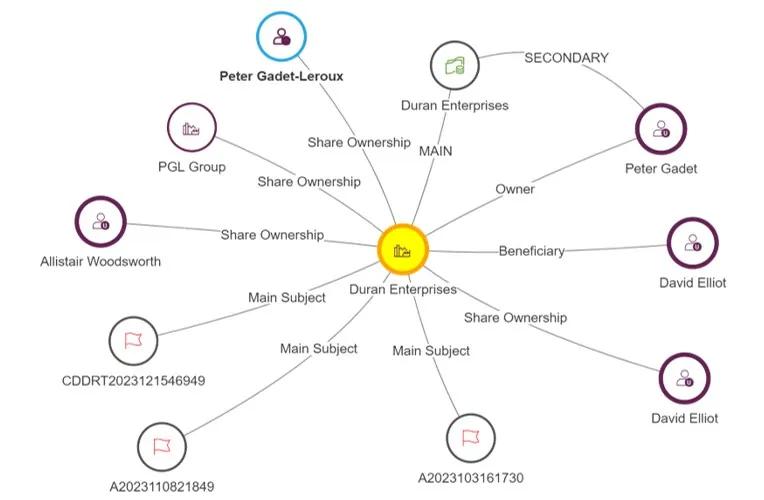
Detection view “NetReveal Detection — entity relationship graph” cho phép đánh giá model/rule bằng leaderboard, ROC/confusion matrix, risk check hoặc entity relationship trước khi đưa vào production.
Nguồn: Trang nguồn chính thức
05E · SYMPHONYAI PORTFOLIO · FINANCIAL SERVICES
Financial Services — NetReveal detection & investigation · tiếp
A · FULL PRODUCT UI NetReveal Investigate — guided alert detail
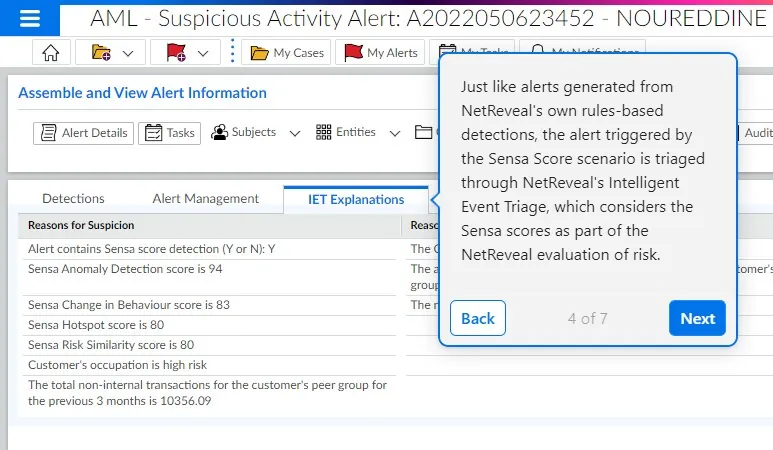
Sensa view “NetReveal Investigate — guided alert detail” gom subject/case/transaction evidence, risk state và analyst action; Copilot hoặc graph chỉ xuất hiện khi phục vụ investigation task cụ thể.
Nguồn: Trang nguồn chính thức
D · LEGACY/HISTORICAL NetReveal — alert worklist & risk
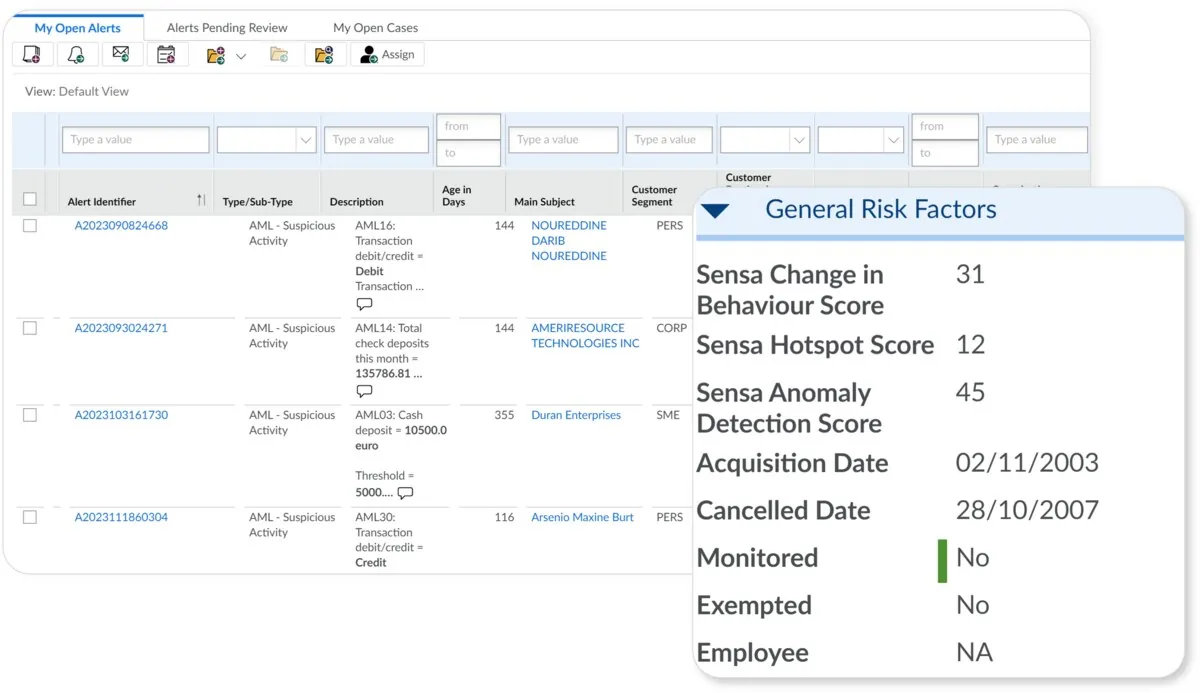
NetReveal view “NetReveal — alert worklist & risk” là screen/crop điều tra đời trước: worklist, account, transaction hoặc trend. Dùng để đọc lineage và phân loại D nếu currentness không rõ.
Nguồn: Trang nguồn chính thức
05E · SYMPHONYAI PORTFOLIO · FINANCIAL SERVICES
Financial Services — NetReveal detection & investigation · tiếp
D · LEGACY/HISTORICAL NetReveal — accounts & channels
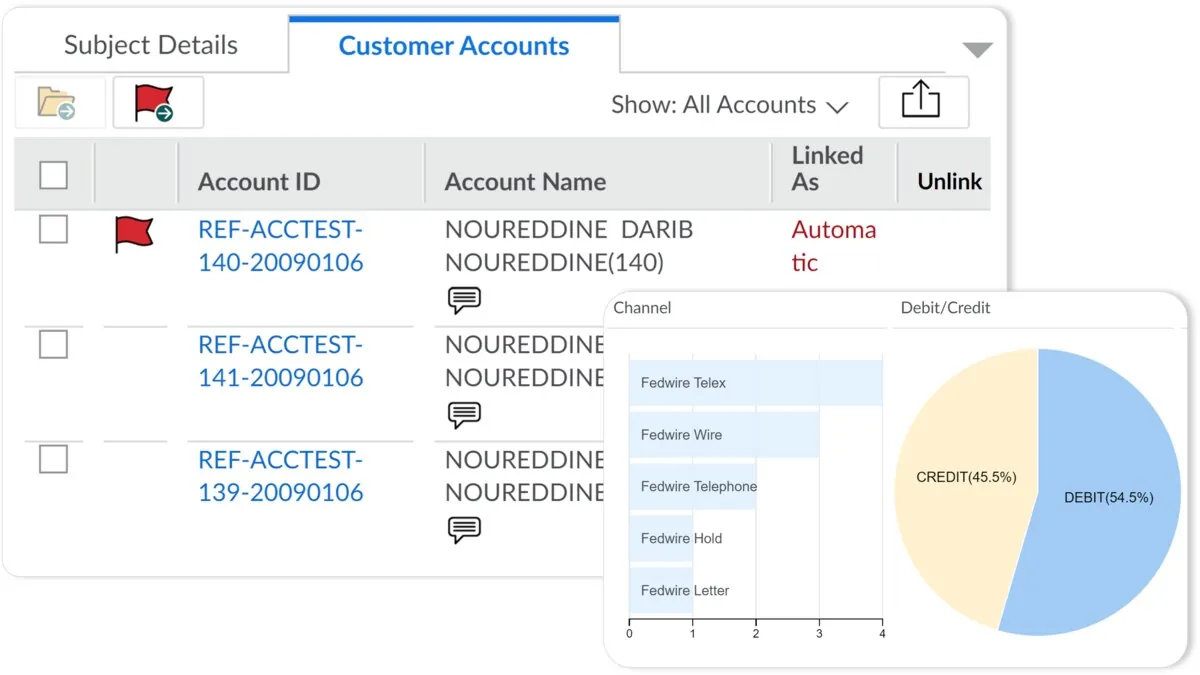
NetReveal view “NetReveal — accounts & channels” là screen/crop điều tra đời trước: worklist, account, transaction hoặc trend. Dùng để đọc lineage và phân loại D nếu currentness không rõ.
Nguồn: Trang nguồn chính thức
D · LEGACY/HISTORICAL NetReveal — transactions & shortcuts
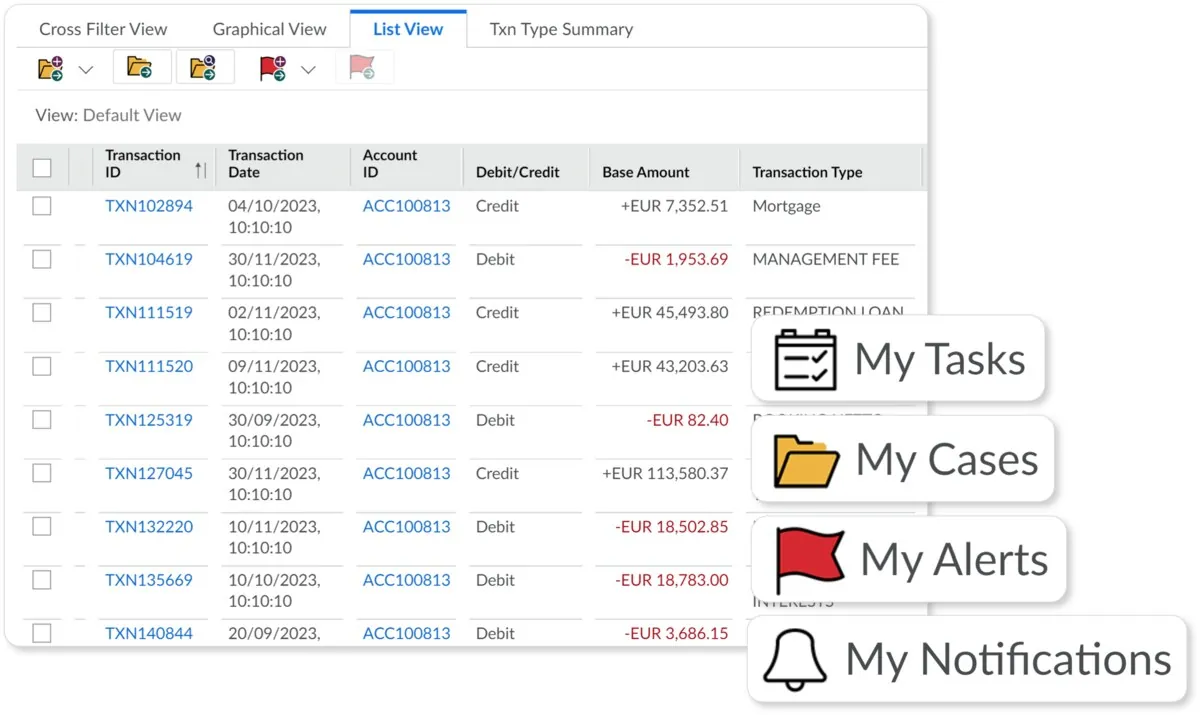
NetReveal view “NetReveal — transactions & shortcuts” là screen/crop điều tra đời trước: worklist, account, transaction hoặc trend. Dùng để đọc lineage và phân loại D nếu currentness không rõ.
Nguồn: Trang nguồn chính thức
05E · SYMPHONYAI PORTFOLIO · FINANCIAL SERVICES
Financial Services — NetReveal detection & investigation · tiếp
D · LEGACY/HISTORICAL NetReveal — debit/credit trends
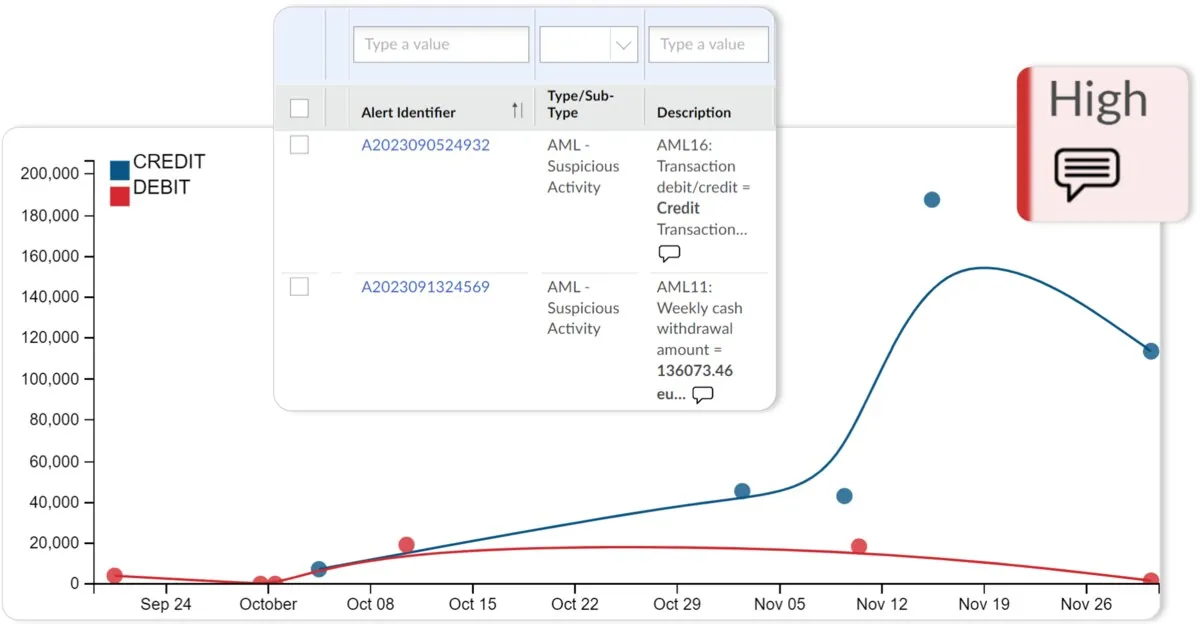
NetReveal view “NetReveal — debit/credit trends” là screen/crop điều tra đời trước: worklist, account, transaction hoặc trend. Dùng để đọc lineage và phân loại D nếu currentness không rõ.
Nguồn: Trang nguồn chính thức
05F · SYMPHONYAI PORTFOLIO · FINANCIAL SERVICES
Financial Services — KYC/CDD & relationship analysis
CDD score/risk contribution, detections, unified data, disclosure, team/worklist và link-explorer states.
A · FULL PRODUCT UI KYC/CDD — guided alert demo
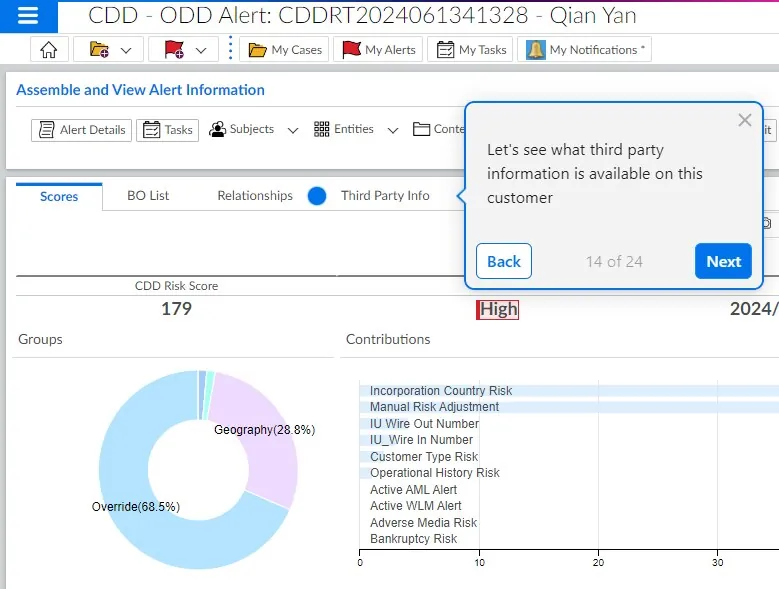
KYC/CDD view “KYC/CDD — guided alert demo” nối customer risk, contribution, disclosure, worklist hoặc relationship evidence trong analyst workflow.
Nguồn: Trang nguồn chính thức
A · FULL PRODUCT UI KYC/CDD — score & customer detail
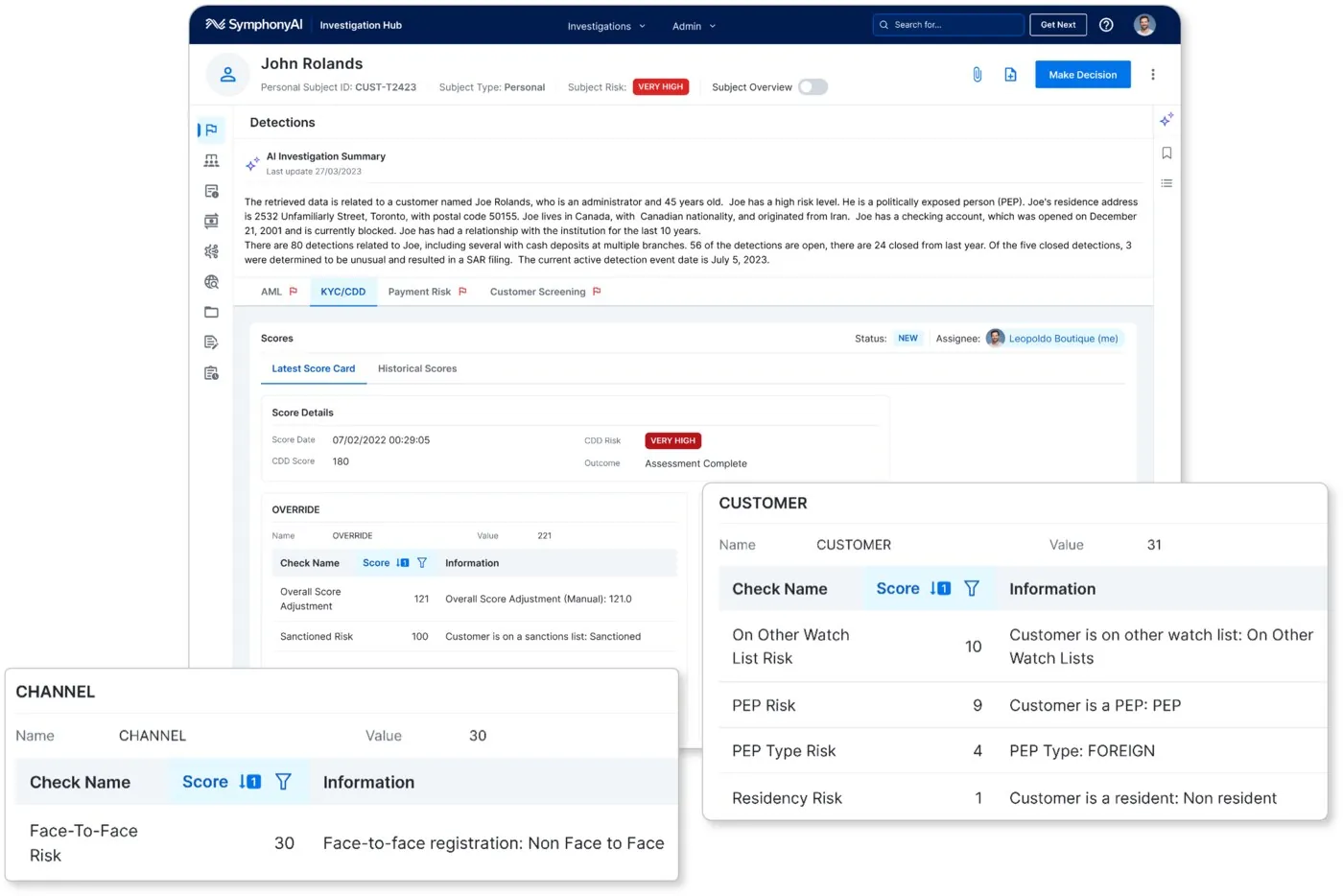
KYC/CDD view “KYC/CDD — score & customer detail” nối customer risk, contribution, disclosure, worklist hoặc relationship evidence trong analyst workflow.
Nguồn: Trang nguồn chính thức
05F · SYMPHONYAI PORTFOLIO · FINANCIAL SERVICES
Financial Services — KYC/CDD & relationship analysis · tiếp
A · FULL PRODUCT UI KYC/CDD — investigation outcome
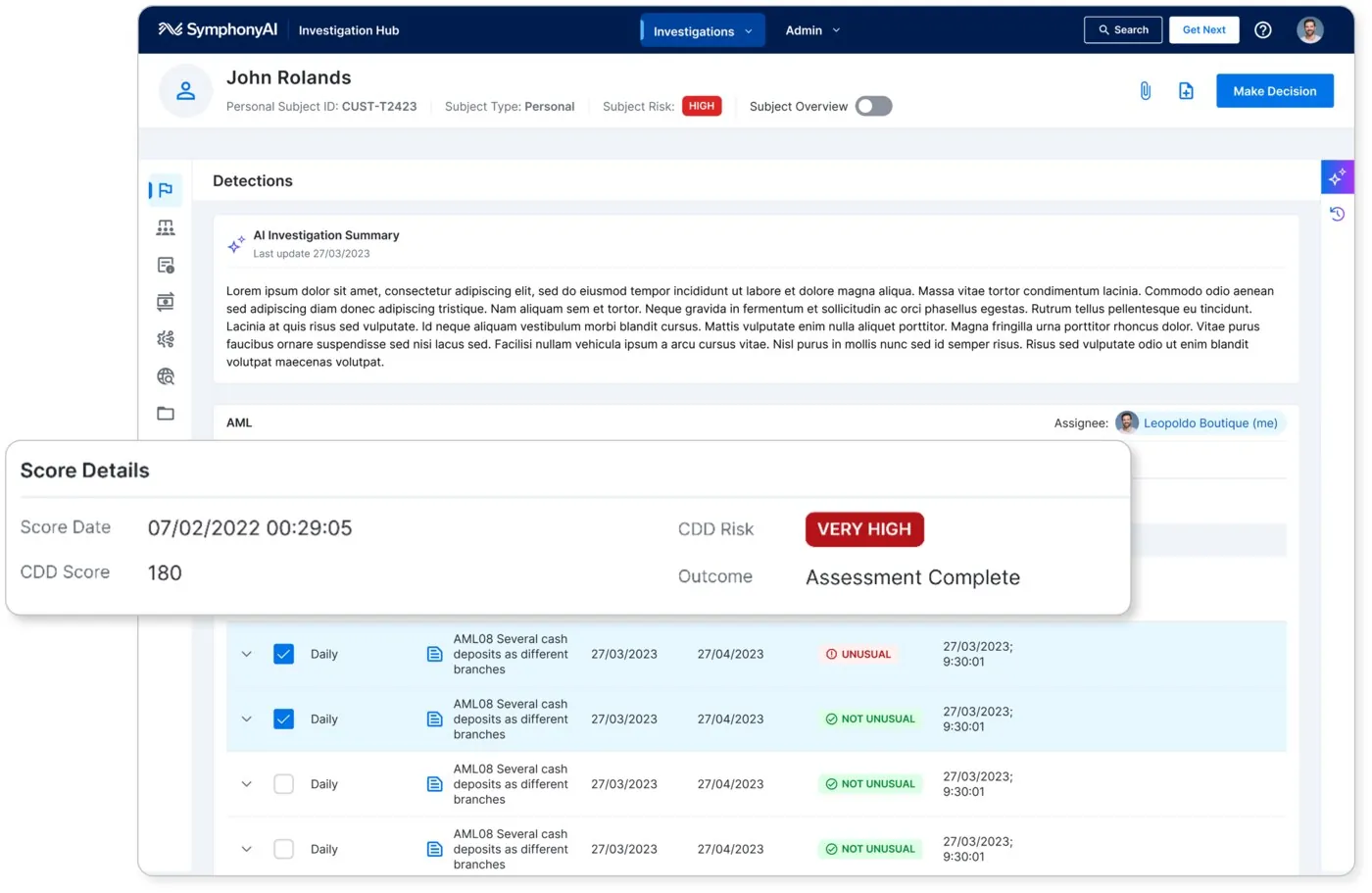
KYC/CDD view “KYC/CDD — investigation outcome” nối customer risk, contribution, disclosure, worklist hoặc relationship evidence trong analyst workflow.
Nguồn: Trang nguồn chính thức
A · FULL PRODUCT UI KYC/CDD — risk contribution
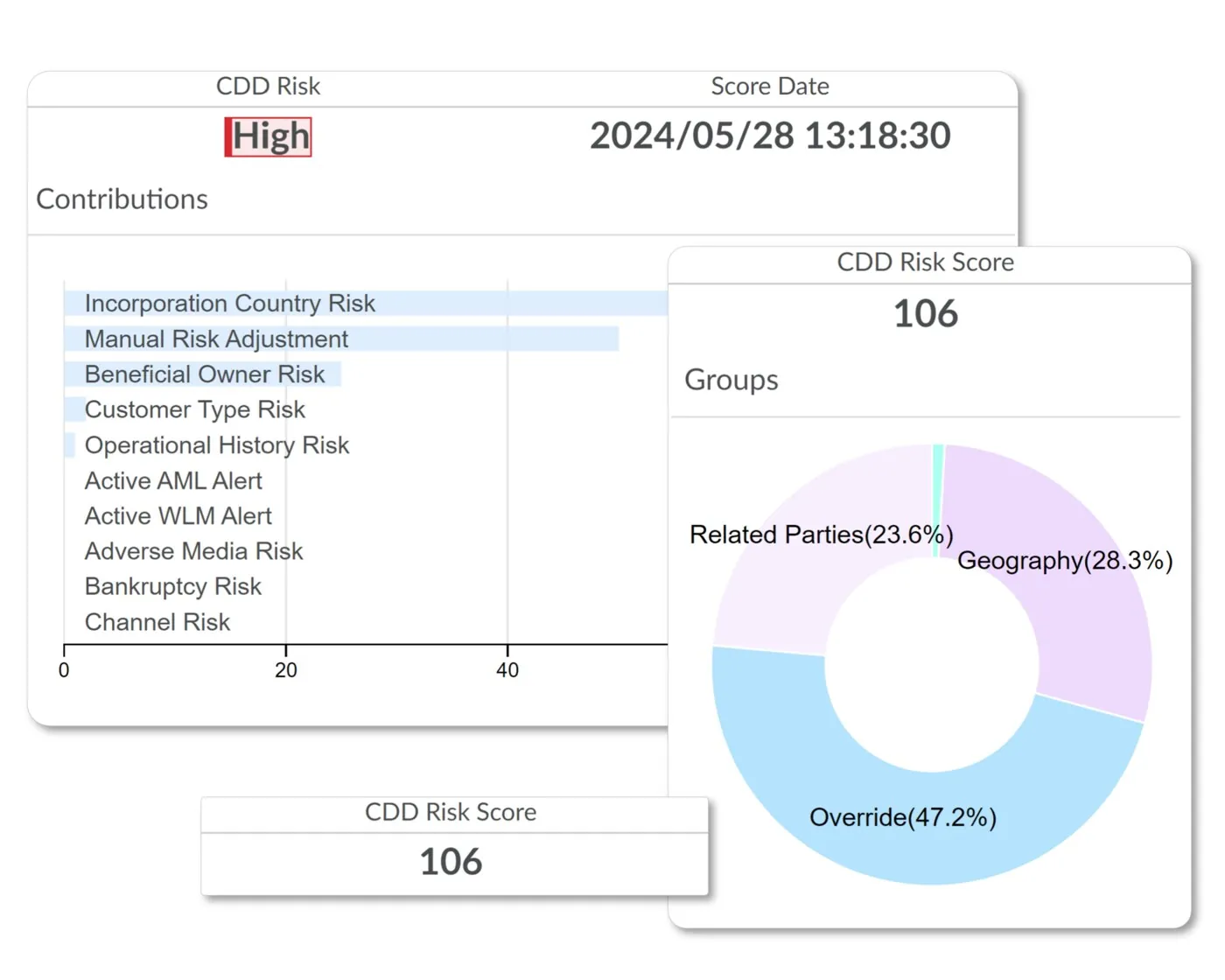
KYC/CDD view “KYC/CDD — risk contribution” nối customer risk, contribution, disclosure, worklist hoặc relationship evidence trong analyst workflow.
Nguồn: Trang nguồn chính thức
05F · SYMPHONYAI PORTFOLIO · FINANCIAL SERVICES
Financial Services — KYC/CDD & relationship analysis · tiếp
A · FULL PRODUCT UI KYC/CDD — detection records
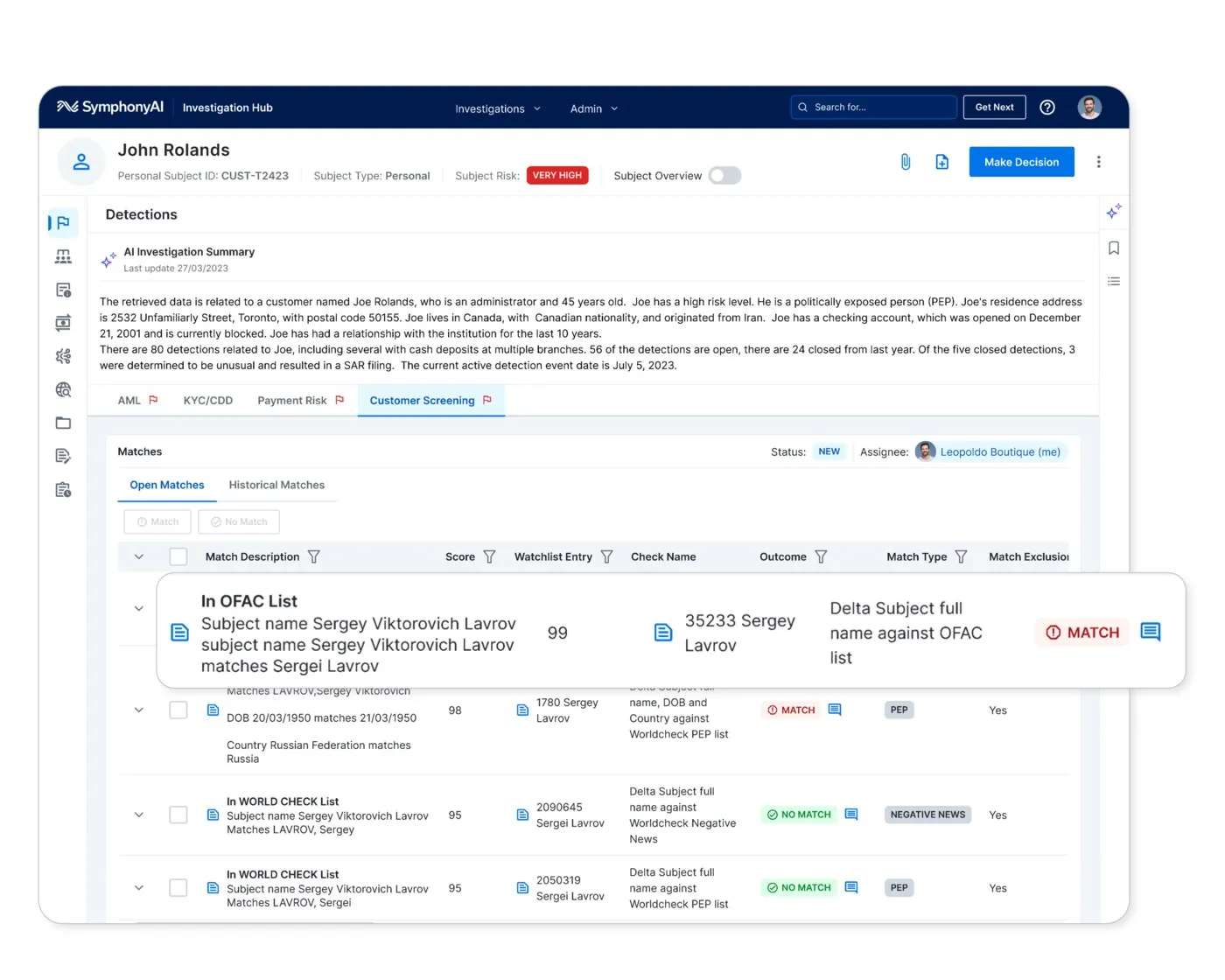
KYC/CDD view “KYC/CDD — detection records” nối customer risk, contribution, disclosure, worklist hoặc relationship evidence trong analyst workflow.
Nguồn: Trang nguồn chính thức
A · FULL PRODUCT UI KYC/CDD — unified data
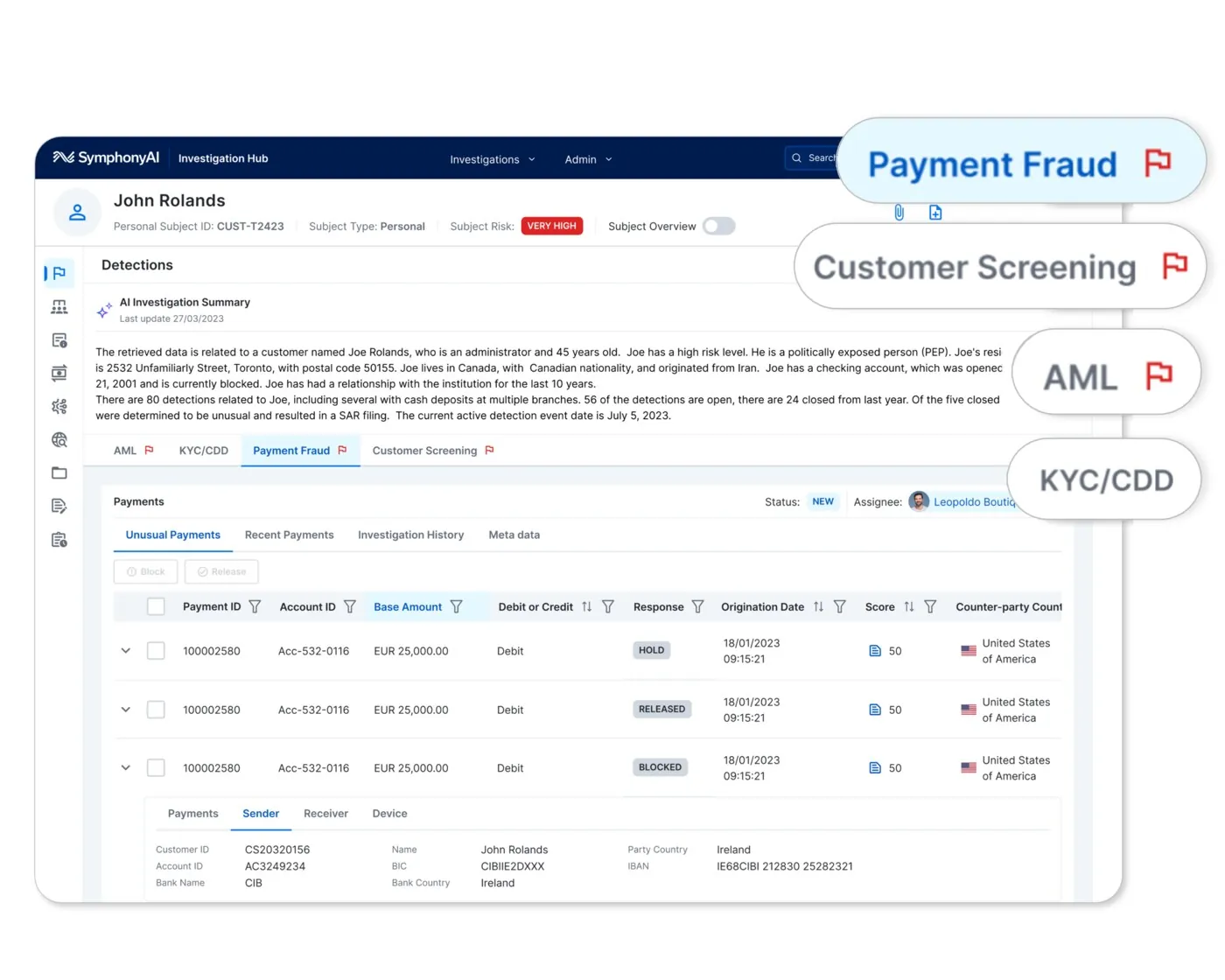
KYC/CDD view “KYC/CDD — unified data” nối customer risk, contribution, disclosure, worklist hoặc relationship evidence trong analyst workflow.
Nguồn: Trang nguồn chính thức
05F · SYMPHONYAI PORTFOLIO · FINANCIAL SERVICES
Financial Services — KYC/CDD & relationship analysis · tiếp
A · FULL PRODUCT UI Sensa — teams & worklist
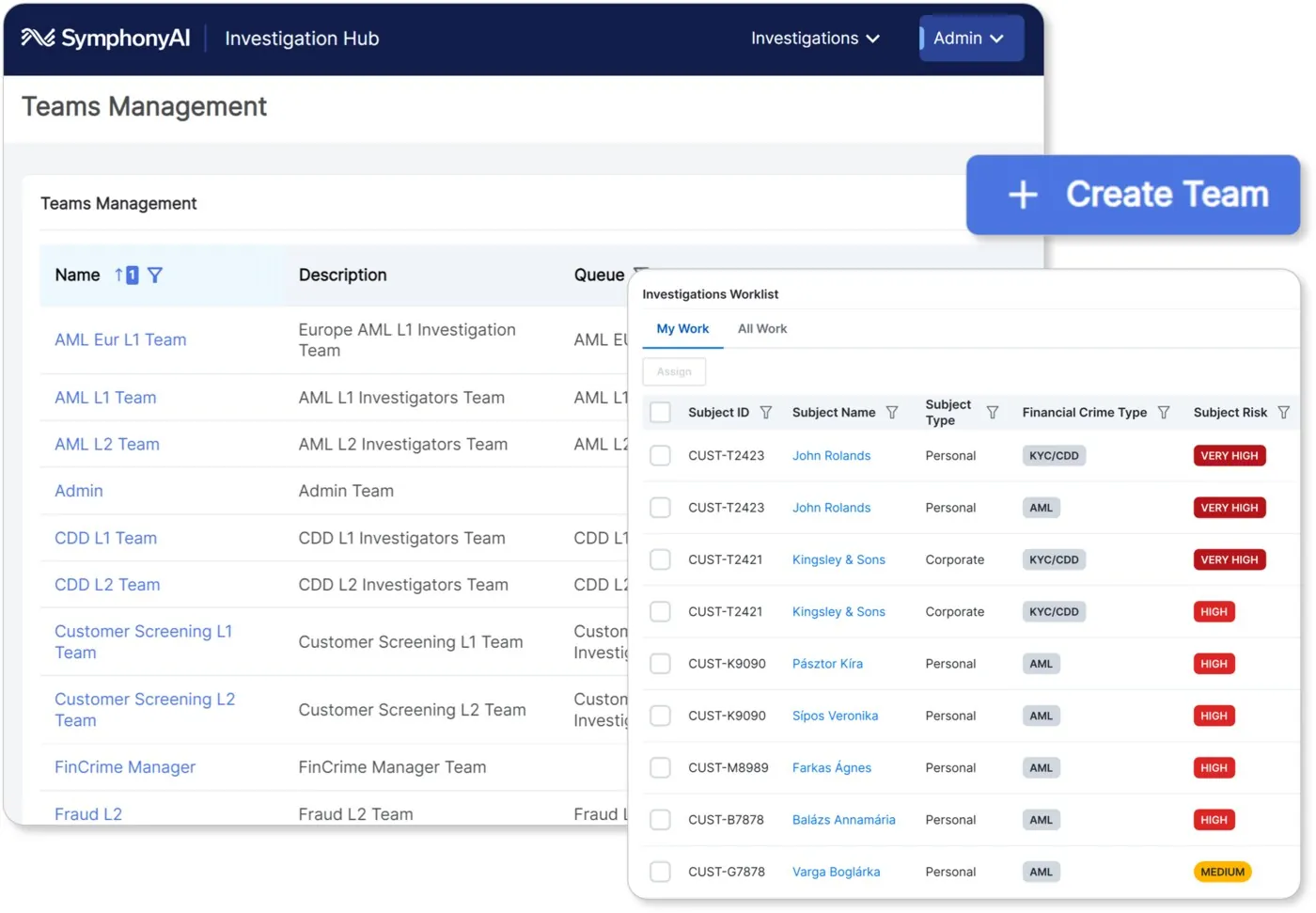
KYC/CDD view “Sensa — teams & worklist” nối customer risk, contribution, disclosure, worklist hoặc relationship evidence trong analyst workflow.
Nguồn: Trang nguồn chính thức
A · FULL PRODUCT UI Sensa — subject with Copilot
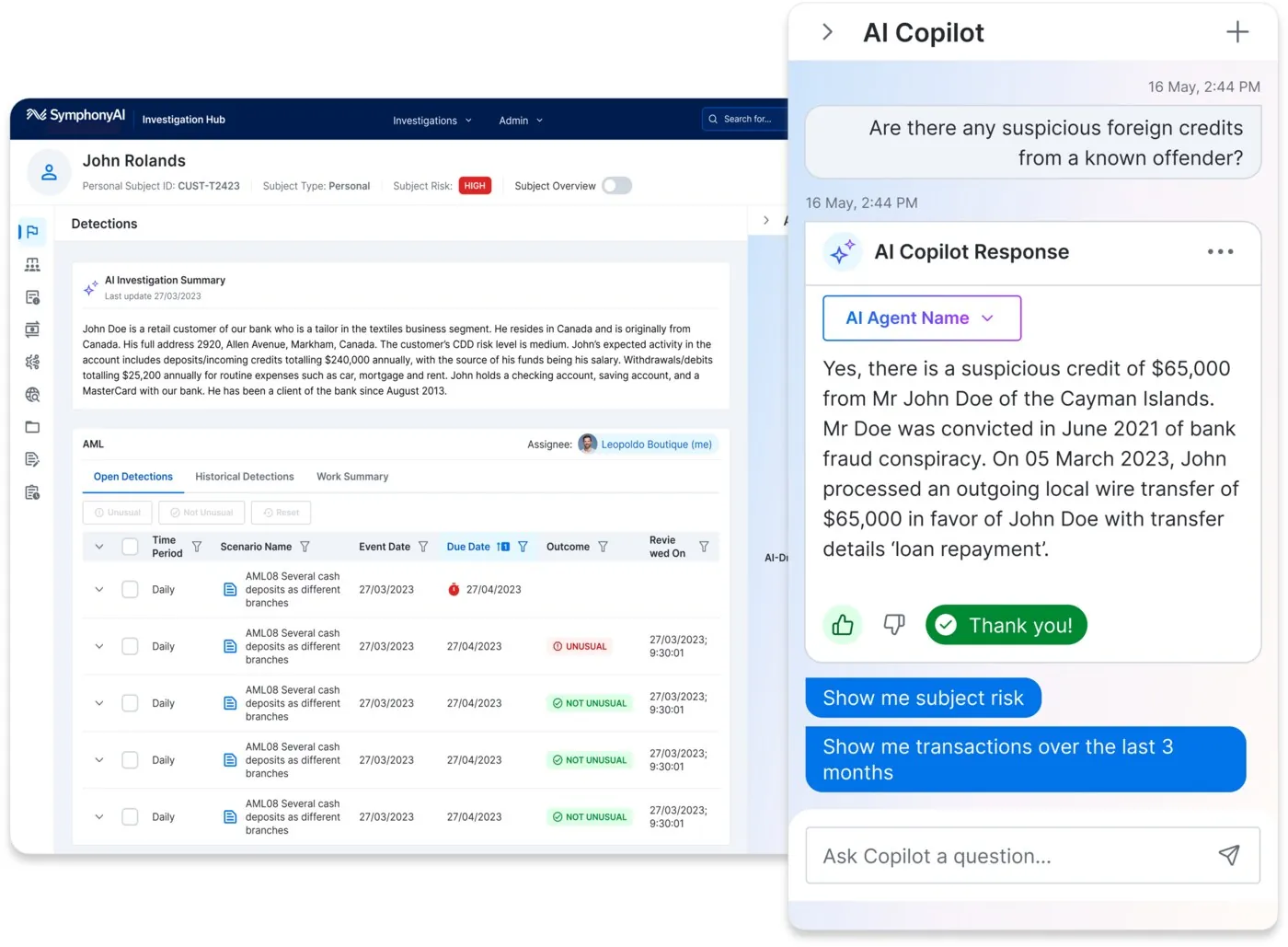
KYC/CDD view “Sensa — subject with Copilot” nối customer risk, contribution, disclosure, worklist hoặc relationship evidence trong analyst workflow.
Nguồn: Trang nguồn chính thức
05F · SYMPHONYAI PORTFOLIO · FINANCIAL SERVICES
Financial Services — KYC/CDD & relationship analysis · tiếp
A · FULL PRODUCT UI Sensa — disclosure generation
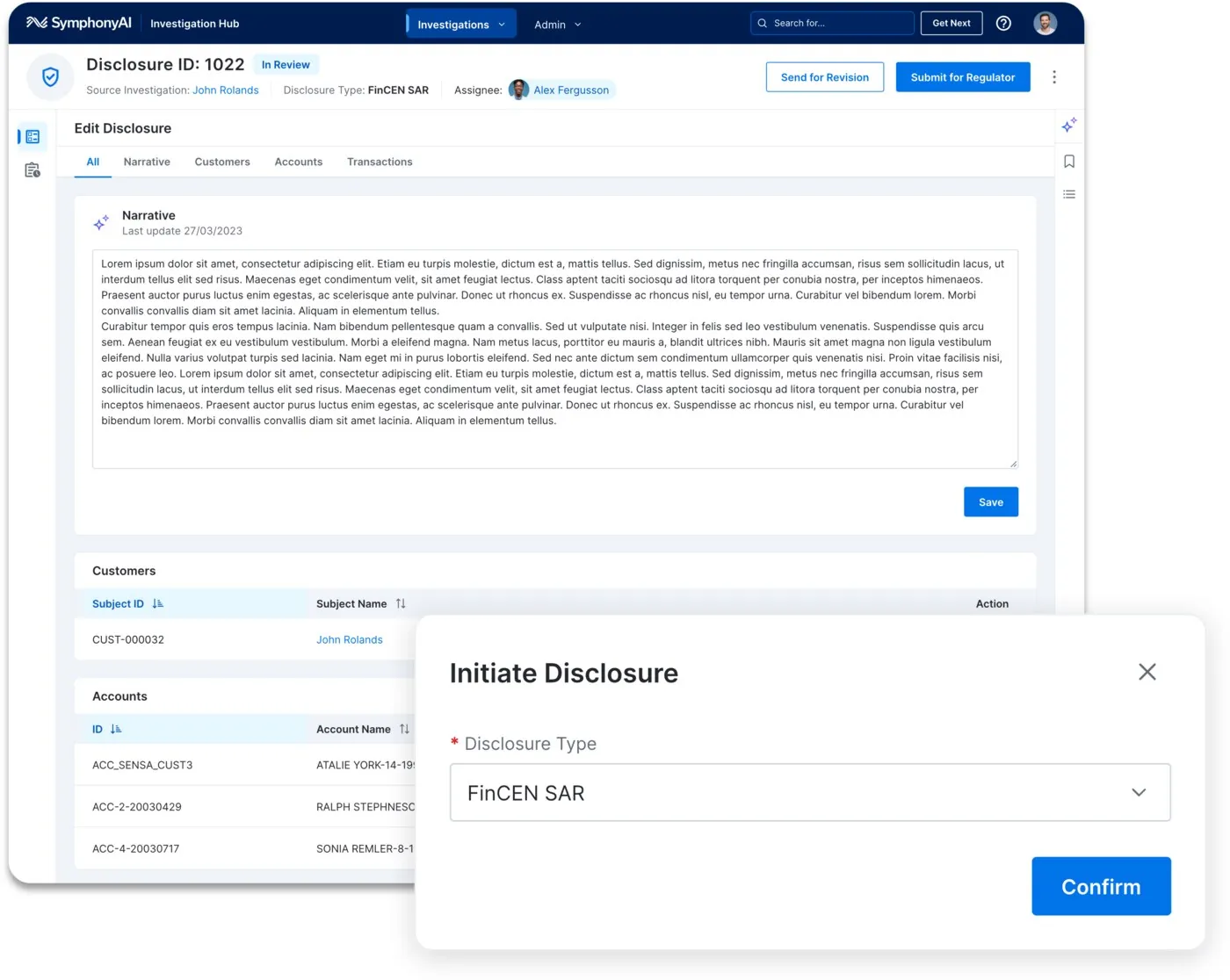
KYC/CDD view “Sensa — disclosure generation” nối customer risk, contribution, disclosure, worklist hoặc relationship evidence trong analyst workflow.
Nguồn: Trang nguồn chính thức
A · FULL PRODUCT UI Sensa — relationship explorer
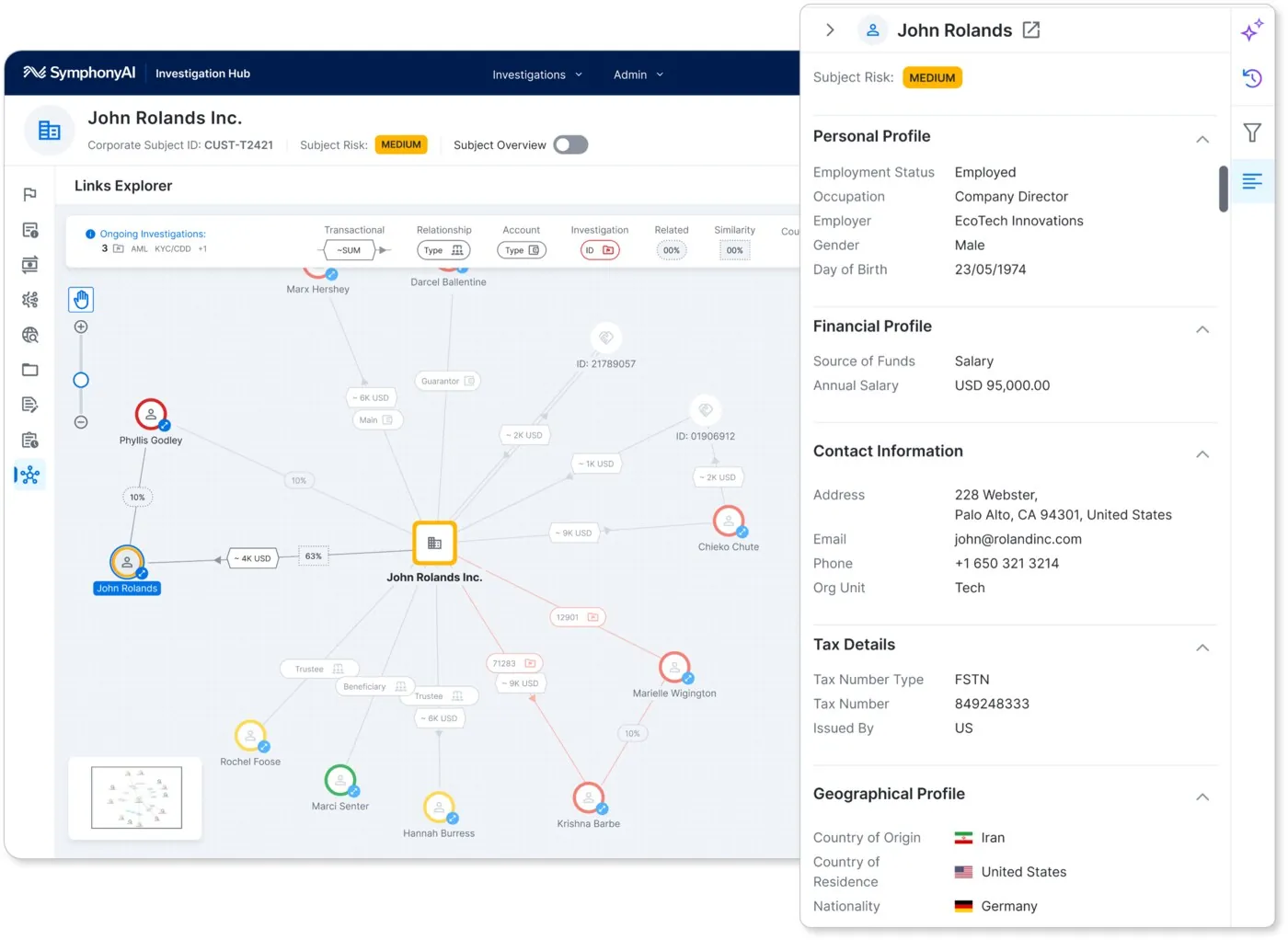
KYC/CDD view “Sensa — relationship explorer” nối customer risk, contribution, disclosure, worklist hoặc relationship evidence trong analyst workflow.
Nguồn: Trang nguồn chính thức
05G · SYMPHONYAI PORTFOLIO · LEGACY FINANCIAL
Financial Services — legacy datasheet UI
Screens nhúng trong hai datasheet first-party 2022; authentic nhưng thuộc visual generation cũ.
D · LEGACY/HISTORICAL Advanced Analytics — time-based feature visualization
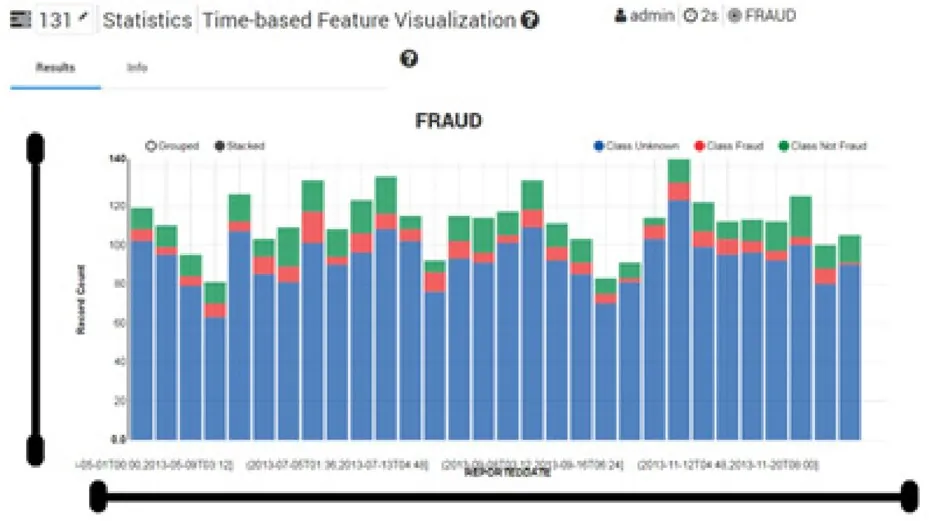
Legacy first-party demo frame “Advanced Analytics — time-based feature visualization” được trích từ datasheet chính thức. UI xác thực nhưng thuộc thế hệ cũ; một số sanctions frames có presenter overlay từ recorded demo.
Nguồn: Trang nguồn chính thức
D · LEGACY/HISTORICAL Advanced Analytics — 3D feature exploration
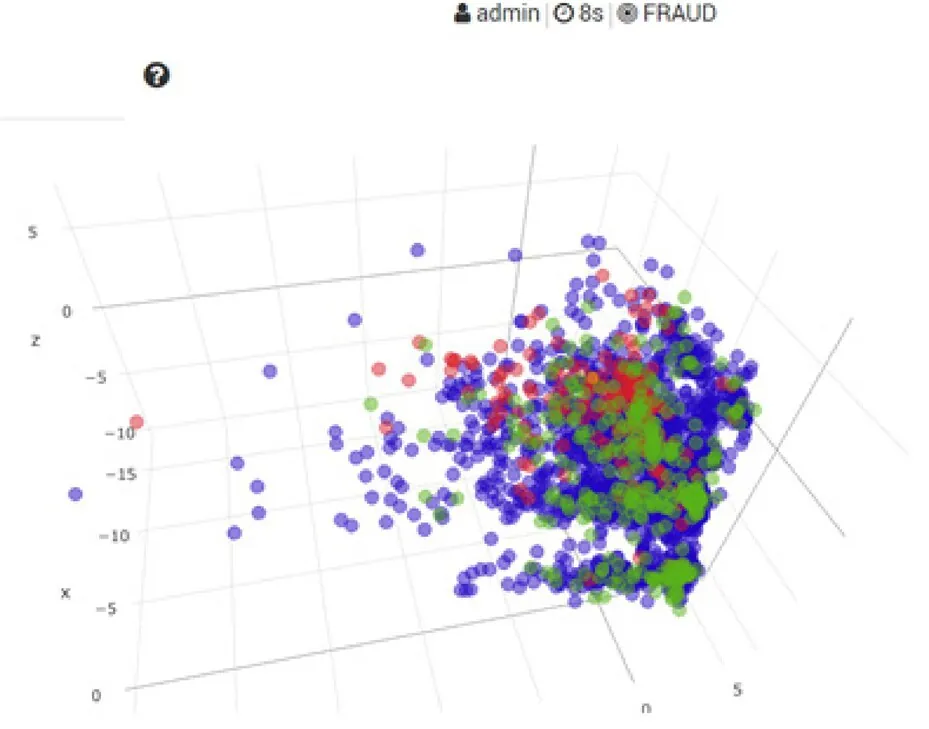
Legacy first-party demo frame “Advanced Analytics — 3D feature exploration” được trích từ datasheet chính thức. UI xác thực nhưng thuộc thế hệ cũ; một số sanctions frames có presenter overlay từ recorded demo.
Nguồn: Trang nguồn chính thức
05G · SYMPHONYAI PORTFOLIO · LEGACY FINANCIAL
Financial Services — legacy datasheet UI · tiếp
D · LEGACY/HISTORICAL Advanced Analytics — model training/validation/test
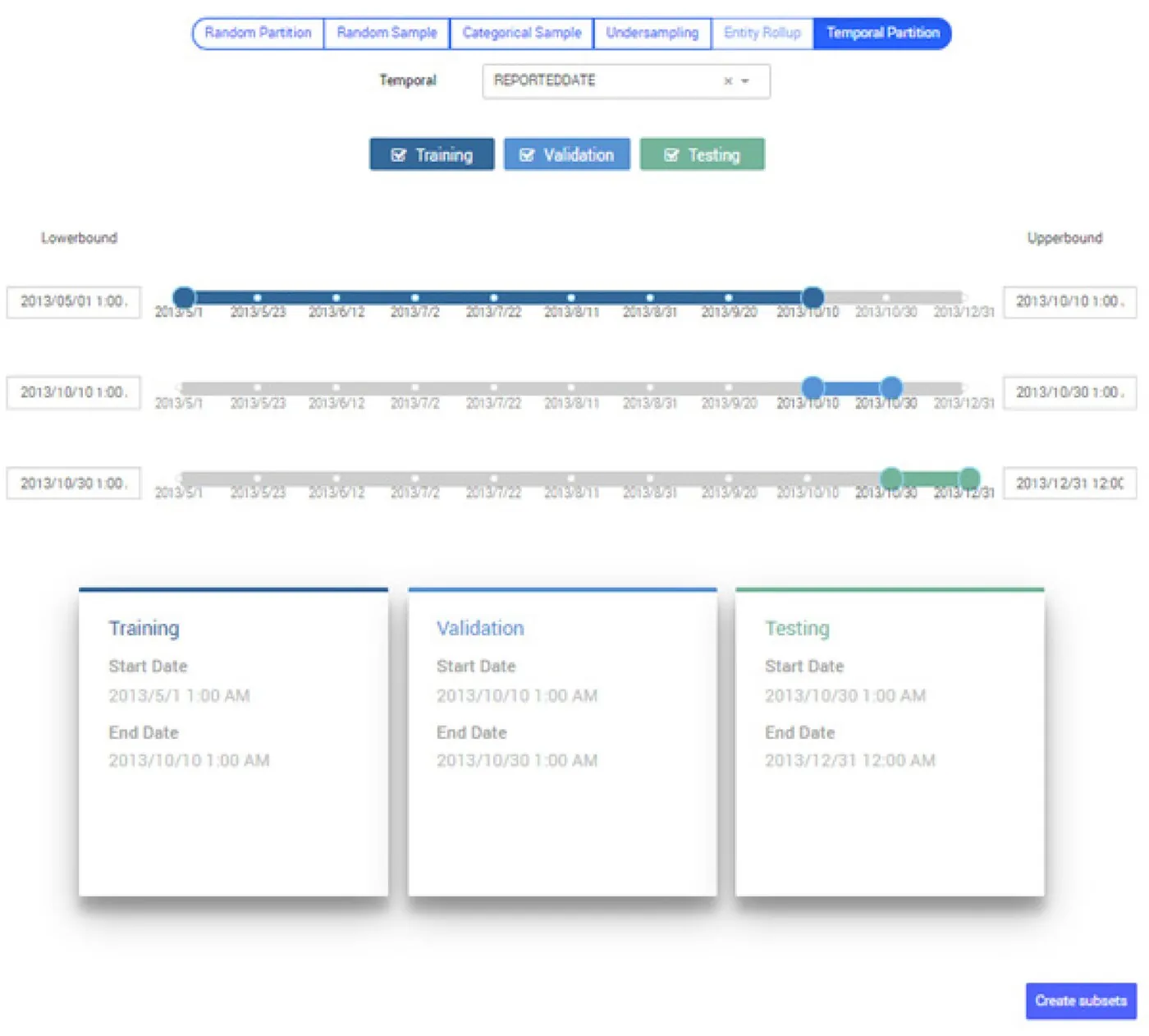
Legacy first-party demo frame “Advanced Analytics — model training/validation/test” được trích từ datasheet chính thức. UI xác thực nhưng thuộc thế hệ cũ; một số sanctions frames có presenter overlay từ recorded demo.
Nguồn: Trang nguồn chính thức
D · LEGACY/HISTORICAL Advanced Analytics — model evaluation dashboard
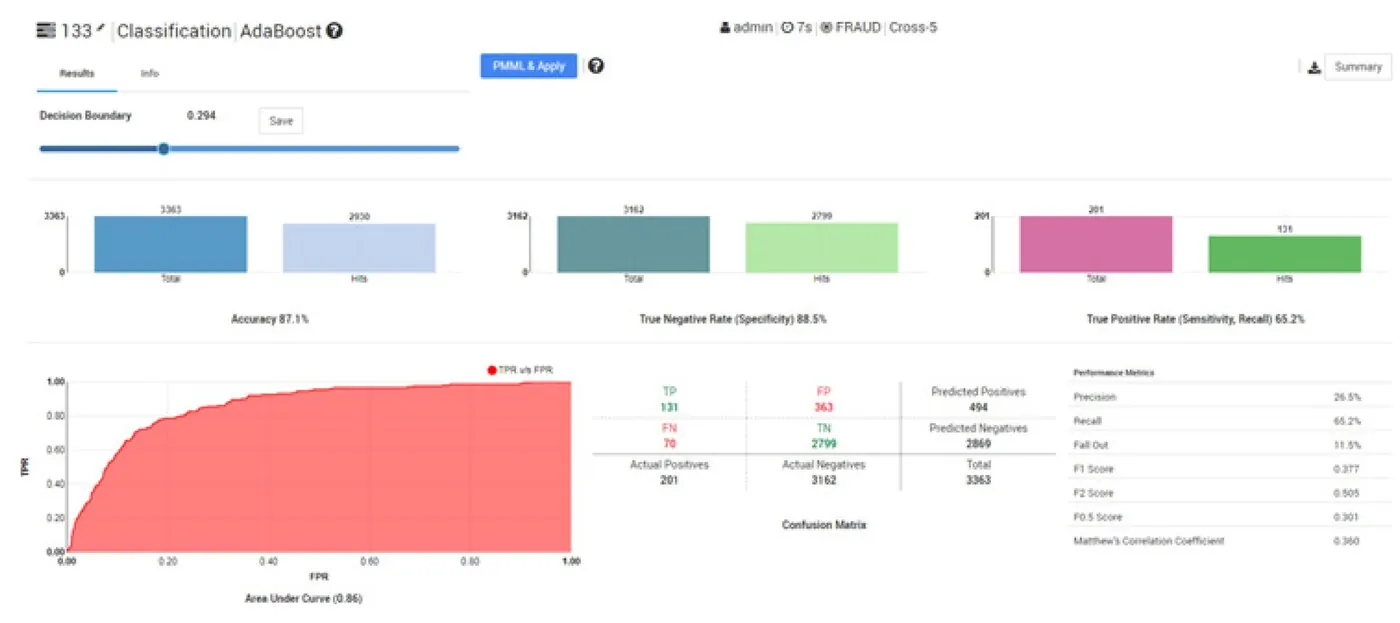
Legacy first-party demo frame “Advanced Analytics — model evaluation dashboard” được trích từ datasheet chính thức. UI xác thực nhưng thuộc thế hệ cũ; một số sanctions frames có presenter overlay từ recorded demo.
Nguồn: Trang nguồn chính thức
05G · SYMPHONYAI PORTFOLIO · LEGACY FINANCIAL
Financial Services — legacy datasheet UI · tiếp
D · LEGACY/HISTORICAL Advanced Analytics — clustered feature view
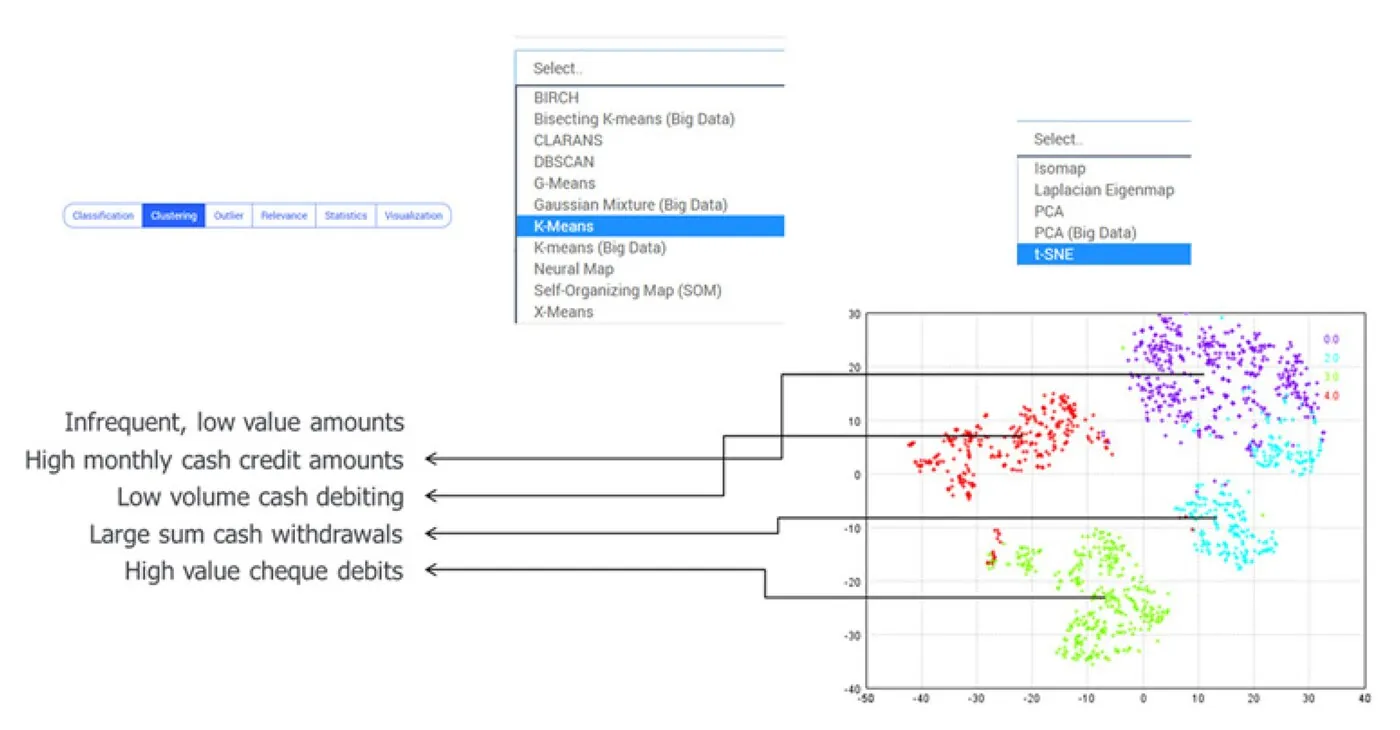
Legacy first-party demo frame “Advanced Analytics — clustered feature view” được trích từ datasheet chính thức. UI xác thực nhưng thuộc thế hệ cũ; một số sanctions frames có presenter overlay từ recorded demo.
Nguồn: Trang nguồn chính thức
D · LEGACY/HISTORICAL Advanced Analytics — alert volume by detection
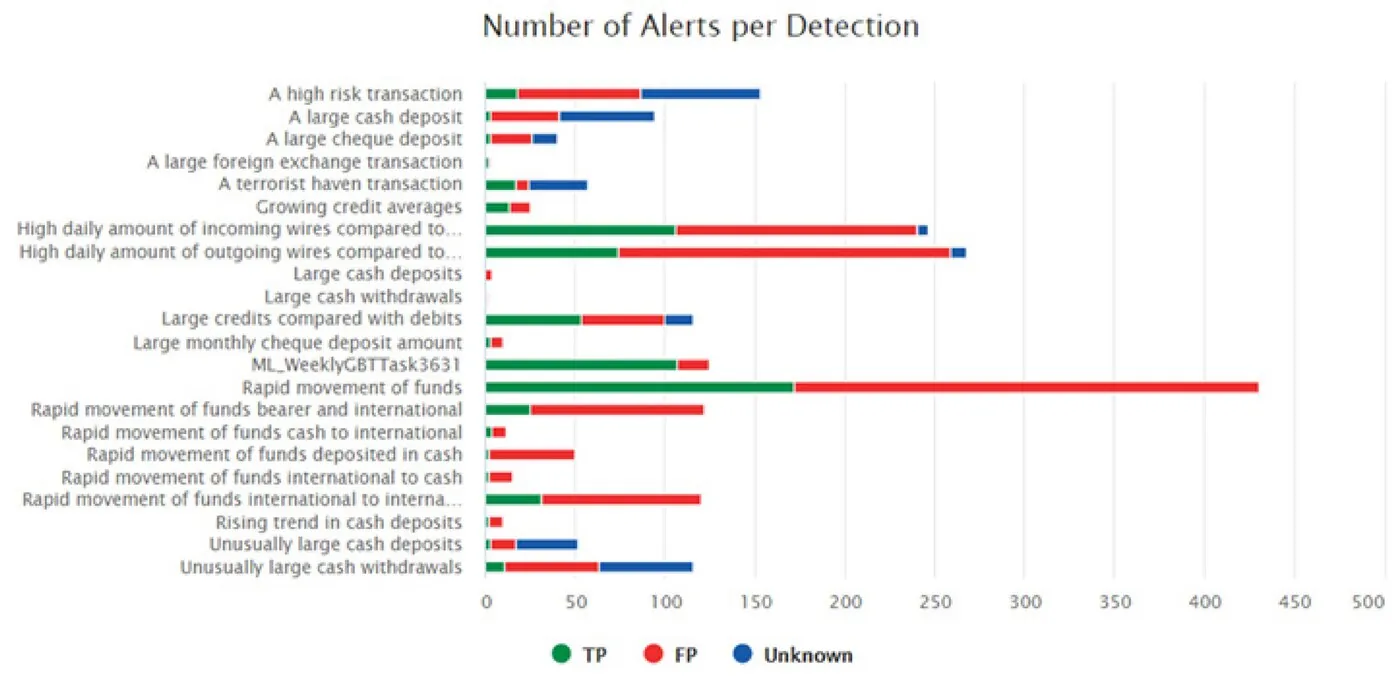
Legacy first-party demo frame “Advanced Analytics — alert volume by detection” được trích từ datasheet chính thức. UI xác thực nhưng thuộc thế hệ cũ; một số sanctions frames có presenter overlay từ recorded demo.
Nguồn: Trang nguồn chính thức
05G · SYMPHONYAI PORTFOLIO · LEGACY FINANCIAL
Financial Services — legacy datasheet UI · tiếp
D · LEGACY/HISTORICAL Advanced Analytics — model/risk comparison
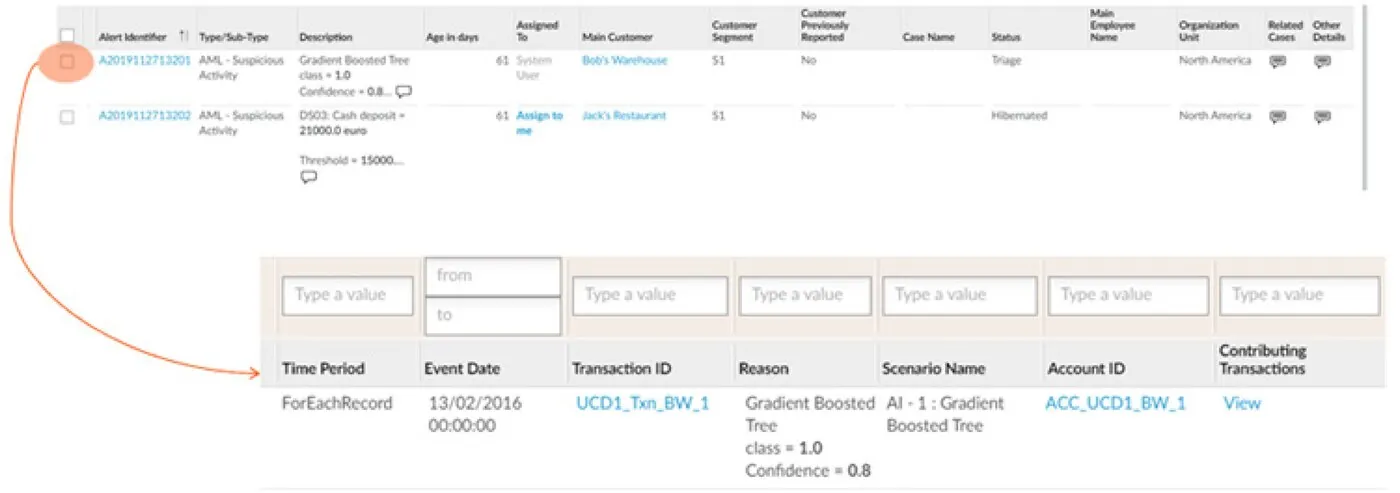
Legacy first-party demo frame “Advanced Analytics — model/risk comparison” được trích từ datasheet chính thức. UI xác thực nhưng thuộc thế hệ cũ; một số sanctions frames có presenter overlay từ recorded demo.
Nguồn: Trang nguồn chính thức
D · LEGACY/HISTORICAL Transaction Screening — administration menu
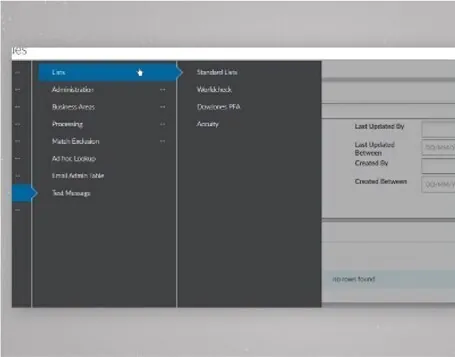
Legacy first-party demo frame “Transaction Screening — administration menu” được trích từ datasheet chính thức. UI xác thực nhưng thuộc thế hệ cũ; một số sanctions frames có presenter overlay từ recorded demo.
Nguồn: Trang nguồn chính thức
05G · SYMPHONYAI PORTFOLIO · LEGACY FINANCIAL
Financial Services — legacy datasheet UI · tiếp
D · LEGACY/HISTORICAL Transaction Screening — check configuration
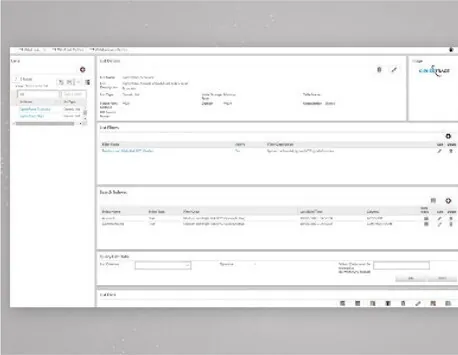
Legacy first-party demo frame “Transaction Screening — check configuration” được trích từ datasheet chính thức. UI xác thực nhưng thuộc thế hệ cũ; một số sanctions frames có presenter overlay từ recorded demo.
Nguồn: Trang nguồn chính thức
D · LEGACY/HISTORICAL Transaction Screening — source data table
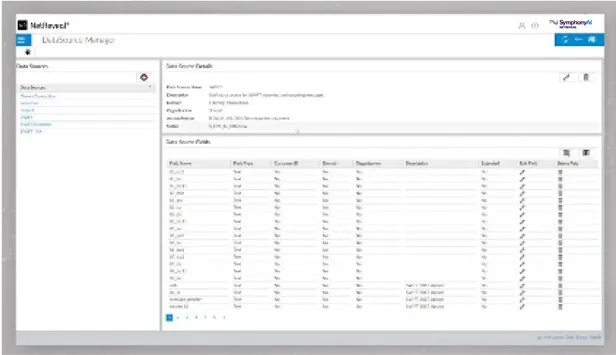
Legacy first-party demo frame “Transaction Screening — source data table” được trích từ datasheet chính thức. UI xác thực nhưng thuộc thế hệ cũ; một số sanctions frames có presenter overlay từ recorded demo.
Nguồn: Trang nguồn chính thức
05G · SYMPHONYAI PORTFOLIO · LEGACY FINANCIAL
Financial Services — legacy datasheet UI · tiếp
D · LEGACY/HISTORICAL Transaction Screening — data-source menu
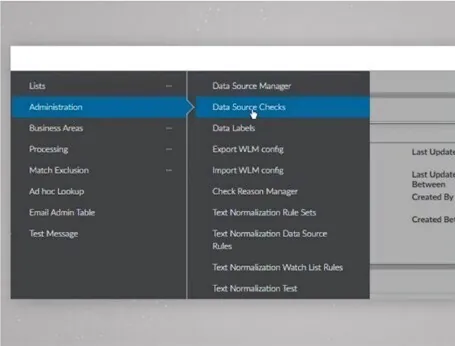
Legacy first-party demo frame “Transaction Screening — data-source menu” được trích từ datasheet chính thức. UI xác thực nhưng thuộc thế hệ cũ; một số sanctions frames có presenter overlay từ recorded demo.
Nguồn: Trang nguồn chính thức
D · LEGACY/HISTORICAL Transaction Screening — list/check setup
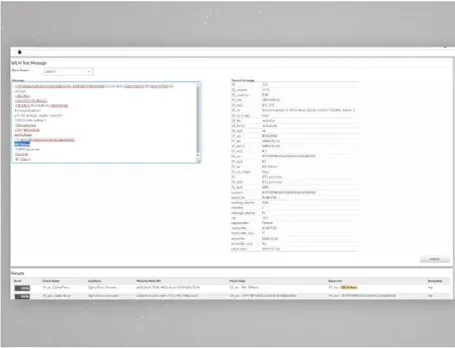
Legacy first-party demo frame “Transaction Screening — list/check setup” được trích từ datasheet chính thức. UI xác thực nhưng thuộc thế hệ cũ; một số sanctions frames có presenter overlay từ recorded demo.
Nguồn: Trang nguồn chính thức
05G · SYMPHONYAI PORTFOLIO · LEGACY FINANCIAL
Financial Services — legacy datasheet UI · tiếp
D · LEGACY/HISTORICAL Transaction Screening — detection check
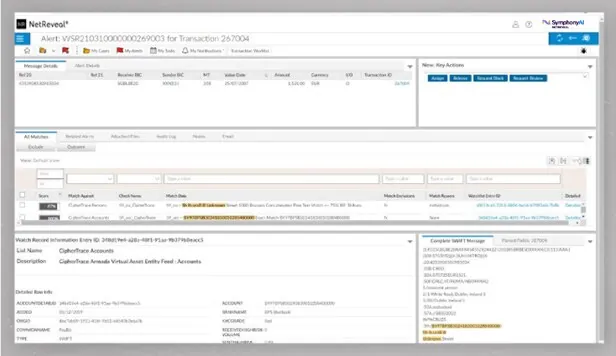
Legacy first-party demo frame “Transaction Screening — detection check” được trích từ datasheet chính thức. UI xác thực nhưng thuộc thế hệ cũ; một số sanctions frames có presenter overlay từ recorded demo.
Nguồn: Trang nguồn chính thức
D · LEGACY/HISTORICAL Transaction Screening — match configuration
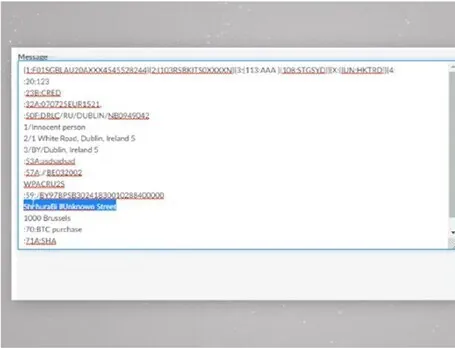
Legacy first-party demo frame “Transaction Screening — match configuration” được trích từ datasheet chính thức. UI xác thực nhưng thuộc thế hệ cũ; một số sanctions frames có presenter overlay từ recorded demo.
Nguồn: Trang nguồn chính thức
05G · SYMPHONYAI PORTFOLIO · LEGACY FINANCIAL
Financial Services — legacy datasheet UI · tiếp
D · LEGACY/HISTORICAL Transaction Screening — fuzzy-match settings
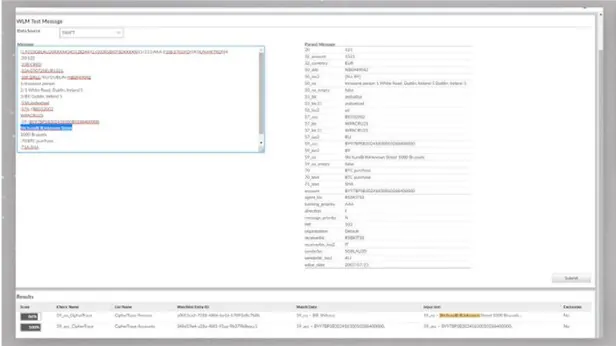
Legacy first-party demo frame “Transaction Screening — fuzzy-match settings” được trích từ datasheet chính thức. UI xác thực nhưng thuộc thế hệ cũ; một số sanctions frames có presenter overlay từ recorded demo.
Nguồn: Trang nguồn chính thức
D · LEGACY/HISTORICAL Transaction Screening — investigator worklist
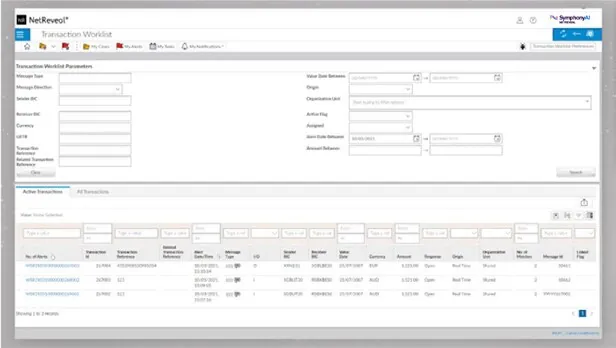
Legacy first-party demo frame “Transaction Screening — investigator worklist” được trích từ datasheet chính thức. UI xác thực nhưng thuộc thế hệ cũ; một số sanctions frames có presenter overlay từ recorded demo.
Nguồn: Trang nguồn chính thức
05G · SYMPHONYAI PORTFOLIO · LEGACY FINANCIAL
Financial Services — legacy datasheet UI · tiếp
D · LEGACY/HISTORICAL Transaction Screening — alert detail
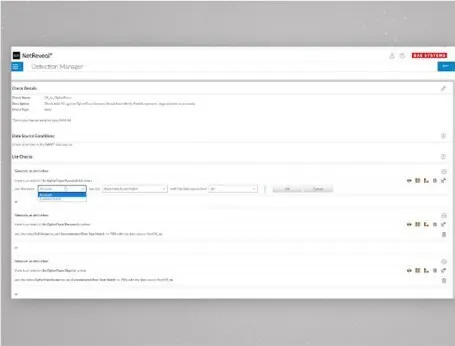
Legacy first-party demo frame “Transaction Screening — alert detail” được trích từ datasheet chính thức. UI xác thực nhưng thuộc thế hệ cũ; một số sanctions frames có presenter overlay từ recorded demo.
Nguồn: Trang nguồn chính thức
D · LEGACY/HISTORICAL Transaction Screening — operational dashboard
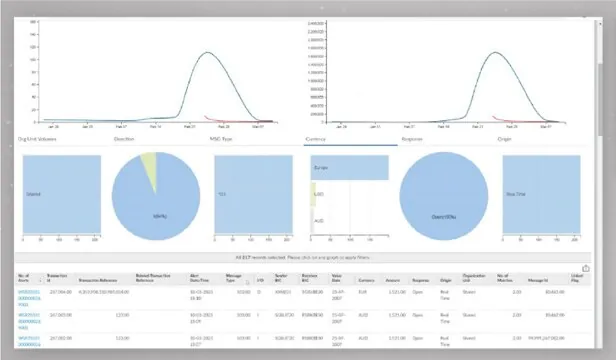
Legacy first-party demo frame “Transaction Screening — operational dashboard” được trích từ datasheet chính thức. UI xác thực nhưng thuộc thế hệ cũ; một số sanctions frames có presenter overlay từ recorded demo.
Nguồn: Trang nguồn chính thức
05G · SYMPHONYAI PORTFOLIO · LEGACY FINANCIAL
Financial Services — legacy datasheet UI · tiếp
D · LEGACY/HISTORICAL Transaction Screening — results dashboard
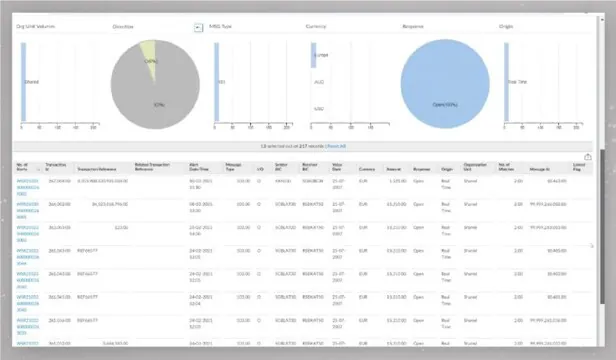
Legacy first-party demo frame “Transaction Screening — results dashboard” được trích từ datasheet chính thức. UI xác thực nhưng thuộc thế hệ cũ; một số sanctions frames có presenter overlay từ recorded demo.
Nguồn: Trang nguồn chính thức
D · LEGACY/HISTORICAL Transaction Screening — analytics overview
Legacy first-party demo frame “Transaction Screening — analytics overview” được trích từ datasheet chính thức. UI xác thực nhưng thuộc thế hệ cũ; một số sanctions frames có presenter overlay từ recorded demo.
Nguồn: Trang nguồn chính thức
05H · SYMPHONYAI PORTFOLIO · RETAIL
Retail / CINDE & demand forecasting
Current CINDE boards/Copilot và demand-forecasting explanation surfaces. Near-duplicate CINDE variants được bỏ.
A · FULL PRODUCT UI CINDE — Category Review
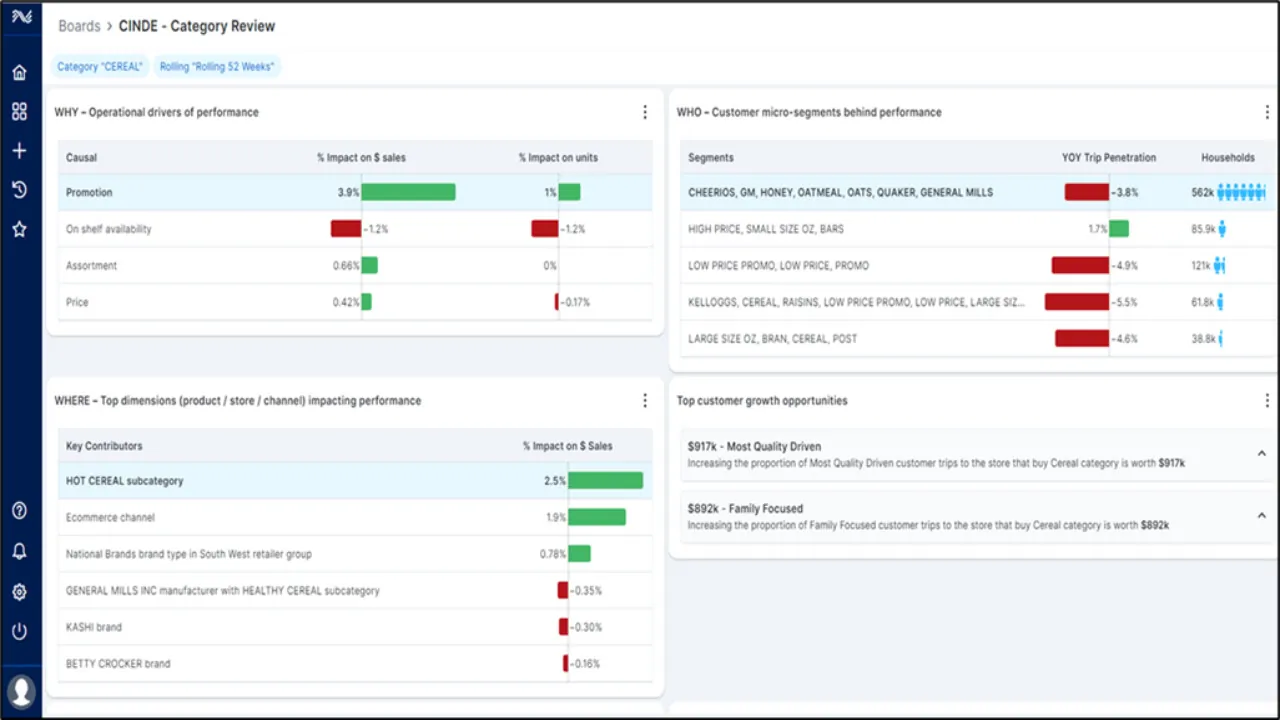
CINDE board “CINDE — Category Review” đưa sales/category signal, driver, opportunity và Copilot vào decision context của category manager.
Nguồn: Trang nguồn chính thức
A · FULL PRODUCT UI CINDE AI Copilot
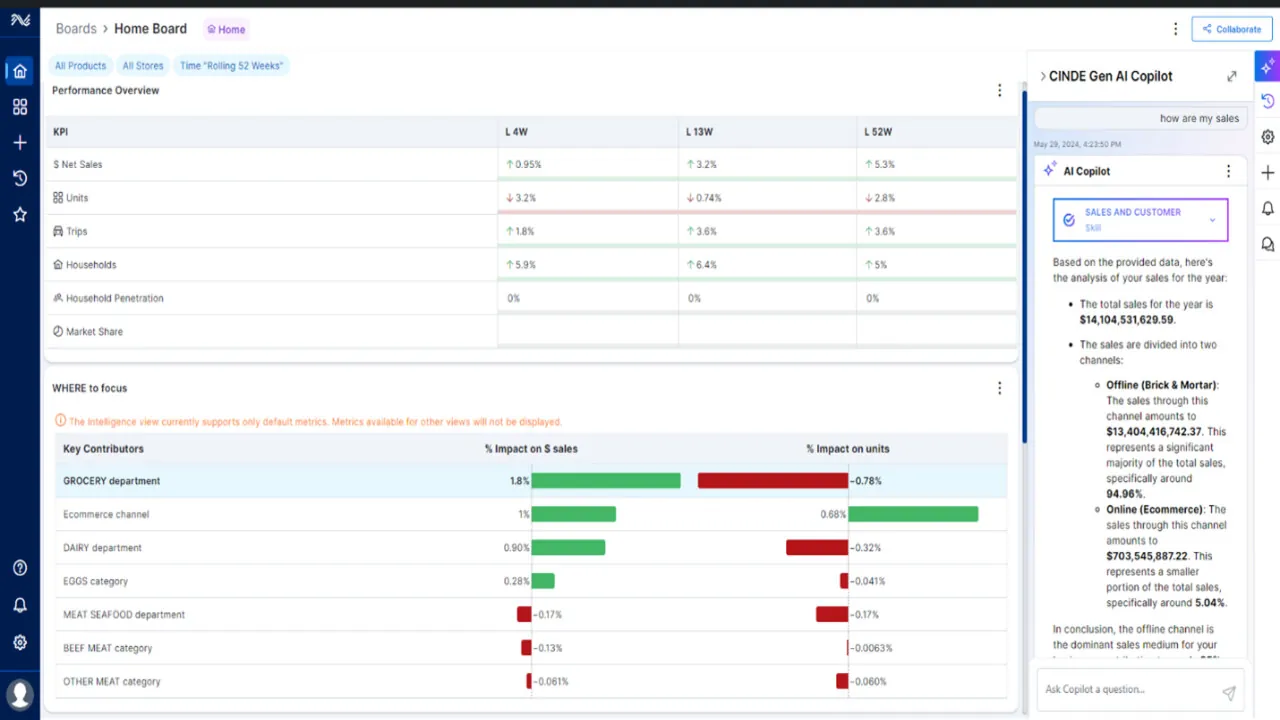
Copilot nằm trong shell category-management, trả lời câu hỏi trên dữ liệu kinh doanh ngay cạnh board đang làm việc.
Nguồn: Trang nguồn chính thức
05H · SYMPHONYAI PORTFOLIO · RETAIL
Retail / CINDE & demand forecasting · tiếp
A · FULL PRODUCT UI CINDE — My Board
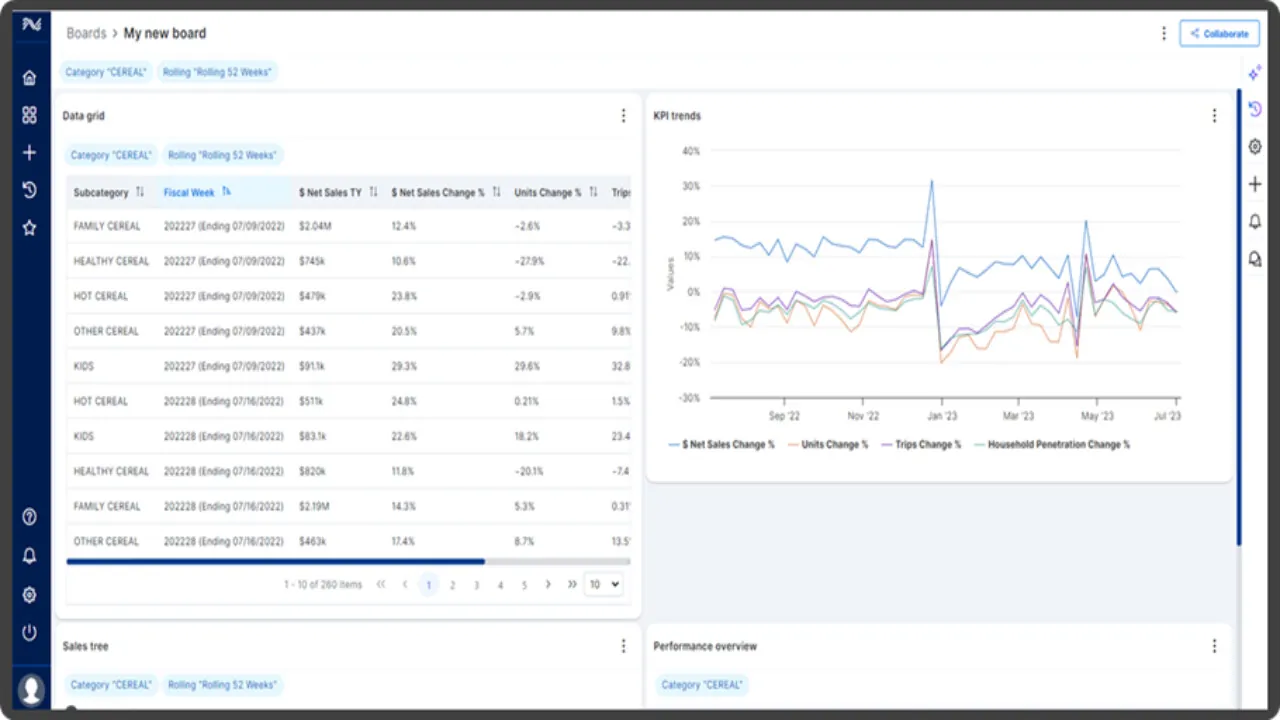
Board tự cấu hình ghép data grid và KPI time-series, cho thấy mô hình self-service analytics của CINDE.
Nguồn: Trang nguồn chính thức
A · FULL PRODUCT UI CINDE — category manager Copilot
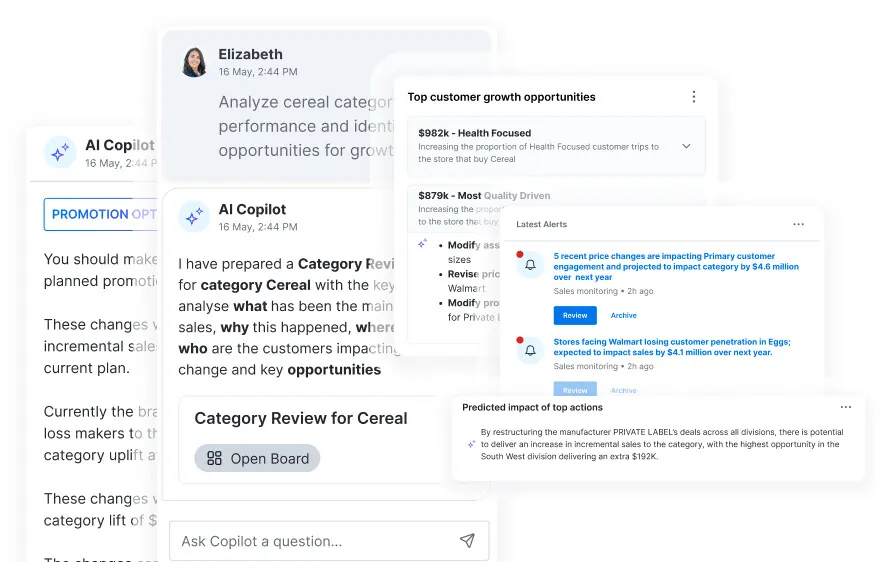
CINDE board “CINDE — category manager Copilot” đưa sales/category signal, driver, opportunity và Copilot vào decision context của category manager.
Nguồn: Trang nguồn chính thức
05H · SYMPHONYAI PORTFOLIO · RETAIL
Retail / CINDE & demand forecasting · tiếp
A · FULL PRODUCT UI Demand Forecasting — forecast with Copilot
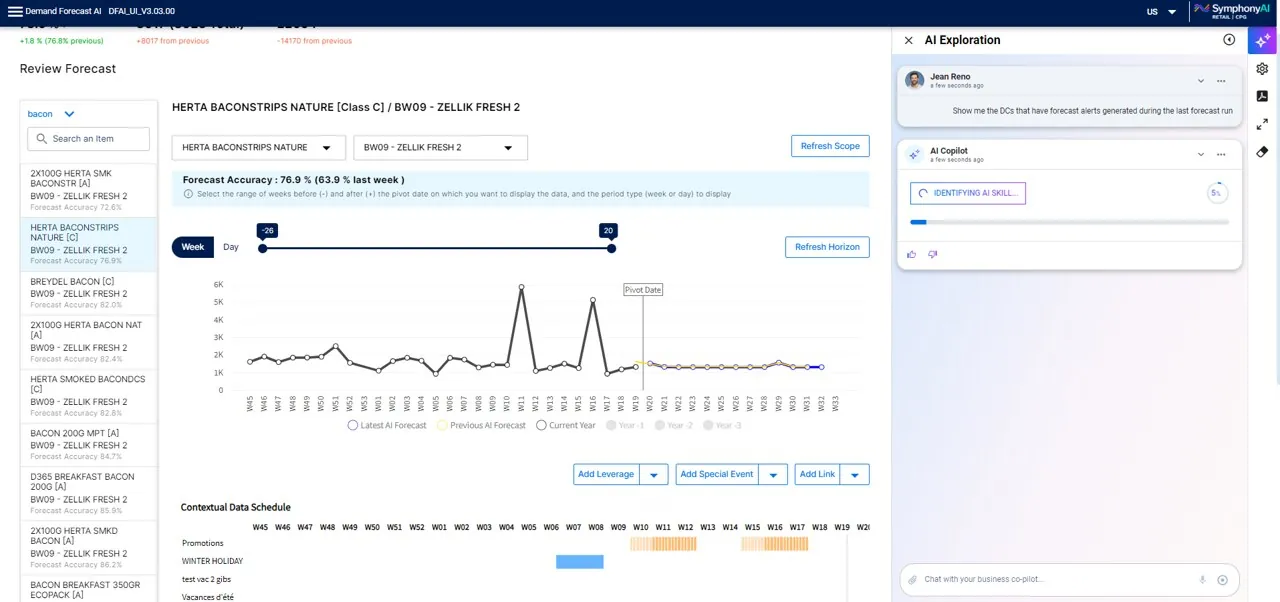
Demand-forecasting view “Demand Forecasting — forecast with Copilot” đặt forecast, contributing variables và AI explanation cạnh nhau để planner đánh giá nguyên nhân của dự báo.
Nguồn: Trang nguồn chính thức
C · UI FRAGMENT/COMPOSITE Demand Forecasting — grocery composite
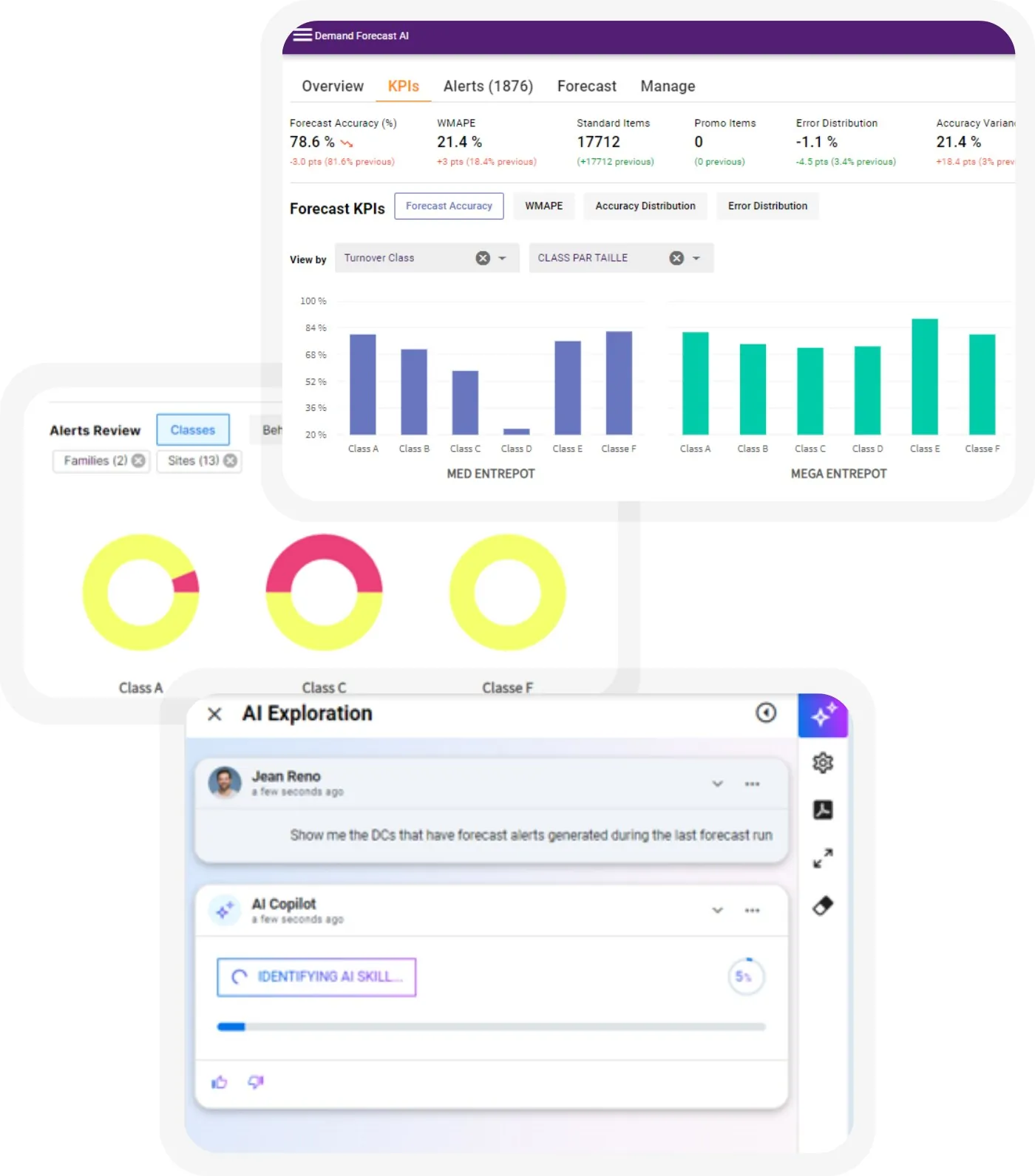
Demand-forecasting view “Demand Forecasting — grocery composite” đặt forecast, contributing variables và AI explanation cạnh nhau để planner đánh giá nguyên nhân của dự báo.
Nguồn: Trang nguồn chính thức
05I · SYMPHONYAI PORTFOLIO · LEGACY RETAIL
Retail — legacy marketing, customer insights & assortment
Authentic older UIs for campaign, customer insight, sales trend và assortment/shelf planning.
D · LEGACY/HISTORICAL Personalized Marketing — audience & insight cards
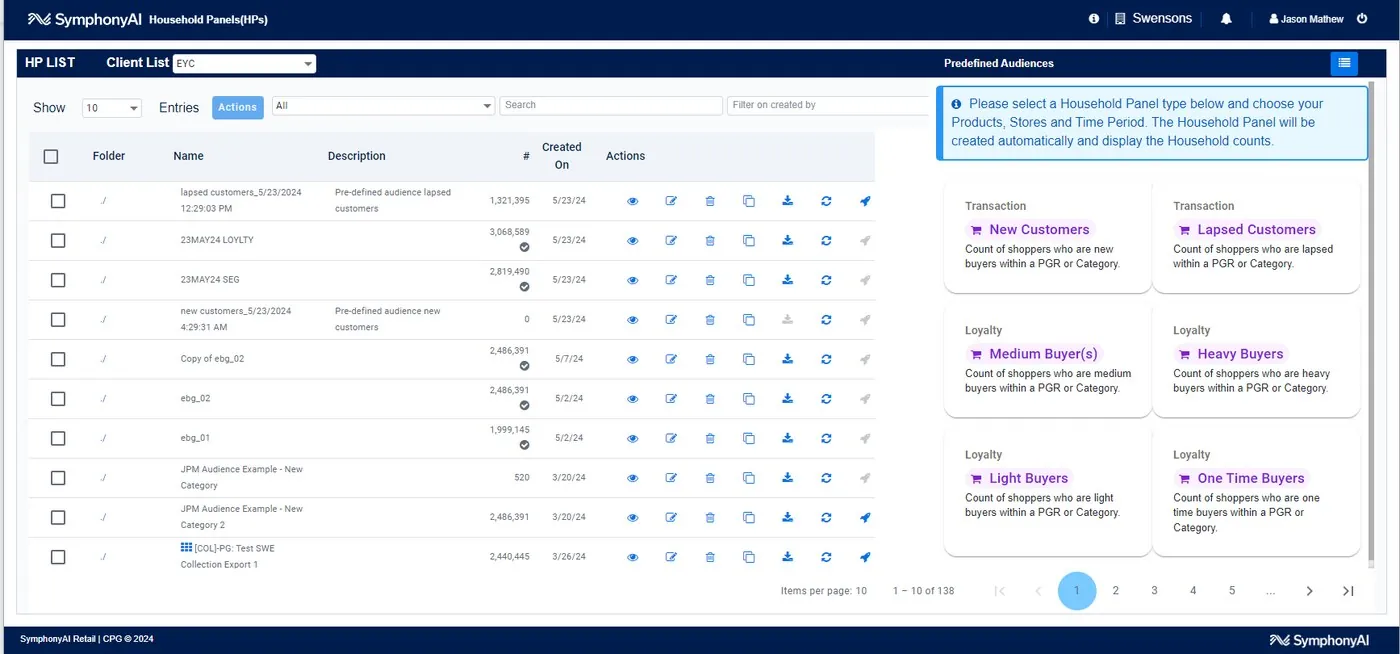
Legacy retail surface “Personalized Marketing — audience & insight cards” mô tả campaign, customer insight, sales trend hoặc assortment planning. Đây là authentic UI nhưng khác rõ visual generation hiện tại.
Nguồn: Trang nguồn chính thức
D · LEGACY/HISTORICAL Personalized Marketing — program KPI cards
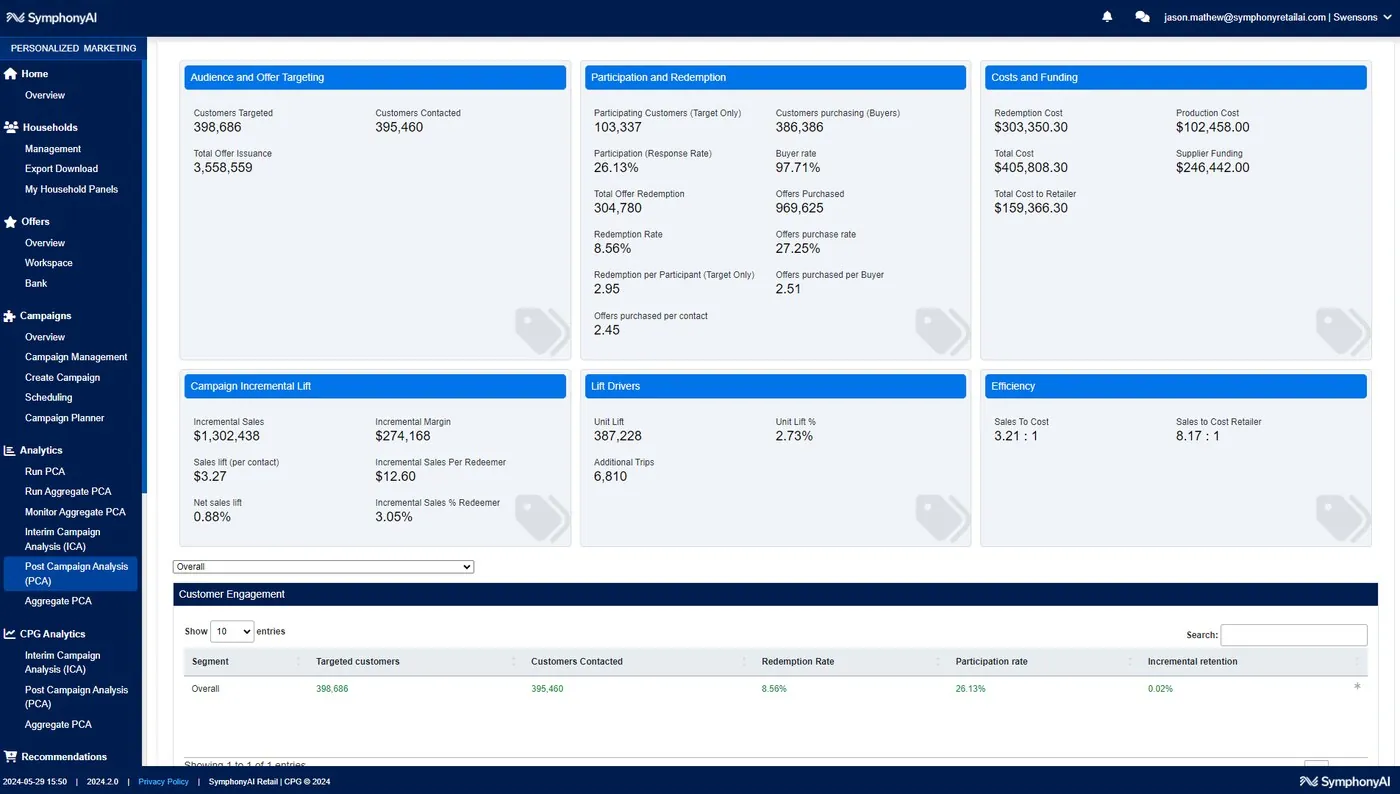
Legacy retail surface “Personalized Marketing — program KPI cards” mô tả campaign, customer insight, sales trend hoặc assortment planning. Đây là authentic UI nhưng khác rõ visual generation hiện tại.
Nguồn: Trang nguồn chính thức
05I · SYMPHONYAI PORTFOLIO · LEGACY RETAIL
Retail — legacy marketing, customer insights & assortment · tiếp
D · LEGACY/HISTORICAL Personalized Marketing — target customer breakdown
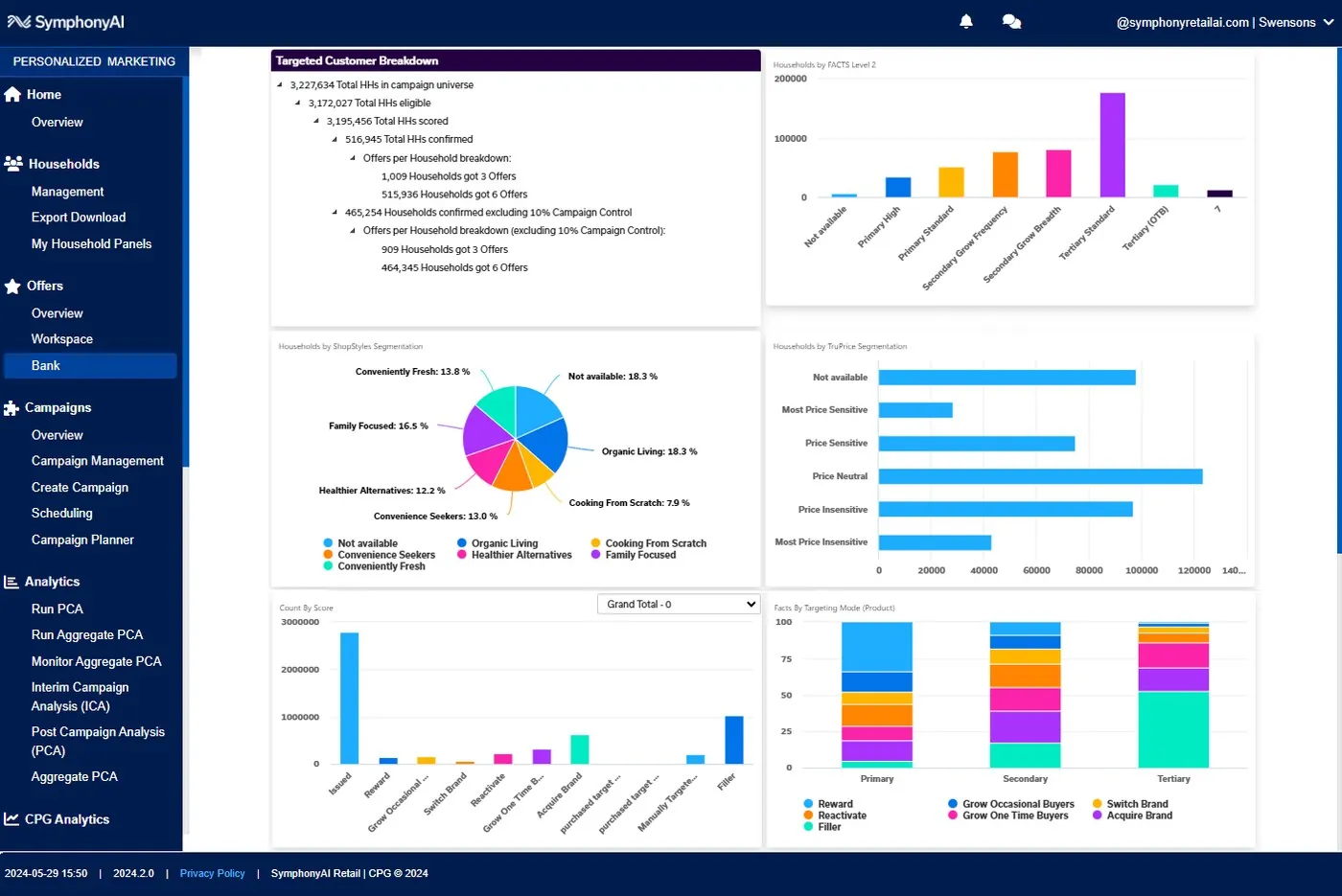
Legacy retail surface “Personalized Marketing — target customer breakdown” mô tả campaign, customer insight, sales trend hoặc assortment planning. Đây là authentic UI nhưng khác rõ visual generation hiện tại.
Nguồn: Trang nguồn chính thức
D · LEGACY/HISTORICAL Personalized Marketing — campaign configuration
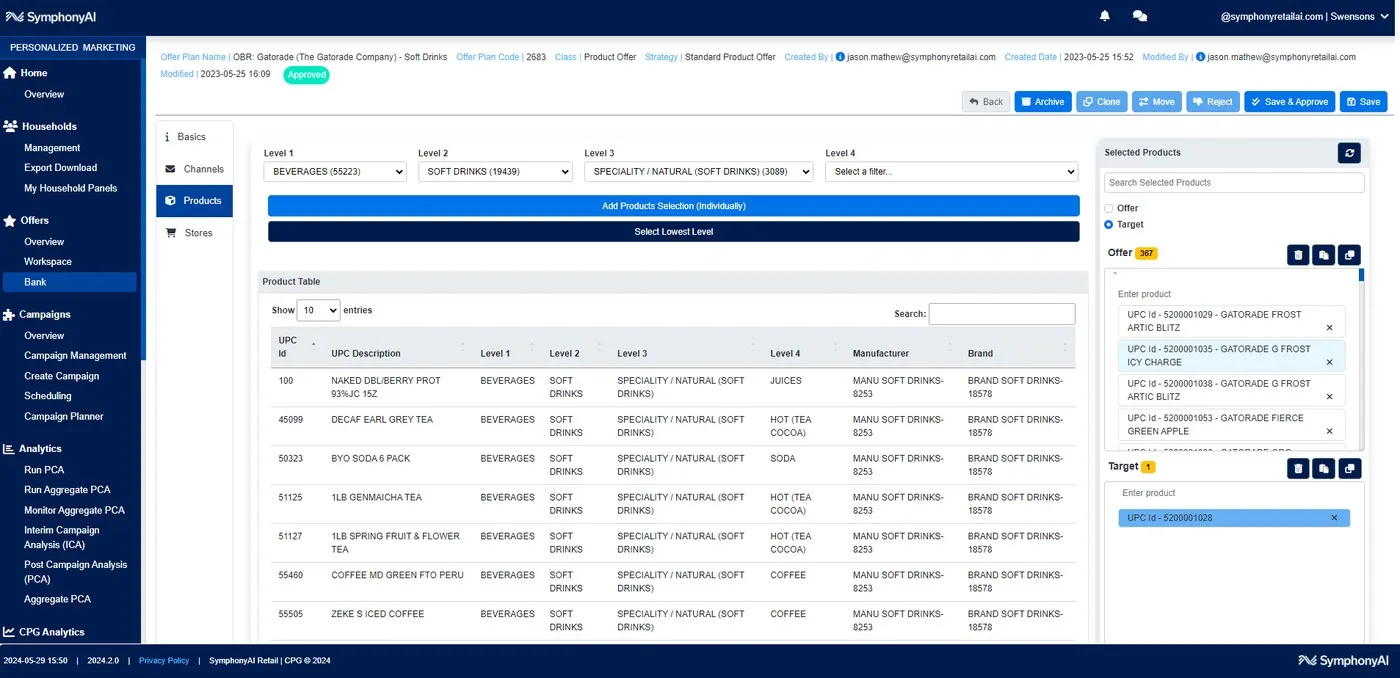
Legacy retail surface “Personalized Marketing — campaign configuration” mô tả campaign, customer insight, sales trend hoặc assortment planning. Đây là authentic UI nhưng khác rõ visual generation hiện tại.
Nguồn: Trang nguồn chính thức
05I · SYMPHONYAI PORTFOLIO · LEGACY RETAIL
Retail — legacy marketing, customer insights & assortment · tiếp
D · LEGACY/HISTORICAL Customer Insights — business overview
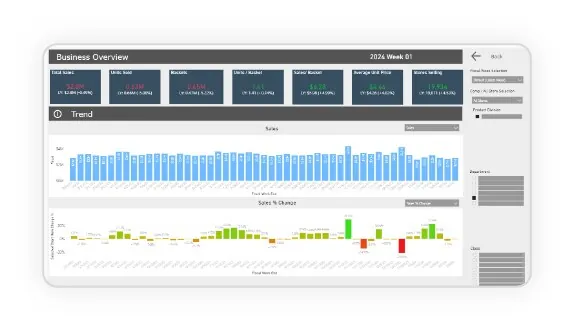
Legacy retail surface “Customer Insights — business overview” mô tả campaign, customer insight, sales trend hoặc assortment planning. Đây là authentic UI nhưng khác rõ visual generation hiện tại.
Nguồn: Trang nguồn chính thức
D · LEGACY/HISTORICAL Customer Insights — full overview
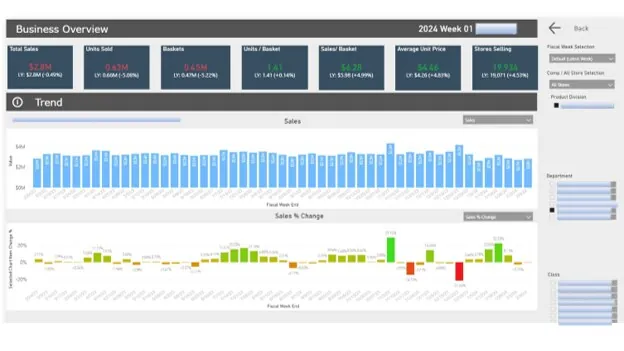
Legacy retail surface “Customer Insights — full overview” mô tả campaign, customer insight, sales trend hoặc assortment planning. Đây là authentic UI nhưng khác rõ visual generation hiện tại.
Nguồn: Trang nguồn chính thức
05I · SYMPHONYAI PORTFOLIO · LEGACY RETAIL
Retail — legacy marketing, customer insights & assortment · tiếp
D · LEGACY/HISTORICAL Customer Insights — product & basket facts
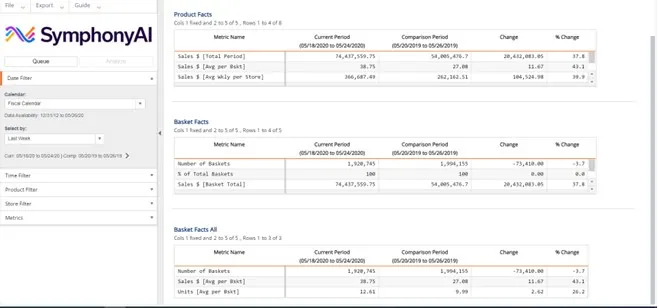
Legacy retail surface “Customer Insights — product & basket facts” mô tả campaign, customer insight, sales trend hoặc assortment planning. Đây là authentic UI nhưng khác rõ visual generation hiện tại.
Nguồn: Trang nguồn chính thức
D · LEGACY/HISTORICAL Customer Insights — sales trend builder
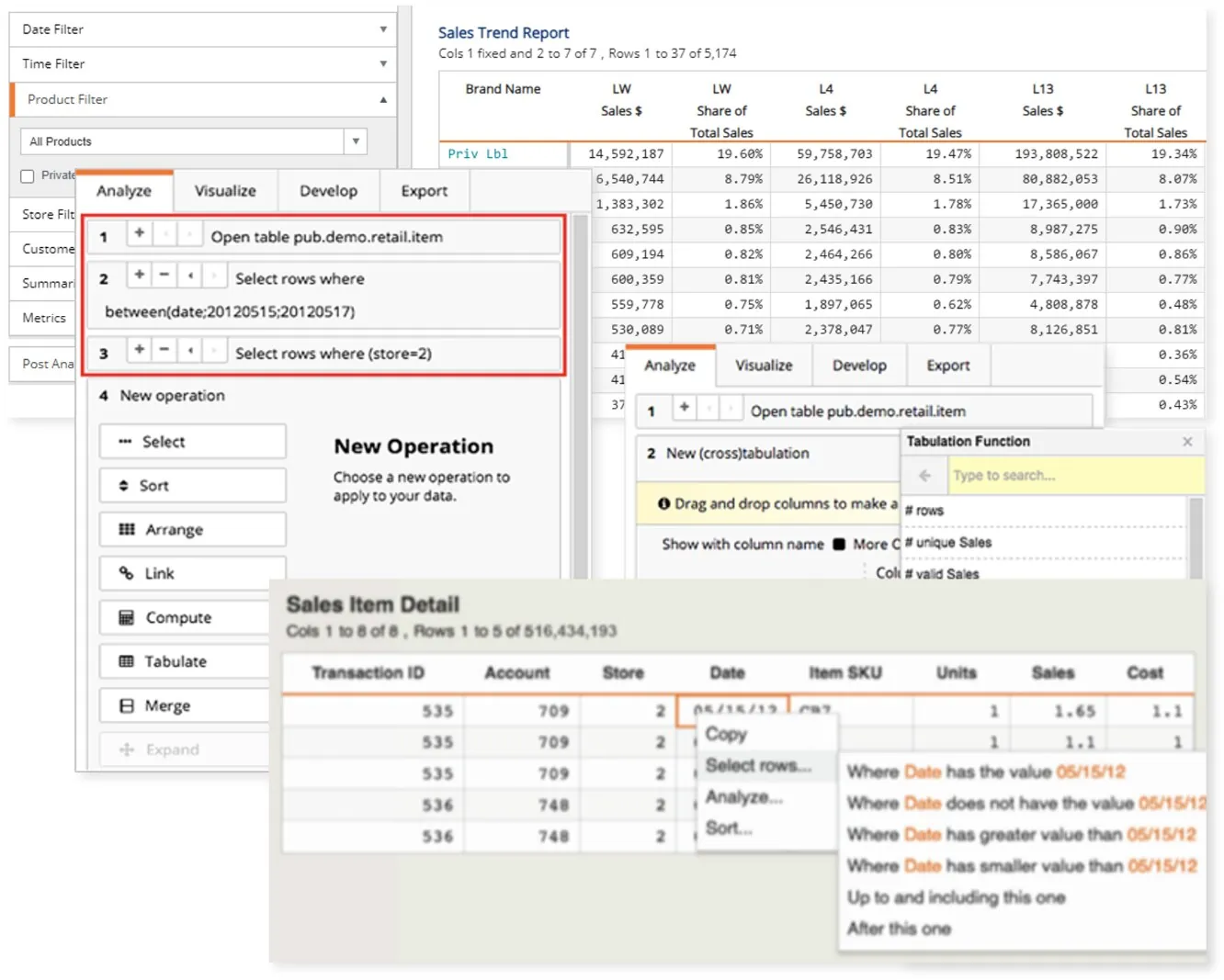
Legacy retail surface “Customer Insights — sales trend builder” mô tả campaign, customer insight, sales trend hoặc assortment planning. Đây là authentic UI nhưng khác rõ visual generation hiện tại.
Nguồn: Trang nguồn chính thức
05I · SYMPHONYAI PORTFOLIO · LEGACY RETAIL
Retail — legacy marketing, customer insights & assortment · tiếp
D · LEGACY/HISTORICAL Customer Insights — sales trend table
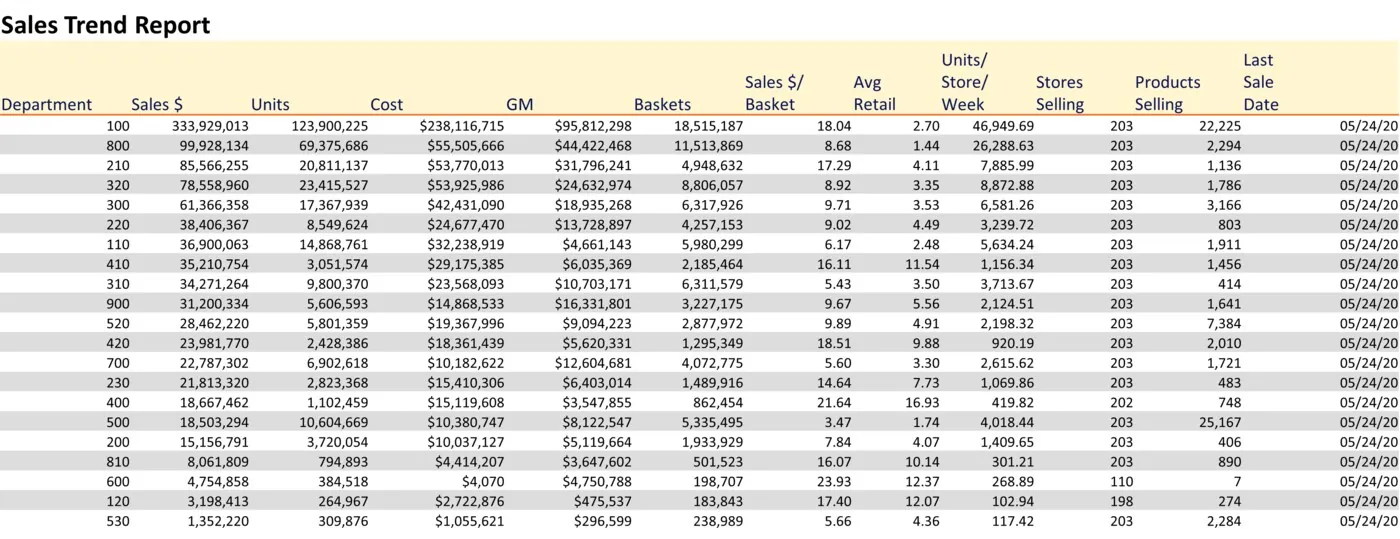
Legacy retail surface “Customer Insights — sales trend table” mô tả campaign, customer insight, sales trend hoặc assortment planning. Đây là authentic UI nhưng khác rõ visual generation hiện tại.
Nguồn: Trang nguồn chính thức
D · LEGACY/HISTORICAL Assortment Optimization — category space
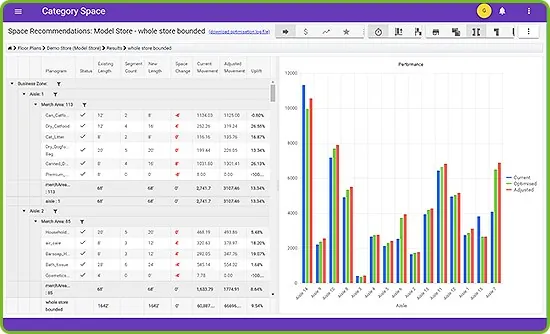
Legacy retail surface “Assortment Optimization — category space” mô tả campaign, customer insight, sales trend hoặc assortment planning. Đây là authentic UI nhưng khác rõ visual generation hiện tại.
Nguồn: Trang nguồn chính thức
05I · SYMPHONYAI PORTFOLIO · LEGACY RETAIL
Retail — legacy marketing, customer insights & assortment · tiếp
D · LEGACY/HISTORICAL Assortment Optimization — shelf planogram
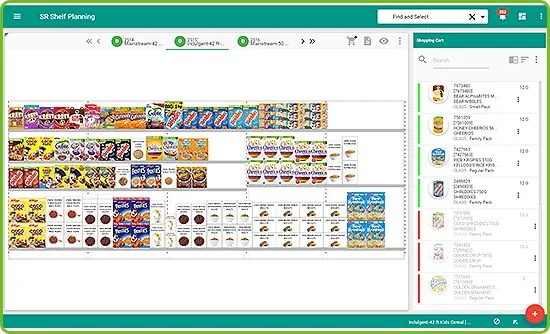
Legacy retail surface “Assortment Optimization — shelf planogram” mô tả campaign, customer insight, sales trend hoặc assortment planning. Đây là authentic UI nhưng khác rõ visual generation hiện tại.
Nguồn: Trang nguồn chính thức
D · LEGACY/HISTORICAL Assortment Optimization — shelf planning
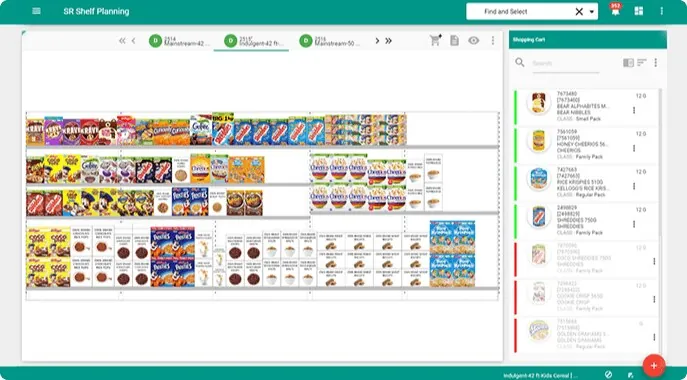
Legacy retail surface “Assortment Optimization — shelf planning” mô tả campaign, customer insight, sales trend hoặc assortment planning. Đây là authentic UI nhưng khác rõ visual generation hiện tại.
Nguồn: Trang nguồn chính thức
05J · SYMPHONYAI PORTFOLIO · MEDIA
Media / Revedia — current agreement & FAST operations
Current/demo Revedia UI cho Copilot, agreement, ingest, revenue và performance theo distributor.
A · FULL PRODUCT UI Media copilot collage
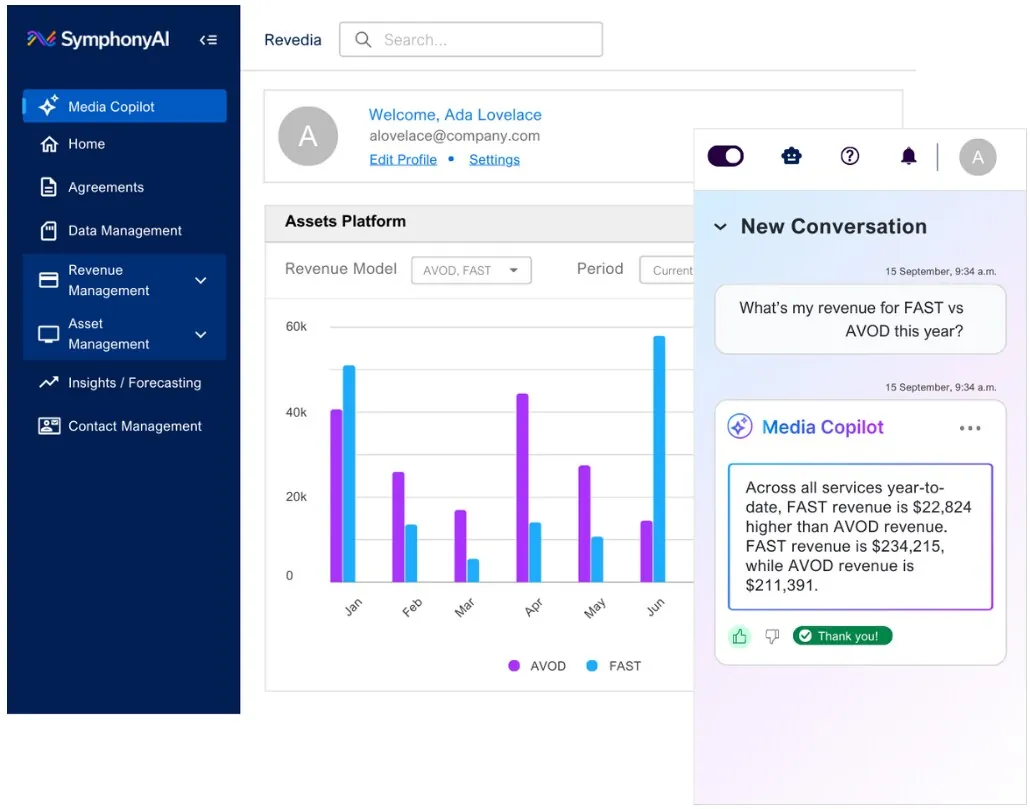
Revedia/FAST view “Media copilot collage” tập trung vào agreement, ingest, revenue hoặc distributor performance bằng KPI, table, filter và trend chart.
Nguồn: Trang nguồn chính thức
A · FULL PRODUCT UI Revedia — Performance trending
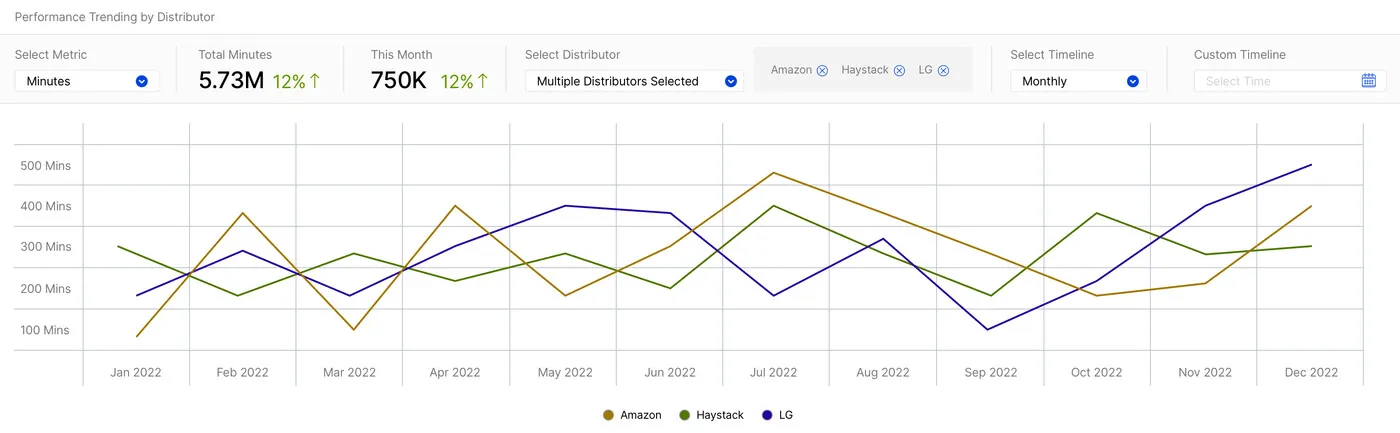
Biểu đồ performance theo distributor với filter rõ ràng; đây là view theo dõi xu hướng thương mại của FAST distribution.
Nguồn: Trang nguồn chính thức
05J · SYMPHONYAI PORTFOLIO · MEDIA
Media / Revedia — current agreement & FAST operations · tiếp
A · FULL PRODUCT UI Revedia for FAST Agreements
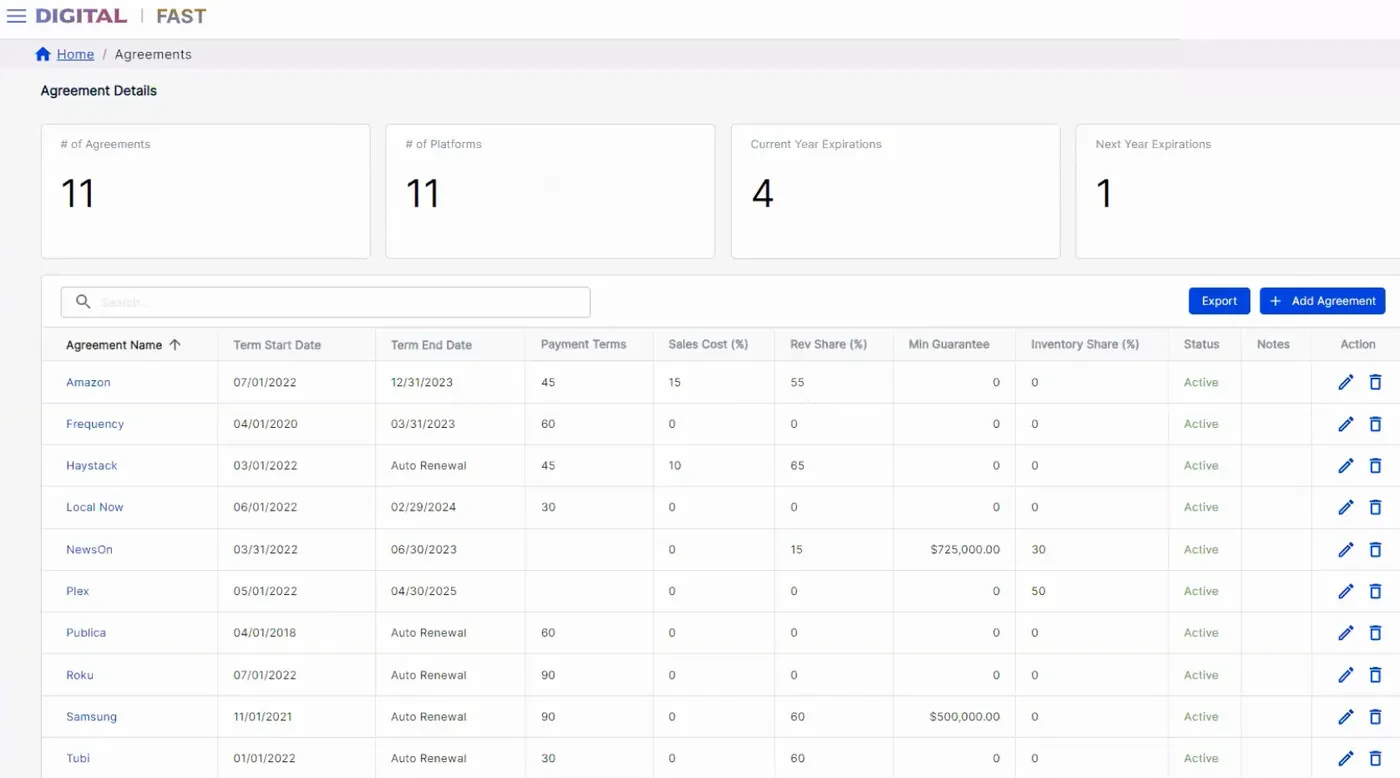
Revedia/FAST view “Revedia for FAST Agreements” tập trung vào agreement, ingest, revenue hoặc distributor performance bằng KPI, table, filter và trend chart.
Nguồn: Trang nguồn chính thức
A · FULL PRODUCT UI Revedia for FAST Dashboard
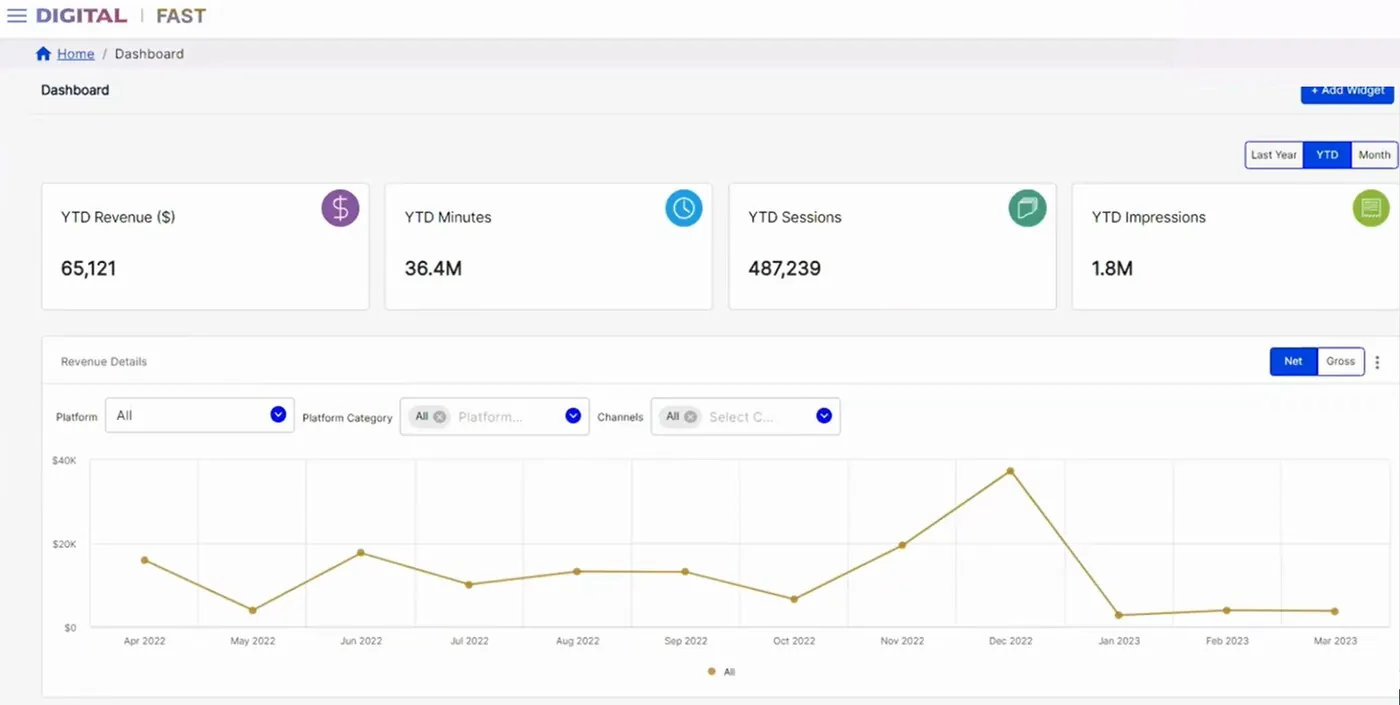
Revedia/FAST view “Revedia for FAST Dashboard” tập trung vào agreement, ingest, revenue hoặc distributor performance bằng KPI, table, filter và trend chart.
Nguồn: Trang nguồn chính thức
05J · SYMPHONYAI PORTFOLIO · MEDIA
Media / Revedia — current agreement & FAST operations · tiếp
A · FULL PRODUCT UI Revedia for FAST Data Ingest
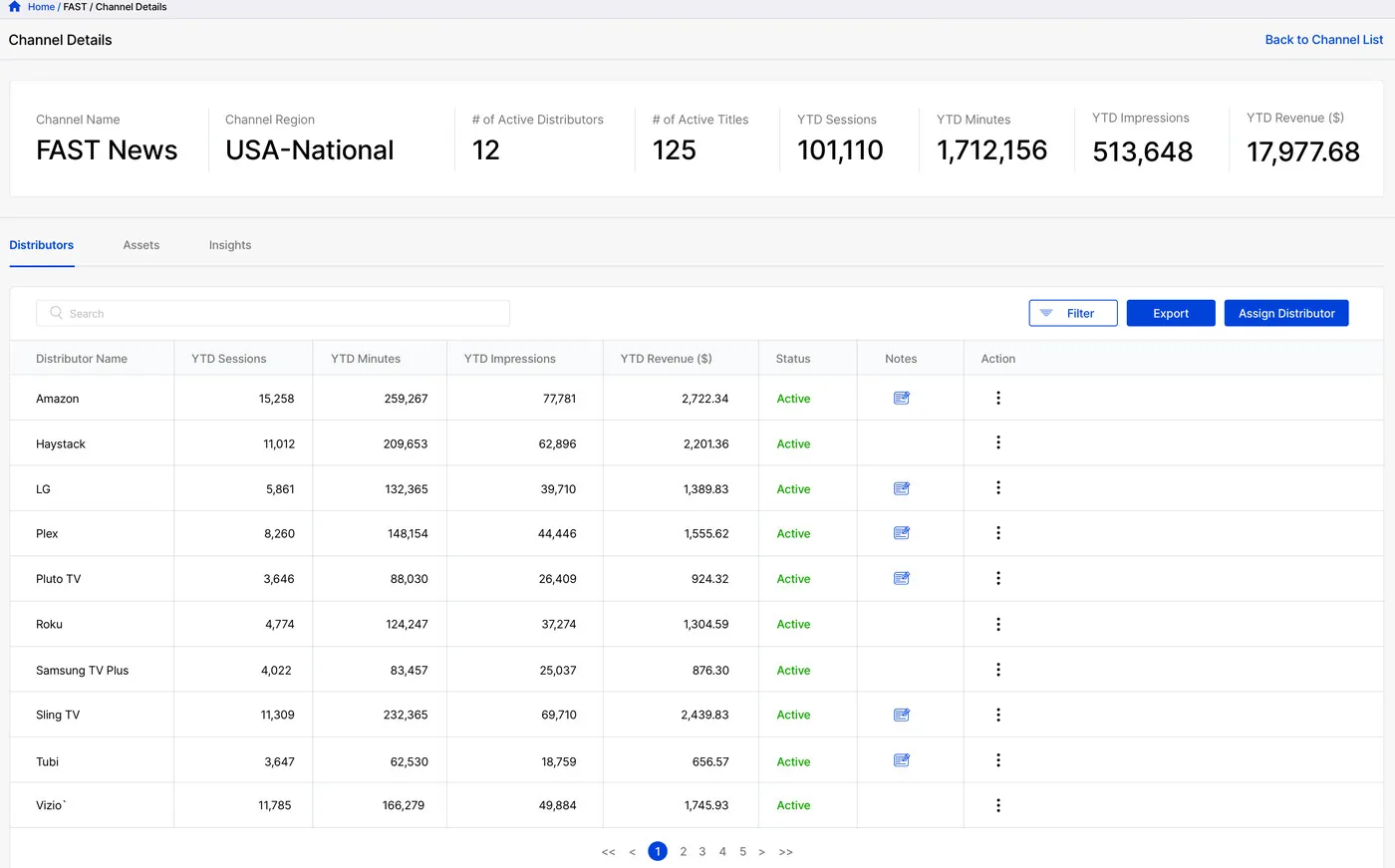
Revedia/FAST view “Revedia for FAST Data Ingest” tập trung vào agreement, ingest, revenue hoặc distributor performance bằng KPI, table, filter và trend chart.
Nguồn: Trang nguồn chính thức
A · FULL PRODUCT UI Revedia — full Media Copilot
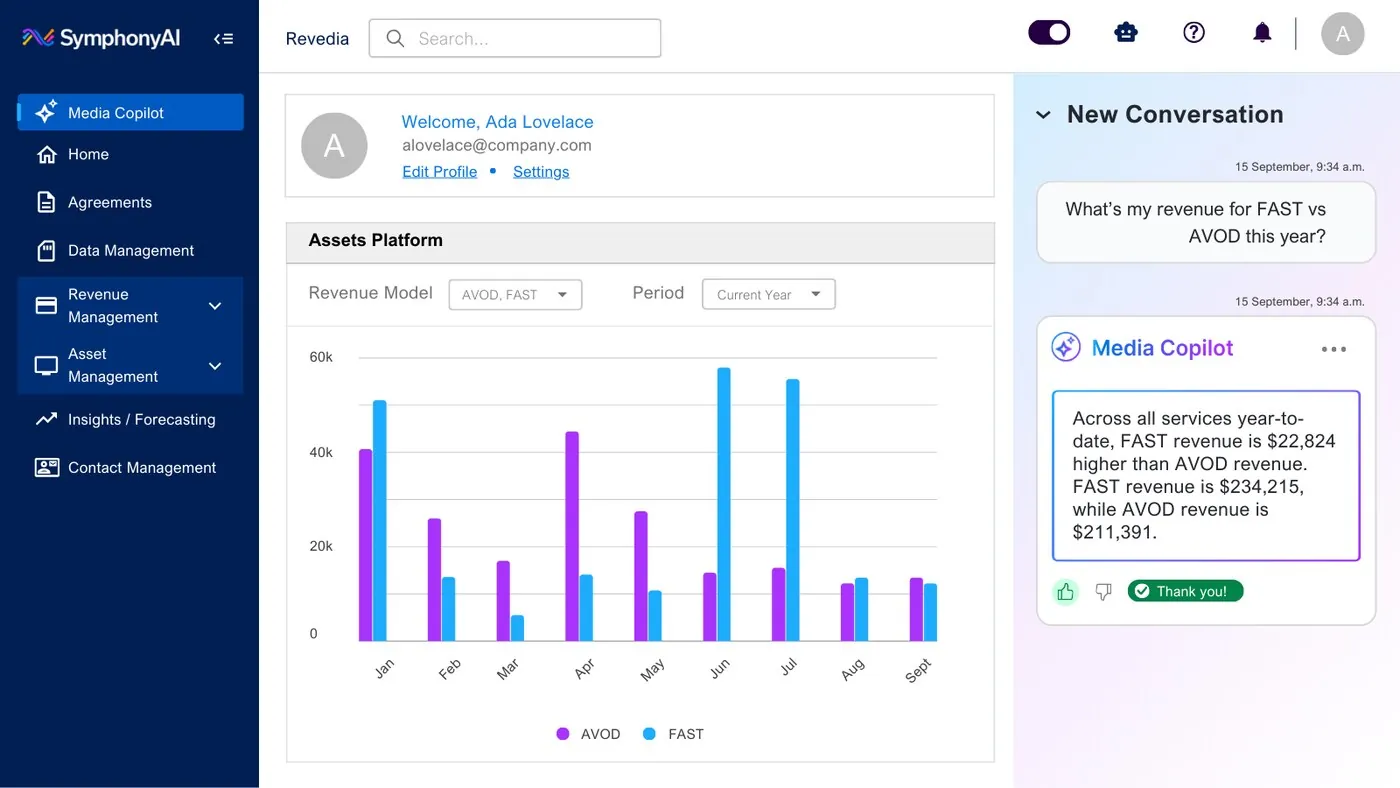
Revedia/FAST view “Revedia — full Media Copilot” tập trung vào agreement, ingest, revenue hoặc distributor performance bằng KPI, table, filter và trend chart.
Nguồn: Trang nguồn chính thức
05J2 · SYMPHONYAI PORTFOLIO · MEDIA
Media / Revedia — Copilot composite
Portrait composite ghép dashboard, revenue tables và Media Copilot conversation; tách riêng để giữ đủ kích thước đọc.
C · UI FRAGMENT/COMPOSITE Revedia — multi-screen Copilot composite
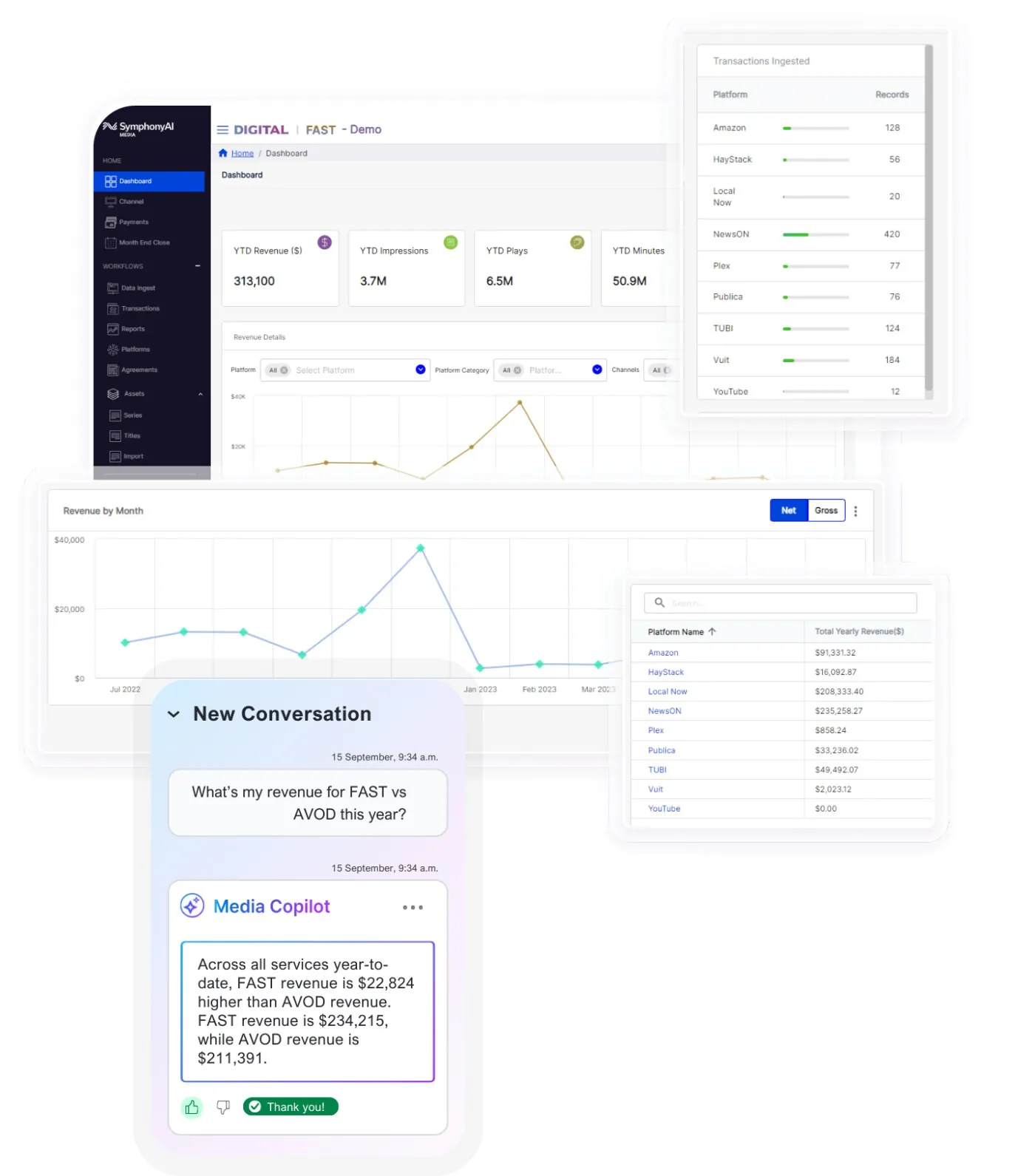
Revedia/FAST view “Revedia — multi-screen Copilot composite” tập trung vào agreement, ingest, revenue hoặc distributor performance bằng KPI, table, filter và trend chart.
Nguồn: Trang nguồn chính thức
05K · SYMPHONYAI PORTFOLIO · LEGACY MEDIA
Media / Revedia — legacy operations UI
Older agreement ingest/config, reporting, dashboard và distributor configuration screens.
D · LEGACY/HISTORICAL Revedia — agreement ingest
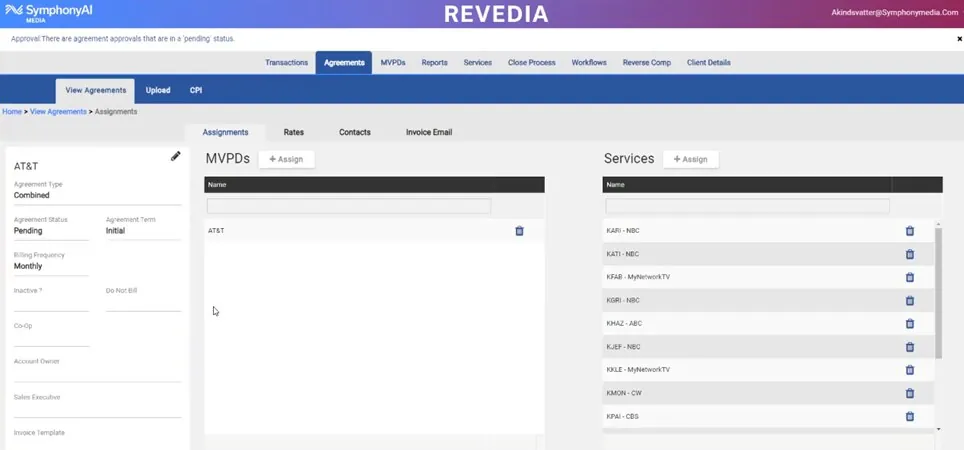
Legacy Revedia view “Revedia — agreement ingest” cho agreement, reporting, distributor config hoặc revenue dashboard. Giữ để đọc capability lineage, không coi là current shell.
Nguồn: Trang nguồn chính thức
D · LEGACY/HISTORICAL Revedia — digital revenue dashboard
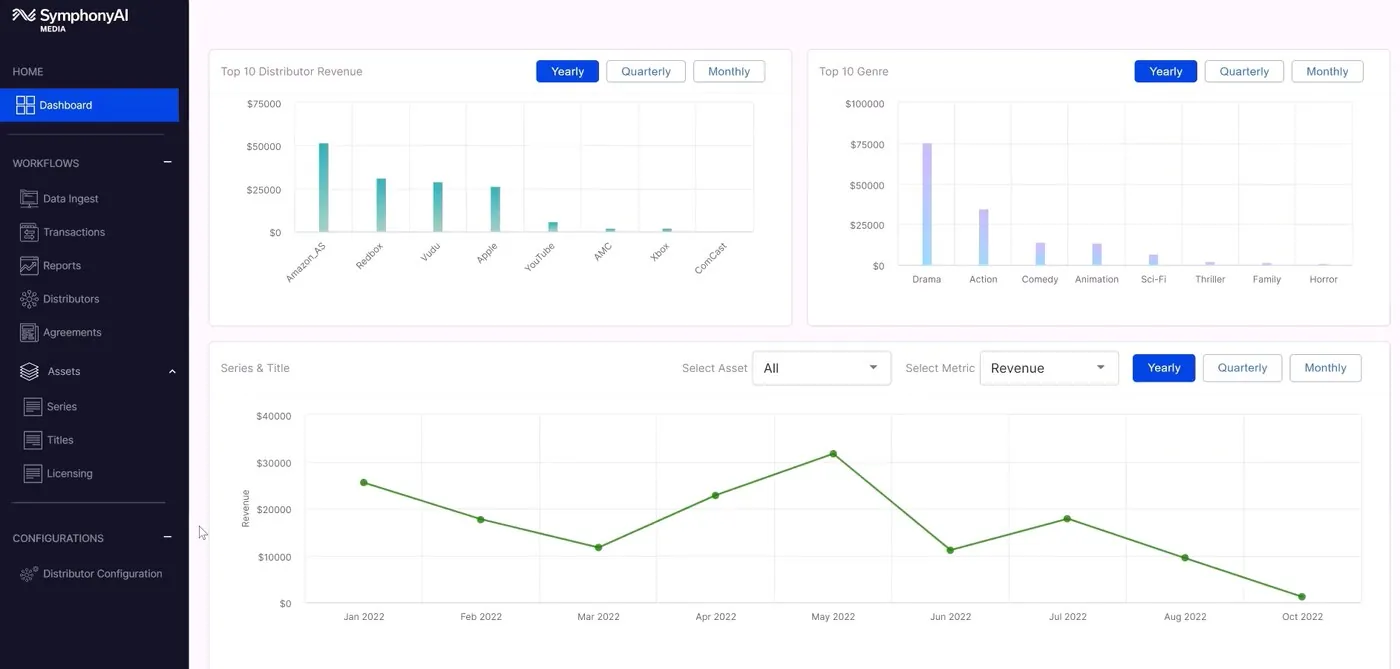
Legacy Revedia view “Revedia — digital revenue dashboard” cho agreement, reporting, distributor config hoặc revenue dashboard. Giữ để đọc capability lineage, không coi là current shell.
Nguồn: Trang nguồn chính thức
05K · SYMPHONYAI PORTFOLIO · LEGACY MEDIA
Media / Revedia — legacy operations UI · tiếp
D · LEGACY/HISTORICAL Revedia — distributor configuration
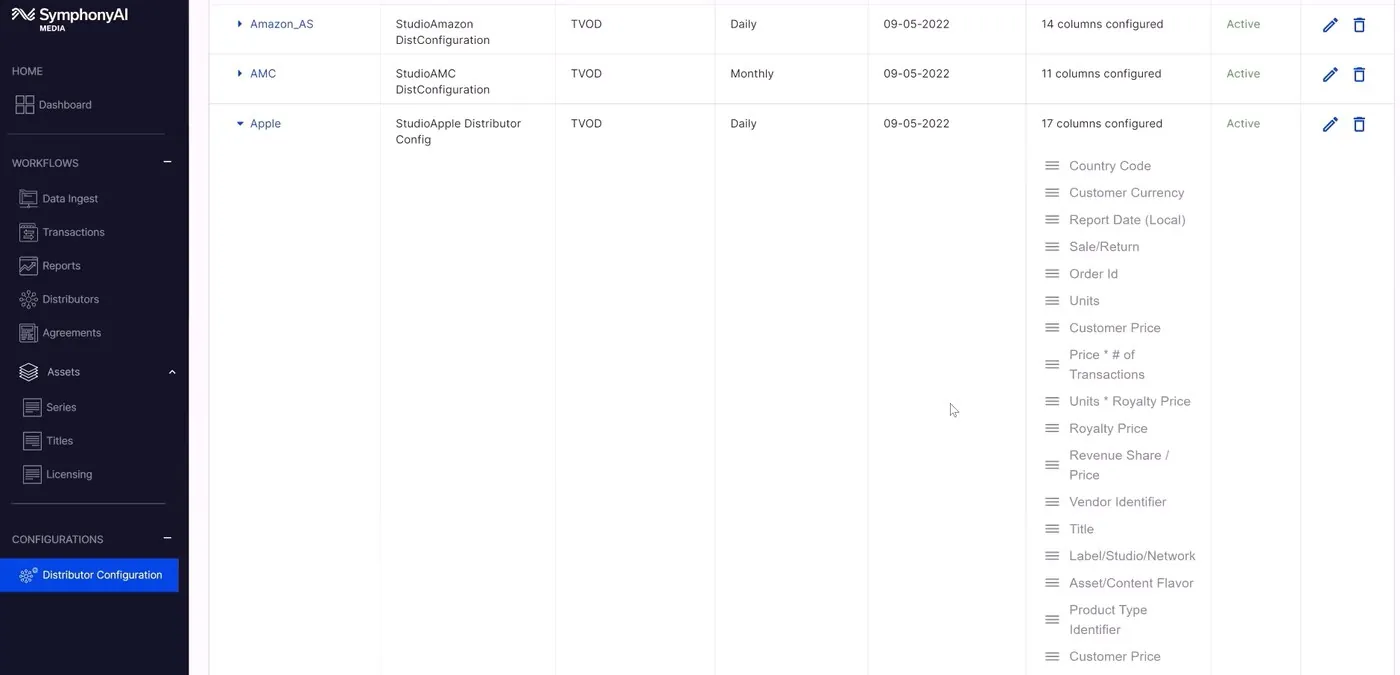
Legacy Revedia view “Revedia — distributor configuration” cho agreement, reporting, distributor config hoặc revenue dashboard. Giữ để đọc capability lineage, không coi là current shell.
Nguồn: Trang nguồn chính thức
D · LEGACY/HISTORICAL Revedia — FAST reporting
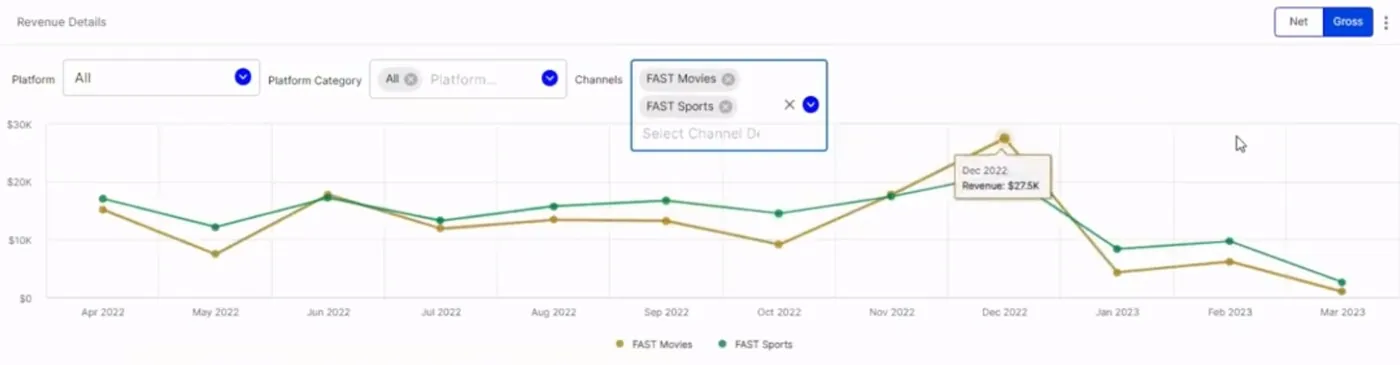
Legacy Revedia view “Revedia — FAST reporting” cho agreement, reporting, distributor config hoặc revenue dashboard. Giữ để đọc capability lineage, không coi là current shell.
Nguồn: Trang nguồn chính thức
05K · SYMPHONYAI PORTFOLIO · LEGACY MEDIA
Media / Revedia — legacy operations UI · tiếp
D · LEGACY/HISTORICAL Revedia — reports list
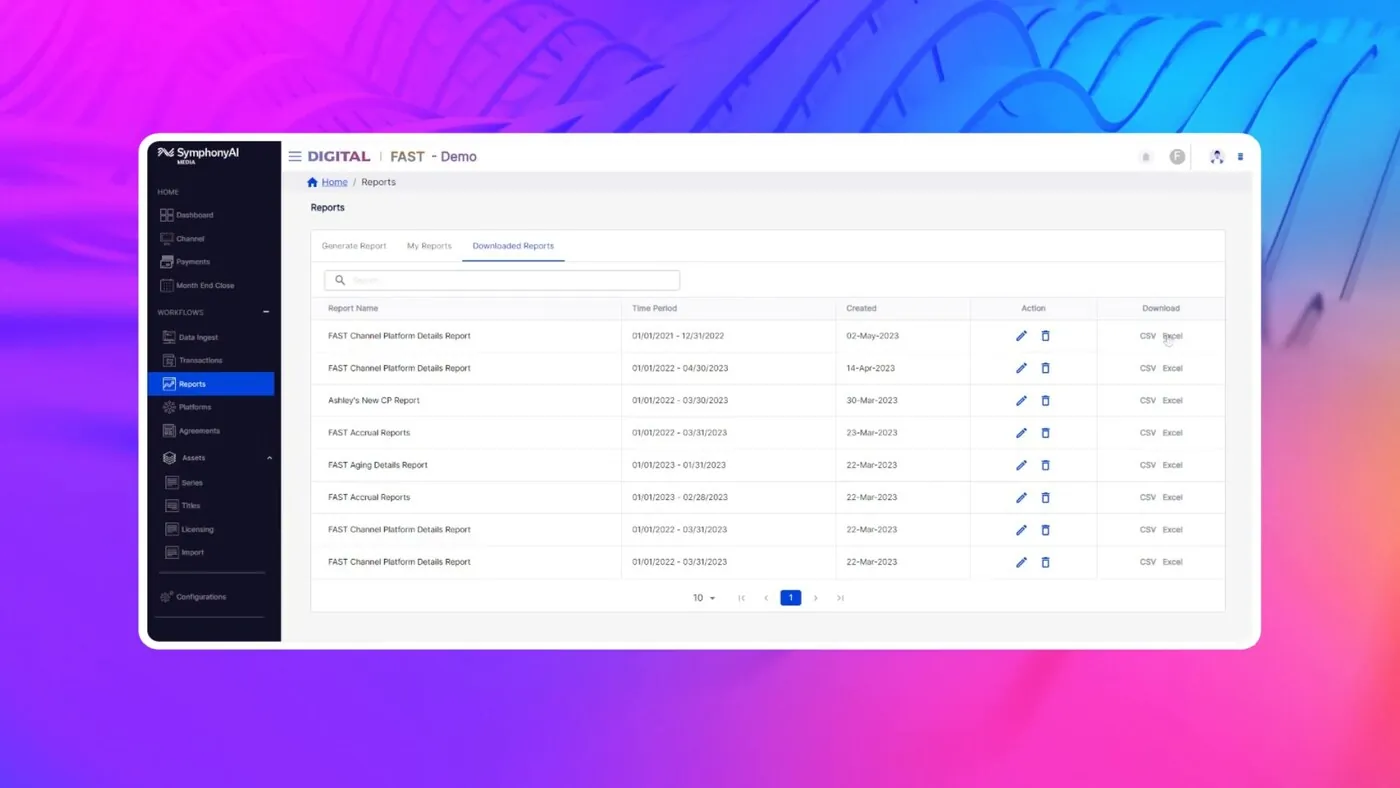
Legacy Revedia view “Revedia — reports list” cho agreement, reporting, distributor config hoặc revenue dashboard. Giữ để đọc capability lineage, không coi là current shell.
Nguồn: Trang nguồn chính thức
D · LEGACY/HISTORICAL Revedia — dashboard & analytics
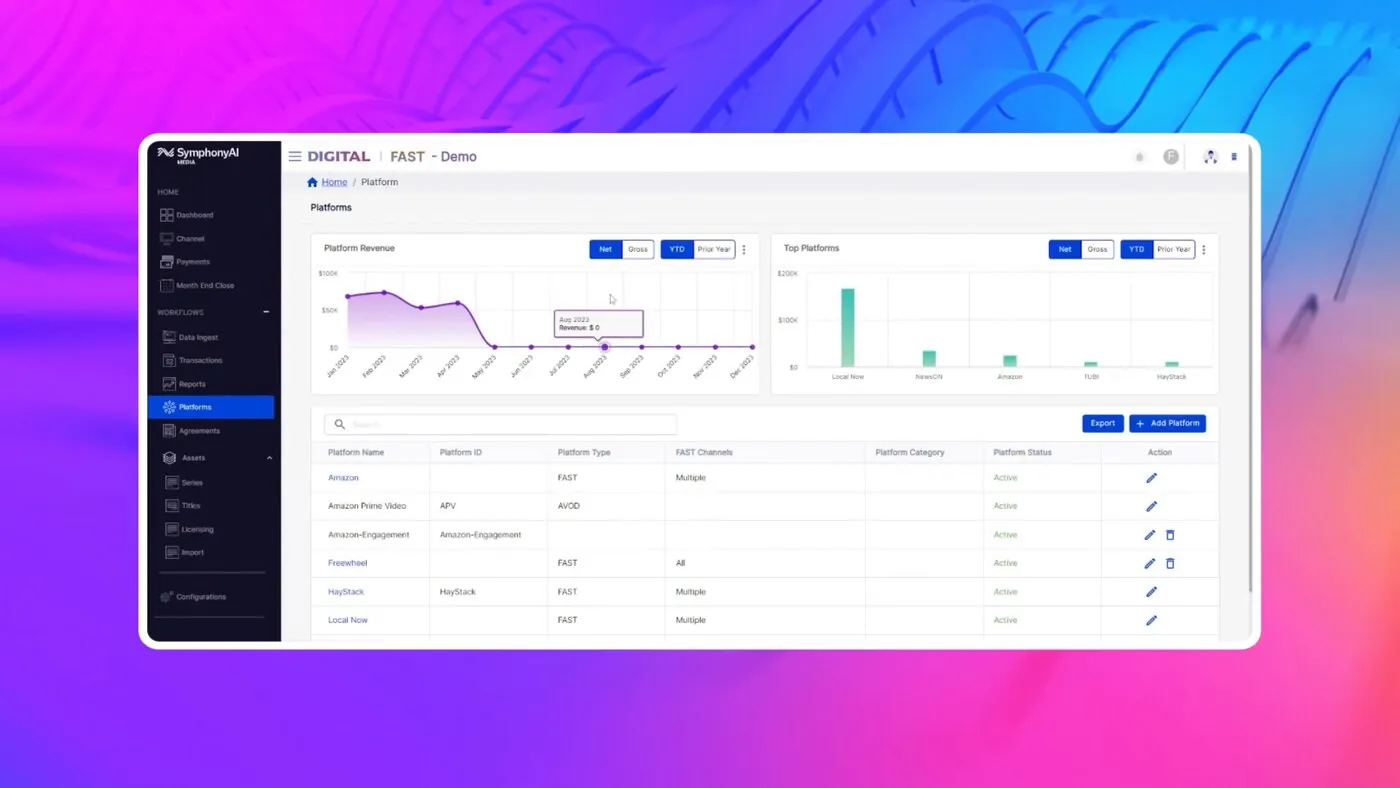
Legacy Revedia view “Revedia — dashboard & analytics” cho agreement, reporting, distributor config hoặc revenue dashboard. Giữ để đọc capability lineage, không coi là current shell.
Nguồn: Trang nguồn chính thức
05K · SYMPHONYAI PORTFOLIO · LEGACY MEDIA
Media / Revedia — legacy operations UI · tiếp
D · LEGACY/HISTORICAL Revedia — agreement management
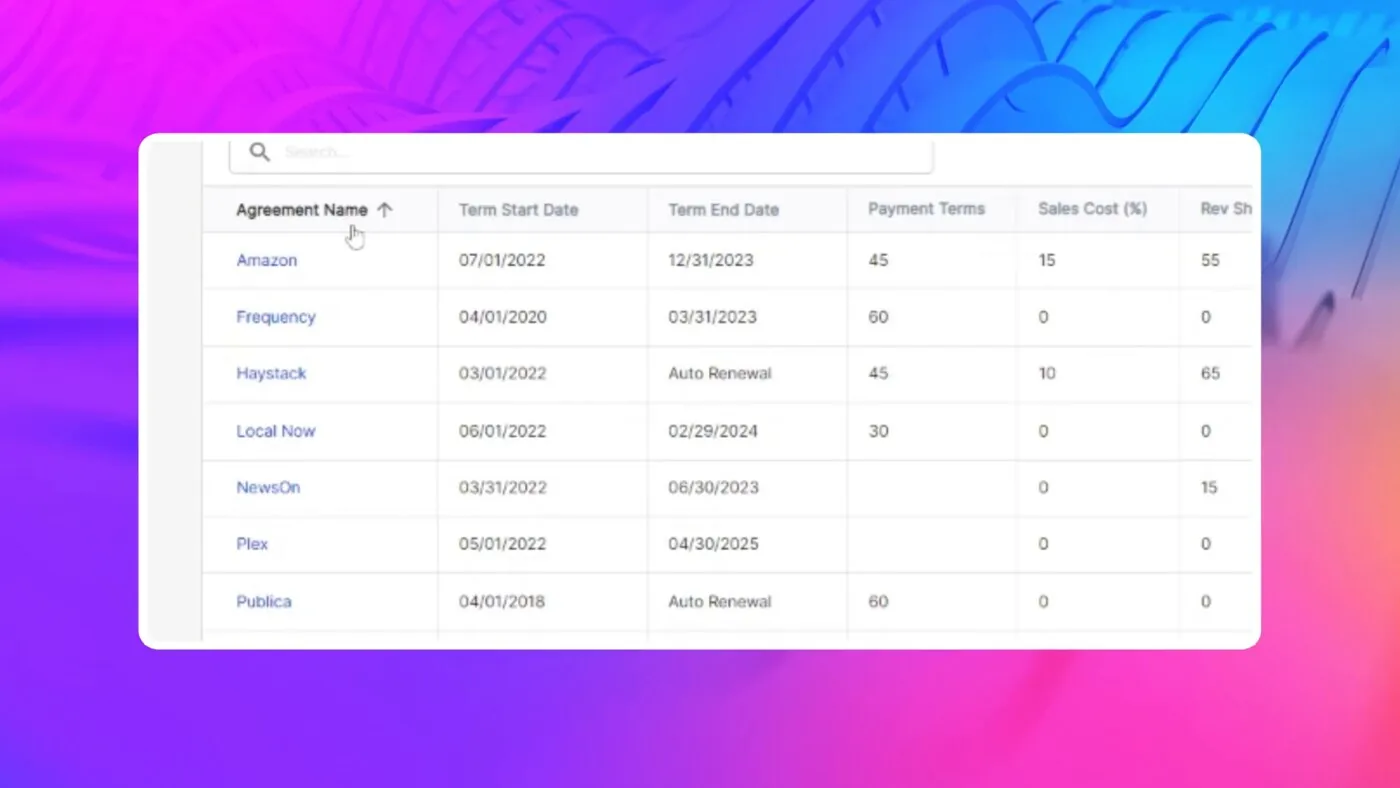
Legacy Revedia view “Revedia — agreement management” cho agreement, reporting, distributor config hoặc revenue dashboard. Giữ để đọc capability lineage, không coi là current shell.
Nguồn: Trang nguồn chính thức
06 · ETHON · CORE WORKFLOWS
Root Cause Analysis
A · FULL PRODUCT UI Ethon / Root Cause Analysis
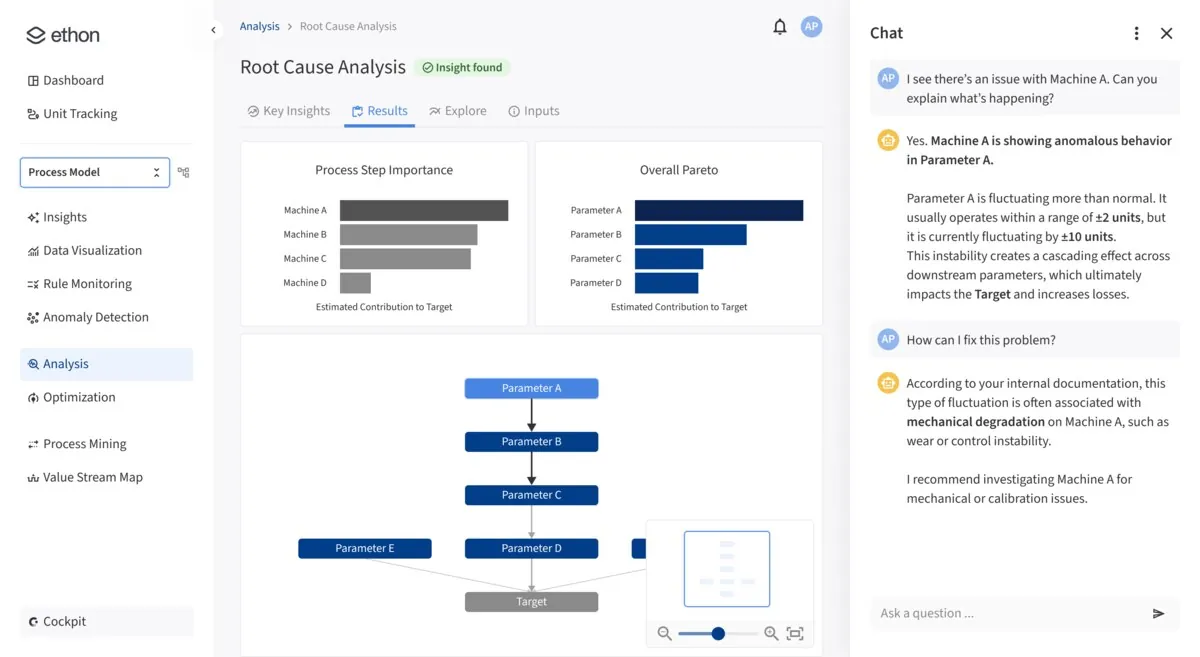
Nguồn: Trang nguồn chính thức
- Mục đích: Tìm driver gây loss/deviation, hiểu chuỗi nguyên nhân và chuyển insight thành hành động.
- Layout: Left rail cho module/navigation; vùng Results ở giữa với chart + DAG; AI Chat cố định bên phải.
- AI / interaction: AI giải thích graph ngay cạnh evidence, giúp người dùng hỏi sâu theo driver hoặc impact thay vì chat chung chung.
- Điểm đáng học: Đây là screen mạnh nhất của Ethon: diagnosis và explanation cùng context, rất ít mode switching.
Lưu ý bằng chứng: Official current product rendering với sample/sanitized data, không phải ảnh tenant khách hàng.
06 · ETHON · CORE WORKFLOWS
Process Optimization
A · FULL PRODUCT UI Ethon / Process Optimization
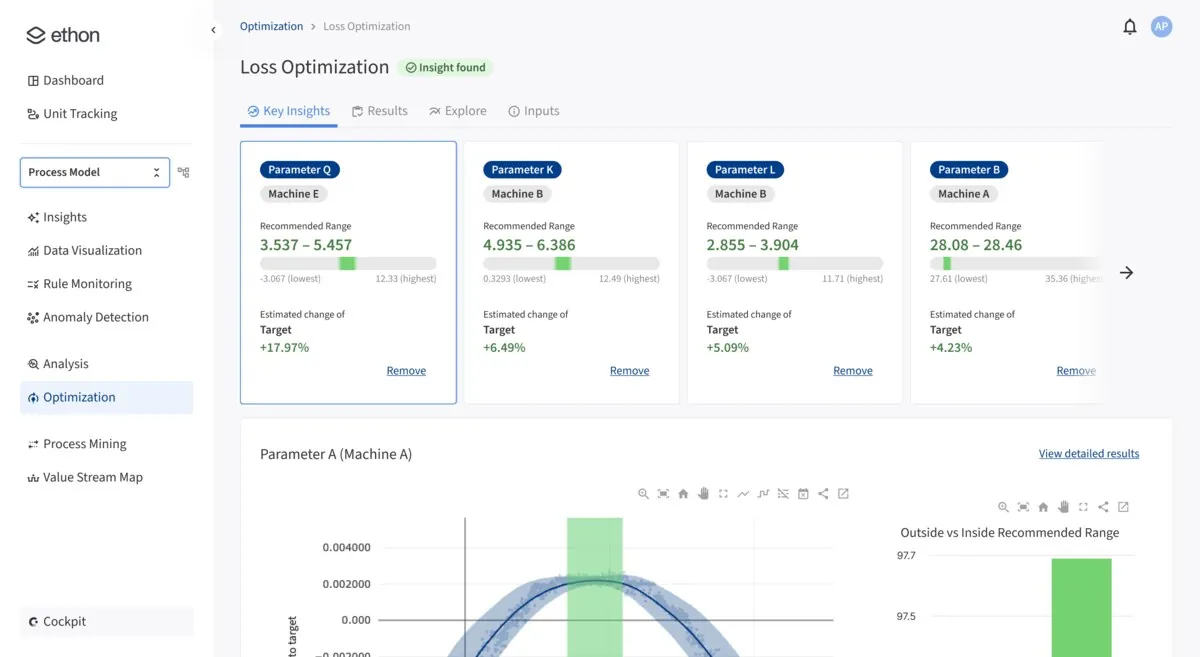
Nguồn: Trang nguồn chính thức
- Mục đích: Chọn driver/setpoint có tiềm năng giảm loss và đánh giá trade-off trước khi áp dụng.
- Layout: Recommendation list ưu tiên ở một bên; response/impact visualization ở vùng chính; summary outcome nổi bật trên đầu.
- AI / interaction: Recommendation đi kèm projected impact và response curve — một dạng decision support có thể kiểm chứng.
- Điểm đáng học: Đưa value/impact vào recommendation card giúp ưu tiên hành động; cần thêm provenance và uncertainty trong sản phẩm thật.
Lưu ý bằng chứng: Official current product rendering với demo data.
06 · ETHON · CORE WORKFLOWS
Process Control / Centerlining
A · FULL PRODUCT UI Ethon / Process Control
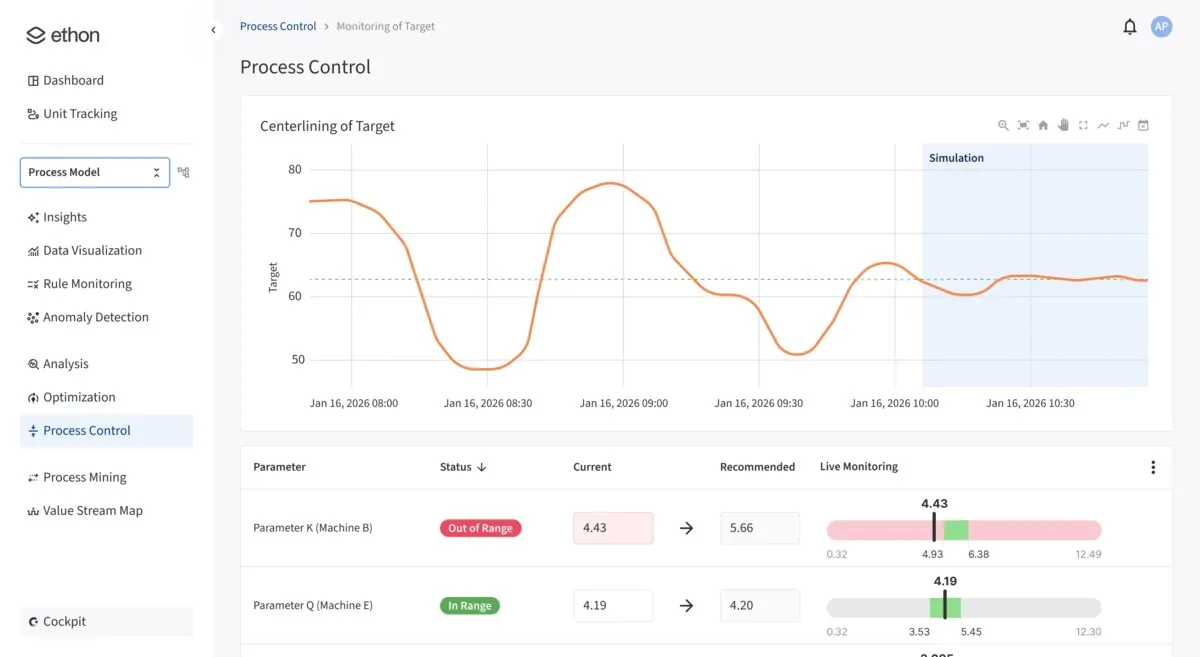
Nguồn: Trang nguồn chính thức
- Mục đích: Steer process về operating range tốt hơn và theo dõi phản ứng sau khi đổi setpoint.
- Layout: Simulation/target ở trên, bảng recommendation ở giữa, gauges/status ở dưới để nối quyết định với trạng thái live.
- AI / interaction: AI không chỉ giải thích mà đề xuất setpoint; UX vì thế phải thể hiện guardrail, approval và current/recommended delta.
- Điểm đáng học: Một closed-loop UI nên phân biệt rõ simulate, approve, apply và verify; screen đã có nền tảng cho mô hình này.
Lưu ý bằng chứng: Official current product rendering; không xác minh được quyền điều khiển production thực tế từ public UI.
06 · ETHON · CORE WORKFLOWS
Early Fault Detection
A · FULL PRODUCT UI Ethon / Early Fault Detection
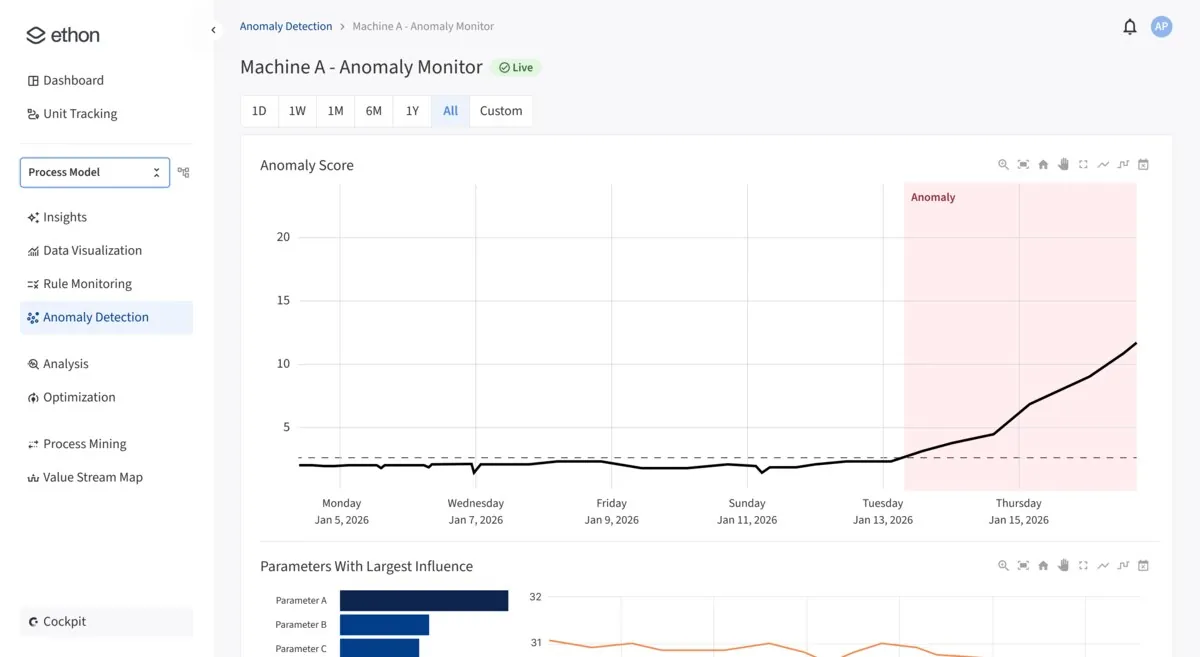
Nguồn: Trang nguồn chính thức
- Mục đích: Phát hiện lệch baseline sớm, biết biến nào đóng góp và điều tra trước khi downtime xảy ra.
- Layout: Time-series/anomaly evidence chiếm vùng chính; threshold và ranking giúp đọc severity + contributing factors.
- AI / interaction: Model output được gắn với baseline và influence, cải thiện explainability so với một anomaly score đơn lẻ.
- Điểm đáng học: Giữ raw signal, baseline và explanation trong cùng view để engineer có thể phản biện model.
Lưu ý bằng chứng: Official current product rendering với sample/sanitized data.
06 · ETHON · CORE WORKFLOWS
Visual Quality Inspection
A · FULL PRODUCT UI Ethon / Quality Inspection
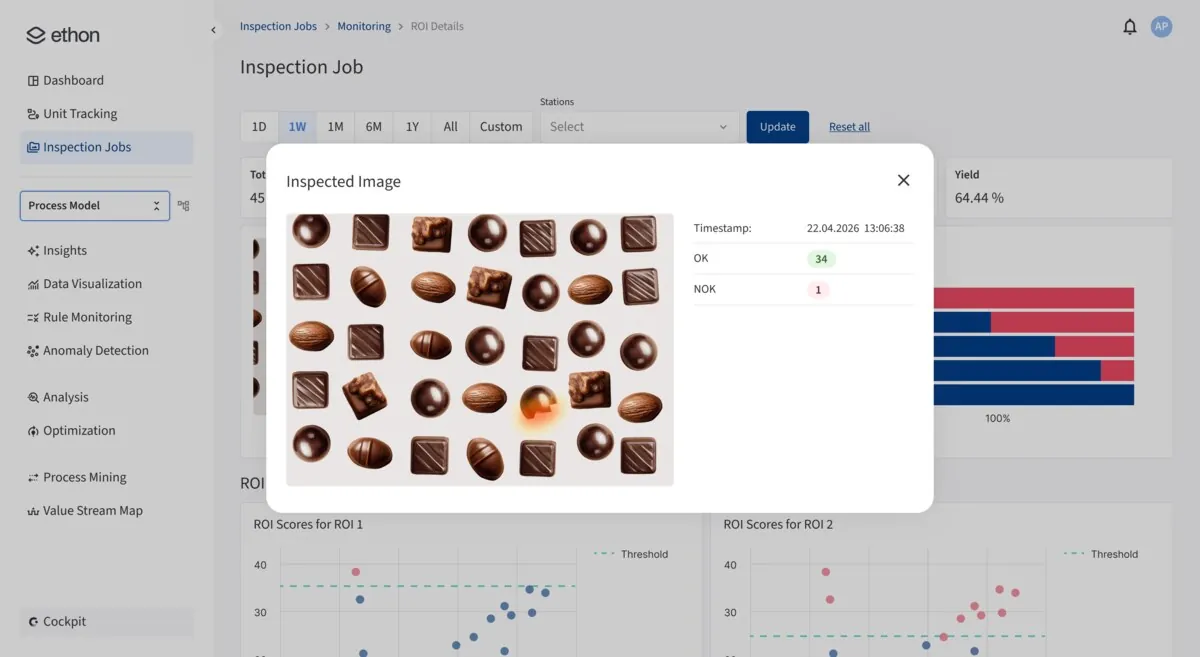
Nguồn: Trang nguồn chính thức
- Mục đích: Cấu hình inspection station/job và review lỗi visual theo ảnh, vùng quan tâm và quality state.
- Layout: Job/ROI context ở shell; image modal là evidence surface; heatmap/label và OK/NOK tạo decision state rõ.
- AI / interaction: Detection được overlay trên vật thể, giúp quality reviewer xác nhận vị trí lỗi thay vì tin một score tổng.
- Điểm đáng học: Đưa inspection result về process insight là khác biệt quan trọng; tránh để CV tool trở thành silo.
Lưu ý bằng chứng: Official current product rendering với sản phẩm/demo imagery.
06 · ETHON · CORE WORKFLOWS
Production Traceability
A · FULL PRODUCT UI Ethon / Production Traceability
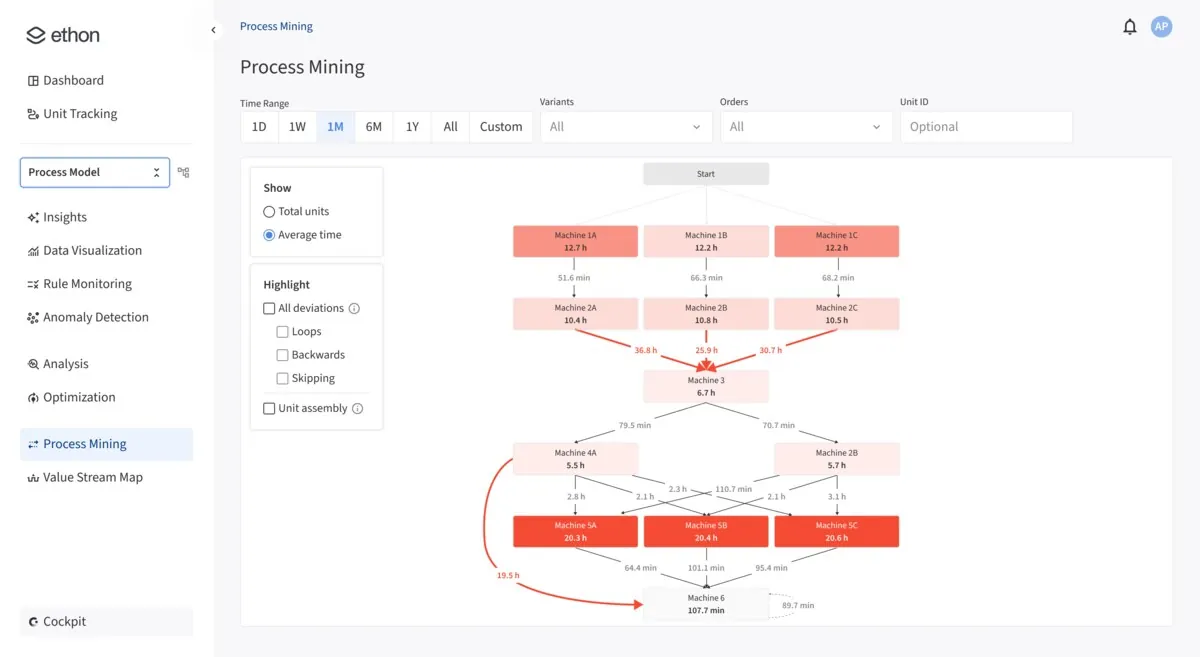
Nguồn: Trang nguồn chính thức
- Mục đích: Tái dựng đường đi part/batch, tìm flow bất thường và định lượng waste/rework trong value stream.
- Layout: Graph là primary canvas; filter/toggles điều khiển loại deviation; statistics và path detail cung cấp context.
- AI / interaction: Hệ thống tự reconstruct flow từ event data; người dùng điều tra bằng path pattern thay vì record rời.
- Điểm đáng học: Visual grammar cho deviation phải nhất quán; color/edge style nên gắn với loại vấn đề và severity.
Lưu ý bằng chứng: Official current product rendering với sample/sanitized data.
07A · ETHON WORKFLOW FRAGMENTS
Ethon — Root Cause Analysis flow
Các fragment đi từ gom data, dựng causal model đến explanation và operationalization.
C · UI FRAGMENT/COMPOSITE Agentic process insights
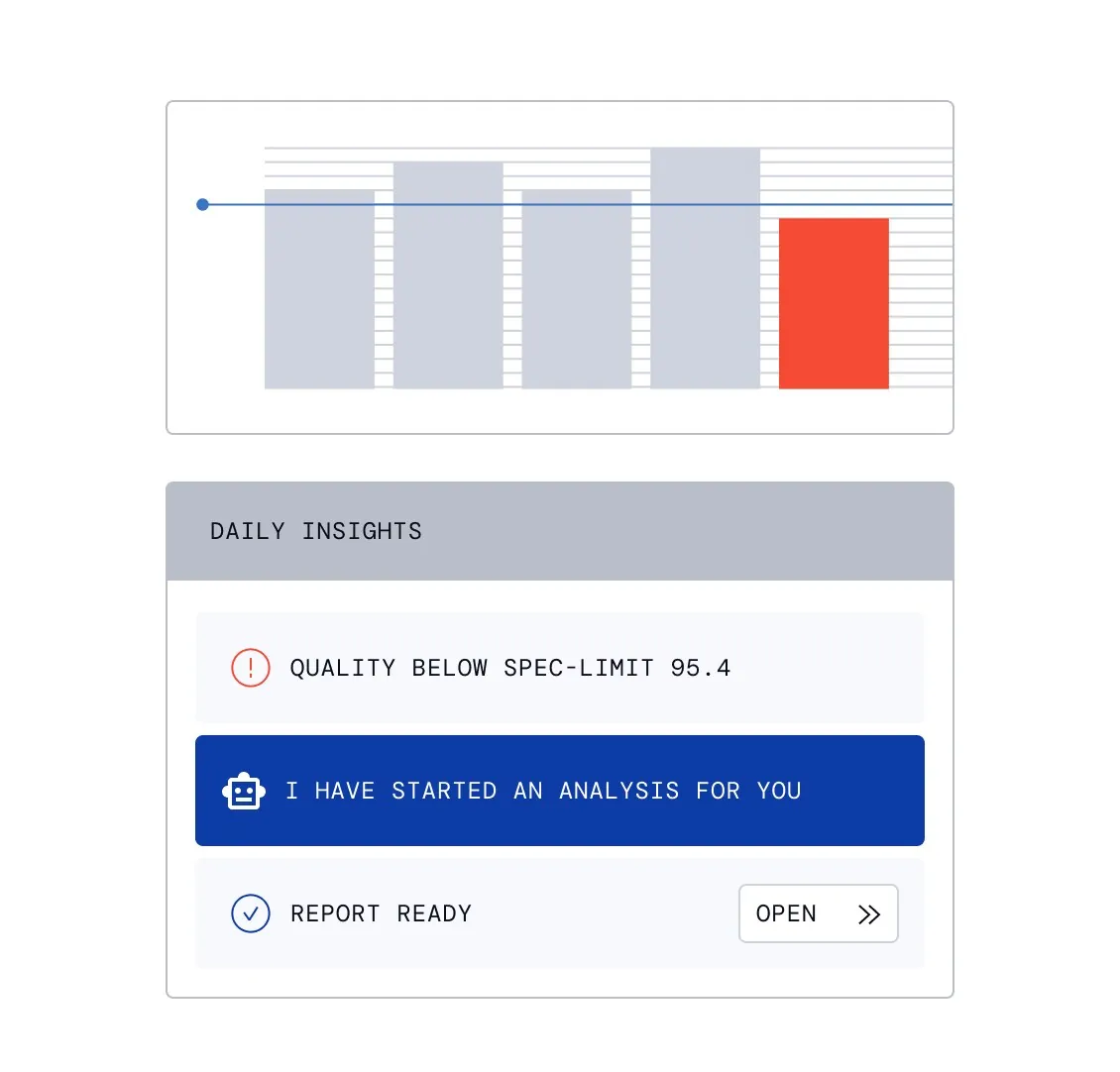
Bước “Agentic process insights” trong Root Cause Analysis: hệ thống chuyển từ process signal và data aggregation sang causal model, explanation và operationalized knowledge. Đây là UI fragment, không phải full shell.
Nguồn: Trang nguồn chính thức
C · UI FRAGMENT/COMPOSITE Automated data aggregation
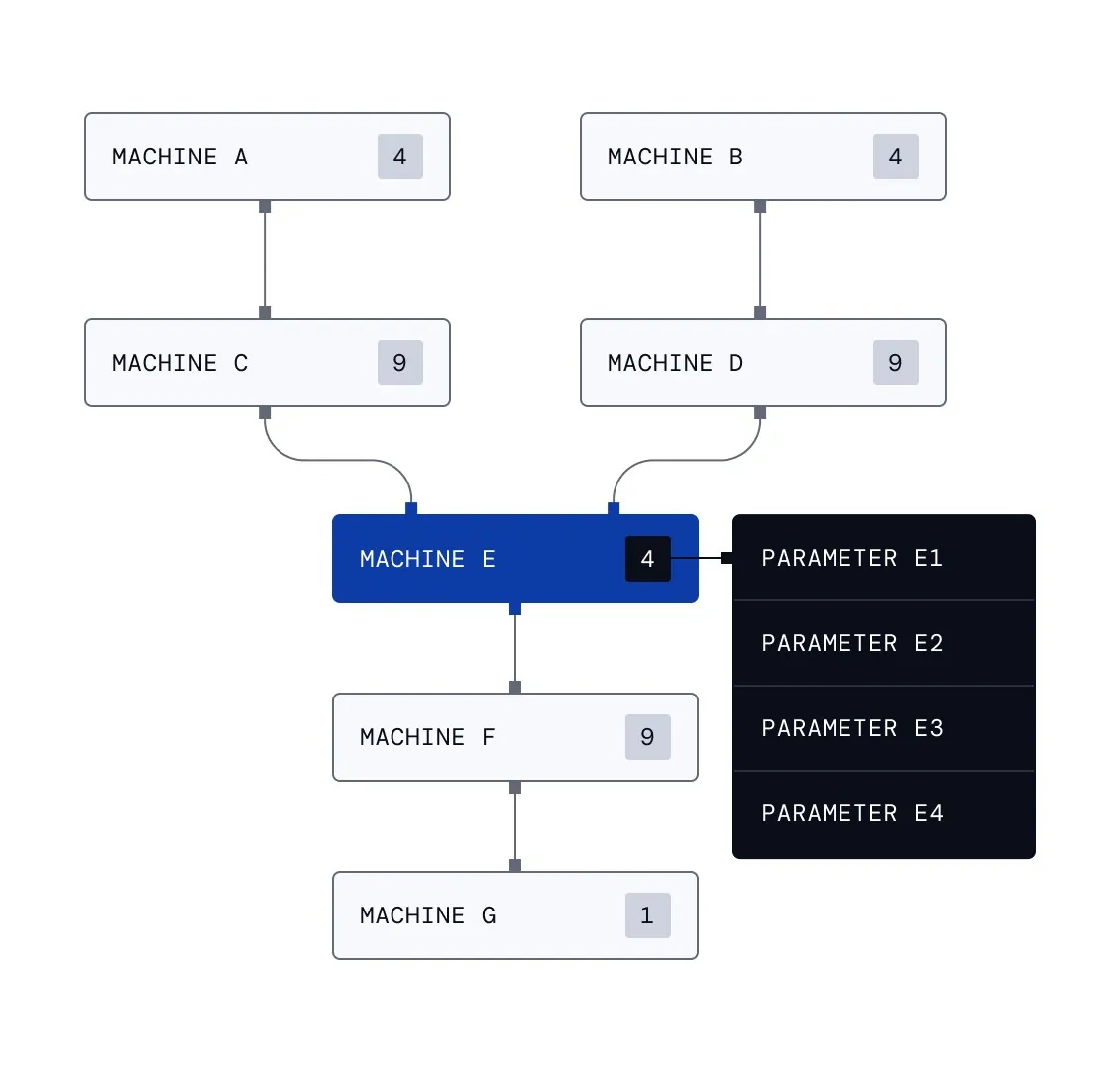
Bước “Automated data aggregation” trong Root Cause Analysis: hệ thống chuyển từ process signal và data aggregation sang causal model, explanation và operationalized knowledge. Đây là UI fragment, không phải full shell.
Nguồn: Trang nguồn chính thức
07A · ETHON WORKFLOW FRAGMENTS
Ethon — Root Cause Analysis flow · tiếp
C · UI FRAGMENT/COMPOSITE Automated root cause modeling
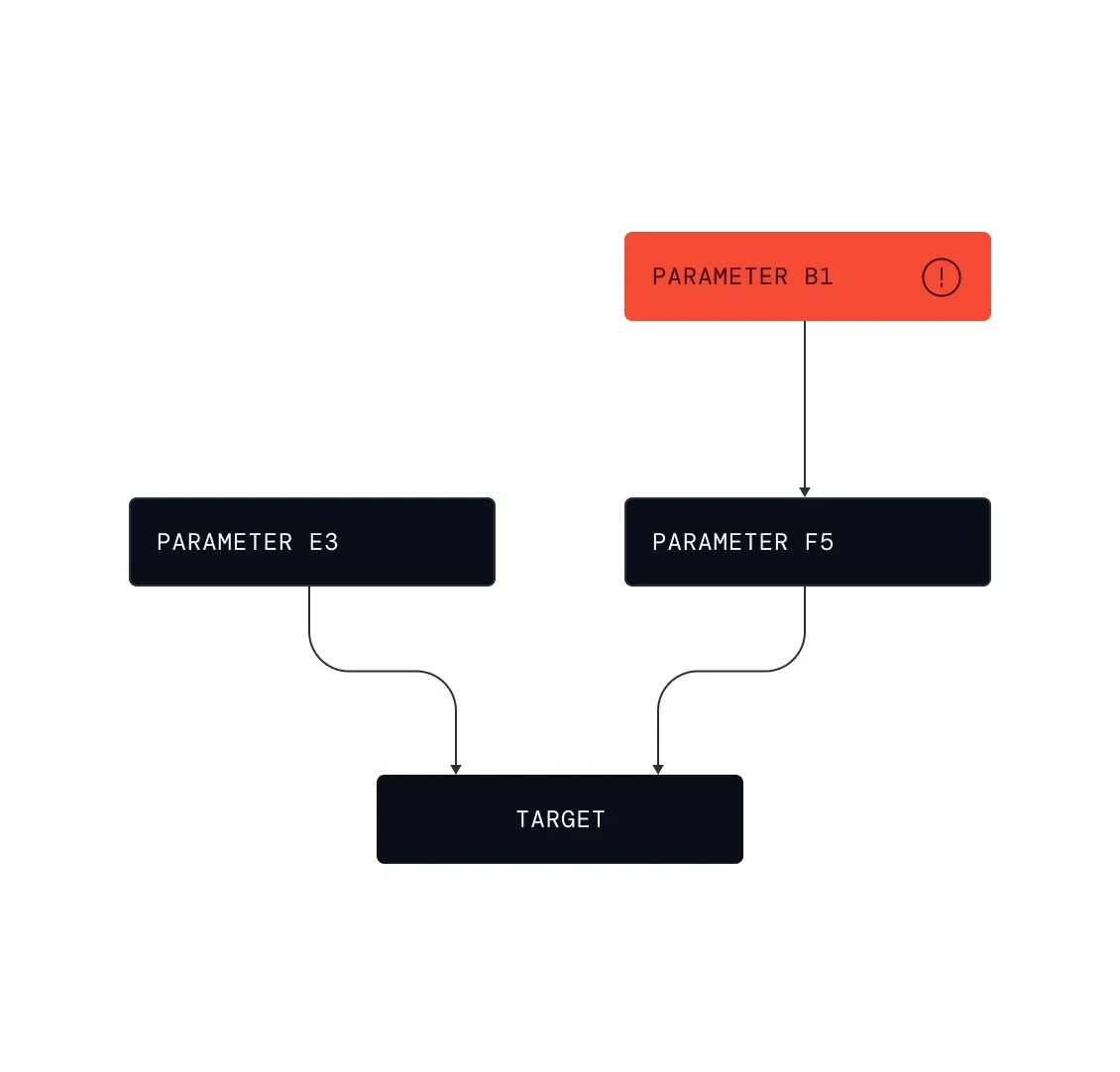
Bước “Automated root cause modeling” trong Root Cause Analysis: hệ thống chuyển từ process signal và data aggregation sang causal model, explanation và operationalized knowledge. Đây là UI fragment, không phải full shell.
Nguồn: Trang nguồn chính thức
C · UI FRAGMENT/COMPOSITE Root cause explanations
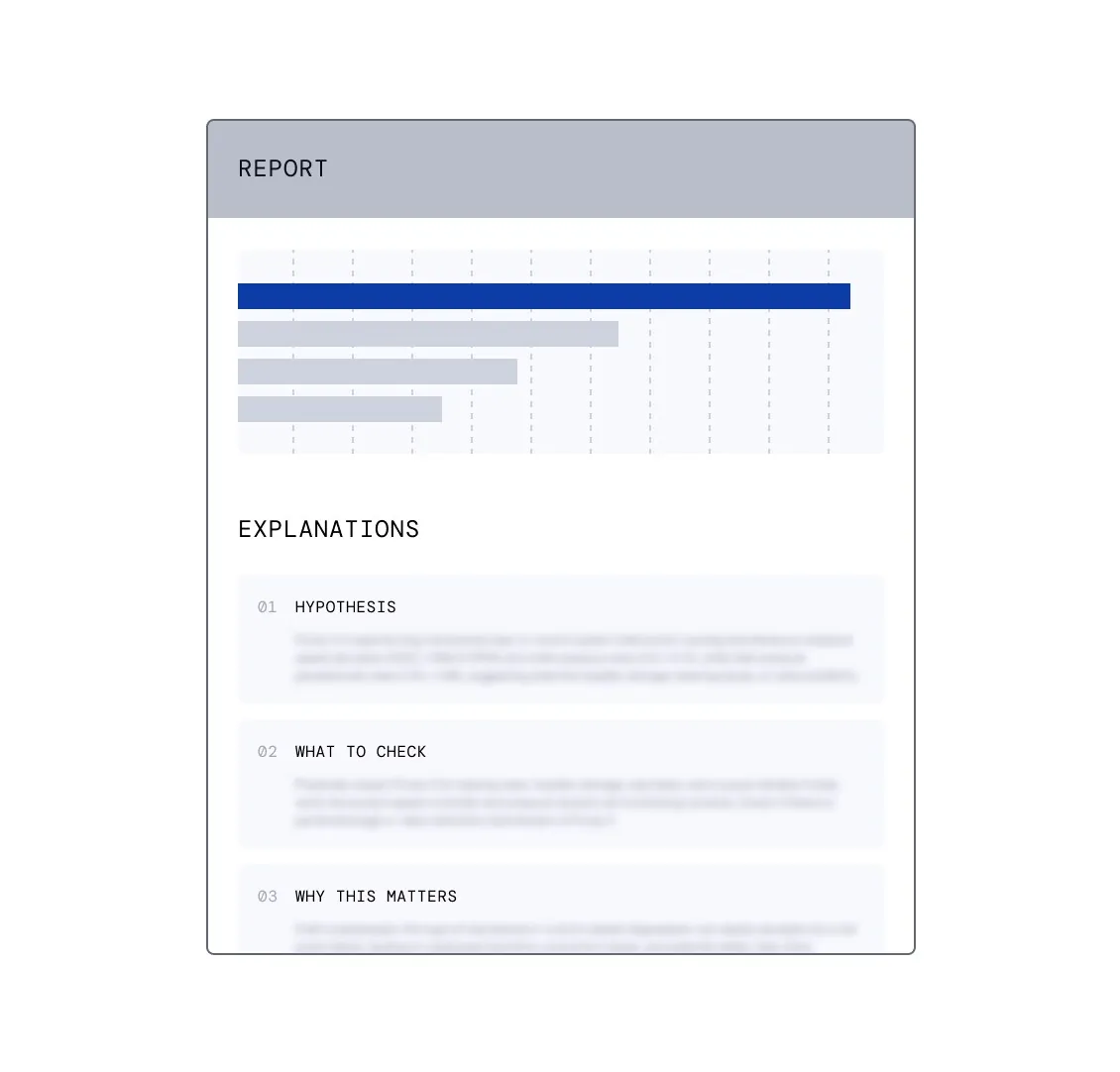
Bước “Root cause explanations” trong Root Cause Analysis: hệ thống chuyển từ process signal và data aggregation sang causal model, explanation và operationalized knowledge. Đây là UI fragment, không phải full shell.
Nguồn: Trang nguồn chính thức
07A · ETHON WORKFLOW FRAGMENTS
Ethon — Root Cause Analysis flow · tiếp
C · UI FRAGMENT/COMPOSITE Process knowledge operationalization
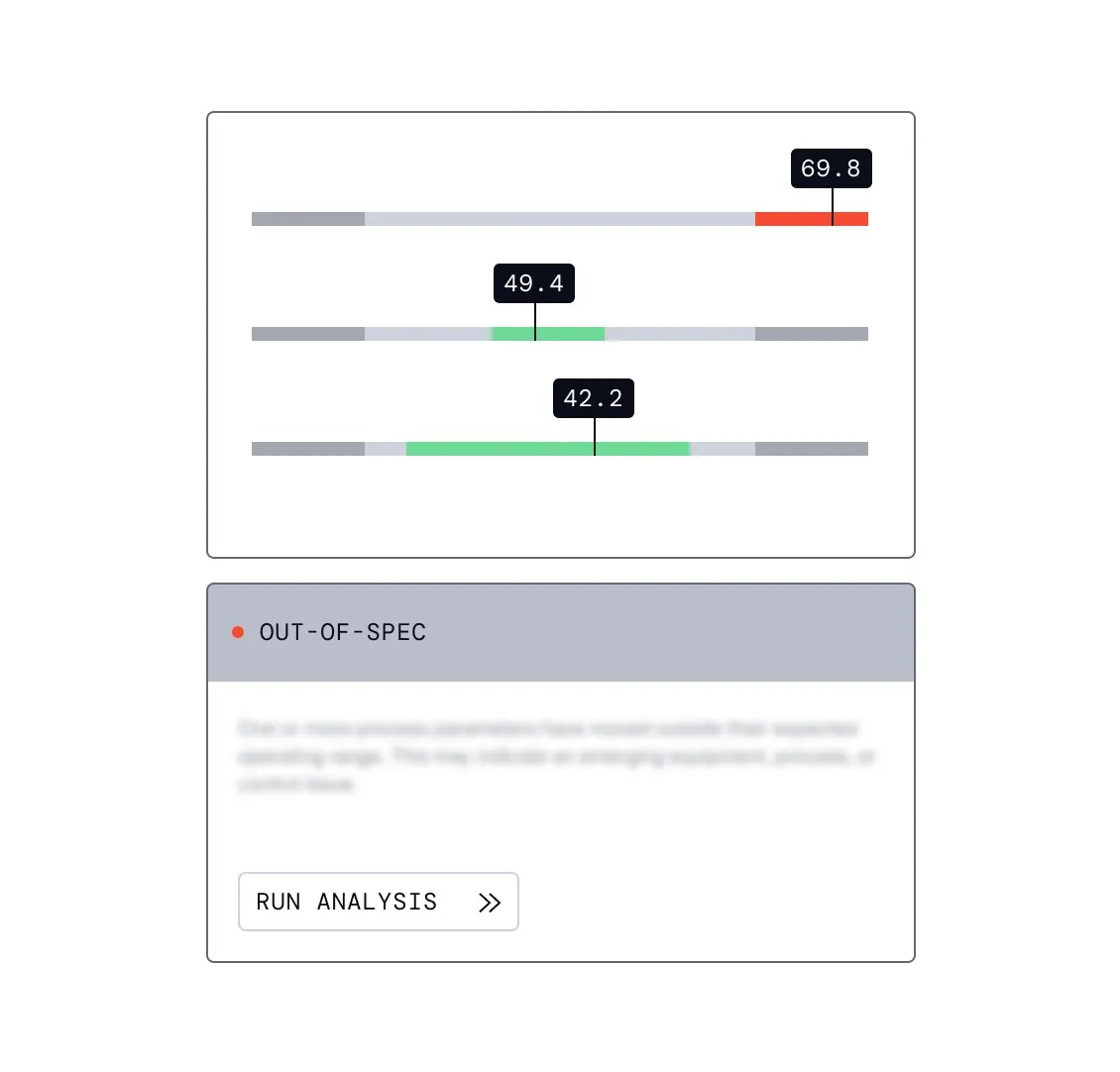
Bước “Process knowledge operationalization” trong Root Cause Analysis: hệ thống chuyển từ process signal và data aggregation sang causal model, explanation và operationalized knowledge. Đây là UI fragment, không phải full shell.
Nguồn: Trang nguồn chính thức
07B · ETHON WORKFLOW FRAGMENTS
Ethon — Process Optimization flow
Chuỗi monitoring → data aggregation → causal model → driver → setpoint → what-if → rule monitoring.
C · UI FRAGMENT/COMPOSITE Intelligent process monitoring
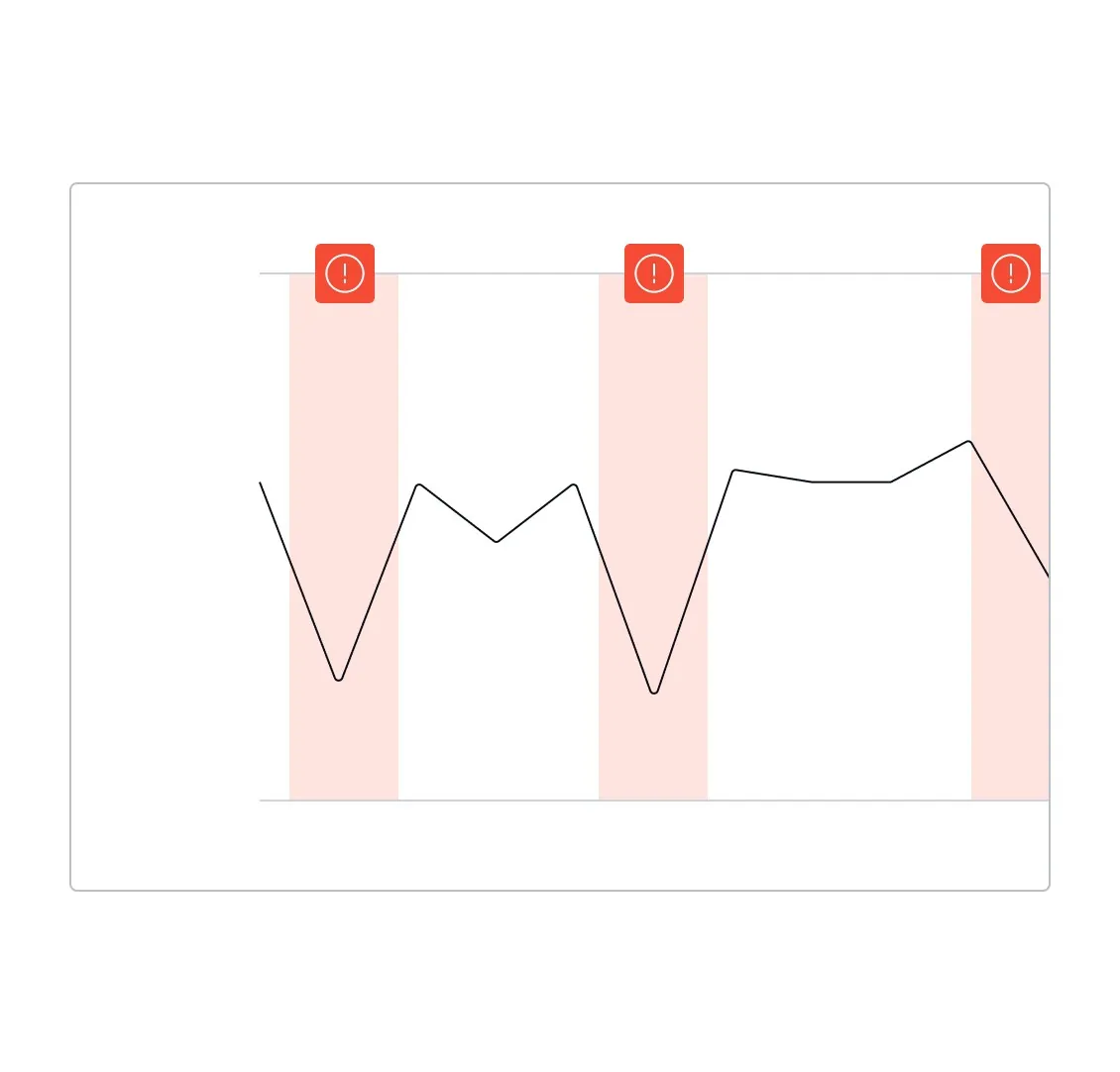
Bước “Intelligent process monitoring” trong Process Optimization: evidence, causal driver, setpoint hoặc what-if được đưa vào cùng chuỗi quyết định trước khi rule monitoring duy trì kết quả.
Nguồn: Trang nguồn chính thức
C · UI FRAGMENT/COMPOSITE Comprehensive data aggregation
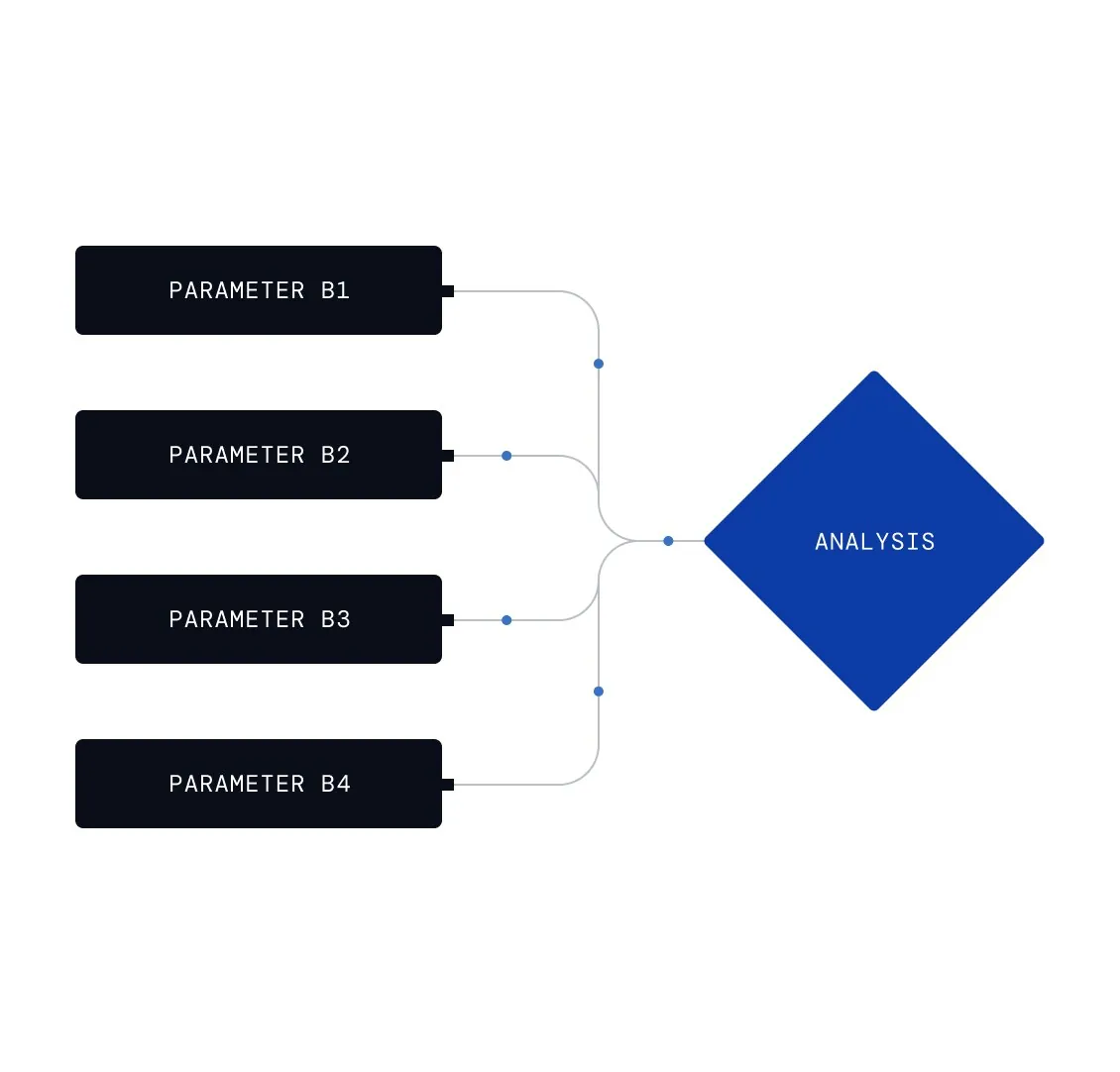
Bước “Comprehensive data aggregation” trong Process Optimization: evidence, causal driver, setpoint hoặc what-if được đưa vào cùng chuỗi quyết định trước khi rule monitoring duy trì kết quả.
Nguồn: Trang nguồn chính thức
07B · ETHON WORKFLOW FRAGMENTS
Ethon — Process Optimization flow · tiếp
C · UI FRAGMENT/COMPOSITE Causal process modeling
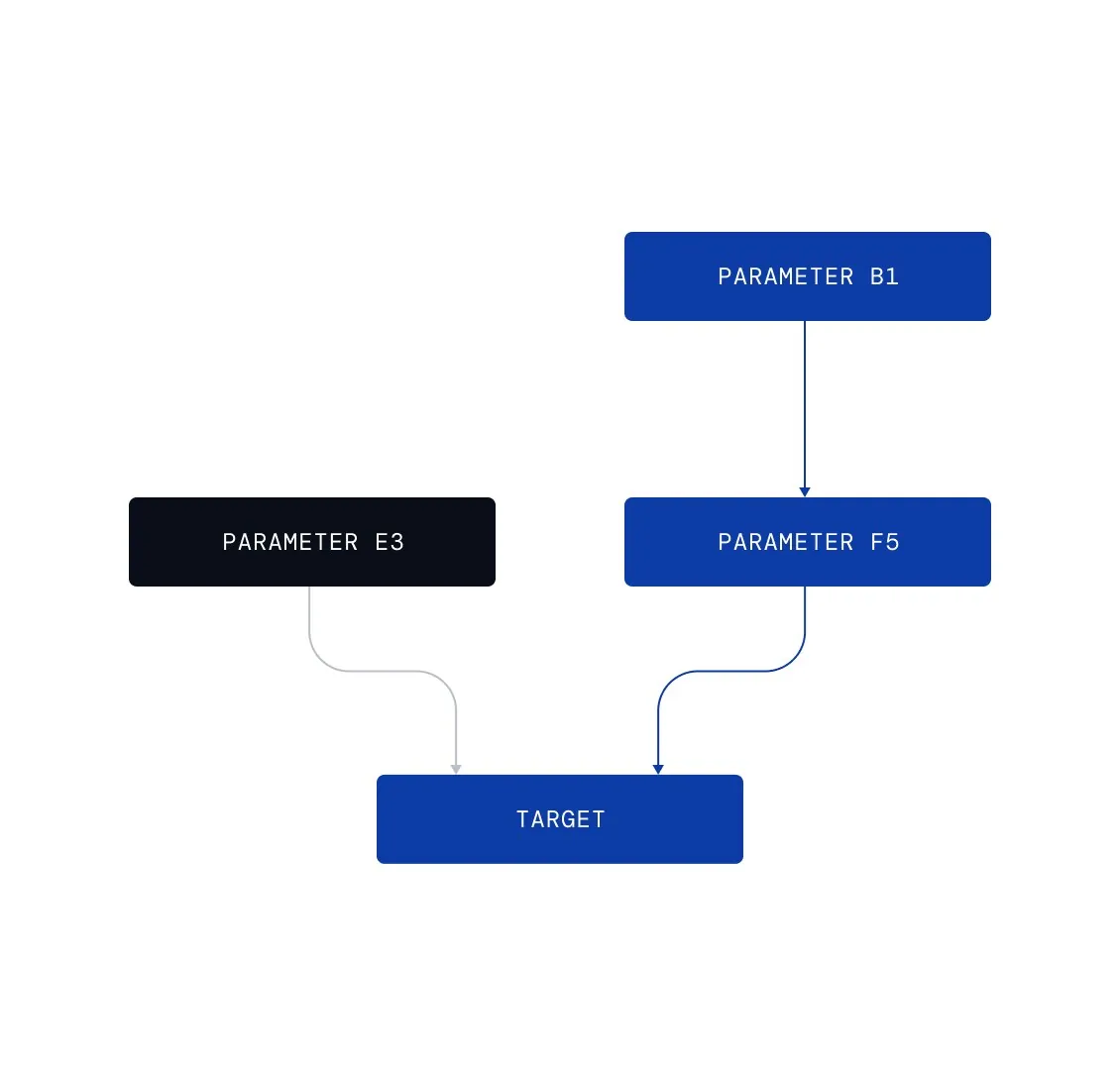
Bước “Causal process modeling” trong Process Optimization: evidence, causal driver, setpoint hoặc what-if được đưa vào cùng chuỗi quyết định trước khi rule monitoring duy trì kết quả.
Nguồn: Trang nguồn chính thức
C · UI FRAGMENT/COMPOSITE Optimization driver identification
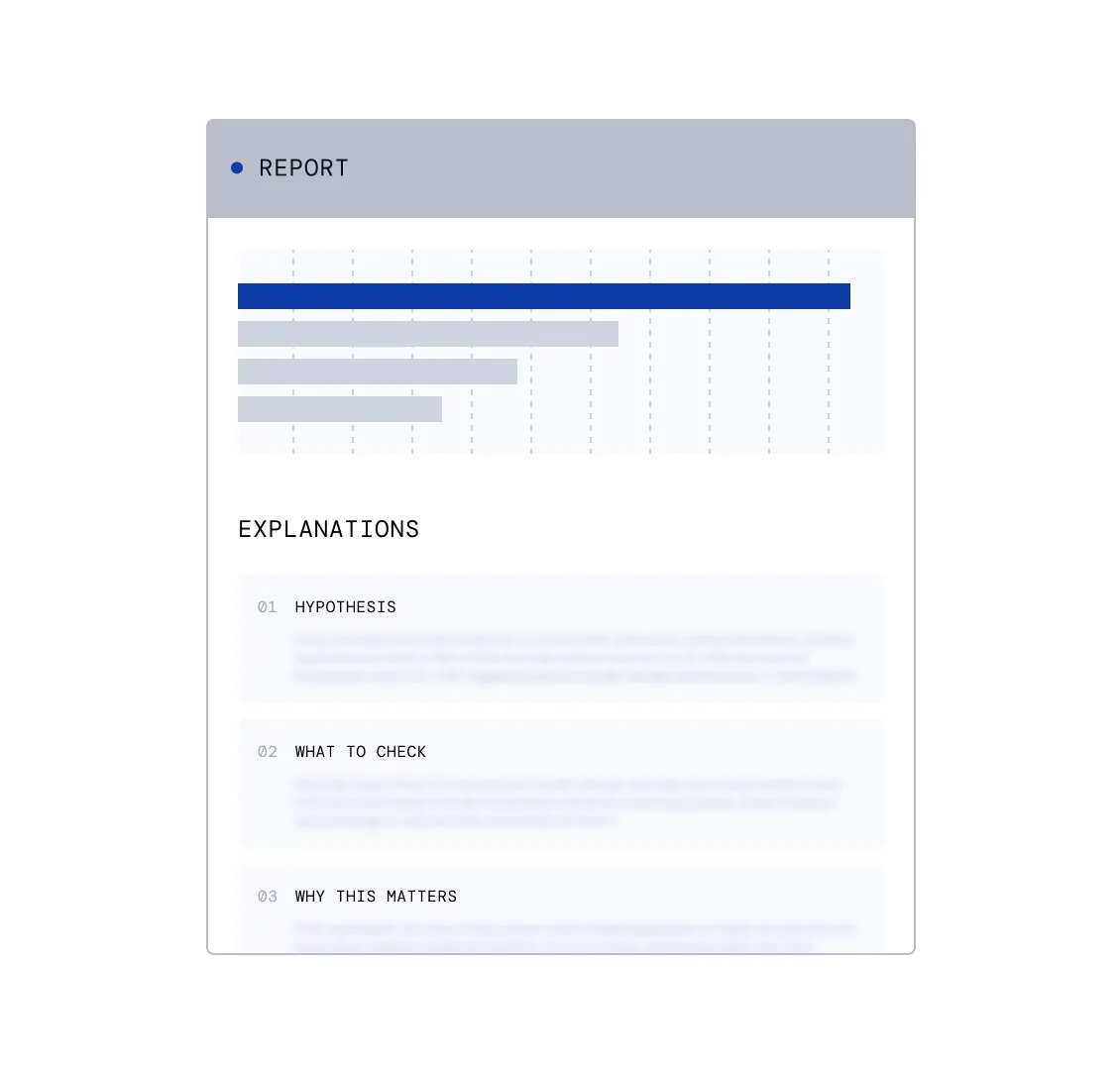
Bước “Optimization driver identification” trong Process Optimization: evidence, causal driver, setpoint hoặc what-if được đưa vào cùng chuỗi quyết định trước khi rule monitoring duy trì kết quả.
Nguồn: Trang nguồn chính thức
07B · ETHON WORKFLOW FRAGMENTS
Ethon — Process Optimization flow · tiếp
C · UI FRAGMENT/COMPOSITE Optimal setpoint recommendations
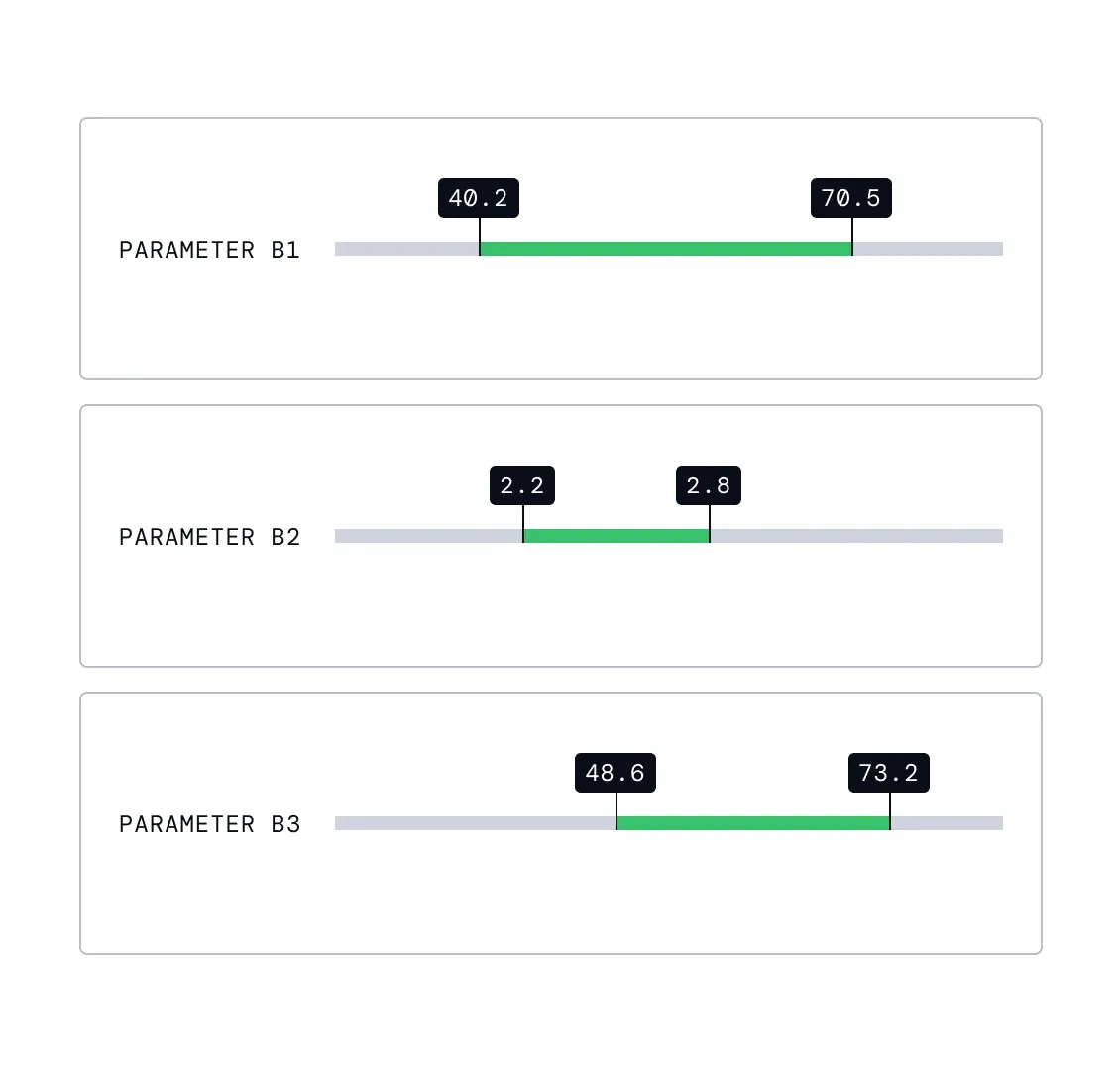
Bước “Optimal setpoint recommendations” trong Process Optimization: evidence, causal driver, setpoint hoặc what-if được đưa vào cùng chuỗi quyết định trước khi rule monitoring duy trì kết quả.
Nguồn: Trang nguồn chính thức
C · UI FRAGMENT/COMPOSITE What if scenario simulation
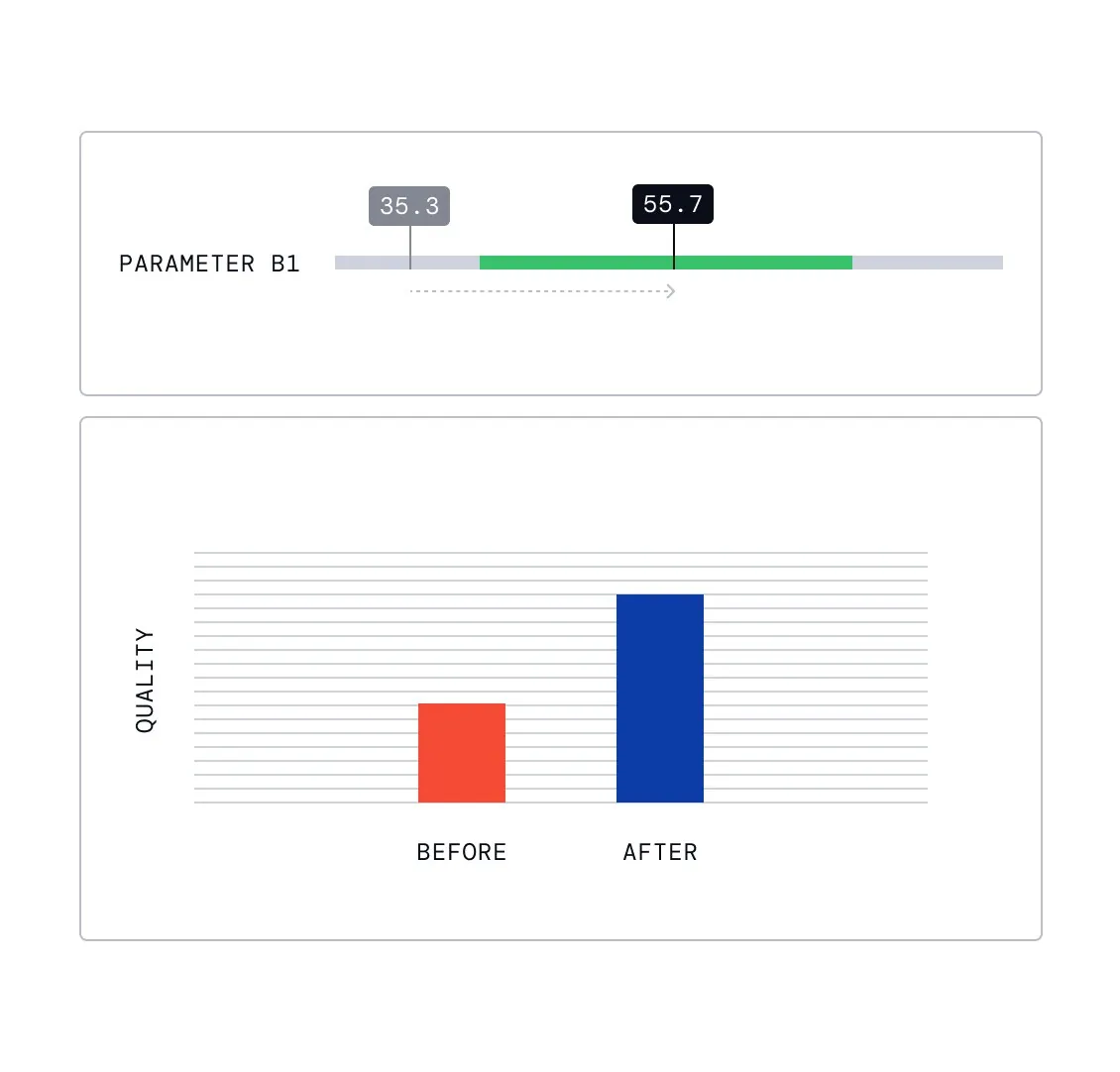
Bước “What if scenario simulation” trong Process Optimization: evidence, causal driver, setpoint hoặc what-if được đưa vào cùng chuỗi quyết định trước khi rule monitoring duy trì kết quả.
Nguồn: Trang nguồn chính thức
07B · ETHON WORKFLOW FRAGMENTS
Ethon — Process Optimization flow · tiếp
C · UI FRAGMENT/COMPOSITE Sustained optimization through rule monitoring
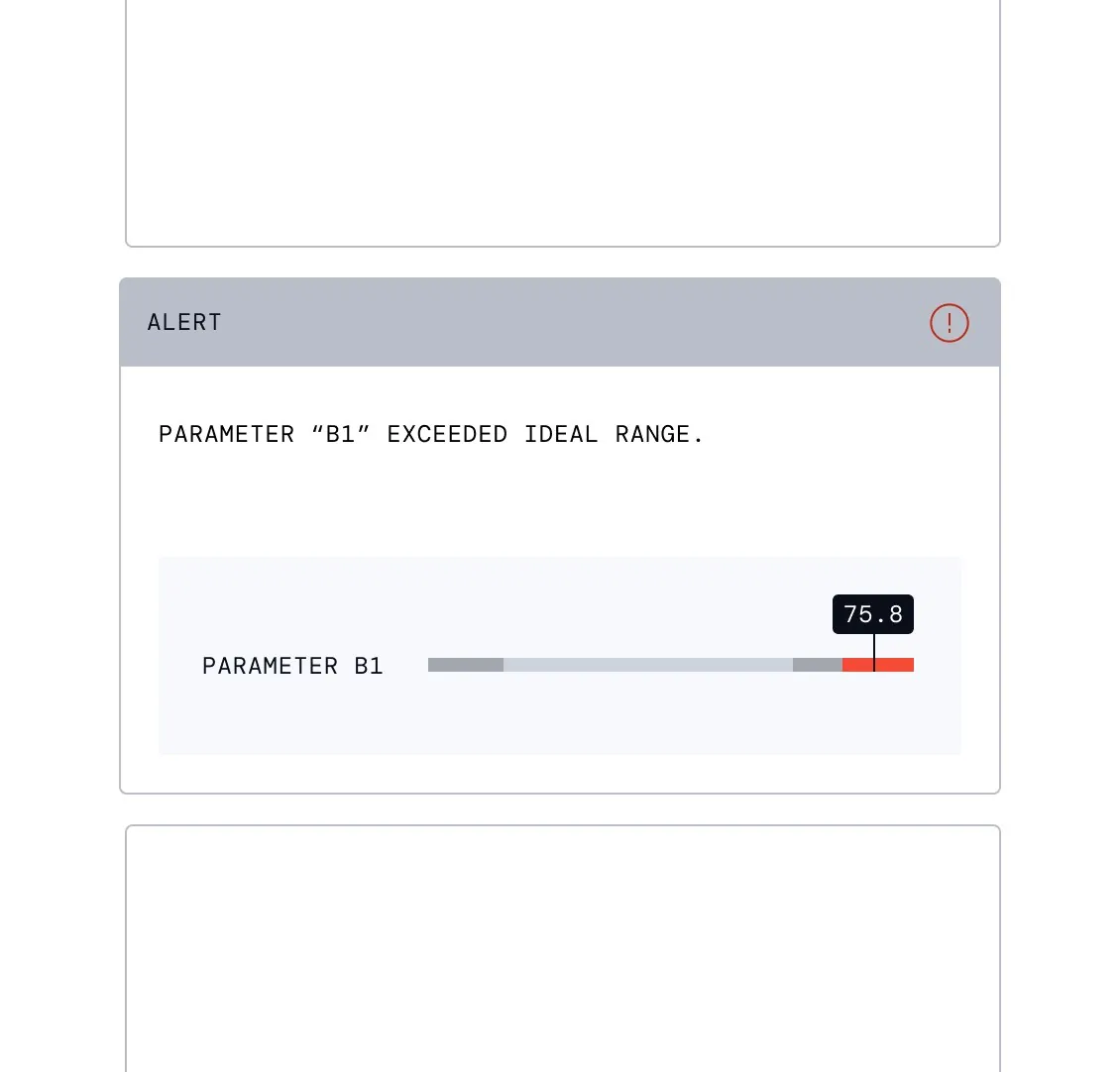
Bước “Sustained optimization through rule monitoring” trong Process Optimization: evidence, causal driver, setpoint hoặc what-if được đưa vào cùng chuỗi quyết định trước khi rule monitoring duy trì kết quả.
Nguồn: Trang nguồn chính thức
07C · ETHON WORKFLOW FRAGMENTS
Ethon — Process Control flow
Fragments mô tả drift, safe operating range, causal control model, setpoint recommendation và continuous steering.
C · UI FRAGMENT/COMPOSITE Real time drift detection
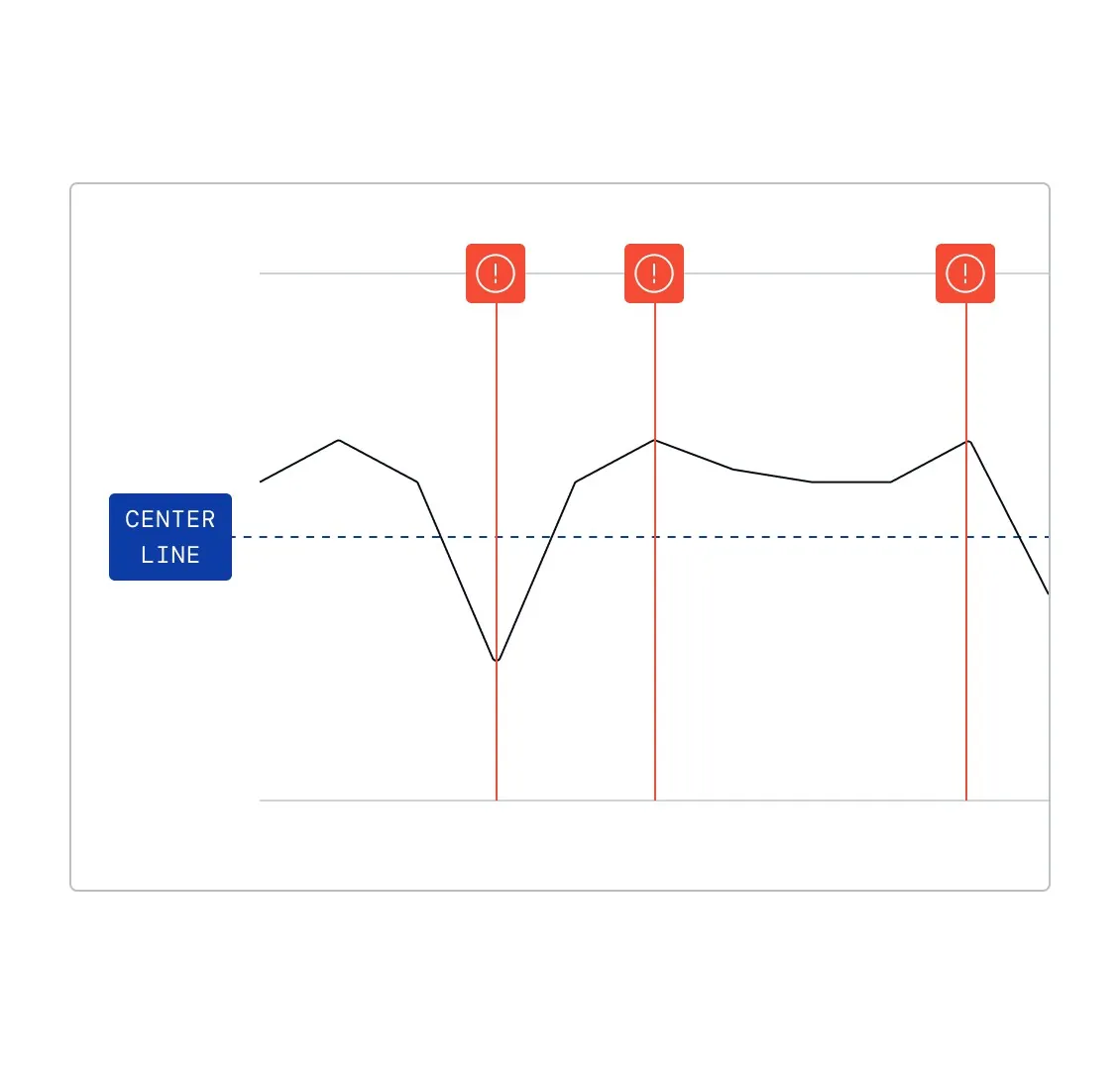
Bước “Real time drift detection” trong Process Control: UI nối drift/safe range với causal control model, recommended setpoint và continuous steering có guardrail.
Nguồn: Trang nguồn chính thức
C · UI FRAGMENT/COMPOSITE Safe operating range definition
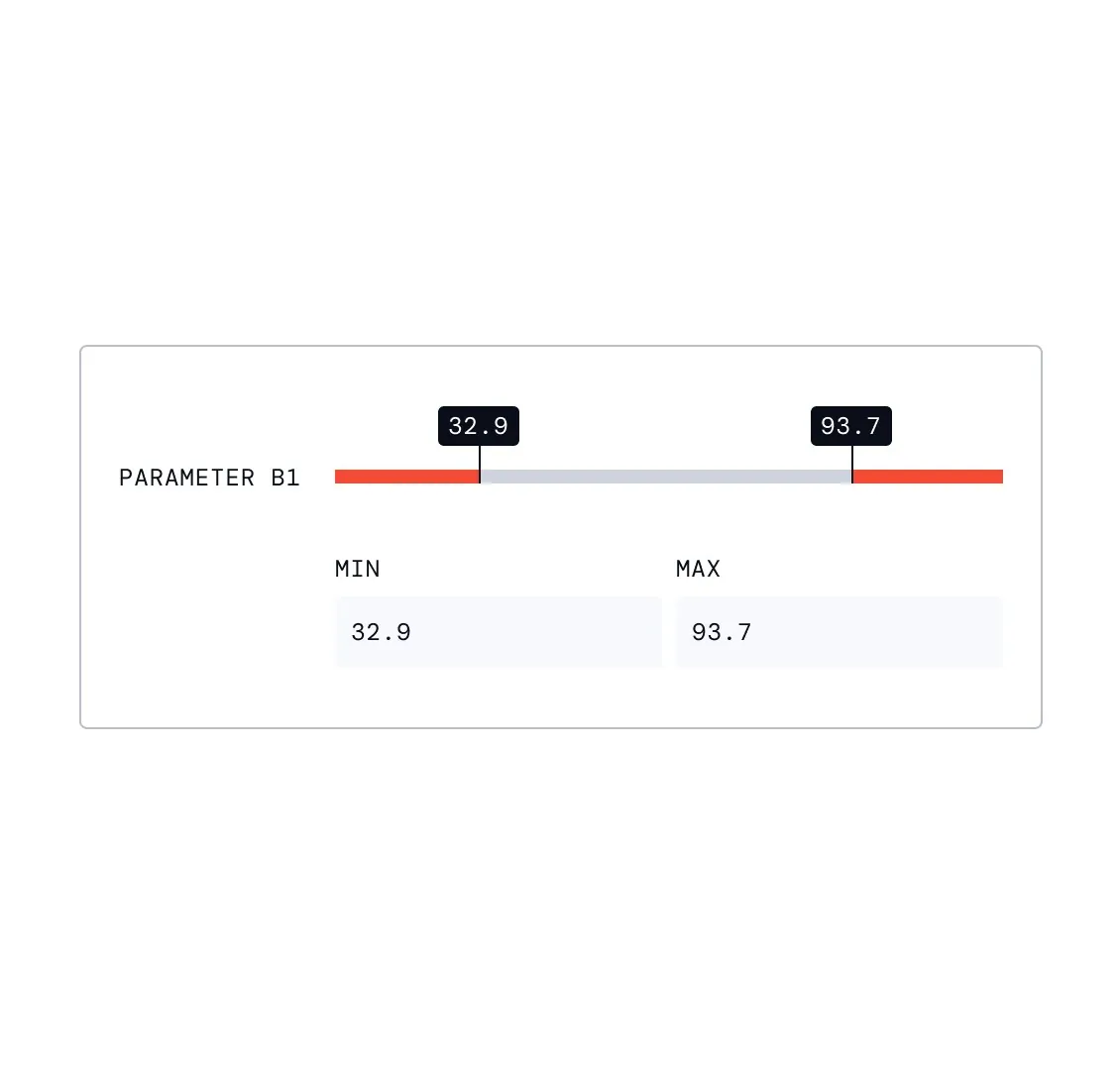
Bước “Safe operating range definition” trong Process Control: UI nối drift/safe range với causal control model, recommended setpoint và continuous steering có guardrail.
Nguồn: Trang nguồn chính thức
07C · ETHON WORKFLOW FRAGMENTS
Ethon — Process Control flow · tiếp
C · UI FRAGMENT/COMPOSITE Causal control modeling
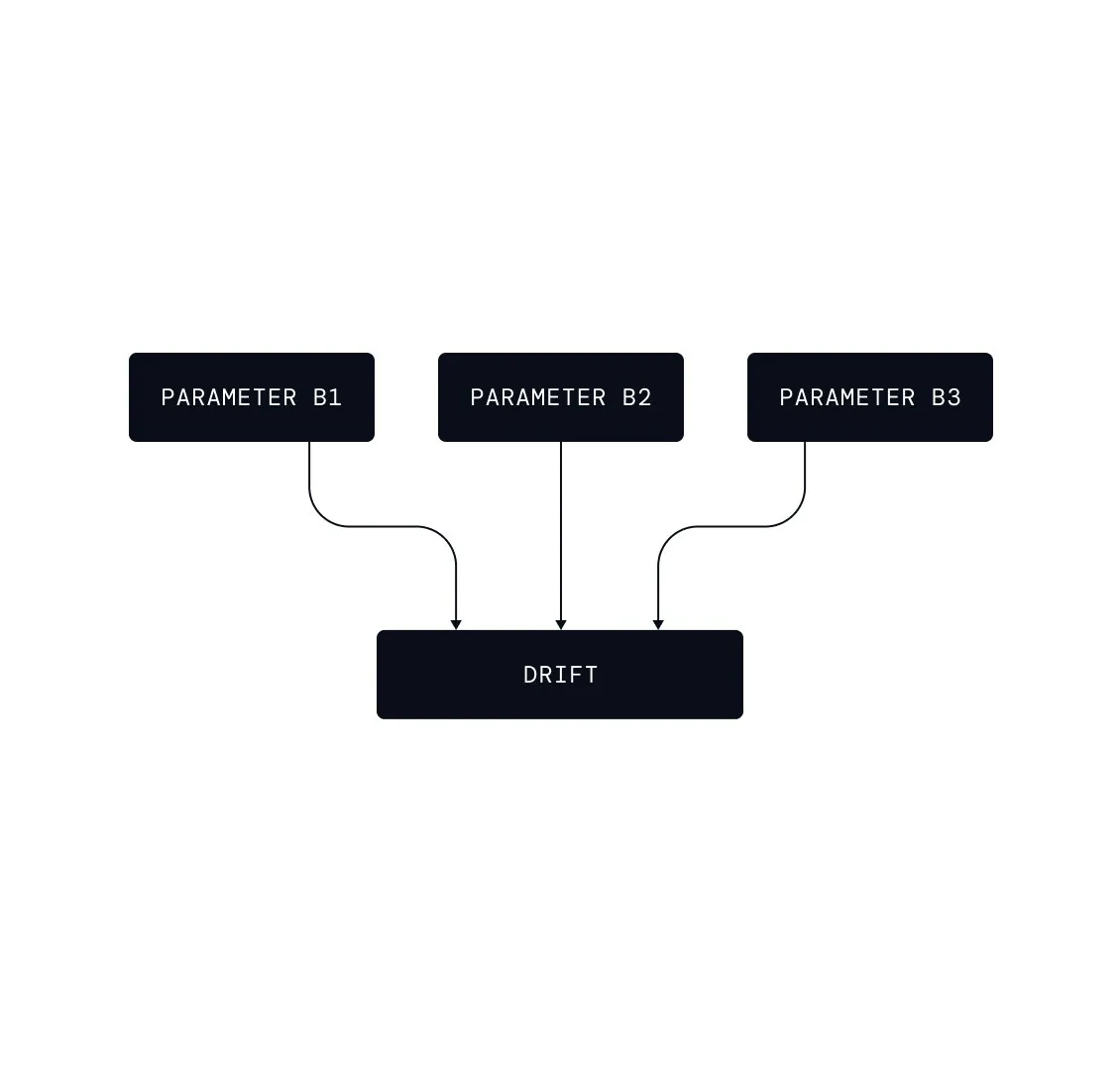
Bước “Causal control modeling” trong Process Control: UI nối drift/safe range với causal control model, recommended setpoint và continuous steering có guardrail.
Nguồn: Trang nguồn chính thức
C · UI FRAGMENT/COMPOSITE Automated setpoint recommendations
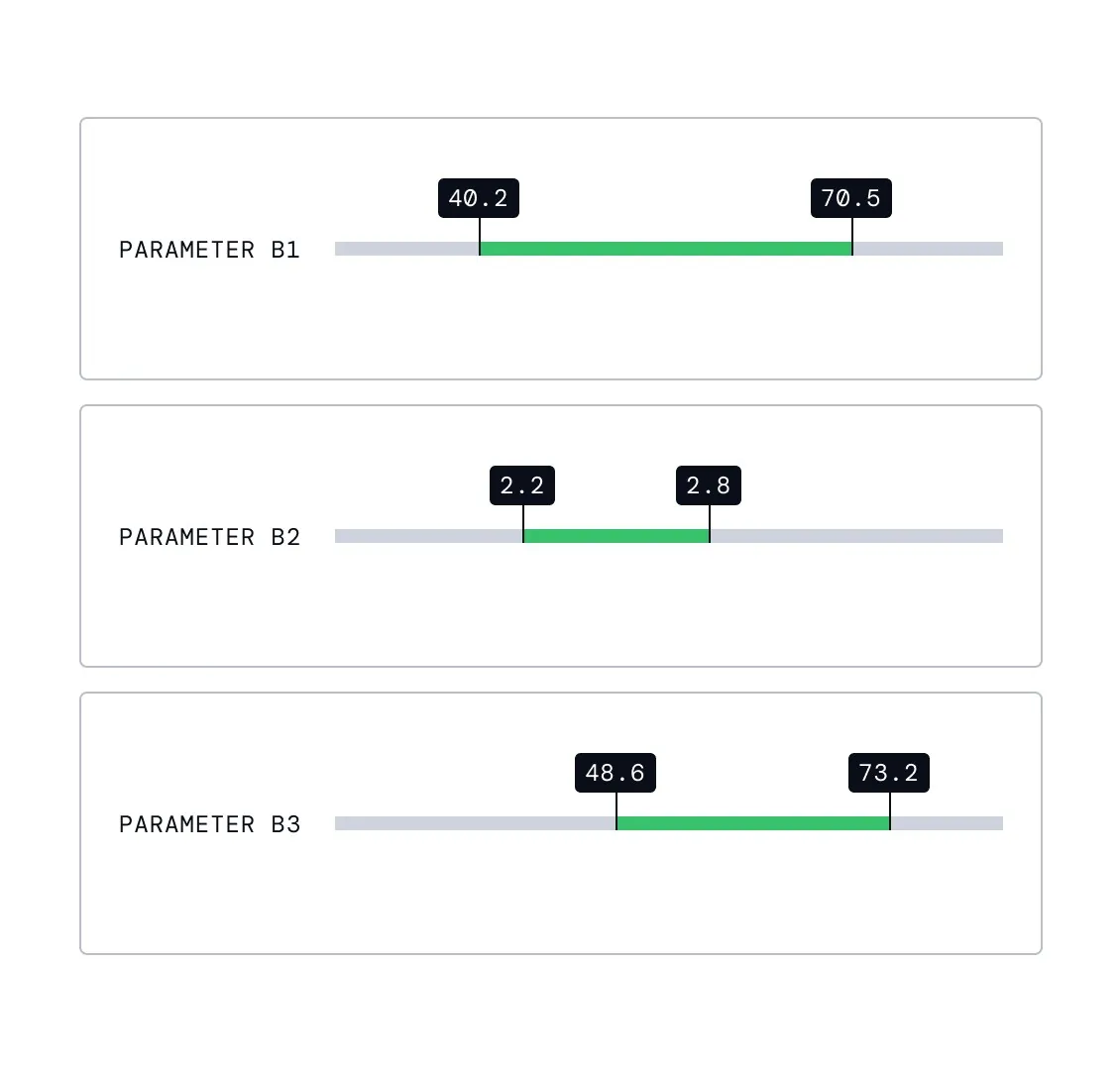
Bước “Automated setpoint recommendations” trong Process Control: UI nối drift/safe range với causal control model, recommended setpoint và continuous steering có guardrail.
Nguồn: Trang nguồn chính thức
07C · ETHON WORKFLOW FRAGMENTS
Ethon — Process Control flow · tiếp
C · UI FRAGMENT/COMPOSITE Continuous causal steering
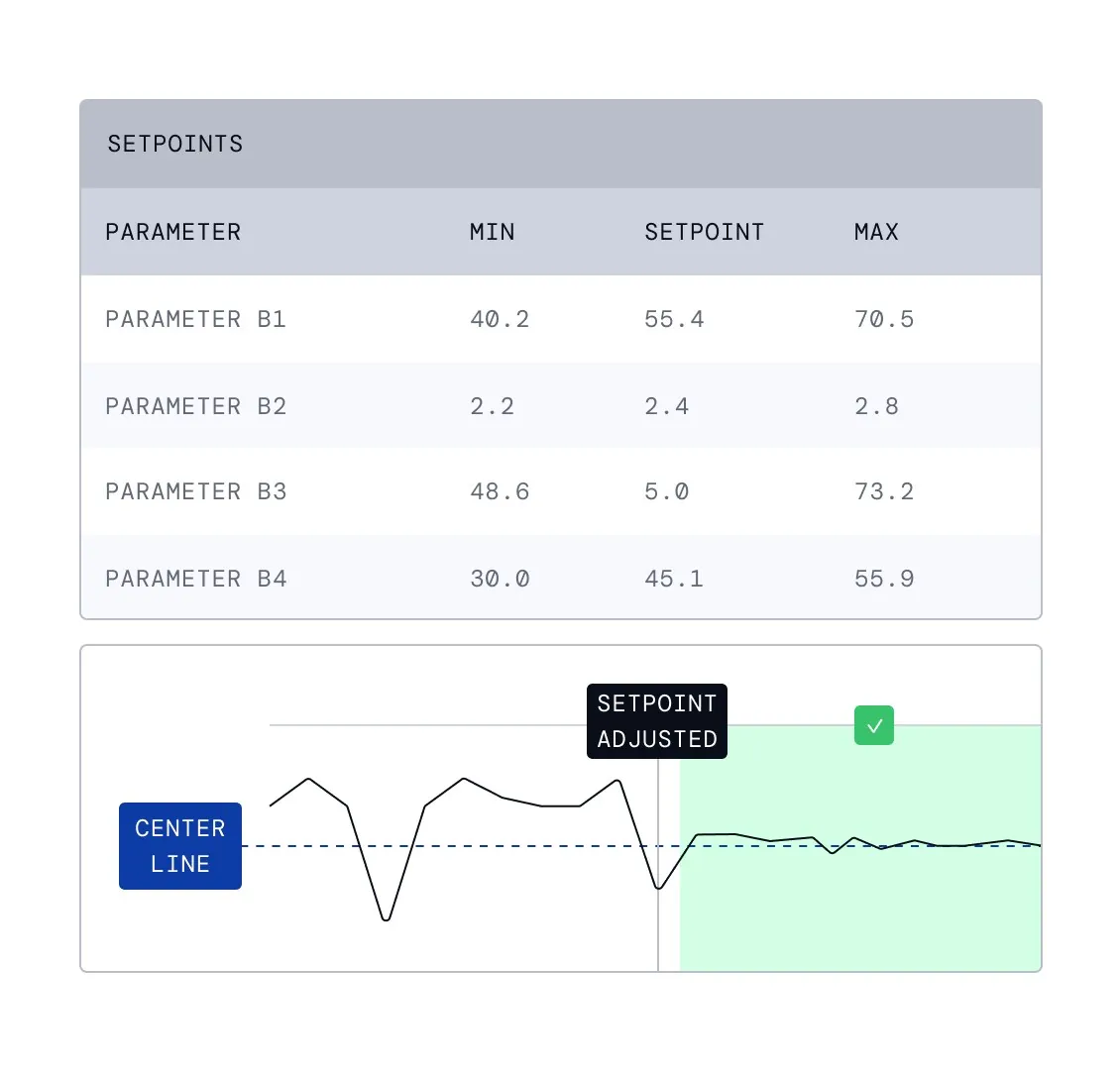
Bước “Continuous causal steering” trong Process Control: UI nối drift/safe range với causal control model, recommended setpoint và continuous steering có guardrail.
Nguồn: Trang nguồn chính thức
07D · ETHON WORKFLOW FRAGMENTS
Ethon — Early Fault Detection flow
Target parameter, healthy state, baseline model, monitoring và anomaly notification tạo một early-warning loop.
C · UI FRAGMENT/COMPOSITE Targeted parameter selection
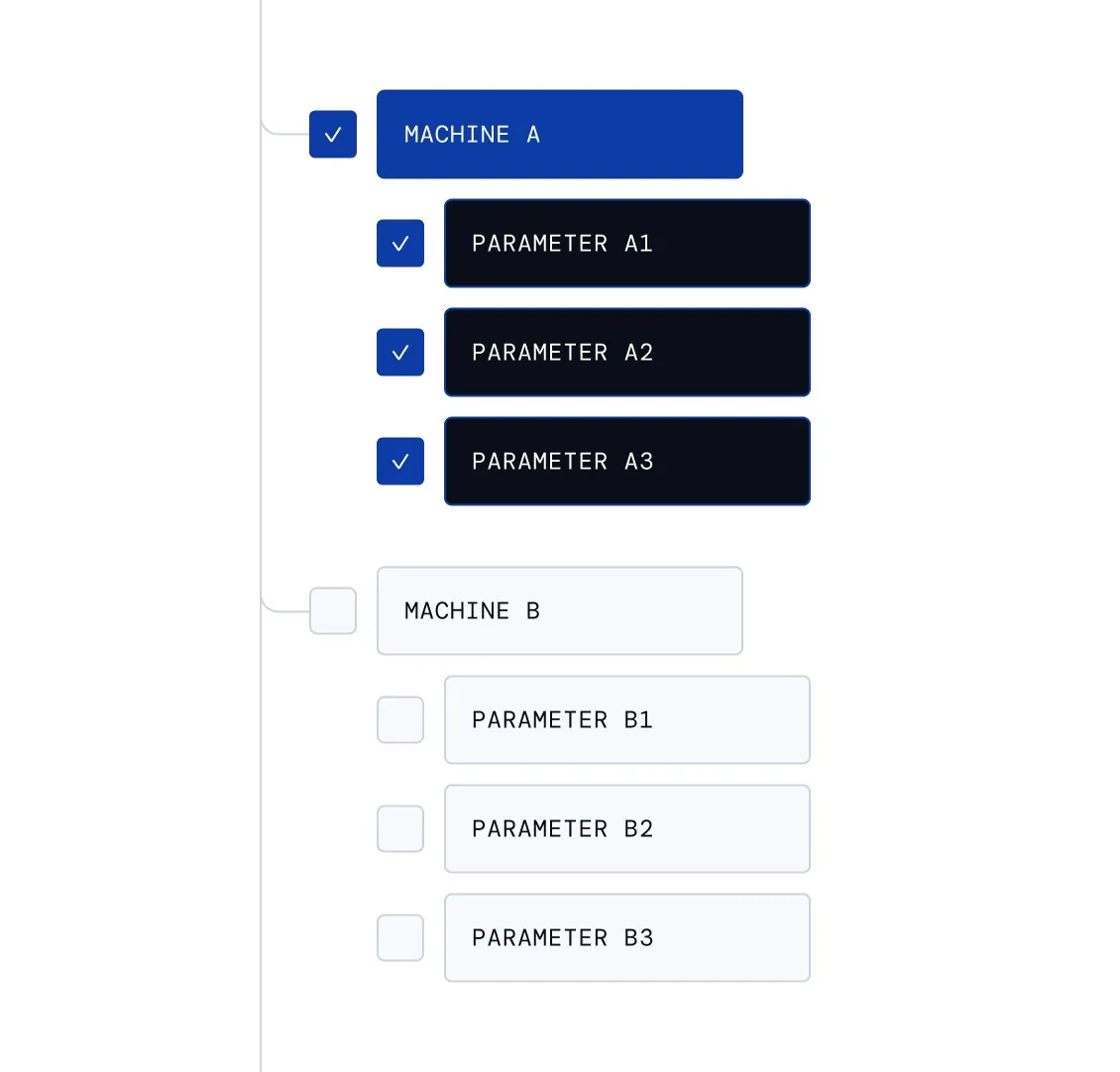
Bước “Targeted parameter selection” trong Early Fault Detection: người dùng định nghĩa healthy baseline, theo dõi độ lệch và nhận cảnh báo kèm contributing signal để can thiệp sớm.
Nguồn: Trang nguồn chính thức
C · UI FRAGMENT/COMPOSITE Healthy state definition
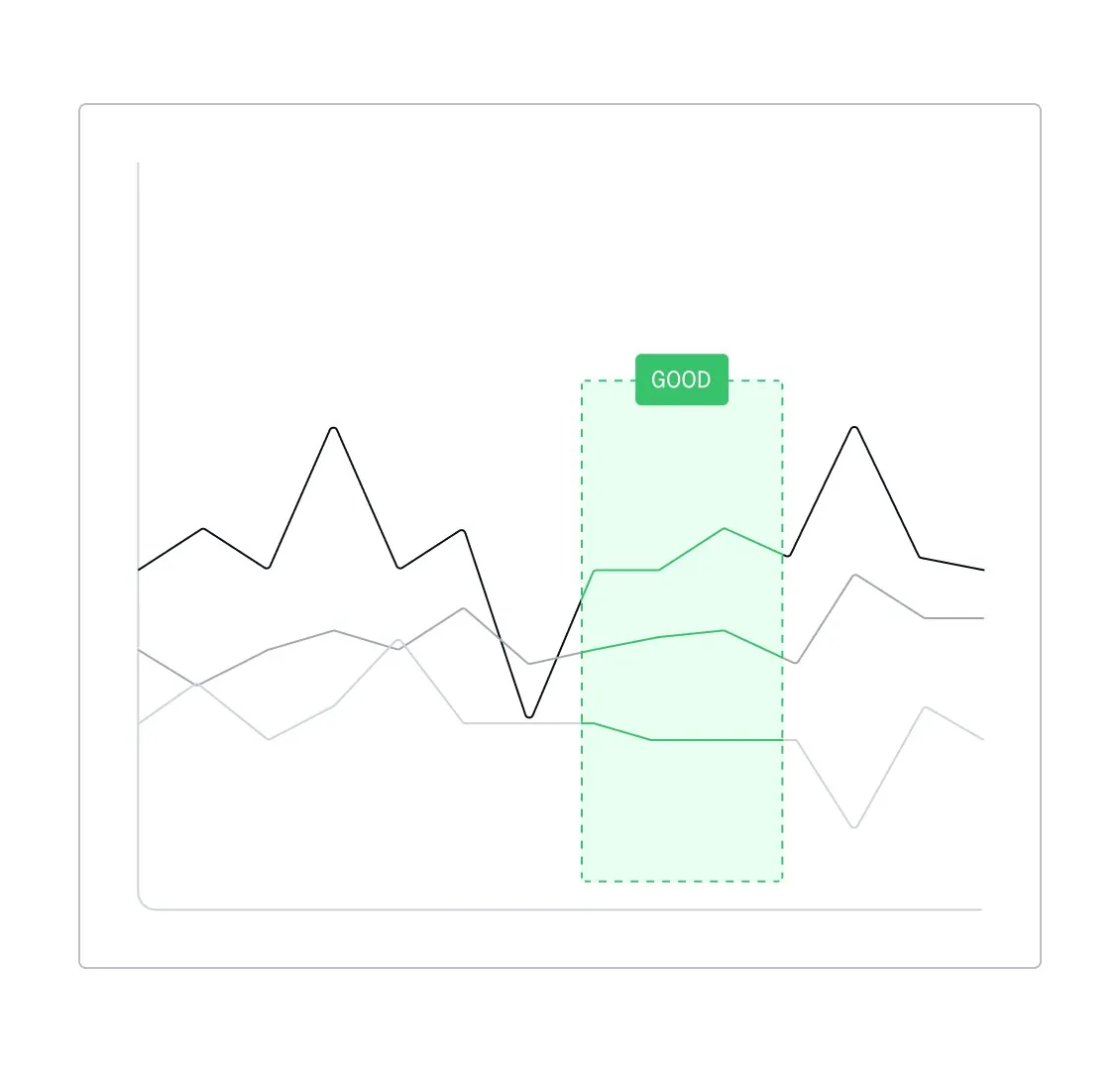
Bước “Healthy state definition” trong Early Fault Detection: người dùng định nghĩa healthy baseline, theo dõi độ lệch và nhận cảnh báo kèm contributing signal để can thiệp sớm.
Nguồn: Trang nguồn chính thức
07D · ETHON WORKFLOW FRAGMENTS
Ethon — Early Fault Detection flow · tiếp
C · UI FRAGMENT/COMPOSITE Automated baseline modeling
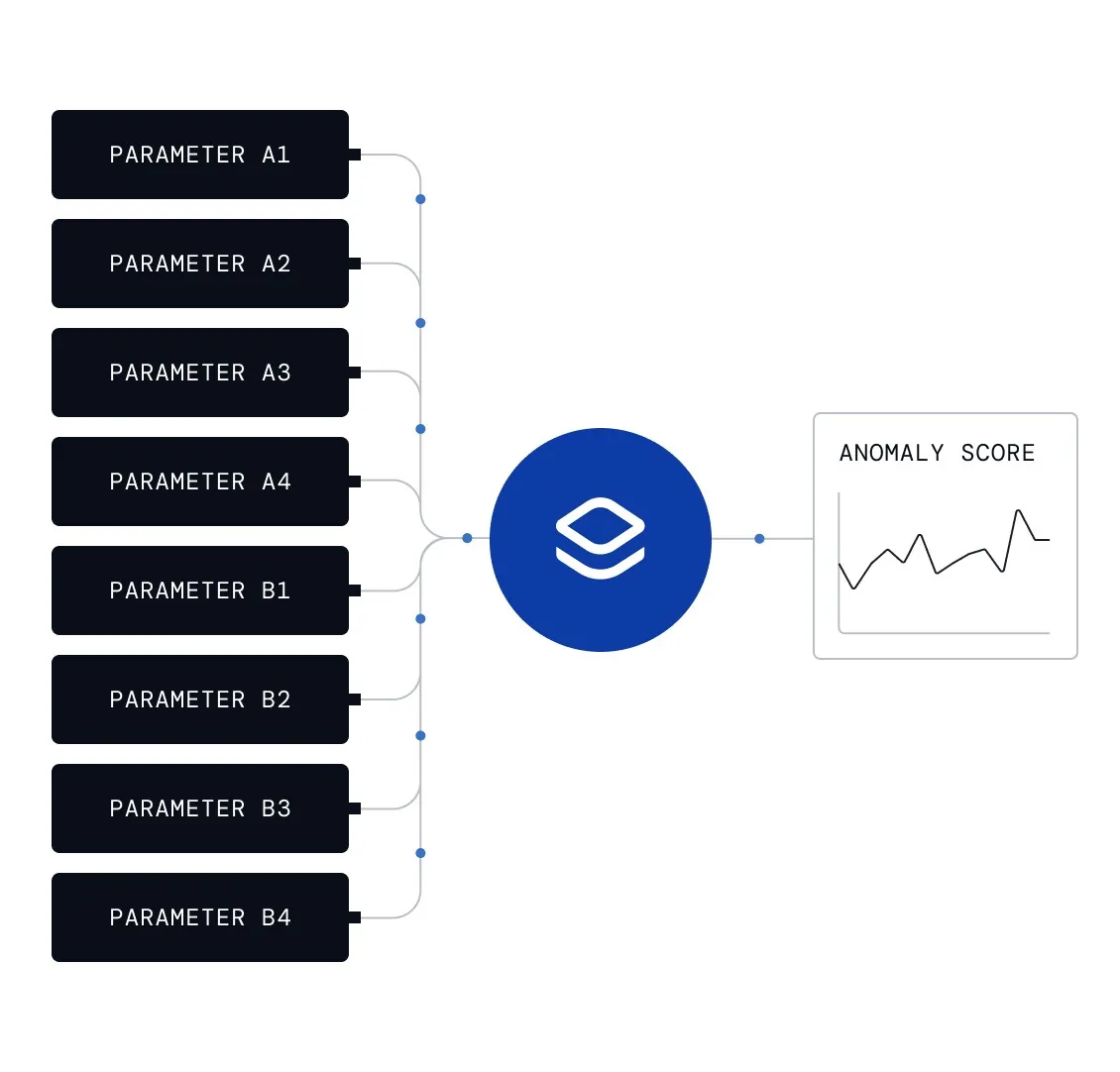
Bước “Automated baseline modeling” trong Early Fault Detection: người dùng định nghĩa healthy baseline, theo dõi độ lệch và nhận cảnh báo kèm contributing signal để can thiệp sớm.
Nguồn: Trang nguồn chính thức
C · UI FRAGMENT/COMPOSITE Agentic condition monitoring
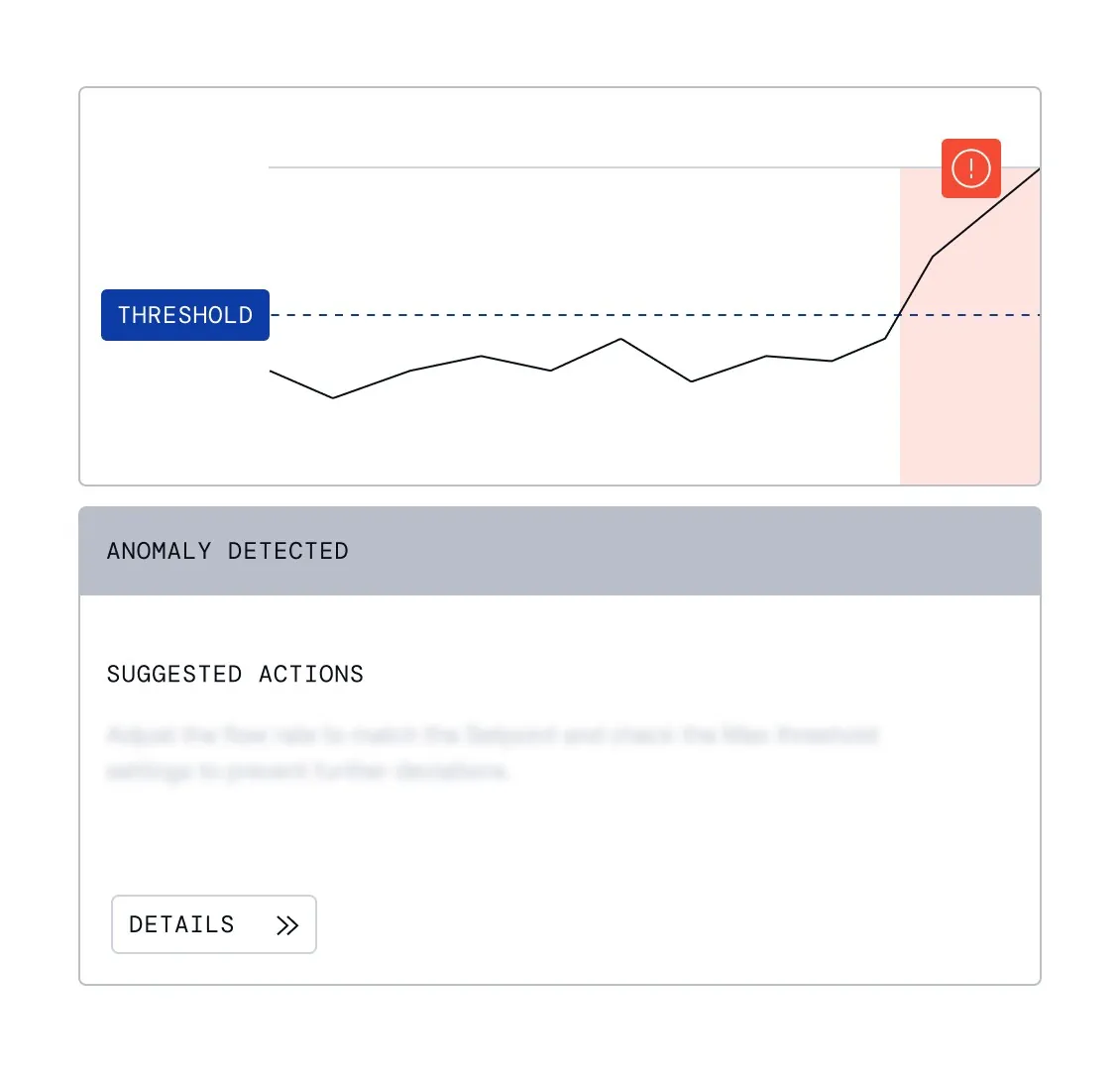
Bước “Agentic condition monitoring” trong Early Fault Detection: người dùng định nghĩa healthy baseline, theo dõi độ lệch và nhận cảnh báo kèm contributing signal để can thiệp sớm.
Nguồn: Trang nguồn chính thức
07D · ETHON WORKFLOW FRAGMENTS
Ethon — Early Fault Detection flow · tiếp
C · UI FRAGMENT/COMPOSITE Real time anomaly notification
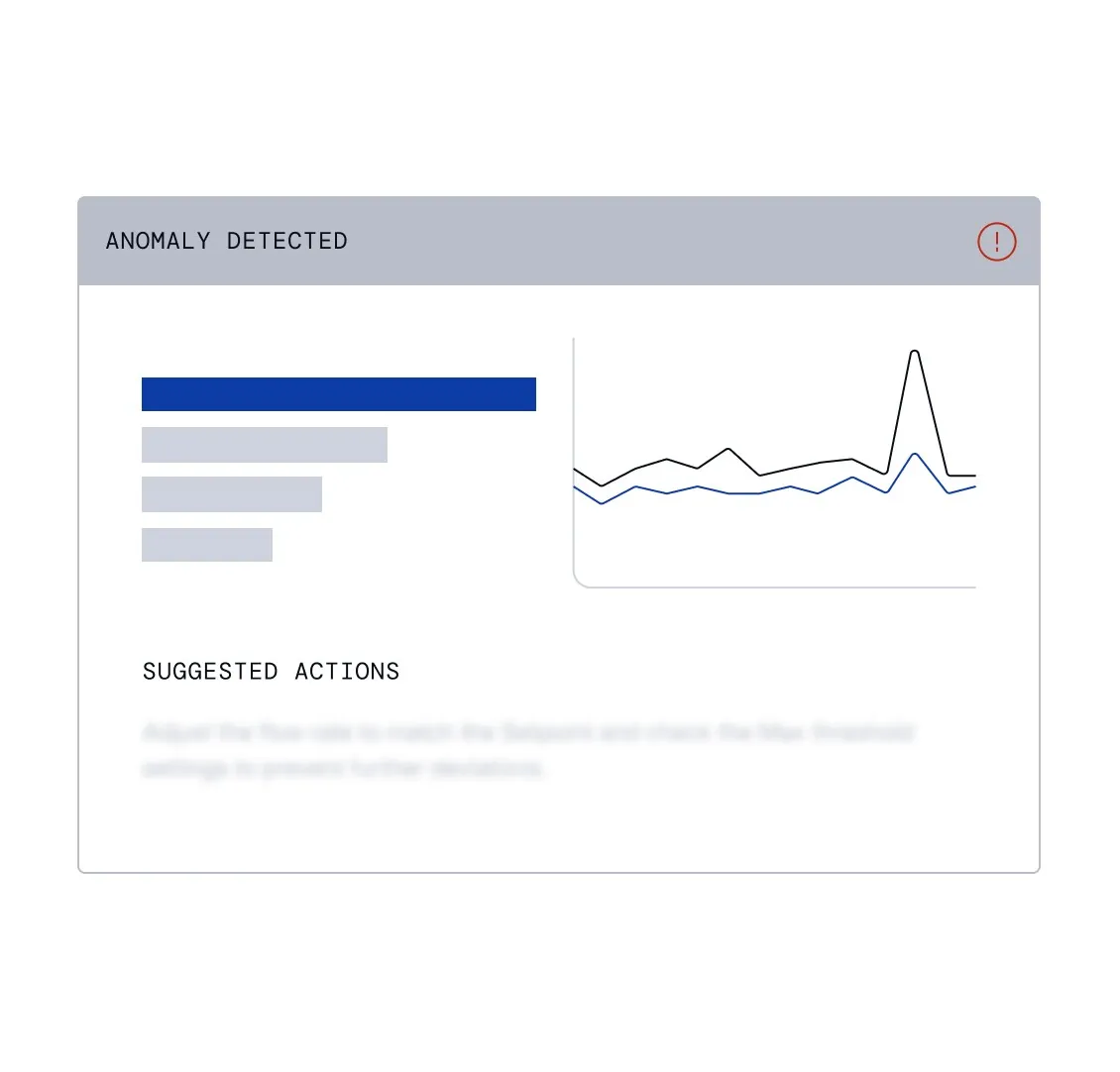
Bước “Real time anomaly notification” trong Early Fault Detection: người dùng định nghĩa healthy baseline, theo dõi độ lệch và nhận cảnh báo kèm contributing signal để can thiệp sớm.
Nguồn: Trang nguồn chính thức
07E · ETHON WORKFLOW FRAGMENTS
Ethon — Quality Inspection flow
Từ zero-shot understanding và sensitivity đến station assignment, live detection, defect action và process insight.
C · UI FRAGMENT/COMPOSITE Zero shot product understanding

Bước “Zero shot product understanding” trong Quality Inspection: workflow đi từ hiểu sản phẩm và sensitivity tới station job, live detection, defect action và feedback về process improvement.
Nguồn: Trang nguồn chính thức
C · UI FRAGMENT/COMPOSITE Inspection sensitivity
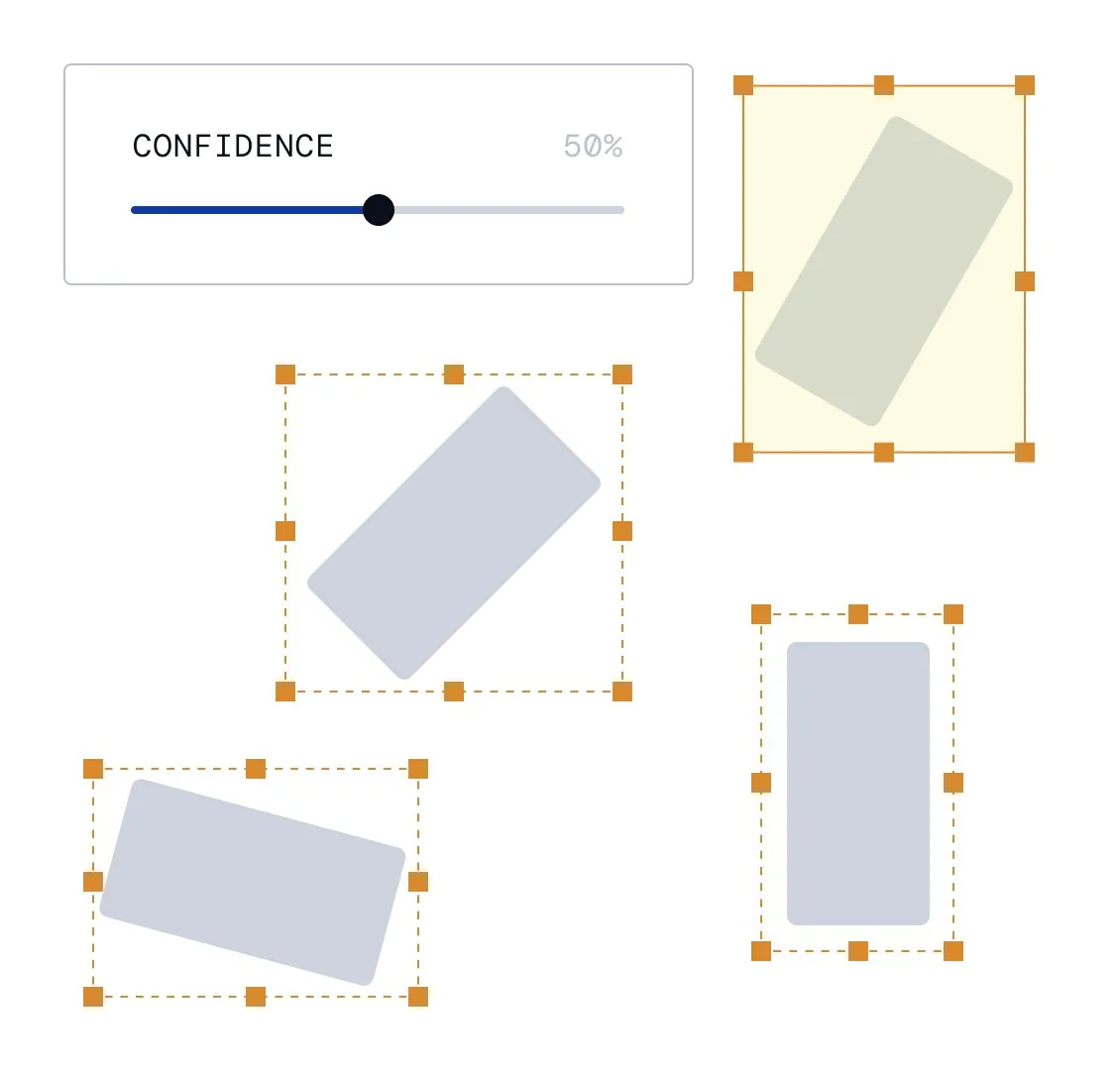
Bước “Inspection sensitivity” trong Quality Inspection: workflow đi từ hiểu sản phẩm và sensitivity tới station job, live detection, defect action và feedback về process improvement.
Nguồn: Trang nguồn chính thức
07E · ETHON WORKFLOW FRAGMENTS
Ethon — Quality Inspection flow · tiếp
C · UI FRAGMENT/COMPOSITE Assign inspection jobs to stations
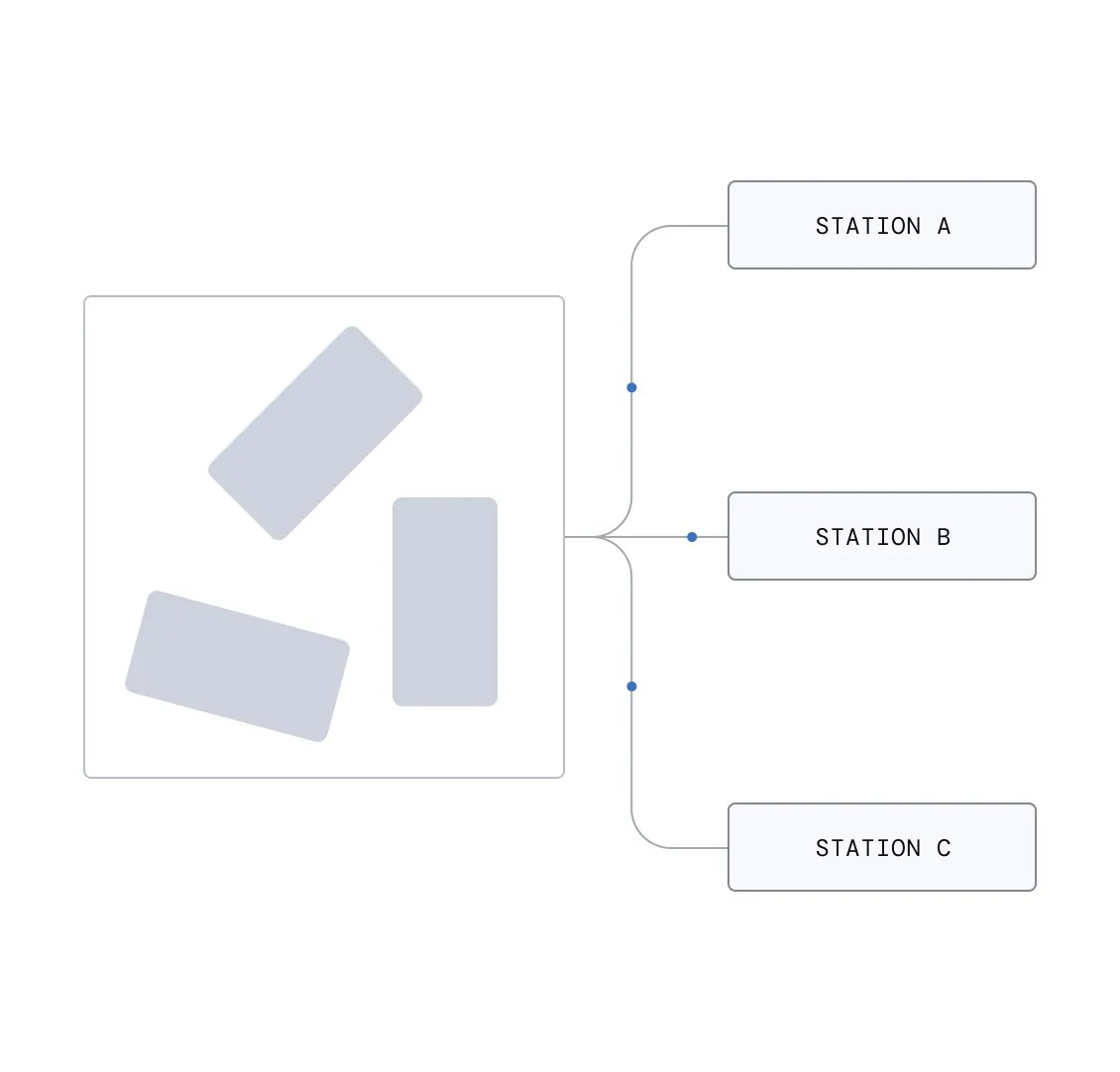
Bước “Assign inspection jobs to stations” trong Quality Inspection: workflow đi từ hiểu sản phẩm và sensitivity tới station job, live detection, defect action và feedback về process improvement.
Nguồn: Trang nguồn chính thức
C · UI FRAGMENT/COMPOSITE Live object detection
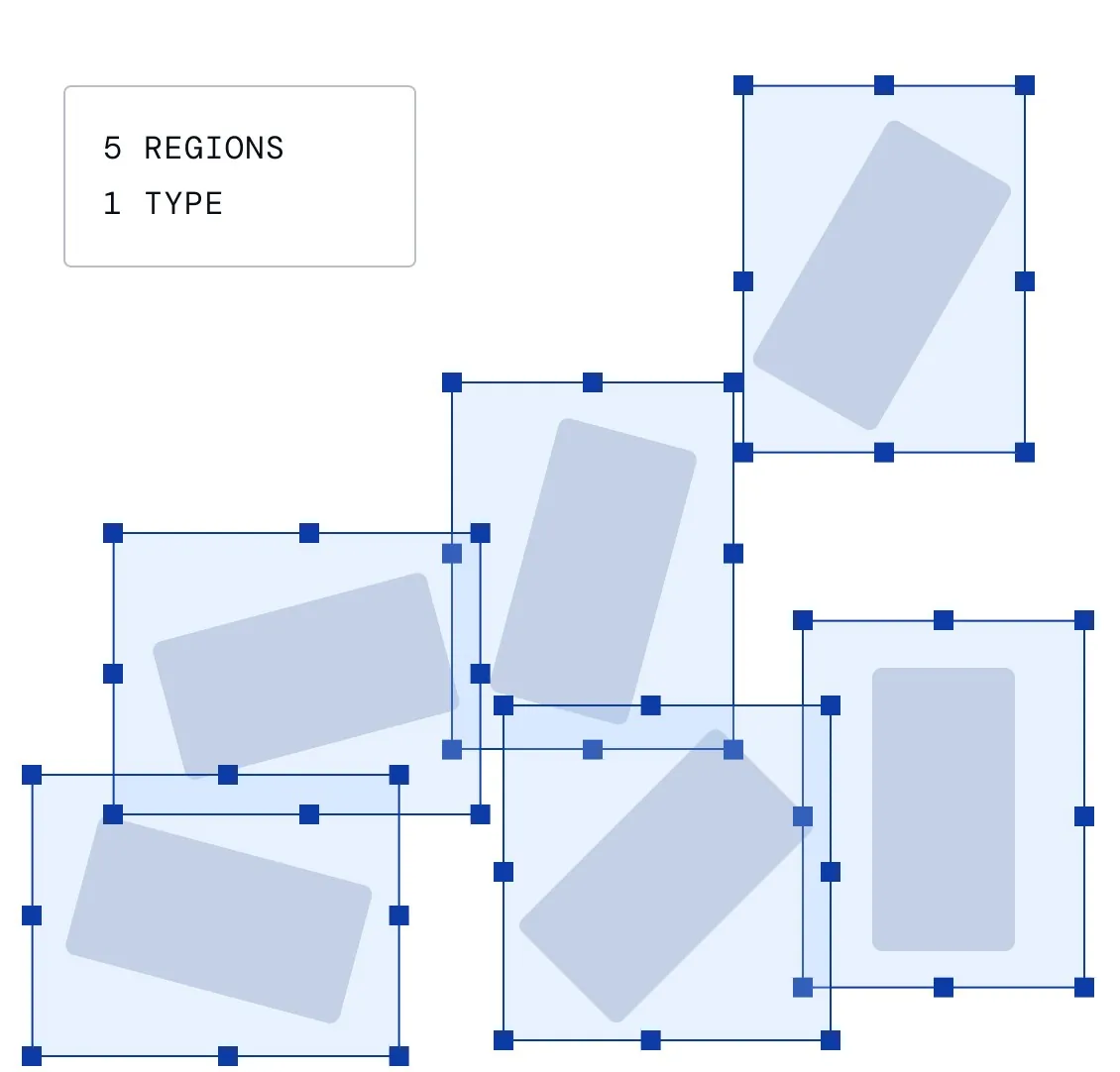
Bước “Live object detection” trong Quality Inspection: workflow đi từ hiểu sản phẩm và sensitivity tới station job, live detection, defect action và feedback về process improvement.
Nguồn: Trang nguồn chính thức
07E · ETHON WORKFLOW FRAGMENTS
Ethon — Quality Inspection flow · tiếp
C · UI FRAGMENT/COMPOSITE Automated defect detection and actions
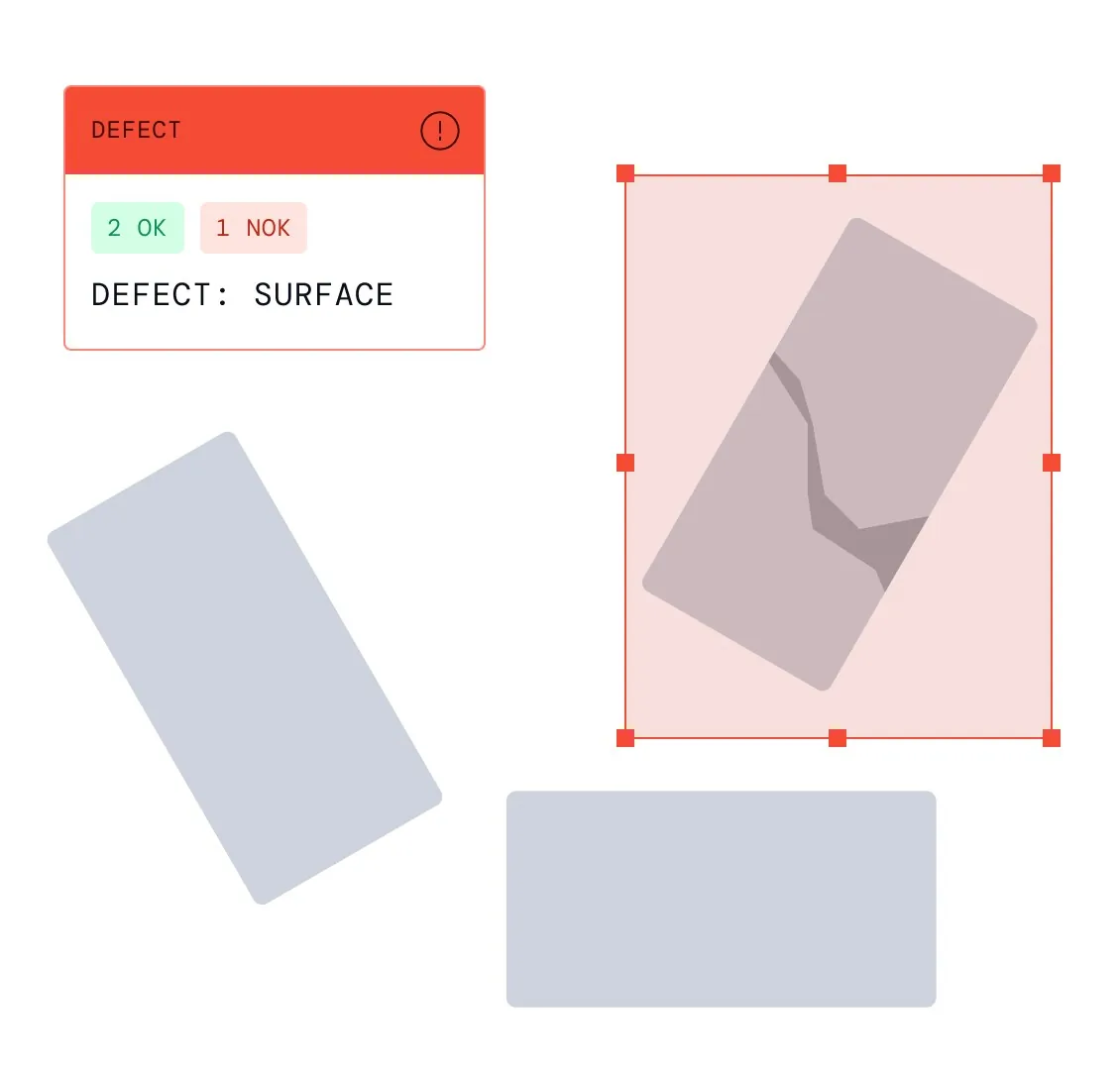
Bước “Automated defect detection and actions” trong Quality Inspection: workflow đi từ hiểu sản phẩm và sensitivity tới station job, live detection, defect action và feedback về process improvement.
Nguồn: Trang nguồn chính thức
C · UI FRAGMENT/COMPOSITE Quality insights for process improvement
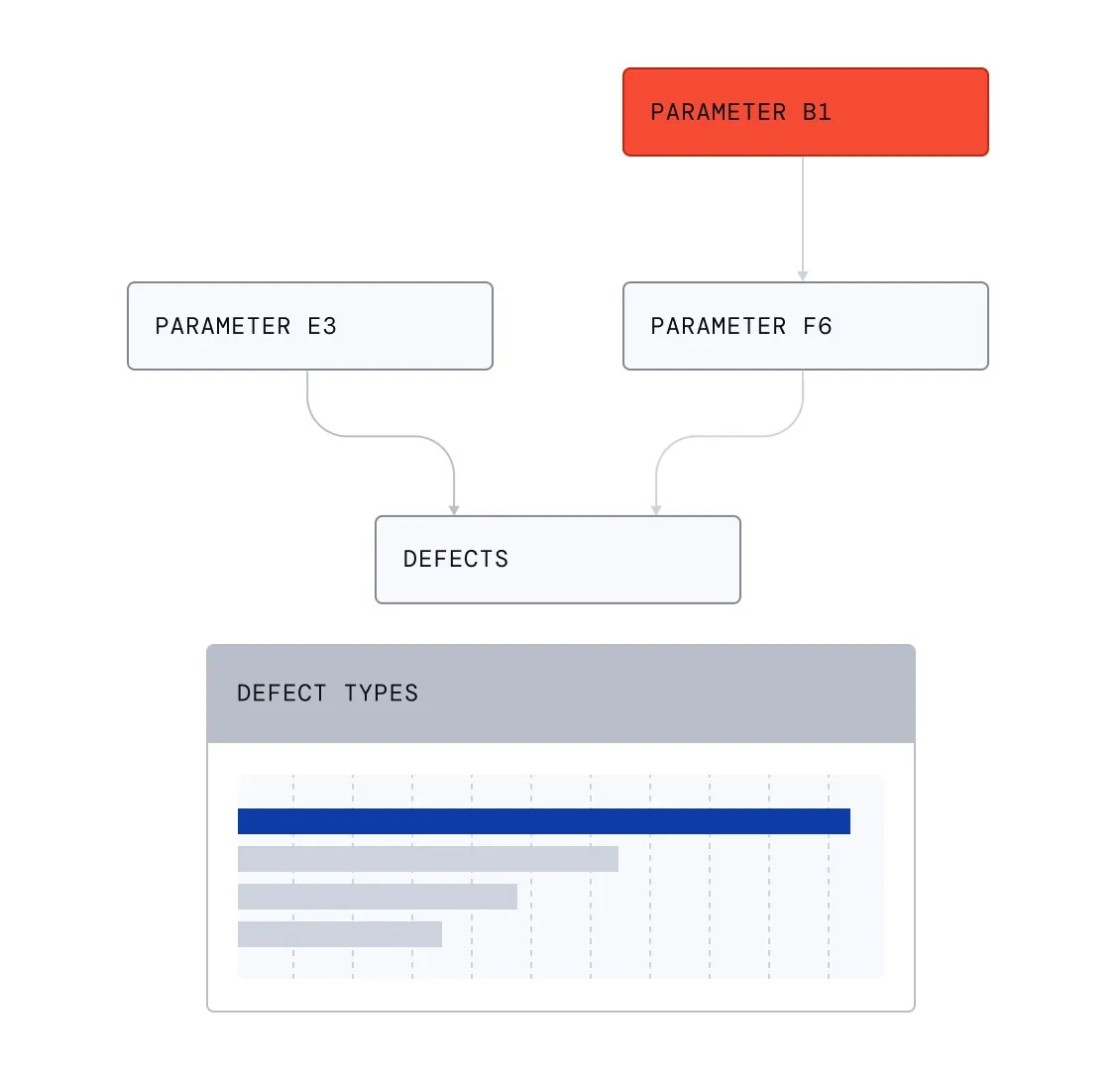
Bước “Quality insights for process improvement” trong Quality Inspection: workflow đi từ hiểu sản phẩm và sensitivity tới station job, live detection, defect action và feedback về process improvement.
Nguồn: Trang nguồn chính thức
07F · ETHON WORKFLOW FRAGMENTS
Ethon — Production Traceability flow
Các fragment mô tả trace, consolidated data model, flow reconstruction, diagnostics và digital value stream mapping.
C · UI FRAGMENT/COMPOSITE End to end part and batch trace
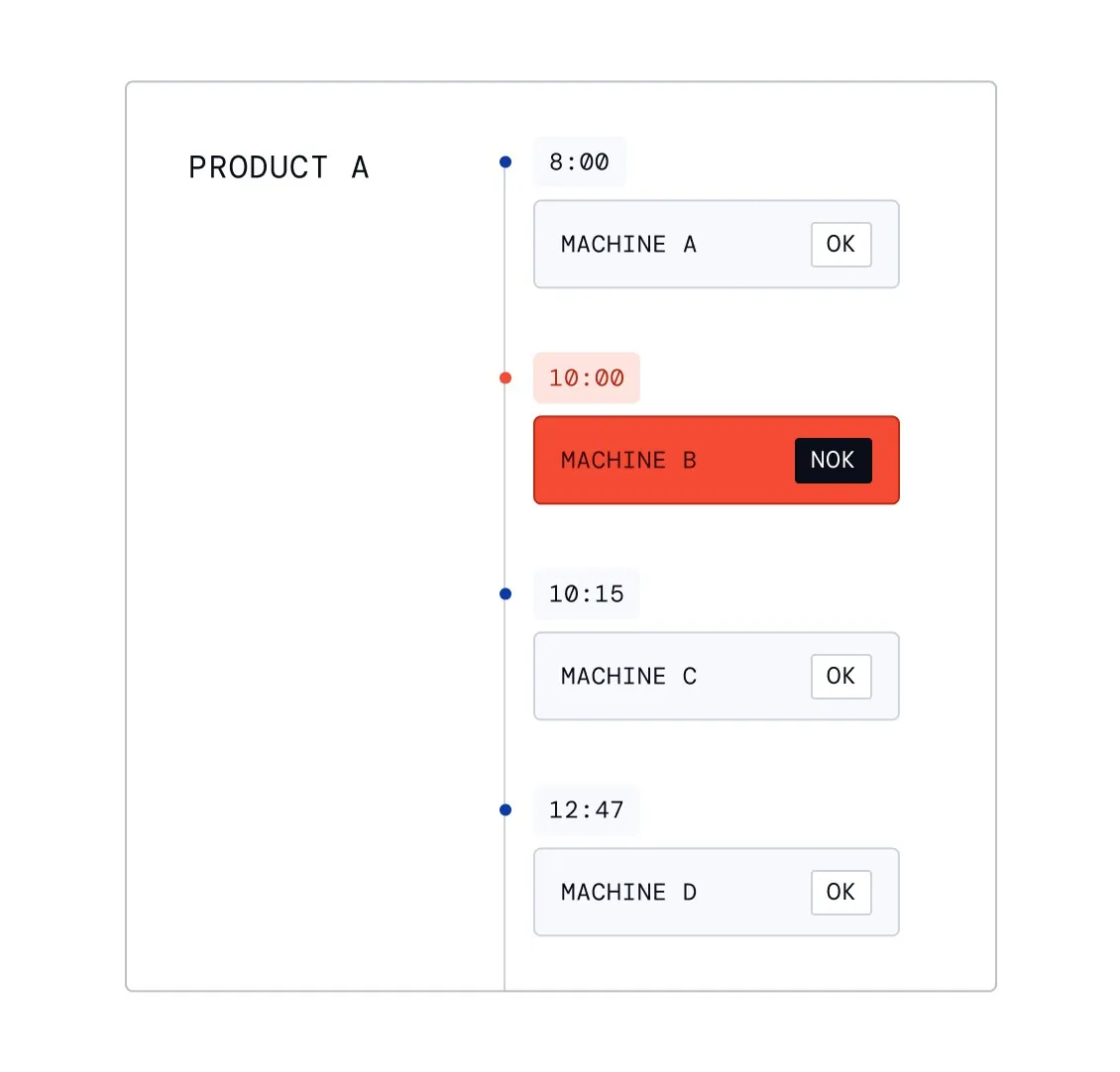
Bước “End to end part and batch trace” trong Production Traceability: event data được hợp nhất và tái dựng thành part/batch flow để phát hiện loop, skipping, backflow hoặc rework.
Nguồn: Trang nguồn chính thức
C · UI FRAGMENT/COMPOSITE Consolidated production data model
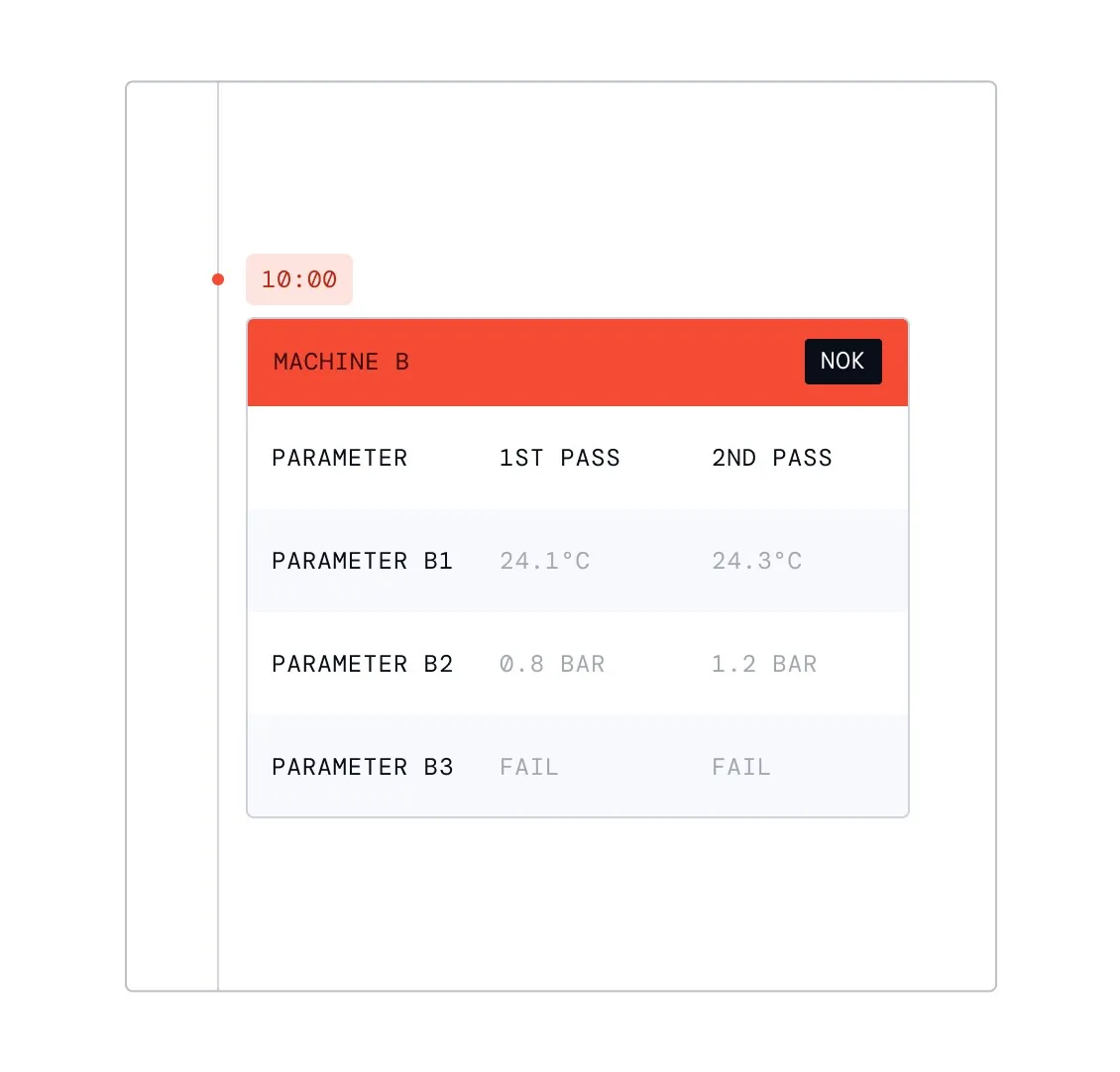
Bước “Consolidated production data model” trong Production Traceability: event data được hợp nhất và tái dựng thành part/batch flow để phát hiện loop, skipping, backflow hoặc rework.
Nguồn: Trang nguồn chính thức
07F · ETHON WORKFLOW FRAGMENTS
Ethon — Production Traceability flow · tiếp
C · UI FRAGMENT/COMPOSITE Process flow reconstruction
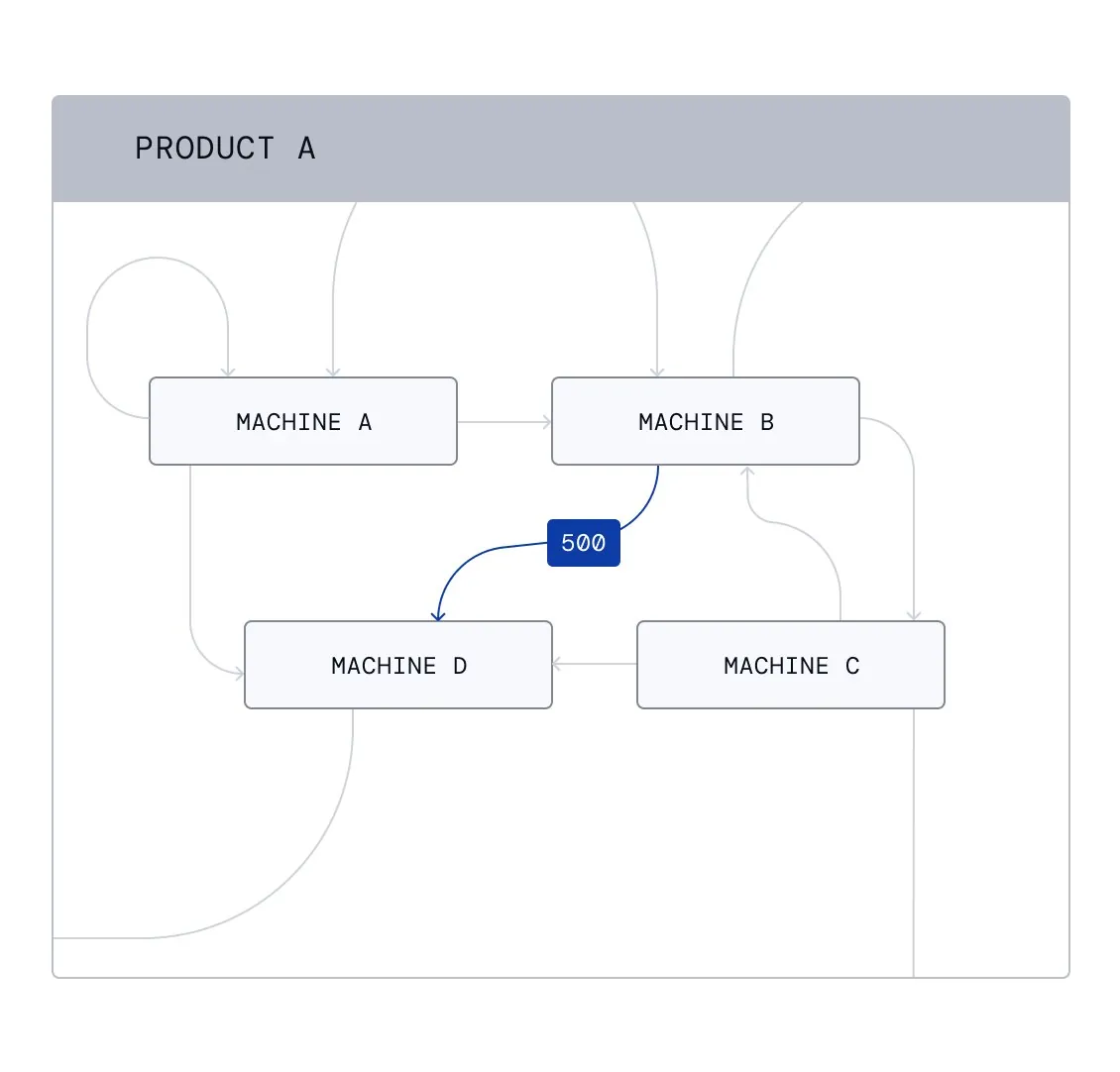
Bước “Process flow reconstruction” trong Production Traceability: event data được hợp nhất và tái dựng thành part/batch flow để phát hiện loop, skipping, backflow hoặc rework.
Nguồn: Trang nguồn chính thức
C · UI FRAGMENT/COMPOSITE Flow diagnostics
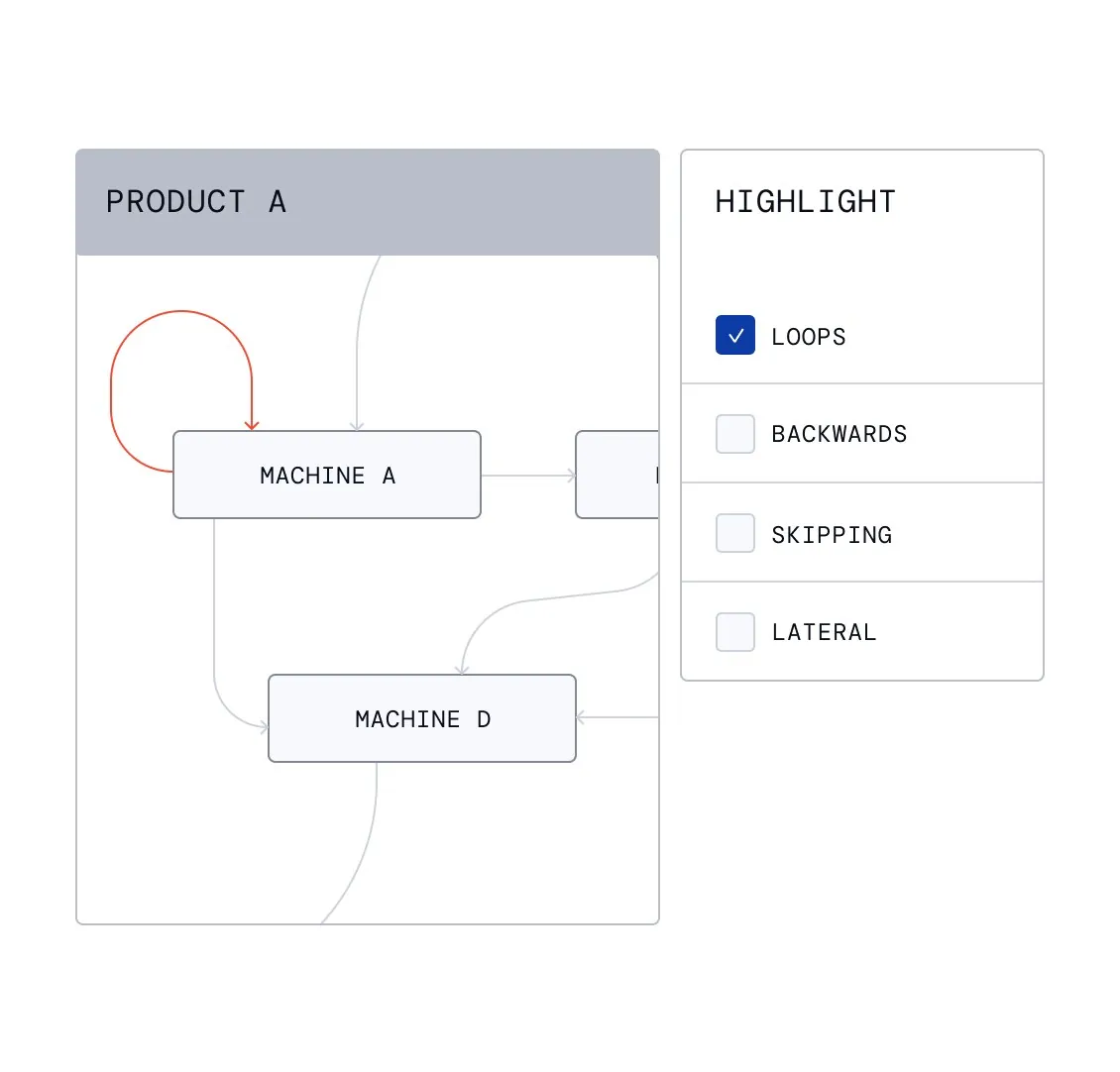
Bước “Flow diagnostics” trong Production Traceability: event data được hợp nhất và tái dựng thành part/batch flow để phát hiện loop, skipping, backflow hoặc rework.
Nguồn: Trang nguồn chính thức
07F · ETHON WORKFLOW FRAGMENTS
Ethon — Production Traceability flow · tiếp
C · UI FRAGMENT/COMPOSITE Automated digital value stream mapping
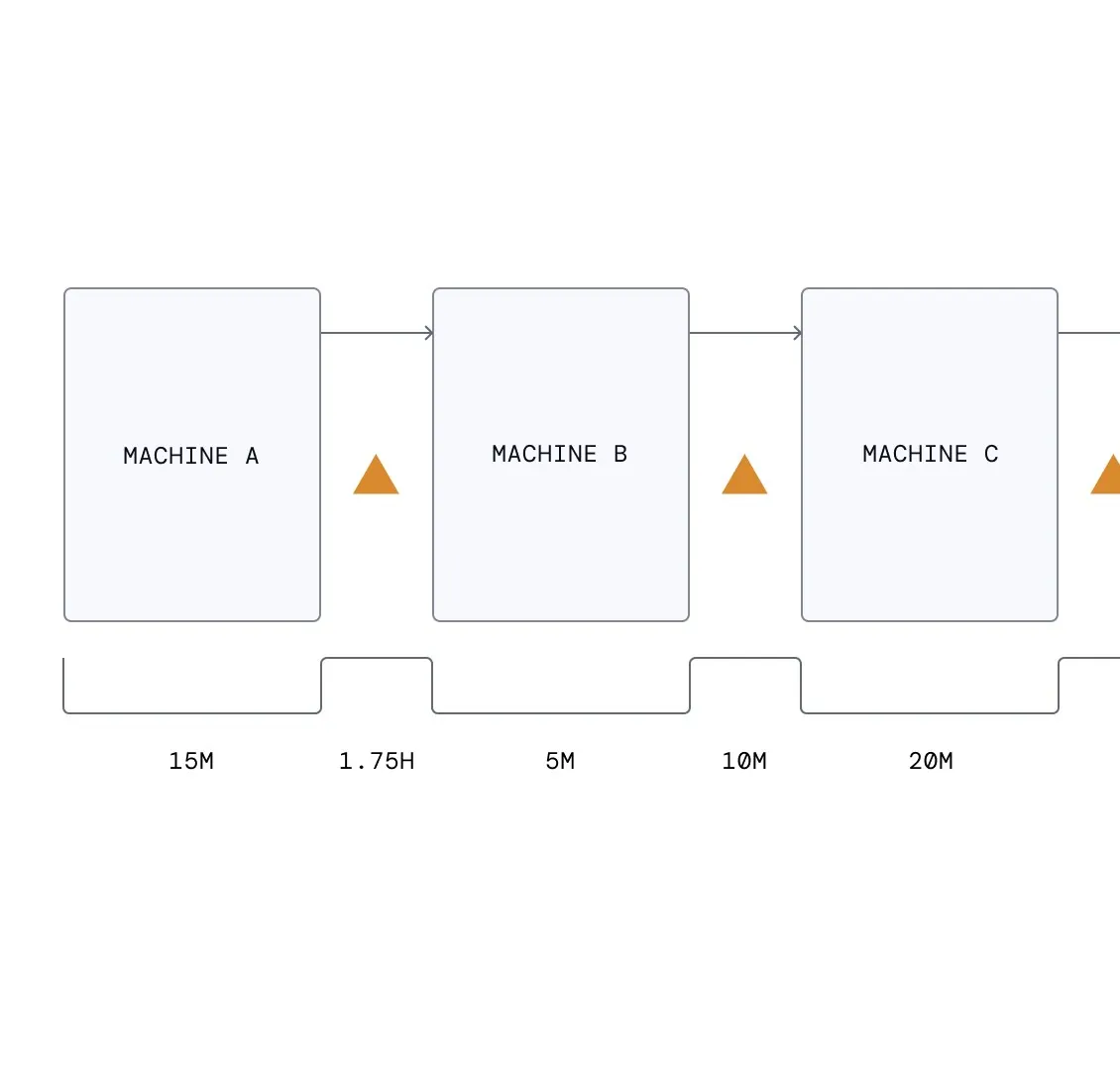
Bước “Automated digital value stream mapping” trong Production Traceability: event data được hợp nhất và tái dựng thành part/batch flow để phát hiện loop, skipping, backflow hoặc rework.
Nguồn: Trang nguồn chính thức
08A · ETHON PERSONA FRAGMENTS
Ethon role views — Management & plant leadership
Persona-led fragments kể cùng product loop bằng ngôn ngữ KPI, transparency và OEE/yield impact.
C · UI FRAGMENT/COMPOSITE Kpi table shows a gap
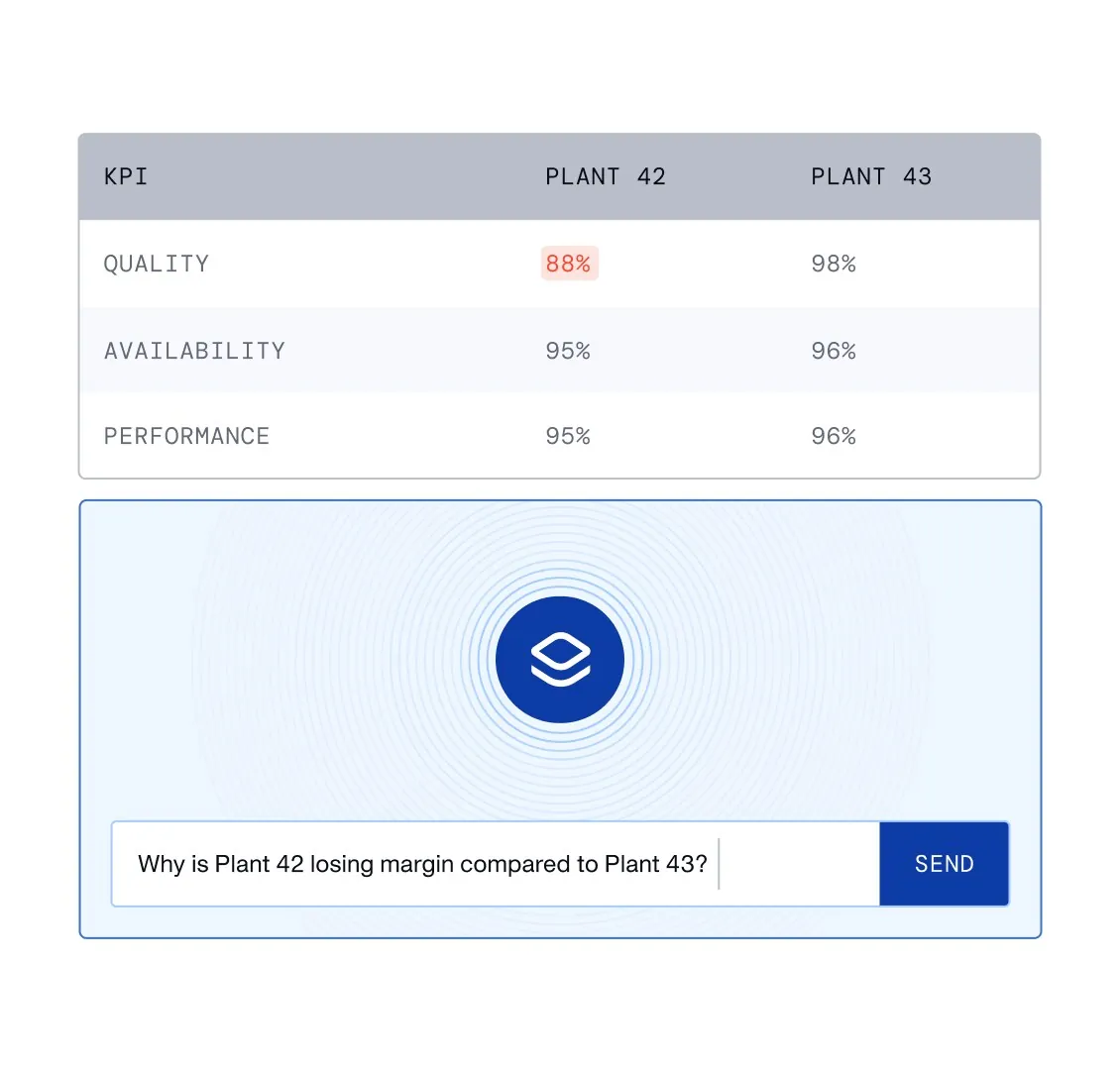
Management view “Kpi table shows a gap” dịch factory signal thành KPI, financial/operational impact và ưu tiên hành động dễ đọc.
Nguồn: Trang nguồn chính thức
C · UI FRAGMENT/COMPOSITE Instant transparency
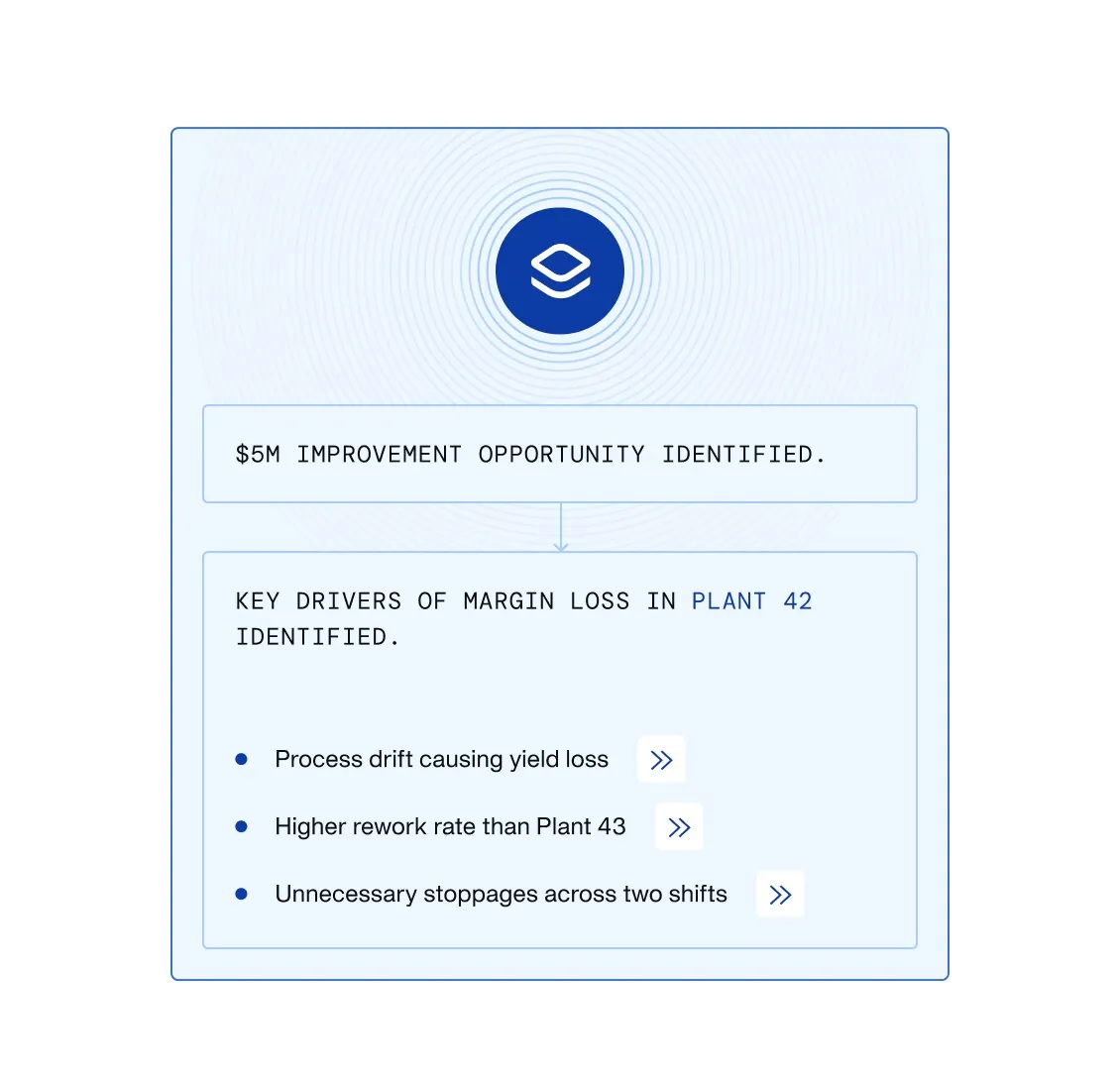
Management view “Instant transparency” dịch factory signal thành KPI, financial/operational impact và ưu tiên hành động dễ đọc.
Nguồn: Trang nguồn chính thức
08A · ETHON PERSONA FRAGMENTS
Ethon role views — Management & plant leadership · tiếp
C · UI FRAGMENT/COMPOSITE Kpi improves margin moves
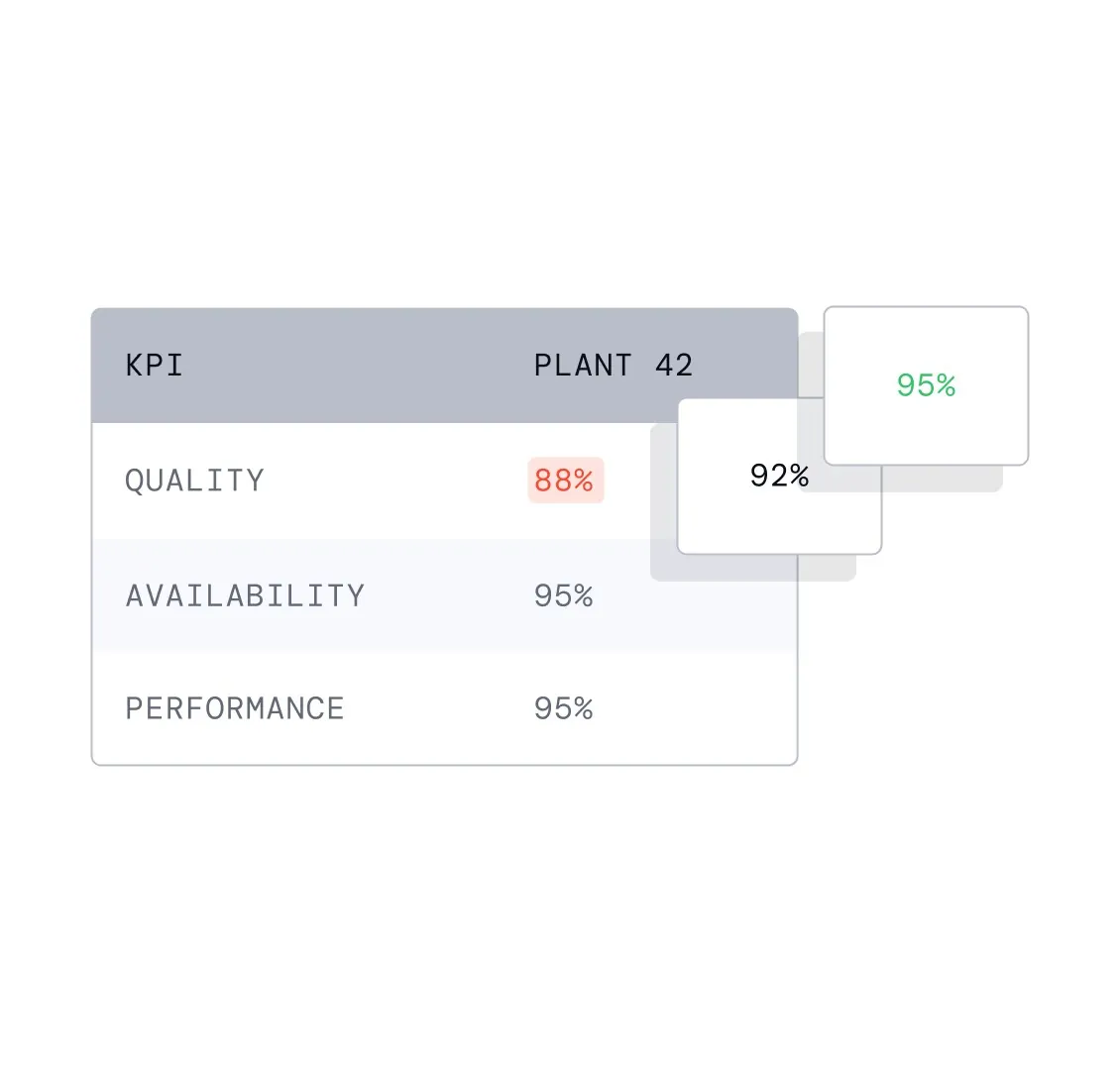
Management view “Kpi improves margin moves” dịch factory signal thành KPI, financial/operational impact và ưu tiên hành động dễ đọc.
Nguồn: Trang nguồn chính thức
C · UI FRAGMENT/COMPOSITE High oee baseline
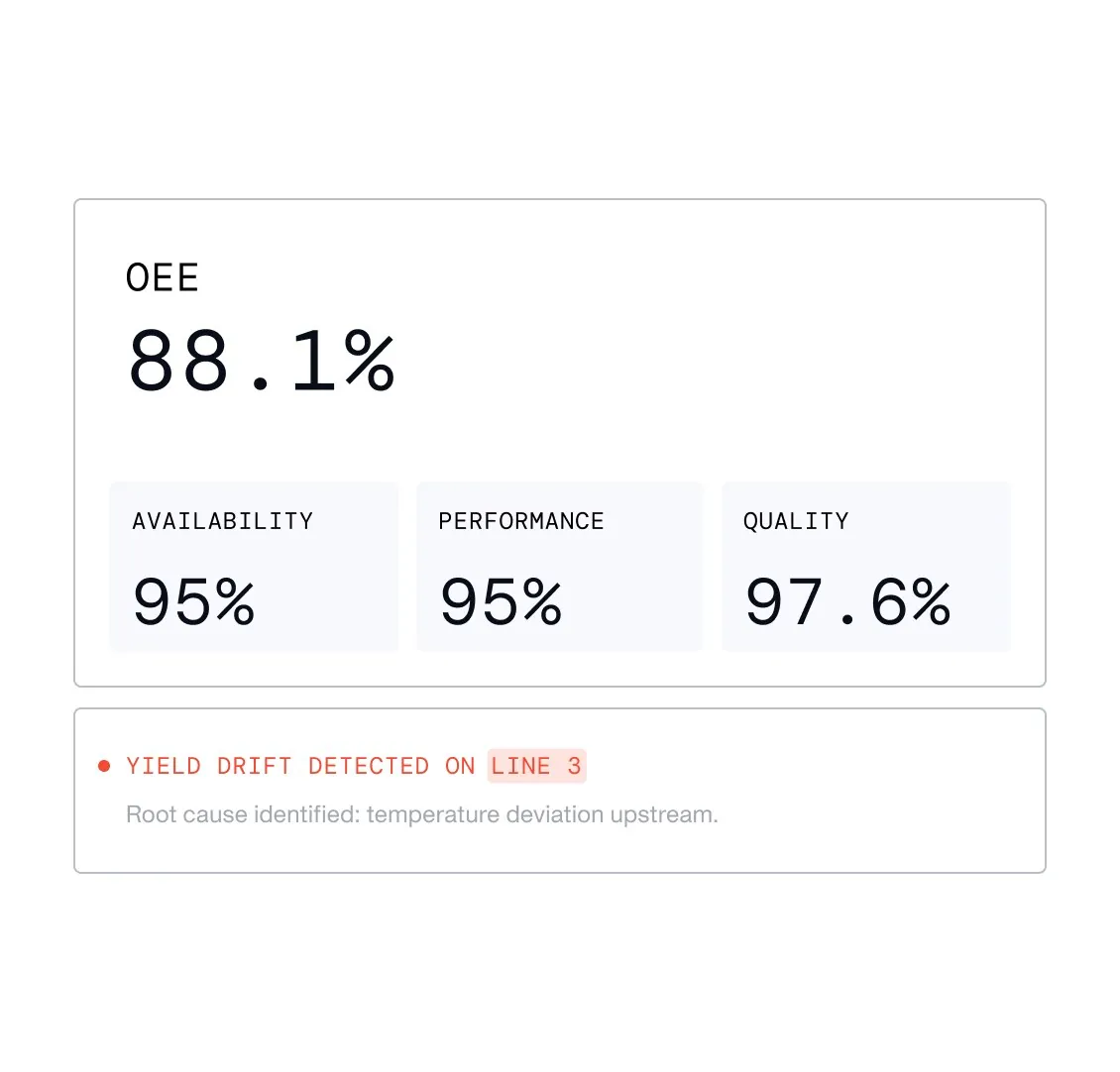
Plant-management state “High oee baseline” cho thấy OEE/yield baseline, deviation do agent phát hiện và tác động sau can thiệp.
Nguồn: Trang nguồn chính thức
08A · ETHON PERSONA FRAGMENTS
Ethon role views — Management & plant leadership · tiếp
C · UI FRAGMENT/COMPOSITE Agent detects yield drift
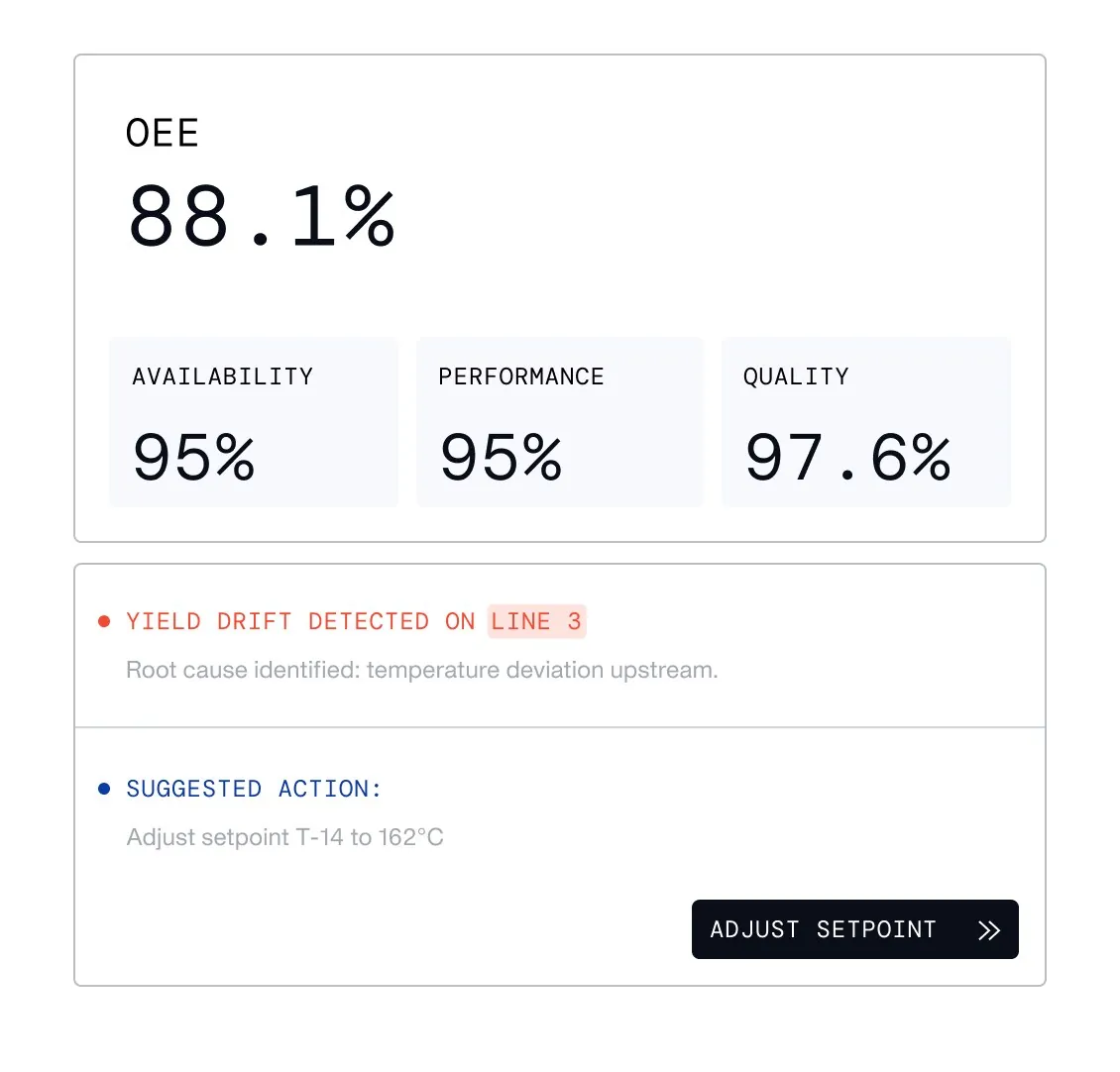
Plant-management state “Agent detects yield drift” cho thấy OEE/yield baseline, deviation do agent phát hiện và tác động sau can thiệp.
Nguồn: Trang nguồn chính thức
C · UI FRAGMENT/COMPOSITE Agent prevents downtime
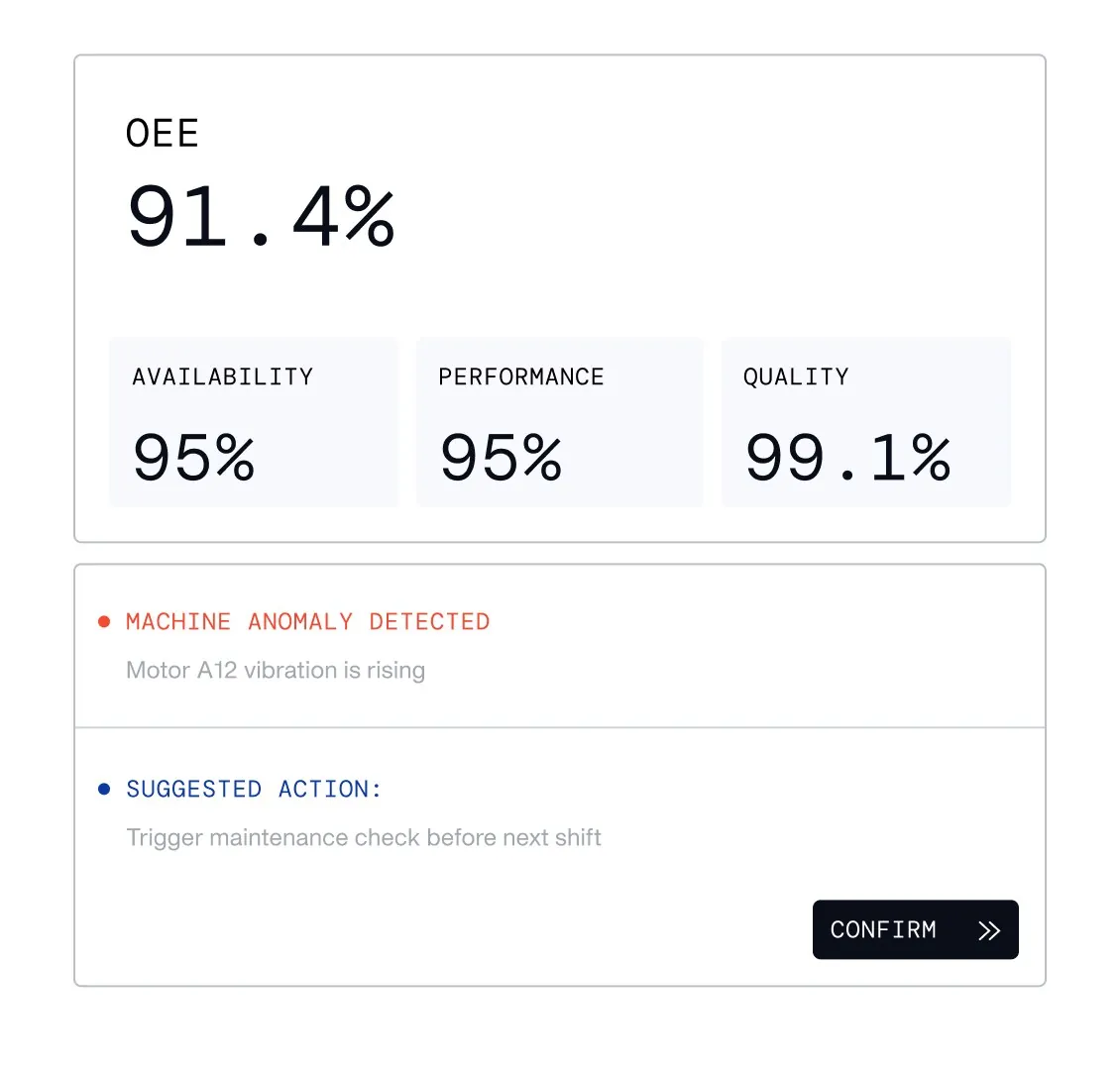
Plant-management state “Agent prevents downtime” cho thấy OEE/yield baseline, deviation do agent phát hiện và tác động sau can thiệp.
Nguồn: Trang nguồn chính thức
08B · ETHON PERSONA FRAGMENTS
Ethon role views — Manufacturing technology
Ba factory states mô tả chuẩn hóa và scale deployment qua nhiều site.
C · UI FRAGMENT/COMPOSITE Four-factory rollout — baseline
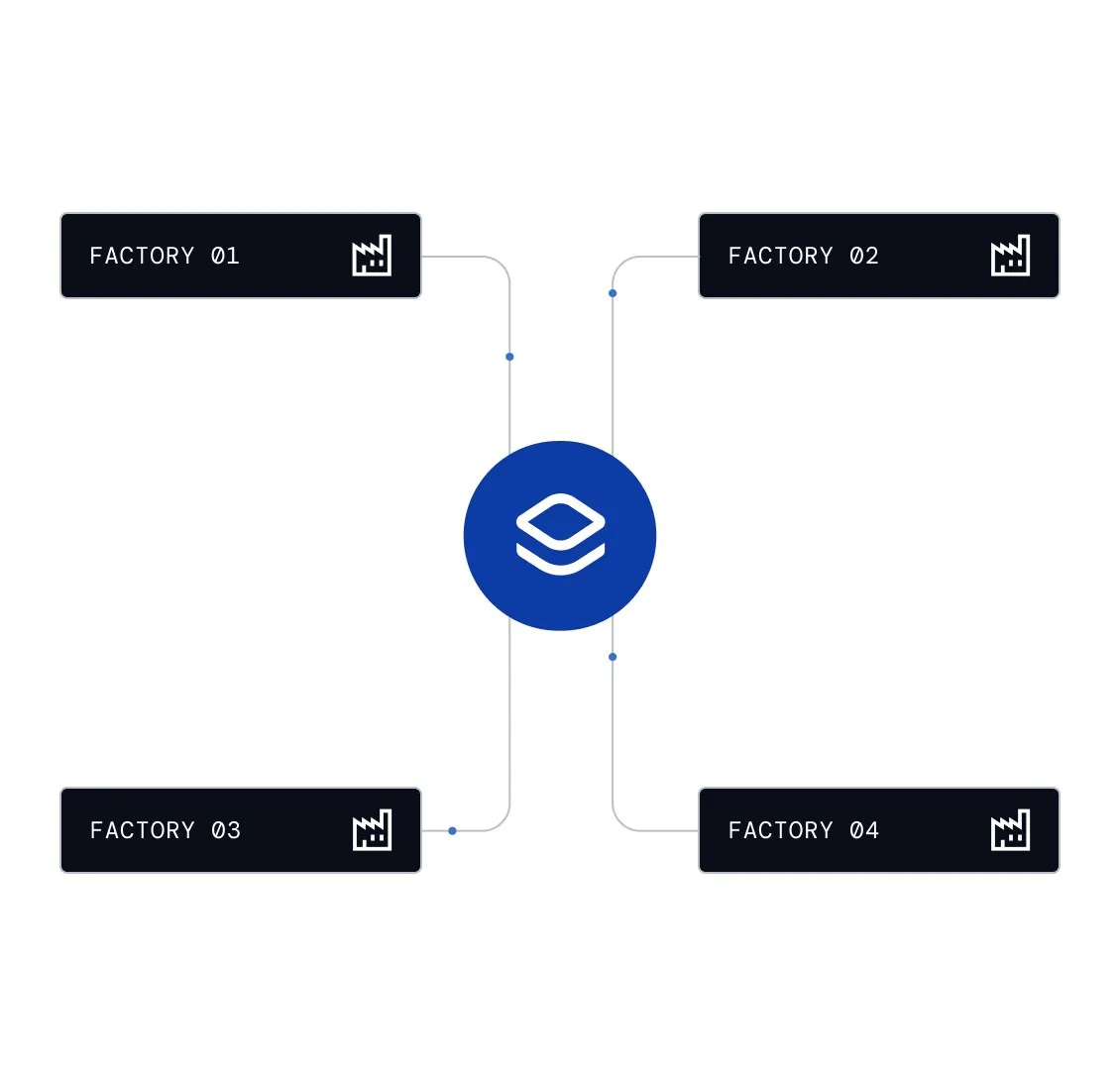
Manufacturing-technology state “Four-factory rollout — baseline” minh họa một control/data layer được triển khai và chuẩn hóa qua nhiều factory.
Nguồn: Trang nguồn chính thức
C · UI FRAGMENT/COMPOSITE Four-factory rollout — standardized layer
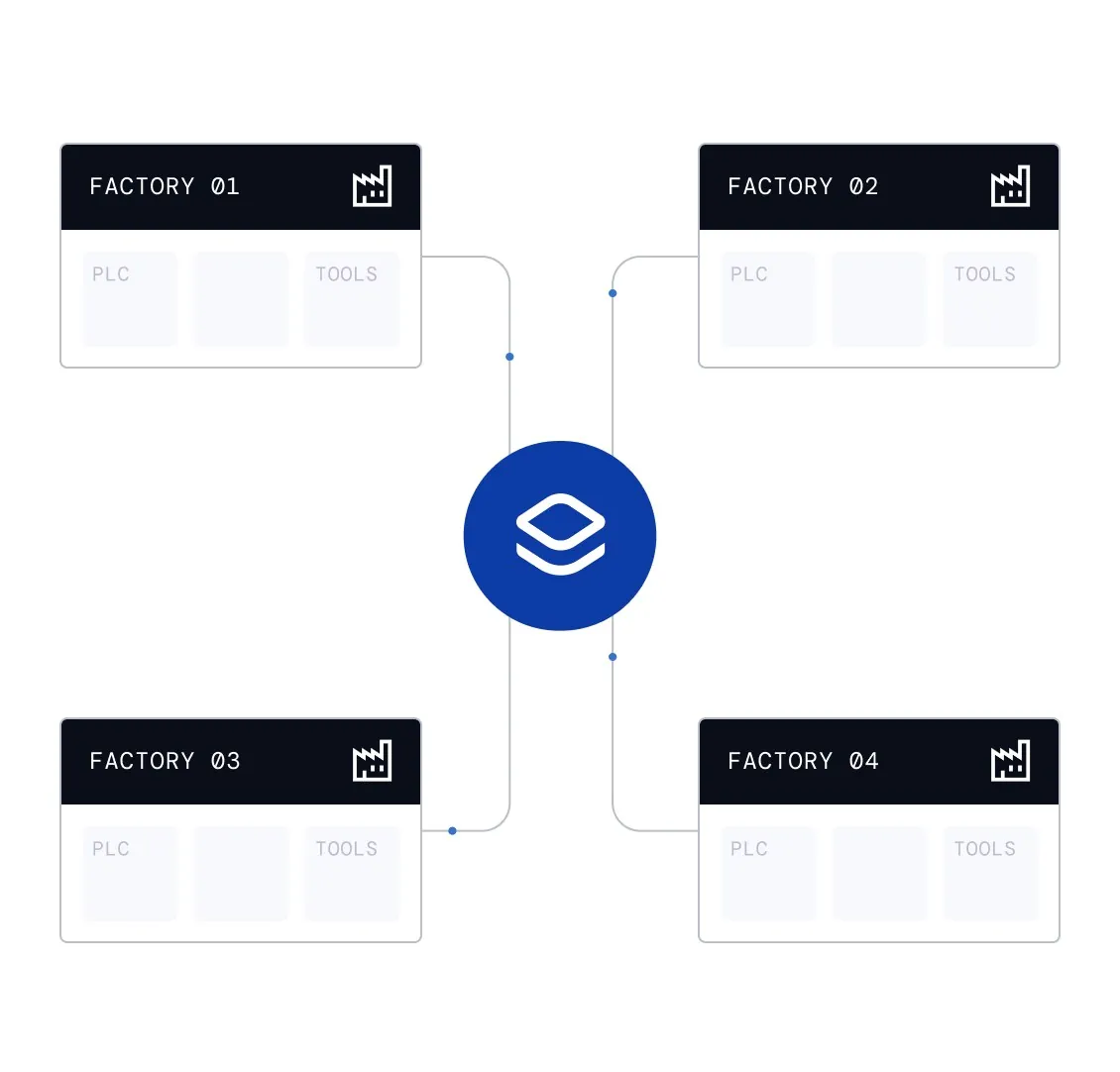
Manufacturing-technology state “Four-factory rollout — standardized layer” minh họa một control/data layer được triển khai và chuẩn hóa qua nhiều factory.
Nguồn: Trang nguồn chính thức
08B · ETHON PERSONA FRAGMENTS
Ethon role views — Manufacturing technology · tiếp
C · UI FRAGMENT/COMPOSITE Four-factory rollout — scaled deployment
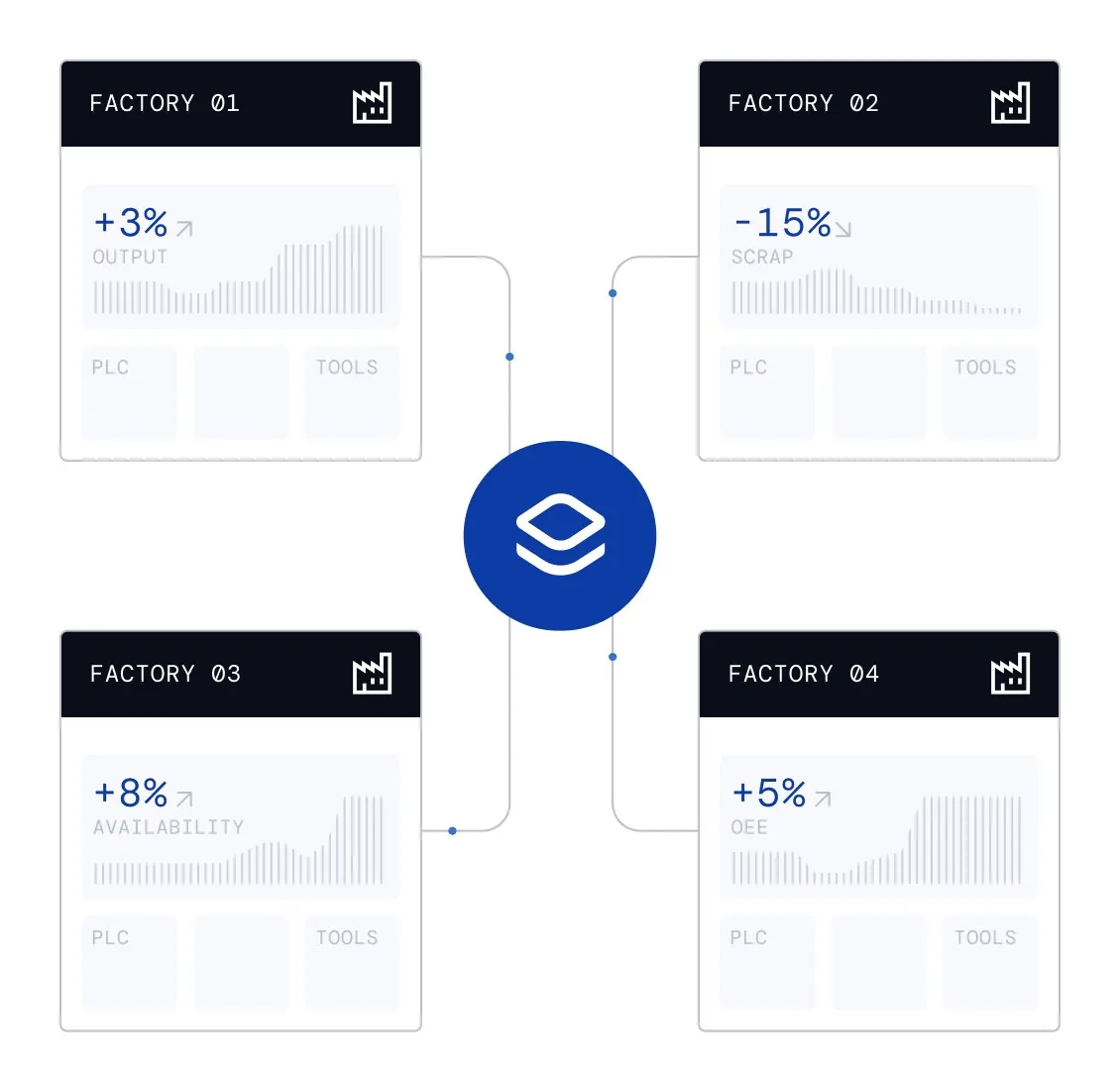
Manufacturing-technology state “Four-factory rollout — scaled deployment” minh họa một control/data layer được triển khai và chuẩn hóa qua nhiều factory.
Nguồn: Trang nguồn chính thức
08C · ETHON PERSONA FRAGMENTS
Ethon role views — Process expert & frontline
Process expert đi từ hiểu → cải thiện → control; frontline đi từ issue → explanation → restored stability.
C · UI FRAGMENT/COMPOSITE Understand your processes
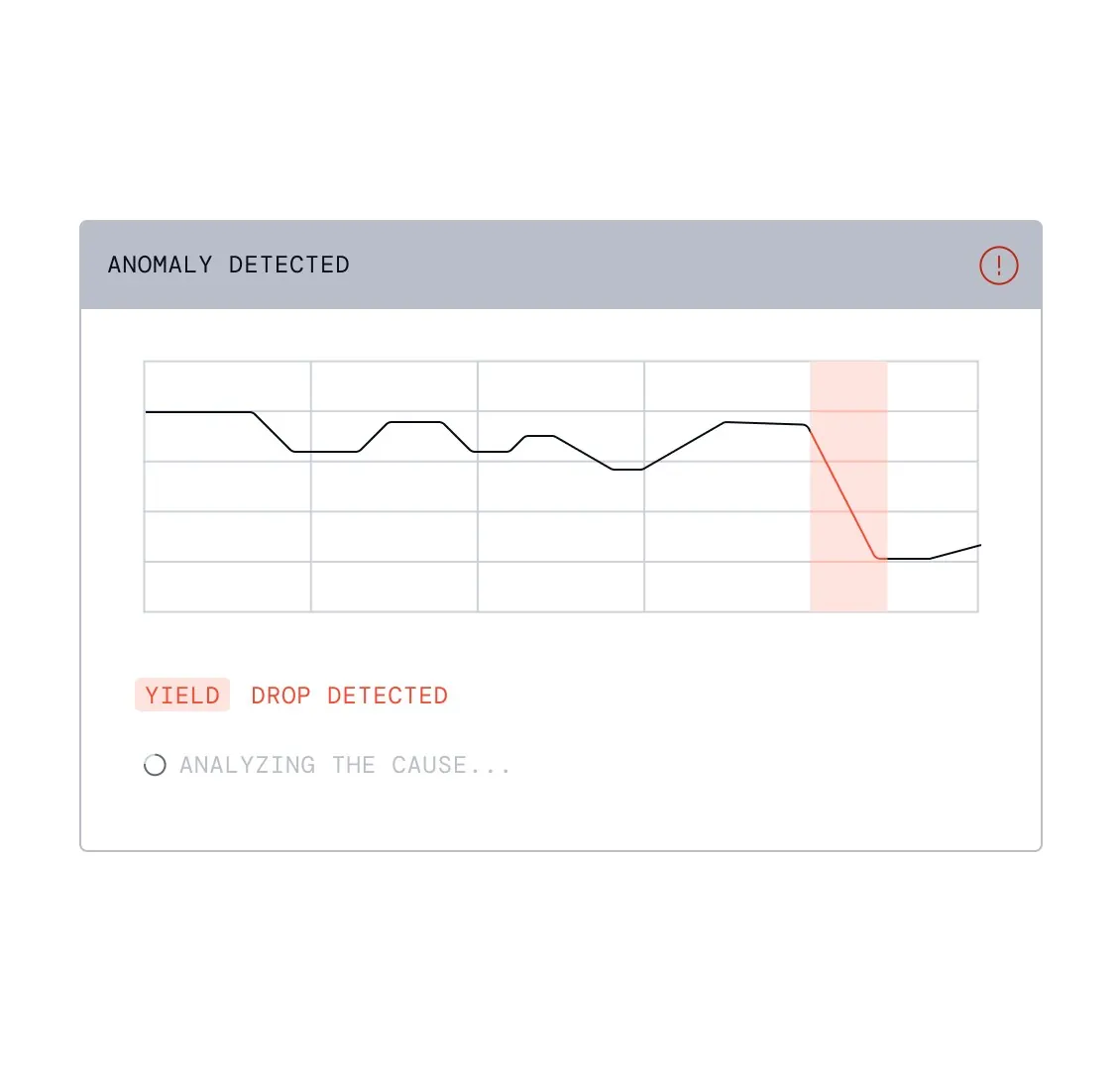
Process-expert state “Understand your processes” đưa người dùng từ hiểu process tới fix đúng driver và theo dõi control effect theo thời gian thực.
Nguồn: Trang nguồn chính thức
C · UI FRAGMENT/COMPOSITE Improve with the right fixes
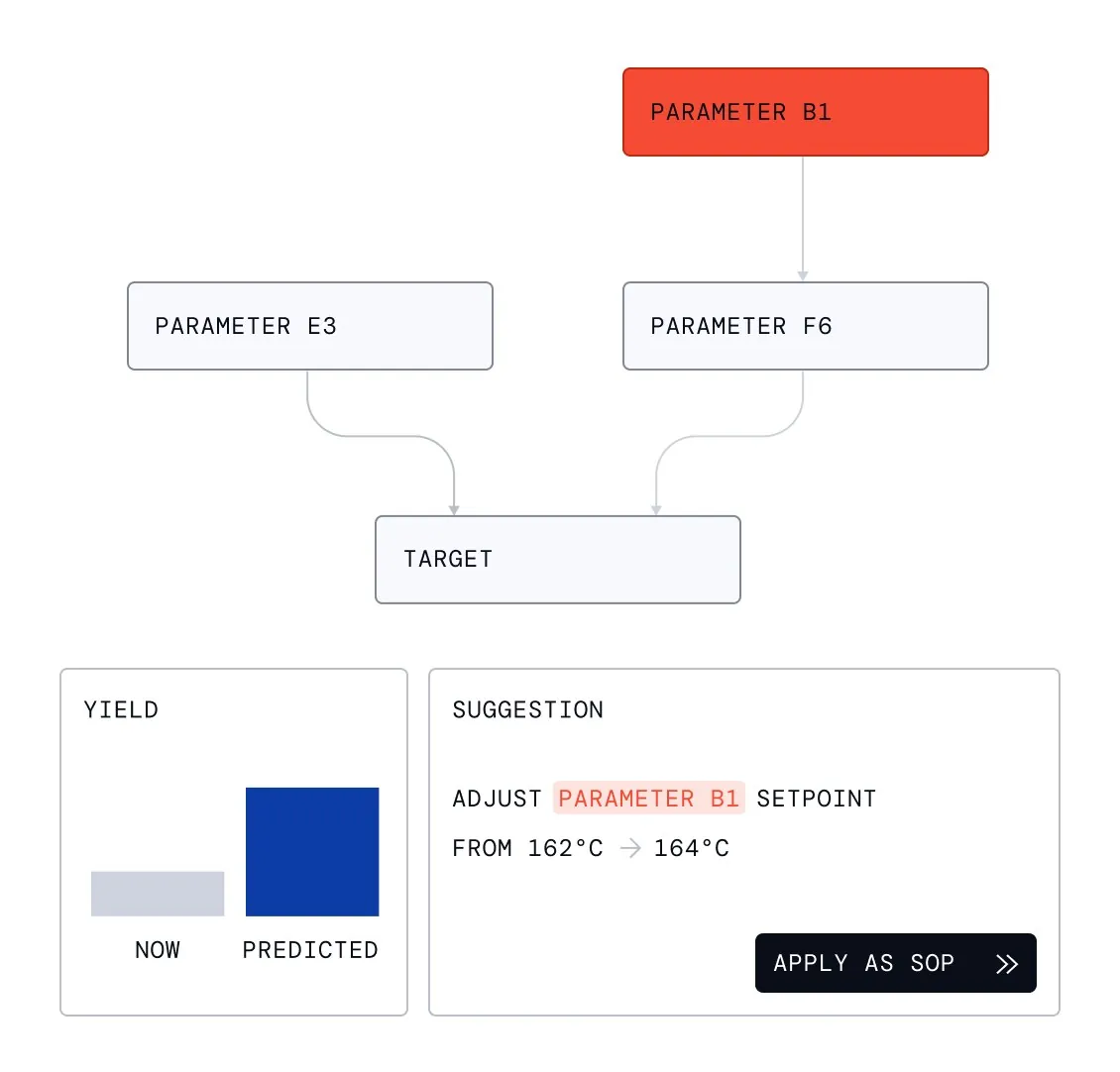
Process-expert state “Improve with the right fixes” đưa người dùng từ hiểu process tới fix đúng driver và theo dõi control effect theo thời gian thực.
Nguồn: Trang nguồn chính thức
08C · ETHON PERSONA FRAGMENTS
Ethon role views — Process expert & frontline · tiếp
C · UI FRAGMENT/COMPOSITE Control your processes in real time
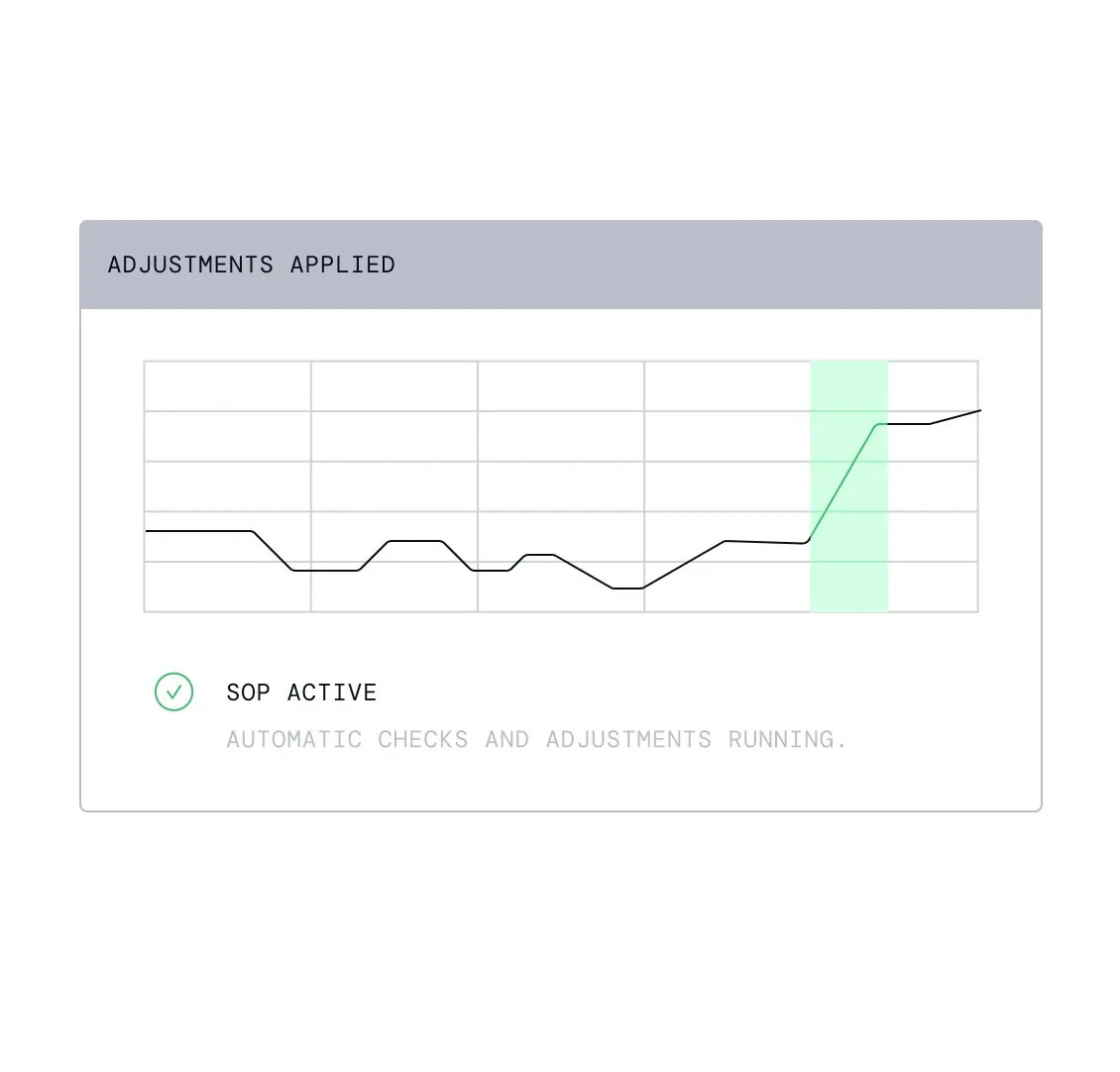
Process-expert state “Control your processes in real time” đưa người dùng từ hiểu process tới fix đúng driver và theo dõi control effect theo thời gian thực.
Nguồn: Trang nguồn chính thức
C · UI FRAGMENT/COMPOSITE Issue detected
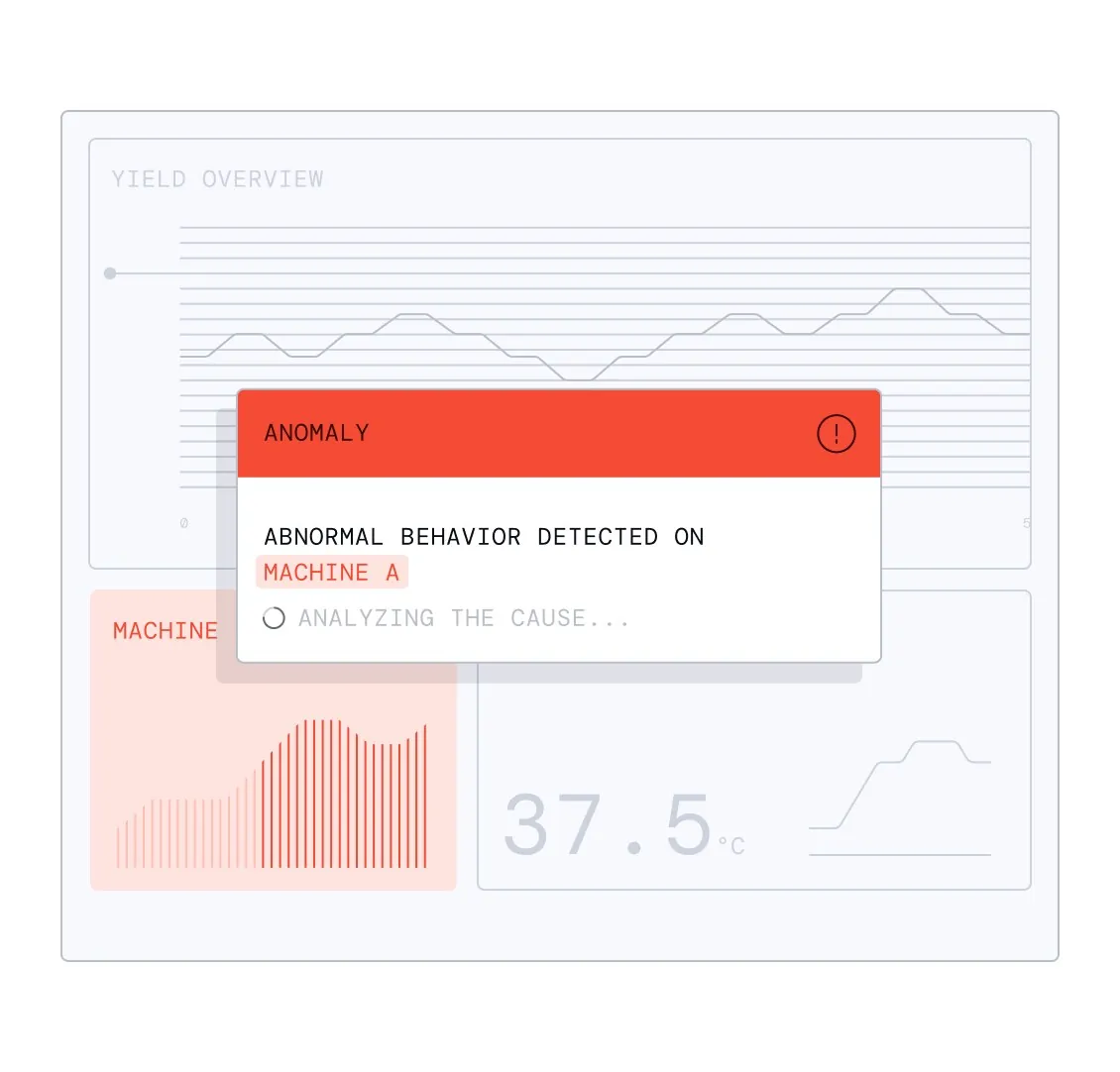
Frontline state “Issue detected” rút decision loop thành issue detected → cause explained → action taken → stability restored.
Nguồn: Trang nguồn chính thức
08C · ETHON PERSONA FRAGMENTS
Ethon role views — Process expert & frontline · tiếp
C · UI FRAGMENT/COMPOSITE Cause explained simply
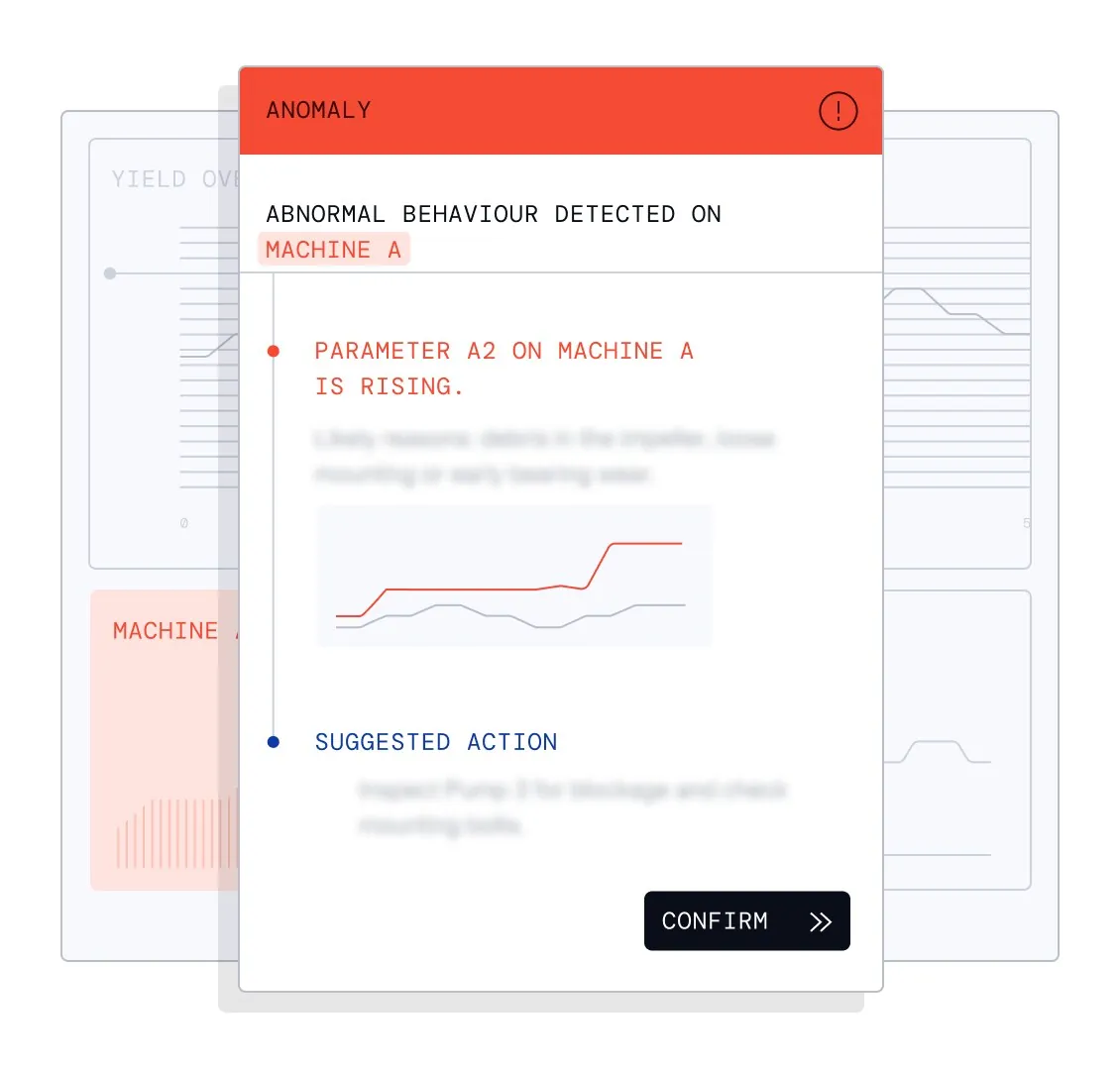
Frontline state “Cause explained simply” rút decision loop thành issue detected → cause explained → action taken → stability restored.
Nguồn: Trang nguồn chính thức
C · UI FRAGMENT/COMPOSITE Action taken stability restored
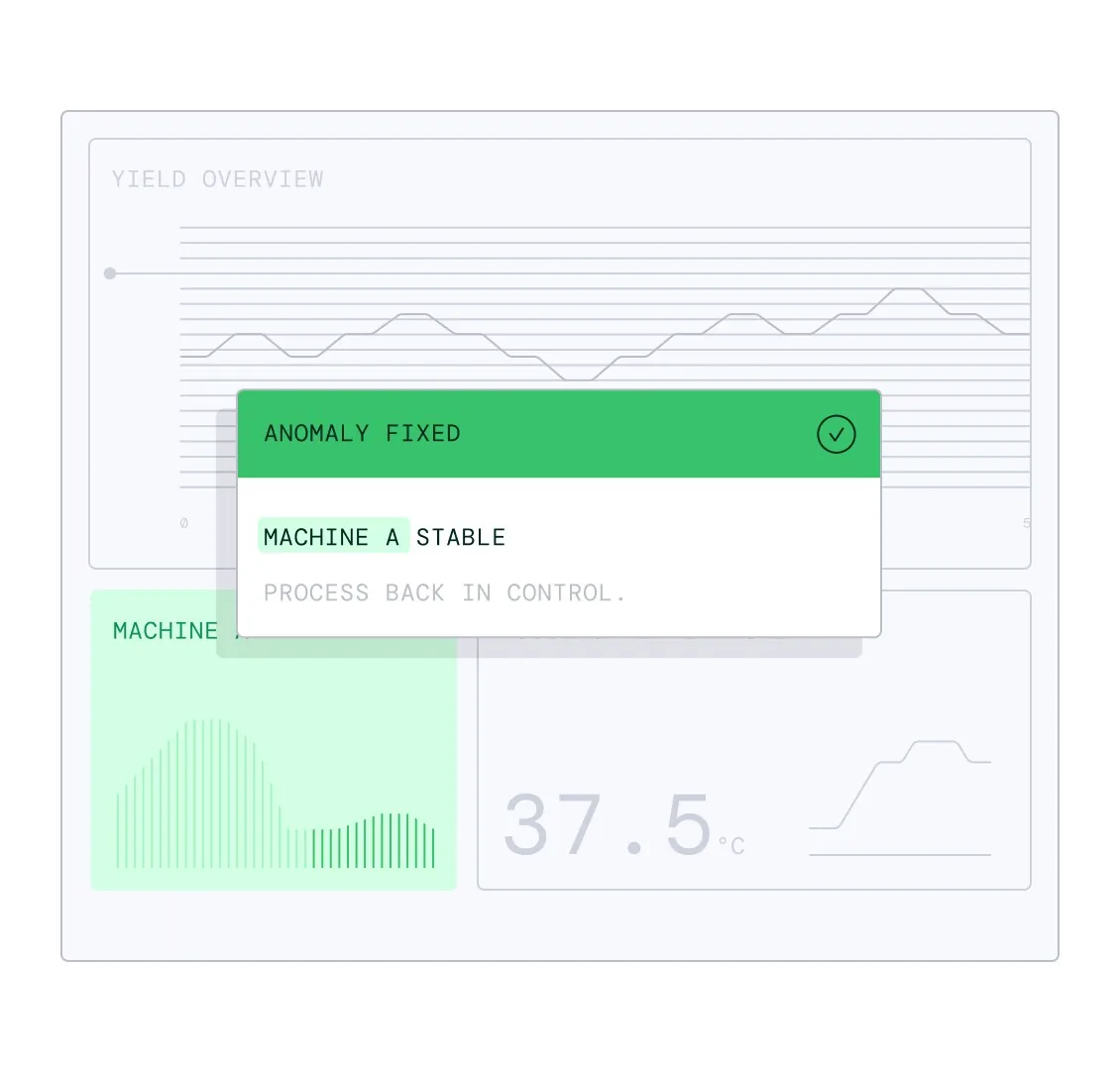
Frontline state “Action taken stability restored” rút decision loop thành issue detected → cause explained → action taken → stability restored.
Nguồn: Trang nguồn chính thức
08D · ETHON PERSONA FRAGMENTS
Ethon role views — Data science & IT
Data-science surfaces mở data/model workflow; IT surfaces nhấn mạnh một kết nối, structured data và scale deployment.
C · UI FRAGMENT/COMPOSITE Get clean factory data instantly
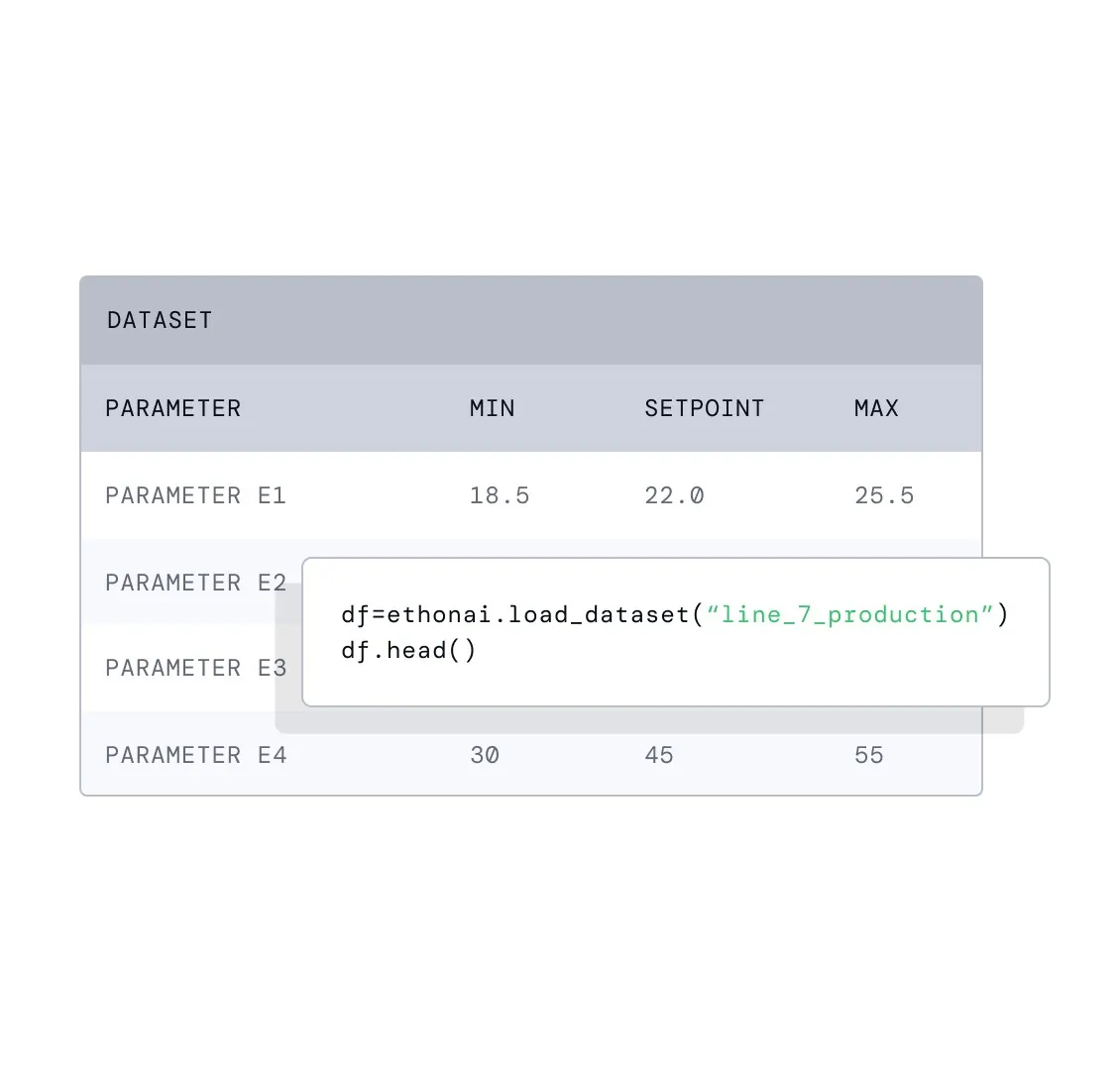
Data-science state “Get clean factory data instantly” mở factory data và agent insight cho Python, custom model hoặc workflow mà vẫn giữ industrial context.
Nguồn: Trang nguồn chính thức
C · UI FRAGMENT/COMPOSITE Access agent insights in python
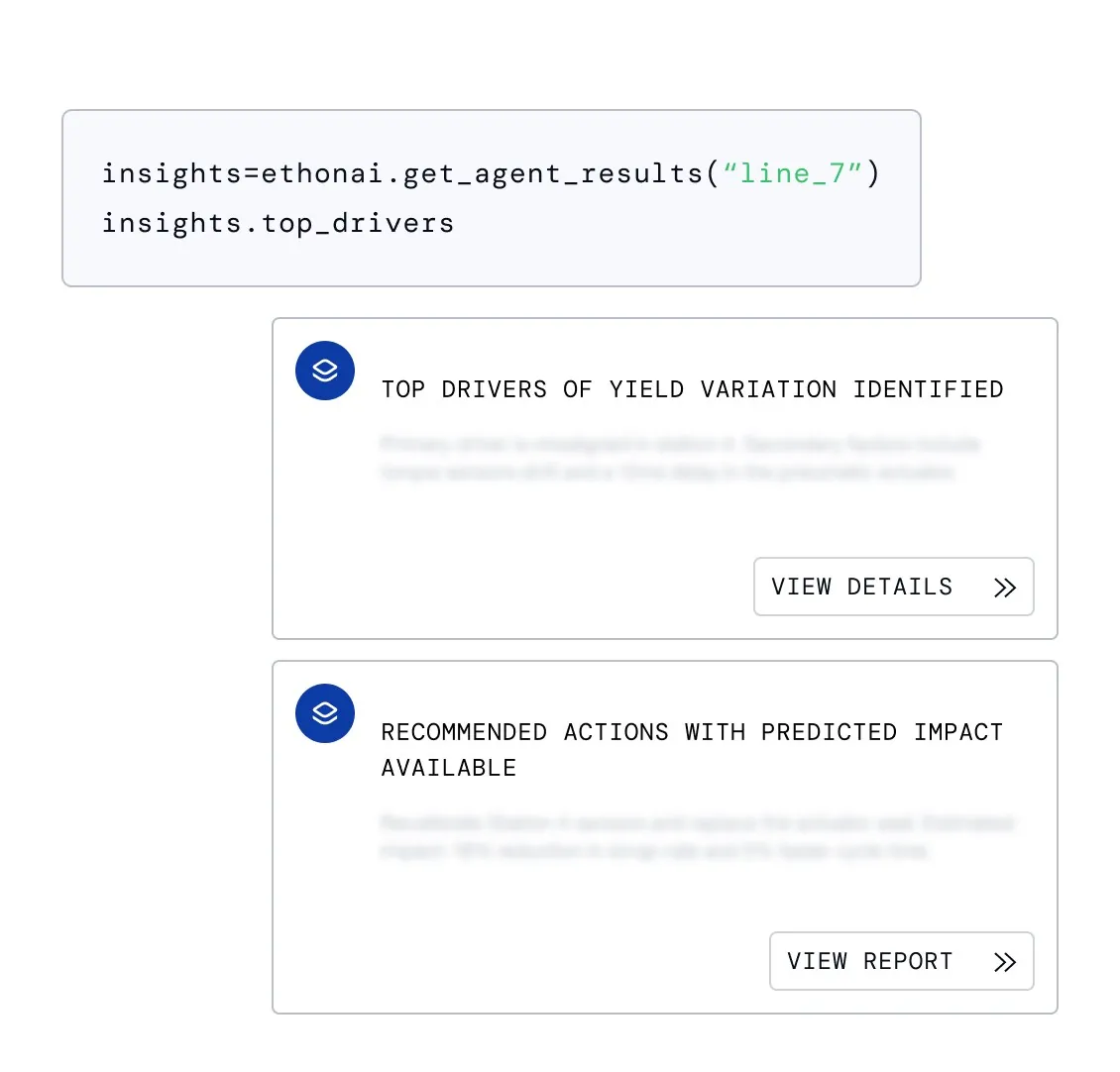
Data-science state “Access agent insights in python” mở factory data và agent insight cho Python, custom model hoặc workflow mà vẫn giữ industrial context.
Nguồn: Trang nguồn chính thức
08D · ETHON PERSONA FRAGMENTS
Ethon role views — Data science & IT · tiếp
C · UI FRAGMENT/COMPOSITE Build custom models and workflows
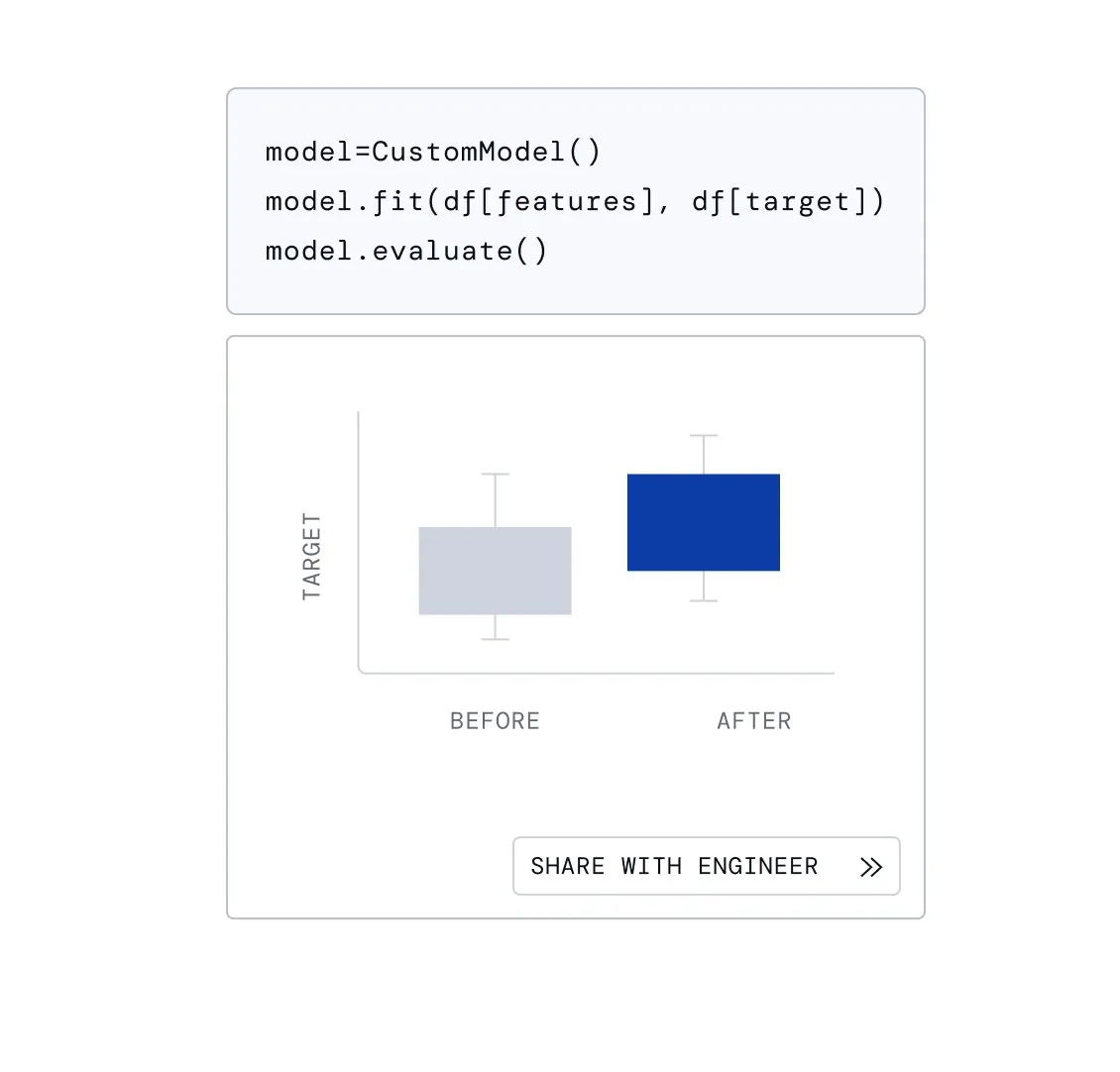
Data-science state “Build custom models and workflows” mở factory data và agent insight cho Python, custom model hoặc workflow mà vẫn giữ industrial context.
Nguồn: Trang nguồn chính thức
C · UI FRAGMENT/COMPOSITE One connection handles every system
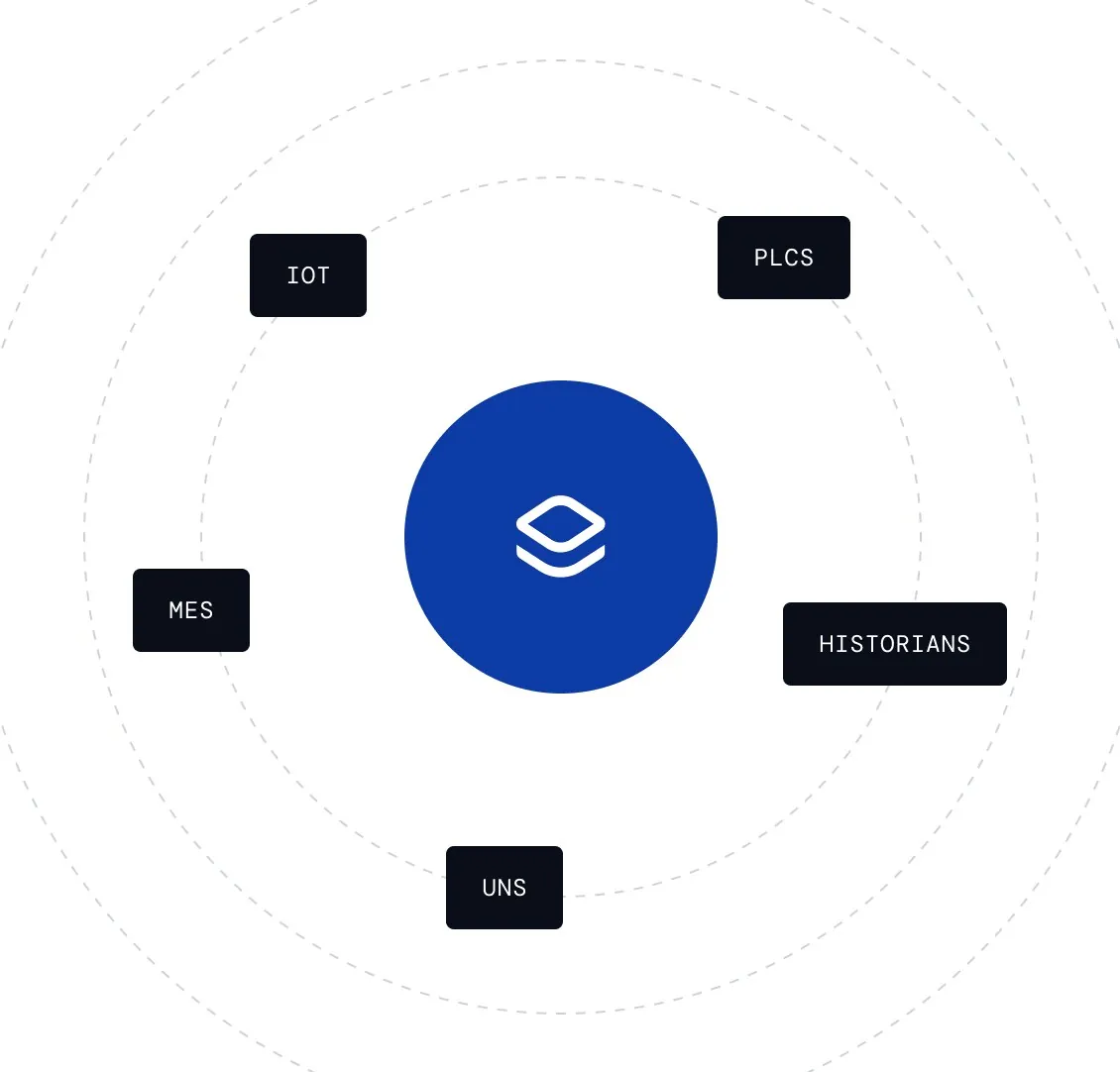
IT/platform state “One connection handles every system” nhấn mạnh một kết nối, structured context tự động và khả năng scale cùng deployment pattern qua nhiều site.
Nguồn: Trang nguồn chính thức
08D · ETHON PERSONA FRAGMENTS
Ethon role views — Data science & IT · tiếp
C · UI FRAGMENT/COMPOSITE Data becomes structured automatically
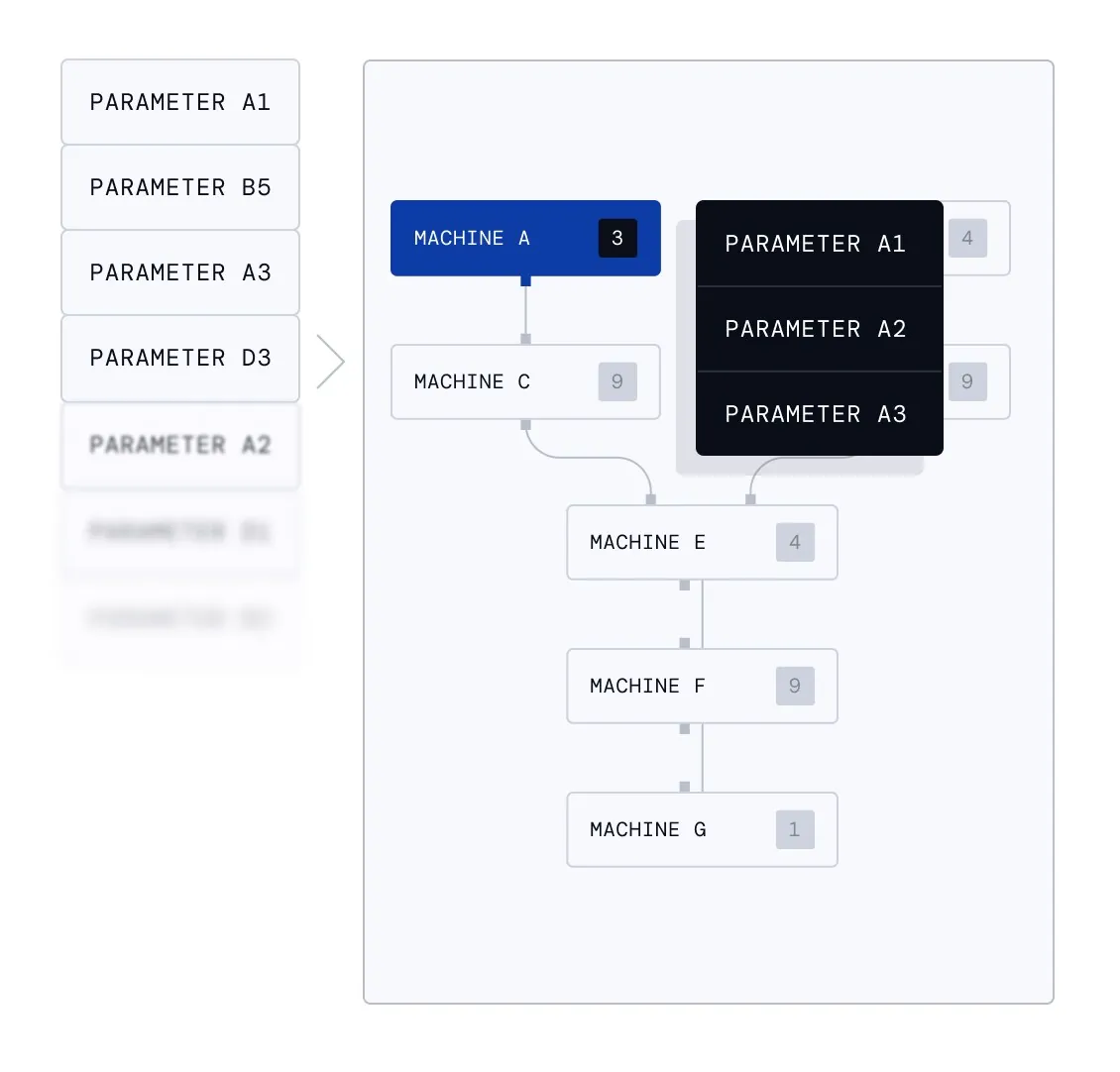
IT/platform state “Data becomes structured automatically” nhấn mạnh một kết nối, structured context tự động và khả năng scale cùng deployment pattern qua nhiều site.
Nguồn: Trang nguồn chính thức
C · UI FRAGMENT/COMPOSITE Scale once deploy everywhere
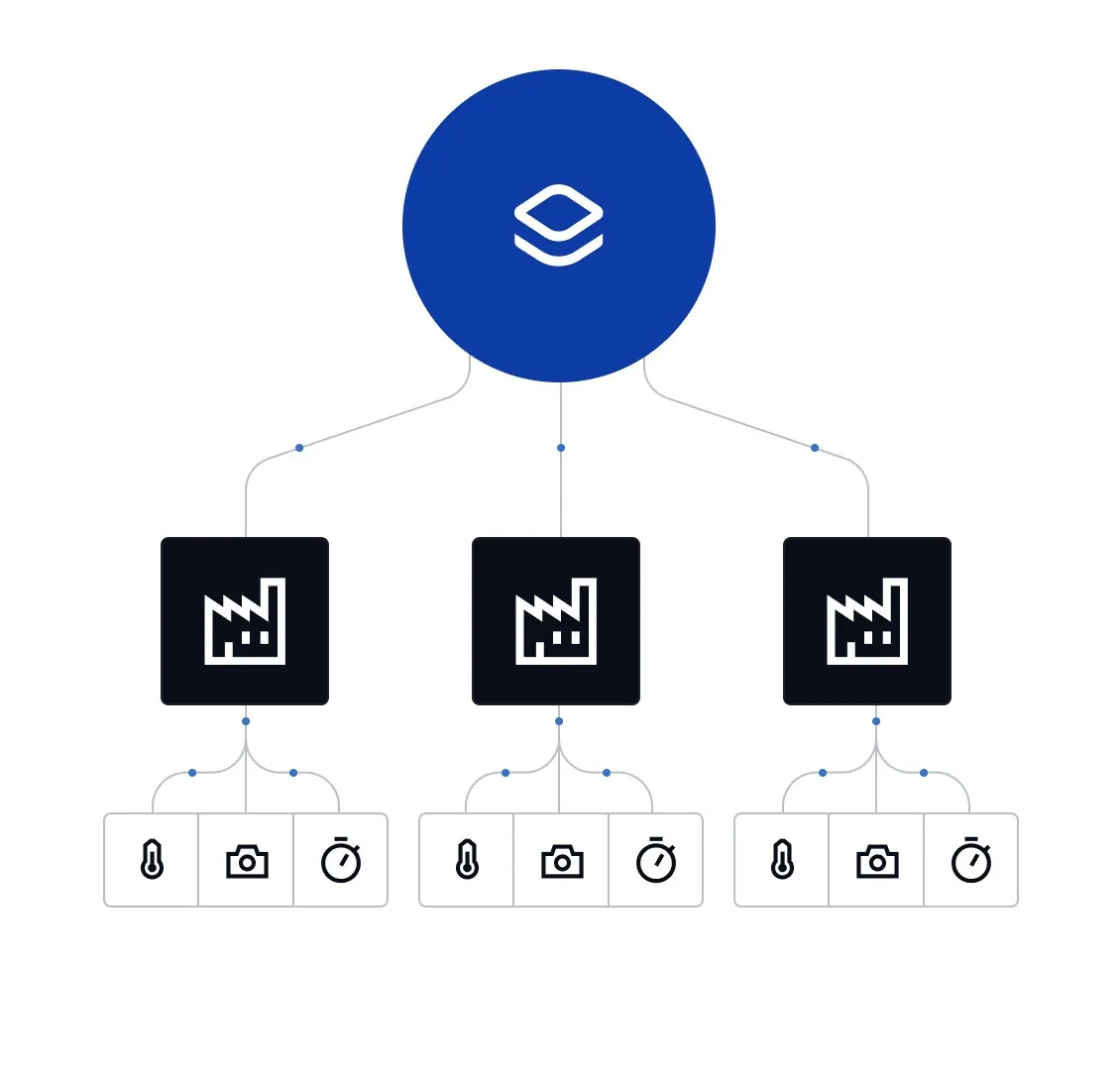
IT/platform state “Scale once deploy everywhere” nhấn mạnh một kết nối, structured context tự động và khả năng scale cùng deployment pattern qua nhiều site.
Nguồn: Trang nguồn chính thức
08E · ETHON LEGACY EVIDENCE
Ethon legacy UI — causal analysis lineage
Các screen cũ cho thấy lineage từ feature importance/Pareto và graph analysis đến causal-first UI hiện tại.
D · LEGACY/HISTORICAL Legacy Analyst — two-driver Pareto
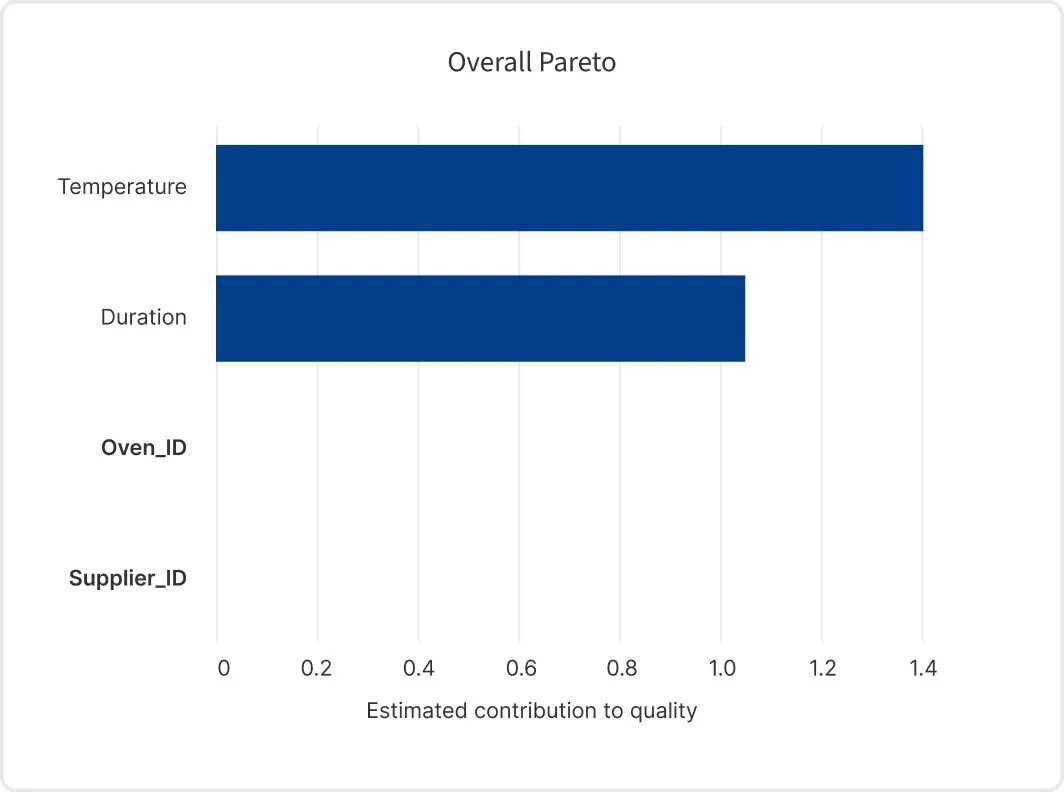
Legacy EthonAI Analyst view “Legacy Analyst — two-driver Pareto”. Ảnh cho thấy lineage từ feature-importance/Pareto và relationship graph đến causal-first UI hiện tại; không dùng để suy diễn navigation hoặc visual system ngày nay.
Nguồn: Trang nguồn chính thức
D · LEGACY/HISTORICAL Legacy Analyst — two-driver relationship graph
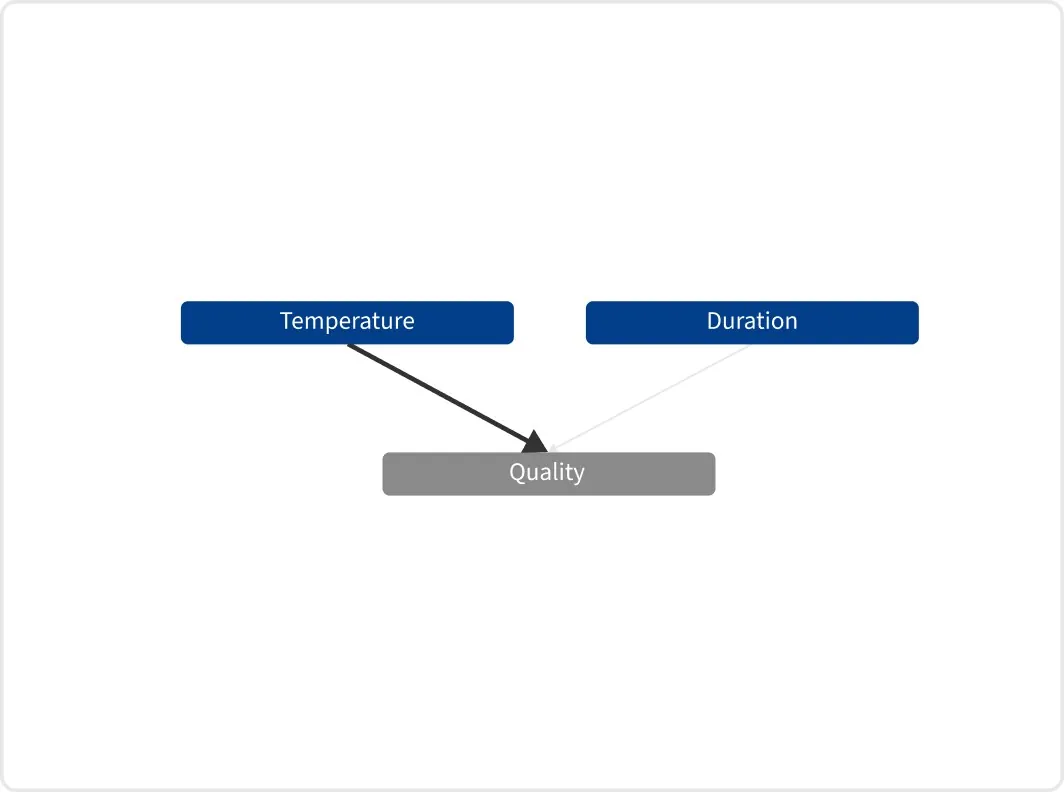
Legacy EthonAI Analyst view “Legacy Analyst — two-driver relationship graph”. Ảnh cho thấy lineage từ feature-importance/Pareto và relationship graph đến causal-first UI hiện tại; không dùng để suy diễn navigation hoặc visual system ngày nay.
Nguồn: Trang nguồn chính thức
08E · ETHON LEGACY EVIDENCE
Ethon legacy UI — causal analysis lineage · tiếp
D · LEGACY/HISTORICAL Legacy Analyst — three-driver Pareto
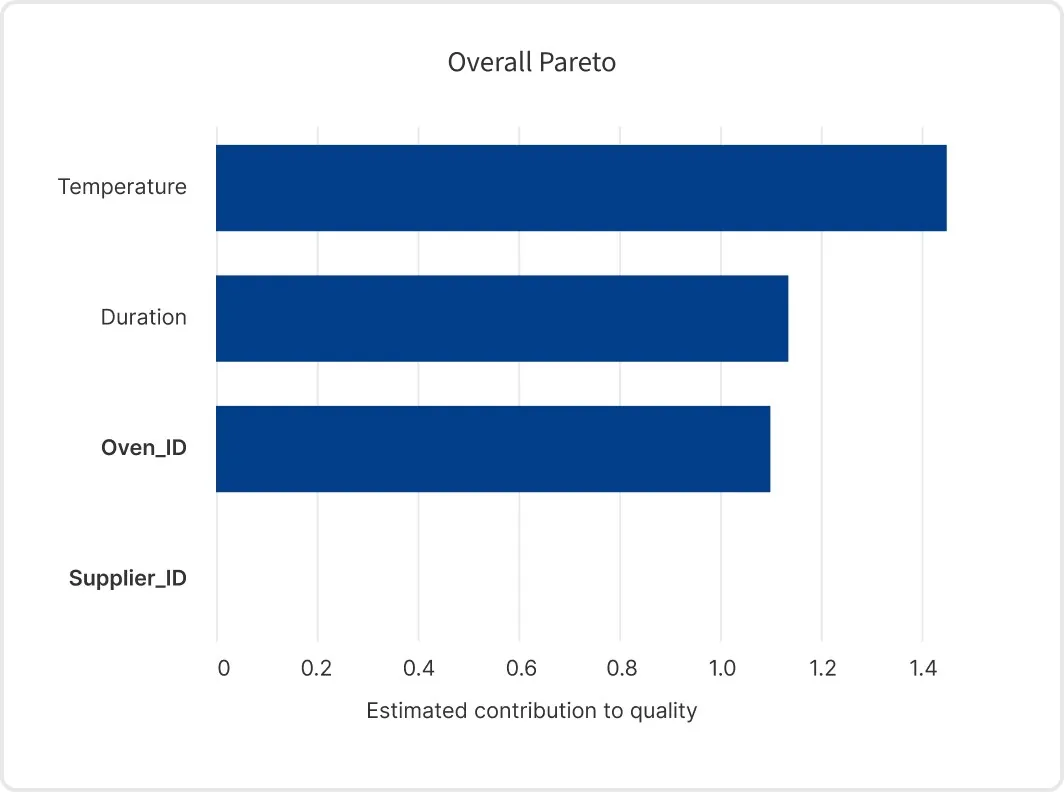
Legacy EthonAI Analyst view “Legacy Analyst — three-driver Pareto”. Ảnh cho thấy lineage từ feature-importance/Pareto và relationship graph đến causal-first UI hiện tại; không dùng để suy diễn navigation hoặc visual system ngày nay.
Nguồn: Trang nguồn chính thức
D · LEGACY/HISTORICAL Legacy Analyst — three-driver relationship graph
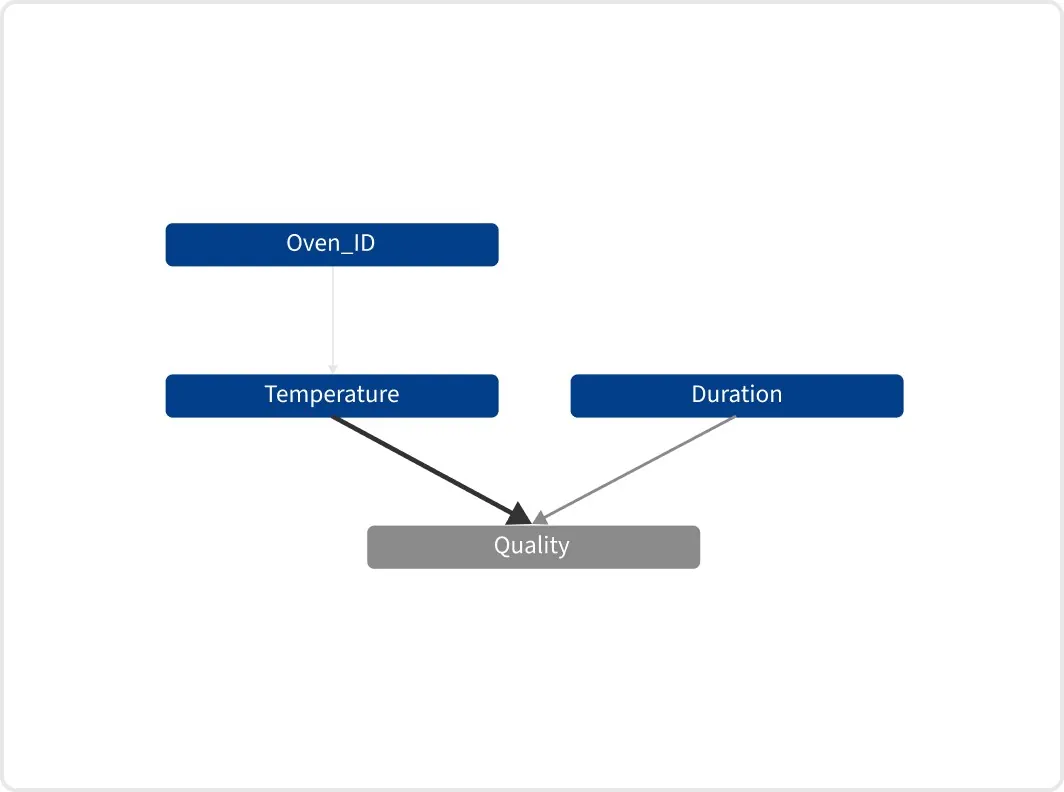
Legacy EthonAI Analyst view “Legacy Analyst — three-driver relationship graph”. Ảnh cho thấy lineage từ feature-importance/Pareto và relationship graph đến causal-first UI hiện tại; không dùng để suy diễn navigation hoặc visual system ngày nay.
Nguồn: Trang nguồn chính thức
09 · COMPARATIVE IMPLICATIONS
Design lessons có thể tái sử dụng
Thiết kế mạnh nhất sẽ kết hợp “platform power” của SymphonyAI với “decision clarity” của Ethon.
1. Outcome-first entry
Landing/workspace đầu tiên nên bắt đầu bằng deviation, opportunity hoặc task — không bắt người dùng hiểu toàn bộ data platform trước.
2. Explainability next to action
Graph, driver, recommendation và projected impact nên sống trong cùng view; tránh tách diagnosis sang một module khác.
3. Progressive power
Novice đi theo workflow định sẵn; power user mở ra canvas, builder, Python/model hoặc node flow mà không làm nặng default path.
4. One shell, many modes
Giữ global navigation, object naming, status grammar và AI placement nhất quán dù bên trong là dashboard, graph, work instruction hay builder.
5. Evidence state
Phân biệt rõ observed, inferred, recommended, simulated và executed. Industrial UI cần provenance hơn một consumer chatbot.
6. Closed-loop feedback
Sau action/setpoint, UI phải xác nhận trạng thái ổn định, KPI impact và rule/alert còn hiệu lực; đây là nơi Ethon thể hiện mental model tốt.
Reference interaction architecture
1 · Detect | 2 · Diagnose | 3 · Decide | 4 · Execute | 5 · Verify |
|---|---|---|---|---|
Signal / deviation | Causal drivers | Recommendation / what-if | Setpoint / task / workflow | Stability / impact |
10 · SOURCE REGISTER
Nguồn công khai đã rà soát
Tất cả link dưới đây là trang first-party. Thời điểm truy cập: 13/07/2026. Tên sản phẩm, navigation và hình ảnh có thể thay đổi sau thời điểm này.
- SymphonyAI: Mở trang nguồn chính thức
- IRIS Foundry: Mở trang nguồn chính thức
- IRIS Workspace: Mở trang nguồn chính thức
- IRIS Flows: Mở trang nguồn chính thức
- IRIS Forge: Mở trang nguồn chính thức
- P&ID ingestion: Mở trang nguồn chính thức
- Plant Insights: Mở trang nguồn chính thức
- Predictive Asset Intelligence: Mở trang nguồn chính thức
- Connected Worker: Mở trang nguồn chính thức
- ML Studio: Mở trang nguồn chính thức
- Digital Twin: Mở trang nguồn chính thức
- Knowledge Graph: Mở trang nguồn chính thức
- Vision AI: Mở trang nguồn chính thức
- Industrial Copilots: Mở trang nguồn chính thức
- Enterprise IT / ITSM: Mở trang nguồn chính thức
- APEX 2.0: Mở trang nguồn chính thức
- ITSM Agentic AI: Mở trang nguồn chính thức
- ITSM Design Studio: Mở trang nguồn chính thức
- IT Asset Management: Mở trang nguồn chính thức
- ITSM Service Automation: Mở trang nguồn chính thức
- Sensa Investigation Hub: Mở trang nguồn chính thức
- Sensa Copilot: Mở trang nguồn chính thức
- NetReveal Investigate: Mở trang nguồn chính thức
- NetReveal Detection: Mở trang nguồn chính thức
- KYC/CDD: Mở trang nguồn chính thức
- Sanctions screening datasheet (2022): Mở trang nguồn chính thức
- Advanced analytics datasheet (2022): Mở trang nguồn chính thức
- CINDE AI: Mở trang nguồn chính thức
- Revedia: Mở trang nguồn chính thức
- Revedia for FAST: Mở trang nguồn chính thức
- Agreement tutorial: Mở trang nguồn chính thức
- Demand Forecasting: Mở trang nguồn chính thức
- Personalized Marketing: Mở trang nguồn chính thức
- Customer Insights Platform: Mở trang nguồn chính thức
- Assortment Optimization: Mở trang nguồn chính thức
- Energy Optimization Agent: Mở trang nguồn chính thức
- Oil & Gas Operations Agent: Mở trang nguồn chính thức
- Intelligent Factory Agent: Mở trang nguồn chính thức
- Frontline Worker Agent: Mở trang nguồn chính thức
- Industrial Data Exploration Agent: Mở trang nguồn chính thức
- Smart Utilities Agent: Mở trang nguồn chính thức
- Warranty Claims Agent: Mở trang nguồn chính thức
- Digital Twin Agent: Mở trang nguồn chính thức
- Ethon platform overview: Mở trang nguồn chính thức
- Ethon Root Cause Analysis: Mở trang nguồn chính thức
- Ethon Process Optimization: Mở trang nguồn chính thức
- Ethon Process Control: Mở trang nguồn chính thức
- Ethon Early Fault Detection: Mở trang nguồn chính thức
- Ethon Quality Inspection: Mở trang nguồn chính thức
- Ethon Production Traceability: Mở trang nguồn chính thức
- Ethon for Management: Mở trang nguồn chính thức
- Ethon for Manufacturing Technology: Mở trang nguồn chính thức
- Ethon for Plant Management: Mở trang nguồn chính thức
- Ethon for Process Expert: Mở trang nguồn chính thức
- Ethon for Frontline: Mở trang nguồn chính thức
- Ethon for Data Science: Mở trang nguồn chính thức
- Ethon for IT: Mở trang nguồn chính thức
- Ethon legacy RCA article: Mở trang nguồn chính thức